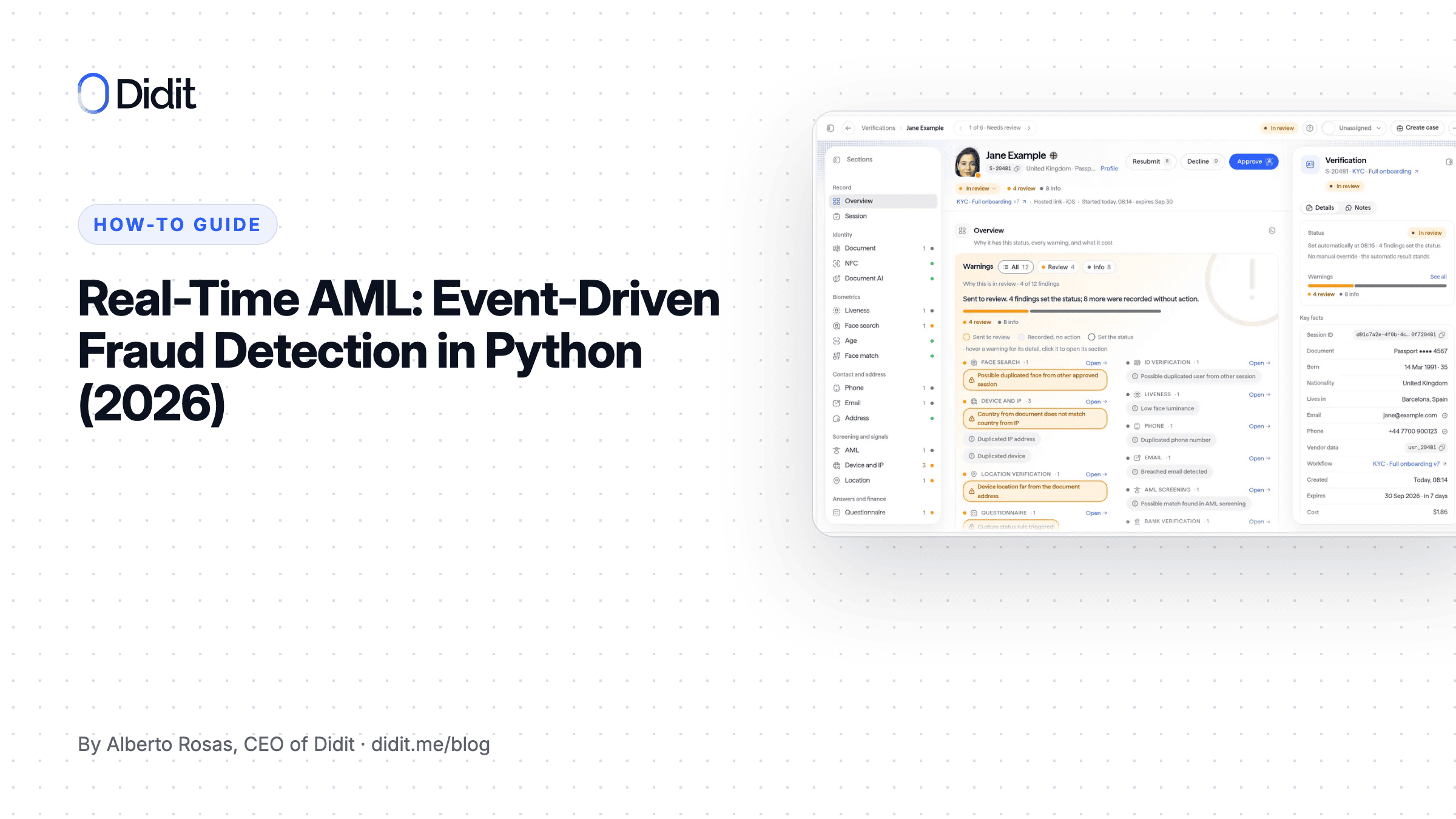
Real-Time AML: Event-Driven Fraud Detection in Python (2026)
Post each transaction and event to Didit from Python, get a synchronous score and status from one rule engine, and push status changes by webhook. $0.001 per transaction past your plan allowance; event ingestion is opt-in.
 Alejandro RosasCo-founder and CTO
Contents
In this guide
Jump to the part you need.
This how-to is for backend engineers and compliance leads who need a suspicious-activity decision when a transaction or login happens, not the next morning. You post each transaction and event to Didit from Python; Didit scores it against your active rules and returns a status. Pricing runs from $0.001 per transaction beyond the plan allowance, with AML screening at $0.20 per check. The caveat: event ingestion is opt-in and answers 403 until you enable it.
Last updated: November 26, 2026. Prices checked against the live Didit price feed on November 26, 2026.
Summary
| Item | Answer |
|---|---|
| Fits | Fintech, payments, crypto and iGaming teams that need a decision inside the request path, per transaction and per user action |
| Recommended method | Post each transaction to /v3/transactions/, act on the returned status, then subscribe to transaction.created and transaction.status.updated |
| Endpoints | POST https://verification.didit.me/v3/transactions/ and POST https://verification.didit.me/v3/events/ |
| Price | $0.001 per transaction beyond the plan allowance; AML screening $0.20 per check; wallet screening $0.15 per screening |
| Included volume | 1,000 monitored transactions a month on Free, 10,000 on Growth, 100,000 on Scale |
| Main caveat | Event ingestion is opt-in. Until you enable it in Transactions, Settings, Event monitoring, every event write lane returns 403, including batch and SDK-token endpoints |
Start free in the sandbox at business.didit.me with no sales call, and read the Transaction Monitoring product page and pricing before you wire anything in. Developers who want an AI assistant to drive the same checks can connect Didit through the MCP server.
Add Didit to Claude · Open Didit in ChatGPT · MCP setup for every client
AML and fraud detection on one rule engine
Transactions are the money movements and events are everything else your platform knows, such as logins, bonus claims and disputes. Didit Transaction Monitoring scores both with one rule model: one condition vocabulary and one set of actions. A rule declares its record types with scope.record_types, so an AML rule can read transactions while a fraud rule reads events, or one rule can read both. We run this for 4,000+ companies across 220+ countries.
Every submitted transaction is enriched inline with IP country, ASN and VPN or Tor flags, and counterparties are screened against sanctions and adverse media automatically. Your active rules then run synchronously and return a score and a status. The rule builder covers velocity, ratio, ordered sequence and cross-subject correlation over rolling windows, so a structuring pattern or an account takeover sequence is a rule you write, not a service you operate.

Prerequisites
- A Didit application with Transaction Monitoring enabled: Settings, then Transaction Monitoring, then Enable.
- An API key, sent as the
x-api-keyheader. The same keys cover sessions and entities. - Python 3 with
requestsinstalled, and your key exported asDIDIT_API_KEY. - A webhook endpoint reachable from the internet over HTTPS, if you want push notifications.
- Event monitoring enabled in Transactions, Settings, Event monitoring, if you intend to send non-monetary events.
The transaction monitoring quickstart promises a first firing rule in under 10 minutes. The steps below are that path, in Python.
Step by step: real-time AML in Python
Enable the product for your application. In the Business Console open Settings, then Transaction Monitoring, then Enable. Keep one API key per environment so a sandbox key never reaches production traffic.
Submit a baseline transaction. This is the documented minimal body wrapped in one small helper you reuse for the rest of the page.
import os
import requests

API_KEY = os.environ["DIDIT_API_KEY"]
BASE = "https://verification.didit.me"
HEADERS = {"x-api-key": API_KEY, "Content-Type": "application/json"}

def post(path, body):
    response = requests.post(BASE + path, headers=HEADERS, json=body, timeout=10)
    response.raise_for_status()
    return response.json()

transaction = {
    "transaction_id": "baseline-0001",
    "transaction_category": "finance",
    "transaction_details": {
        "direction": "outbound",
        "amount": "500.00",
        "currency": "EUR",
    },
    "subject": {"entity_type": "person", "vendor_data": "user-42", "full_name": "Jane Doe"},
    "counterparty": {"entity_type": "company", "full_name": "Acme Supplier"},
}

result = post("/v3/transactions/", transaction)
print(result["status"], result["score"], len(result["rule_runs"]))
Read the verdict. With no active rules the response comes back
APPROVEDwithscore0, because the score is the sum of every matched rule'sscore_deltaover a base of 0.rule_runslists every rule that evaluated the transaction, matched or not.Enable a preset rule. Navigate to Transactions, Rules, Library in the Business Console and pick Structuring (outbound): it triggers when the same user sends 20 or more outbound transfers under 10,000 EUR within 30 days. Enable it and save.
Resubmit transactions that trip the rule. Generate the
transaction_idon your side and keep it unique; it is the idempotency key.for i in range(1, 21): post("/v3/transactions/", { "transaction_id": f"struct-{i}", "transaction_category": "finance", "transaction_details": { "direction": "outbound", "amount": "9500.00", "currency": "EUR", }, "subject": {"entity_type": "person", "vendor_data": "user-42", "full_name": "Jane Doe"}, "counterparty": {"entity_type": "company", "full_name": f"Shell Co {i}"}, }) print("submitted 20")By the 20th submission the Structuring rule fires and that transaction returns
statusIN_REVIEW, with the rule'sscore_deltaadded to the total.Subscribe to webhooks so the decision reaches application state even when the request has already returned. The response carries
secret_shared_key; store it immediately asDIDIT_WEBHOOK_SECRET.destination = { "label": "TM events", "url": "https://yourapp.com/webhooks/didit-tm", "subscribed_events": ["transaction.created", "transaction.status.updated"], } print(post("/v3/webhook/destinations/", destination)["secret_shared_key"])On the receiving side, read the raw body before parsing, recompute the
X-Signature-V2HMAC-SHA256 over the canonicalised body with that secret, compare in constant time, and reject a timestamp older than 300 seconds. The payloads and the full verification code live in the TM webhooks page.Turn on event monitoring and send a non-monetary event. Open Transactions, Settings, Event monitoring. Until that switch is on, every event write lane returns 403 with
event_monitoring_disabled:POST /v3/events/,POST /v3/events/batch/,POST /v3/events/sdk-token/and the/v1/events/device lane. Nothing is stored, enriched or evaluated. Reads are unaffected.event = { "event_id": "login-2026-08-31-000001", "event_category": "auth", "action_type": "login", "occurred_at": "2026-08-31T20:40:31.123Z", "time_zone": "UTC", "subject": {"entity_type": "individual", "vendor_data": "user_391"}, "session": {"session_id": "web-session-abc", "sequence": 142}, "device_context": { "fingerprint": "didit-fp-v2:a8c1", "network_context": {"ip_address": "203.0.113.42"}, }, "payload": {"method": "password"}, } print(post("/v3/events/", event))Scope a rule to events. In the console the Applies to selector on a rule's Trigger step switches the rule from transactions to events and reveals an Event categories checklist. The documented rule body for a failed login burst is below;
__current__means the same subject as the event being evaluated.{ "title": "Failed login burst", "scope": { "record_types": ["event"], "event_categories": ["security"] }, "aggregation": [ { "metric": "count", "operator": "gte", "value": 3, "window": "30m", "filters": { "subject_vendor_data": "__current__", "event.action_type": "login_failed" } } ], "actions": [ {"type": "add_score", "value": 40}, {"type": "change_status", "value": "IN_REVIEW"} ] }Send a score your own system already produces with the event.
custom_valuestakes up to 100 scalar keys and rules read them ascustom_values.<key>. The example sends a value your own system computed; Didit stores it with the event and makes it available to rule conditions.post("/v3/events/", { "event_id": "wd-2026-08-31-000042", "event_category": "payment", "action_type": "withdrawal_requested", "occurred_at": "2026-08-31T20:44:02.000Z", "time_zone": "UTC", "subject": {"entity_type": "individual", "vendor_data": "user_391"}, "custom_values": {"internal_risk_score": 82, "score_band": "high"}, })Read the transaction back and inspect the case.
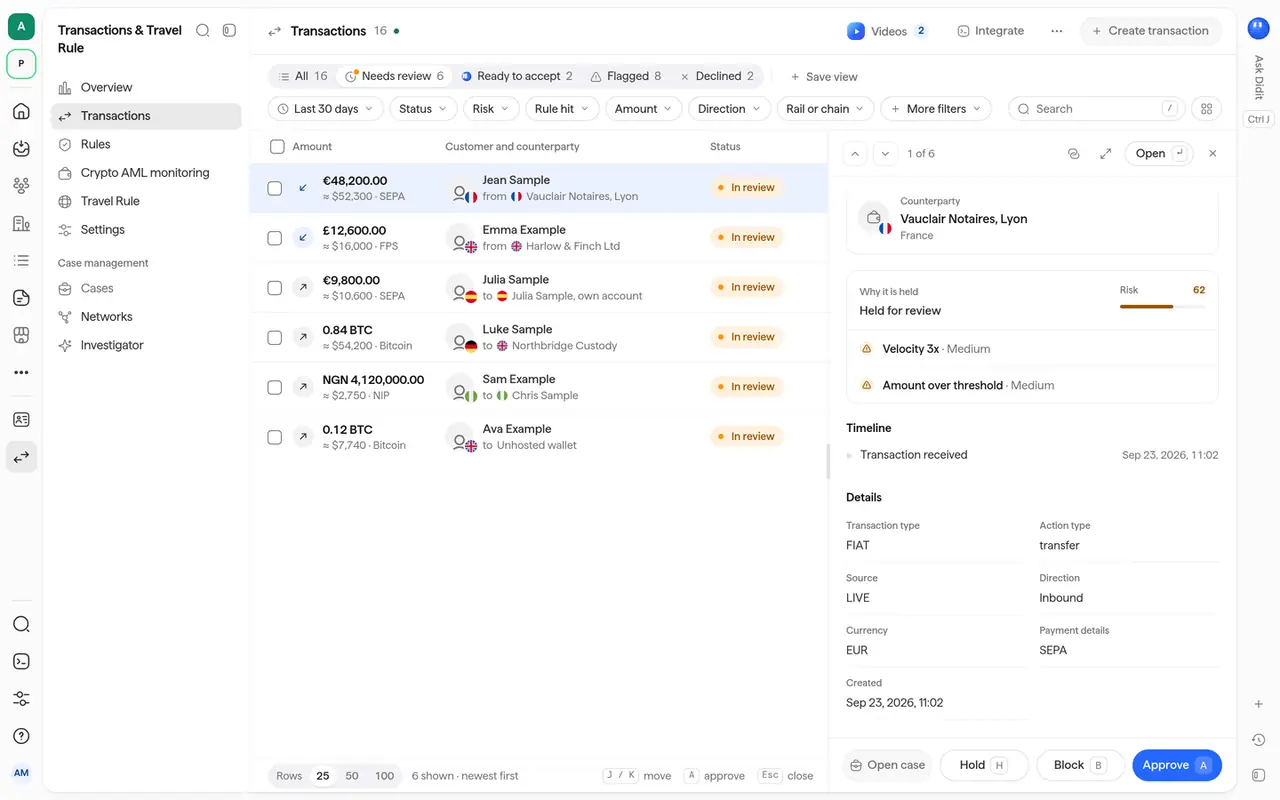
GET /v3/transactions/{transaction_id}/returns the same score, matched rules and party enrichment. In the console, the Transactions list filters by status and the detail page shows rule runs, IP enrichment, party details, the network graph for crypto and any linked alerts and cases.

Expected output
Once rules fire, the transaction response explains the number instead of just stating it.
{
  "txn_id": "tx-0002",
  "status": "IN_REVIEW",
  "score": 65,
  "rule_runs": [
    {
      "rule_title": "High-value outbound",
      "matched": true,
      "score_delta": 30,
      "severity": null,
      "status_target": null,
      "action_summary": "score +30"
    },
    {
      "rule_title": "High-risk jurisdiction counterparty",
      "matched": true,
      "score_delta": 35,
      "severity": "HIGH",
      "status_target": "IN_REVIEW",
      "action_summary": "score +35; add_tag:high_risk_country"
    }
  ]
}
An event that matched nothing returns the envelope with its evaluation counts:
{
  "event_uuid": "0f2b...",
  "event_id": "login-2026-08-31-000001",
  "status": "ACCEPTED",
  "score": 0,
  "rules_evaluated_count": 6,
  "rules_matched_count": 0,
  "correlation_pending": false,
  "retention_class": "standard",
  "expires_at": "2026-09-30T20:40:31.123Z",
  "idempotent_replay": false,
  "rule_matches": []
}
The two response shapes answer different questions. A transaction response returns status such as APPROVED, IN_REVIEW, AWAITING_USER or DECLINED, plus score and rule_runs. An event response returns status ACCEPTED with rules_evaluated_count, rules_matched_count and rule_matches. Later transaction status changes arrive as transaction.created and transaction.status.updated webhooks; an event response does not carry a transaction status.
The status mapping is determined by your configured thresholds. The review threshold defaults to 75 and the decline threshold to 500, which is the maximum value and means never decline by score until you lower it. A rule can also override the mapping with change_status.
Inputs and outputs
| Field | Sent to | What it does |
|---|---|---|
transaction_id | POST /v3/transactions/ | Your identifier, unique per application, and the idempotency key. Always generate it on your side |
transaction_details | transaction body | direction, amount, currency, optional action_type |
subject and counterparty | transaction body | entity_type, vendor_data, full_name, country_code, payment_method, device context |
custom_properties | transaction body | Business fields such as an invoice id, kept with the record |
event_id | POST /v3/events/ | Idempotency key for the event, unique per application |
event_category and action_type | event body | One of ten categories, with an open action string up to 128 characters |
occurred_at | event body | When it happened on your side, up to 7 days in the past and 5 minutes in the future |
device_context | event body | Fingerprint, persistent device id, bot score and network_context.ip_address |
custom_values | event body | Up to 100 scalar keys, readable in rules as custom_values.<key> |
status | response | APPROVED, IN_REVIEW, AWAITING_USER or DECLINED |
score | response | Integer, the sum of matched rule deltas |
rule_runs and rule_matches | response | Evidence for every rule that evaluated the record |
| webhook events | your endpoint | transaction.created and transaction.status.updated, signed with X-Signature-V2; these carry transaction status changes, not event evaluation counts |
Failure cases and recovery
| Symptom | Cause | Recovery |
|---|---|---|
400 with a duplicate transaction_id message | You resubmitted an id you already used | Do not resubmit. Read the original with GET /v3/transactions/{uuid}/ using the uuid from the first response |
| 409 on a transaction create | Two identical requests raced each other | The second one lost. Look the transaction up instead, or take the uuid from the transaction.created webhook payload |
403 event_monitoring_disabled | Event monitoring was never switched on | Enable it in Transactions, Settings, Event monitoring. Until then every event write lane returns 403, including POST /v3/events/batch/ and POST /v3/events/sdk-token/. Reads were never affected |
| An event rule never fires, transaction rules still work | scope.record_types was omitted, so the rule is transaction-only | Set record_types to ["event"] and narrow with event_categories |
| A ratio rule never fires for new users | A ratio with no denominator never matches by design | Check the denominator filter, and add a count-based rule for first-time activity |
| High scores never decline | The decline threshold is at its default 500, meaning never decline by score | Lower preferred_decline_score_threshold, or give the rule a change_status to DECLINED |
| Webhook rejected with 401 | Stale timestamp beyond 300 seconds, wrong secret, or the body was parsed before verification | Read the raw body, verify X-Signature-V2 against the destination secret, and accept the -Previous header while a rotated secret is deployed |
| The review queue explodes after a migration | Six months of history ran through a 30-day velocity rule | Use the console CSV import with dry ingest, or enable rules only after ingestion finishes |
A held transaction is the alert. There is no separate alert record: filter Transactions by IN_REVIEW or AWAITING_USER, assign, note, approve or decline, or move it into a case for a wider investigation. The alerts array on the transaction detail is empty today, so read status.
What is paid and what stays a human decision
- Transaction monitoring costs $0.001 per transaction beyond your monthly allowance: 1,000 on Free, 10,000 on Growth, 100,000 on Scale. The allowance resets on the 1st and does not roll over.
- AML screening is $0.20 per check against 1,300+ lists, and ongoing AML monitoring is $0.07 per person per year.
- Wallet screening is $0.15 per screening. You can also bring your own screening provider and run it inside Didit.
- The sandbox, the workflow orchestrator, the MCP server and the SDKs are free, and the Free plan includes $10 of monthly credit for organizations that sign up with a work email.
Three things stay with your team. Rules should be validated in TEST mode first, where they evaluate but do not touch score or status, before you switch them to ACTIVE. Thresholds are a policy choice, not a technical default. And filing is yours: Didit does not submit reports to regulators, the console prepares the SAR or CTR form and assembles the evidence from the case.
Worked cost example
A platform on the Scale plan processes 120,000 transactions in a month, onboards 4,000 new users with a full ID check plus AML screening, keeps ongoing AML monitoring on those users, and screens 1,500 wallets. At list prices:
- Plan fee: $299.00
- Transaction monitoring: 100,000 included, 20,000 overage x $0.001 = $20.00
- Full ID check: 4,000 x $0.33 = $1,320.00
- AML screening: 4,000 x $0.20 = $800.00
- Ongoing AML monitoring: 4,000 x $0.07 = $280.00
- Wallet screening: 1,500 x $0.15 = $225.00
- Total: 299.00 + 20.00 + 1,320.00 + 800.00 + 280.00 + 225.00 = $2,944.00
Scale carries 10% off every Didit price, so the same month reads: ID check $0.297 x 4,000 = $1,188.00, AML screening $0.18 x 4,000 = $720.00, ongoing monitoring $0.063 x 4,000 = $252.00, wallet screening $0.135 x 1,500 = $202.50, plus $299.00 plan and $20.00 overage, for $2,681.50. Overage stays $0.001 per transaction on every plan.
What your Python client sends and what it reads
The engine owns scoring. Your Python client owns the two documented boundaries: it builds request bodies for POST /v3/transactions/ and POST /v3/events/, and it reads the fields those endpoints return. If your system already computes a risk number, send it as a scalar in custom_values on the event, up to 100 keys, and write a rule condition against custom_values.<key>. That keeps the value next to the engine's velocity, ratio and sequence evidence.
No other integration step is required for the decision. The documented path is one HTTPS POST per record, and events can be batched up to 500 per request with POST /v3/events/batch/. Use the transaction response for status, score and rule_runs; use the event response for status, rules_evaluated_count, rules_matched_count and rule_matches.
Sources
- Didit docs: Transaction Monitoring quickstart
- Didit docs: Event ingestion API
- Didit docs: Event rules
- Didit docs: Transaction risk scoring
- Didit docs: KYT alerts and triage
- Didit docs: Transaction monitoring integration guide
- Didit docs: Transaction monitoring webhooks
- Didit docs: Webhooks and HMAC signing
- Didit docs: Pricing and billing rules
- Didit pricing page and live price feed, read November 26, 2026
- Didit Transaction Monitoring product page
- Didit MCP server
- FATF recommendations on AML and counter-terrorist financing
Next step: open the sandbox at https://business.didit.me/, submit one test transaction, and watch a preset rule fire before you touch production keys. No sales call is involved.
Try it
Try this in the sandbox
Run the check this guide describes, free.
The product this post is about, taken from its topic. Run it free in the sandbox.
Author
Alejandro Rosas
Co-founder and CTO

Keep reading
Other guides in the same topic.
 What Is the Purpose of FICA in South Africa? 2026 Guide
FICA is South Africa's anti-money laundering law. It creates the Financial Intelligence Centre and requires accountable institutions to identify and verify clients, screen for PEP and sanctions risk and report suspicious.
Alberto RosasNov 26, 2026 Sixth Money Laundering Directive (6AMLD): What Changed and Which Rules Apply
6AMLD is Directive (EU) 2018/1673: Member States must criminalise laundering, widen predicate offences and set a four-year penalty floor. It adds no new due diligence duties for firms.
Alberto RosasNov 26, 2026 Automated Sanctions Screening: Canada, the Entity List and Embargoes
Automated sanctions screening matches people and companies against lists such as Canada's autonomous sanctions made under SEMA and JVCFOA and the OFAC SDN List, and returns candidate hits scored for identity confidence and.
Alberto RosasNov 26, 2026Questions
Frequently asked questions
What is event-driven fraud detection in Python?
Event-driven fraud detection means each transaction or user action is scored when it happens instead of in a nightly batch. In Python you post the record to an API and act on the status it returns, so your application can hold the payment before releasing funds. On Didit, transaction scoring is synchronous and a webhook carries later status changes to your application.
How do I run anti money laundering checks on transactions in Python?
Send each transaction to POST https://verification.didit.me/v3/transactions/ with your x-api-key header, then read status, score and rule_runs from the response. Didit enriches each record with IP data, screens counterparties against sanctions and adverse media, and runs every active rule. The response gives you the status to act on and the evidence for the decision.
What are AI-native AML platforms with event-driven monitoring?
On Didit, it means the same rule engine that scores transactions also evaluates ten event categories: auth, session, gameplay, bonus, affiliate, payment, dispute, security, responsible_gambling and custom. Event ingestion is opt-in: until you enable it in Transactions, Settings, Event monitoring, every event write lane returns 403 with event_monitoring_disabled. Reads are unaffected.
Do AML and fraud detection need separate systems?
They can share one engine, and on Didit they do. A fraud rule such as a failed login burst and an AML rule such as structuring are written in the same builder and add to the same score. The difference is what you feed it: money movements go in as transactions, everything around them goes in as events.
What should I check in AML detection software before buying?
Check whether scoring is synchronous and returns the rule evidence, whether rules can read non-monetary events as well as payments, whether held transactions have a reviewer queue with assignment and notes, and whether per-unit pricing is published. Didit answers all four and publishes its per-unit prices on the pricing page.
How much does real-time AML cost on Didit?
Transaction monitoring is $0.001 per transaction beyond your plan allowance, with 1,000 a month included on Free, 10,000 on Growth and 100,000 on Scale. AML screening is $0.20 per check and ongoing AML monitoring is $0.07 per person per year. The sandbox is free and unlimited on every plan.
What happens when a rule fires?
The transaction's score rises by that rule's score_delta and the status follows your thresholds, with 75 and above going to IN_REVIEW by default. DECLINED only happens by score if you lower the decline threshold below its default of 500. A rule can also force a status directly with a change_status action.
Can I send my own machine learning score into Didit's rules?
Yes. Events accept custom_values with up to 100 scalar keys, and rules read them as custom_values.<key>. Send the score your system already produces with the event, and the rule engine combines it with velocity, ratio and sequence conditions. The engine keeps the decision, the audit trail and the case record.
What is the difference between a transaction and an event on Didit?
Transactions carry money: deposits, withdrawals and transfers, each with a subject and an optional counterparty. Events carry everything else your platform knows, in ten categories including auth, security, payment and dispute. Both are evaluated by the same engine, and a rule declares which record types it applies to with scope.record_types.
Do I need Kafka or a stream processor to get real-time AML decisions?
No. The documented path is one HTTPS POST per record against the transaction or event endpoints. For bursts, use POST /v3/events/batch/ with up to 500 events in one request. The quickstart and integration guide do not require a stream processor.
Does Didit file suspicious activity reports for me?
No. Didit does not submit reports to regulators. The console prepares the SAR or CTR form and gathers the evidence from the case, and the filing stays with your compliance team.
Can backfilling history flood my review queue?
Yes, and the docs warn about it: feeding six months of history through a 20-transfers-in-30-days rule generates thousands of alerts at once. Import history with the console CSV import and the dry ingest flag, or enable rules only after ingestion finishes.
Compliance built in
Audited, certified and attested.
We hold the certifications and build each country's rules into your flows, so you can launch anywhere without worrying. Security and Compliance center
- Regulation encoded into your flows
Tell us what you do and where. Didit lists the rules that apply to you, with sources, and builds the checks each country needs into one workflow.
- Ready for AMLR
Every requirement of the new EU anti-money laundering rules, from checking customers to human review, is already covered by a Didit check.
- Tested in Spain's Treasury sandbox
Spain's Treasury published its supervised sandbox report on Didit's NFC plus active liveness onboarding; SEPBLAC took part and valued the added measures positively.
- Audited, not self-declared
iBeta Level 1 and Level 2. Liveness tested under ISO/IEC 30107-3.
Your obligations · 3 regions
 SOC 2 Type 2
 ISO 27001
 iBeta Level 1 and Level 2
 EU regulator attestation
 FSM youth protection
 GDPR
 EBA remote onboarding
 MiCA compatible
 FIDO Alliance member
- AMLREU AML Regulation ready
Integration · Didit MCP
Run Didit from your own AI agent
Connect Didit to Claude, Cursor, VS Code or ChatGPT and just ask in plain words. Your agent can do anything you can do in the console, with the same permissions you have.
 Add to Claude
 ChatGPT
 Cursor
- Build workflowsDescribe the checks you need. The agent creates and publishes the flow.
- Run investigationsAsk why a session was declined, review cases, search people and companies.
- Change rulesCreate payment rules, test them on past data and switch them on.
- Pull reportsAsk for numbers, exports or the audit log.
Didit Academy


