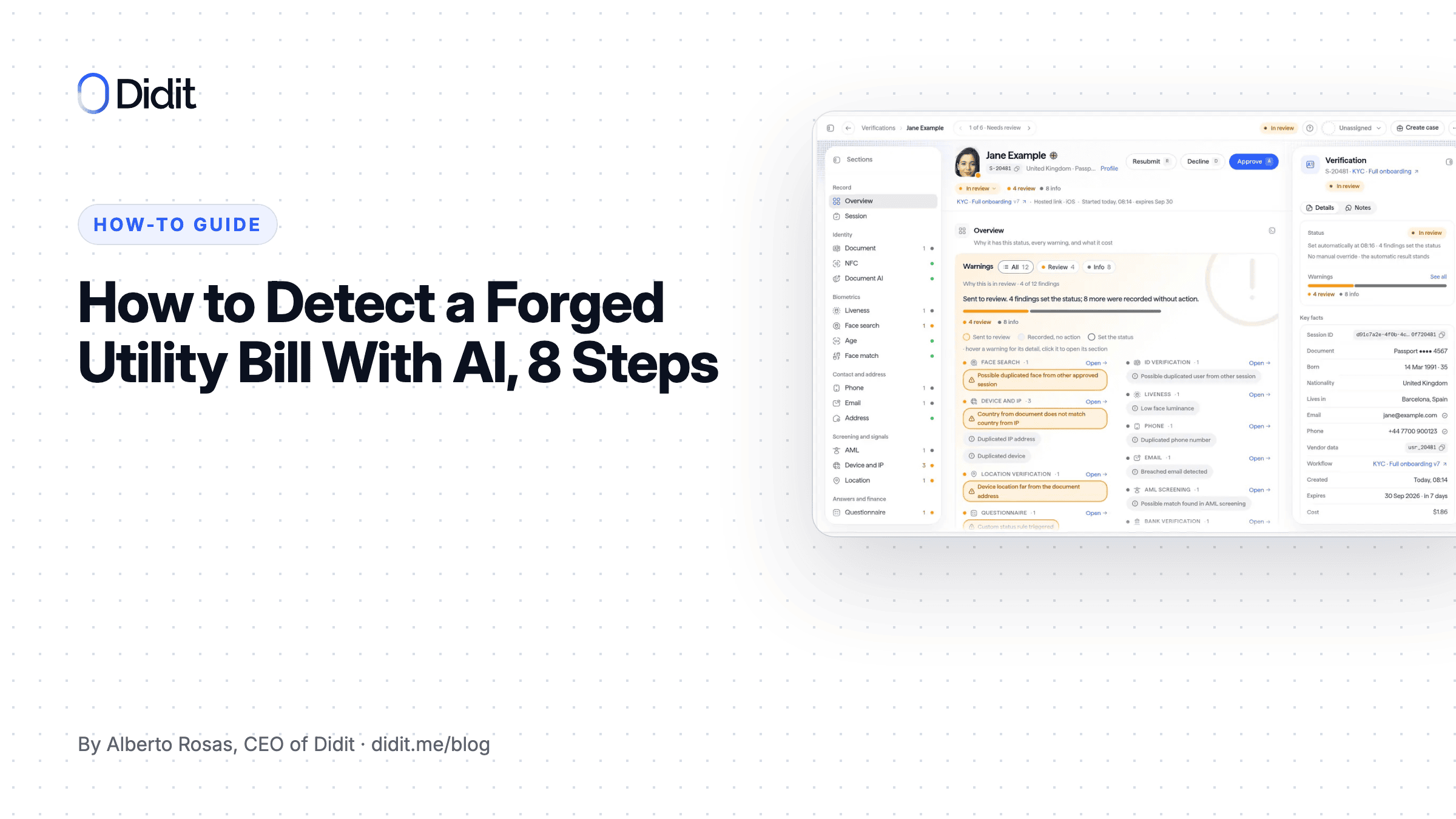
How to Detect a Forged Utility Bill With AI, 8 Steps
Catch forged utility bills by extracting the fields, matching name and address, and checking PDF forensics. The Didit Proof of Address API returns a status plus warnings for $0.20 per check.
 Alberto RosasCo-founder and CEO
Contents
In this guide
Jump to the part you need.
This guide is for teams that accept utility bills as proof of address and need a repeatable way to catch forgeries before an account opens. It covers the exact Didit API call, how to read the response, and where a person must decide. A Didit proof of address check costs $0.20. The caveat: no document check proves a bill is genuine, so warnings are evidence, not a verdict.
Last updated: November 26, 2026. Prices checked against the live Didit price feed on November 26, 2026.
| Job | Didit component | List price | What you get back |
|---|---|---|---|
| Extract and check a utility bill | Proof of Address API, POST /v3/poa/ | $0.20 per check | Status, parsed address, issuer, issue date, warnings |
| Read your own fields from any bill or statement | Document AI API, POST /v3/document-ai/ | $0.20 per document | Typed fields, name match score, tamper warnings |
| Run the check inside a hosted flow | Session with the PROOF_OF_ADDRESS feature, POST /v3/session/ | $0.20 per proof of address check | poa_verifications[] on the decision |
| Screen the person, not the paper | AML Screening | $0.20 per check | Sanctions and PEP screening results |
| Orchestrate the steps | Workflow Orchestrator | Free | The configured order of the verification steps |
| Test the flow first | Sandbox | Free | Static Approved mock payload |
Start free in the sandbox at https://business.didit.me/, with no sales call. Developers who want an assistant to drive the checks can connect Didit through https://didit.me/developers/mcp/. The endpoint reference is at docs.didit.me/standalone-apis/proof-of-address and every price is at https://didit.me/pricing/.
What a forged utility bill looks like
Four practical review patterns cover most forged bills, and each leaves a different trace. Treat them as review patterns rather than as an exhaustive classification.
- Edited copies. A real bill with the address, name, date or account number changed in an image or PDF editor. Traces: overlay text, mismatched fonts, a later save in the file metadata.
- Cloned templates. The layout of a real utility copied and refilled. Traces: small differences in logo and field positions, and an issuer that cannot be identified at all.
- Data substitution. Genuine letterhead, fabricated values. Traces: the extracted values fail the cross-check against the person or the address you hold.
- Full generation. A bill produced from scratch by a generative tool or a document builder. Traces: an issuer that cannot be identified at all, and extracted values that fail the cross-check against the person or the address you hold.
A genuine document belonging to someone else is a separate case. Nothing was forged, yet the document does not prove the applicant's address. Name and address matching catches it.
How to identify a fake utility bill
Work through these checks in order. Each one is something the API reports back.
- Read the text. OCR extracts the holder name, address, issuer and issue date. An unreadable document raises
UNREADABLE_DOCUMENT; inspect the returned status and your policy. - Check the issuer. If the utility cannot be identified, the bill may be a template rather than a bill:
ISSUER_NOT_IDENTIFIED. - Check the dates. Issue date, billing period and due date should agree, and the bill must sit inside your age window:
DOCUMENT_EXPIRED,DOCUMENT_TOO_OLD,UNABLE_TO_EXTRACT_ISSUE_DATE. - Match the person and the address. Compare against what you already hold, not against the document itself:
NAME_MISMATCH,ADDRESS_MISMATCH,COUNTRY_MISMATCH. - Inspect the file, not only the picture. PDF and EXIF forensics look for overlay text, a field blanked and re-typed in another font, known editors, re-exports and changes made after digital signing:
OVERLAY_MANIPULATION_DETECTED,SUSPECTED_DOCUMENT_MANIPULATION,DOCUMENT_METADATA_MISMATCH. - Check type and language. A mobile invoice or a screenshot may not be a bill you accept, and a language you did not configure is a policy failure:
INVALID_DOCUMENT_TYPE,LANGUAGE_NOT_ALLOWED.
Outcome and recommended method
The outcome is one decision per document: a status plus a warning list that explains it, so the case can be automated and audited later.
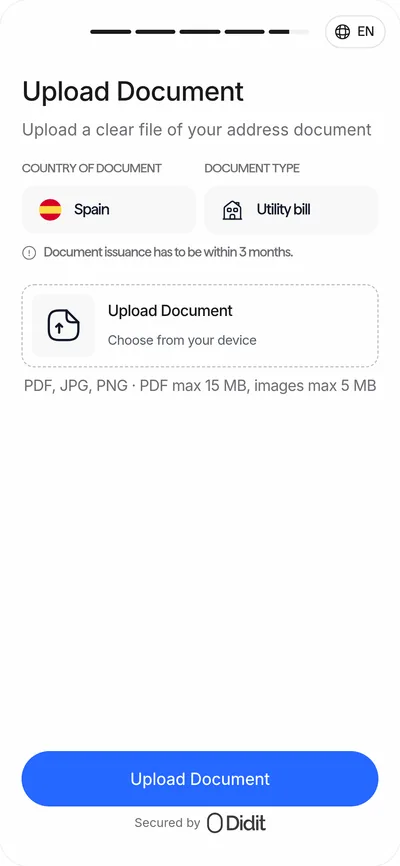
The recommended method is to send the document to Didit's Proof of Address API at POST /v3/poa/, pass in what you expect (address, country, first and last name), then read status together with warnings. Hard failures decline automatically, and the five configurable risk groups follow the action you set. For standalone checks, apply your configured action. Hosted sessions can use review handling, while your own workflow can review cases configured with NO_ACTION. If the bill arrives inside a hosted flow, add the PROOF_OF_ADDRESS feature to the workflow and read poa_verifications[] from the decision payload instead of calling the standalone endpoint.
Do not build the check around a single field comparison. A picture can look right and still be a render, and a render can carry a correct address.
Prerequisites
- A Didit account and an API key. Sandbox keys skip processing and billing entirely.
- For the hosted route, a workflow containing
PROOF_OF_ADDRESS, configured withpoa_languages_allowed,poa_document_age_monthsand the per-risk actions. For the standalone route, only the key. - The expected values you already hold:
expected_address,expected_country,expected_first_name,expected_last_name. Optional, and the reason a readable bill becomes a matched bill. - An HTTP client that sends
multipart/form-datawith a timeout of at least 45 seconds. - A written policy: which warnings decline, which ones wait for a person.
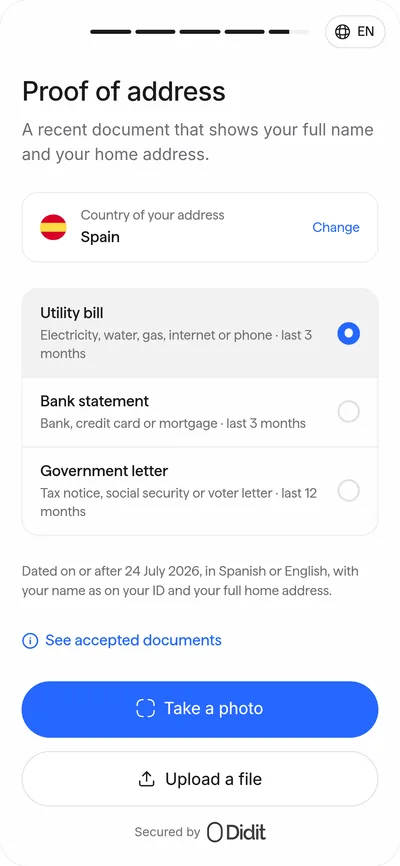
How to detect a forged utility bill in 8 steps
- Write the policy before the code. Decide which document types you accept, the maximum age in months, the languages, and which warnings end an application. Didit applies the age limit through
poa_document_age_monthsand the languages throughpoa_languages_allowed. Without a written policy you cannot say what a warning means. - Start in the sandbox. A sandbox key skips processing and billing: after request validation it returns a static Approved payload for a fictional electricity bill, stores no session and consumes no credits. Wire your response parsing there first.
- Send what you expect, not only the file. Pass
expected_address,expected_country,expected_first_nameandexpected_last_name. These are the values a forged or borrowed bill fails against. - Call the proof of address endpoint. One multipart POST to
https://verification.didit.me/v3/poa/with the file indocumentand your key inx-api-key. The full call is below. - Read status and warnings together. A readable but problematic document returns HTTP 200 with
status: "Declined". Branch onpoa.statusand thewarningsarray, never on the HTTP code alone. - Set the five configurable risk actions. Each takes
DECLINEorNO_ACTIONand defaults toDECLINE:poa_issuer_not_identified_action,poa_name_mismatch_action,poa_address_mismatch_action,poa_document_expired_action,poa_language_not_allowed_action. UseNO_ACTIONonly where a person reviews that case. - Escalate manipulation instead of explaining it away.
OVERLAY_MANIPULATION_DETECTED,SUSPECTED_DOCUMENT_MANIPULATIONandDOCUMENT_METADATA_MISMATCHmatter most because they describe the file rather than the text. Default policy: reject, or hold for a fraud reviewer. - Keep the evidence and close the loop. With
save_api_requestat its defaulttrue, the call is stored as an API-type session, the returnedrequest_idis a real session id, andGET /v3/session/{sessionId}/decision/addsdocument_fileand the document metadata forensics. Subscribe tostatus.updatedand verify the HMAC-SHA256 signature before you trust a payload.
The exact call
curl -X POST 'https://verification.didit.me/v3/poa/' \
-H "x-api-key: $DIDIT_API_KEY" \
-F "document=@./utility-bill.pdf" \
-F "expected_address=Av. Monseñor Tavella 3396, Salta" \
-F "expected_country=ARG" \
-F "expected_first_name=Sophia" \
-F "expected_last_name=Martinez" \
-F "poa_languages_allowed=en,es" \
-F "vendor_data=user-1234"
Accepted files are PDF, JPG, PNG, TIFF and WebP up to 15 MB. Extraction is LLM-based and typically takes 5 to 15 seconds, and up to about 30 seconds for multi-page PDFs, so set the client timeout to at least 45 seconds.
The same check inside a session
If the user uploads the bill in a hosted flow, add PROOF_OF_ADDRESS to the workflow, create a session with POST /v3/session/ passing workflow_id, vendor_data and callback, open session.url, then fetch GET /v3/session/{sessionId}/decision/ or wait for status.updated. Proof of address results arrive as an array in poa_verifications[], with the same status enum and the same warning codes.
When the bill is not a utility bill
For payslips, invoices, proof of funds or any document without a fixed template, use the Document AI API instead: POST /v3/document-ai/ with 1 to 30 field definitions and an optional expected name at $0.20 per document. It returns each field typed, a name_match_score against a default threshold of 80, and DOCUMENT_AI_SUSPECTED_MANIPULATION when the file itself looks edited.
Expected output
The example below shows the documented shape of the response and the documented identifiers only. Every value is a placeholder, not a real Didit response.
{
  "request_id": "<uuid>",
  "poa": {
    "status": "Declined",
    "parsed_address": "<parsed and geocoded address>",
    "document_type": "UTILITY_BILL",
    "issuer": "<issuer extracted from the document>",
    "issue_date": "<YYYY-MM-DD>",
    "language": "<ISO 639-1 code>",
    "document_metadata": {
      "overlay_manipulation": true
    },
    "warnings": [
      "OVERLAY_MANIPULATION_DETECTED",
      "ADDRESS_MISMATCH"
    ]
  }
}
In this shape the status is Declined because both listed risks resolve to a decline under the default actions. The overlay finding comes from the PDF itself, the mismatch from expected_address. Your own response carries the real extracted values. The full field list is documented in the proof of address report reference, and every code in the warning catalogue.

Inputs and outputs
| Field | What it does | Example |
|---|---|---|
document | The bill itself, multipart file | utility-bill.pdf |
expected_address | Cross-checks the extracted address | Av. Monseñor Tavella 3396, Salta |
expected_country | Cross-checks the country | ARG |
expected_first_name, expected_last_name | Cross-checks the holder name | Sophia / Martinez |
poa_languages_allowed | Accepted document languages | en,es |
poa_document_age_months | Maximum age of the bill | 3 |
document_password | Password for an encrypted PDF | required only when protected |
vendor_data | Your identifier for the person | user-1234 |
save_api_request | Stores the call as a session, default true | true |
poa_*_action | Per-risk handling, DECLINE or NO_ACTION | DECLINE |
| Field | Meaning |
|---|---|
request_id | Session id when saved, one-off correlation id when not |
status | Approved, Declined, In Review and the other session states |
parsed_address | Parsed and geocoded address from the document |
document_type | Classified type and subtype, such as UTILITY_BILL or WATER_BILL |
issuer | The utility named on the bill |
issue_date, language | Dates and language used for the policy checks |
document_metadata.overlay_manipulation | Forensic flag from PDF analysis |
warnings[] | Explains the status by listing the triggered risk codes |
Failure cases and recovery
| Response | Meaning | Recovery |
|---|---|---|
HTTP 400, encrypted_pdf | The PDF is password protected or the password is wrong | Send the correct document_password or a decrypted copy |
HTTP 400, document_unreadable | The file is corrupt or cannot be opened | Ask for another file. Branch on the code, not the message |
HTTP 503, document_processing_busy | Too many documents in flight, nothing was processed | Resend the same file after the Retry-After seconds |
| HTTP 403 | Not enough credits | Top up or change plan, then retry |
| Client timeout | You gave up before extraction finished | Raise the timeout to 45 seconds or more and retry |
200, Declined with NAME_MISMATCH or ADDRESS_MISMATCH | Extracted values do not match your expected values | Do not approve. Ask for a document in the applicant's own name |
OVERLAY_MANIPULATION_DETECTED | PDF forensics found edited text | Reject, or hold for a fraud reviewer with the file attached |
| Sandbox returns Approved for everything | Sandbox keys return a fixed mock payload | Expected. Test warning branches with a live key in a low-volume account |
| 404 on the decision call | The session does not exist or belongs to another application | Check the id and the key, then retry |
Paid steps and review boundaries
One POST /v3/poa/ call costs $0.20 and is billed on each HTTP 200 response, including a 200 that carries Declined. A request rejected with 400 before processing is not a completed check. Document AI is $0.20 per document, AML screening is $0.20 per check, and the Workflow Orchestrator is free on every plan.
Two codes are informational on this endpoint and never decline: POA_DOCUMENT_NOT_SUPPORTED_FOR_APPLICATION and UNPARSABLE_OR_INVALID_ADDRESS. Six hard failures always decline and cannot be configured away: MISSING_ADDRESS_INFORMATION, POA_DOCUMENT_EXPIRED, INVALID_DOCUMENT_TYPE, UNABLE_TO_VALIDATE_DOCUMENT_AGE, UNABLE_TO_EXTRACT_ISSUE_DATE and POA_NAME_NOT_DETECTED.
The boundary to design around: the standalone endpoint has no manual review state. Its five configurable groups accept DECLINE or NO_ACTION only, so a human decision has to happen either in your own queue after NO_ACTION, or in a hosted session where In Review exists as a status. Send anything with a manipulation finding to a person either way. That includes a bill where the text is clean but the file was re-exported.
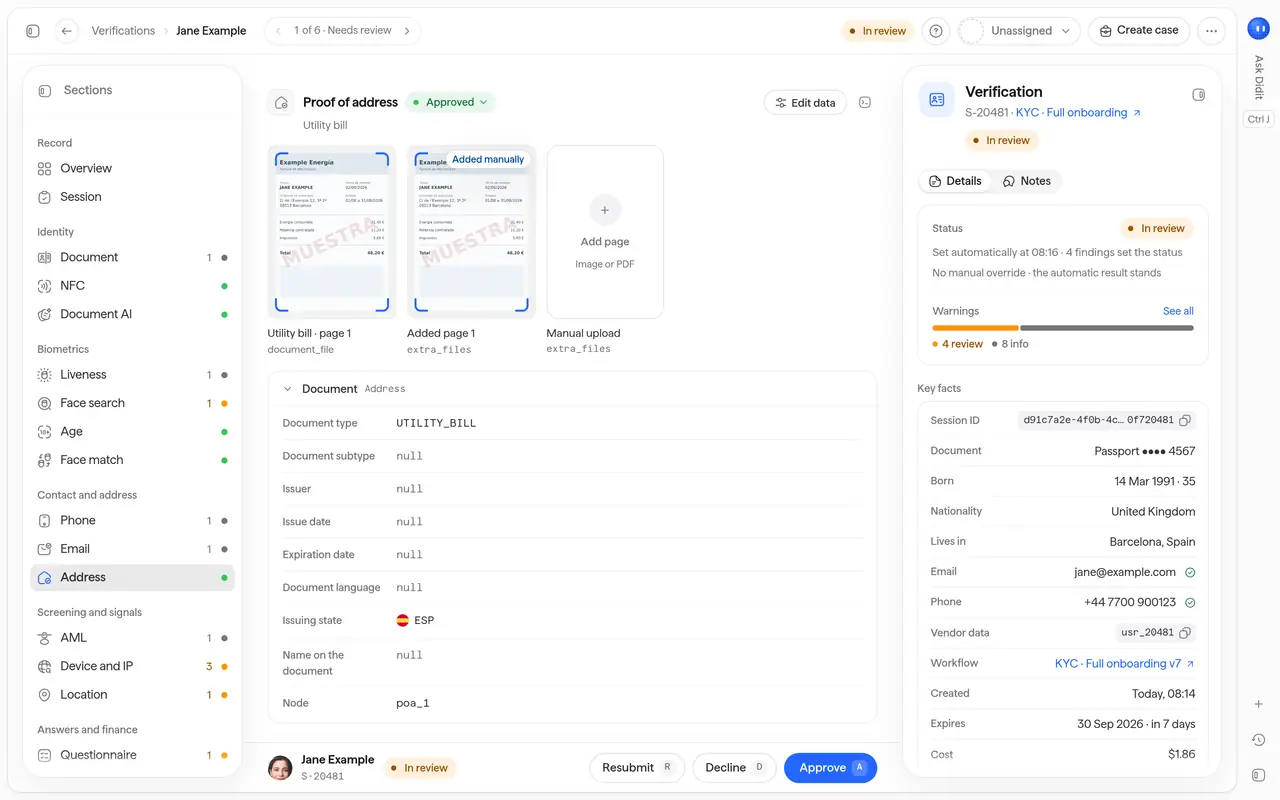
Worked cost example
Take 2,500 proof of address checks in one month at list price:
- 2,500 checks x $0.20 = $500.00.
- On Growth, the price is $0.20 minus 4% = $0.192. 2,500 x $0.192 = $480.00. The $99 monthly fee includes $115 of credit, so $480.00 minus $115.00 = $365.00 of top-up. Total spend: $99.00 + $365.00 = $464.00.
- On Scale, $0.20 minus 10% = $0.18. 2,500 x $0.18 = $450.00. Minus the $350.00 of credit included in the $299 fee leaves $100.00 of top-up. Total spend: $299.00 + $100.00 = $399.00.
- On the Free plan, the $10.00 of monthly credit covers $10.00 / $0.20 = 50 checks.
Add Document AI for a second document on the same applicant and each additional file adds $0.20 at list price. Add AML screening and each screened person adds $0.20. All prices come from https://didit.me/pricing/ and the pricing docs.
Sources
- Didit docs, Proof of Address API, read November 26, 2026.
- Didit docs, Proof of Address overview, read November 26, 2026.
- Didit docs, proof of address warning catalogue, read November 26, 2026.
- Didit docs, proof of address report, read November 26, 2026.
- Didit docs, Document AI API, read November 26, 2026.
- Didit docs, Create Session API, read November 26, 2026.
- Didit docs, Retrieve Session API, read November 26, 2026.
- Didit docs, Webhooks, read November 26, 2026.
- Didit docs, pricing and billing, read November 26, 2026.
- Didit pricing page and pricing as JSON, read November 26, 2026.
- Didit MCP server, read November 26, 2026.
- Directive (EU) 2015/849 on customer due diligence, for the address-evidence requirement.
- FATF, for the customer due diligence guidance behind identity and address checks.
Open the sandbox at https://business.didit.me/, send one bill through POST /v3/poa/ with your expected values, and read the warnings before you decide anything. Sandbox testing is free, there is no sales call, and the full price list sits at https://didit.me/pricing/. We run identity and fraud checks for 4,000+ companies.
Try it
Try this in the sandbox
Run the check this guide describes, free.
The product this post is about, taken from its topic. Run it free in the sandbox.
Author
Alberto Rosas
Co-founder and CEO

Keep reading
Other guides in the same topic.
 What Is the Purpose of FICA in South Africa? 2026 Guide
FICA is South Africa's anti-money laundering law. It creates the Financial Intelligence Centre and requires accountable institutions to identify and verify clients, screen for PEP and sanctions risk and report suspicious.
Alberto RosasNov 26, 2026 Sixth Money Laundering Directive (6AMLD): What Changed and Which Rules Apply
6AMLD is Directive (EU) 2018/1673: Member States must criminalise laundering, widen predicate offences and set a four-year penalty floor. It adds no new due diligence duties for firms.
Alberto RosasNov 26, 2026 Automated Sanctions Screening: Canada, the Entity List and Embargoes
Automated sanctions screening matches people and companies against lists such as Canada's autonomous sanctions made under SEMA and JVCFOA and the OFAC SDN List, and returns candidate hits scored for identity confidence and.
Alberto RosasNov 26, 2026Questions
Frequently asked questions
How do I identify a fake utility bill?
Read the document, check the issuer, check the dates, match the holder name and address against what you already hold, then inspect the file itself for edits. A bill is suspect when the issuer cannot be identified, when the issue date, billing period and due date disagree, when the name or address does not match, or when PDF and EXIF forensics show overlay text or a later re-export. The Didit Proof of Address API returns exactly those findings as a warning list next to an Approved or Declined status.
What is an anti-counterfeiting OCR inspection system?
It is a pipeline rather than a single model: OCR turns the document into text, extraction structures the fields, and forensic checks inspect the image and the file container for edits or generation. The extracted values are then compared with what you expected. Didit runs all of it in one call at POST /v3/poa/, priced at $0.20 per check.
Can AI detect a utility bill that was generated from scratch and looks perfect?
The API can surface forensic signals such as overlay manipulation and suspicious re-exports, but a clean result cannot establish that a bill is genuine. PDF and EXIF forensics also flag modification after digital signing, known PDF editors, and a field blanked and re-typed in another font as POA_DOCUMENT_UNPROVEN_TEXT_REPLACEMENT. Treat the warning list as evidence to review, not as proof of authenticity.
Why do rule-based checks miss forged utility bills?
As a general limitation of simple rule-based checks, rules usually test field formats and known templates. They do not see pixel-level differences, small template deviations or a low OCR confidence on an otherwise clear field, and they cannot tell a flat render from a photo of paper. Layering field checks with file forensics and expected-value matching is what closes that gap.
How much does a Didit utility bill check cost?
$0.20 per completed proof of address check at list price, paid from prepaid credit. Growth applies 4% ($0.192) and Scale applies 10% ($0.18). Billing follows the HTTP 200 response, so a request rejected with 400 before processing is not a completed check.
What file types and size limits does the proof of address API accept?
PDF, JPG, PNG, TIFF and WebP up to 15 MB. Extraction is LLM-based and typically takes 5 to 15 seconds, up to about 30 seconds for multi-page PDFs, so set your client timeout to at least 45 seconds and do not retry before the call completes.
What happens if I send a password-protected PDF?
You get HTTP 400 with code: "encrypted_pdf". Send the right document_password or a decrypted copy. Branch on the code rather than the message text, and ask the user for another file when the password cannot be supplied.
Does an Approved status mean the utility bill is genuine?
No. On the standalone endpoint the status is Approved unless at least one warning resolves to a decline, so Approved means nothing in your configured policy was triggered. Keep the warning list with the decision, because a reviewer and an auditor will both ask for it.
Can I check a bill against the address the user typed?
Yes. Pass expected_address, expected_country, expected_first_name and expected_last_name, and the extracted values are cross-checked. A mismatch surfaces as NAME_MISMATCH, ADDRESS_MISMATCH or COUNTRY_MISMATCH and declines by default.
Does a proof of address check screen the person against sanctions lists?
No. Proof of address verifies a document and an address. Person and company screening is a separate Didit product at $0.20 per AML check, with ongoing monitoring at $0.07 per person a year. Run both when your onboarding policy requires address evidence and a sanctions check.
Can my AI assistant run these checks?
Yes. Didit runs a hosted MCP server at https://mcp.didit.me/mcp with OAuth sign-in, free on every plan, so an assistant can call the same products you call from your backend. Setup for each client is documented at https://didit.me/developers/mcp/.
Compliance built in
Audited, certified and attested.
We hold the certifications and build each country's rules into your flows, so you can launch anywhere without worrying. Security and Compliance center
- Regulation encoded into your flows
Tell us what you do and where. Didit lists the rules that apply to you, with sources, and builds the checks each country needs into one workflow.
- Ready for AMLR
Every requirement of the new EU anti-money laundering rules, from checking customers to human review, is already covered by a Didit check.
- Tested in Spain's Treasury sandbox
Spain's Treasury published its supervised sandbox report on Didit's NFC plus active liveness onboarding; SEPBLAC took part and valued the added measures positively.
- Audited, not self-declared
iBeta Level 1 and Level 2. Liveness tested under ISO/IEC 30107-3.
Your obligations · 3 regions
 SOC 2 Type 2
 ISO 27001
 iBeta Level 1 and Level 2
 EU regulator attestation
 FSM youth protection
 GDPR
 EBA remote onboarding
 MiCA compatible
 FIDO Alliance member
- AMLREU AML Regulation ready
Integration · Didit MCP
Run Didit from your own AI agent
Connect Didit to Claude, Cursor, VS Code or ChatGPT and just ask in plain words. Your agent can do anything you can do in the console, with the same permissions you have.
 Add to Claude
 ChatGPT
 Cursor
- Build workflowsDescribe the checks you need. The agent creates and publishes the flow.
- Run investigationsAsk why a session was declined, review cases, search people and companies.
- Change rulesCreate payment rules, test them on past data and switch them on.
- Pull reportsAsk for numbers, exports or the audit log.
Didit Academy