Global IDV Coverage: Why Supported Documents & Countries Matter
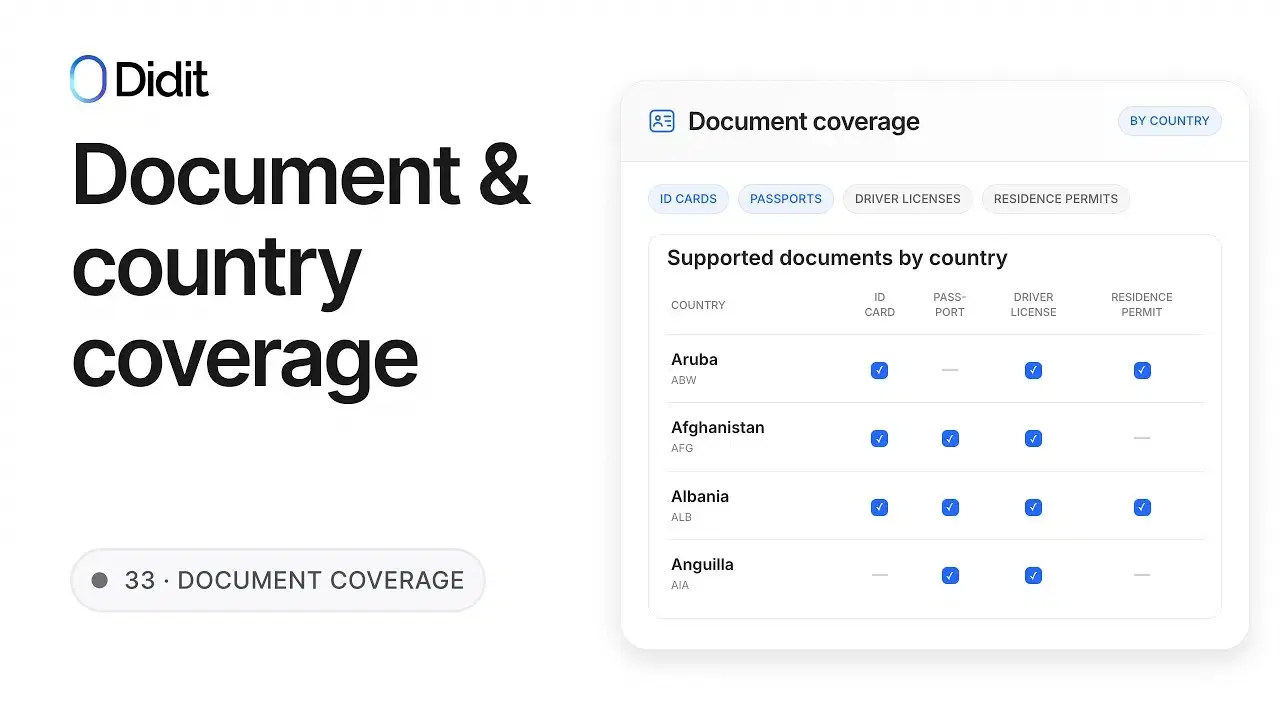
We read 14,000+ document types across 220+ countries and territories at $0.15 per ID check in a workflow or $0.20 via the standalone API.
 Alberto RosasCo-founder and CEO
Contents
In this guide
Jump to the part you need.
Global IDV coverage decides which users can finish onboarding without a manual workaround. It matters most to marketplaces, fintechs and crypto platforms onboarding beyond their home market. We read 14,000+ document types across 220+ countries and territories at $0.15 per ID check inside a workflow, or $0.20 through the standalone upload API. The caveat: platform coverage is not acceptance. Your workflow decides which countries, document types and methods it takes, and you can switch any of them off.
Last updated: November 26, 2026. Prices checked against the live Didit price feed on November 26, 2026.
| Item | Value |
|---|---|
| Countries and territories | 220+ |
| Document types | 14,000+ |
| Verification flow and SDK languages | 54 |
| Document-recognition languages | 130+, across 50+ scripts |
| Methods per country | Document capture, non-document lookup, digital ID wallet |
| ID check inside a workflow | $0.15 per completed check |
| Standalone ID verification API | $0.20 per call |
| NFC chip reading add-on | $0.15 per check |
| Non-document lookup | Variable, priced per country and per source |
| Digital ID wallets | Priced per wallet, for example MitID $0.25, Smart-ID $0.21, Google Wallet $0.10. A published rate does not establish availability |
| Free monthly credit | $10.00 on the Free plan for eligible organizations |
| Companies in production | 4,000+ |
Start free in the sandbox at business.didit.me. There is no sales call and no procurement step. If you build with an AI coding assistant, connect Didit to it through the MCP server and describe the workflow you need in plain language. Plans, plan credit and the cost estimator are on the Didit pricing page.
What global coverage means in a single ID check
Buyers mix four separate things under one word. Separate them and the decision gets simple.
- Countries and territories. 220+ today. This is whether a check can run there at all.
- Document types. 14,000+ across passports, ID cards, driver's licences and residence permits, including variants inside a single country.
- Languages. 54 in the verification flow and the native SDKs, and 130+ languages of document recognition across 50+ scripts.
- Your accepted set. The countries, document types and methods your workflow allows. This is the part you control, through
documents_allowedand themethodskey on the ID Verification node.
A document from a supported country can still be declined because your own configuration rejects it. That arrives as a COUNTRY_NOT_ALLOWED or DOCUMENT_TYPE_NOT_ALLOWED warning: a policy decision, not a coverage gap. Read those two codes before you assume a country is unsupported. The full catalogue is in the ID verification warnings reference, and the canonical description of the feature is the ID Verification overview.

Three methods, chosen country by country
ID Verification is one feature with three methods. You choose which methods a country may use, the user gets whichever apply to the country they pick, and the session records which method produced the result. Every result carries an assurance tier.
| Method | What the user does | Assurance tier |
|---|---|---|
| Document capture | Photographs a passport, ID card, driver's licence or residence permit | documentary |
| Non-document lookup | Types a national ID number plus a few personal details, checked against an authoritative source for that country | data_match |
| Wallet | Signs in with a government or bank digital identity such as MitID, BankID or itsme | cryptographic |
The tiers describe different evidence, not better or worse evidence. A data match proves the details matched a record held by the source that was queried. It claims nothing about a document's authenticity, because no document was inspected. The end user never sees the tier, the source name or the price; you and your auditors do.
Non-document lookup availability is country-specific. Read the published coverage table before enabling it. The source is named exactly per country because it decides provenance and the consent regime. In Canada, France, Indonesia, the Netherlands, Norway, Singapore, the United Kingdom and the United States that source is a credit-bureau, financial-services, utility or residential-records file rather than a state register. Read the non-document lookup coverage table before you enable a country, and before you describe to a regulator what a match proves.
Wallet availability is specific to your environment. The published catalogue marks MitID, BankID Sweden, iDIN, Finnish Trust Network, Smart-ID and Mobile-ID as available, and lists every other entry with its status. The console uses your environment's live capability catalog when you save a workflow, and a wallet marked coming soon cannot be enabled: a workflow that tries is rejected on save. Check the wallet catalogue and your own environment before you promise a method to a customer.
Choose the integration mode
Outcome: a published workflow that accepts the documents you intend, returns Approved, In Review or Declined per session, and leaves a record of which method produced the result and which warnings fired.
Method: run a session-based workflow for anything a user sees. The feature is configured on the workflow, runs as part of /v3/session/, and works with the hosted flow or the Web and Mobile SDKs. Use the standalone endpoint POST https://verification.didit.me/v3/id-verification/ for one-shot server-to-server checks when you already hold document images, at $0.20 per call rather than $0.15. For a user-facing journey, keep the work in the session-based flow with the hosted page or the SDKs rather than rebuilding it around a per-call endpoint.
Prerequisites
- A Didit account. Sign up with a work email to get the $10 monthly credit on the Free plan. The sandbox is free on every plan. Create it here.
- An API key from the Business Console.
- A workflow containing the
ID_VERIFICATIONfeature, created in the console or withPOST /v3/workflows/. - The ISO 3166-1 alpha-3 codes of every country you must accept. The method configuration is keyed by those codes.
- For the standalone API: images in tiff, jpg, jpeg, png, webp or pdf, at most 5 MB each, uncropped with all four corners visible, and both sides for dual-sided documents.
- Available credit. An empty balance returns HTTP 403.
Steps
- List the countries you actually onboard. Not the ones you might. For each, note which document types your users hold, and whether a non-document lookup or a wallet is offered there. Anything you cannot name is a country you do not need to enable yet.
- Create the workflow with the ID Verification feature. In the console, or with
POST /v3/workflows/. The canonical feature enum isOCR(legacy) orID_VERIFICATION. - Set the accepted documents and methods per country. Open the ID Verification node, then Countries. The console writes the
methodskey, keyed by ISO 3166-1 alpha-3 code; the Management API writes the same object. Omit a country, or omit a method inside it, and that country is document capture only:
{
  "feature": "OCR",
  "config": {
    "methods": {
      "ZAF": {
        "document": { "enabled": true },
        "id_lookup": {
          "enabled": true,
          "max_attempts": 2,
          "skip_liveness_and_face_match": true,
          "on_partial_match": "fallback_to_document",
          "on_no_match": "fallback_to_document",
          "on_provider_error": "fallback_to_document"
        },
        "wallet": { "enabled": false, "providers": [], "on_failure": "fallback_to_document" }
      },
      "DNK": {
        "document": { "enabled": true },
        "id_lookup": { "enabled": true, "on_no_match": "decline" }
      }
    }
  }
}- Use Global settings if you want breadth. Global settings enables a method in every country where the catalogue supports it, so you do not enable them one by one. The per-country editor still wins: switch a method on globally, then switch it off for the one country where you do not want it.
- Create a session.
POST /v3/session/withworkflow_id,vendor_dataandcallback. Open the returnedsession.urlfor the user, or mount the Web or Mobile SDK. See create a session. - Fetch the decision.
GET /v3/session/{sessionId}/decision/after completion, or subscribe tosession.status.updated. Results sit under theid_verifications[]array, one entry per document collected in the workflow. - For a one-shot server-to-server check on images you already hold, call the standalone endpoint. This is the documented example, unchanged:
curl -X POST 'https://verification.didit.me/v3/id-verification/' \
-H 'x-api-key: YOUR_API_KEY' \
-F 'front_image=@./id_front.jpg' \
-F 'back_image=@./id_back.jpg' \
-F 'perform_document_liveness=true' \
-F 'minimum_age=18' \
-F 'expiration_date_not_detected_action=DECLINE' \
-F 'invalid_mrz_action=DECLINE' \
-F 'inconsistent_data_action=DECLINE' \
-F 'preferred_characters=latin' \
-F 'save_api_request=true' \
-F 'vendor_data=user-123'- Read status and warnings, then route. Treat
In Reviewas a human decision, never as an approval. The failure table below says what each return means. - Re-test one document per country before you publish. Run a sandbox session with a real sample of the document type your users hold and read the warnings that come back. A successful sandbox test does not enable a wallet in production.
How to validate coverage for your countries
Do not model coverage from a headline number. Check it in this order, country by country:
- If you plan to use non-document lookup, read that country's row in the coverage table. It names the exact source queried and says whether a selfie is taken.
- Check each wallet you want in the wallet catalogue. A wallet marked coming soon cannot be enabled in that environment.
- Open the ID Verification node, then Countries. The tab reads the same capability catalog the API validates against, so it only offers methods your environment actually supports. See configure ID verification methods in the console.
- Run one sandbox session per country and read the warnings. The code tells you where the block sits:
COULD_NOT_RECOGNIZE_DOCUMENTis a reading failure, whileCOUNTRY_NOT_ALLOWEDandDOCUMENT_TYPE_NOT_ALLOWEDare your own configuration.
For a lookup, the session payload carries id_lookup.source and the data_match tier, so you can show an auditor which source answered and what the match proves. That is the record to keep, not a marketing coverage table.
Expected output
The two modes expose related verification data, but the response shape differs. Session decisions use id_verifications[]; the standalone API returns id_verification. The standalone response, with placeholder values:
{
  "request_id": "...",
  "id_verification": {
    "status": "Approved",
    "full_name": "...",
    "document_type": "...",
    "document_number": "...",
    "date_of_birth": "...",
    "expiration_date": "...",
    "parsed_address": "...",
    "mrz": "...",
    "barcodes": ["..."],
    "portrait_image": "...",
    "front_document_image": "...",
    "back_document_image": "...",
    "warnings": []
  }
}
On a session, GET /v3/session/{sessionId}/decision/ returns the decision payload, and you read status and warnings[] from each entry in the id_verifications[] array. Status values are Not Started, In Progress, Approved, In Review, Declined, Abandoned and Kyc Expired. Warnings are risk codes, not messages: DOCUMENT_EXPIRED, INVALID_MRZ, INCONSISTENT_DATA, COULD_NOT_RECOGNIZE_DOCUMENT, DOCUMENT_LIVENESS_FAILED, MIN_AGE_NOT_REACHED, MAX_AGE_EXCEEDED, EXPIRATION_DATE_NOT_DETECTED, DUPLICATED_DOCUMENT, FRAUD_RISK_FROM_OCR, COUNTRY_NOT_ALLOWED, DOCUMENT_TYPE_NOT_ALLOWED. The canonical schema is in the data models reference.

Inputs and outputs
| Field | Direction | Required | What it does |
|---|---|---|---|
front_image | Input | Yes | Front of the document. tiff, jpg, jpeg, png, webp or pdf, up to 5 MB, uncropped. |
back_image | Input | For dual-sided documents | Back of the same document. Same format and size limits. |
perform_document_liveness | Input | No | Runs the document forgery and replay check. |
minimum_age | Input | No | Age threshold; produces MIN_AGE_NOT_REACHED when missed. |
expiration_date_not_detected_action | Input | No | What to do when no expiry date is read, for example DECLINE. |
invalid_mrz_action | Input | No | What to do when the machine-readable zone cannot be read. |
inconsistent_data_action | Input | No | What to do when the visual zones, MRZ and barcode disagree. |
preferred_characters | Input | No | Transcription character preference, for example latin. |
save_api_request | Input | No | Keeps the request for audit. |
vendor_data | Input | No | Your own user reference, echoed back in the response. |
request_id | Output | Always | Identifier for the call. |
id_verification.status | Output | Always | The decision. Never treat In Review as approved. |
| Extracted fields | Output | When readable | Full name, document type, document number, date of birth, expiry, parsed address, MRZ, barcodes. |
| Images | Output | When captured | Portrait, front document image and back document image. |
warnings[] | Output | When triggered | The risk codes you route on. |
Failure cases and recovery
| What you see | What it means | Recovery |
|---|---|---|
| HTTP 403, not enough credits | The credit balance is empty. | Top up in the console. Billing is per completed check from prepaid credit. |
| HTTP 400 with multipart errors | Missing back_image on a dual-sided document, a file over 5 MB, or an unsupported extension. | Fix the request. Check all four corners are visible and the image is uncropped. |
Declined with a terminal warning | DOCUMENT_EXPIRED, DOCUMENT_LIVENESS_FAILED or COULD_NOT_RECOGNIZE_DOCUMENT. | Show the first warning's long description to the user and stop the flow. |
In Review with DOCUMENT_LIVENESS_NOT_COMPUTED | The requested forgery check produced no usable score because of a provider error. | Treat the document as unchecked and route it to manual review. Do not approve. |
In Review alone | Your configuration requires a human decision. | Send it to your review queue. The API does not decide for you. |
COUNTRY_NOT_ALLOWED | The workflow does not accept that country. | Widen the accepted set, or offer a lookup or wallet method there instead. |
DOCUMENT_TYPE_NOT_ALLOWED | The country is accepted but that document type is not. | Add the type under documents_allowed, or ask the user for another accepted document. |
| Save rejected on a country with no method | Every method is switched off, so nobody could verify there. | Enable document capture, a lookup or a wallet for that country before saving. |
Paid steps and review boundaries
Prices below are USD list prices from the live feed on November 26, 2026. The pricing page and the docs pricing page carry the full tables, and pricing as JSON is the machine-readable version.
- ID check inside a workflow: $0.15. Standalone ID verification API: $0.20.
- Full ID check (KYC): $0.33. That is ID $0.15 plus passive liveness $0.10 plus face match $0.05 plus device and IP analysis $0.03.
- Add-ons: NFC chip reading $0.15, Document AI $0.20, active liveness $0.15, age estimation $0.10.
- Priced per source or per wallet: non-document lookup is variable by country; wallets have published rates such as Smart-ID $0.21, MitID $0.25, iDIN $0.95 and Google Wallet $0.10. A rate marked coming soon is published but cannot be enabled yet.
The review boundary is the part that matters for coverage. We return a decision plus warnings. We do not quietly approve a document from a country you did not enable, and we do not approve an In Review result for you. Anything you route to review is your judgement, made on the warning codes and the extracted fields.

Worked cost example
A marketplace onboarding users in twelve countries, priced with published unit prices only:
- 8,000 full KYC checks at $0.33 = $2,640.00
- 1,200 NFC passport chip reads at $0.15 = $180.00
- 600 one-shot re-checks through the standalone ID verification API at $0.20 = $120.00
- Total: $2,640.00 + $180.00 + $120.00 = $2,940.00
On the Growth plan, 4% comes off every Didit price: $2,940.00 x 0.96 = $2,822.40. The plan fee is separate, $99 a month or $1,128 a year paid up front, and includes $115 of monthly credit. Non-document lookups and wallet verifications are left out on purpose: they are priced per source or per wallet, so read the exact rate for the country before you model them.
AML-compliant IDV: what coverage does and does not prove
Buyers searching for an AML-compliant IDV system usually mean two things at once: reading a document from any country, and meeting the screening duties that sit around it. Coverage answers the first. It does not answer the second on its own.
What we give you: document authenticity checks and extraction, AML screening at $0.20 per check against 1,300+ lists, ongoing AML monitoring at $0.07 per user per year, and 1,000+ government data sources for registry checks. What your programme still owns: the risk appetite, the thresholds, the treatment of each warning code, and the record of why a decision was made. The FATF recommendations describe the duties; they do not prescribe a vendor.
One practical point. A data-match result from a non-document lookup is evidence that the details matched a record. It is not documentary evidence, and it is not a liveness check unless the source returns a portrait or checks the selfie itself. If your policy requires documentary evidence, keep document capture enabled for that country.
Sources
- Didit docs: ID verification overview
- Didit docs: ID verification methods, document, lookup, wallet
- Didit docs: non-document lookup
- Didit docs: digital ID wallet coverage
- Didit docs: ID verification warnings
- Didit docs: configure ID verification methods in the console
- Didit docs: data models
- Didit docs: pricing and billing
- Didit pricing page, read November 26, 2026
- Didit pricing as JSON, read November 26, 2026
- Didit MCP server
- FATF recommendations
Next step: open the sandbox at business.didit.me, create a workflow and enable only the countries you actually onboard. There is no sales call, and you can read every warning code for your countries before you commit to a plan.
Try it
Try this in the sandbox
Run the check this guide describes, free.
The product this post is about, taken from its topic. Run it free in the sandbox.
Author
Alberto Rosas
Co-founder and CEO

Keep reading
Other guides in the same topic.
 What Is the Purpose of FICA in South Africa? 2026 Guide
FICA is South Africa's anti-money laundering law. It creates the Financial Intelligence Centre and requires accountable institutions to identify and verify clients, screen for PEP and sanctions risk and report suspicious.
Alberto RosasNov 26, 2026 Sixth Money Laundering Directive (6AMLD): What Changed and Which Rules Apply
6AMLD is Directive (EU) 2018/1673: Member States must criminalise laundering, widen predicate offences and set a four-year penalty floor. It adds no new due diligence duties for firms.
Alberto RosasNov 26, 2026 Automated Sanctions Screening: Canada, the Entity List and Embargoes
Automated sanctions screening matches people and companies against lists such as Canada's autonomous sanctions made under SEMA and JVCFOA and the OFAC SDN List, and returns candidate hits scored for identity confidence and.
Alberto RosasNov 26, 2026Questions
Frequently asked questions
How many countries and document types does Didit ID verification support?
We read 14,000+ document types across 220+ countries and territories, in 130+ document-recognition languages across 50+ scripts. The verification flow and the native SDKs are available in 54 languages. One ID check costs $0.15 inside a workflow and $0.20 through the standalone upload API.
Can I accept all countries and all document types in one workflow?
You can enable a method across every country where the catalog supports it, then configure accepted document types per country. Global settings turns a method on in every country where the catalogue supports it, and the per-country editor still overrides it. We would not start there: every extra country is a set of document variants your reviewers may see, and a wide accepted set makes risk codes such as DUPLICATED_DOCUMENT and FRAUD_RISK_FROM_OCR noisier. Start with the countries you onboard today, then widen.
My user's document is not on my accepted list. Are there any others they can use?
Three routes. Widen documents_allowed for that country if you trust the type. Offer non-document lookup where the published coverage table lists that country, which needs no document at all. Or let the user sign in with a digital ID wallet that your environment's capability catalog marks as available. The workflow can fall back to document capture automatically when a lookup or a wallet sign-in fails.
Is a Didit ID verification check enough to be AML compliant?
No single check is. We provide the identity and fraud infrastructure: document authenticity, biometrics, AML screening against 1,300+ lists at $0.20 per check, and ongoing monitoring at $0.07 per user per year. Your programme still sets the thresholds, documents the decisions and keeps the audit trail. Document and country coverage is one input into that, not the whole answer.
Does an ID check cost more for an unusual country or document?
No for document capture. The ID check is $0.15 per completed check inside a workflow, wherever the document comes from and whatever type it is, and $0.20 through the standalone API. Non-document lookups are the exception: those are priced per country and per source, and some specialist sources cost more than a document check.
Is non-document lookup available in every country Didit supports?
No. Non-document lookup availability is country-specific, and each country has its own source, request fields and consent regime. Read the published coverage table before enabling a country and note which source is named for it, because the source decides what a match proves. Where no lookup is offered, document capture or a wallet sign-in is the route.
Does a published wallet price mean the wallet is live in production?
No. A published price does not establish production availability. The wallet catalogue shows each wallet's status, and the console uses your environment's live capability catalog when you save a workflow. A wallet marked coming soon cannot be enabled, and a workflow that tries is rejected on save.
What happens when a user submits a document from a country my workflow blocks?
The check returns a COUNTRY_NOT_ALLOWED warning and the session is declined according to your settings. That is your configuration speaking, not a limit in our coverage. To change it, add the country in the ID Verification step's Countries tab and republish the workflow.
What does In Review mean, and who approves it?
In Review means the platform will not decide automatically: a warning fired that your configuration routes to a human, or a forgery check produced no usable score. Your team approves or declines it in your review queue. Never treat In Review as a pass, and never auto-approve it in code.
Can users verify without a document at all?
Yes, in countries where we offer non-document lookup or a digital ID wallet that is live in your environment. The result carries the assurance tier data_match or cryptographic instead of documentary, which is an honest description of what was proven. Whether that tier satisfies your policy is a decision you make per country, not a setting we choose for you.
Do I need a sales call to test coverage for my countries?
No. Create a workflow in the sandbox at business.didit.me, enable your countries, run test sessions and read the warnings. The sandbox is free on every plan, and the Free plan includes $10 of credit each month for eligible organizations. Enterprise contracts are custom annual contracts starting at $15,000 per year.
Which languages can the verification flow show to users?
The flow and the native SDKs are available in 54 languages, and documents are recognised in 130+ languages across 50+ scripts. Those are two different numbers: one is the interface the user sees, the other is the text Didit can read inside the document.
Compliance built in
Audited, certified and attested.
We hold the certifications and build each country's rules into your flows, so you can launch anywhere without worrying. Security and Compliance center
- Regulation encoded into your flows
Tell us what you do and where. Didit lists the rules that apply to you, with sources, and builds the checks each country needs into one workflow.
- Ready for AMLR
Every requirement of the new EU anti-money laundering rules, from checking customers to human review, is already covered by a Didit check.
- Tested in Spain's Treasury sandbox
Spain's Treasury published its supervised sandbox report on Didit's NFC plus active liveness onboarding; SEPBLAC took part and valued the added measures positively.
- Audited, not self-declared
iBeta Level 1 and Level 2. Liveness tested under ISO/IEC 30107-3.
Your obligations · 3 regions
 SOC 2 Type 2
 ISO 27001
 iBeta Level 1 and Level 2
 EU regulator attestation
 FSM youth protection
 GDPR
 EBA remote onboarding
 MiCA compatible
 FIDO Alliance member
- AMLREU AML Regulation ready
Integration · Didit MCP
Run Didit from your own AI agent
Connect Didit to Claude, Cursor, VS Code or ChatGPT and just ask in plain words. Your agent can do anything you can do in the console, with the same permissions you have.
 Add to Claude
 ChatGPT
 Cursor
- Build workflowsDescribe the checks you need. The agent creates and publishes the flow.
- Run investigationsAsk why a session was declined, review cases, search people and companies.
- Change rulesCreate payment rules, test them on past data and switch them on.
- Pull reportsAsk for numbers, exports or the audit log.
Didit Academy