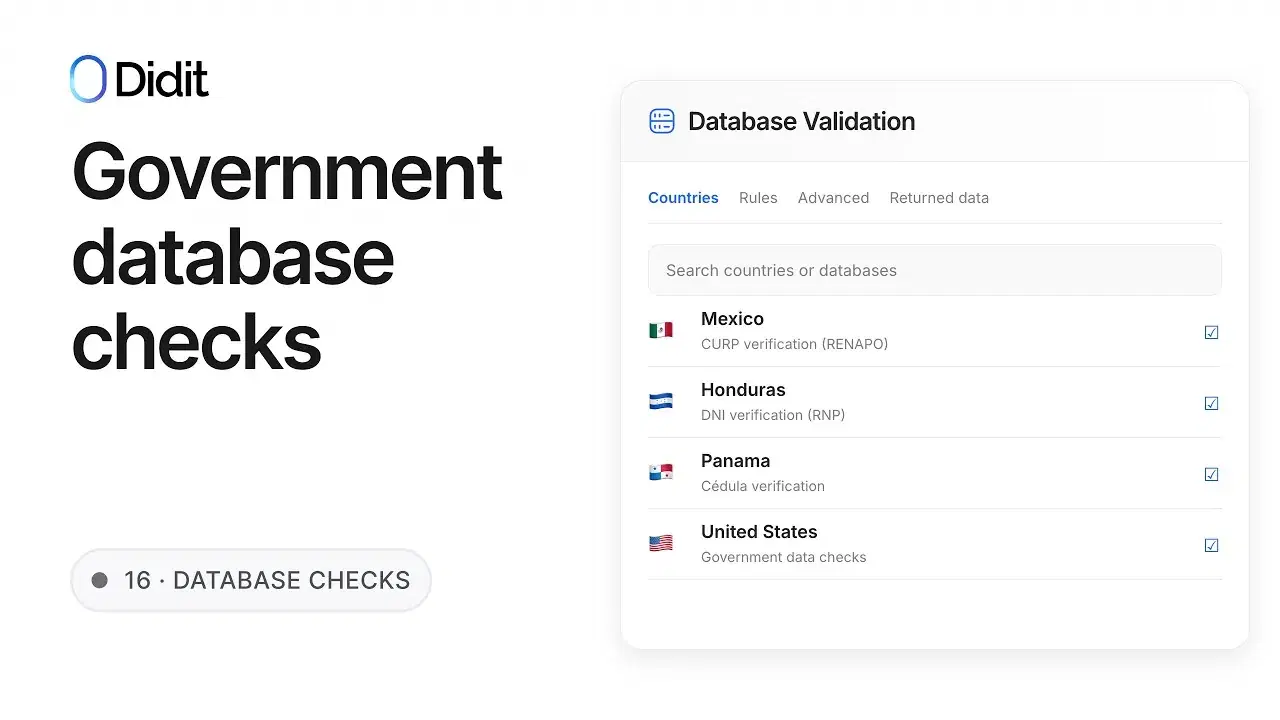
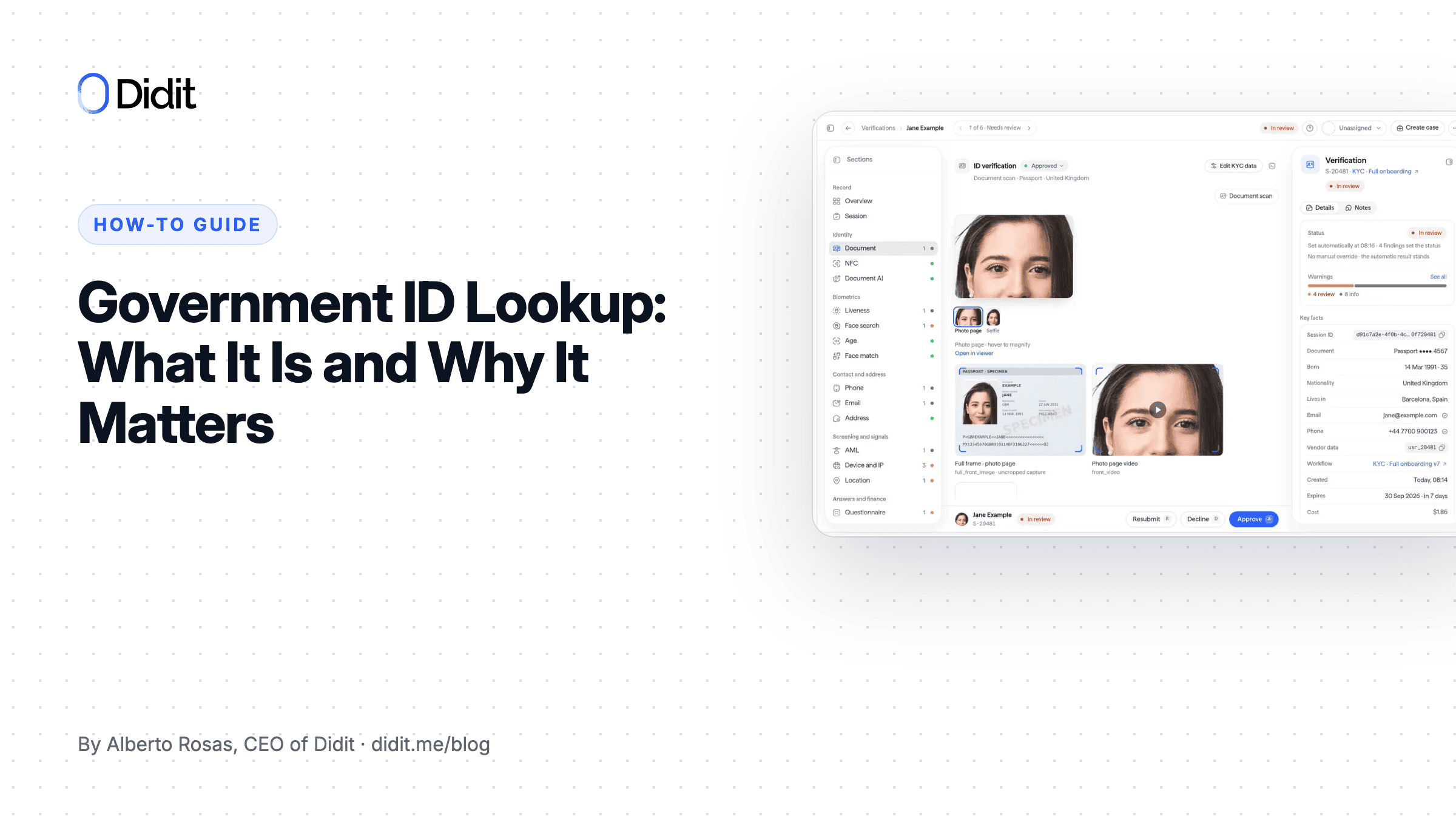
Government ID Lookup: What It Is and Why It Matters
Government ID lookup (Database Validation) checks a person's ID number and details against the authoritative source for that country. Didit charges from $0.05 per check, priced per service, and returns a data match, not proof.
 Alberto RosasCo-founder and CEO
Contents
In this guide
Jump to the part you need.
Government ID lookup, which we call Database Validation, fits teams that need to confirm a national ID number against the authoritative source for that country, without a document photo. Checks start at $0.05 and are priced per service, up to $7.00 for specialist sources. The caveat: a match proves the data matched a record, not that a document is genuine or, by itself, that the person owns the identity.
Last updated: November 26, 2026. Prices checked against the live Didit price feed on November 26, 2026.
| Question | Answer |
|---|---|
| What it is | A check of a person's identity data against the authoritative source for that country. That source is a government register in most countries; in Canada, France, Indonesia, the Netherlands, Norway, Singapore, the United Kingdom and the United States it is a credit-bureau, financial-services, utility or residential-records file. |
| Who it fits | Onboarding, fintech, lending, iGaming and marketplaces that need a fast identity check without a document photo and a defence against synthetic identities. |
| Price | From $0.05 per check, up to $7.00 for the most expensive specialist sources. Set per service, not per country. Finland National ID is $2.10. If your fallback workflow runs the full ID check, its list price is $0.33. Document capture alone is $0.15 per check. |
| Coverage | 60+ live countries and 1,000+ data sources. |
| What you send | issuing_state, identification_number, first_name, last_name, date_of_birth, plus consent where the service requires it. |
| What you get | The documented database_validation object: match_type, match_score, per-field matches per service and a warnings list. Exact fields vary by service. |
| Assurance tier | data_match. No document is inspected. |
| How to run it | A step in a Didit workflow, or a standalone POST /v3/database-validation/ call. |
Start free in the sandbox at business.didit.me, no sales call. If you build with an AI assistant, connect Didit through the Didit MCP server. Every module price is on the pricing page.
What a government ID lookup actually checks
Database Validation verifies a person's identity data against the authoritative source for that country. In most countries that source is a government register: the Department of Home Affairs in South Africa, RENAPER in Argentina, UIDAI in India, the CPR register in Denmark. In Canada, France, Indonesia, the Netherlands, Norway, Singapore, the United Kingdom and the United States the record Didit can reach is a credit-bureau, financial-services, utility or residential-records file rather than a state register. Each check returns a per-field match for identification_number, first_name, last_name and date_of_birth, plus address fields where the service uses them, an aggregated outcome, and the underlying record details when the source returns them.
This can help detect synthetic identities by checking submitted data against an authoritative source. A stolen real DNI or CPF fails the registry lookup because the number belongs to someone else, and a fabricated number is not in the official database at all. Database Validation adds a registry check alongside document capture.
Provenance varies by country, and it changes what the match proves and which consent regime the query runs under. Read the source column for each country on Non-document lookup before you enable a country.
| Method | What the user does | Assurance tier | Price |
|---|---|---|---|
| Document capture | Photographs a passport, ID card, driver's licence or residence permit | documentary | $0.15 per check |
| Non-document lookup | Types a national ID number and a few personal details | data_match | Variable, from $0.05 per check |
| Digital ID wallet | Signs in with MitID, BankID, Smart-ID or itsme | cryptographic | Per wallet, for example MitID $0.25, BankID Sweden $0.20 |
The tier is an admin-facing label, not a ranking. It appears on the session payload, in the console and in exports, and the end user never sees it. The full method comparison is in ID Verification methods.
Prerequisites before your first lookup
- A Didit account and an API key from the console. The sandbox is free and unlimited on every plan.
- The ISO 3166-1 alpha-3 country code for the source, sent as
issuing_state. - The fields that country asks for. Always the identifier, usually a name, sometimes a date of birth or an address.
consent=truefor any service flaggedrequires_consent=truein the catalog. Without it the request returns HTTP 400.- A selfie and
genderfor the two biometric sources, Argentina (arg_renaper) and Panama (pan_sib). JPG, PNG or WebP up to 2 MB. - A decision policy for each outcome: what a full match, a partial match and no match do in your workflow.
- For session mode, a workflow with the
DATABASE_VALIDATIONfeature added. An ID Verification step in front of it is not required, because fields can be fed from NFC, Liveness, Phone or Email Verification, Proof of Address, Document AI or a questionnaire.
How to run a government ID lookup, step by step
- Get an API key. Sign up at business.didit.me, open the console and copy an API key. There is no sales call and no procurement cycle.
- Pick the mode. Use session mode when the lookup runs as a step in a hosted Didit flow: add the
DATABASE_VALIDATIONfeature to the workflow in the console or withPOST /v3/workflows/, then create a session withPOST /v3/session/and opensession.urlfor the user. Use the standalone API when you already hold the identity data and want a one-shot check. - Check the country first. Open the per-country table and read two columns: the exact source and whether it returns a photograph. That decides your consent basis and whether a later Face Match step has anything to compare against.
- Collect the fields the country asks for. Send the universal
identification_numberand let Didit map it to CPF, RUT, CURP, DNI and so on byissuing_state. Do not invent country-specific field names.
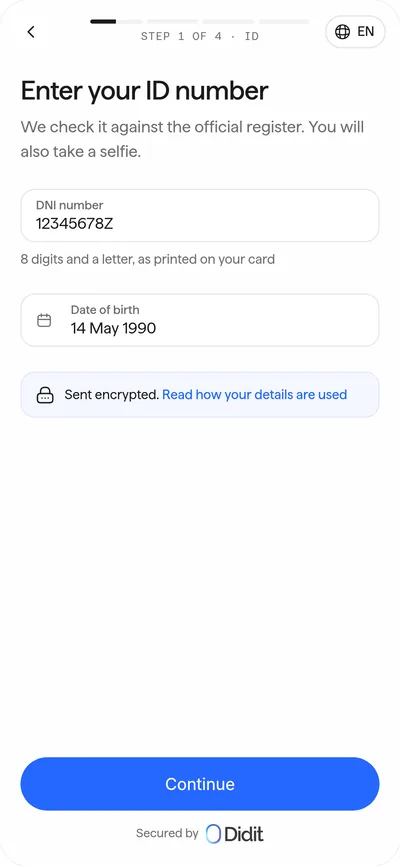
- Send the request. This is the documented standalone call, a Brazil CPF lookup:
curl -X POST 'https://verification.didit.me/v3/database-validation/' -H "x-api-key: $DIDIT_API_KEY" -F "issuing_state=BRA" -F "identification_number=00000000191" -F "first_name=Jane" -F "last_name=Doe" -F "date_of_birth=1990-01-15" -F "vendor_data=user-1234"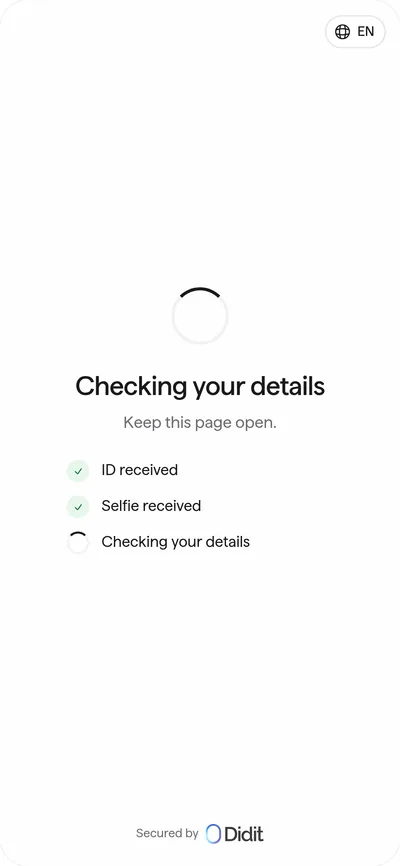
- Read the result. Check
database_validation.match_typefirst, thenmatch_score, then the per-servicevalidationsarray, thenwarnings. Omitservicesto run the country's default service only, or pass a list such asservices=["bra_cpf"]to choose exactly which services run. - Route the decision. Set what happens on each outcome in the workflow. In the console this is the ID Verification node, then the Countries tab, then Non-doc lookup. The switches write the
methodskey on the node, and the console and the Management API edit the same object.
{
  "feature": "OCR",
  "config": {
    "methods": {
      "ZAF": {
        "document": { "enabled": true },
        "id_lookup": {
          "enabled": true,
          "max_attempts": 2,
          "skip_liveness_and_face_match": true,
          "on_partial_match": "fallback_to_document",
          "on_no_match": "fallback_to_document",
          "on_provider_error": "fallback_to_document"
        }
      }
    }
  }
}- In session mode, read the decision. Call
GET /v3/session/{sessionId}/decision/or subscribe tosession.status.updatedand read thedatabase_validations[]array on the payload. The source that was queried is onid_lookup.sourcefor your auditors.
Expected output
A response in the documented shape, with values shortened:
{
  "request_id": "b1c2d3e4-0000-0000-0000-000000000000",
  "database_validation": {
    "match_type": "full_match",
    "validation_type": "database_validation",
    "services_used": ["bra_cpf"],
    "match_score": 1.0,
    "validations": [
      {
        "service": "bra_cpf",
        "status": "full_match",
        "matched_fields": ["identification_number", "first_name", "last_name", "date_of_birth"],
        "record_details": {}
      }
    ],
    "warnings": []
  }
}
match_type is full_match, partial_match or no_match. status is Approved, In Review or Declined according to the partial-match and no-match actions you configured on the workflow. Billing is per successful service hit, so a request that runs more than one service can produce more than one usage event.

Inputs and outputs
| Field | Direction | Notes |
|---|---|---|
issuing_state | Request | ISO 3166-1 alpha-3 code. Selects the source and the field rules. |
identification_number | Request | Universal identifier. Mapped by Didit to CPF, RUT, CURP, DNI and similar. |
first_name, last_name | Request | Usually required. Compared field by field against the record. |
date_of_birth | Request | Sometimes required, usually as YYYY-MM-DD. |
consent | Request | Required by services flagged requires_consent=true. Missing consent is HTTP 400. |
selfie, gender | Request | Only for arg_renaper and pan_sib, for biometric face match against the registry photo. |
services | Request | Optional list. Omit it to run the country's default service only. |
vendor_data | Request | Your own identifier for the person or case. |
match_type | Response | full_match, partial_match or no_match. |
validations | Response | One entry per service: status, matched fields, record details where available. |
match_score | Response | Aggregated score for the request. |
warnings | Response | Risk codes such as DATABASE_VALIDATION_NO_MATCH and COULD_NOT_PERFORM_DATABASE_VALIDATION. |
Failure cases and recovery
| What you see | What it means | What to do |
|---|---|---|
| HTTP 400 | A service id is not eligible for that issuing_state, a required field is missing, or consent is missing for a paid service. | Read the error, fix the field list or send consent=true. Do not retry unchanged. |
HTTP 502 with validation_errors[] | Every selected upstream service failed. | The request is not billed and a COULD_NOT_PERFORM_DATABASE_VALIDATION log is written. Retry later or fall back to document capture. |
match_type="no_match" | The record is not in the registry. | Treat it as a synthetic identity attempt per your policy, or send the user to document capture if the country allows it. |
match_type="partial_match" | Some fields match and others do not, for example the date of birth matches and the name does not. | Route to review. Do not approve on a partial match without a human or a second method. |
BIOMETRIC_NO_MATCH | The biometric source checked the selfie and did not match the face on record. | This surfaces as a per-service outcome code, so read the service entry, not only the top-level match. |
FACE_MATCH_NOT_COMPUTED | A Face Match step had no reference image to compare against, often because the lookup returned data only. | The step reports a null score rather than declining automatically. Send the user to document capture or to review. |
One failure is caught before you go live. The workflow editor and the graph validation every client uses refuse to publish a workflow when every path into a Face Match step verifies users only with methods that leave no photo. It also warns you when the outcome depends on the user, because a user who finishes with a data-only lookup still reaches Face Match with nothing to compare. Allow document capture for that country, pick a source that returns a photograph or checks the selfie, or remove the Face Match step. The warning catalogue is in Database Validation warnings.
What is billable, and where review starts
Billing runs per successful service hit from prepaid credit. A multi-service request can produce several usage events, which is why the per-service price table matters more than a single per-country number. Some no-match lookups and retries are billable, and the docs pricing page lists which ones. A 502 where every upstream service failed is not billed. A full ID check for the fallback path is $0.33 on list price: ID document verification $0.15, passive liveness $0.10, face match $0.05 and device and IP $0.03. Document capture alone is $0.15 per check.
Review boundaries are a policy decision, not a product default. We recommend three: approve on full_match, route partial_match to a human reviewer or a second verification method, and treat no_match as a decline unless the country allows document capture as a fallback. Set those in the workflow so the outcome is the same for every session, and keep the audit trail that records which source answered.
Worked cost example
Take 20,000 monthly onboarding attempts on the Growth plan, which takes 4% off every Didit price. 15,000 users verify with a Dominican Republic lookup, the lowest published service rate at $0.05 per check. The other 5,000 fail the lookup and fall back to document capture, where each one runs a full ID check at $0.33 list.
- Lookups: $0.05 times 0.96 = $0.048 per check on Growth. 15,000 times $0.048 = $720.00.
- Fallbacks: $0.33 times 0.96 = $0.3168 per check on Growth. 5,000 times $0.3168 = $1,584.00.
- Total: $720.00 + $1,584.00 = $2,304.00 for the month.
- Credit: Growth includes $115.00 of credit a month, so $115.00 comes off and $2,189.00 is paid from top-ups.
The arithmetic assumes the failed lookups are not billed. Some no-match lookups and retries are billable, so treat the total as a floor if your policy bills them. Now price the same volume in a country with an expensive source. 1,000 Finland National ID checks at $2.10 list cost 1,000 times $2.10 = $2,100.00. On Growth, $2.10 times 0.96 = $2.016 per check, so 1,000 times $2.016 = $2,016.00. That is the reason to read the rate for the exact service you plan to call in the per-service pricing table instead of budgeting per country.
How Database Validation fits with other Didit checks
Database Validation is one module among 25+, and you compose it into a workflow rather than buying a fixed bundle. A typical flow runs the lookup first, then sends only the users who need it to document capture, passive liveness at $0.10 and face match at $0.05. AML screening adds $0.20 per check against 1,300+ lists, ongoing AML monitoring is $0.07 per person a year, and proof of address is $0.20 per check. Business verification for the company side starts at $2.00 per company. 4,000+ companies use Didit.
Because the whole platform is one API and one price list, you can add the lookup within the same Didit account and workflow configuration, following the documented API or webhook route. If you are moving a live integration from another provider, the switch page covers what maps across. For a coding agent, the integration prompt takes the work end to end.
Sources
- Didit docs: Database Validation API overview
- Didit docs: Non-document ID verification and authoritative source lookup
- Didit docs: ID Verification methods, document, lookup and wallet
- Didit docs: ID Verification overview
- Didit docs: Configure ID Verification methods in the console
- Didit docs: per-service Database Validation pricing table
- Didit docs: pricing, credits and billing rules
- Didit pricing page and live price feed, read November 26, 2026
- Didit docs: Database Validation warnings
- Didit docs: Database Validation outcome codes
- Didit docs: full integration playbook
- FATF: international standards on combating money laundering and terrorist financing
Next step: create a free sandbox organization at business.didit.me, copy an API key and run the Brazil CPF call above. You will see a match result before you talk to anyone, because there is no sales call in the way.
Try it
Try this in the sandbox
Run the check this guide describes, free.
The product this post is about, taken from its topic. Run it free in the sandbox.
Author
Alberto Rosas
Co-founder and CEO

Keep reading
Other guides in the same topic.
 What Is the Purpose of FICA in South Africa? 2026 Guide
FICA is South Africa's anti-money laundering law. It creates the Financial Intelligence Centre and requires accountable institutions to identify and verify clients, screen for PEP and sanctions risk and report suspicious.
Alberto RosasNov 26, 2026 Sixth Money Laundering Directive (6AMLD): What Changed and Which Rules Apply
6AMLD is Directive (EU) 2018/1673: Member States must criminalise laundering, widen predicate offences and set a four-year penalty floor. It adds no new due diligence duties for firms.
Alberto RosasNov 26, 2026 Automated Sanctions Screening: Canada, the Entity List and Embargoes
Automated sanctions screening matches people and companies against lists such as Canada's autonomous sanctions made under SEMA and JVCFOA and the OFAC SDN List, and returns candidate hits scored for identity confidence and.
Alberto RosasNov 26, 2026Questions
Frequently asked questions
What is a government ID lookup?
A government ID lookup checks the identity data a person types, such as a national ID number, name and date of birth, against the authoritative record for that country. Didit calls this Database Validation. The result is a per-field match plus an aggregated outcome returned by the API.
How much does a government ID lookup cost?
Didit charges per check, from $0.05 up to $7.00 depending on the source, and the price is set per service rather than per country. Finland National ID is $2.10 as a published example. There are no monthly minimums or platform fees for the lookup itself, and billing is per successful service hit, though some no-match lookups and retries are billable as listed in the docs.
How many countries does Didit cover for Database Validation?
Database Validation is live in 60+ countries, drawing on 1,000+ data sources. Coverage differs by method, so check the per-country table before you commit to a market. The source for each country is named individually and is the only statement of provenance to rely on.
Does a government ID lookup prove the document is genuine?
No. The result carries the assurance tier data_match, which means the details the user gave matched a record the source holds. No document was inspected, so nothing about a document's authenticity is being claimed. Use document capture when you need documentary assurance.
Can I verify someone without a document photo?
Yes. In non-document lookup the user picks a country, types the identifier and a few details, and gets a result. There is no upload and no camera framing. Where the source holds a photograph, as in South Africa, Nigeria, Argentina and Panama, the user also takes a selfie that is liveness-checked and face-matched to the registry portrait inside the lookup price.
What happens when the lookup returns no match?
match_type="no_match" means the record is not in the registry. The documented treatment is to treat it as a synthetic identity attempt per your policy. If the country allows document capture, you can configure the no-match action to fall back to it instead of declining.
What should I do with a partial match?
A partial match means some fields matched and others did not, for example a correct date of birth with a different name. Route it to review or to a second verification method. Approving on a partial match without a human or another check is a policy choice we would not recommend.
Do I need consent to run a lookup?
Some services are flagged requires_consent=true in the catalog and return HTTP 400 unless you send consent=true. Which services need it depends on the source and the country. Read the country entry before you enable it, because the consent regime follows the source that is queried.
Can the user see which database was queried?
No. The end user never sees the source name, the response fields or the price. The source is on the session payload as id_lookup.source, and it appears in the console and in exports for you and your auditors.
Which countries need a selfie for the lookup?
Argentina via RENAPER and Panama via the Tribunal Electoral biometric service check the selfie against the face on record and return a verdict, and both take selfie and gender in the API call. South Africa and Nigeria return a portrait instead, which passive liveness and face match use inside the lookup. Every other source returns data only, so no selfie is taken.
Can I integrate this with an AI assistant or coding agent?
Yes. The Didit MCP server is free and hosted at https://mcp.didit.me/mcp with OAuth sign-in, and setup for every client is on the MCP page. For a full build, the integration prompt at docs.didit.me takes a coding agent from an API key to a live session.
Compliance built in
Audited, certified and attested.
We hold the certifications and build each country's rules into your flows, so you can launch anywhere without worrying. Security and Compliance center
- Regulation encoded into your flows
Tell us what you do and where. Didit lists the rules that apply to you, with sources, and builds the checks each country needs into one workflow.
- Ready for AMLR
Every requirement of the new EU anti-money laundering rules, from checking customers to human review, is already covered by a Didit check.
- Tested in Spain's Treasury sandbox
Spain's Treasury published its supervised sandbox report on Didit's NFC plus active liveness onboarding; SEPBLAC took part and valued the added measures positively.
- Audited, not self-declared
iBeta Level 1 and Level 2. Liveness tested under ISO/IEC 30107-3.
Your obligations · 3 regions
 SOC 2 Type 2
 ISO 27001
 iBeta Level 1 and Level 2
 EU regulator attestation
 FSM youth protection
 GDPR
 EBA remote onboarding
 MiCA compatible
 FIDO Alliance member
- AMLREU AML Regulation ready
Integration · Didit MCP
Run Didit from your own AI agent
Connect Didit to Claude, Cursor, VS Code or ChatGPT and just ask in plain words. Your agent can do anything you can do in the console, with the same permissions you have.
 Add to Claude
 ChatGPT
 Cursor
- Build workflowsDescribe the checks you need. The agent creates and publishes the flow.
- Run investigationsAsk why a session was declined, review cases, search people and companies.
- Change rulesCreate payment rules, test them on past data and switch them on.
- Pull reportsAsk for numbers, exports or the audit log.
Didit Academy