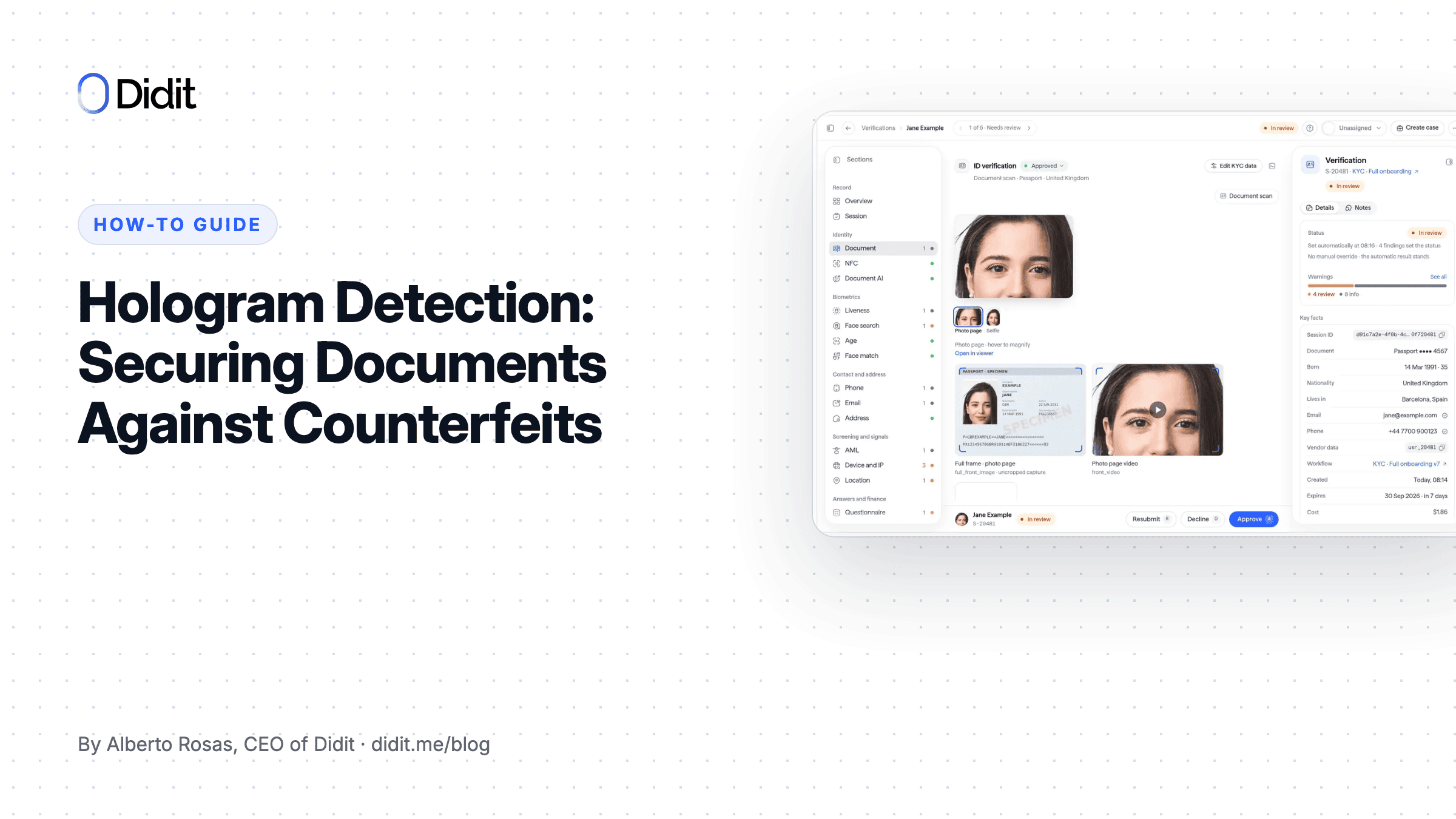
Hologram Detection: Securing Documents Against Counterfeits
Learn how to inspect a document hologram and what Didit checks from images. ID verification costs $0.15 in a workflow or $0.20 via API. NFC chip reading adds $0.15 in a hosted session.
 Alberto RosasCo-founder and CEO
Contents
In this guide
Jump to the part you need.
This page is for teams that accept identity documents and need to separate the physical hologram check from the automated document check. Our ID Verification costs $0.15 per check inside a workflow and $0.20 per call on the standalone API. NFC chip reading is $0.15 and runs inside a hosted session. The caveat: the documented ID Verification response has no separate result for hologram authenticity, so if your policy requires that result, inspect the physical feature separately.
Last updated: November 26, 2026. Prices checked against the live Didit price feed on November 26, 2026.
| Step | What you use | Price | What it checks or returns |
|---|---|---|---|
| Hologram inspection | Visible light first, a genuine specimen of the same edition, UV, IR or magnification only for features in the reference | Outside Didit billing | A physical result you record as observed, differed or not assessed |
| Document check in a workflow | ID Verification | $0.15 per check | Screens for configured document risks and cross-checks machine-readable data where available |
| Standalone document check | ID verification API | $0.20 per call | Extracted fields, standalone decision and warnings. |
| Chip read | NFC reading add-on | $0.15 per check | Issuer-signed chip data, matched with OCR where available |
| Other paperwork | Document AI | $0.20 per document | Extracts fields, screens for suspected manipulation, compares the extracted name with the expected name when both are available |
| Full KYC | ID document, passive liveness, face match, device and IP analysis | $0.33 per check | Checks the ID document, assesses selfie liveness, compares the selfie to the document portrait, and analyzes device and IP signals |
Start free in the sandbox at business.didit.me for hosted test sessions, with no sales call. For developers, connect Didit to an AI assistant with MCP at didit.me/developers/mcp.
What hologram detection can and cannot automate
A security hologram is an optically variable feature. A genuine device changes image or colour as the viewing angle changes. A print can imitate a static look, but it does not reproduce the optical behaviour the issuer specified. Reading that behaviour depends on the issuer reference for the document edition, and some features are visible under normal light while UV, IR or magnification applies only where the reference calls for it.
Our part is the digital check on the same images. ID Verification screens the submitted images and returns a status and warnings. It has no separate result for hologram authenticity. The documented checks include possible screen replay, printed copy, portrait manipulation, specimen documents and public document images. The workflow route is on our ID Verification product page at didit.me/products/id-verification, and the list prices are on didit.me/pricing.

Prerequisites
- A Didit organization and an API key that can reach ID verification, sent as the
x-api-keyheader. The sandbox is free on every plan for hosted test sessions. - A document image:
front_imagerequired,back_imagefor two-sided documents, uncropped with all four corners visible, tiff/jpg/jpeg/png/webp/pdf, up to 5 MB per file. - curl or any HTTP client for the standalone call. The server to server route needs no SDK.
- For the physical step: a light source you can tilt the document under, a genuine specimen of the same edition, and magnification for features the reference specifies. UV or IR only where the reference calls for it.
- For e-passports and eIDs: a compatible phone. NFC runs inside a session through the native SDK or a handoff to the Didit app on a compatible phone. A browser flow skips NFC.
How to verify a document with a hologram in 7 steps
Define the evidence you need. Record the physical hologram observation separately from the automated result for signs of screen replay, printed copies and portrait manipulation.
Inspect the hologram by hand first. Tilt under visible light first. Compare the position, image change and movement with a genuine specimen of the same edition. Use UV, IR or magnification only for features specified in the reference. Record whether the expected behaviour was observed, differed or could not be assessed.
Capture the document the way the API expects. All four corners visible, no pre-cropping, up to 5 MB per file, and the back image for ID cards and driving licences. Do not pre-crop the image.
Run the authenticity check. One call returns the extracted fields, the MRZ, the barcodes, a status and a warnings list. This is the call as documented:
curl -X POST 'https://verification.didit.me/v3/id-verification/' \ -H 'x-api-key: YOUR_API_KEY' \ -F 'front_image=@./id_front.jpg' \ -F 'back_image=@./id_back.jpg' \ -F 'perform_document_liveness=true' \ -F 'expiration_date_not_detected_action=DECLINE' \ -F 'invalid_mrz_action=DECLINE' \ -F 'inconsistent_data_action=DECLINE' \ -F 'preferred_characters=latin' \ -F 'save_api_request=true' \ -F 'vendor_data=user-123'perform_document_liveness=truescreens the images for possible screen replays, printed copies and portrait manipulation. The three_action=DECLINEflags turn an invalid MRZ, inconsistent data and an undetected expiry date into hard failures instead of notes.Read the HTTP code first, then inspect the document status and warnings on HTTP 200. A readable submission that triggers a decline returns HTTP 200 with
status: "Declined". A document that cannot be processed at all returns HTTP 400 withCOULD_NOT_RECOGNIZE_DOCUMENT.Add the chip when the document has one. NFC reading is a $0.15 add-on and is session-only. NFC runs inside a session through the native SDK or a handoff to the Didit app on a compatible phone. A browser flow skips NFC. When NFC is unavailable the flow falls back to OCR plus face match. A chip that disagrees with the printed page,
NFC_DATA_DOES_NOT_MATCH_OCR, means stop, not approve with a note.Route what is left to a human and log the decision. Anything with
status: "In Review"goes to a review queue. A forgery check that produced no score is not evidence of a genuine document, so treat that document as unchecked and decide manually.

Expected output
A successful call returns one object with the holder data and a warnings array. This is the documented shape, with values shortened:
{
  "request_id": "b0f0e2a4-...",
  "id_verification": {
    "status": "Approved",
    "full_name": "Jane Doe",
    "document_type": "...",
    "document_number": "...",
    "date_of_birth": "1990-04-12",
    "expiration_date": "2031-08-01",
    "parsed_address": null,
    "mrz": "...",
    "barcodes": [],
    "portrait_image": "https://.../ocr/portrait.jpg",
    "front_document_image": "https://.../ocr/front.jpg",
    "back_document_image": null,
    "warnings": []
  }
}
For the standalone endpoint, status is one of Approved, Declined or In Review. Only Approved is a pass.
| Status | What it means | Your action |
|---|---|---|
Approved | No decline rule fired and no unresolved document-liveness check requires review | Continue the flow |
Declined | At least one terminal warning | Show the first warning description and stop |
In Review | Requires manual review. With DOCUMENT_LIVENESS_NOT_COMPUTED, the forgery check returned no usable score | Manual review queue, never auto-approve |
Hosted implementation path with NFC
For a user-facing flow, configure ID Verification and NFC Verification in a workflow, then create a session with POST /v3/session/. Open the returned session.url or mount the SDK, and fetch the decision with GET /v3/session/{sessionId}/decision/ after completion. The decision payload surfaces ID results under id_verifications[] and NFC results under nfc_verifications[].
curl -X POST 'https://verification.didit.me/v3/session/' \
-H 'x-api-key: YOUR_API_KEY' \
-H 'Content-Type: application/json' \
-d '{"workflow_id": "YOUR_WORKFLOW_ID", "vendor_data": "user-123", "callback": "https://yourapp.com/post-kyc"}'
Failure cases and recovery
| What you see | What it means | Recovery |
|---|---|---|
| HTTP 403, not enough credits | The balance cannot cover the call, nothing was processed | Top up the balance and resend |
| HTTP 400 multipart validation | Missing back_image on a two-sided document, file over 5 MB, unsupported extension | Fix the file and resend, nothing billed |
HTTP 400 COULD_NOT_RECOGNIZE_DOCUMENT | The file cannot be processed at all | Recapture with the whole document in frame, do not resend the same file |
Declined with SCREEN_CAPTURE_DETECTED or PRINTED_COPY_DETECTED | The check flagged a possible screen replay or printed copy | Stop the flow, log the warning code and request a live capture or manual review |
Declined with PORTRAIT_MANIPULATION_DETECTED or SPECIMEN_DOCUMENT_DETECTED | The check flagged possible portrait manipulation or a specimen image | Stop and escalate, do not ask the user to retry |
Declined with DOCUMENT_EXPIRED | DOCUMENT_EXPIRED always declines | Ask for another document, or decline |
Declined with INVALID_MRZ | INVALID_MRZ declines when invalid_mrz_action is set to DECLINE | Check the flag, request a clearer image or decline |
In Review with DOCUMENT_LIVENESS_NOT_COMPUTED | The forgery check returned no usable score | Treat the document as unchecked, send to manual review |
NFC NFC_NOT_READ or NFC_BAC_FAILED | The chip read or access step failed. Follow the positioning instructions and retry. Insufficient hold time is one possible cause | Allow a retry |
| NFC passive authentication failed | The chip certificate does not chain back to a trusted CSCA | Stop the flow |
Inputs and outputs
| Field | Direction | What it does |
|---|---|---|
front_image | Input, required | The front of the document, uncropped |
back_image | Input | Required for two-sided documents such as ID cards and driving licences |
perform_document_liveness | Input | Screens for possible screen replay, printed copy and portrait manipulation; on by default |
invalid_mrz_action, inconsistent_data_action, expiration_date_not_detected_action | Input | Set each risk to DECLINE or NO_ACTION |
minimum_age | Input | Turns an age below the limit into a warning |
preferred_characters | Input | Script preference for extracted text, for example latin |
save_api_request | Input | Default true, which stores the call as an API session you can open in the console |
vendor_data | Input | Optional caller-supplied identifier shown in the request example |
request_id | Output | The session id when the call was saved; a correlation UUID when save_api_request is false |
id_verification.status | Output | The decision for this document |
id_verification.warnings[] | Output | Every risk found, with its code |
mrz, barcodes, full_name, document_number, date_of_birth, expiration_date, parsed_address | Output | Extracted and cross-checked data |
portrait_image, front_document_image, back_document_image | Output | Short-lived media URLs for the aligned crops when save_api_request is true |

What is paid, and where a human must decide
- $0.15 per ID Verification inside a workflow, $0.20 per call on the standalone ID verification API.
- $0.15 per NFC chip read, as an add-on to a document check inside a hosted session.
- $0.20 per document on Document AI, for paperwork that is not an identity document.
- $0.33 for a full KYC check: ID document $0.15, passive liveness $0.10, face match $0.05, device and IP analysis $0.03.
- Hosted test sessions in the sandbox are free. On the standalone API each HTTP 200 response consumes one credit, and a request rejected before processing is not billed.
Use these decision rules in your workflow: an In Review status is never converted to an approval automatically; a forgery check that did not run is not a pass; a chip that disagrees with print is a stop; and the hologram itself remains a human call unless your process includes an optical inspection step.
We have a SOC 2 Type 2 report and are ISO/IEC 27001:2022 certified. 4,000+ companies use Didit. If you are replacing an existing document check, didit.me/switch covers the migration view.
Worked cost example
Suppose 5,000 identity documents a month go through a hosted workflow, 1,500 non-identity documents go through Document AI, and 800 of the identity documents are e-passports where you add a chip read.
- 5,000 x $0.15 = $750.00 for ID verification.
- 1,500 x $0.20 = $300.00 for Document AI.
- 800 x $0.15 = $120.00 for NFC reading.
- Total at list price: $750.00 + $300.00 + $120.00 = $1,170.00 a month.
Standalone ID Verification for 5,000 documents costs $1,000.00 at list price, $250.00 more than the workflow ID Verification line alone. NFC requires a hosted session and is excluded from that comparison.
Growth discounts the three checks in this example by 4%: 5,000 x $0.144 = $720.00, 1,500 x $0.192 = $288.00, 800 x $0.144 = $115.20, total $1,123.20 a month in usage before plan credit and the $99 monthly subscription fee.
Anti-counterfeiting hologram equipment: what a document desk needs
People searching for anti-counterfeiting hologram equipment, machines or systems are looking at two different markets: equipment that makes holograms and labels, or equipment that reads them. This page is about inspection. For a document desk, start with the reference for each document edition you accept.
- A light source and a surface that let you change the viewing angle deliberately.
- A genuine reference specimen of each document type and edition, checked against the issuer reference.
- Magnification for microtext or edge features that the reference specifies.
- A UV or IR source only where the issuer reference calls for it.
- At volume, use the readers and reference materials your issuer reference or your policy requires. The documented Didit API covers digital checks on submitted images and does not return a separate hologram-authenticity result.
Holograms on Polish and EU identity documents
Identify the Polish document type and edition first. Compare the hologram and other optical features with the official reference for that edition, then review the digital authenticity result. For a compatible e-passport, add a chip read through a hosted session.
Our documented coverage is 14,000+ document types, 220+ countries and territories, and 54 capture languages. Identify the Polish document type and edition using the official reference. Configure the accepted type in your workflow and validate the exact edition with a representative test before launch.
Color microprint containing one or more holograms
The phrase describes an element that combines color microprint with at least one hologram. For example, a hypothetical patch could contain fine colored text and a separate image that shifts when tilted. Compare each feature with the reference for that document edition.
Sources
- Didit docs: ID Verification API
- Didit docs: ID Verification overview
- Didit docs: ID verification warnings
- Didit docs: verification methods and assurance tiers
- Didit docs: NFC verification
- Didit docs: NFC warnings
- Didit docs: Document AI API
- Didit docs: pricing and billing
- Didit pricing page and machine-readable price feed
- Didit ID Verification product page
- Didit MCP server
Next step: open the sandbox at business.didit.me and test a hosted ID Verification workflow. No sales call is needed to start.
Try it
Try this in the sandbox
Run the check this guide describes, free.
The product this post is about, taken from its topic. Run it free in the sandbox.
Author
Alberto Rosas
Co-founder and CEO

Keep reading
Other guides in the same topic.
 What Is the Purpose of FICA in South Africa? 2026 Guide
FICA is South Africa's anti-money laundering law. It creates the Financial Intelligence Centre and requires accountable institutions to identify and verify clients, screen for PEP and sanctions risk and report suspicious.
Alberto RosasNov 26, 2026 Sixth Money Laundering Directive (6AMLD): What Changed and Which Rules Apply
6AMLD is Directive (EU) 2018/1673: Member States must criminalise laundering, widen predicate offences and set a four-year penalty floor. It adds no new due diligence duties for firms.
Alberto RosasNov 26, 2026 Automated Sanctions Screening: Canada, the Entity List and Embargoes
Automated sanctions screening matches people and companies against lists such as Canada's autonomous sanctions made under SEMA and JVCFOA and the OFAC SDN List, and returns candidate hits scored for identity confidence and.
Alberto RosasNov 26, 2026Questions
Frequently asked questions
What is hologram detection technology?
It is the set of optical and digital methods used to confirm that a holographic security element behaves as specified. Optical methods compare the position, image change and movement with a genuine specimen and the issuer reference. Digital methods check the document around the element for possible reprints, screen replays, edited fields and chip mismatches. No single method covers both layers, which is why document programmes use both.
Can Didit detect the hologram on an ID document from a photo?
The documented ID Verification response has no separate result for hologram authenticity. With the same images it screens for configured document risks, including possible screen replay, printed copy, portrait manipulation, specimen documents and public document images, plus MRZ, barcode and field consistency. An Approved result can include informational warnings. Read the warnings and check which options were enabled. Record the hologram inspection separately.
What equipment do I need for anti-counterfeiting hologram inspection?
For a document desk, start with visible light, a genuine specimen of the same edition and the issuer reference. Use UV, IR or magnification only for features the reference specifies. At volume, use readers and reference materials your policy or issuer reference requires; the documented Didit API does not return a separate hologram-authenticity result.
How do I check a Polish ID card or Polish passport at onboarding?
Identify the Polish document type and edition using the official reference. Configure the accepted type in your workflow and validate the exact edition with a representative test before launch. Compare the security features against the issuer reference for that edition, then run the digital check at $0.15 in a workflow or $0.20 on the standalone API. For a compatible e-passport, add a chip read for $0.15 through a hosted session.
What does "color microprint containing one or more holograms" mean, and what is an example?
The phrase describes an element that combines color microprint with at least one hologram. A hypothetical example is a patch with fine colored text and a separate image that shifts when tilted. Compare each feature with the reference for that document edition, and do not treat the phrase as a detection method.
Is a hologram enough on its own to prove a document is genuine?
No. A convincing hologram cannot resolve inconsistent data, a suspected portrait replacement or an expired document. Treat the hologram as one signal, then check the machine-readable layers, the portrait against the holder and, where the document has a chip, the chip.
What does document verification cost per check?
$0.15 per ID Verification inside a workflow and $0.20 per call on the standalone ID verification API. NFC chip reading adds $0.15 inside a hosted session, Document AI is $0.20 per document, and a full KYC check with passive liveness, face match and device and IP analysis is $0.33. Hosted test sessions in the sandbox are free on every plan, while standalone calls are billed per HTTP 200 response in production.
What happens when a document is a possible screen replay or printed copy?
With perform_document_liveness=true, which is the default, the call screens for possible screen replays, printed copies and portrait manipulation. A hit returns HTTP 200 with status: "Declined" and a warning such as SCREEN_CAPTURE_DETECTED or PRINTED_COPY_DETECTED. Show the first warning description and stop the flow.
Should I read the chip instead of inspecting the hologram?
An NFC chip read verifies signed chip data, and hologram inspection checks the physical optical feature. The chip is the strongest automated check where the document has one, at $0.15 per read inside a hosted session. Read the chip when available. Inspect the physical feature whenever your policy requires hologram evidence, including when the chip read succeeds.
How fast is a check, and do I need a sales call to test it?
Inference is sub-2-second at p99. The sandbox is free on every plan for hosted test sessions, and standalone API calls are billed per HTTP 200 response. You do not need a sales call: create an organization at business.didit.me and test a hosted workflow before production.
Should I use the hosted workflow or the standalone image upload?
Choose the hosted workflow when the user captures the document inside your flow, or when you need session features such as NFC. Choose the standalone image upload when you already hold one or two document images and want a one-shot OCR and risk call. NFC is session-only, so a hosted workflow is the route for chip reads.
Compliance built in
Audited, certified and attested.
We hold the certifications and build each country's rules into your flows, so you can launch anywhere without worrying. Security and Compliance center
- Regulation encoded into your flows
Tell us what you do and where. Didit lists the rules that apply to you, with sources, and builds the checks each country needs into one workflow.
- Ready for AMLR
Every requirement of the new EU anti-money laundering rules, from checking customers to human review, is already covered by a Didit check.
- Tested in Spain's Treasury sandbox
Spain's Treasury published its supervised sandbox report on Didit's NFC plus active liveness onboarding; SEPBLAC took part and valued the added measures positively.
- Audited, not self-declared
iBeta Level 1 and Level 2. Liveness tested under ISO/IEC 30107-3.
Your obligations · 3 regions
 SOC 2 Type 2
 ISO 27001
 iBeta Level 1 and Level 2
 EU regulator attestation
 FSM youth protection
 GDPR
 EBA remote onboarding
 MiCA compatible
 FIDO Alliance member
- AMLREU AML Regulation ready
Integration · Didit MCP
Run Didit from your own AI agent
Connect Didit to Claude, Cursor, VS Code or ChatGPT and just ask in plain words. Your agent can do anything you can do in the console, with the same permissions you have.
 Add to Claude
 ChatGPT
 Cursor
- Build workflowsDescribe the checks you need. The agent creates and publishes the flow.
- Run investigationsAsk why a session was declined, review cases, search people and companies.
- Change rulesCreate payment rules, test them on past data and switch them on.
- Pull reportsAsk for numbers, exports or the audit log.
Didit Academy