How Liveness Detection Works: Active vs Passive (2026)
Liveness detection checks whether a capture comes from a live person or a spoof. Passive liveness costs $0.10 with no user action; active liveness costs $0.15 and adds a randomized challenge.
 Alejandro RosasCo-founder and CTO
Contents
In this guide
Jump to the part you need.
Liveness detection checks whether a camera capture comes from a live person or a spoof such as a printed photo or screen replay. We offer passive liveness at $0.10 per completed workflow check for remote onboarding and active liveness at $0.15 for flows that need a randomized challenge. Use face match and document verification when you also need to verify identity.
Last updated: November 26, 2026. Prices checked against the live Didit price feed on November 26, 2026.
| Method | What the user does | What the model checks | Security level | Price per check |
|---|---|---|---|---|
| Passive liveness | Looks at the camera, one capture, no prompt | Single-frame model on texture, artifacts, light reflection and face geometry | Standard | $0.10 |
| 3D flash liveness | Looks at the camera while a light pattern flashes | Depth map built from reflections at over 30 frames per second | High | No separate flashing price published |
| 3D action liveness (active) | Performs a randomized action such as a blink or a nod | Behavioral response plus depth from the light pattern | Highest | $0.15 |
You can test both methods free in the sandbox. Create an application at business.didit.me and there is no sales call. Developers who want an AI assistant to wire the flow can connect Didit over MCP at didit.me/developers/mcp. The liveness detection documentation covers the methods and settings, and every module price is on the pricing page.
What liveness detection measures
Liveness detection evaluates signs that a face capture came from a live person. Presentation attack detection, or PAD, evaluates attempts to fool the biometric capture system with material such as a printed photo or a screen replay.
Face matching asks a different question. It asks whether this face matches a reference image, not whether a live person produced it. An attacker holding a document photo from a breach dump or a social profile can satisfy face matching without being present. Our workflow builder lets teams include Liveness, ID Verification, Face Match and Device and IP Analysis in the same workflow, so all results land in one decision. 4,000+ companies run on the platform.
Didit's liveness overview reports 99.9% accuracy with a false acceptance rate under 0.1% for liveness detection.
How passive liveness detection works
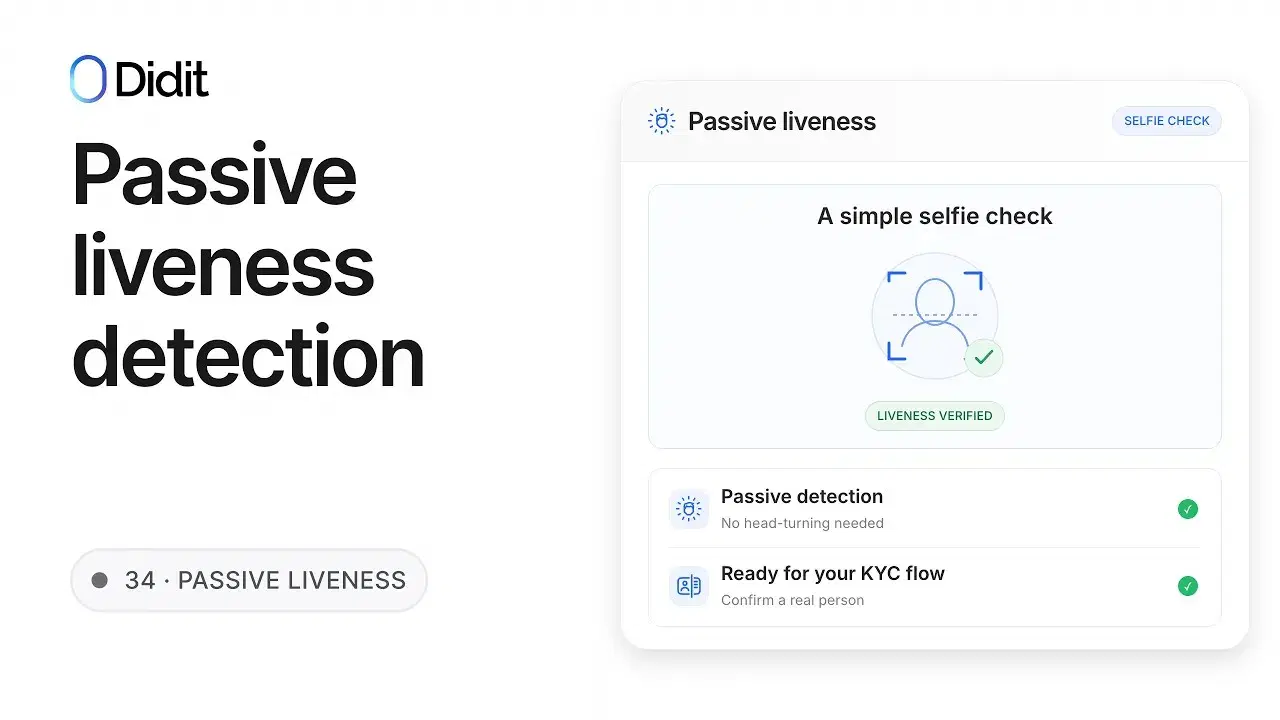
Passive liveness requires nothing from the user. The person looks toward the camera, the system captures a frame, and a convolutional neural network scores it. No prompt, no movement, no second capture.
The model looks for signals that separate a three-dimensional face from a flat reproduction: the micro-texture of skin against paper or an LCD panel, artifacts left by a print or a screen, depth cues in lighting and shadow, the way light reflects across a curved surface, and the geometry of the face itself. The standalone Passive Liveness API documentation describes sub-two-second inference.

Passive liveness is designed to detect printed photographs, screen replays and static images held up to the lens. It suits flows where you want a single capture without an action challenge, such as consumer onboarding, age assurance and step-up re-authentication.
How active liveness detection works
Active liveness detection adds a real-time challenge. The system asks the user to perform a physical action such as a blink or a nod. Our 3D action method combines a randomized action, such as blinking or nodding, with a dynamic light pattern. The model evaluates the response and the reflections from the face.
The randomized action makes reuse of a fixed recording harder. A printed photo cannot perform the requested action, and a pre-recorded clip is not filmed for the challenge that appears. The decision covers the response as well as the frame.

Active liveness suits flows where your fraud data shows replay-prone onboarding or where high-value account recovery justifies a challenge. We expose the method as face_liveness_method set to ACTIVE_3D, with FLASHING as the light-only variant and PASSIVE for the single-frame method.
Active vs passive liveness detection: which to choose
| Passive liveness | Active liveness (3D action) | |
|---|---|---|
| User action | None, one capture | One randomized action, plus light pattern |
| Main signal | Single-frame texture, artifacts and reflections | Response to the action, plus light reflections |
| Attack types to evaluate | Printed photos, screen replays, masks and synthetic imagery | Reused recordings, screen replays, masks and synthetic imagery |
| Price per check | $0.10 | $0.15 |
| Best for | Flows that want a single capture without an action challenge | Flows where your fraud data shows replay attempts or high-value recovery |
Evaluate on your own samples: compare challenge completion and false declines on genuine captures, and measure spoof acceptance on representative attack samples for each method. Start with passive. Move a segment to active when your fraud data shows replay attempts, when a regulator or a partner requires a challenge, or when the transaction value justifies the extra $0.05 and the added action prompt. The two are configuration, not a migration: the same workflow node switches method with one setting.
Anti-spoofing: attack types to evaluate
- Printed photo. Flat texture and paper edges are attack signals. Both methods are designed to detect it.
- Screen replay. A phone playing a video of the victim. A flat panel, a moire pattern and a glass reflection are signals. Both methods are designed to detect it.
- Pre-recorded video replayed to a challenge. A randomized action makes reuse of a fixed recording harder. Active liveness is designed for this case.
- 3D mask or prosthetic. Masks and synthetic imagery are attack types the relevant checks are designed to detect. Evaluate with samples that match your threat model.
- Injected video. A replay shown to a camera and video inserted into a capture pipeline are different attack paths. The documented presentation-attack results apply to the former. Evaluate injection separately. Device and IP analysis is a separate $0.03 workflow check.
Attack techniques aimed at active liveness
A replay shown to a camera and video inserted into a capture pipeline are different attack paths. The documented presentation-attack results apply to the former. Evaluate injection separately. Random actions and light patterns make reused recordings harder. Face match against the document portrait raises the bar for a swapped face. Nothing in that list is solved by liveness alone, which is why it belongs in a session with document verification and device analysis rather than standing on its own.
AI liveness detection: what the models look at
Every method above is a model decision, not a rule. The passive model analyzes a single captured image for liveness signals. The 3D models reconstruct a depth map from how a known light pattern reflects off the face, then check that the map is consistent with a real head. Deep learning adds the behavioral layer: micro-expressions in active mode, texture and reflection anomalies in passive mode. The output in every case is a status and a score, not a yes or no.
How to add liveness detection to a verification flow, step by step
Prerequisites: a Didit account with an application (the sandbox is free and unlimited), an API key sent in the x-api-key header, and a workflow. You can build the workflow in the Business Console or through POST /v3/workflows/.
- Pick the method. Set the workflow's
face_liveness_methodtoPASSIVE,ACTIVE_3DorFLASHING. Choose passive for a single capture and active for flows where your fraud data shows replay attempts. - Add a Liveness node. In the Workflow Builder, add a Liveness node next to ID Verification, Face Match and Device and IP Analysis if you need them. Set its documented method, then publish the workflow. Published versions are immutable and each session records the version it used.
- Create the session from your backend. Send
workflow_id,vendor_dataandcallback. Use a stablevendor_dataper user so duplicate detection works across sessions.curl -X POST 'https://verification.didit.me/v3/session/' -H 'x-api-key: YOUR_API_KEY' -H 'Content-Type: application/json' -d '{"workflow_id":"WORKFLOW_UUID","vendor_data":"user-123","callback":"https://app.example.com/done"}' - Open the returned hosted session URL. Redirect the user to
session.url. The hosted UI handles camera access, capture and the liveness model run. - Read the decision. Call
GET /v3/session/{sessionId}/decision/. If you use webhooks,status.updateddelivers the result in the decision envelope. Each liveness entry appears inliveness_checks[]; readnode_idto tie it to the workflow node,statusfor the feature lifecycle, andwarnings[]for risk codes. - Branch on the result. Route
Approvedforward,DeclinedwithLIVENESS_FACE_ATTACKorLOW_LIVENESS_SCOREto manual review or a single re-attempt under your policy, and warning-level codes to your own policy. The Workflow Builder does this without a code deploy.

Expected output: a liveness_checks[] entry with status Approved, Declined, In Review, Abandoned or Kyc Expired, plus a score and a warning list. Per-feature statuses also include Not Started and In Progress while the user is in the flow. Every warning carries feature, risk, log_type, a short and a long description, and the node_id it was raised against.
Use two test paths. In sandbox, validate workflow configuration and parse the response shape, because the standalone sandbox returns a static Approved mock after request validation. For performance, run an authorized live evaluation on representative genuine and attack samples; that is the only way to measure false declines and spoof acceptance for your population.
If you already have the selfie: the standalone passive liveness API
When a selfie is captured elsewhere and you only need the liveness verdict, use the server-to-server call. It accepts jpg, jpeg, png, tiff and webp up to 5 MB, and PDFs are rejected.
curl -X POST 'https://verification.didit.me/v3/passive-liveness/' -H 'x-api-key: YOUR_API_KEY' -F 'user_image=@./selfie.jpg' -F 'save_api_request=true' -F 'vendor_data=user-123'The response carries request_id and a liveness object with status, method, score from 0 to 100, liveness.warnings[], face_quality and face_luminance. The detected face fields are separate: liveness.user_image.entities and liveness.user_image.best_angle. status is Declined when any error-severity warning fires. Blocklist and duplicate screening run on every call, with or without save_api_request. Faces with the same vendor_data are excluded from the blocklist and duplicate search. With save_api_request left at its default of true the call is persisted as an API session and the face is enrolled in your face search index; set it to false for a one-shot check, and screening continues. Sandbox keys skip processing and billing after request validation and return a static Approved payload.
| Field | Direction | Notes |
|---|---|---|
user_image | Input, required | Single face, jpg/jpeg/png/tiff/webp, max 5 MB |
vendor_data | Input, optional | Your stable user id; excludes that user's own faces from duplicate checks |
save_api_request | Input, default true | true persists a session and enrols the face; false keeps it one-shot and screening continues |
liveness.status | Output | Feature status; Declined when any error-severity warning fires |
liveness.score | Output | 0 to 100; declined at or below the threshold, default 30 |
liveness.warnings[] | Output | Risk codes such as LIVENESS_FACE_ATTACK |
liveness.user_image.entities and liveness.user_image.best_angle | Output | Separate fields that describe the detected face and best angle |
Failure cases and recovery
| Signal | Meaning | Recovery |
|---|---|---|
LIVENESS_FACE_ATTACK | The model detected a presentation attack | Do not approve. Route to review, or allow one re-attempt per policy |
LOW_LIVENESS_SCORE | Score at or below the decline threshold, default 30 | Ask for a retake in even light, then review if it repeats |
NO_FACE_DETECTED | No face in the frame | Retake with a single, well-framed face |
MULTIPLE_FACES_DETECTED | More than one face, warning severity, does not decline | Retake, or accept with a note on the case |
FACE_IN_BLOCKLIST | The face matches an entry on your blocklist | Block or review per policy |
DUPLICATED_FACE | The same face appeared in another approved session, information severity | Decide per policy; a repeat with the same vendor_data is not flagged |
| HTTP 403 | Insufficient credits or missing or invalid API key | Check the error and credentials before topping up. Sandbox calls consume no credits. |
| HTTP 400 | Missing image, over 5 MB, unsupported extension | Fix the request and retry |
| HTTP 429 | Over the shared limit of 300 write requests per minute per key | Back off and retry |
The sandbox mock applies after request validation. Malformed input still returns 400; a valid sandbox request returns the static Approved payload.
What you pay for, and where review starts
Billing is per completed check from prepaid credit. Passive Liveness is $0.10 per check inside a workflow and Active Liveness is $0.15. The standalone Passive Liveness API consumes one Passive Liveness API credit per HTTP 200 response, and sandbox calls consume no credits. Face Match is $0.05, ID Verification is $0.15 and Device and IP Analysis is $0.03, so the full ID check is $0.33. Nothing is charged in the sandbox.
The review boundary is a product decision, not a hidden fee. We return the decision and the risk codes; where you route a Declined is your policy. You can route liveness results to manual review under your own policy. One policy option is to route a detected attack to review and ask for a new capture when the image yields a low score.
Worked cost example
Take 10,000 new users a month on the full ID check. All passive: ID $0.15 + passive liveness $0.10 + face match $0.05 + device and IP $0.03 = $0.33 per check, and 10,000 x $0.33 = $3,300.00.
Now move the highest-risk 20% to active liveness. A custom workflow using ID Verification, Active Liveness, Face Match and Device & IP Analysis at list prices is $0.15 + $0.15 + $0.05 + $0.03 = $0.38. The other 80% stay at $0.33: 8,000 x $0.33 = $2,640.00. The higher-risk segment: 2,000 x $0.38 = $760.00. Total $3,400.00, which is $100.00 more a month, or $0.01 per user across the whole base.
On Growth, the 4% discount applies to metered usage. $3,168.00 and $3,264.00 are metered usage before the $115 monthly credit and applicable taxes. Passive: 10,000 x $0.3168 = $3,168.00. Mixed: 8,000 x $0.3168 = $2,534.40 and 2,000 x $0.3648 = $729.60, for $3,264.00. The Growth usage difference is $96.00, against the $100.00 list-price difference. The plan fee is $99 a month; your monthly credit is consumed first, then top-ups cover the remainder.
Sources
- Didit docs: Liveness Detection overview
- Didit docs: Passive Liveness API
- Didit docs: Create Session API
- Didit docs: Data Models
- Didit docs: Workflow Builder
- Didit docs: Webhooks
- Didit docs: Liveness warning catalogue
- Didit docs: Pricing and billing rules
- Didit pricing page and pricing feed as JSON
- Didit MCP server
The next step is a sandbox application: create one at business.didit.me, add a Liveness node, and run one hosted workflow through to a decision. No sales call.
Try it
Try this in the sandbox
Run the check this guide describes, free.
The product this post is about, taken from its topic. Run it free in the sandbox.
Author
Alejandro Rosas
Co-founder and CTO

Keep reading
Other guides in the same topic.
 What Is the Purpose of FICA in South Africa? 2026 Guide
FICA is South Africa's anti-money laundering law. It creates the Financial Intelligence Centre and requires accountable institutions to identify and verify clients, screen for PEP and sanctions risk and report suspicious.
Alberto RosasNov 26, 2026 Sixth Money Laundering Directive (6AMLD): What Changed and Which Rules Apply
6AMLD is Directive (EU) 2018/1673: Member States must criminalise laundering, widen predicate offences and set a four-year penalty floor. It adds no new due diligence duties for firms.
Alberto RosasNov 26, 2026 Automated Sanctions Screening: Canada, the Entity List and Embargoes
Automated sanctions screening matches people and companies against lists such as Canada's autonomous sanctions made under SEMA and JVCFOA and the OFAC SDN List, and returns candidate hits scored for identity confidence and.
Alberto RosasNov 26, 2026Questions
Frequently asked questions
What is the difference between active and passive liveness detection?
Passive liveness analyzes a single capture with no user prompt and returns a score. Active liveness issues a randomized challenge, such as a blink or a nod, and checks the physical response against it. Passive costs $0.10 and active costs $0.15.
What is active liveness detection and when should I use it?
Active liveness detection is a challenge-response check: the user must perform an action the system chose at that moment, and a fixed recording is harder to reuse. Use it for replay-prone onboarding, high-value account recovery, or any flow where you have seen replay attempts. In our workflow it is the ACTIVE_3D liveness method at $0.15 per check.
How does passive liveness catch a printed photo or a screen replay?
The single-frame model reads texture, artifacts, light reflection and face geometry, and a flat print or an LCD panel does not produce the cues of a real three-dimensional face. The standalone Passive Liveness API documentation describes sub-two-second inference. It returns with no action from the user.
Does liveness detection stop deepfake and injected video attacks?
A replay shown to a camera and video inserted into a capture pipeline are different attack paths. The documented presentation-attack results apply to the former. Evaluate injection separately. Device and IP analysis is a separate $0.03 workflow check.
Is active liveness more secure than passive liveness?
Active liveness adds a randomized challenge that makes replay reuse harder. Passive still detects common presentation attacks and costs $0.05 less. The practical approach is to run passive on the whole base and active on the segment where your fraud data shows replay attempts.
How much does liveness detection cost on Didit?
Passive Liveness is $0.10 per check and Active Liveness is $0.15 per check inside a verification workflow. The standalone Passive Liveness API consumes one Passive Liveness API credit per HTTP 200 response, and sandbox calls consume no credits. The full ID check, which bundles ID verification, passive liveness, face match and device and IP analysis, is $0.33.
What does iBeta testing tell me about liveness detection?
iBeta presentation attack detection testing evaluates how a biometric system responds to spoofs presented at capture. Our liveness overview references iBeta Level 1 and Level 2. Buyers comparing methods should ask for the report and check which method and attack types it covers.
What happens when a liveness check is declined?
Read the liveness feature's status and warnings[]. A result of Declined can carry a risk code such as LIVENESS_FACE_ATTACK or LOW_LIVENESS_SCORE. Follow your review policy before allowing the user to proceed.
Can liveness detection run without the hosted session UI?
Only the passive method can. POST /v3/passive-liveness/ takes a captured selfie and returns a verdict in one call. Active and 3D flash liveness need a live capture inside the hosted flow or an SDK, because the challenge and the light pattern are generated for that session.
Does liveness detection replace document verification?
No. Liveness confirms a live person is present; it does not confirm who that person is. Document verification and face match establish identity, and liveness confirms presence at capture. The full ID check bundles ID verification, passive liveness, face match and device and IP analysis at $0.33.
Compliance built in
Audited, certified and attested.
We hold the certifications and build each country's rules into your flows, so you can launch anywhere without worrying. Security and Compliance center
- Regulation encoded into your flows
Tell us what you do and where. Didit lists the rules that apply to you, with sources, and builds the checks each country needs into one workflow.
- Ready for AMLR
Every requirement of the new EU anti-money laundering rules, from checking customers to human review, is already covered by a Didit check.
- Tested in Spain's Treasury sandbox
Spain's Treasury published its supervised sandbox report on Didit's NFC plus active liveness onboarding; SEPBLAC took part and valued the added measures positively.
- Audited, not self-declared
iBeta Level 1 and Level 2. Liveness tested under ISO/IEC 30107-3.
Your obligations · 3 regions
 SOC 2 Type 2
 ISO 27001
 iBeta Level 1 and Level 2
 EU regulator attestation
 FSM youth protection
 GDPR
 EBA remote onboarding
 MiCA compatible
 FIDO Alliance member
- AMLREU AML Regulation ready
Integration · Didit MCP
Run Didit from your own AI agent
Connect Didit to Claude, Cursor, VS Code or ChatGPT and just ask in plain words. Your agent can do anything you can do in the console, with the same permissions you have.
 Add to Claude
 ChatGPT
 Cursor
- Build workflowsDescribe the checks you need. The agent creates and publishes the flow.
- Run investigationsAsk why a session was declined, review cases, search people and companies.
- Change rulesCreate payment rules, test them on past data and switch them on.
- Pull reportsAsk for numbers, exports or the audit log.
Didit Academy