How to Verify a Business: KYB Documents, Registries and APIs
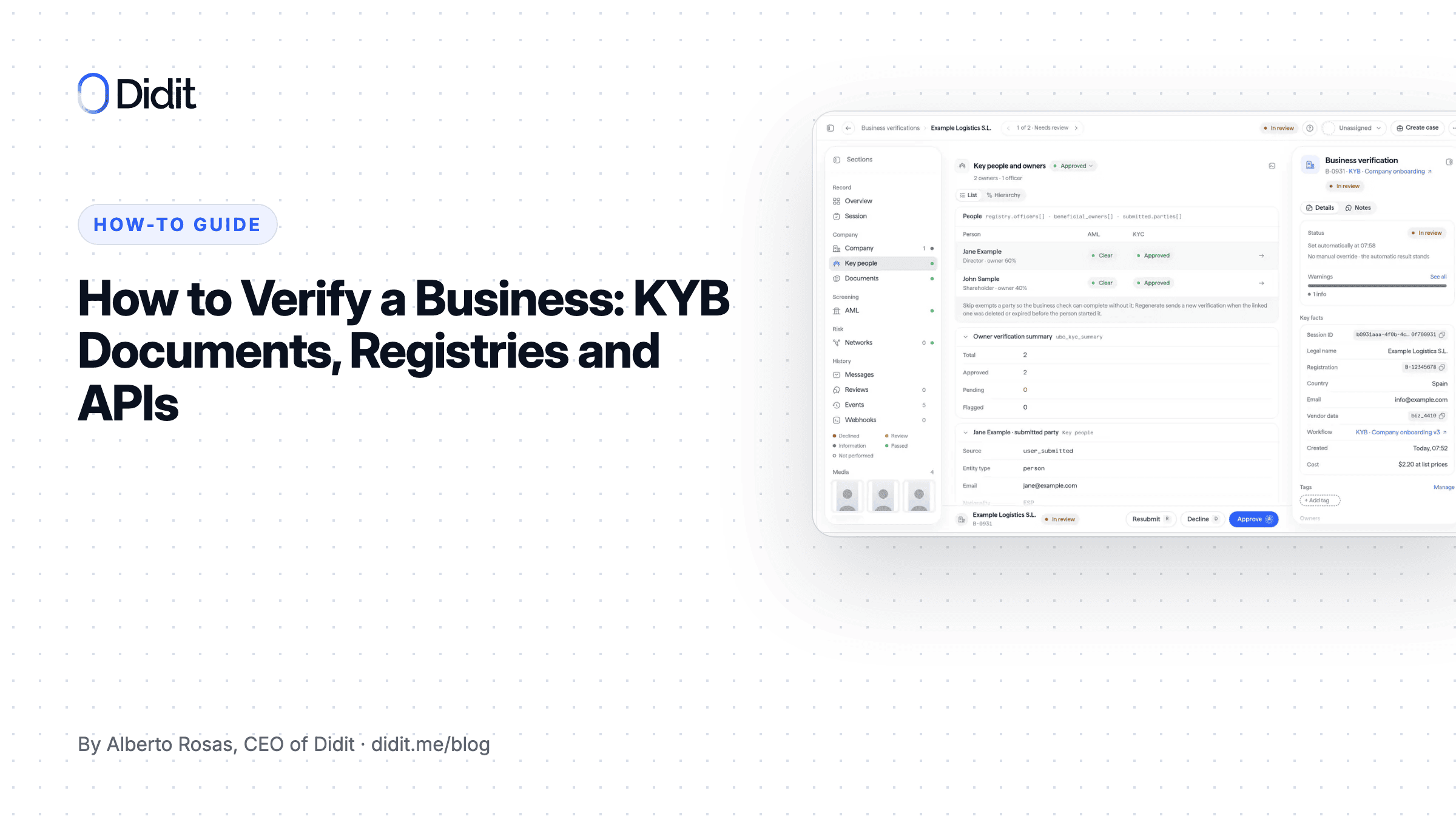
Verify a business by joining a company registry lookup, UBO and officer extraction, corporate document cross-checks and company plus person AML on one session, then acting on that session's status.
 Alberto RosasCo-founder and CEO
Contents
In this guide
Jump to the part you need.
Business verification, or KYB, is for teams that onboard companies instead of people: marketplaces vetting merchants, fintechs opening corporate accounts, vendors checking suppliers. A KYB workflow joins configurable features on one session: registry lookup, UBO and officer extraction, document cross-checks, and AML. Registry retrieval starts at $2.00 per company; company AML, documents and linked KYC are billed separately. The caveat: registry depth varies by country and data tier, so some companies go to manual review.
Last updated: November 26, 2026. Prices checked against the live Didit price feed on November 26, 2026.
One pricing detail before the table, because it changes budgets: the registry price, from $2.00 per company, buys the registry retrieval only, at the data tier the company's country can serve. Linked KYC, when the workflow requires it for a key person, at $0.33 per completed check, company AML at $0.20, person AML at $0.20 per person and document collection at $0.20 per step are billed separately. The registry pricing page lists the tiers and the pricing page carries every list price.
| Check | Question it answers | Didit price |
|---|---|---|
| Company registry lookup | Does the company exist, is it active, and does the declared data match the register? | From $2.00 per company, by country and data tier |
| Key People, UBO and officer extraction | Who owns and who controls the entity? | No separate fee |
| Company AML screening | Is the entity on sanctions, PEP or adverse media lists? | $0.20 per check |
| Person AML, per key person | Is each owner, director or representative screened? | $0.20 per person |
| KYB documents | Do corporate documents agree with the registry and the people declared? | $0.20 per collection step |
| Linked KYC, when required by the workflow | Is each owner who they claim to be? | $0.33 per completed check |
| Registry monitoring | Does the company status change after onboarding? | $2.00 per company a year, listed in the price book |
Start free in the sandbox at business.didit.me, with no sales call. The product page is Business Verification and the list prices sit on didit.me/pricing. Developers who want an AI assistant to drive the flow can connect Didit over MCP.
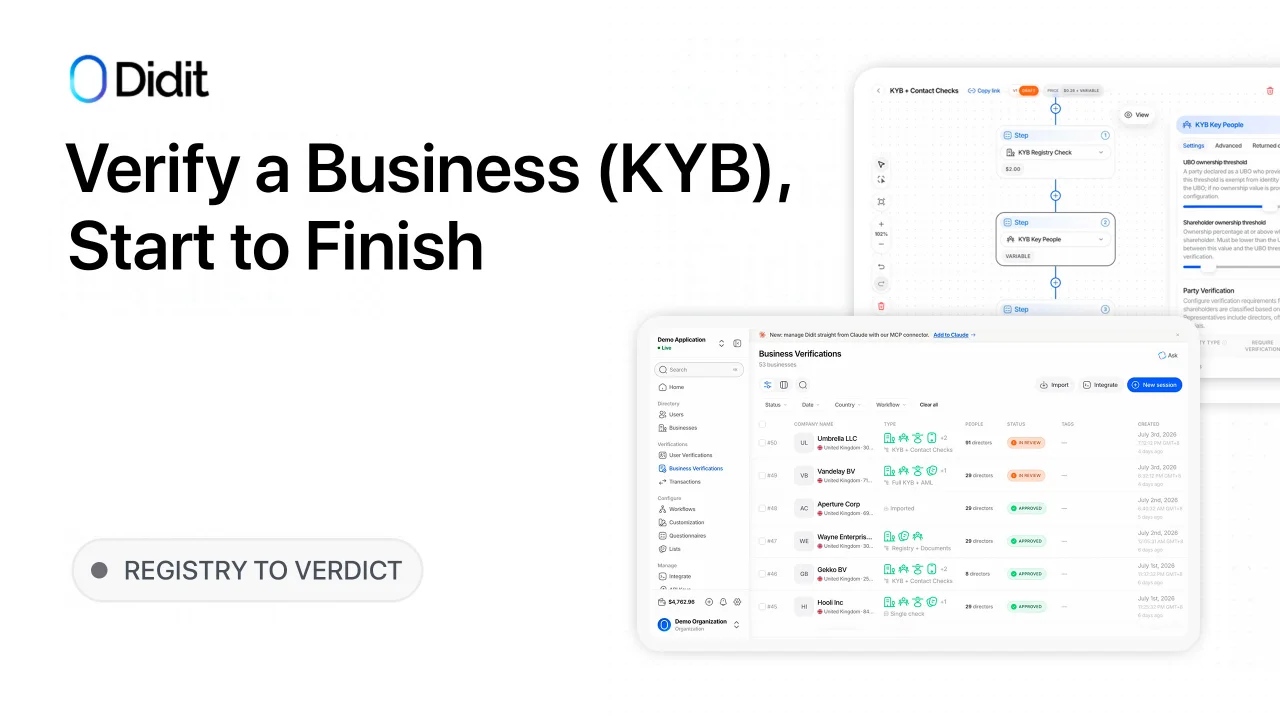
What verifying a business actually covers
KYB answers two separate questions, and most weak onboarding flows only answer the first. The first is whether the company is real: the registry record, its status, its registered address, its incorporation date. The second is whether the people behind it are who they say they are: the ownership chain down to natural persons, plus sanctions and adverse media coverage on the entity and on each person.
Regulators push the same direction. Ownership disclosure usually starts at 25% of shares or voting rights, and Didit documents that threshold for the EU (AMLD), the UK, the US (CTA) and Singapore in the UBO documentation. The EU position on beneficial ownership registers sits in Directive (EU) 2018/843, and the UK public register of people with significant control is published by Companies House.
Didit runs KYB as one session with feature-level statuses. There is no single composite risk score: each feature finishes as Approved, In Review or Declined, raises warning tags, and your workflow decides what each warning means. That is deliberate, because the same warning can be acceptable for a low-value reseller and disqualifying for a payment institution. The risk assessment documentation lists the workflow keys that drive it.
Before you start: prerequisites
- A Didit application with Business Verification enabled. Create one at business.didit.me.
- An API key from Developer Settings, API Keys.
- A webhook endpoint the internet can reach, if you want the decision pushed instead of pulled.
- Your policy decided up front: a UBO threshold, the accepted countries of incorporation, and what each warning should do.
- Contact details for the person at the company who will complete the hosted flow. They fill in registry data, add key people and upload documents.
How to verify a business with KYB, step by step
-
Create the KYB workflow in the console. Go to Workflows, Create workflow, and choose Business Verification as the workflow type. Turn on company registry lookup (required), company AML (recommended), Key People (required for most regulated industries) and, if you need evidence beyond the register, documents. Save and copy the
workflow_id. -
Set the policy that will decide the outcome. The policy drives the final status more than the checks do: each feature raises warning tags, and your workflow maps every tag to no action, review or decline, so the identical dissolved-company warning can pass a low-value reseller and decline a payment institution. Set the UBO threshold, restrict the accepted countries of incorporation, and map each warning. The keys are documented in risk assessment:
kyb_ubo_ownership_threshold,kyb_accepted_countries,kyb_company_aml_match_score_threshold,kyb_required_document_groups. -
Create the session through the API. One POST returns the hosted link you send to the business contact. Didit labels the session as a business session automatically because the workflow type is KYB.
curl -X POST https://verification.didit.me/v3/session/ \
  -H "x-api-key: YOUR_API_KEY" \
  -H "Content-Type: application/json" \
  -d '{
    "workflow_id": "YOUR_KYB_WORKFLOW_ID",
    "vendor_data": "biz-acme-001"
  }'
If you already know the company, pass
expected_detailswithcompany_name,registry_countryandregistration_number. The hosted flow then pre-selects and locks the country, pre-fills the search fields and runs the asserted search, so your contact lands on their own company. Prefill only: if they pick a different company, no warning is raised. -
Send the link to the business contact. The response contains
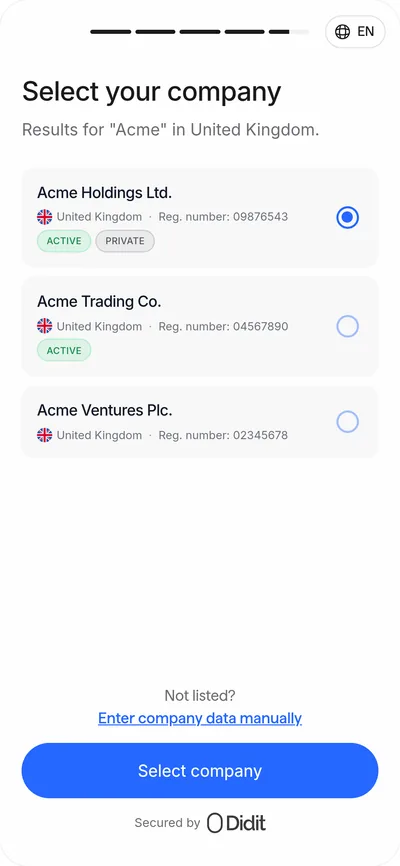
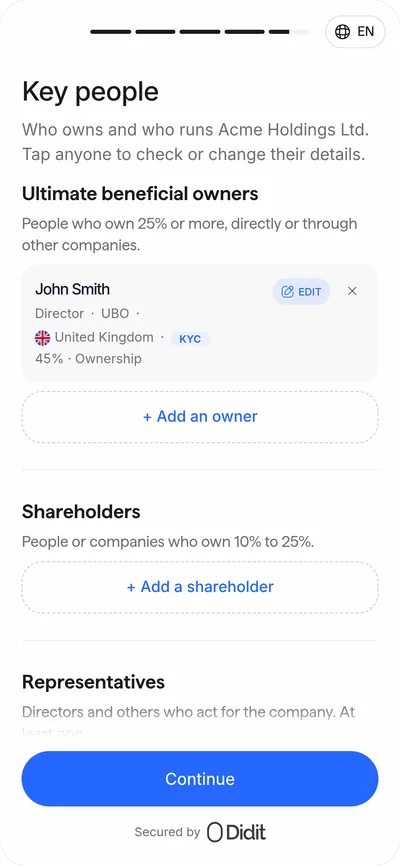
session_id,session_numberandurl. Deliverurlthrough your own email or chat. The contact picks the company from the registry results, confirms or corrects the company details, adds directors, shareholders and UBOs, and uploads whatever documents the workflow requires.
-
Receive and verify the status webhook. When KYB processing reaches a terminal status, Didit POSTs a
status.updatedevent. Business sessions carrysession_kind: "business"insidedata, so you can route them to your KYB handler. Verify theX-Signature-V2HMAC signature before trusting the event.{ "event_id": "7f3c2c1e-6a1d-4c36-9d8e-0d3b5f4e2a10", "webhook_type": "status.updated", "session_id": "a1b2c3d4-5678-4abc-9def-1234567890ab", "business_session_id": "a1b2c3d4-5678-4abc-9def-1234567890ab", "session_kind": "business", "vendor_data": "biz-acme-001", "status": "Approved", "created_at": 1776515400, "timestamp": 1776515401, "decision": { "...": "full KYB decision" } } -
Fetch the decision only if you need it. The webhook payload already carries the full decision. Call the endpoint when you skipped webhooks or need the payload again for an audit export.
curl https://verification.didit.me/v3/session/bs_01H.../decision/ \ -H "x-api-key: YOUR_API_KEY" -
Act on the status, not on a score. Switch on the exact status label and log the warning tags so a human can see why a session landed where it did.
const decision = event.decision; if (event.status === 'Approved') { await markBusinessVerified(event.vendor_data); } if (event.status === 'In Review' || event.status === 'Declined') { const warnings = [ ...decision.registry_checks, ...decision.document_verifications, ...decision.key_people_checks, ...decision.aml_screenings, ].flatMap((check) => check.warnings ?? []); await recordReasons(event.vendor_data, warnings); } -
Close the loop on approval. Approved means onboard, Declined means reject with the warning tags attached as the reason, In Review means an analyst decides and you get another webhook when it resolves. A reviewer can also change a status by hand, and the decision then carries
status_override.
What a successful run looks like
You created a session, you received a session_id and a hosted url, your contact finished the flow, and a webhook arrived with session_kind: "business" and status: "Approved". The decision inside that payload contains the registry data for the selected company, the key people as both registry-derived beneficial owners and submitted parties, the company and person AML results, the per-document results with cross-check output, and the warning tags on every feature.
Failure cases and how to recover
| What you see | What it means | Recovery |
|---|---|---|
| Registry search returns nothing usable | Wrong country, wrong identifier, or the registry does not hold the company | Try the registration number, then the contains search mode, then manual submission. The session continues with is_from_registry set to false and the company data entered by hand. |
registry_status is dissolved, struck off, in liquidation or dormant | The company exists but is not in good standing | Check which action your workflow assigns to that warning. Companies that are not active may be flagged or declined automatically depending on your configuration. |
| Ownership report still pending | Some registries return the company profile before the ownership report is ready | Do not guess. Let the applicant continue independent steps such as document upload. Report-dependent decisions wait for the report, and corrections the applicant made are preserved. |
| Critical field mismatch in a document cross-check | Document data contradicts the data submitted in Key People or the registry | The document goes to analyst review. The analyst can request a specific document instead of rejecting the whole session. |
| AML hit on the company or a key person | A screening match against sanctions, PEP or adverse media coverage | Your thresholds and warning actions decide approve, review or decline. kyb_reject_if_ubo_rejected declines the company when a UBO is declined. |
| No webhook, or the signature check fails | Endpoint unreachable, or the payload did not verify against X-Signature-V2 | Discard the event and pull the decision from the decision endpoint with your API key. |
Inputs and outputs
| Direction | Field | Notes |
|---|---|---|
| Input | workflow_id | The KYB workflow you configured in the console |
| Input | vendor_data | Your own identifier; business profiles aggregate on it |
| Input | expected_details | Optional prefill: company_name, registry_country, registration_number |
| Input | Documents | Uploaded in the hosted flow or through the upload endpoint; PDF, JPG, PNG, TIFF, WebP or a ZIP of them |
| Output | session_id, session_number, url | Returned at creation; url is the hosted link |
| Output | status | Approved, Declined or In Review |
| Output | registry_checks | Company name, number, type, status, address, capital, filings where the registry publishes them |
| Output | key_people_checks | registry.beneficial_owners[] and submitted.parties[] with roles and percentages |
| Output | aml_screenings, document_verifications | Per-entity screening results and per-document results with cross-check output |
| Output | warnings[], decision_trace | Why each feature ended where it did |
Paid steps and review boundaries
Four things cost money and one thing costs analyst time. On the cost side: the registry retrieval is billed once per selected company, at the price of the data tier delivered for that country, and in hosted workflows the charge applies when the applicant selects the company even if they leave before confirming. Company AML is $0.20 per check, person AML is $0.20 per person, document collection is $0.20 per step regardless of how many files land in that step, and each linked KYC the workflow requires for an owner or officer is a full $0.33 check. Key People extraction and the form itself carry no separate fee. Standalone API company searches outside a hosted workflow are priced separately at $0.50 per successful search.
On the review side, automation stops in three places: a warning your workflow maps to review, a document cross-check with critical mismatches, and a registry record the workflow cannot resolve. The analyst then works in the Business Console, where each document can be approved or declined individually and an extra document can be requested without killing the session.
What changes the price before you quote a number
Two things vary by jurisdiction, and both move the invoice before any ownership data arrives. Registry tier: the price follows the data tier the registry can actually deliver, and a country with no tier available is not offered for registry checks at all, so the applicant enters the company manually at the flat manual-entry price. Ownership depth: a Shareholders or UBO request in a country whose registry holds no ownership record is delivered and billed at the highest tier that country's registries can serve, usually Lite. The supported countries page shows which of the three tiers each jurisdiction has, and KYB registry pricing shows what each tier costs.
Ownership tiers are priced far above the Lite floor: the published price list now shows no country below $5.00 for Shareholders and $9.00 for UBOs. Plan discounts apply to the registry price too, 4% on Growth and 10% on Scale, or your Enterprise contract's rate. The worked example below uses the $2.00 Lite floor for a company with two key people, which is the cheapest case, not the average.
Worked cost example
Take a marketplace onboarding one merchant incorporated in a market whose registry is priced at the $2.00 floor on the Lite tier, with two key people, one document collection step, and company plus person AML switched on.
| Line | Arithmetic | List price | Scale (10% off) |
|---|---|---|---|
| Registry retrieval, Lite tier | 1 x $2.00 | $2.00 | $1.80 |
| Company AML screening | 1 x $0.20 | $0.20 | $0.18 |
| KYB document collection, one step | 1 x $0.20 | $0.20 | $0.18 |
| Linked KYC for two key people | 2 x $0.33 = $0.66 | $0.66 | 2 x $0.297 = $0.594 |
| Person AML for two key people | 2 x $0.20 = $0.40 | $0.40 | 2 x $0.18 = $0.36 |
| Total per business | 2.00 + 0.20 + 0.20 + 0.66 + 0.40 | $3.46 | 1.80 + 0.18 + 0.18 + 0.594 + 0.36 = $3.114, about $3.11 |
At 500 businesses a month that is 500 x $3.46 = $1,730.00 at list, or 500 x $3.114 = $1,557.00 on Scale. The Free plan gives $10.00 of monthly credit to organizations that sign up with a work email. That covers two complete checks at the $3.46 example (2 x $3.46 = $6.92), leaving $3.08 of credit. The sandbox itself is free on every plan.
Marketplace and vendor onboarding risk signals
Merchant onboarding is where KYB is worth the most, because a marketplace carries the chargeback and money-laundering risk of every seller it lists. The signals below come straight out of a KYB decision, and each one should have a written policy answer before you go live.
- Registry status. Dissolved, struck off, in liquidation and dormant companies are the cheapest rejection you will ever make.
- Identity mismatch. A trading name on the application that does not match the legal name in the register, or a registration number that belongs to another entity. Cross-checks flag critical field differences with the document value, the submitted value and a confidence score.
- Ownership that vanishes. A chain that ends in a corporate shareholder, or no natural person above your threshold. Didit flags the second case as a transparency concern rather than approving it by default.
- Jurisdiction risk.
kyb_accepted_countrieslimits where the business may be incorporated, so a merchant outside your footprint is caught at configuration rather than by an analyst. - Registry contact details. Registries return website, email and phone where they hold them, so an analyst can compare them with what the seller submitted.
- Adverse media on a director. Company AML and person AML run independently, so a clean entity with a flagged owner still surfaces.
Ongoing behavior is a separate product line. Transaction monitoring screens activity at $0.001 per transaction beyond your plan allowance, which is where a verified merchant that suddenly starts processing outside its declared business shows up. The Transaction Monitoring page covers that, and teams already running another KYB vendor can compare the move on Switch to Didit.
Run the same flow from an AI assistant: the MCP setup for every client shows how to connect Didit, and the MCP server is free on every plan.
Sources
- Didit KYB quickstart
- Didit company registry API
- Didit UBO API and ownership thresholds
- Didit KYB documents API
- Didit KYB risk assessment and warnings
- Didit KYB supported countries and tiers
- Didit KYB registry pricing by country
- Didit pricing page and live price feed
- Didit Business Verification product page
- Didit MCP server setup
- Directive (EU) 2018/843 on beneficial ownership registers
- Companies House, UK public register
The next step is a sandbox application you control: create an app at business.didit.me, enable Business Verification, run one session against a company you already know the answer for, and read the decision before you point production traffic at a workflow.
Try it
Try this in the sandbox
Run the check this guide describes, free.
The product this post is about, taken from its topic. Run it free in the sandbox.
Author
Alberto Rosas
Co-founder and CEO

Keep reading
Other guides in the same topic.
 Automated KYC Checks in 8 Steps: Cut Manual Review (2026)
Automated KYC runs document capture, liveness, face match, device and IP analysis and watchlist screening, then sends only sessions that breach your rules to a human queue.
Alberto RosasNov 26, 2026 Aadhaar API Integration Guide: Database Validation in Didit
Didit runs an Aadhaar lookup as a Database Validation call: POST /v3/database-validation/ with issuing_state IND. One server-to-server request, priced per successful hit, with the India rate read from the per-service table.
Alberto RosasNov 26, 2026 UK-Compliant AML Screening Solution: UK AML Requirements 2026
UK firms run risk-based CDD under SI 2017/692 and screen customers and beneficial owners against sanctions and PEP data. Didit runs that screen at $0.20 per check against 1,300+ lists and returns a match score and a risk score.
Alberto RosasNov 26, 2026Questions
Frequently asked questions
How do you verify a business with KYB checks?
You combine configurable KYB features on one session: a lookup against the official company registry, extraction of the owners and officers including ultimate beneficial owners, cross-checks of uploaded corporate documents against the registry and the declared people, and AML screening of the company plus each key person. Registry lookup is required, Key People is required for most regulated industries, documents are optional and company AML is recommended. The session ends in one status, Approved, Declined or In Review. On Didit you configure that as a KYB workflow, create a session through the API, and act on the status returned by the webhook.
What is the difference between KYC and KYB?
KYC verifies a natural person: an ID document, biometrics and device signals. KYB verifies a legal entity and then links the people behind it to their own KYC checks. On Didit a full KYC check is $0.33, and inside a KYB session each owner or officer who needs verification takes that same $0.33 check as a linked child session.
Which documents should I collect to verify a business?
Didit groups documents into four evidence categories: legal presence (certificate of incorporation, good standing certificate, registry excerpt, business licence, tax registration), company details (confirmation statement, annual return, statement of information), ownership structure (shareholder registry, memorandum and articles of association), and representatives authorization (director registry, power of attorney, trust agreement). Anything the system cannot classify lands in an Other group so it is still reviewed. Document collection costs $0.20 per step regardless of how many files you require in that step.
What is a UBO and which ownership threshold should a KYB workflow use?
A UBO is the natural person who ultimately owns or controls the entity, reached by following the ownership chain through any corporate shareholders. Didit documents a typical 25% threshold for the EU, the UK, the US and Singapore, and the threshold is configurable per workflow, so you can raise it to 50% for stricter programs. Where rights diverge, the workflow can check economic ownership or voting power, because most jurisdictions require disclosure when either one crosses the line.
How do I verify a business that is not in any company registry?
The applicant submits the company data manually and the session continues with is_from_registry set to false. Manual entry is billed at the flat manual-entry price rather than a registry tier price. Expect more document weight in that path, because the register is no longer corroborating the declared name, address and number, so the analyst relies on certificates, ownership documents and the people cross-check.
How much does a KYB check cost per business on Didit?
Registry retrieval starts at $2.00 per company and the exact figure depends on the country and the data tier the registry can deliver. On top of that, company AML is $0.20 per check, person AML is $0.20 per person, each linked KYC is $0.33 and each document collection step is $0.20. A typical merchant with two key people, one document step and both AML checks comes to $3.46 at list price.
What happens when a KYB session goes to In Review?
An analyst in the Didit Business Console reviews the flagged items and can approve or decline each document individually, request an extra document from the business without rejecting the whole session, or override the session status. You receive another webhook when the decision resolves. This is the boundary where automation hands over: nothing is approved by guessing when a registry report or a document cross-check is unresolved.
How long does a Didit KYB check take?
Didit documents the end-to-end flow as under 10 minutes: create the workflow, create the session, deliver the hosted link, wait for the webhook, read the decision. The variable is the applicant, who has to confirm registry data and add key people, plus registry latency, since large registries can take a few seconds and some return the ownership report after the company profile. Anything routed to analyst review takes as long as your own review queue.
Can I run a KYB check from Claude or ChatGPT?
Yes. Didit provides a hosted MCP server at mcp.didit.me/mcp with OAuth sign-in. Connect an AI assistant through the MCP setup guide. The MCP server is free on every plan, and your API key and workflow configuration stay the source of policy.
Should a marketplace re-verify merchants after onboarding?
Yes, but with a different mechanism: re-running full KYB on a schedule re-answers a question that rarely changes, while change detection covers what does move. Registry monitoring is listed at $2.00 per company a year for status changes, and ongoing AML monitoring at $0.07 per person a year for sanctions and PEP list changes, while transaction monitoring covers behavior at $0.001 per transaction beyond your plan allowance. The ownership docs still describe registry monitoring as coming soon, so confirm availability on your account before you design around it.
Compliance built in
Audited, certified and attested.
We hold the certifications and build each country's rules into your flows, so you can launch anywhere without worrying. Security and Compliance center
- Regulation encoded into your flows
Tell us what you do and where. Didit lists the rules that apply to you, with sources, and builds the checks each country needs into one workflow.
- Ready for AMLR
Every requirement of the new EU anti-money laundering rules, from checking customers to human review, is already covered by a Didit check.
- Tested in Spain's Treasury sandbox
Spain's Treasury published its supervised sandbox report on Didit's NFC plus active liveness onboarding; SEPBLAC took part and valued the added measures positively.
- Audited, not self-declared
iBeta Level 1 and Level 2. Liveness tested under ISO/IEC 30107-3.
Your obligations · 3 regions
 SOC 2 Type 2
 ISO 27001
 iBeta Level 1 and Level 2
 EU regulator attestation
 FSM youth protection
 GDPR
 EBA remote onboarding
 MiCA compatible
 FIDO Alliance member
- AMLREU AML Regulation ready
Integration · Didit MCP
Run Didit from your own AI agent
Connect Didit to Claude, Cursor, VS Code or ChatGPT and just ask in plain words. Your agent can do anything you can do in the console, with the same permissions you have.
 Add to Claude
 ChatGPT
 Cursor
- Build workflowsDescribe the checks you need. The agent creates and publishes the flow.
- Run investigationsAsk why a session was declined, review cases, search people and companies.
- Change rulesCreate payment rules, test them on past data and switch them on.
- Pull reportsAsk for numbers, exports or the audit log.
Didit Academy


