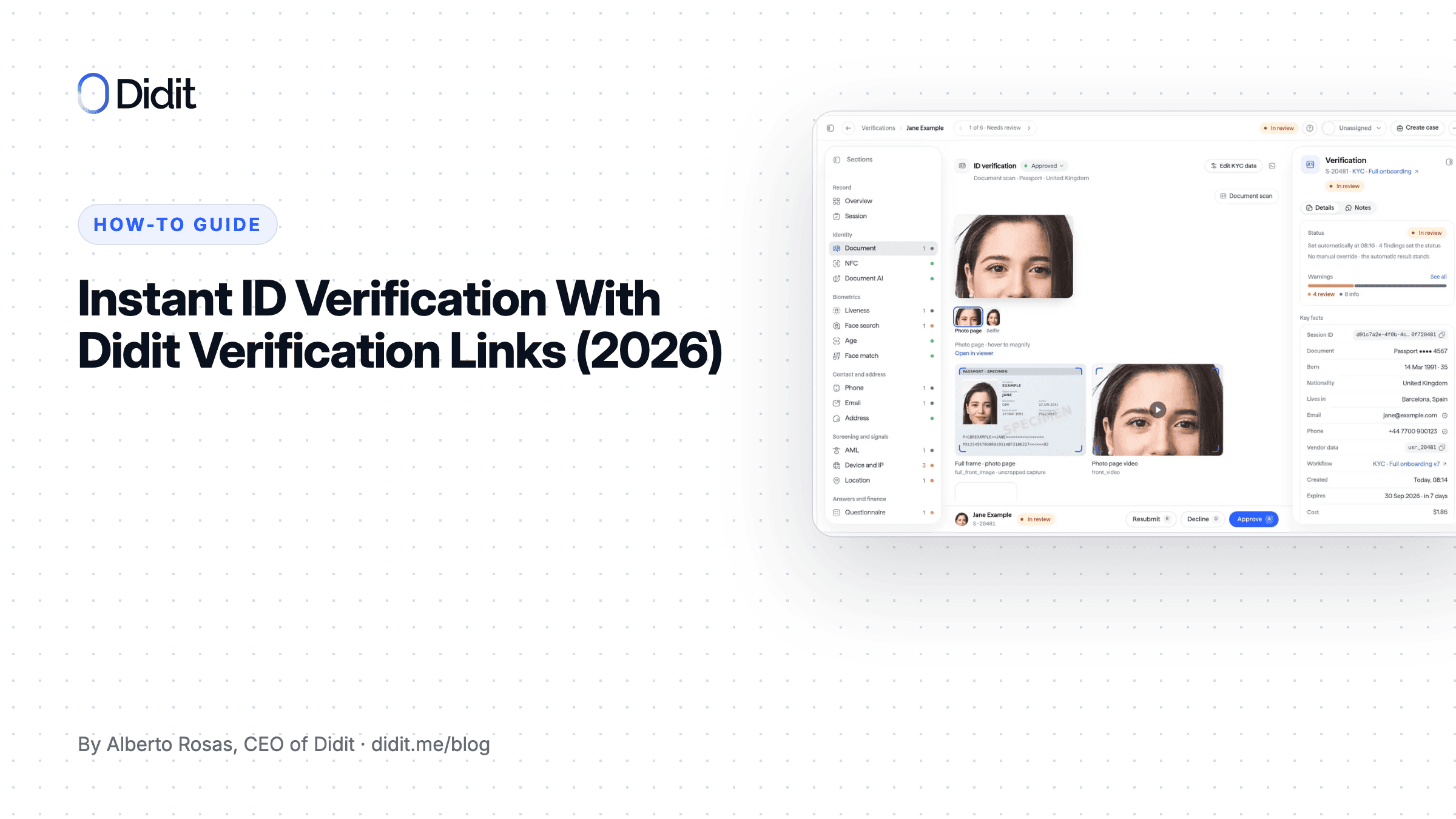
Instant ID Verification With Didit Verification Links (2026)
A Didit verification link is a hosted URL that runs a workflow you design in the console. Generate it in the console or with POST /v3/session/, share it, read the decision by webhook or the decision endpoint. Full KYC costs $0.33.
 Alberto RosasCo-founder and CEO
Contents
In this guide
Jump to the part you need.
Didit verification links fit teams that want to verify users without building a capture interface. You configure the checks in the Business Console, and we host the flow. A full KYC check costs $0.33 per completed check at list price. Each link opens a specific session. Use a Unilink for a reusable URL, or the Create Session API to automate per-user sessions.
Last updated: November 26, 2026. Prices checked against the live Didit price feed on November 26, 2026.
| Item | Detail |
|---|---|
| What it is | A hosted URL that opens a Didit verification flow for one session. The Console also generates a QR code |
| How you create it | Didit Business Console, no code, or POST https://verification.didit.me/v3/session/ |
| Price of a full KYC check | $0.33: ID document $0.15, passive liveness $0.10, face match 1:1 $0.05, device and IP analysis $0.03 |
| Add-ons you can put in the workflow | AML screening $0.20, active liveness $0.15, NFC reading $0.15, proof of address $0.20, age estimation $0.10, custom questionnaire $0.10 |
| What you have to build | No user interface. A webhook endpoint if you want the decision pushed to your system |
| Result delivery | HMAC-signed webhook for events your destination is subscribed to, for example status.updated, plus GET /v3/session/{session_id}/decision/ |
| Statuses you will handle | Not Started, In Progress, Approved, Declined, In Review, Resubmitted, Abandoned, Expired, Kyc Expired |
| Sandbox | Sandbox testing is free and unlimited on every plan |
| Coverage | 220+ countries, 14,000+ document types, 54 UI languages, 4,000+ companies in production |
Start free in the sandbox at business.didit.me, no sales call. For developers, connect Didit to an AI assistant through the MCP server.
Three routes: Console, Unilink, API
| Route | Link scope | Result workflow |
|---|---|---|
| Console | One session per link, created by hand. The Console generates a unique link and QR code | Results appear in the Console. A webhook destination subscribed to events adds real-time delivery |
| Unilink | One reusable URL per workflow. Every visit starts a new session | Results are reviewed in the Console. Add a webhook subscription if you need events |
| Create Session API | One session per call. The response returns the hosted URL in the url field | Track by session_id and receive the events your destination is subscribed to |
What a verification link is and who it fits
A Verification Link is a unique, secure URL that sends your end user to a verification flow hosted entirely by Didit. You design the steps in the Business Console with the no-code workflow builder, and each workflow carries its own workflow_id. From that point we handle the user interface, the data capture and the security of the session. The link is one of the integration paths on top of Orchestrated Workflows, so you keep the workflow engine and skip the frontend work.
The workflow is where the actual checks live. In ID Verification you can open Countries and allowed ID methods to set document capture, non-document lookup and digital identity wallets per country, with document subtypes, lookup attempts and fallback rules under Additional settings. A published workflow is immutable, sessions reference the exact version they were created with. To update a published workflow, create a draft from the published version, edit it and publish. New sessions use the new version, and existing sessions retain their original version. The modules you can put in that workflow are described on the User Verification product page.
Four situations make a verification link the right call: you need a hosted flow and do not want to build a capture interface, you have no frontend team, you deliver the request over email, SMS, chat or an in-app button, or you verify people in person who complete the flow on their own phone through a QR code. It also works well for pilots and manual operations where an operator reviews results in the Console. Use a Unilink when many people should start from the same URL. Use Create Session when your application needs to create and track a session for each user.
Prerequisites before you create your first link
- A Didit organization. Sign up at business.didit.me; the sandbox is free and unlimited on every plan.
- A published workflow and its
workflow_id. Drafts are editable, publishing locks a version, and sessions use the version they were created with. - A decision about which checks each step runs: ID document, passive liveness, face match, device and IP, AML screening, proof of address, age estimation, phone or email verification.
- For the API route, an API key sent in the
x-api-keyheader. - A webhook destination URL if you want the decision pushed to you, subscribed to the events you need, for example
status.updated. Preserve the raw request body. Check thatX-Timestampis within 300 seconds. Compute HMAC-SHA256 over the sorted, Unicode-preserved canonical JSON with the current destination secret and compare it in constant time withX-Signature-V2. During rotation, if you still use the replaced secret andX-Signature-V2-Previousis present, compute the HMAC with the replaced secret and compare it in constant time with that header. Accept a match from either check. Reject invalid or stale requests. Acknowledge valid deliveries promptly with a 2xx response. - If your application has allowed domains configured, an HTTP(S) callback must match an allowed origin by scheme, host and port. Custom app schemes are accepted. Configure the webhook destination separately.
Step by step: create and send a verification link
- Publish the workflow. Open the Business Console, build the flow in Simple Mode from a template or in Advanced Mode on the graph canvas, then publish. Copy the
workflow_id. - Create the session. No-code route: go to Verifications, click Create Verification, pick the
workflow_id, optionally entervendor_datasuch as your own user ID. Low-code route: one POST call, shown below. - Read the response and keep the
url. The Console generates a unique link and QR code. The API returns the hosted URL in theurlfield. - Share the link. Email, SMS, WhatsApp, support chat, an in-app message, an iframe, or a printed QR code for in-person onboarding.
- Receive the decision. We call the webhook destination you configured, for the events it is subscribed to, as the person progresses and again when the final status is ready. The decision object is present on
Approved,Declined,In ReviewandAbandoned. - Act on the status. Grant access on
Approved, notify onDeclined, routeIn Reviewto a person. Ask the user to redo the requested steps onResubmitted. Create a new session if the link expires before use, and follow your re-verification policy onKyc Expired.
The API call from the Didit documentation. Replace the sample callback URL with your app's redirect URL. If your application has an allowlist, use an origin already on it, matching scheme, host and port.
curl --request POST \
     --url https://verification.didit.me/v3/session/ \
     --header 'x-api-key: YOUR_API_KEY' \
     --header 'Content-Type: application/json' \
     --data '{
       "workflow_id": "550e8400-e29b-41d4-a716-446655440000",
       "vendor_data": "your_internal_user_id_123",
       "callback": "https://app.example.com/didit/callback"
     }'
And the documented response shape:
{
  "session_id": "11111111-2222-3333-4444-555555555555",
  "session_number": 1234,
  "vendor_data": "your_internal_user_id_123",
  "status": "Not Started",
  "workflow_id": "550e8400-e29b-41d4-a716-446655440000",
  "callback": "https://app.example.com/didit/callback",
  "url": "https://verify.didit.me/session/abcdef123456"
}
The callback is where the hosted flow redirects the person when finished. It is not the webhook destination. Configure the webhook destination separately in the Console or through the webhook API.
What the user sees during instant ID verification
Creating the link is immediate. The person still has to complete the flow, and a session flagged for review can wait for a manual decision. For a full KYC check, the hosted flow captures the ID document and a selfie. We run passive liveness and 1:1 face match, along with device and IP analysis. The interface is available in 54 languages and covers 220+ countries with 14,000+ document types.


You pass the checks you want in the workflow, and the same workflow serves every channel you share the link on. An email link and a Console QR code open the same hosted session.
Expected output and the statuses you will handle
Every session starts at Not Started and ends in a decision or a timeout. The strings are exact and case-sensitive, including the single capital K in Kyc Expired. Always match with strict equality.
| Status | Meaning | Your action |
|---|---|---|
Not Started | Session created, link not opened | Wait, then send a reminder before the session expires |
In Progress | The person is inside the flow | Nothing |
Approved | All checks passed | Grant access, store the decision |
Declined | One or more checks failed | Notify, and request a resubmission if the issue is fixable |
In Review | Warnings need a human decision | A reviewer approves, declines or requests resubmission in the Console |
Resubmitted | The person must redo specific steps | Wait for the new decision; the window closes into Abandoned |
Abandoned | Started but not finished in time | Create a new session and send a new link |
Expired | Timed out before the link was opened | Create a new session and send a new link |
Kyc Expired | An approved document passed its expiry date | Re-verify when your policy requires it. Setting Expiration mode to Allow expired for that country and document type prevents this move |

What the webhook carries
A webhook payload for a session event carries the session_id, your vendor_data and the exact status. It includes the decision object only for Approved, Declined, In Review and Abandoned. The snippet below is an abbreviated example: the ellipsis inside the decision object shortens it, so it is not valid JSON as shown. Correlate session_id and vendor_data to the record you store.
{
  "event_id": "uuid",
  "session_id": "11111111-2222-3333-4444-555555555555",
  "status": "Approved",
  "webhook_type": "status.updated",
  "vendor_data": "your_internal_user_id_123",
  "decision": { ... }
}
Branch on status: Approved means grant access and store the decision; Declined means notify and check the warnings; In Review means a reviewer must decide; Abandoned means create a new session and send a new link. The decision object is present only when the status is Approved, Declined, In Review or Abandoned. Delivery depends on the destination being subscribed to status.updated.
Failure cases and recovery
| Symptom | Cause | Recovery |
|---|---|---|
400 on callback: must be on one of the application's allowed domains | The redirect URL is not on the application's allowed_domains | For an HTTP or HTTPS callback, use an allowed origin with the same scheme, host and port, or add the intended origin to allowed_domains with PATCH /v3/webhook/. App deep links with a custom scheme are always accepted. |
400 on session_expiration_time | Value outside 3600 to 2419200 seconds, or not a whole number | Send an integer from 3600 to 2419200 seconds, which is 1 hour to 4 weeks, or omit the field and use the workflow setting. A session that is never opened ends in Expired; a session opened but not finished ends in Abandoned. |
Session goes Not Started to Expired | The person never opened the link | Remind before the TTL ends, then create a new session |
Session ends Abandoned | Started but did not finish in time | Create a new session and send a new link |
In Review with warnings | Automated checks flagged something a person must judge | Review the session in the Console, then approve, decline or request a resubmission |
Declined on a fixable issue | Document quality, expired document, failed face match | Review the decision warnings and request a resubmission if appropriate. The user is asked to redo specific steps. |
| Webhook not delivered | The destination URL is wrong or the destination is not subscribed to the event | Check the destination URL and that the destination is subscribed to status.updated |
| Webhook delivery rejected | Signature or timestamp verification failed, or the endpoint did not return 2xx | Check that X-Timestamp is within 300 seconds. Compute HMAC-SHA256 over the sorted, Unicode-preserved canonical JSON with the current destination secret and compare it in constant time with X-Signature-V2. During rotation, if you still use the replaced secret and X-Signature-V2-Previous is present, compute the HMAC with the replaced secret and compare it in constant time with that header. Accept a match from either check. Reject invalid or stale requests. Acknowledge valid deliveries promptly with a 2xx response. |
| Need the current result now | Webhook not processed yet | Call GET /v3/session/{session_id}/decision/ as a separate way to retrieve the current result |
| A duplicate face warning appears across separate account bases | Two separate account bases inside one organization | Set multi_account_segment to scope duplicate face comparisons to the same segment. Blocklist and allowlist matching still apply across segments. |
400 on sandbox_scenario | Scenario sent on a live application | Sandbox scenarios apply only to sandbox applications |
Inputs and outputs you control on the API route
All of these fields are optional except the workflow. If you only need the Console route, the inputs are the workflow, an optional vendor_data value and the channel you share the link on.
| Field | Required | What it does |
|---|---|---|
workflow_id | Yes | Stable workflow UUID. A KYC workflow creates a user session, a KYB workflow creates a business session |
vendor_data | No, strongly recommended | Your own identifier for the person, used to bind the session to an entity and for duplicate detection |
callback | No | Where the person is redirected when the flow ends; we append the session ID and status as query parameters |
callback_method | No | initiator, completer or both |
metadata | No | Arbitrary JSON echoed back in responses and webhooks, never shown to the person |
tags | No | Up to 10 session tags, up to 50 characters each, for filtering in the Console |
session_expiration_time | No | Seconds the link stays valid, 3600 to 2419200, overriding the workflow setting for this session |
language | No | ISO 639-1 code for the verification interface, otherwise browser detection |
contact_details | No | Pre-fills email and phone steps and can send notification emails |
expected_details | No | Expected name, date of birth, nationality and document types; mismatches surface as decision warnings |
| Field | Example | Meaning |
|---|---|---|
session_id | 11111111-2222-3333-4444-555555555555 | The session ID to store for session-specific requests such as retrieving the decision |
status | Not Started | The lifecycle state, exact string |
url | https://verify.didit.me/session/abcdef123456 | The hosted URL the API returns. The Console generates a unique link and QR code for its sessions |
vendor_data | your_internal_user_id_123 | Echo of your identifier |
Paid steps and review boundaries
Billing is per completed check from prepaid credit, and you are charged only when a check finishes with a result. A completed database lookup can produce a partial match or no match and still be billable; both count as completed results. Format errors and provider failures that return no answer are not charged. When a lookup falls back to document capture, the document check is charged on top.
| Step or module | List price (USD) | Charged when |
|---|---|---|
| Full ID check, the usual KYC workflow | $0.33 | Per completed check: document $0.15, passive liveness $0.10, face match 1:1 $0.05, device and IP $0.03 |
| AML screening | $0.20 | Per completed screening against 1,300+ lists |
| Ongoing AML monitoring | $0.07 | Per person per year |
| Active liveness | $0.15 | Per completed check |
| NFC passport chip reading | $0.15 | Per completed check, as an add-on to a document check |
| Proof of address | $0.20 | Per completed check |
| Age estimation | $0.10 | Per completed check |
| Phone verification codes | $0.02 Didit fee per code at list price, plus the carrier price for the country and channel | Per code sent; the carrier price passes through at cost |
| Email verification | $0.02 | Per completed check |
| Custom questionnaire | $0.10 | Per completed check |
| White label flow | $0.10 | Per check, on plans that include the feature |
| Workflow Orchestrator, Reusable KYC, MCP server, SDKs | Free | Included on every plan. Completed workflow checks are billed at their published rates. |
Automated checks drive most status moves. In Review requires a human decision. Reviewers can also change eligible session statuses in the Console or through the update-status endpoint, including moving Approved, Declined, Resubmitted, Abandoned or Kyc Expired sessions to Approved, Declined or Resubmitted. On the other side, Kyc Expired is automatic: an approved document that passes its expiry date moves the session unless Expiration mode is set to Allow expired for that country and document type. Plan for that re-verification rather than treating approval as permanent.

Worked cost example
Assume 2,000 sessions each complete a full KYC check and an AML screening in one month. All arithmetic uses published unit prices.
- Full KYC: 2,000 x $0.33 = $660.00
- AML screening: 2,000 x $0.20 = $400.00
- Total at list price: $660.00 + $400.00 = $1,060.00
- On Scale, with 10% off every Didit price: 2,000 x $0.297 = $594.00 and 2,000 x $0.18 = $360.00, so $954.00 of usage
- Scale adds $299 a month and $350 of monthly credit, so $954.00 - $350.00 = $604.00 is paid from top-up credit. The effective cost for the month is $299.00 in subscription fees + $604.00 in prepaid top-up credit used = $903.00. You pay for top-up credit when you buy it.
- The difference from undiscounted list-price usage is $1,060.00 - $903.00 = $157.00, before any Free-plan credit.
If half of those sessions need only the document step, KYC-side list-price spend before AML is 1,000 x $0.33 plus 1,000 x $0.15 = $480.00, against $660.00 for 2,000 full KYC checks. Model your own mix in the estimator on the pricing page before you commit to a plan.
Unilinks: one reusable link when you have no backend
A Unilink is a single reusable link per workflow. Each visit spins up a session, and results land in the Console for manual review, which makes it the right choice for pilots, in-person kiosks and affiliate or referral verification. Skip it when you need backend control, silent checks, conditional branching by country or risk, or per-user context at volume; those cases belong on Create Session.
The documented way to put a Unilink behind a button:
<a class="btn btn-primary"
   href="https://verify.didit.me/verify/UNILINK_TOKEN"
   rel="noopener"
   target="_blank">
  Verify your identity
</a>
The simple rule: use the Console to issue a link manually, a Unilink to share one reusable URL, and the API to create and track sessions automatically. You can start on one route and move to another without changing the workflow you published.
Sources
- Didit documentation: Verification Links, hosted KYC URLs and QR codes, read November 26, 2026
- Didit documentation: Unilinks, reusable no-code verification links, read November 26, 2026
- Didit documentation: Workflow builder and versioning, read November 26, 2026
- Didit documentation: Create Session API, read November 26, 2026
- Didit documentation: Webhooks and HMAC signing, read November 26, 2026
- Didit documentation: Verification statuses and session lifecycle, read November 26, 2026
- Didit documentation: Pricing and billing rules, read November 26, 2026
- Didit User Verification product page, read November 26, 2026
- Didit pricing page and the machine-readable price feed, read November 26, 2026
- Didit MCP server, read November 26, 2026
- Didit blog: what changed in pricing on November 1, 2026, read November 26, 2026
Start free in the sandbox at business.didit.me, publish a workflow and generate your first verification link. No sales call required.
Try it
Try this in the sandbox
Run the check this guide describes, free.
The product this post is about, taken from its topic. Run it free in the sandbox.
Author
Alberto Rosas
Co-founder and CEO

Keep reading
Other guides in the same topic.
 What Is the Purpose of FICA in South Africa? 2026 Guide
FICA is South Africa's anti-money laundering law. It creates the Financial Intelligence Centre and requires accountable institutions to identify and verify clients, screen for PEP and sanctions risk and report suspicious.
Alberto RosasNov 26, 2026 Sixth Money Laundering Directive (6AMLD): What Changed and Which Rules Apply
6AMLD is Directive (EU) 2018/1673: Member States must criminalise laundering, widen predicate offences and set a four-year penalty floor. It adds no new due diligence duties for firms.
Alberto RosasNov 26, 2026 Automated Sanctions Screening: Canada, the Entity List and Embargoes
Automated sanctions screening matches people and companies against lists such as Canada's autonomous sanctions made under SEMA and JVCFOA and the OFAC SDN List, and returns candidate hits scored for identity confidence and.
Alberto RosasNov 26, 2026Questions
Frequently asked questions
What is a Didit verification link?
A Didit verification link is a unique hosted URL that opens a verification workflow you designed in the Business Console. Didit runs the checks configured in the workflow and hosts the user interface, capture and result reporting. The URL opens one verification session created for an intended user.
How do I verify a Didit session and check its result?
Read the session with GET /v3/session/{session_id}/decision/, which returns the same decision object a webhook carries. The status string tells you whether the person passed, failed, needs review or has not started. Match the strings exactly, since they are case-sensitive and include spaces.
I received a link on verify.didit.me. What should I do?
If you expected the request, confirm the sender through a channel you already trust, then open the link and follow the steps shown. Didit-hosted links can use verify.didit.me, and white-label flows can use the requesting business's domain. If the request was unexpected, confirm it with the business before submitting identity information.
How much does one instant ID verification cost?
A full ID check is $0.33 per completed check and covers the ID document at $0.15, passive liveness at $0.10, face match 1:1 at $0.05 and device and IP analysis at $0.03. AML screening adds $0.20, and a document-only workflow is billed at $0.15. You are charged per completed check from prepaid credit.
Do I need a developer to create a verification link?
No. In the Console you go to Verifications, click Create Verification, choose the workflow and the URL and QR code appear immediately. A developer is only needed if you want each session created automatically by your application, or a webhook consumed by your backend.
What is the difference between a verification link and a Unilink?
A verification link is tied to one verification session created for an intended user, either in the Console or through the API. A Unilink is one reusable URL per workflow: every visit starts a new session and the results are reviewed in the Console. Use Unilinks for pilots, kiosks and manual operations, and Create Session for automation.
Can I send a verification link by SMS, WhatsApp or a QR code?
Yes. You can share the hosted URL by email, SMS, WhatsApp, support chat, an in-app message or an iframe. The Console generates a unique link and QR code. The API returns the hosted URL in the url field. The QR code is the practical option for in-person onboarding, because the person completes the flow on their own phone.
How long does a verification link stay valid?
The workflow sets the session TTL by default. On the API you can override it per session with session_expiration_time, in whole seconds between 3600 and 2419200, which is 1 hour to 4 weeks. A value outside that range returns a 400 error. A session that is never opened ends in Expired; a session opened but not finished ends in Abandoned.
What happens if the user never opens the link?
The session stays at Not Started and then moves to Expired when the TTL runs out. A person who opens the link but does not finish in time ends in Abandoned. In both cases you create a new session and send a new link.
How do I test a verification link without paying?
Sandbox testing is free and unlimited on every plan. Create a sandbox application, create and open a verification link with it, then check the simulated result in the Console. Sandbox applications can test every digital identity wallet with simulated results, and that availability does not imply production availability.
Can a machine read the result instead of a person?
Yes, for automated outcomes. Every status change can trigger a webhook if your destination is subscribed to status.updated, and the decision object carries per-feature arrays for ID verifications, liveness checks, face matches, AML screenings and the rest. In Review requires a human decision. Reviewers can also change eligible session statuses in the Console or through the update-status endpoint.
Does Didit work outside the United States and Europe?
Verification links run in 220+ countries and territories, cover 14,000+ document types and present the interface in 54 languages, with document recognition in 130+ languages. Per-country ID methods, lookup attempts and fallback rules are configured in the workflow, so one published flow can serve several markets.
Compliance built in
Audited, certified and attested.
We hold the certifications and build each country's rules into your flows, so you can launch anywhere without worrying. Security and Compliance center
- Regulation encoded into your flows
Tell us what you do and where. Didit lists the rules that apply to you, with sources, and builds the checks each country needs into one workflow.
- Ready for AMLR
Every requirement of the new EU anti-money laundering rules, from checking customers to human review, is already covered by a Didit check.
- Tested in Spain's Treasury sandbox
Spain's Treasury published its supervised sandbox report on Didit's NFC plus active liveness onboarding; SEPBLAC took part and valued the added measures positively.
- Audited, not self-declared
iBeta Level 1 and Level 2. Liveness tested under ISO/IEC 30107-3.
Your obligations · 3 regions
 SOC 2 Type 2
 ISO 27001
 iBeta Level 1 and Level 2
 EU regulator attestation
 FSM youth protection
 GDPR
 EBA remote onboarding
 MiCA compatible
 FIDO Alliance member
- AMLREU AML Regulation ready
Integration · Didit MCP
Run Didit from your own AI agent
Connect Didit to Claude, Cursor, VS Code or ChatGPT and just ask in plain words. Your agent can do anything you can do in the console, with the same permissions you have.
 Add to Claude
 ChatGPT
 Cursor
- Build workflowsDescribe the checks you need. The agent creates and publishes the flow.
- Run investigationsAsk why a session was declined, review cases, search people and companies.
- Change rulesCreate payment rules, test them on past data and switch them on.
- Pull reportsAsk for numbers, exports or the audit log.
Didit Academy