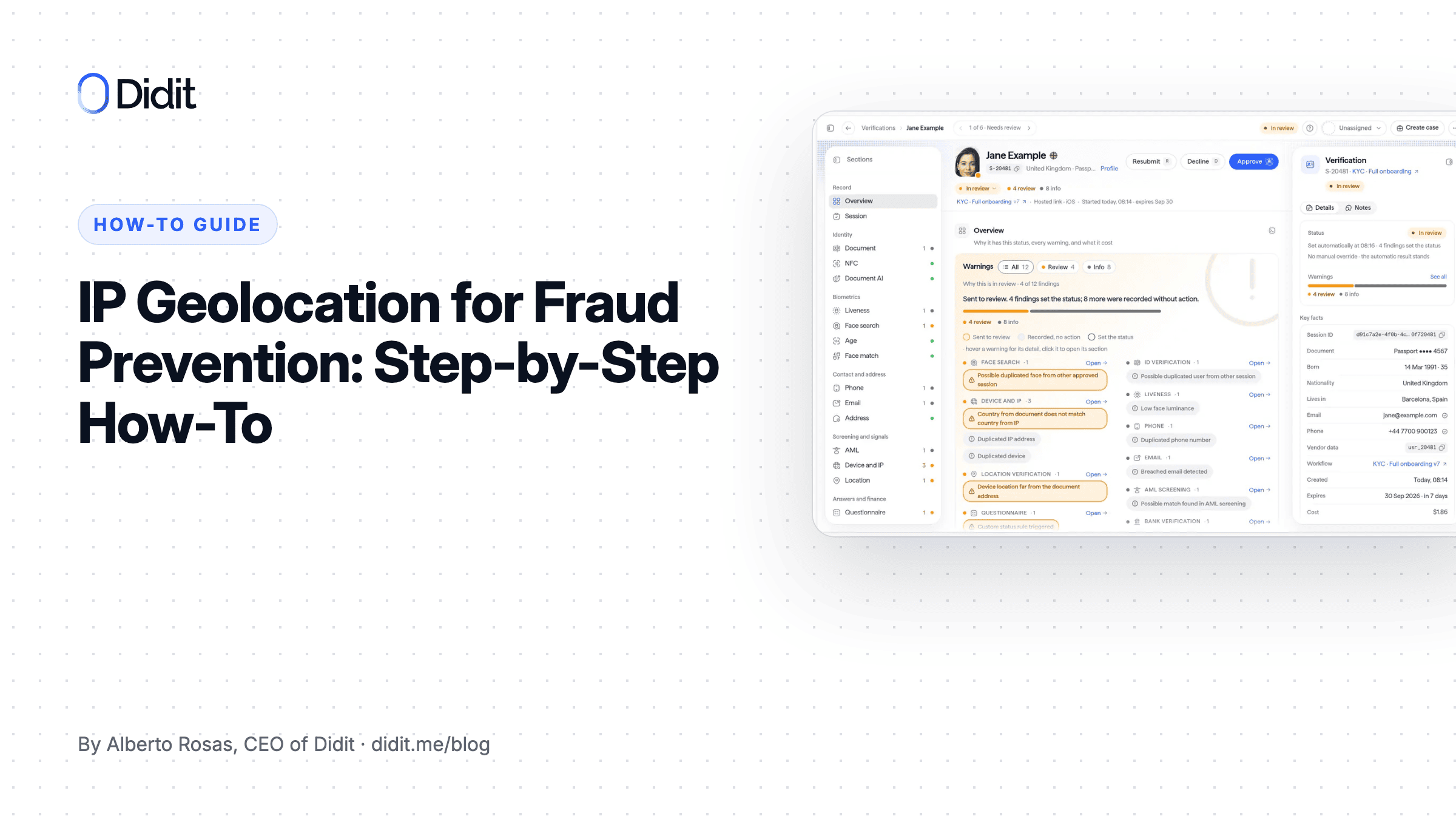
IP Geolocation for Fraud Prevention: Step-by-Step How-To
Device and IP analysis costs $0.03 per check on Didit and is included in the $0.33 full ID check. Read geolocation, VPN, proxy, Tor and duplicate-device warnings from the verification decision.
 Alberto RosasCo-founder and CEO
Contents
In this guide
Jump to the part you need.
This guide fits fraud, risk and marketplace operations teams that already run identity checks and want network and device evidence attached to the same session. On Didit, device and IP analysis costs $0.03 per check and is one of the three parts of the $0.33 full ID check. The caveat up front: it is session-only, so you read the result from a verification decision, not from a standalone IP lookup.
Last updated: November 26, 2026. Prices checked against the live Didit price feed on November 26, 2026.
| What you buy | List price | Unit | What it returns |
|---|---|---|---|
| Device and IP analysis | $0.03 | check | IP geolocation by country, region, city and coordinates, ASN, VPN, proxy, Tor, data center and private network flags, device fingerprint id, duplicate and recovered device matches, LOCATION warnings |
| Full ID check (KYC) | $0.33 | check | ID document verification $0.15, biometrics $0.15 (passive liveness $0.10 and face match 1:1 $0.05) and device and IP analysis $0.03 |
| ID document only | $0.15 | check | The document step on its own, without biometrics or device and IP analysis |
| AML screening | $0.20 | check | Sanctions, PEP and adverse media screening against 1,300+ lists |
| Proof of address | $0.20 | check | A document behind an address claim, useful next to a location mismatch |
| Business verification (KYB) | From $2.00 | company | Official registry retrieval, priced by country and data tier |
Start free in the sandbox at business.didit.me, with no sales call, and put one test session through a real workflow before you touch production. Developers who want an AI assistant to run the calls can connect Didit over MCP at didit.me/developers/mcp. The feature documentation sits at Device and IP Analysis, and every published number sits on didit.me/pricing.
What changes when network and device signals land in the session
IP geolocation alone is a country lookup. What moves fraud numbers is comparing the connection with everything else the session knows: the document, the face, the phone, the device and your own user id. Didit's Device and IP Analysis runs on every verification session and produces the following signals, in a product set that emits 200+ real-time fraud signals per session.
- Claimed versus observed location. If the IP country does not match the issuing country of the document, the session carries
LOCATION_MISMATCH_WITH_DOCUMENT. Honest mismatches exist (travel, expats, border regions), so this belongs in review, not in an automatic decline. - Anonymising networks.
VPN_DETECTED,PROXY_DETECTED,TOR_DETECTEDandDATACENTER_IPtell you whether the connection looks like a household, a mobile network, a hosting range or an exit node. - Device reuse. A persistent device id plus a high-confidence recovered fingerprint detects the same physical device enrolling under a different
vendor_data, even after a user clears storage or opens an incognito window. That is how one person ends up running several accounts from one laptop. - Duplicated IP. The same IP address across different users is a weaker signal than a duplicated device, and it is still useful when you rank a review queue.
- Impossible travel. Two sessions from places that cannot be reached in the elapsed time, or a new country on a returning user, raise the risk on account takeover attempts.
- Device history.
DEVICE_FINGERPRINT_BLOCKLISTEDandDEVICE_LINKED_TO_LIVENESS_ATTACKconnect a new session to a device you or the network already refused. - Geo rules for regulated products. Gaming, financial and crypto licences usually name the jurisdictions you may not serve, so the IP country is one signal to evaluate against your licensing and risk policies. Treat it as an input to a review decision, not as proof that a user sits outside a market you may serve.
- Hosting ranges and device mismatch.
DATACENTER_IPmarks a hosting or data center range, andDEVICE_MODEL_INCONSISTENTfires when the declared device does not match the device signals the client reports. Both are documented device and network warnings, and both are worth a review step before a login or a payout is trusted.
Prerequisites before the first session
- A Didit account and an Application in the Business Console. API keys are scoped to an Application, not to the whole account.
- A workflow and its
workflow_id. IP and device analysis runs inside a session, so a workflow must exist before anything is collected. - Your API key kept server-side. The verification API authenticates with the
x-api-keyheader, new keys start withsk_test_for sandbox orsk_live_for live, and you never ship the key to a browser or mobile bundle. See API authentication. - A stable id for each user or business that you can send as
vendor_data. Duplicate detection compares sessions across your own users through it. - Optional console settings: strict-mode rules for IP and device, an expected IP for a session, and an IP blocklist on the application.
- Sandbox access. Sandbox testing is free and unlimited on every plan, so you can build and rehearse the whole flow without spending credit. Use the
sk_test_key from your sandbox application, and swap in thesk_live_key only when the routing looks right.
Step by step: put IP and device analysis in front of onboarding
Open your Application in the Business Console and go to Developers, then API keys. Copy the Primary key, or create a scoped key for the service that will call sessions. Treat it as a server secret. Full walkthrough in API authentication.
Pick the workflow that will carry the check and note its
workflow_id. The basic device and IP signal set runs on every session and needs no workflow feature toggle; the SDK collects the fingerprint and the IP during the hosted flow.Set routing rules in the console before you look at results, so policy lives in the audit trail and not in application code. A common first set: decline on Tor, send VPN to review, review on duplicate device, review on country mismatch with the document. Strict-mode rules and application IP blocklists are configured in the Business Console.
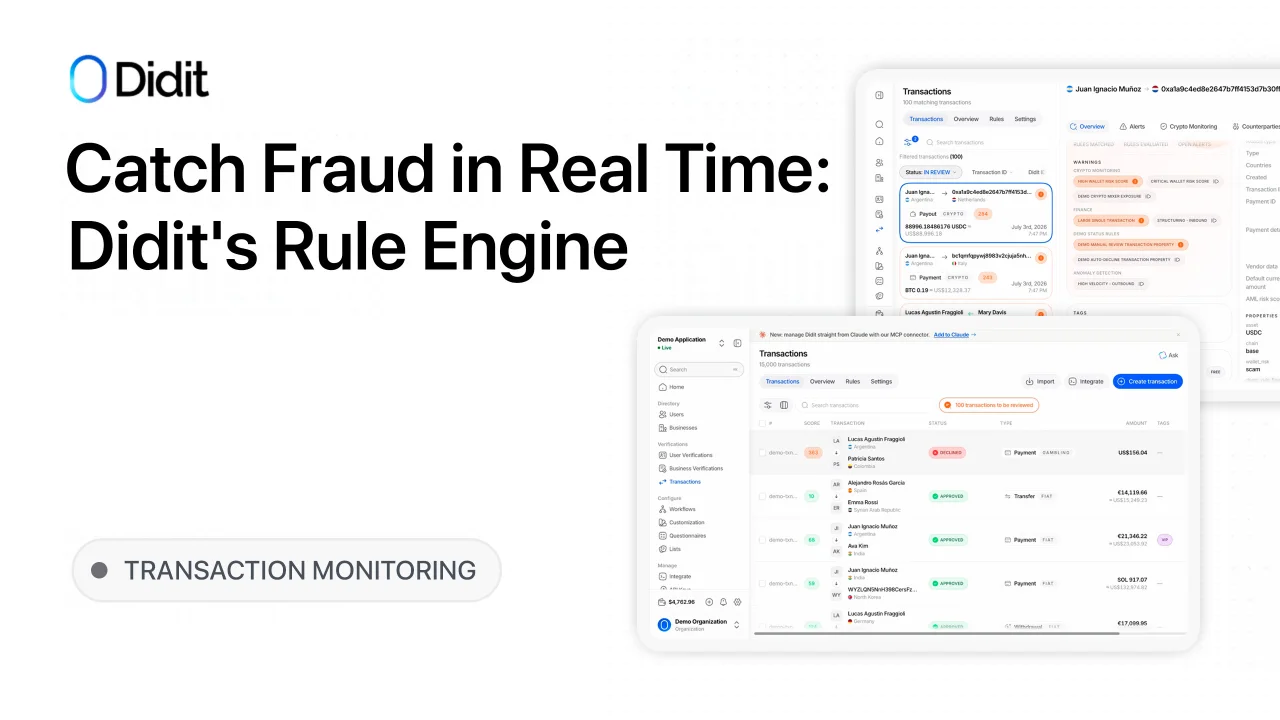
Rules decide what a risk code does: pass, step up, send to review or decline. Create the session with
POST /v3/session/.vendor_datais the identifier duplicate detection compares, so send your own user or seller id rather than an email address. The full parameter list is on Create Session.curl -X POST 'https://verification.didit.me/v3/session/' \ -H 'x-api-key: YOUR_API_KEY' \ -H 'Content-Type: application/json' \ -d '{ "workflow_id": "YOUR_WORKFLOW_ID", "vendor_data": "seller-4021", "callback": "https://yourapp.com/post-kyc" }'Send the user to
session.urlfrom the response. The Web or Mobile SDK collects the device fingerprint and the IP in band during the hosted flow, so there is no separate collection step and nothing extra for the user to do.Fetch the decision once the flow finishes, with a key that holds
read:sessions. See Retrieve Session.curl https://verification.didit.me/v3/session/<SESSION_ID>/decision/ \ -H 'x-api-key: YOUR_API_KEY'Branch on the payload. Check
session_kindfirst (userorbusiness) and only then readip_analyses[], which holds one entry per collection point in the workflow. Each entry carries its own status, the resolved geography, ASN, the VPN, proxy and Tor flags, the device fingerprint id, duplicate and recovered device matches, and awarnings[]array.Subscribe to the webhook so review decisions reach your system without polling.
session.status.updatedanddata.updatedcarry the same decision shape and are signed with HMAC-SHA256, documented in webhooks.
Expected output
A session with a location mismatch and a VPN may include both risk codes. If your rules route the case to review, the IP entry can have status In Review. This is an abbreviated decision: media URLs, other feature arrays and the long warning descriptions are removed for readability.
{
  "session_kind": "user",
  "status": "In Review",
  "ip_analyses": [
    {
      "status": "In Review",
      "warnings": [
        {
          "feature": "LOCATION",
          "risk": "LOCATION_MISMATCH_WITH_DOCUMENT",
          "log_type": "error",
          "node_id": null
        },
        {
          "feature": "LOCATION",
          "risk": "VPN_DETECTED",
          "log_type": "warning",
          "node_id": null
        }
      ]
    }
  ]
}
node_id pins an entry to the workflow node that produced it and is null on legacy single-feature sessions. The per-entry status uses the feature lifecycle enum: Not Started, In Progress, Approved, In Review, Declined, Abandoned, Kyc Expired. The full object schema is in data models and the risk catalogue is in IP analysis warnings.

Every route in the table below is a configurable policy choice. The risk codes and their meanings come from the documented catalogue; what you do with each one is your own risk policy.
| Risk code | What it means | A common first route |
|---|---|---|
VPN_DETECTED | The connection arrives through a VPN | Review or an extra liveness step, not an automatic decline |
PROXY_DETECTED | The connection arrives through a proxy | Review, then decline on repeat per your policy |
TOR_DETECTED | The connection arrives through the Tor network | Decline on regulated products, otherwise step up |
DATACENTER_IP | The IP belongs to a hosting or data center range | Step up when the product expects consumer traffic |
HIGH_RISK_COUNTRY | The IP country is on your risk list | Review against your licensing rules |
LOCATION_MISMATCH_WITH_DOCUMENT | The IP country does not match the document issuing country | Route to review |
DUPLICATED_DEVICE | The same device was enrolled before under a different vendor_data | Block or merge accounts per policy |
POSSIBLE_DUPLICATED_DEVICE | A high-confidence recovered-device match, below the exact-duplicate bar | Review the pair before acting |
DUPLICATED_IP | The same IP appears across different users | Use as a ranking signal |
IMPOSSIBLE_TRAVEL | Two sessions from places that cannot be reached in the elapsed time | Step up authentication on the account |
DEVICE_FINGERPRINT_BLOCKLISTED | The device matches your blocklist | Decline |
DEVICE_LINKED_TO_LIVENESS_ATTACK | The device is linked to a previous liveness attack | Decline and record the link |
DEVICE_MODEL_INCONSISTENT | The declared device model does not match the observed signals | Review alongside the network warnings |
Failure cases and recovery
| Case | What you see | Recovery |
|---|---|---|
| The user blocks the fingerprinting script | ip_analyses[] comes back empty | Decide in advance whether that fails closed or falls back to soft signals, and log the case so you can measure the rate |
| VPN, proxy or Tor detected | The matching risk code in warnings[] | Apply your console rule: decline, review, or an additional liveness step |
| The device was enrolled before | DUPLICATED_DEVICE | Block or merge the accounts, and check whether the earlier session is still open |
| IP country and document country disagree | LOCATION_MISMATCH_WITH_DOCUMENT | Route to review with the document and the geography in one view |
| Key is wrong, revoked or expired | 401 on verification.didit.me | Re-issue from Developers, then API keys, or run the recover-key flow in the auth docs |
| Key lacks the privilege, or the caller is outside the key IP list | 403 | Use a key with read:sessions for the decision call |
| Session belongs to another application | 404 with a Not found detail | Check you are calling with a key from the application that created the session |
| Rate limited | 429 with a wait field in seconds | Back off for that many seconds, then retry |
Inputs and outputs
| Direction | Field | Notes |
|---|---|---|
| Input | workflow_id | Required. The workflow that decides which steps run |
| Input | vendor_data | Optional, strongly recommended: binds the session to your user or business and drives duplicate detection |
| Input | callback | Optional redirect after the flow, must be on an allowed domain for http and https |
| Input | multi_account_segment | Optional duplicate realm, so separate account bases are not reported as duplicates of each other |
| Input | Expected IP, IP blocklist, strict-mode rules | Set on the session or the application in the console |
| Output | status | Session status: Approved, Declined, In Review, In Progress, Not Started, Expired, Abandoned, Kyc Expired, Resubmitted, Awaiting User |
| Output | ip_analyses[] | One entry per collection point: status, geography, ASN, VPN, proxy, Tor flags, device fingerprint id, duplicate matches, warnings |
| Output | decision_trace | How the status was reached, including automatic status, actor and warning counts |
| Output | linked_records | Same-face, earlier-verification and network summaries |
| Output | assignee, waiting_since, sla_due_at | The reviewer holding the session and its clock, while it is In Review |
Address fraud detection: where IP signals earn their keep
Address fraud detection is a comparison problem, and IP data supplies the half of the comparison a user cannot edit. Didit surfaces LOCATION_MISMATCH_WITH_DOCUMENT when the connection country and the document issuing country disagree, shows duplicated IP matches across users, and can require a proof of address step at $0.20 per check when you need a document behind the claim. The workable pattern is a review queue rather than a wall: mismatch plus duplicated device plus a fresh account is a different case from mismatch alone on a five-year-old account.
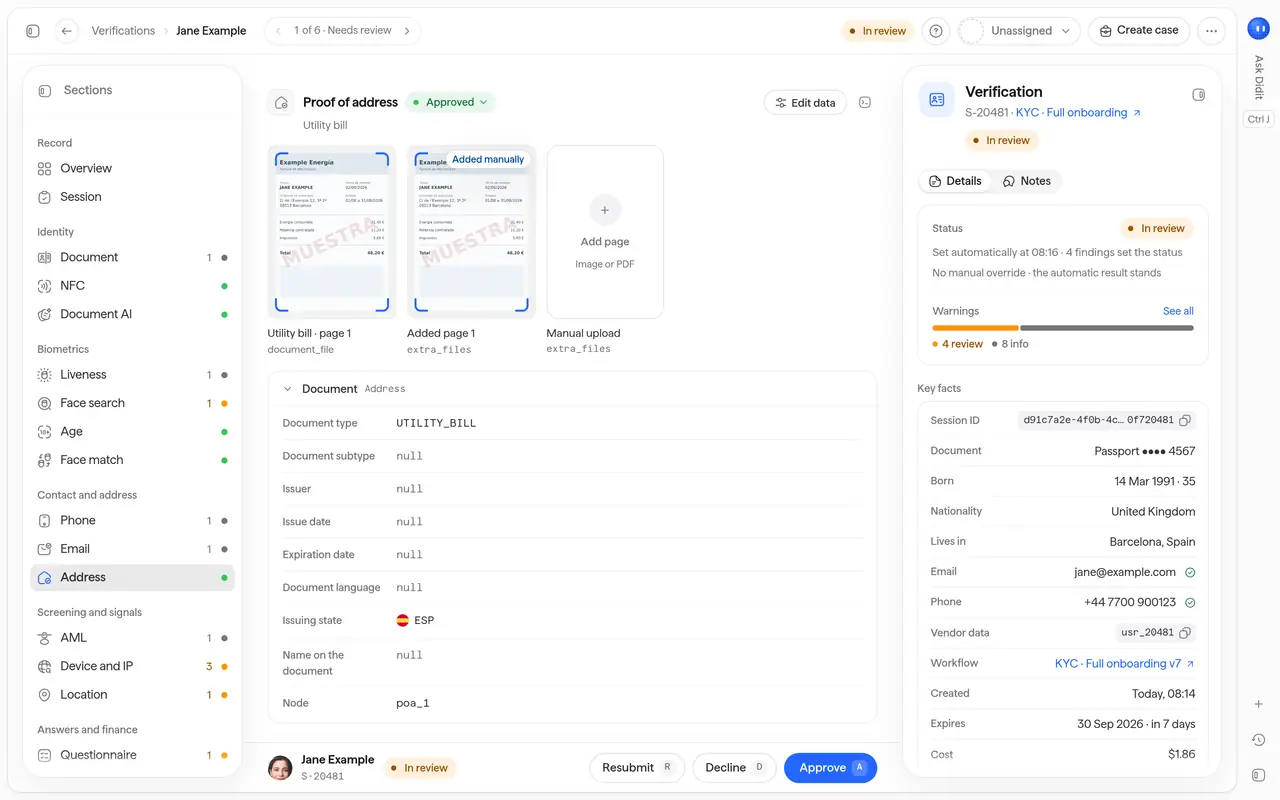
Marketplace seller verification: keeping one person out of five seller accounts
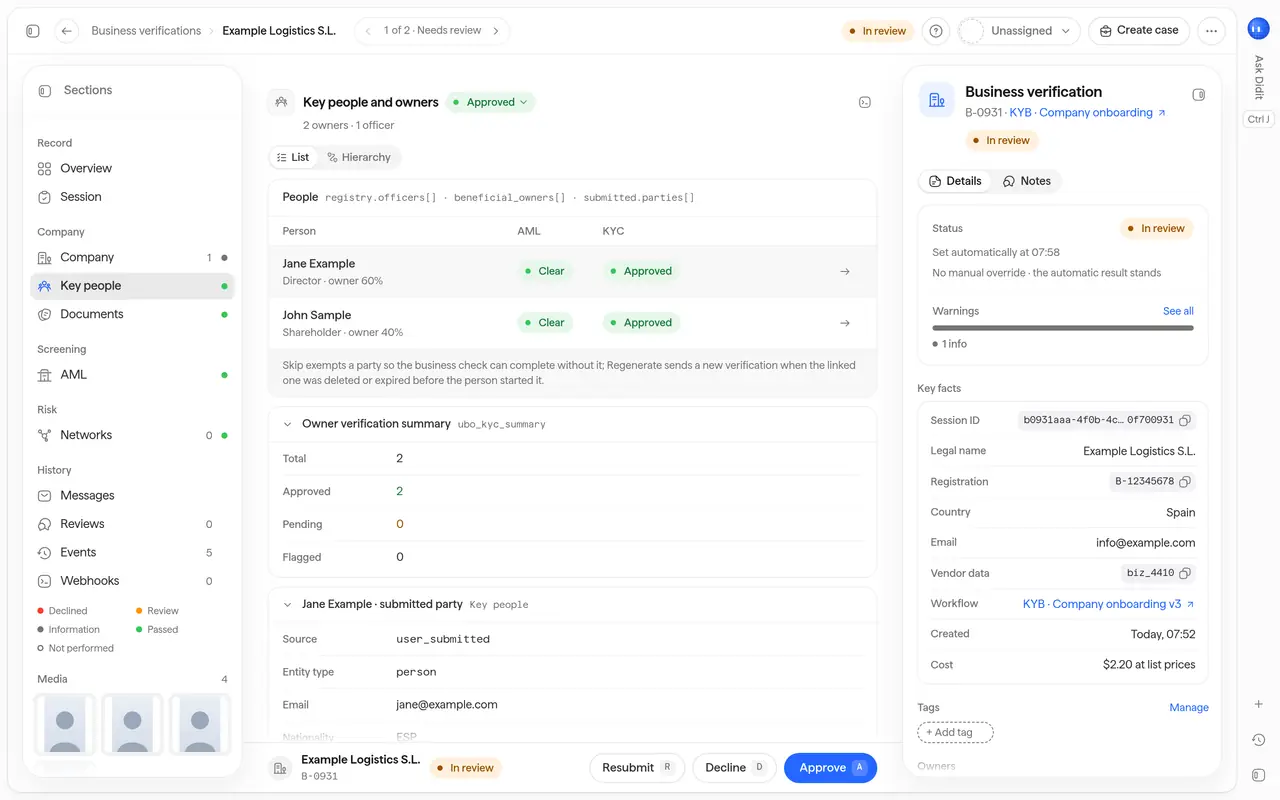
A marketplace seller flow can use a KYB session when the seller is a business. Registry retrieval starts at $2.00 per company, key people extraction has no separate fee, each owner takes a linked full ID check at $0.33, and person AML is $0.20 per person. The device and IP layer rides on the same session: the same laptop enrolling a second seller account raises DUPLICATED_DEVICE even when the email, phone number and company name are all new. Connection type adds the second half, because a seller describing a warehouse in one country while the session arrives from a data center range in another is a question worth asking before you release payouts. That combination, a business record, its people and one device trail, is what IP geolocation with device evidence buys a marketplace compared with a country lookup alone.
Worked cost example
Take 10,000 new users a month, all on a full ID check, with 1,200 of them stepped up to an AML screening at $0.20. All unit prices below are list prices from didit.me/pricing.
- Full ID check at list price: 10,000 x $0.33 = $3,300.00 a month.
- Of that, the device and IP part: 10,000 x $0.03 = $300.00, with the other $3,000.00 on ID document, liveness and face match.
- AML screening step-ups: 1,200 x $0.20 = $240.00.
- Total at list price: $3,300.00 + $240.00 = $3,540.00 a month.
- Same volume on Scale, where the 10% discount applies to every price: full check $0.297, so 10,000 x $0.297 = $2,970.00; the device and IP part is $0.027 x 10,000 = $270.00; screening 1,200 x $0.18 = $216.00. Total $2,970.00 + $216.00 = $3,186.00 a month.
- Sanity check on the free plan: $10.00 of monthly credit buys about 30 full checks at $0.33 each ($10.00 / $0.33 = 30.3).
Read the worked example as a floor, not a forecast. It assumes one check per user and one screening per flagged session, and it ignores the checks you avoid by routing a clean session straight through.
Paid steps and review boundaries
These are the billable steps in this flow. Device and IP analysis is $0.03 per check, and it is already inside the $0.33 full ID check when the session runs document, biometrics and IP together. Stepping a session up to AML screening or a proof of address adds $0.20 per check each, active liveness is $0.15, and NFC chip reading is a $0.15 add-on. On a seller flow, KYB registry retrieval starts at $2.00 per company, each owner takes a linked full ID check at $0.33 and person AML at $0.20. You pay for a check when it finishes with a result, and sandbox testing is free and unlimited.
The boundary is human. A warning does not decline anything unless you or your console rules decline it, and when a person does decide, decision_trace records decided_by as manual, automatic or investigator, while status_override keeps the automatic_status the system had reached and the reviews array keeps the manual-review activity for the session. That record is what an auditor asks for, and it is also how you tune rules later. 4,000+ companies are active Didit customers, across 220+ countries and territories.
Sources
- Didit docs: Device Fingerprinting and IP Risk for KYC
- Didit docs: IP analysis risk catalogue
- Didit docs: per-feature IP analysis report
- Didit docs: Create Session API
- Didit docs: Retrieve Session decision
- Didit docs: data models
- Didit docs: webhooks
- Didit docs: API authentication
- Didit docs: pricing and billing rules
- Didit pricing page and pricing as JSON, read November 26, 2026
- Didit public price book, read November 26, 2026
- FATF, for the risk-based approach that review queues and step-up rules serve
The next step is a sandbox session, not a sales call. Create an application at business.didit.me, take a sk_test_ key from Developers, create one session with your own vendor_data, and read ip_analyses[] from the decision before you decide a single rule.
Try it
Try this in the sandbox
Run the check this guide describes, free.
The product this post is about, taken from its topic. Run it free in the sandbox.
Author
Alberto Rosas
Co-founder and CEO

Keep reading
Other guides in the same topic.
 What Is the Purpose of FICA in South Africa? 2026 Guide
FICA is South Africa's anti-money laundering law. It creates the Financial Intelligence Centre and requires accountable institutions to identify and verify clients, screen for PEP and sanctions risk and report suspicious.
Alberto RosasNov 26, 2026 Sixth Money Laundering Directive (6AMLD): What Changed and Which Rules Apply
6AMLD is Directive (EU) 2018/1673: Member States must criminalise laundering, widen predicate offences and set a four-year penalty floor. It adds no new due diligence duties for firms.
Alberto RosasNov 26, 2026 Automated Sanctions Screening: Canada, the Entity List and Embargoes
Automated sanctions screening matches people and companies against lists such as Canada's autonomous sanctions made under SEMA and JVCFOA and the OFAC SDN List, and returns candidate hits scored for identity confidence and.
Alberto RosasNov 26, 2026Questions
Frequently asked questions
What is IP geolocation in fraud prevention?
IP geolocation maps the connection a session arrives from to a country, region, city and coordinates, and adds network attributes such as the ASN and whether the connection is a VPN, proxy, Tor exit, data center range or private network. In fraud work it is a passive signal, collected during a verification session without asking the user anything. It becomes useful when it is compared with what the user claimed, such as the issuing country of their ID document or the address on a proof of address.
How much does device and IP analysis cost on Didit?
It is $0.03 per check at list price and it is one of the three parts of the $0.33 full ID check: the ID document at $0.15, biometrics at $0.15 (passive liveness $0.10 plus face match 1:1 $0.05), and device and IP analysis at $0.03. On Growth the full check is $0.3168 and on Scale it is $0.297, with the same discount applied to every price. You pay only when a check finishes with a result.
Can I call an IP analysis endpoint without creating a verification session?
Not for the report described here. Our documented integration is session-only: the Web or Mobile SDK collects the device fingerprint and the IP inside the hosted flow, and there is no standalone /v3/ip-analysis/ endpoint. To read the geolocation, VPN, proxy, Tor and duplicate-device signals in this guide you need a verification session and its decision payload. Standalone server-to-server calls are published for other checks, such as face match or AML screening, not for this device and IP report.
Should I decline every session with a VPN detected?
That is a policy decision that depends on your fraud losses and your false-positive cost. A common starting point is to decline on Tor, send confirmed proxy to review, send VPN to review or to an additional liveness step, and block on devices that hit your own blocklist. Keep the rule in the console rather than in application code so the change is visible in the audit trail.
How does address fraud detection work with IP data?
It compares what a person claims with what the connection and the documents show. Didit raises LOCATION_MISMATCH_WITH_DOCUMENT when the IP country does not match the document issuing country, adds duplicated IP matches across users, and can require a proof of address at $0.20 per check when a document has to sit behind the claim. Route mismatches to review, because travel, expats and border regions produce honest ones.
How do I stop one person opening several marketplace seller accounts?
Send your stable seller or business id as vendor_data, keep your duplicate realm consistent with multi_account_segment, and read DUPLICATED_DEVICE and POSSIBLE_DUPLICATED_DEVICE from ip_analyses[]. A KYB workflow from $2.00 per company adds the registry record and the people behind it, and each owner takes a linked full ID check at $0.33 plus person AML at $0.20. A shared device across seller accounts is one of the few signals that survives a new email address and a new phone number.
What happens if a user blocks the fingerprinting script?
ip_analyses[] comes back empty. Decide in advance whether that fails closed, so the session is stepped up or held, or falls back to soft signals, and log the case so you can measure how often it happens. Privacy extensions and content blockers are the usual cause rather than fraud.
Where do I read IP results in the API?
In GET /v3/session/{sessionId}/decision/, under ip_analyses[]. Each entry carries its own status, the resolved geography, ASN, the VPN, proxy and Tor flags, the device fingerprint id, duplicate-device matches and a warnings[] array whose feature is LOCATION. The same payload arrives inside session.status.updated webhooks.
Does IP analysis add friction for the user?
No. The fingerprint and the network signals are collected in the background of a session the user is already completing, so a clean session can complete without an additional step. Friction only appears where you choose to add it, for example sending a VPN session to active liveness at $0.15 per check.
Can I test IP and device analysis in the sandbox?
Yes. Sandbox testing is free and unlimited on every plan, so you can run as many test sessions as you need while you wire the payload. Use the sk_test_ key from your sandbox application, and when the routing looks right move DIDIT_API_KEY to the sk_live_ key and keep the same code.
Is IP analysis enough on its own to stop fraud?
No. On its own it is a location and network signal that honest users can trip by travelling or using a work VPN. It works when you interpret it alongside the other feature results and your own user identifier in the decision payload. That is why we ship it inside the full check rather than as a separate gate.
Compliance built in
Audited, certified and attested.
We hold the certifications and build each country's rules into your flows, so you can launch anywhere without worrying. Security and Compliance center
- Regulation encoded into your flows
Tell us what you do and where. Didit lists the rules that apply to you, with sources, and builds the checks each country needs into one workflow.
- Ready for AMLR
Every requirement of the new EU anti-money laundering rules, from checking customers to human review, is already covered by a Didit check.
- Tested in Spain's Treasury sandbox
Spain's Treasury published its supervised sandbox report on Didit's NFC plus active liveness onboarding; SEPBLAC took part and valued the added measures positively.
- Audited, not self-declared
iBeta Level 1 and Level 2. Liveness tested under ISO/IEC 30107-3.
Your obligations · 3 regions
 SOC 2 Type 2
 ISO 27001
 iBeta Level 1 and Level 2
 EU regulator attestation
 FSM youth protection
 GDPR
 EBA remote onboarding
 MiCA compatible
 FIDO Alliance member
- AMLREU AML Regulation ready
Integration · Didit MCP
Run Didit from your own AI agent
Connect Didit to Claude, Cursor, VS Code or ChatGPT and just ask in plain words. Your agent can do anything you can do in the console, with the same permissions you have.
 Add to Claude
 ChatGPT
 Cursor
- Build workflowsDescribe the checks you need. The agent creates and publishes the flow.
- Run investigationsAsk why a session was declined, review cases, search people and companies.
- Change rulesCreate payment rules, test them on past data and switch them on.
- Pull reportsAsk for numbers, exports or the audit log.
Didit Academy