How to Wire IP Geolocation Into Fraud Checks
Device and IP Analysis collects the IP address and device fingerprint inside the hosted verification session and returns VPN, Tor and location-mismatch warnings on the decision. $0.03 per check, inside the $0.33 full ID check.
 Alejandro RosasCo-founder and CTO
Contents
In this guide
Jump to the part you need.
IP geolocation fits teams that want one passive fraud signal on every verification without asking the user for anything extra. We collect the IP address and device fingerprint during the hosted verification session, as part of Device and IP Analysis at $0.03 per check, already included in the $0.33 full ID check. Our Device and IP Analysis runs inside verification sessions. There is no standalone /v3/ip-analysis/ endpoint, so these signals arrive only with a session decision.
Last updated: November 26, 2026. Prices checked against the live Didit price feed on November 26, 2026.
The signals, where they appear and the price
| Item | Where it appears | Price |
|---|---|---|
| Device and IP Analysis: estimated IP location, ASN, VPN, proxy, Tor, data-center and private-network signals, device fingerprint, duplicate-device matching | ip_analyses[] on the session decision | $0.03 per check |
| Full ID check, which includes Device and IP Analysis | One completed KYC session | $0.33 per check |
| Location step: device position, geofencing, IP distance, document distance | geolocation_checks[] on the session decision | $0.05 per check |
Start free in the sandbox at business.didit.me, no sales call needed. Developers who want an AI assistant to wire it up can connect Didit through the Didit MCP server.
What IP geolocation reads, and why it is an estimate
We geolocate the connection we observe during the session. The result is an estimate associated with that connection: a country, often a region and city, coordinates, and the network the address belongs to. We resolve the ASN and run the documented connection checks: VPN, proxy, Tor, data-center and private-network detection, plus your application's IP blocklist when you have configured one.
Treat that estimate as one signal, not as a statement about where a person is standing. Mobile carriers route traffic through central gateways, satellite connections surface at the ground station, and a corporate VPN concentrator puts everyone in the same building. It can be useful at country or city level, and precision varies by network.
The device fingerprint is separate evidence of device reuse. We collect a persistent device identifier for exact same-device detection, a composite hash for deterministic duplicate checks, and a signal vector used for high-confidence device recovery. That is what lets us surface the same physical device enrolled under two accounts even when the person clears storage or opens an incognito window.
None of this requires a separate action in the verification flow. The Web or Mobile SDK collects the device fingerprint and IP during the hosted flow, with no separate API call, so the signals arrive with a session that otherwise looks clean.
Prerequisites
- A Didit account and an application. The sandbox is free on every plan.
- An API key that can create sessions and holds
read:sessionsfor the decision call. - A KYC workflow UUID from
/v3/workflows/for this walkthrough. The same session endpoint also supports KYB workflows. Device and IP Analysis runs automatically on every session and needs no feature toggle for the basic signal set. - A written policy for what each warning means in your business, before you touch the console.
Steps to add IP geolocation to a verification flow
The technical behaviour behind these steps is documented on the Didit Device and IP Analysis docs page, the product itself is on the Device and IP Analysis product page, and the published price for the check is on the Didit pricing page.
- Set the console rules before you build. In the Business Console, optionally enable strict-mode rules for IP and device findings. Documented examples include declining on VPN, reviewing duplicate devices and declining when the IP country differs from the document's issuing country. The basic signals run without a feature toggle.
- Create the session. The customer id goes in
vendor_data, and that field is what duplicate detection uses to tell one account from another.curl -X POST 'https://verification.didit.me/v3/session/' \ -H 'x-api-key: YOUR_API_KEY' \ -H 'Content-Type: application/json' \ -d '{ "workflow_id": "YOUR_WORKFLOW_ID", "vendor_data": "user-123", "callback": "https://yourapp.com/post-kyc" }'callbackis optional. If you omit the callback, Didit uses the workflow default when it is eligible. An HTTP or HTTPS callback outside the application's configured allowed origins is rejected if supplied explicitly and ignored if it is the workflow default. Custom URL schemes are accepted. - Open
session.urlfor the user. The Web or Mobile SDK collects the device fingerprint and IP during the hosted flow, with no separate API call. We do not ask the person for an extra permission for this step; the permission prompt belongs to a device-position Location configuration, covered below. - Fetch the decision when you need to act on the session status, including In Review. You can subscribe to
session.status.updatedto learn when the status changes.curl 'https://verification.didit.me/v3/session/SESSION_ID/decision/' \ -H 'x-api-key: YOUR_API_KEY'Replace
SESSION_IDwith the session UUID returned when you created the session. - Read
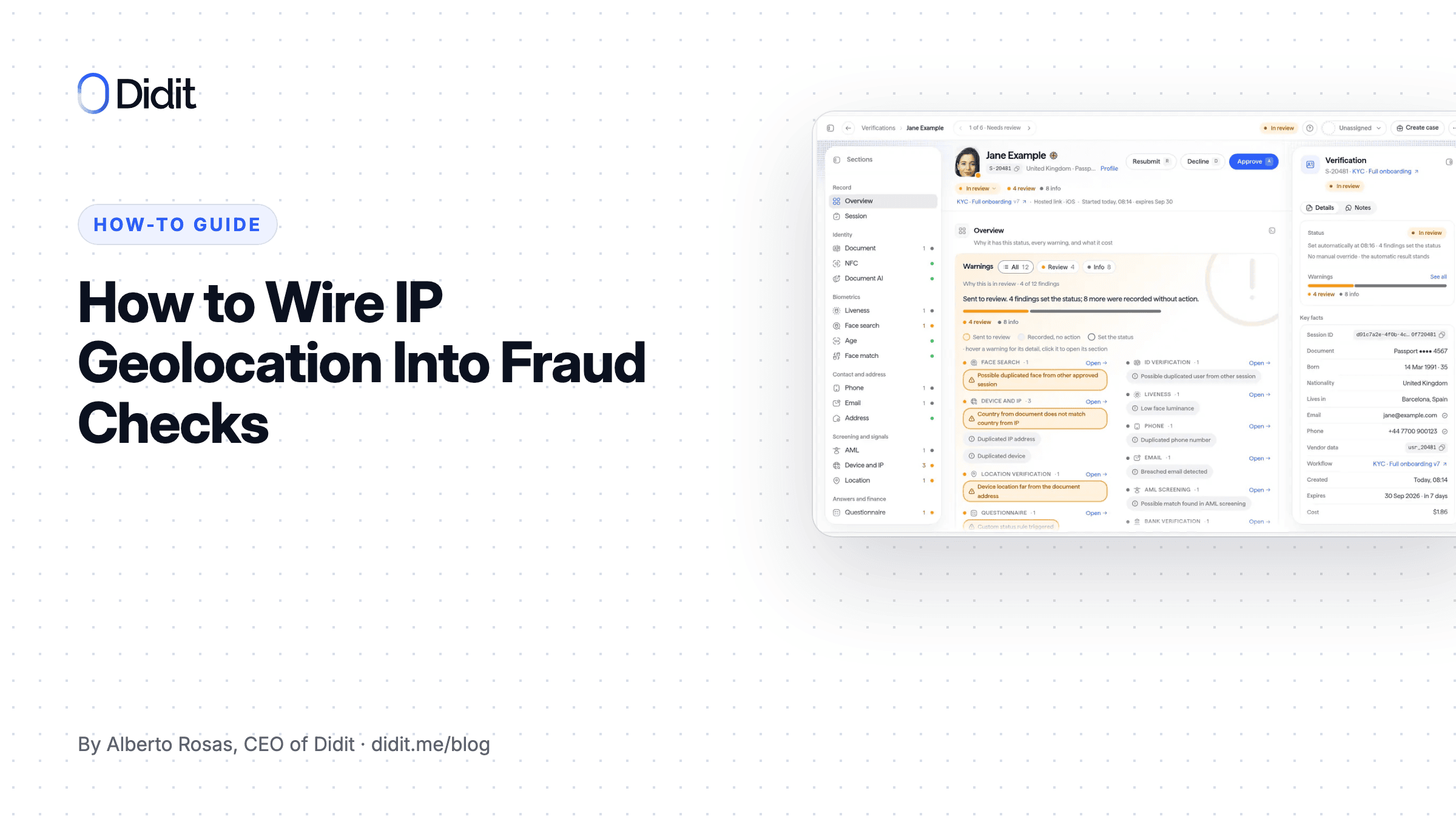
ip_analyses[]and act on the warnings. There is one entry per IP and device collection point in the workflow. Branch onsession_kindfirst, as the documented handler pattern does, then read the warnings array.const decision = await (await fetch(url, { headers: { "x-api-key": API_KEY } })).json(); switch (decision.session_kind) { case "user": return handleUserDecision(decision); case "business": return handleBusinessDecision(decision); } - Inspect the result where a reviewer will read it. Review the warnings alongside the document and liveness results in the retrieved session decision.

Expected output
The result lands under ip_analyses[] on the decision payload. Each entry carries the resolved geo, the ASN, the VPN, proxy and Tor flags, the device fingerprint id, duplicate-device matches and the warnings array. The exact field names are in the data model. The per-entry status is one of Not Started, In Progress, Approved, In Review, Declined, Abandoned or Kyc Expired.
Device and IP Analysis emits its risk codes in the LOCATION bucket, not in a separate IP bucket: VPN_DETECTED, PROXY_DETECTED, TOR_DETECTED, DATACENTER_IP, HIGH_RISK_COUNTRY, LOCATION_MISMATCH_WITH_DOCUMENT, DUPLICATED_DEVICE, POSSIBLE_DUPLICATED_DEVICE, IMPOSSIBLE_TRAVEL, DEVICE_FINGERPRINT_BLOCKLISTED, DEVICE_LINKED_TO_LIVENESS_ATTACK and DEVICE_MODEL_INCONSISTENT. The full catalogue is in the warnings reference.

Inputs you control and outputs you read
| Field or item | Direction | What it does |
|---|---|---|
workflow_id | Input | Selects the workflow. Its type decides whether a user or business session is created. |
vendor_data | Input | Your stable user id. Duplicate device and duplicate IP checks compare against other sessions through it. |
callback | Input, optional | Where the hosted flow returns the user when it finishes. If you omit the callback, Didit uses the workflow default when it is eligible. An HTTP or HTTPS callback outside the application's configured allowed origins is rejected if supplied explicitly and ignored if it is the workflow default. Custom URL schemes are accepted. |
ip_analyses[] | Output | One entry per IP and device collection point, with geo, ASN, anonymization flags, fingerprint id and duplicate matches. |
ip_analyses[].warnings | Output | The LOCATION bucket risk codes you route on. |
geolocation_checks[] | Output | Present only when the Location step runs. It carries the position checks, geofence verdicts and distance results. |
Failure cases and recovery
| Symptom | Cause | Recovery |
|---|---|---|
ip_analyses[] is empty | The user blocked the SDK fingerprinting script with a privacy extension or content blocker | Decide once whether you fail closed or fall back to softer signals, and write it down. If the position itself is the point of the check, use a device-position Location configuration, which asks the device for permission and records the notice the person accepted. |
VPN_DETECTED, PROXY_DETECTED, TOR_DETECTED, DATACENTER_IP | An anonymized or hosting connection, reported as a VPN, proxy, Tor or data-center finding | Apply your policy: review, one extra liveness step, or the decline you configured in the console. Do not treat a VPN alone as fraud if you serve corporate networks or privacy-conscious users. |
DEVICE_FINGERPRINT_BLOCKLISTED | A blocklisted fingerprint finding | We recommend reviewing the match before you act, because shared devices in a household or an office produce plausible false positives. |
DUPLICATED_DEVICE | The same device previously enrolled under a different vendor_data | Review first while shared devices are plausible. Check whether the match is exact or recovered, then apply the documented merge or block options if the evidence holds. |
LOCATION_MISMATCH_WITH_DOCUMENT | The IP country differs from the document's issuing country | Route to review. Expats, students, cross-border workers and travelers produce this warning legitimately, and an IP country is an estimate tied to the connection, not proof of presence. |
HIGH_RISK_COUNTRY | Device and IP Analysis flagged the connection country as high risk | Route to review and read the rest of the session before you decide. |
| 403 on the decision call | The key lacks read:sessions | Grant the privilege. A 401 means the key itself is wrong. |
| 404 on the decision call | The session does not exist or belongs to another application | Check the session id against the application that created it. |
Three test cases before you go live
Each case comes from the documented failure modes. Run them in the sandbox before you change a production rule.
| Case | Expected result | Action |
|---|---|---|
| A session in a browser with a privacy extension that stops the fingerprinting script | ip_analyses[] is empty on the decision | Confirm your chosen behaviour: fail closed, or continue on softer signals. Record it in your policy so reviewers apply it the same way every time. |
| A user whose document was issued in a different country from the estimated location of the connection | LOCATION_MISMATCH_WITH_DOCUMENT in the warnings array | Send the session to review, not to an automatic decline. A reviewer reads the finding next to the document and the device details. |
A decision request sent with a key that lacks read:sessions | 403 with the permission message on the decision endpoint | Fix the key privileges before you write retry logic. The same call returns 401 for an invalid key and 404 for a session from another application. |
The review boundary
Automatic declines belong to findings that are close to proof and to the actions you explicitly configured. A blocklisted fingerprint finding (DEVICE_FINGERPRINT_BLOCKLISTED) and a device linked to a liveness attack (DEVICE_LINKED_TO_LIVENESS_ATTACK) are the two device findings we would look at first, and we recommend reviewing both before you act. The strict-mode examples the docs give are declining on VPN, reviewing duplicate devices and declining when the IP country differs from the document's issuing country. An anonymized network goes to review or one extra liveness step, because offices and carriers put many real people behind one address.
We recommend starting with manual review for an IP-country mismatch. Strict mode can decline it, but the IP country estimates where the connection exits and the document country tells you where the ID was issued. We do not use an estimated IP country as evidence that someone is physically inside a jurisdiction. When a licence requires presence, the device-position checks on the Location step are the relevant control, and your team still has to confirm that their evidence meets the terms of the licence.
Location sources: a short decision guide
IP location is a network fact, not a device fact. When you have to show where a person was during the session, add the Location step at $0.05 per check. It is the GEOLOCATION feature, its settings start with geolocation_, and its result is geolocation_checks[] on the decision.
| Position source | What happens | Use it when |
|---|---|---|
device_and_ip | The device position is checked against the IP location of the connection it was sent from. | You want one reading plus a cross-check against the network. |
device_only | The device position only. It is never compared with the IP location. | A VPN or corporate gateway would distort the network estimate. |
ip_only | The person is never asked for a permission. The connection's IP location, at city level within a 50 km radius, is judged instead, with no accuracy, freshness or approximate-grant rule. | You want to evaluate geofence rules using the connection's estimated location without requesting device location. |
| Not set | The device is asked, and the position is compared with the IP location the session's Device and IP Analysis step observed. A node that acts on a VPN, proxy or Tor finding looks the connection up and behaves like device_and_ip. | You have no reason to choose a source yet. |
On a node that asks the device, an attempt with no position is judged as the refusal or failure it is. The IP location never stands in for a missing device position, so build a recovery path for it. geolocation_refusal_path decides what the flow does: retry and hand off, continue without location, or end the session.
Geofencing is the control most teams want first. Turn on is_geolocation_geofencing_enabled and list geolocation_areas as whole countries, ISO 3166-2 regions of one country, circles or polygons. A list holds up to 50 areas and needs at least one allowed area. We judge the whole accuracy circle of the position, not just its centre. A circle fully outside every allowed area raises LOCATION_OUTSIDE_GEOFENCE. A circle fully inside a blocked area raises LOCATION_IN_BLOCKED_AREA, in addition to the allowed-area verdict. A circle that crosses an edge that decides the answer raises LOCATION_GEOFENCE_UNDETERMINED and is never reported as outside. A blocked area always wins over an allowed one, and the person is shown where the service is available but never which areas are blocked. The licensing preset declines either an outside-allowed finding or an inside-blocked finding. The fraud_screening preset sends either finding to review. An explicitly configured action takes precedence over the preset.
Document distance is optional and off by default. geolocation_document_distance_km turns on the comparison between the device position and the address on the ID, and geolocation_ip_distance_km defaults to 200 km, with a null value turning the comparison off.

Sign-in: the Authentication vpn and travel policies
Authentication has its own version of this. When enabled and available for your application, Authentication can use IP analysis for its vpn and travel policies. The vpn policy matches a VPN, Tor or data-center network. Travel compares the current sign-in with the previous completed sign-in; the documented thresholds are more than 500 km from the previous sign-in at more than 1,000 km/h within 24 hours. Each policy takes a mode: Off, Log, Challenge or Block. If the IP lookup is unavailable, the attempt continues, and a sign-in never fails because of it. Read the details in the bot protection docs.
One sandbox limitation matters when you test this: in a Sandbox application the lookup answers only for addresses Didit has already resolved. For a new address, vpn and travel can stay silent in the sandbox while they match in a Live application. A silent sandbox result does not establish how a live sign-in will behave.
A worked cost example
Prices are the published list prices on the Didit pricing page. Take 10,000 completed verification sessions a month on a workflow that runs ID document verification, passive liveness, face match and Device and IP Analysis, plus 2,000 of those sessions running the Location step as well.
- Full ID check: 10,000 x $0.33 = $3,300.00
- Device and IP Analysis inside those checks: 10,000 x $0.03 = $300.00. This is already inside the $0.33, so it is shown for transparency and not added again.
- Location step: 2,000 x $0.05 = $100.00
- Total at list prices: $3,300.00 + $100.00 = $3,400.00
- On Growth, 4% off Didit prices. These totals are usage charges before the plan fee, the included credit and taxes: 10,000 x $0.3168 = $3,168.00 and 2,000 x $0.048 = $96.00, total $3,264.00
- On Scale, 10% off, the same order of charges: 10,000 x $0.297 = $2,970.00 and 2,000 x $0.045 = $90.00, total $3,060.00
The totals show completed-check usage charges before plan fees, plan credit and taxes. Didit draws from monthly plan credit before top-ups. Credit is prepaid, top-ups last 12 months, and balance bought before November 1, 2026 never expires.
Sources
- Didit docs: Device and IP Analysis, Device Fingerprinting and IP Risk API for KYC
- Didit product page: Device and IP Analysis
- Didit pricing page: Device and IP Analysis at $0.03 per check
- Didit docs: IP analysis risk catalogue
- Didit docs: IP analysis report
- Didit docs: Location verification, geofencing and IP distance
- Didit docs: Bot protection at sign-in
- Didit docs: Create Session API
- Didit docs: Retrieve Session decision API
- Didit docs: Data models, IP analysis schema
- Didit docs: Pricing and billing rules
- Didit pricing page and pricing as JSON
- Didit integration prompt for coding agents
- Didit MCP server
- FATF for the risk-based approach language we use when deciding review versus decline
The next step is a sandbox application: create one at business.didit.me, run a session, and read ip_analyses[] on the decision before you change anything in production. No sales call is involved, and the sandbox is free on every plan.
Try it
Try this in the sandbox
Run the check this guide describes, free.
The product this post is about, taken from its topic. Run it free in the sandbox.
Author
Alejandro Rosas
Co-founder and CTO

Keep reading
Other guides in the same topic.
 What Is the Purpose of FICA in South Africa? 2026 Guide
FICA is South Africa's anti-money laundering law. It creates the Financial Intelligence Centre and requires accountable institutions to identify and verify clients, screen for PEP and sanctions risk and report suspicious.
Alberto RosasNov 26, 2026 Sixth Money Laundering Directive (6AMLD): What Changed and Which Rules Apply
6AMLD is Directive (EU) 2018/1673: Member States must criminalise laundering, widen predicate offences and set a four-year penalty floor. It adds no new due diligence duties for firms.
Alberto RosasNov 26, 2026 Automated Sanctions Screening: Canada, the Entity List and Embargoes
Automated sanctions screening matches people and companies against lists such as Canada's autonomous sanctions made under SEMA and JVCFOA and the OFAC SDN List, and returns candidate hits scored for identity confidence and.
Alberto RosasNov 26, 2026Questions
Frequently asked questions
Does Didit have a standalone IP geolocation API?
Not for this feature. Our Device and IP Analysis runs inside verification sessions: the Web or Mobile SDK collects the device fingerprint and IP during the hosted flow, and the result appears under ip_analyses[] on the session decision. There is no standalone /v3/ip-analysis/ endpoint. If you need position checks inside a session, the Location step is a separate feature at $0.05 per check.
How much does IP geolocation cost in Didit?
Device and IP Analysis is $0.03 per check at list price, and it is already inside the $0.33 full ID check, which bundles ID document verification at $0.15, passive liveness at $0.10, face match 1:1 at $0.05 and Device and IP Analysis at $0.03. Growth takes 4% off every Didit price and Scale takes 10% off. Didit bills completed Device and IP Analysis checks from monthly plan credit first, then from top-ups.
Which warnings does IP analysis raise?
The codes arrive in the LOCATION warning bucket, covering anonymized and hosting connections, a location mismatch with the document, duplicate-device findings and impossible travel. Representative codes are VPN_DETECTED, LOCATION_MISMATCH_WITH_DOCUMENT and DUPLICATED_DEVICE. Read them together rather than one at a time: a flagged VPN next to a document-country mismatch or a duplicate-device finding is a stronger case than the VPN on its own. The full catalogue with every code is in our warnings reference.
How do I detect a VPN or Tor user during KYC?
The decision flags VPN_DETECTED, PROXY_DETECTED, TOR_DETECTED and DATACENTER_IP for the connection observed during the session. Many teams send these to review or add one extra liveness step rather than decline outright, because corporate networks and privacy tools put real people behind those addresses. Decline on VPN is a documented strict-mode option in the Business Console. Decide separately how your fraud policy should handle proxy, Tor and data-center findings.
What is impossible travel and does Didit flag it?
Impossible travel is an inconsistency between estimated locations and the time that elapsed between them. Device and IP Analysis raises IMPOSSIBLE_TRAVEL when the locations from different sessions do not fit the time between them. Authentication has a separate travel policy with documented numeric thresholds: more than 500 km from the previous sign-in at more than 1,000 km/h within 24 hours, compared with the previous completed sign-in.
What should I do when the IP country does not match the document?
Route LOCATION_MISMATCH_WITH_DOCUMENT to review rather than declining automatically. Expats, students, cross-border workers and travelers produce it legitimately, and an IP country is an estimate tied to the connection. If you want the address comparison, geolocation_document_distance_km turns on the device position against the document address, and it is off by default.
What happens if a user blocks the fingerprinting script?
ip_analyses[] comes back empty when a privacy extension or content blocker stops the SDK. Decide in advance whether that fails closed or falls back to softer signals, and write it into your review policy. If you must know where the person is, use a device-position Location configuration, which asks the device for permission and records the notice the person accepted as consent with its version, language and time.
Can I stop people from verifying from a country I do not serve?
You can with geofencing on the Location step. Turn on is_geolocation_geofencing_enabled and list allowed areas; a position whose whole accuracy circle falls outside every allowed area raises LOCATION_OUTSIDE_GEOFENCE, a circle fully inside a blocked area raises LOCATION_IN_BLOCKED_AREA, and a deciding boundary crossing is LOCATION_GEOFENCE_UNDETERMINED. The licensing preset declines the outside-allowed and inside-blocked findings and fraud_screening reviews them instead. For licence conditions, confirm that device-position evidence meets your licence terms before you rely on it.
Is IP geolocation accurate enough to prove where someone is?
No. IP geolocation is an estimate associated with the observed connection, usually at city or region level, and mobile networks, satellite links and corporate VPNs distort it further. Use it as a risk signal, not as evidence of presence. In the Location step, whether the device position is compared with the IP location depends on the position source, with device_and_ip comparing and device_only never comparing.
How do I catch one device running many accounts?
Device and IP Analysis runs three separate matching checks: a duplicated IP address across users, an exact duplicate device fingerprint, and a recovered device from the v2 fingerprint signal vector with high-confidence gates. The documented device warnings include DUPLICATED_DEVICE and POSSIBLE_DUPLICATED_DEVICE, alongside blocklist, recovery and model-consistency signals. Review the match before you act, because shared devices in a household or an office are plausible.
Does IP analysis protect sign-in as well as verification?
When enabled and available for your application, Authentication can use IP analysis for its vpn and travel policies. Travel compares the current sign-in with the previous completed sign-in. If the IP lookup is unavailable, the attempt continues, and in a Sandbox application the lookup answers only for addresses Didit has already resolved.
Compliance built in
Audited, certified and attested.
We hold the certifications and build each country's rules into your flows, so you can launch anywhere without worrying. Security and Compliance center
- Regulation encoded into your flows
Tell us what you do and where. Didit lists the rules that apply to you, with sources, and builds the checks each country needs into one workflow.
- Ready for AMLR
Every requirement of the new EU anti-money laundering rules, from checking customers to human review, is already covered by a Didit check.
- Tested in Spain's Treasury sandbox
Spain's Treasury published its supervised sandbox report on Didit's NFC plus active liveness onboarding; SEPBLAC took part and valued the added measures positively.
- Audited, not self-declared
iBeta Level 1 and Level 2. Liveness tested under ISO/IEC 30107-3.
Your obligations · 3 regions
 SOC 2 Type 2
 ISO 27001
 iBeta Level 1 and Level 2
 EU regulator attestation
 FSM youth protection
 GDPR
 EBA remote onboarding
 MiCA compatible
 FIDO Alliance member
- AMLREU AML Regulation ready
Integration · Didit MCP
Run Didit from your own AI agent
Connect Didit to Claude, Cursor, VS Code or ChatGPT and just ask in plain words. Your agent can do anything you can do in the console, with the same permissions you have.
 Add to Claude
 ChatGPT
 Cursor
- Build workflowsDescribe the checks you need. The agent creates and publishes the flow.
- Run investigationsAsk why a session was declined, review cases, search people and companies.
- Change rulesCreate payment rules, test them on past data and switch them on.
- Pull reportsAsk for numbers, exports or the audit log.
Didit Academy