IP Geolocation for Geo-Compliance: 2026 How-To Guide
Didit runs device and IP analysis on every verification session ($0.03, inside the $0.33 full ID check) and a location check with geofencing at $0.05.
 Alejandro RosasCo-founder and CTO
Contents
In this guide
Jump to the part you need.
Geo-compliance checks fit businesses that hold a licence for some jurisdictions and not others: gambling, brokerage, lending, marketplaces, streaming and age-restricted retail. In Didit, device and IP analysis is $0.03 inside the $0.33 full ID check, and the location check that reads a device position is $0.05. The caveat: an IP address is a signal, not proof of where a person stands, and it can be masked.
Last updated: November 26, 2026. Prices checked against the live Didit price feed on November 26, 2026.
| Piece | Question it answers | Price (USD list) | Where it appears |
|---|---|---|---|
| Device and IP analysis | Country, region, city, ASN, VPN, proxy, Tor, data center, device fingerprint, duplicate device | $0.03 per check | ip_analyses[] on the session decision |
| Precise location (Location verification step) | Device position, geofence verdict, distance to the IP location and to a document address, spoofing signals | $0.05 per check | geolocation_checks[] on the session decision |
| Full ID check (KYC) | ID document, passive liveness, face match, device and IP together | $0.33 per check | One session decision |
Start free in the sandbox at https://business.didit.me/, with no sales call. Plans, discounts and the cost estimator are on https://didit.me/pricing/. If you want an AI assistant to drive the integration, connect the MCP server described at https://didit.me/developers/mcp/.
What geo-compliance actually requires
Geo-compliance means your product behaves differently depending on where the person is, and you can show why afterwards. Four cases cover most of it.
- Licensed access. A gambling, brokerage or lending licence names the jurisdictions you may serve. Accepting an application from outside them may violate your licensing requirements, so treat it as a compliance control rather than a user-experience detail.
- Blocked places. Some operators block sanctioned or otherwise excluded regions according to their legal, licensing and risk requirements. A blocked area has to beat an allowed one, every time.
- Age-restricted goods. Alcohol, tobacco and adult content need a location filter before an age check, so the age step is only offered where the product may be sold.
- Data and content rules. Knowing the user's region is an operational input for GDPR obligations and for content distribution agreements: it helps you decide what to show and what to store, while the legal analysis stays with your counsel.
Two sources answer the question. The connection's IP address tells you where the network says it is. The device position tells you where the person actually is, when they grant permission. Didit collects both, compares them against each other, and compares the result against the address on a document. Didit runs identity and fraud checks for 4,000+ companies across 220+ countries. The network side is documented in Device and IP analysis, and the position side is the Location verification step, the GEOLOCATION feature in a workflow.
IP location is a signal, not a proof of presence
Anyone can put a VPN, a proxy, a Tor exit node or a data center address between themselves and your app. On a Location verification step with geolocation_position_source set to ip_only, Didit judges the connection's IP location at city level with a 50 km radius, so it cannot place a person at a street address on its own. That is why Didit reports warnings instead of a single yes or no, and why a licensed operator usually adds the device position on top of the IP check: a device position with a 250 m default accuracy target is a much tighter claim than an IP city.
Prerequisites
- A Didit organization and an API key. The decision call needs the
read:sessionsprivilege. - A workflow built in the Workflow Orchestrator. Device and IP analysis runs automatically on every session for the basic signal set, so no toggle is required.
- For a device position or a geofence, add the Location verification step to the workflow. Its settings are the
geolocation_*keys and its result isgeolocation_checks[]. - Your allowed and blocked areas written down: whole countries, ISO 3166-2 regions of one country, circles from 1 to 500 km, or polygons of 3 to 200 points. An area list holds up to 50 areas and needs at least one allowed area.
- A callback URL on one of your application's allowed domains, or session creation fails with 400 on
callback. Custom app deep links are always accepted. - A written decision for each warning code you care about: pass, review, or decline.
Run a geo-compliance check, step by step
- Decide which of the two answers you need. If the question is about the connection (VPN, proxy, Tor, data center, country risk, duplicate device), Device and IP Analysis already runs on the session and you can skip to step 3. If the question is where the person physically is, add the Location verification step.
- Configure the Location verification step in the workflow. Set
geolocation_position_sourcetodevice_and_ipif you want the device position checked against the IP location of the connection it was sent from,device_onlyto skip that comparison, orip_onlyto judge the connection's city-level IP location without ever asking for permission. Turn onis_geolocation_geofencing_enabledand listgeolocation_areas. Thelicensingpreset declines a position outside the allowed areas, inside a blocked area, behind a VPN or Tor, or on an emulator, and reviews a proxy. Thefraud_screeningpreset sends everything licensing would decline to review instead, which suits operators who would rather look at a case than lose a good customer. - Create the session. The published example call:
Send a stablecurl -X POST 'https://verification.didit.me/v3/session/' \ -H 'x-api-key: YOUR_API_KEY' \ -H 'Content-Type: application/json' \ -d '{ "workflow_id": "YOUR_WORKFLOW_ID", "vendor_data": "user-123", "callback": "https://yourapp.com/post-kyc" }'vendor_data. It binds the session to a user, and duplicate-device matching works by comparing the current session with sessions carrying a differentvendor_data. - Open
session.urlfor the person. The web or mobile SDK collects the device fingerprint and the IP in band during the hosted flow. There is no separate call to make for the IP signals. - Fetch the decision. Poll or call it after the redirect:
The response carriescurl https://verification.didit.me/v3/session/<SESSION_ID>/decision/ \ -H "x-api-key: <API_KEY>"status,session_kind, the feature arrays includingip_analyses[]andgeolocation_checks[], anddecision_trace, which records how the status was reached. - Read
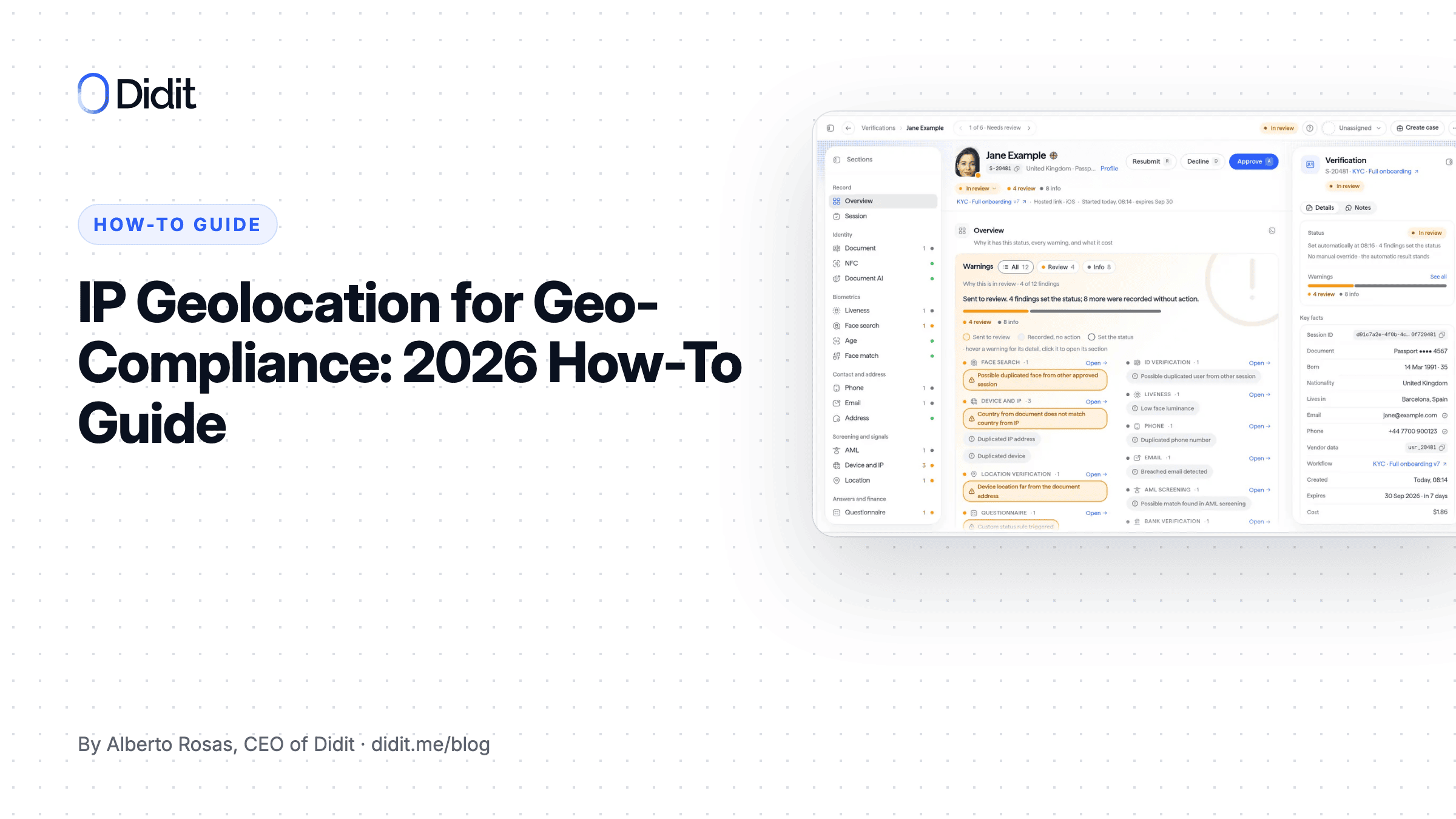
ip_analyses[]. There is one entry per IP and device collection point in the workflow. Each carries the resolved geo, the ASN, the VPN, proxy and Tor flags, the device fingerprint id, duplicate-device matches, and awarnings[]array under theLOCATIONbucket. - Read
geolocation_checks[]andgeolocation_attempts[]. The check result holds the position verdict, its warnings and the reverse-geocoded street address inparsed_address, which has the same shape as the parsed address of an ID or proof-of-address verification, so a workflow rule can compare the two directly. - Map every warning to one action. The codes you will see from the IP side are
VPN_DETECTED,PROXY_DETECTED,TOR_DETECTED,DATACENTER_IP,HIGH_RISK_COUNTRY,LOCATION_MISMATCH_WITH_DOCUMENT,DUPLICATED_DEVICE,POSSIBLE_DUPLICATED_DEVICE,IMPOSSIBLE_TRAVEL,DEVICE_FINGERPRINT_BLOCKLISTED,DEVICE_LINKED_TO_LIVENESS_ATTACKandDEVICE_MODEL_INCONSISTENT. The geofence addsLOCATION_OUTSIDE_GEOFENCE,LOCATION_GEOFENCE_UNDETERMINEDandLOCATION_IN_BLOCKED_AREA. Each finding raises a warning whose configured action isNO_ACTION,REVIEWorDECLINE, and the strongest action wins for the step status.
Expected output
The session status settles into one of the documented values: Approved, Declined, In Review, In Progress, Not Started, Expired, Abandoned, Kyc Expired, Resubmitted or Awaiting User. The feature status inside ip_analyses[].status uses the narrower feature enum, so you will see Not Started, In Progress, Approved, In Review, Declined, Abandoned or Kyc Expired there.
Every warning, on every feature, arrives in the same object shape. One of the documented examples:
{
  "feature": "ID_VERIFICATION",
  "risk": "DOCUMENT_EXPIRED",
  "additional_data": null,
  "log_type": "error",
  "short_description": "Document expired",
  "long_description": "The document's expiration date has passed, rendering it no longer valid for use.",
  "node_id": "first_id_verification"
}
Geo and network findings use feature set to LOCATION and a risk code from the catalogue above. The node_id pins each warning to the workflow node that produced it, which matters when a flow collects IP data more than once.

Failure cases and recovery
| What you see | What happened | Recovery |
|---|---|---|
ip_analyses[] is empty | The person blocked the SDK fingerprinting script with a privacy extension or a content blocker | Decide once, in writing: fail closed and require the flow, or fall back to soft signals such as the document country |
VPN_DETECTED, PROXY_DETECTED, TOR_DETECTED | The connection is masked | Decline, route to manual review, or require an extra liveness step, per your policy |
DUPLICATED_DEVICE | The same device was already enrolled under a different vendor_data | Merge the accounts or block the new one, per your policy |
LOCATION_MISMATCH_WITH_DOCUMENT | The IP country does not match the document's issuing country | Route to review. A mismatch is common for expats and travellers, so a hard decline here costs you good customers |
LOCATION_OUTSIDE_GEOFENCE | The whole accuracy circle sits outside every allowed area | Decline under the licensing preset |
LOCATION_GEOFENCE_UNDETERMINED | The accuracy circle crosses an edge that decides the answer | Review. This is never treated as outside, so do not write it into a decline bucket |
LOCATION_IN_BLOCKED_AREA | The accuracy circle sits fully inside a blocked area | Decline, and note it is raised in addition to the allowed-area verdict |
| 401 or 403 on the decision call | Invalid API key, or the key lacks read:sessions | Fix the key. A 404 means the session does not exist or belongs to a different application |
400 on callback at creation | The URL is not on one of the application's allowed domains | Use an allowed origin, or a custom app deep link, which is always accepted |

Inputs and outputs
| Field | Direction | What it does |
|---|---|---|
workflow_id | In, required | Stable workflow UUID. KYC workflows create user sessions, KYB workflows create business sessions |
vendor_data | In, recommended | Your stable identifier for the user. Duplicate detection uses vendor_data to bind sessions to an entity and support cross-session comparisons. Follow the documented recommendation to provide a stable value |
callback | In, optional | Where the hosted flow redirects when finished. Must be on an allowed domain |
geolocation_position_source | In, workflow setting | device_and_ip, device_only or ip_only |
geolocation_areas | In, workflow setting | Allowed and blocked countries, ISO 3166-2 regions, circles or polygons. Up to 50 areas |
geolocation_ip_distance_km | In, workflow setting | Defaults to 200 km. Set to null to turn the device-to-IP comparison off |
geolocation_document_distance_km | In, workflow setting | Off by default. Set a distance to compare the device position with the document address |
ip_analyses[] | Out | Geo, ASN, network flags, device fingerprint, duplicate matches, warnings |
geolocation_checks[] | Out | Position verdict, geofence result, warnings, parsed_address |
geolocation_attempts[] | Out | Every position attempt, including refusals and timeouts |
decision_trace | Out | How the status was reached: automatic, manual or investigator, with warning counts |
Paid steps and review boundaries
Billing is per completed check from prepaid credit. You pay for a check only when it finishes with a result, and some no-match database lookups and retries are billable. The geo pieces are simple: device and IP analysis is $0.03 per check and is already inside the $0.33 full ID check, so an IP-only policy adds nothing to a KYC price. The location check is a separate $0.05. Sandbox testing is free and unlimited on every plan.
The review boundary is the part teams get wrong. Put these outcomes on the automatic path: an approved ID, no masked-connection warning, a device position inside an allowed area, and a device-to-IP distance inside your configured limit. Send these to In Review: LOCATION_MISMATCH_WITH_DOCUMENT, PROXY_DETECTED under the licensing preset, LOCATION_GEOFENCE_UNDETERMINED, and any duplicate-device finding you have not yet classified. Decline these automatically: LOCATION_OUTSIDE_GEOFENCE, LOCATION_IN_BLOCKED_AREA, TOR_DETECTED and DEVICE_LINKED_TO_LIVENESS_ATTACK. A reviewer who changes a status by hand is recorded: the decision carries status_override with the automatic status it replaced, and decision_trace keeps the actor and the timestamp.
Worked cost example
Say you run 20,000 new-customer verifications a month on a licensed platform, and you want a device position and a geofence on every one.
- List price per verification: $0.33 full ID check, which already includes the $0.03 device and IP analysis, plus $0.05 precise location. Total $0.38.
- 20,000 x $0.38 = $7,600 a month at list price.
- On Growth, the 4% discount applies to every Didit price: $0.33 x 0.96 = $0.3168 and $0.05 x 0.96 = $0.048, so $0.3648 per verification.
- 20,000 x $0.3648 = $7,296 a month.
- The $115 monthly credit on Growth pays the first $115, and the remaining $7,181 comes from top-ups. Top-ups are added at face value and last 12 months.
If your policy only needs the connection signals, drop the $0.05 line: 20,000 x $0.33 = $6,600 at list price, and $6,336 on Growth.

Beyond compliance: localisation and risk signals
- Localised storefronts. Show prices in the visitor's currency and the catalogue for their region, using the same IP data you already pay for.
- Language and routing. Default the verification UI to the browser language, or pin it with the
languagefield on session creation. - Risk, not just rules. Combine the network findings with liveness and face match. A masked connection plus a device previously linked to a liveness attack is worth more than either signal alone.
- Segmented duplicate checks. If you run separate account bases, set
multi_account_segmentso a person who legitimately holds one account in each is not reported as a duplicate.
Sources
- Didit docs: Device Fingerprinting and IP Risk API for KYC
- Didit docs: IP analysis risk catalogue
- Didit docs: Location Verification API, geofencing and IP distance
- Didit docs: Location verification warnings
- Didit docs: Create Session API
- Didit docs: Retrieve Session API
- Didit docs: Data models and the warning object
- Didit docs: Workflow feature configs
- Didit docs: Pricing and billing rules
- Didit pricing page and cost estimator
- Didit MCP server setup
- GDPR, Regulation (EU) 2016/679, EUR-Lex
- FATF, on jurisdiction and geographic risk
The next step is a free sandbox: create an account at https://business.didit.me/, run one test verification with the location step, and read ip_analyses[] and geolocation_checks[] on the decision before you commit to a policy. No sales call is involved.
Try it
Try this in the sandbox
Run the check this guide describes, free.
The product this post is about, taken from its topic. Run it free in the sandbox.
Author
Alejandro Rosas
Co-founder and CTO

Keep reading
Other guides in the same topic.
 What Is the Purpose of FICA in South Africa? 2026 Guide
FICA is South Africa's anti-money laundering law. It creates the Financial Intelligence Centre and requires accountable institutions to identify and verify clients, screen for PEP and sanctions risk and report suspicious.
Alberto RosasNov 26, 2026 Sixth Money Laundering Directive (6AMLD): What Changed and Which Rules Apply
6AMLD is Directive (EU) 2018/1673: Member States must criminalise laundering, widen predicate offences and set a four-year penalty floor. It adds no new due diligence duties for firms.
Alberto RosasNov 26, 2026 Automated Sanctions Screening: Canada, the Entity List and Embargoes
Automated sanctions screening matches people and companies against lists such as Canada's autonomous sanctions made under SEMA and JVCFOA and the OFAC SDN List, and returns candidate hits scored for identity confidence and.
Alberto RosasNov 26, 2026Questions
Frequently asked questions
Does Didit have a standalone IP geolocation API?
Device and IP Analysis in Didit is session-only. There is no standalone /v3/ip-analysis/ endpoint, because the web or mobile SDK collects the device fingerprint and the IP in band during the hosted flow, and it runs automatically on every session without a feature toggle for the basic signal set.
How accurate is IP geolocation for compliance?
On an ip_only location step, Didit judges the connection's IP location at city level with a 50 km radius, with no accuracy, freshness or approximate-grant rule applied. A device position is much tighter: the default maximum accuracy radius is 250 m and the default maximum age is 120 seconds.
Can IP location alone prove where a user is?
No. Anyone can route through a VPN, a proxy, Tor or a data center address, which is why Didit flags those cases explicitly with VPN_DETECTED, PROXY_DETECTED, TOR_DETECTED and DATACENTER_IP. For a defensible claim, add the location step so the device position is checked against the IP location and against the address on a document.
How much does IP geolocation cost in Didit?
Device and IP analysis is $0.03 per check and is already included in the $0.33 full ID check, so an IP-only policy adds nothing to a KYC price. The location check that reads a device position and evaluates geofences is $0.05 per check. Growth takes 4% off every Didit price and Scale takes 10%.
What is the difference between Device and IP Analysis and Location verification?
Device and IP Analysis runs on every session and reports the network side: country, region, city, ASN, VPN, proxy, Tor, data center, device fingerprint and duplicate devices. Location verification is a workflow step you add when you need the person's position, a geofence verdict, the distance to the IP location and to a document address, and spoofing checks. Its result is geolocation_checks[] and it costs $0.05.
How do I block users from specific countries?
Turn on is_geolocation_geofencing_enabled and list geolocation_areas. An area can be a whole country, ISO 3166-2 regions of one country, a circle from 1 to 500 km, or a polygon of 3 to 200 points, and a list holds up to 50 areas with at least one allowed area. Only a position inside an allowed area passes, and a blocked area always wins over an allowed one. The person is shown where the service is available but never which areas are blocked.
What happens if a user blocks the fingerprinting script?
The ip_analyses[] array comes back empty because the SDK could not collect the device fingerprint, which is what happens with privacy extensions and content blockers. Decide in advance whether that fails closed or falls back to soft signals such as the document country, because leaving it undefined means your policy depends on which browser the customer used.
How does Didit detect VPNs and proxies during a verification?
Didit enriches the observed connection with network risk information and raises a warning code for each finding, including VPN, proxy, Tor, data center and private-network detection, plus IP blocklist checks configured in your application. Each warning carries the action you configured, NO_ACTION, REVIEW or DECLINE, and the strongest action wins.
Can I use this for gambling and lending licensing rules?
Yes. The licensing preset declines a position outside the allowed areas, inside a blocked area, behind a VPN or Tor, or on an emulator, and reviews a proxy. The fraud_screening preset applies the same findings but sends to review what licensing would decline. An action you set explicitly always wins over the preset.
Does IP geolocation help with GDPR and age restrictions?
It helps you decide which rules to apply, because region-specific data handling and age-gated product access both start with knowing the user's region. Treat it as one input and keep the legal analysis with your counsel: for age-restricted goods, pair the location filter with a real check, since Didit prices age estimation separately at $0.10 per check.
Compliance built in
Audited, certified and attested.
We hold the certifications and build each country's rules into your flows, so you can launch anywhere without worrying. Security and Compliance center
- Regulation encoded into your flows
Tell us what you do and where. Didit lists the rules that apply to you, with sources, and builds the checks each country needs into one workflow.
- Ready for AMLR
Every requirement of the new EU anti-money laundering rules, from checking customers to human review, is already covered by a Didit check.
- Tested in Spain's Treasury sandbox
Spain's Treasury published its supervised sandbox report on Didit's NFC plus active liveness onboarding; SEPBLAC took part and valued the added measures positively.
- Audited, not self-declared
iBeta Level 1 and Level 2. Liveness tested under ISO/IEC 30107-3.
Your obligations · 3 regions
 SOC 2 Type 2
 ISO 27001
 iBeta Level 1 and Level 2
 EU regulator attestation
 FSM youth protection
 GDPR
 EBA remote onboarding
 MiCA compatible
 FIDO Alliance member
- AMLREU AML Regulation ready
Integration · Didit MCP
Run Didit from your own AI agent
Connect Didit to Claude, Cursor, VS Code or ChatGPT and just ask in plain words. Your agent can do anything you can do in the console, with the same permissions you have.
 Add to Claude
 ChatGPT
 Cursor
- Build workflowsDescribe the checks you need. The agent creates and publishes the flow.
- Run investigationsAsk why a session was declined, review cases, search people and companies.
- Change rulesCreate payment rules, test them on past data and switch them on.
- Pull reportsAsk for numbers, exports or the audit log.
Didit Academy