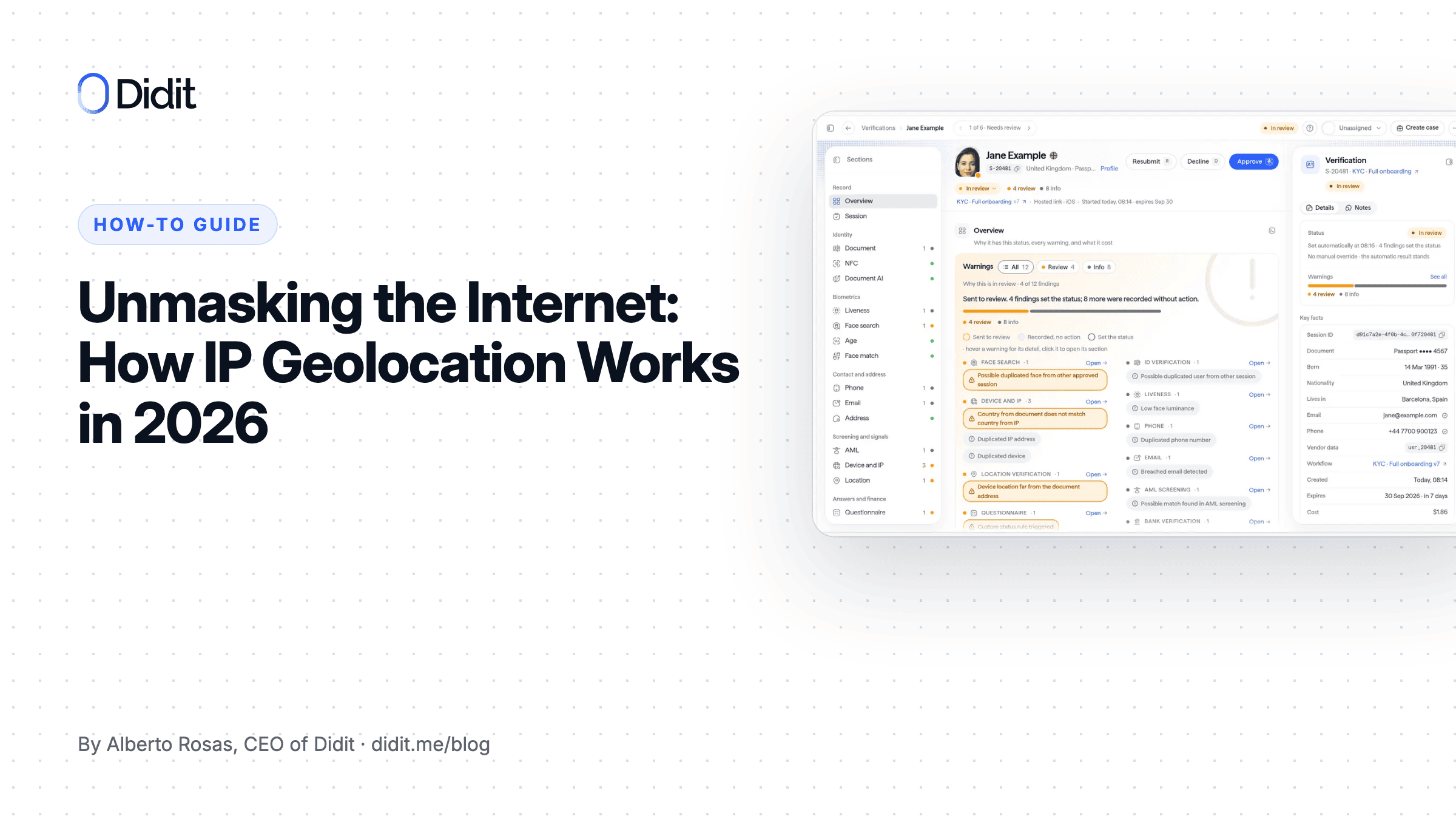
Unmasking the Internet: How IP Geolocation Works in 2026
IP geolocation estimates where an IP address appears to connect. In a Didit session, Device and IP Analysis reports that estimate and flags VPN, proxy and Tor traffic for $0.03 per completed check at list price.
 Alejandro RosasCo-founder and CTO
Contents
In this guide
Jump to the part you need.
IP geolocation estimates the country, region or city associated with an IP address. IP intelligence can also identify the announcing network and flag VPN, proxy or Tor traffic. If you review onboarding fraud, we return these signals in ip_analyses[] during verification. Device and IP Analysis costs $0.03 per completed check at list price. It runs only in a session, and a VPN or carrier gateway can make the estimated location differ from the user's.
Last updated: November 26, 2026. Prices checked against the live Didit price feed on November 26, 2026.
| Item | Detail |
|---|---|
| What you get | Resolved country, region, city and coordinates, ASN, VPN, proxy, Tor and data centre flags, device fingerprint id, duplicate device matches and a warnings array |
| How it is delivered | Session-only. The web or mobile SDK collects the fingerprint and IP in-band during the hosted flow |
| Where you read it | ip_analyses[] on GET /v3/session/{sessionId}/decision/ |
| Price | Device and IP Analysis $0.03 per check at list price, $0.0288 on Growth, $0.027 on Scale. It is one of the four lines inside the $0.33 full KYC check |
| Standalone endpoint | None. The documented Device and IP Analysis report is session-only and has no standalone endpoint |
| Minimum to start | Any plan. Sandbox testing is free on every plan |
| Main caveat | We estimate the location of the observed connection, not a street address. VPNs, proxies, Tor, mobile gateways and data centres move the apparent location |
Start free in the sandbox at https://business.didit.me/, with no sales call. Developers who want an assistant to drive the integration can connect Didit through https://didit.me/developers/mcp/. Plans, credit and the cost estimator sit on https://didit.me/pricing/.
What IP geolocation actually resolves
IP geolocation maps an Internet Protocol address to the place and network behind a connection. It is not GPS. An address is an identifier that a network hands out, and the location comes from where that block is registered, which network announces it, and where probes see it respond.
A normal answer includes country, region, city, latitude and longitude, time zone, ISP or organization name, connection type, and proxy, VPN or Tor status. Inside a verification session you also get the device fingerprint and duplicate device matches, evaluated in the same decision as the document.
One lookup, end to end
Suppose a lookup receives an address in a publicly routed /24. In a schematic example, the lookup can combine the following evidence.
- The address falls inside a /24 prefix. Registry records show the allocation holder and a contact address for that holder.
- BGP observations can show one or more origin ASNs for the prefix. ASN registration records can help identify the organizations associated with those ASNs.
- A geofeed published by that operator under RFC 8805 can attach the location the operator intends for the prefix, if it publishes one.
- Latency probes and aggregated observations can help narrow an estimate to a region or a city, though asymmetric routing and anycast can make timings inconsistent across vantage points.
That chain gives the location of the observed connection, with the network named. Now change one input. If the traffic exits through a carrier gateway, the address belongs to the gateway, not to the phone. If the user is on a VPN, the address belongs to the provider's network. Same method, different evidence, weaker conclusion about the person.
Where the location data comes from
Registries allocate blocks, networks announce them, and geofeeds and observed traffic add detail. No single source is enough on its own.
Registry allocations and registration records
Regional internet registries allocate blocks to internet service providers, companies and other organizations. The registration record identifies the allocation holder and gives a registered contact address for that holder. It does not tell you where any individual subscriber connects from. The registry layer gives the first coarse evidence: who holds the block, and the country the holder is registered in.
BGP routing tables
Border Gateway Protocol carries the routes that hold the internet together. The routing table shows which autonomous system announces a prefix, and an autonomous system is usually a known operator. BGP observations can show one or more origin ASNs for a prefix. An origin change is evidence about routing. A physical move can occur while the origin ASN stays the same.
Self-published geofeeds
RFC 8805, published by the IETF, defines a format for operators to publish their own IP geolocation feeds. A network that publishes a geofeed states which location it intends each prefix to serve. Keep the three records apart: the allocation says who holds the block, the route says who announces it, and the geofeed says where the operator intends it to be used.
DNS and latency probes
Measuring round-trip time from an address to reference points in several cities gives a rough triangulation, and DNS resolver geography adds another hint. Latency depends on routing: a longer path, a distant peer or an anycast answer all distort the estimate. It separates countries far better than neighbourhoods, and a proxy that answers on the client's behalf breaks it entirely.
Device and Wi-Fi signals
A device can estimate its position from nearby Wi-Fi access points when it has the necessary permissions. That estimate is a separate signal from the location inferred from a public IP address.
Crowdsourced and behavioural data
Some providers accept corrections from apps and consented location sharing, then validate them before changing a mapping. Used with care, this catches dynamic ranges and small networks that registries describe badly.
ISP geolocation: the network tells you more than the pin
A lookup can identify the ISP and estimate a location associated with the public IP. The estimate may describe a service area or the network where traffic exits.
- Residential broadband. The block belongs to the provider, and the estimate points at the area the database associates with it. City accuracy varies by database and by network.
- Mobile networks. Mobile traffic can exit through a carrier gateway far from the phone. The lookup estimates the location associated with the carrier's public exit IP.
- Data centres and hosting. A hosting IP may be mapped to a data-centre region or a provider's point of presence. An IP lookup identifies the network and estimates a location associated with the address. It cannot reliably identify the physical facility or subscriber.
Read the ISP name, the connection type and the flags first, and treat coordinates as a hint that supports them. No IP estimate establishes a street address.
How to get IP geolocation in a Didit verification session
Outcome: a completed session whose decision carries a resolved location, network flags, a device fingerprint id and duplicate device matches, with the risk codes your rules act on.
Recommended method: run one User Verification workflow and read ip_analyses[] from the decision, with the calls documented in the Sessions API overview. Device and IP analysis is session-only. The web or mobile SDK collects the fingerprint and the IP during the hosted flow, there is no standalone /v3/ip-analysis/ endpoint, and the basic signal set runs on every session without a feature toggle. The full behaviour is documented in Device Fingerprinting and IP Risk API.
Prerequisites
- A Didit organization. Sandbox testing is free on every plan.
- An application API key that holds the
read:sessionsprivilege, because the decision call requires it. - A KYC workflow built in the Workflow Builder, with its workflow UUID ready.
- A web or mobile client that can open the hosted URL so the SDK can collect the fingerprint and IP in-band.
- For live checks, use prepaid credit. The Free plan includes $10 of monthly credit for the first eligible organization created with a work email for a company domain.
Steps
- Open the Workflow Builder, create or pick your KYC workflow, and copy the
workflow_idUUID from it. - Optionally set your IP and device rules in the Business Console: decline on VPN, review on duplicate device, decline on a country mismatch with the document.
- Create the session with the documented call from Create Session.
workflow_idis required;vendor_dataandcallbackare optional:curl -X POST 'https://verification.didit.me/v3/session/' \ -H 'x-api-key: YOUR_API_KEY' \ -H 'Content-Type: application/json' \ -d '{ "workflow_id": "YOUR_WORKFLOW_ID", "vendor_data": "user-123", "callback": "https://yourapp.com/post-kyc" }' - Open the returned
urlfor the user. The SDK captures the observed IP automatically in this flow, so you do not send an address yourself. The IP overview also documents optional expected-IP checks when you pass an allowed IP for the session. - Read the decision with the documented call from Retrieve Session. Replace
SESSION_IDwith the session UUID returned by Create Session:curl 'https://verification.didit.me/v3/session/SESSION_ID/decision/' \ -H 'x-api-key: YOUR_API_KEY' - Branch on
session_kindfirst, as the docs require, then route on the warning codes insideip_analyses[].

Expected output
The payload depends on the workflow and on what the session produced, so read it against the schema rather than against a fixed sample. Each ip_analyses[] entry carries a feature status and a warnings array, one entry per IP and device collection point in the workflow. Warnings from IP analysis arrive under the LOCATION bucket rather than an IP bucket, and each warning names a risk code such as VPN_DETECTED, PROXY_DETECTED, TOR_DETECTED, DATACENTER_IP, LOCATION_MISMATCH_WITH_DOCUMENT or DUPLICATED_DEVICE. The canonical field set is in Data Models.

How to understand the result
Read four things, in this order.
- The
statusof the entry: Not Started, In Progress, Approved, In Review, Declined, Abandoned or Kyc Expired. - The warning codes. Each warning carries
featureandriskkeys. IP analysis emits them under theLOCATIONbucket, not an IP bucket, so filter on that when you build your rules. - The duplicate device matches. The documented exact-match signals include persistent device identifiers and a composite hash. A recovered match uses the v2 fingerprint signal vector and high-confidence gates to reduce false matches.
- Agreement with the document. A country mismatch is a review signal, not proof of fraud.
The full risk catalogue, including DATACENTER_IP, HIGH_RISK_COUNTRY, IMPOSSIBLE_TRAVEL and POSSIBLE_DUPLICATED_DEVICE, is on Warnings for IP Analysis. Per feature detail is on Report for IP Analysis.

Three outcomes and the action each one calls for
- No signal. An empty array can occur when a blocker prevents collection. An absent or null field means the feature did not run. In all three cases, there is no usable IP analysis report in this decision. Handle the missing result according to your fraud policy.
VPN_DETECTED. The observed connection exits through a VPN, so the address belongs to the provider's network. That is not proof of fraud by itself. Apply your fraud policy: an extra liveness step, a manual review, or a restriction where your rules document one.LOCATION_MISMATCH_WITH_DOCUMENT. The IP country and the document's issuing country disagree. A document's issuing country and a connection's country answer different questions, so route the session to a reviewer who can weigh it with the rest of the evidence.
Inputs and outputs
| Field | Where it appears | What it does |
|---|---|---|
workflow_id (required) | Request body of POST /v3/session/ | Selects the KYC workflow, and with it the device and IP collection point |
vendor_data (optional) | Request body | Your stable identifier for the user. Pass the same value every time, because duplicate detection compares sessions across it |
callback (optional) | Request body | Where the hosted flow returns the user. Didit appends ?verificationSessionId={session_id}&status={status}. When the application has allowed domains configured, an HTTP or HTTPS callback must be on one of those origins, otherwise session creation fails with 400 on callback |
url | Create response | Hosted URL you open for the user so the SDK can collect the signal |
session_url | Decision payload | The hosted URL returned with the retrieved decision |
ip_analyses[] | Decision payload | One entry per IP and device collection point, with geo, ASN, flags, fingerprint and duplicates |
warnings[] | Each ip_analyses[] entry | IP analysis warnings have feature set to LOCATION. Read risk for the specific code, such as VPN_DETECTED. |
linked_records | Decision top level | Same face, earlier verifications and network summaries, or null |
decision_trace | Decision top level | How the status was reached, including decided_by |
Failure cases and recovery
| Symptom | Cause | Recovery |
|---|---|---|
ip_analyses[] is empty, absent or null | An empty array can occur when a blocker prevents collection. An absent or null field means the feature did not run | In all three cases, there is no usable IP analysis report in this decision. Handle the missing result according to your fraud policy |
VPN_DETECTED, PROXY_DETECTED, TOR_DETECTED | The connection is relayed through another machine | Follow your fraud policy: decline, manual review, or an extra liveness step |
DUPLICATED_DEVICE | The same device previously enrolled under a different vendor_data | Review the accounts for possible reuse. Verify ownership independently before merging accounts, and apply your fraud policy to any restriction |
LOCATION_MISMATCH_WITH_DOCUMENT | The IP country does not match the document's issuing country | Route to review and let a reviewer weigh it against the rest of the session |
| 404 on the decision call | The session id does not exist or belongs to another application | Check the id and the API key's application |
| 403 on the decision call | The key lacks read:sessions | Issue a key with the right privilege |
Paid steps and review boundaries
The signal is billed as a check, not as a lookup. Device and IP Analysis is $0.03 at list price, $0.0288 on Growth and $0.027 on Scale, and it is one of the four lines inside the $0.33 full KYC check. You pay for a check when it finishes with a result. Sandbox sessions cost nothing. The published numbers and the estimator are on Didit pricing.
Review boundaries are yours to set. Read decision_trace to see how the session status was reached. If a reviewer changed it, status_override records the override. Our recommendation: decide in advance which warning codes route to a human, and keep any automatic decline to the cases your policy documents.
Worked cost example
Take 5,000 full KYC checks in one month on the Growth plan. Growth applies a 4% discount to the full KYC check.
- Full KYC at Growth: $0.33 x 0.96 = $0.3168 per check.
- Cost of the checks: 5,000 x $0.3168 = $1,584.00 for the month.
- The device and IP line inside that: $0.03 x 0.96 = $0.0288, and 5,000 x $0.0288 = $144.00.
- Monthly credit: $1,584.00 - $115.00 = $1,469.00 drawn from top-up credit.
- Monthly cost at the monthly Growth rate: $99.00 plan fee + $1,469.00 in top-up credit consumed = $1,568.00 before applicable taxes.
On the Scale plan the same 5,000 checks are 5,000 x $0.297 = $1,485.00, and the device and IP share is 5,000 x $0.027 = $135.00. Monthly cost at the monthly Scale rate: $299.00 + ($1,485.00 - $350.00) = $1,434.00 before applicable taxes.

What teams do with the signal
- Fraud: a document from one country and an IP from a high-risk country, or a session from a VPN, raises a review flag before money moves.
- Compliance: When a product has documented geographic eligibility rules, the observed IP country can flag a session for review.
- Duplicate accounts: review sessions where the same device appears under different user identifiers.
- Manual review: route mismatches and blocked signals to a reviewer who has the document and the session context in one screen.
Sources
- Didit docs: Device Fingerprinting and IP Risk API for KYC
- Didit docs: Warnings for IP Analysis
- Didit docs: Report for IP Analysis
- Didit docs: User Verification product overview
- Didit docs: Create Session API
- Didit docs: Retrieve Session API
- Didit docs: Data Models
- Didit docs: Workflow Builder
- Didit docs: Identity Verification Pricing
- Didit pricing page and cost estimator
- Didit pricing as JSON
- Didit MCP server setup
- IETF RFC 8805: A Format for Self-published IP Geolocation Feeds
Next step: open the sandbox at https://business.didit.me/, create a KYC workflow, run one test session and read ip_analyses[] in the decision. You can run the test in the free sandbox without a sales call, and the sandbox is free on every plan.
Try it
Try this in the sandbox
Run the check this guide describes, free.
The product this post is about, taken from its topic. Run it free in the sandbox.
Author
Alejandro Rosas
Co-founder and CTO

Keep reading
Other guides in the same topic.
 What Is the Purpose of FICA in South Africa? 2026 Guide
FICA is South Africa's anti-money laundering law. It creates the Financial Intelligence Centre and requires accountable institutions to identify and verify clients, screen for PEP and sanctions risk and report suspicious.
Alberto RosasNov 26, 2026 Sixth Money Laundering Directive (6AMLD): What Changed and Which Rules Apply
6AMLD is Directive (EU) 2018/1673: Member States must criminalise laundering, widen predicate offences and set a four-year penalty floor. It adds no new due diligence duties for firms.
Alberto RosasNov 26, 2026 Automated Sanctions Screening: Canada, the Entity List and Embargoes
Automated sanctions screening matches people and companies against lists such as Canada's autonomous sanctions made under SEMA and JVCFOA and the OFAC SDN List, and returns candidate hits scored for identity confidence and.
Alberto RosasNov 26, 2026Questions
Frequently asked questions
What is IP geolocation and how does it work?
IP geolocation estimates the country, region or city associated with an IP address. IP intelligence can also identify the announcing network and flag VPN, proxy or Tor traffic. A geolocation database can combine several kinds of evidence, such as registry allocations, BGP routing, self-published geofeeds, latency probes and observed traffic, rather than reading the device's GPS. Registry records identify the allocation holder, BGP identifies the announcing network, and a geofeed can publish the location an operator intends for a prefix. Accuracy is strongest at country level and varies by database and by network below that.
How accurate is IP geolocation?
Country level is the most reliable part of the answer, and city level varies by database and by network. Mobile traffic and VPN traffic are the two big exceptions, because both resolve to a gateway or a provider network rather than to the person. An IP estimate cannot establish a street address, which needs a separate device or document signal.
What is ISP geolocation?
ISP geolocation describes the network behind an address rather than the subscriber. An IP lookup identifies the network and estimates a location associated with the address, and it cannot reliably identify the physical facility or subscriber. Mobile traffic can exit through a carrier gateway far from the phone. The lookup estimates the location associated with the carrier's public exit IP. Hosting addresses are often mapped to a data-centre region or a point of presence. Reading the ISP name, the connection type and the flags is more useful than reading the coordinates.
What is an IP to location lookup?
An IP to location lookup sends an address to a database or an API and returns the place and network attributes attached to it. We run that lookup inside the verification session, so the address, the device fingerprint and the document data are evaluated together in one decision. That is why the result is richer than a bare country code.
Does Didit have a standalone IP geolocation API?
No. Device and IP analysis is session-only: it runs in the hosted flow and returns under ip_analyses[] in GET /v3/session/{sessionId}/decision/. The documented Device and IP Analysis report has no standalone endpoint, and there is no /v3/ip-analysis/ route to call.
How much does IP geolocation cost in Didit?
Device and IP Analysis is $0.03 per check at list price, $0.0288 on Growth and $0.027 on Scale. It is one of the four lines inside the $0.33 full KYC check, next to ID verification at $0.15, passive liveness at $0.10 and face match at $0.05. Sandbox testing is free on every plan, and live checks draw on prepaid credit.
What happens if the SDK cannot collect the IP or the fingerprint?
An empty array can occur when a blocker prevents collection. An absent or null field means the feature did not run. In all three cases, there is no usable IP analysis report in this decision, so handle the missing result according to your fraud policy.
Can a VPN, proxy or Tor make the location wrong?
Yes. A VPN, proxy or Tor relay carries the traffic through another machine, so the address that arrives belongs to that machine and the answer describes the relay. Didit returns VPN_DETECTED, PROXY_DETECTED, TOR_DETECTED or DATACENTER_IP as warnings under the LOCATION bucket. The country may accurately describe the exit network while giving weak evidence of where the user is.
Can I decline a user automatically because of their IP?
Didit can configure automatic declines for documented signals such as VPN detection or an IP country that differs from the document's issuing country. Check the requirements that apply to your product before using automatic declines. Weigh the signal alongside other evidence when the location is uncertain.
How do I understand an IP analysis result?
Start with the entry status, then read the warnings. LOCATION_MISMATCH_WITH_DOCUMENT means the IP country and the document's issuing country disagree, and DUPLICATED_DEVICE means the device already enrolled under another vendor_data. Map each code to one action in your fraud policy before you switch it on, and read decision_trace to see how the final status was reached.
Does the IP signal work for mobile users?
Yes. A Didit mobile verification session can collect IP and device signals, and the IP location may reflect a carrier gateway far from the phone. If current physical location matters, collect a separate location signal. A verified phone number and a document's issuing country answer different questions.
Compliance built in
Audited, certified and attested.
We hold the certifications and build each country's rules into your flows, so you can launch anywhere without worrying. Security and Compliance center
- Regulation encoded into your flows
Tell us what you do and where. Didit lists the rules that apply to you, with sources, and builds the checks each country needs into one workflow.
- Ready for AMLR
Every requirement of the new EU anti-money laundering rules, from checking customers to human review, is already covered by a Didit check.
- Tested in Spain's Treasury sandbox
Spain's Treasury published its supervised sandbox report on Didit's NFC plus active liveness onboarding; SEPBLAC took part and valued the added measures positively.
- Audited, not self-declared
iBeta Level 1 and Level 2. Liveness tested under ISO/IEC 30107-3.
Your obligations · 3 regions
 SOC 2 Type 2
 ISO 27001
 iBeta Level 1 and Level 2
 EU regulator attestation
 FSM youth protection
 GDPR
 EBA remote onboarding
 MiCA compatible
 FIDO Alliance member
- AMLREU AML Regulation ready
Integration · Didit MCP
Run Didit from your own AI agent
Connect Didit to Claude, Cursor, VS Code or ChatGPT and just ask in plain words. Your agent can do anything you can do in the console, with the same permissions you have.
 Add to Claude
 ChatGPT
 Cursor
- Build workflowsDescribe the checks you need. The agent creates and publishes the flow.
- Run investigationsAsk why a session was declined, review cases, search people and companies.
- Change rulesCreate payment rules, test them on past data and switch them on.
- Pull reportsAsk for numbers, exports or the audit log.
Didit Academy