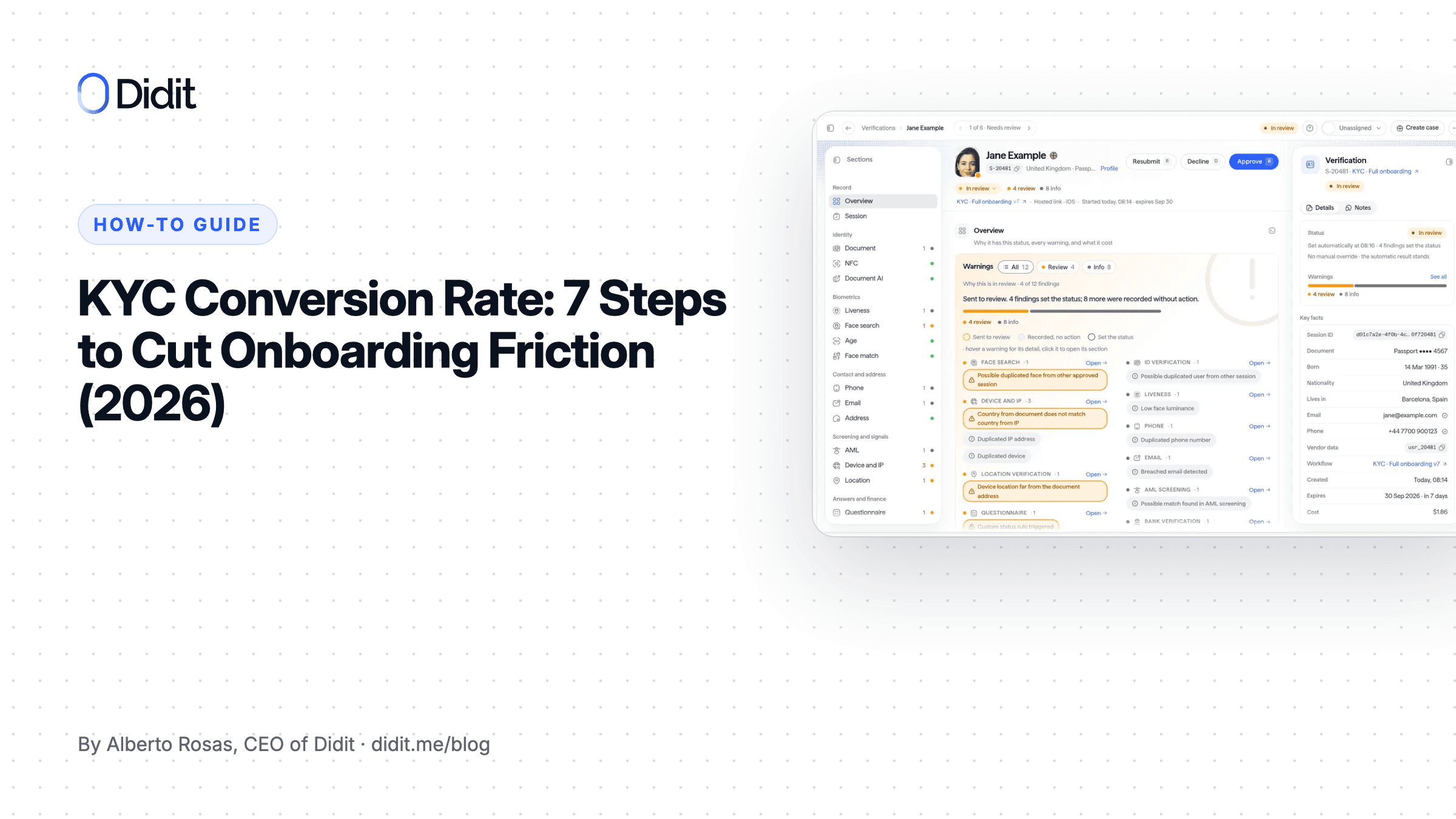
KYC Conversion Rate: 7 Steps to Cut Onboarding Friction (2026)
Seven steps cut KYC drop-off: a short workflow, pre-filled session, passive liveness, guided retries and correct decision handling. A full ID check costs $0.33 per completed check.
 Alberto RosasCo-founder and CEO
Contents
In this guide
Jump to the part you need.
This guide is for teams already running KYC who lose users between the first screen and the approval. It covers the seven changes that move completion most, built on the Didit workflow builder and Sessions API. A full ID check costs $0.33 per completed check: $0.15 ID document, $0.10 passive liveness, $0.05 face match, $0.03 device and IP. The caveat is that lower friction cannot mean dropping a check your rulebook requires.
Last updated: November 26, 2026. Prices checked against the live Didit price feed on November 26, 2026.
| Item | Detail |
|---|---|
| Outcome | More users reach Approved per 1,000 sessions created, without dropping a required check |
| Method | Short workflow, pre-filled session, passive liveness, guided retries, decision handling, weekly failure review |
| Price | Full ID check $0.33 per completed check. Reusable KYC, Workflow Orchestrator and MCP server are free |
| Main caveat | Billing is per completed check, so a user who stops after the document check still costs $0.15 |
| Who it fits | Product and risk teams that know their funnel numbers and run KYC in production today |
Start free in the sandbox at business.didit.me, with no sales call. Developers who want an AI assistant to drive the setup can connect Didit over the Didit MCP server.
What a KYC conversion rate measures
A KYC conversion rate is the share of created sessions that reach Approved. That definition survives contact with billing, because every completed check is charged whether or not the user finishes. Didit returns one status per session: Not Started, In Progress, Approved, Declined, In Review, Awaiting User, Resubmitted, Abandoned, Expired, Kyc Expired. Count all of them, not just the two ends.
Count the events in order: session created, document check completed, liveness check completed, decision received. The status moves from Not Started to In Progress when the user opens the link, then to one terminal or review status when the checks finish. The gap between document completion and liveness completion is the costly one: the $0.15 document check is already billed and no account exists yet. Teams that compare Approved only against marketing sign-ups never see that leak.
Prerequisites
- A Didit organization created with a work email. The Free plan carries $10 of monthly credit, and sandbox testing is free and unlimited.
- A sandbox application and its API key, from the programmatic register calls or the console.
- One published KYC workflow, so you have a
workflow_idto pass. Drafts do not take sessions. - A public HTTPS endpoint for webhooks, or the polling fallback described below.
- A callback URL on your application's allowed domains, or an app deep link.
- A test identity in the sandbox, plus four weeks of your own funnel numbers to compare against.
How to raise KYC conversion in seven steps
Step 1: Map the funnel and pick one metric
Pull the count in each session status from the console or from your own table. Then compute completion as Approved divided by sessions created, and compute partial spend as the number of document or liveness checks completed on sessions that never reached Approved. That second number is the money your friction costs you.
Write the baseline down before you change anything. A flow change that adds 400 approvals but adds 900 document checks that go nowhere is not a win, and you can only see that with both numbers.
Step 2: Build a short workflow with passive liveness
In the workflow builder, pick the KYC template and keep three feature nodes: OCR, LIVENESS with the passive method, and FACE_MATCH. Add AML only for the segments your policy names, because it adds $0.20 per check. A simple workflow runs its steps in a fixed order, which is what you want for a first conversion pass. Node-based workflows branch on results and are the next iteration, not the first. The full ID check bills these plus device and IP analysis.
curl -X POST https://verification.didit.me/v3/workflows/ -H "x-api-key: $DIDIT_API_KEY" -H "Content-Type: application/json" -d '{"workflow_label": "Standard KYC", "workflow_type": "kyc", "features": [{"feature": "OCR"}, {"feature": "LIVENESS", "config": {"face_liveness_method": "PASSIVE"}}, {"feature": "FACE_MATCH"}]}'Persist workflow.id and publish the workflow. Passive liveness is documented at Liveness Detection; the builder itself is documented at Workflow Builder.

Step 3: Pre-fill what you already know when you create the session
The documented prefill fields remove typing on contact steps, and documented workflow settings can skip screens; do not assume every key changes the UI. Always pass vendor_data: it is the linking key that binds the session to the user, and without it the session is orphaned.
curl -X POST https://verification.didit.me/v3/session/ -H "x-api-key: $DIDIT_API_KEY" -H "Content-Type: application/json" -d '{"workflow_id": "$WORKFLOW_ID", "vendor_data": "user-42", "callback": "https://myapp.com/kyc/return", "language": "en", "expected_details": {"id_country": "USA", "expected_document_types": ["P"]}}'Four of those keys do documented work. expected_details.id_country takes an ISO-3 code and opens the issuing country pre-selected. expected_details.expected_document_types supplies expected values such as P for passport, and a mismatch surfaces as a decision warning; it does not by itself limit the menu. The workflow's allowed-document configuration controls document selection and whether the selection screen is skipped. language takes an ISO 639-1 code for the verification UI instead of relying on browser detection. callback must sit on one of your application's allowed domains, or creation fails with 400 on callback. Mismatches between expected and extracted details come back as decision warnings, which is what you want: a warning on the decision beats a block in the flow.
Step 4: Remove screens the workflow can skip
If the workflow is configured for a single document type, the country and document selection screen is skipped and the user goes straight to capture. That is one screen and two taps gone with no loss of evidence. If the session country is one the workflow can serve, the choice is fixed rather than open.
In countries where a digital ID wallet is live, the workflow can offer the wallet first and document capture only as the fallback. Wallet availability is specific to your environment and country. Live applications can enable only wallets available for production; sandbox applications can test every wallet in the catalog with simulated results, and sandbox availability does not indicate production availability. The fallback switch is configured per country: wallet first with document fallback, wallet only, user picks either, or document only. Published wallet prices include MitID at $0.25, BankID Sweden at $0.20, Smart-ID and Mobile-ID at $0.21, iDIN at $0.95 and Google Wallet at $0.10. A wallet marked coming soon cannot lead a flow. See ID Verification methods and the wallet catalog.

Step 5: Decide on the webhook, not in your UI
Register a webhook destination with webhook_version set to v3, subscribed to status.updated and data.updated. Verify the X-Signature-V2 header, which is an HMAC-SHA256 of the canonical JSON, de-dupe on event_id, and answer within 5 seconds. If you need a fallback, poll the decision endpoint.
curl https://verification.didit.me/v3/session/$SESSION_ID/decision/ -H "x-api-key: $DIDIT_API_KEY"The v3 decision returns plural arrays for every feature: id_verifications[], liveness_checks[], face_matches[], aml_screenings[] and the rest. Never assume the older singular fields. When the flow asks for a resubmit, the status becomes Resubmitted and the payload carries resubmit_info; re-deliver the same url instead of creating a new session, so the user stays in the existing session and does not restart the journey.
Step 6: Review failures weekly in the console
Open the sessions that ended Declined, Abandoned or In Review and group them by warning. Document expiry, unreadable MRZ, glare and cutoff edges are capture problems, so fix them with instructions and camera settings. The full list is in ID Verification warnings. Pick the top three causes each week and change copy or thresholds before you add steps; adding a step to fix a warning usually moves the drop-off instead of removing it.

Step 7: Ship changes as a draft version and compare
Workflows use draft and publish versioning. A published version is immutable, sessions always reference the version they were created with, and previous versions are kept. So you can publish a shorter flow without moving users who are mid-journey, then compare Approved rate and time to decision between the two versions over a comparable traffic mix.
Expected output after the session call
The create call returns session_id, url and session_token, and the session starts in Not Started. When the user opens url, the status becomes In Progress and the hosted flow handles country, capture, selfie and retries. After processing, the status.updated webhook delivers one status: Approved, Declined, In Review, Awaiting User, Resubmitted, Abandoned, Expired or Kyc Expired. Approved means every configured check passed and the extracted data is available through the API and the webhook payload.
Inputs and outputs
| Input or output | Where it goes | What it changes |
|---|---|---|
workflow_id | Request body, required | Selects the checks and the workflow version the session runs |
vendor_data | Request body | Binds the session to your user. Without it the session is orphaned |
expected_details.id_country | Request body, ISO-3 | Opens the issuing country pre-selected |
expected_details.expected_document_types | Request body, for example P for passport | Supplies expected values; mismatches surface as decision warnings. The workflow's allowed-document configuration controls selection and skipping |
language | Request body, ISO 639-1 | Sets the verification UI language instead of browser detection |
contact_details | Request body | Pre-fills email and phone steps and can send notification emails |
session_expiration_time | Request body, 3600 to 2419200 seconds | How long the link stays valid for this session |
session_id, url, session_token | Response | The url is what you send or open in the SDK |
status.updated | Webhook or poll | One status string, the decision |
id_verifications[], liveness_checks[], face_matches[], aml_screenings[] | Decision payload | Per-feature results, always as plural arrays in v3 |
Failure cases and recovery
| Symptom | Cause | Recovery |
|---|---|---|
| 403 on verification.didit.me | Missing API key | Send the x-api-key header |
| 401 | Wrong, revoked or expired key | Replace it with a valid key from the organization's API keys in the console |
| 400 | Invalid workflow_id | Publish the workflow and pass its id |
400 on callback | The URL is not on the application's allowed domains | Add the origin, or use an app deep link |
| User never finishes | Flow too long, or the link was sent and forgotten | Status Abandoned. Re-issue the same url while it is valid |
| Resubmit requested | Document or portrait did not pass | Status Resubmitted with resubmit_info. Re-deliver the same url |
| Webhook missed | Handler slower than 5 seconds, or answered 5xx or 404 | Didit retries twice, about 1 and 4 minutes later, then drops the delivery. Resend from the destination delivery log |
| Expired or Kyc Expired | The link outlived session_expiration_time, or the KYC itself expired | Create a new session with the same vendor_data |
Paid steps and review boundaries
The $0.33 full ID check bundles the three user-facing stages, document capture plus biometrics with passive liveness and face match, and includes device and IP analysis. Every step you add is a published line item. Cut what your policy does not require, and price the rest before you ship it.
| Step | Price per completed check | When it is charged |
|---|---|---|
| ID document verification | $0.15 | When a document check completes, even if the user then abandons |
| Passive liveness | $0.10 | Per completed liveness check |
| Face match 1:1 | $0.05 | Per completed comparison |
| Device and IP analysis | $0.03 | Per check, part of the full ID check |
| Full ID check (KYC) | $0.33 | The bundle of the four lines above |
| AML screening | $0.20 | Per check, 1,300+ lists |
| Proof of address | $0.20 | Per check |
| Custom questionnaire | $0.10 | Per check |
| Passport chip reading (NFC) | $0.15 | Add-on to a document check |
| Non-document lookup | Variable by country | Per completed attempt, including partial and no match |
| Reusable KYC, Workflow Orchestrator, MCP server | Free | Included |
Review is a product decision, not a default. Route to a human only where the answer is genuinely uncertain: an AML hit, a document that conflicts with expected details, or a case your policy lets the user appeal. A flow that sends 30 percent of sessions to review adds manual work and cost, so set a review budget in hours before you ship. The full list is at Didit pricing, and AML screening covers the watchlist step. Teams replacing an existing flow can start from the switch page.
Worked cost example
Take 10,000 sessions created in a month and a flow with the full ID check at $0.33.
Before the changes: 7,600 sessions reach Approved, so 7,600 x $0.33 = $2,508.00. Another 700 users stop after the document check, so 700 x $0.15 = $105.00. The remaining 1,700 never open the link and cost nothing. Month total: $2,508.00 + $105.00 = $2,613.00, which is $2,613.00 / 7,600 = $0.3438 per approved user.
After the seven steps, on the same 10,000 sessions: 8,500 reach Approved, so 8,500 x $0.33 = $2,805.00. The stall group falls to 400 users, so 400 x $0.15 = $60.00. Month total: $2,805.00 + $60.00 = $2,865.00, which is $2,865.00 / 8,500 = $0.3371 per approved user.
You approved 900 more users for $252.00 more spend, which is $252.00 / 900 = $0.28 per additional approved user. On the Growth plan every Didit price is 4 percent lower, so the full ID check is $0.3168, and on Scale it is $0.297. If the same workflow adds AML at $0.20, each completed check is $0.53 and the after figure becomes 8,500 x $0.53 = $4,505.00.
Sources
- Didit docs: User Verification Journey
- Didit docs: Quick Start
- Didit docs: Create Session API
- Didit docs: Workflow Builder
- Didit docs: Configure ID Verification Methods
- Didit docs: Digital ID Wallets
- Didit docs: Liveness Detection
- Didit docs: ID Verification Warnings
- Didit pricing page and pricing as JSON, read November 26, 2026
- Didit MCP server
- Didit AML screening product page
- Didit switch page
- Image sources: face scanning, document scanning, session overview, read from the Didit image catalog on November 26, 2026.
The next step is a sandbox run: create an organization at business.didit.me, publish the short workflow, and send the session call above with a test user. No sales call is involved, and the numbers you get back are your baseline for the seven steps.
Try it
Try this in the sandbox
Run the check this guide describes, free.
The product this post is about, taken from its topic. Run it free in the sandbox.
Author
Alberto Rosas
Co-founder and CEO

Keep reading
Other guides in the same topic.
 What Is the Purpose of FICA in South Africa? 2026 Guide
FICA is South Africa's anti-money laundering law. It creates the Financial Intelligence Centre and requires accountable institutions to identify and verify clients, screen for PEP and sanctions risk and report suspicious.
Alberto RosasNov 26, 2026 Sixth Money Laundering Directive (6AMLD): What Changed and Which Rules Apply
6AMLD is Directive (EU) 2018/1673: Member States must criminalise laundering, widen predicate offences and set a four-year penalty floor. It adds no new due diligence duties for firms.
Alberto RosasNov 26, 2026 Automated Sanctions Screening: Canada, the Entity List and Embargoes
Automated sanctions screening matches people and companies against lists such as Canada's autonomous sanctions made under SEMA and JVCFOA and the OFAC SDN List, and returns candidate hits scored for identity confidence and.
Alberto RosasNov 26, 2026Questions
Frequently asked questions
What is a good KYC conversion rate?
A good KYC conversion rate is the share of created sessions that reach Approved, measured on your own flow. It depends on the traffic mix, the document types you accept and how many checks your policy requires. Set the target from four weeks of your own baseline, not from a published benchmark.
How much does a KYC check cost on Didit?
A full ID check is $0.33 per completed check: $0.15 ID document verification, $0.10 passive liveness, $0.05 face match and $0.03 device and IP analysis. AML screening is $0.20 on top, and the Free plan includes $10 of monthly credit for organizations that sign up with a work email. Growth at $99 a month takes 4 percent off every Didit price and Scale at $299 takes 10 percent off.
How do I improve KYC conversion inside a banking app?
Send the fields you already hold when you create the session, so documented prefill fields remove typing and configured single-document workflows skip the selection screen. Keep the selfie step immediately after ID capture. Passive liveness uses a normal selfie capture, and guided retries keep a blurry document inside the same session instead of ending it. Then handle Resubmitted on the webhook and re-deliver the same link, rather than starting a new session.
Does passive liveness reduce drop-off compared with active liveness?
Passive liveness confirms a live person during a normal selfie capture and costs $0.10 per completed check. Active liveness costs $0.15 and asks the user to follow prompts. We do not publish a universal drop-off comparison, because the result depends on your traffic and device mix. Measure completion at the selfie on your own flow, and note that if a user does not respond in time the Didit flow retries once automatically instead of hard-failing the session.
Can I reduce friction and still meet AML requirements?
Yes. AML screening is a separate step at $0.20 per check, so you can route it to the segments your policy names with the workflow builder instead of applying it to every session. The workflow builder branches on extracted data, country, document type, age and verification results. Documented list coverage is 1,300+ lists.
Which steps can I remove without weakening the check?
The country and document selection screen disappears when the workflow is configured for a single document type. Pre-filled contact details remove typing. In supported countries a supported wallet can replace document capture, and a configured portrait-backed match may skip liveness and face match; wallet availability is environment- and country-specific. What you should not remove is the evidence your rulebook requires: the same check moved earlier in the flow is a conversion win, the same check deleted is a compliance problem.
What happens when a user fails the document check?
The SDK runs an on-device quality check for glare, blur and cutoff edges before submission. If the backend rejects the document, the user sees a specific instruction such as document expired or MRZ unreadable, and retries inside the same session. When the flow asks for a resubmit, the status becomes Resubmitted with resubmit_info in the payload, and you re-deliver the same url.
Does Didit charge for abandoned sessions?
No completed check means no charge, so a session a user never opens costs nothing. A check that completes is billed even if the user then abandons, which is why a user who stops after the document check costs $0.15 with no account to show for it. That is the number to watch when you cut steps from a flow.
How do I test a changed flow without affecting live users?
Workflows use draft and publish versioning. Sessions always reference the version they were created with, so publishing a shorter flow does not move users who are mid-journey. Create a draft from the published version, run it in the sandbox, publish, then compare Approved rate and time to decision between versions.
How fast can I get a first session running without a sales call?
Create an organization at business.didit.me, publish a KYC workflow from a template, and call the create session endpoint. Sandbox testing is free and unlimited, and the Free plan adds $10 of monthly credit for a work email. The quick start walks the same path in one page.
What does Didit cover beyond KYC?
The same API runs user verification, business verification from $2.00 per company, and transaction monitoring with wallet screening at $0.15 per screening. 4,000+ companies use Didit across 220+ countries, with 14,000+ document types and 54 languages in the verification flow. Certifications include SOC 2 Type 2 and ISO/IEC 27001:2022.
Compliance built in
Audited, certified and attested.
We hold the certifications and build each country's rules into your flows, so you can launch anywhere without worrying. Security and Compliance center
- Regulation encoded into your flows
Tell us what you do and where. Didit lists the rules that apply to you, with sources, and builds the checks each country needs into one workflow.
- Ready for AMLR
Every requirement of the new EU anti-money laundering rules, from checking customers to human review, is already covered by a Didit check.
- Tested in Spain's Treasury sandbox
Spain's Treasury published its supervised sandbox report on Didit's NFC plus active liveness onboarding; SEPBLAC took part and valued the added measures positively.
- Audited, not self-declared
iBeta Level 1 and Level 2. Liveness tested under ISO/IEC 30107-3.
Your obligations · 3 regions
 SOC 2 Type 2
 ISO 27001
 iBeta Level 1 and Level 2
 EU regulator attestation
 FSM youth protection
 GDPR
 EBA remote onboarding
 MiCA compatible
 FIDO Alliance member
- AMLREU AML Regulation ready
Integration · Didit MCP
Run Didit from your own AI agent
Connect Didit to Claude, Cursor, VS Code or ChatGPT and just ask in plain words. Your agent can do anything you can do in the console, with the same permissions you have.
 Add to Claude
 ChatGPT
 Cursor
- Build workflowsDescribe the checks you need. The agent creates and publishes the flow.
- Run investigationsAsk why a session was declined, review cases, search people and companies.
- Change rulesCreate payment rules, test them on past data and switch them on.
- Pull reportsAsk for numbers, exports or the audit log.
Didit Academy