Magic link sign-in that email scanners cannot consume
Didit's hosted magic link lasts 15 minutes, works once and is bound to the browser that asked for it. A scanner that opens it changes nothing; the person confirms, then your app exchanges the code with PKCE.
 Alberto RosasCo-founder and CEO
Contents
In this guide
Jump to the part you need.
Magic link sign-in fits teams on Didit Authentication whose users read email in the browser they sign in from. Our hosted link is bound to the browser that requested it, so a mail scanner that fetches the URL changes nothing: sign-in completes only when the person confirms on the page it opens. Authentication is free for the first 50,000 active users a month. The caveat: magic links run on hosted pages only, with no JSON endpoint.
Last updated: November 26, 2026. Prices checked against the live Didit price feed on November 26, 2026.
Magic link sign-in at a glance
| Item | What happens |
|---|---|
| Where it runs | The hosted Didit sign-in page. There is no JSON endpoint for magic links. |
| Link lifetime | 15 minutes from sending. |
| Uses | Once. The code is issued once, to whichever tab finishes first. |
| Bound to | The browser that asked for the link. |
| What a mail scanner gets | A fetch of the URL. Opening the link alone never signs anyone in, so nothing is consumed. |
| Confirmation step | The person confirms the sign-in on the page the link opens. |
| Second tab | Didit asks the person to continue in that tab instead. The code is issued once to whichever tab finishes first. |
| Other browser or device | The link is bound to the browser that asked. It works once and expires after 15 minutes, so the person can go back to the original browser and finish there. |
| Callback | code and state to your registered redirect_uri. The tab that finishes must hold the PKCE verifier. |
| Code exchange | POST {issuer}/token/ with the verifier, within 60 seconds. |
| Price | Authentication is free for the first 50,000 active users a month, then $0.02 per active user month. |
Start free in the sandbox at business.didit.me; no sales call, and a sandbox application is never billed. If you want an AI assistant to wire this up, connect Didit to Claude, ChatGPT or another MCP client through didit.me/developers/mcp/. Every number here comes from the public list on didit.me/pricing/.
What you get, and the method we recommend
The outcome is passwordless email sign-in where automated URL fetching does not complete the sign-in. A common implementation risk is treating a GET on the link as the sign-in itself: the first automated fetch then ends the login before the person clicks. Ours does not work that way. The link opens a page, the person confirms on it, and the code goes to whichever tab finishes first.
The method we recommend is the hosted sign-in page with the magic link method turned on. You keep two things in your app: the PKCE verifier and the state. The tab that finishes the sign-in must hold the verifier. Your callback reads code and state, checks state, and exchanges the code at the token endpoint with the verifier. The Authentication integration guide lists the four parts of that setup: your app, your sign-in origin, your backend and the console with its webhooks.
Do not build your own magic link screen. Magic links run on the hosted pages only, and that is where the browser binding, the confirmation step and the tab handling live. The JSON endpoints in the sign-in methods reference are for teams that set sign_in_ui: "own", and they cover password, email code, phone code, MFA and protection challenges, not magic links.
Why you cannot stop scanners from fetching the link
You cannot stop a security scanner from requesting a URL that arrives by email. Link checkers, mail gateways and endpoint agents fetch URLs on purpose, before the person sees the message. Any design where a GET on the link completes the sign-in will break under that traffic, and it will break silently: the person clicks, the page says the link is invalid, and support gets the ticket.
What you can change is what the fetch is worth. On Didit the fetch lands on a page that asks for confirmation, and the exchange needs the PKCE verifier held by the tab that finishes. A scanner has the URL, not the verifier, so an automated click is harmless.
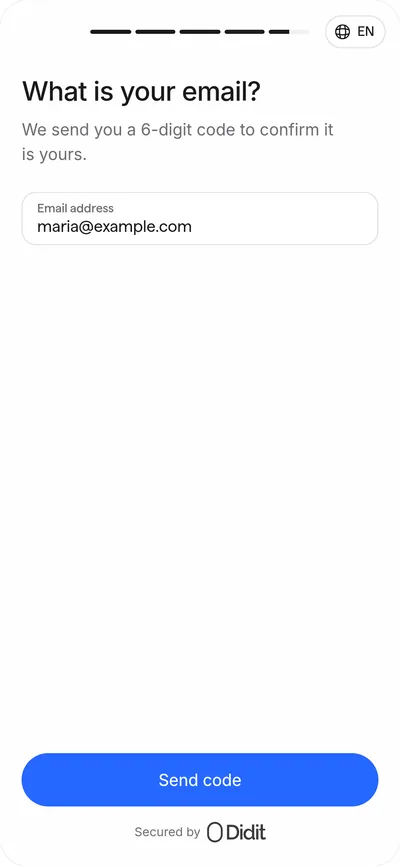
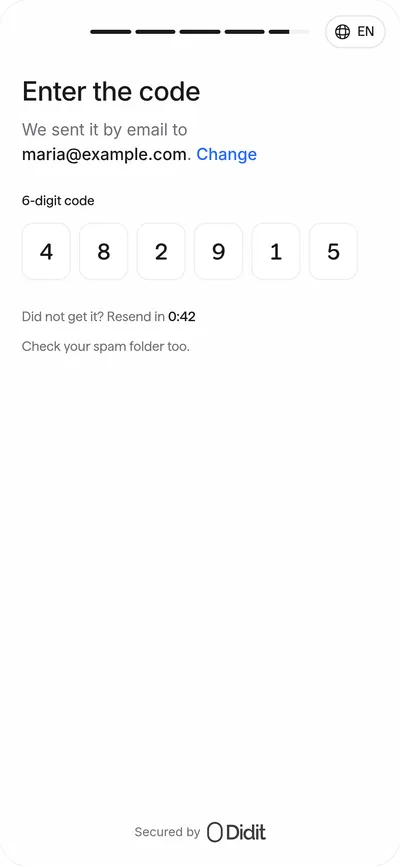
One more habit helps: if a person's mailbox strips links, or their client opens them in a preview pane, offer email code as a second method. Enable email code separately with its own PUT methods/code/ call. Both methods then use the same code and PKCE exchange, and hosted sign-in shows only the methods you turned on.
Prerequisites
- A Didit account with a Sandbox application. Creating an account is free, and every Sandbox application has Authentication turned on.
- Node.js 20 or later, and a web app you can run on
http://localhost:3000, if you follow the quickstart path. - The redirect URL and the allowed origin registered in Authentication > Security and sessions > Redirect URLs and allowed origins. Didit only returns a person to a redirect URL you registered, character by character.
- The magic link method turned on. A new application starts with every method off.
- Your publishable key from Authentication > Developers. In a Sandbox application it starts with
pk_test_. The publishable key is public and names your sign-in origin. Never put the secret key in browser or mobile code.
Step-by-step: a browser-bound magic link sign-in
Turn on the magic link method. In the console, open Authentication > Sign-in methods and turn on Magic link. By API,
PUT methods/{name}/takesenabledand nothing else for a method that needs no credentials. The method name for magic link ismagic. Every call goes to your application's Authentication management API, whereMANAGEMENT_BASEishttps://apx.didit.me/auth/v2/organizations/{org_id}/applications/{application_id}/authentication/.curl --fail-with-body --request PUT \ "${MANAGEMENT_BASE}methods/magic/" \ -H "x-api-key: $DIDIT_API_KEY" \ -H "Content-Type: application/json" \ -d '{"enabled": true}'Email code is a separate method with its own call,
PUT methods/code/, in the same shape.Register the callback and the origin. For a local build, add
http://localhost:3000/auth/callbackas a redirect URL andhttp://localhost:3000as an allowed origin. The allowed origin lets the browser exchange the code with your application's Didit origin.Copy the publishable key from Authentication > Developers.
Install the SDK and start the sign-in. The SDK builds the authorization request, including the PKCE challenge, and keeps the verifier in the browser.
npm install @didit-protocol/authimport { createDiditAuth } from "@didit-protocol/auth"; export const auth = createDiditAuth({ publishableKey: "pk_test_...", redirectUri: "http://localhost:3000/auth/callback", }); // Your sign-in button export async function onSignInClick() { await auth.signIn({ returnTo: "/dashboard" }); } // Run once on http://localhost:3000/auth/callback export async function onCallbackPage() { const { session, returnTo } = await auth.handleRedirectCallback(); console.log(session.email, session.vendorData); window.location.replace(returnTo ?? "/"); }The person asks for the link. The hosted page sends a sign-in link that lasts 15 minutes and works once. The tab that asked shows "Check your inbox" and waits.
The person opens the link in the same browser and confirms. Opening the link alone never signs anyone in. The confirmation on the page it opens is what starts the finish, so a mail scanner that fetched the same URL earlier changed nothing.
The tab that finishes first returns to your
redirect_uriwithcodeandstate. Your app exchanges the code with the PKCE verifier that tab kept. The exchange must happen within 60 seconds, and each code works once.curl --fail-with-body "${DIDIT_AUTH_ISSUER}/token/" \ -H 'Content-Type: application/json' \ -d '{ "grant_type": "authorization_code", "code": "CODE_FROM_CALLBACK", "code_verifier": "YOUR_PKCE_VERIFIER", "redirect_uri": "https://app.example.com/auth/callback" }'Verify the access token on your server and read the session before a sensitive action. Send the access token in the
Authorizationheader and check it on every protected request.import { verifyToken } from "@didit-protocol/auth/server"; export async function authenticate(request: Request) { const header = request.headers.get("authorization") ?? ""; const token = header.startsWith("Bearer ") ? header.slice(7) : ""; try { const claims = await verifyToken(token, { publishableKey: process.env.DIDIT_PUBLISHABLE_KEY }); return { personId: claims.sub, vendorData: claims.vendor_data }; } catch { return null; } }
Expected output
The method call answers the method as it now stands:
{"name": "magic", "enabled": true}The token exchange answers the session's tokens. This is the documented shape:
{
  "access_token": "eyJhbGciOiJFUzI1NiIs...",
  "id_token": "eyJhbGciOiJFUzI1NiIs...",
  "refresh_token": "N4yZTl6y24YKYq77X_SO...",
  "token_type": "Bearer",
  "expires_in": 299,
  "session_id": "c9abf6cc-2d64-4bf2-b31e-a4d09a070ab1"
}
expires_in counts the seconds the access token has left. Access tokens last at most 5 minutes, and the SDK refreshes them for you. The sign-in then appears in Authentication > Sign-ins in the console.
Inputs and outputs
| Field | Rule |
|---|---|
redirect_uri | Must exactly match one of your registered redirect URLs. |
state | Up to 512 characters. Check it on the callback. |
code_challenge | The base64url SHA-256 of your PKCE verifier, exactly 43 characters. |
code_challenge_method | S256. PKCE method S256 is the only one the issuer supports. |
client_id | Optional. Must equal your application ID. Clients are public: there is no client secret. |
nonce | Optional. Copied into the ID token, so you can bind it to this sign-in. |
scope, login_hint, ui_locales, max_age, prompt | Optional. login_hint only prefills the email field. |
| Callback output | code and state on your redirect_uri. The code works once and must be exchanged within 60 seconds. |
| Token output | access_token, id_token, refresh_token, token_type, expires_in, session_id. |
Failure cases and recovery
| Symptom | Why | Recovery |
|---|---|---|
| The person says the link did not work after a scanner touched it | The fetch did not sign anyone in. That is the design. | Open the link in the browser that asked for it and confirm on the page. |
| The link was opened in a second tab | Didit asks the person to continue in that tab instead. The code is issued once to whichever tab finishes first. | Continue in the tab the link opened, keep the PKCE verifier there, and finish. Do not try to finish in both. |
| The link was opened on a phone when the person asked on a laptop | The link is tied to the browser that asked for it. | Go back to the original browser and finish the sign-in there, within the 15 minutes. |
| The link is older than 15 minutes | The link lasts 15 minutes. | Ask for a new link on the hosted page. |
| The link was already used | A link works once. | Ask for a new link. |
400 {"error": "invalid_grant"} at the exchange | The code is unknown, used or expired; the verifier or redirect_uri does not match; the redirect URL is no longer registered; the person is blocked or their email is no longer verified; or the sign-in method was turned off. | Start a new sign-in. Check that the verifier still lives in the same tab and that the redirect URL is still registered. |
| The requesting tab is gone | The PKCE verifier was kept in that tab. | Start a new sign-in from a fresh tab. |
403 {"error": "attempt_blocked"} | Bot protection. A magic link sign-in creates the account when it does not exist, so the disposable policy applies to every address, and a blocked attempt never says whether the account exists. | The message in the console names the policy that matched. Ask the person to use a permanent address, or adjust the policy. |
Paid steps and review boundaries
Magic link itself has no separate price on the price book. Authentication is billed per active user: the first 50,000 active users each month are free, and each active user month after that is $0.02 at list price, $0.0192 on Growth and $0.018 on Scale. Messages you send through the Messages product are billed separately, at $0.02 per email.
Three adjacent charges can appear in the same flow. If you run a standalone email verification check, that line is $0.02 per check. If your verification settings require a liveness or ID check at sign-in, the person is sent to a verification_url that is valid for 30 minutes, the code follows an approved check, and the check is billed at its own module prices, for example $0.33 for a full ID check. If you turn on ongoing AML monitoring for the person afterwards, that is $0.07 per user a year.
The magic-link documentation describes browser confirmation followed by one-time code issuance. What happens around that flow is a policy decision recorded in the console: a blocked attempt is an attempt_blocked event that names the policy that matched, and a logged attempt is a risk_logged event. Your server reads the sign-in events from the auth.* webhooks in the integration guide.
Worked cost example
Take an organization on Growth with 60,000 monthly active users signing in with magic links. Growth costs $99.00 a month, includes $115.00 of credit a month and takes 4% off every Didit price.
- Active users covered by the free allowance: 50,000, charged at $0.00.
- Active users beyond it: 60,000 minus 50,000 = 10,000.
- List price for those: 10,000 x $0.02 = $200.00.
- With the Growth discount: 10,000 x $0.0192 = $192.00.
- Usage is paid from the month's plan credit first: $192.00 minus $115.00 = $77.00 from top-ups.
- Monthly total: $99.00 plus $77.00 = $176.00.
The same 10,000 users on Scale would be 10,000 x $0.018 = $180.00, against a $299.00 monthly fee with $350.00 of credit. If your sign-in settings also require a full ID check for each new person, add $0.33 per completed check. All of these numbers are read from the price feed, and the estimator on didit.me/pricing/ does the same arithmetic for your volumes.
Sources
- Didit docs: Sign-in methods, passkeys, codes, social, SSO, including the magic link description and the disposable email policy.
- Didit docs: Tokens and JWKS, for the authorization request parameters and the code exchange.
- Didit docs: Authentication integration guide, for hosted versus own screens and the four parts of the setup.
- Didit docs: Authentication quickstart, for the redirect URL, allowed origin and SDK snippets.
- Didit docs: Set up Authentication by API, for the management base and the enable-method call.
- Didit docs: Bot protection at sign-in, for the policies and the blocked-attempt responses.
- Didit docs: Pricing, for billing rules and standalone API prices.
- Didit pricing page and pricing feed, read November 26, 2026.
- Didit Business Console, where the sign-in methods, redirect URLs and sign-ins are configured and read.
Next step: create a sandbox application at business.didit.me, turn on magic link, and run one sign-in from your own browser. No sales call is needed, and the sandbox is never billed.
Try it
Try this in the sandbox
Run the check this guide describes, free.
The product this post is about, taken from its topic. Run it free in the sandbox.
Author
Alberto Rosas
Co-founder and CEO

Keep reading
Other guides in the same topic.
 Screen Contractors Against World Bank, ADB and AIIB Debarment Lists
Didit screens a contractor entity and its owners and officers against the World Bank, ADB, AIIB, IDB, AfDB, EBRD, EIB and CDB debarment registers through business AML in a KYB session at $0.20 per AML check, returning hits.
Alberto RosasNov 26, 2026 Sweden Open Banking API: Read Accounts, Balances, and Transactions from 38 Banks
Create a link with country SWE and data accounts, balances, transactions, send the person to sign in at their bank, then read. 38 Swedish banks, one-time reads, $0.79 per completed sign-in plus add-ons.
Alberto RosasNov 26, 2026 Authentication Pricing per MAU, Organizations, SMS and MFA 2026
The first 50,000 active users each month are free, then $0.02 per active user per month. SMS codes cost the carrier rate plus our $0.02 fee, and passkeys or TOTP have no separate price.
Alberto RosasNov 26, 2026Questions
Frequently asked questions
Why does a magic link fail when an email security scanner opens it?
It does not fail on Didit. Opening the link alone never signs anyone in, because the person must confirm the sign-in on the page the link opens. A scanner that fetches the URL therefore gets a page and changes nothing, and the person's own click still works.
How long does a Didit magic link last, and how many times can it be used?
The hosted page sends a sign-in link that lasts 15 minutes and works once. The code that comes back to your redirect_uri is also one-time, and you must exchange it within 60 seconds.
Can a magic link be finished in a second tab?
Yes, with a prompt. If the link opens in a second tab, Didit asks the person to continue in that tab instead. The code is issued once to whichever tab finishes first, and that tab must hold the PKCE verifier, so do not try to finish in both.
What happens if the person opens the link on a different device?
The link is tied to the browser that asked for it, so the person should return to that browser and finish the sign-in there, within the 15 minutes. If the link opens in a second tab, Didit asks them to continue in that tab instead, and the code goes once to whichever tab finishes first.
Is there a JSON endpoint for magic links?
No. Magic links run on the hosted sign-in pages only. The JSON sign-in endpoints exist for teams that build their own screens and cover password, email code, phone code, MFA and protection challenges, not magic links.
How does the app exchange the code a magic link returns?
The callback receives code and state. Check state, then POST {issuer}/token/ with grant_type: authorization_code, the code, the PKCE verifier and the redirect_uri. PKCE method S256 is the only one supported, and clients are public: there is no client secret anywhere in your app.
Does magic link sign-in cost money?
The first 50,000 active users each month are free. After that an active user month is $0.02 at list price, $0.0192 on Growth and $0.018 on Scale. Sandbox testing is free and unlimited.
Does bot protection treat magic links differently?
Yes in one respect. A magic link sign-in creates the account when it does not exist, so the disposable policy applies to every address rather than only to addresses that already have an account. A blocked attempt answers 403 {"error": "attempt_blocked"} and never reveals whether the account exists.
Does opening the link alone ever sign the person in?
Never. The link opens a page and the person confirms on that page. The code then goes to the tab that finishes first, which returns it to your redirect_uri with state. That separation is what makes a scanner's fetch harmless.
Can I use magic link with my own sign-in screens?
No. Magic links are a hosted-page method. If you need your own screens, the supported methods are password, email code, phone code, MFA and protection challenges through the SDKs' headless methods, and the sign-in methods reference documents each one.
Compliance built in
Audited, certified and attested.
We hold the certifications and build each country's rules into your flows, so you can launch anywhere without worrying. Security and Compliance center
- Regulation encoded into your flows
Tell us what you do and where. Didit lists the rules that apply to you, with sources, and builds the checks each country needs into one workflow.
- Ready for AMLR
Every requirement of the new EU anti-money laundering rules, from checking customers to human review, is already covered by a Didit check.
- Tested in Spain's Treasury sandbox
Spain's Treasury published its supervised sandbox report on Didit's NFC plus active liveness onboarding; SEPBLAC took part and valued the added measures positively.
- Audited, not self-declared
iBeta Level 1 and Level 2. Liveness tested under ISO/IEC 30107-3.
Your obligations · 3 regions
 SOC 2 Type 2
 ISO 27001
 iBeta Level 1 and Level 2
 EU regulator attestation
 FSM youth protection
 GDPR
 EBA remote onboarding
 MiCA compatible
 FIDO Alliance member
- AMLREU AML Regulation ready
Integration · Didit MCP
Run Didit from your own AI agent
Connect Didit to Claude, Cursor, VS Code or ChatGPT and just ask in plain words. Your agent can do anything you can do in the console, with the same permissions you have.
 Add to Claude
 ChatGPT
 Cursor
- Build workflowsDescribe the checks you need. The agent creates and publishes the flow.
- Run investigationsAsk why a session was declined, review cases, search people and companies.
- Change rulesCreate payment rules, test them on past data and switch them on.
- Pull reportsAsk for numbers, exports or the audit log.
Didit Academy