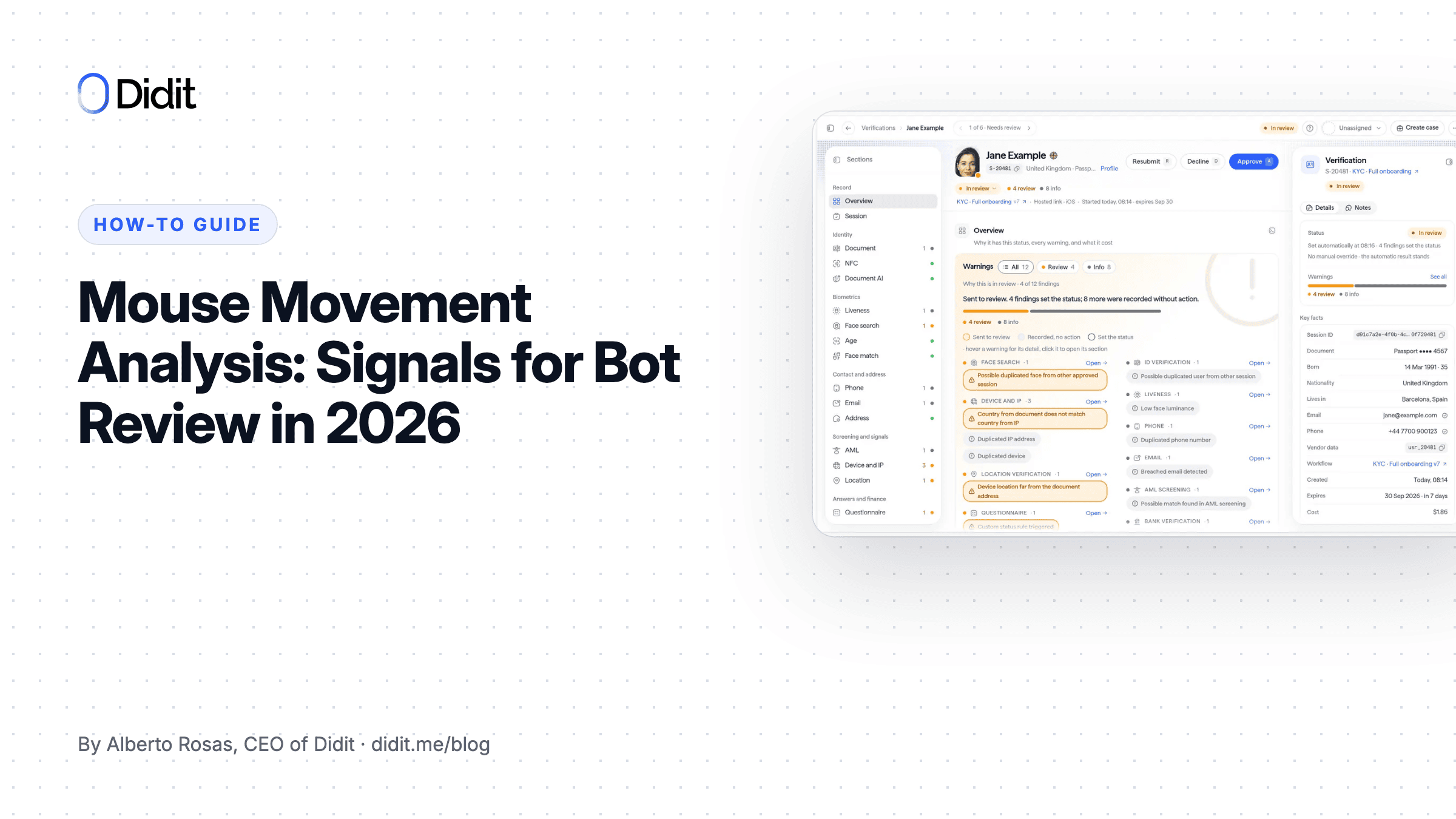
Mouse Movement Analysis: Signals for Bot Review in 2026
Mouse movement analysis scores how a pointer moves to flag scripts. Use it as custom event telemetry for monitoring and review, alongside Didit's Authentication bot policy and separate device and IP warnings.
 Alberto RosasCo-founder and CEO
Contents
In this guide
Jump to the part you need.
This guide is for product and risk teams who want to catch automated sign-ups and sign-ins without putting a puzzle in front of every user. Didit prices device and IP analysis at $0.03 inside the $0.33 full check, and Authentication is free for the first 50,000 active users a month. The caveat: pointer behavior is one custom signal. Didit decides its Authentication bot score on the server, and hosted verification warnings arrive in a separate flow.
Last updated: November 26, 2026. Prices checked against the live Didit price feed on November 26, 2026.
| Question | Answer |
|---|---|
| Outcome | Suspicious sign-ins are challenged through Authentication policy modes, and pointer telemetry gives reviewers extra evidence. Hosted verification warnings are read when a verification exists. |
| Recommended method | Start Authentication in Log mode and test Challenge on the documented Authentication bot signal. Send custom pointer telemetry as event data for monitoring and review. |
| Where the Didit score comes from | Authentication scores the request on a 0 to 1 scale; the bots policy matches at 0.8 or more. Event monitoring can assign a device bot score on a 0 to 100 scale when evidence exists. |
| Price | Device and IP analysis $0.03 per check, inside the $0.33 full KYC check. Authentication is free for the first 50,000 active users a month, then $0.02 per active user per month. |
| Main caveat | A page can dispatch synthetic pointer events. Pointer telemetry is one custom signal, and hosted verification warnings are a separate flow. |
| Review boundary | Authentication Log and Challenge evaluate the documented policy. Custom pointer telemetry is monitoring evidence, not an automated block. Hosted verification warnings are read separately. |
Start free in the sandbox at business.didit.me, with no sales call. Developers who want an assistant to wire the calls can connect Didit to an AI assistant through Didit MCP. Authentication documentation is at docs.didit.me/authentication/overview, bot protection at docs.didit.me/authentication/bot-protection, and prices are at didit.me/pricing.
What a mouse movement detector measures, and what it cannot
A mouse movement detector looks at the shape of pointer input rather than the form values. It can read coordinates over time, speed and acceleration, the curvature of a path between two fields, how long the cursor rests over a button, and whether a click lands with any travel before it.
Path shape, timing, and pauses can help flag unusual input. Straight and curved paths can both occur in human and automated sessions. Compare the signal against known test traffic before using it to change an outcome.
Two limits matter. First, a page can dispatch pointer events with plausible coordinates, so a headless browser can produce data that looks like input. Second, mouse data may be absent on touch, keyboard, or assistive-input paths. Touch events are not mouse movement. That is why we treat pointer behavior as one input to a decision, next to the server-side Authentication score and separately to hosted verification warnings.
Outcome and the method we recommend
The outcome is a sign-up and sign-in flow that challenges suspicious attempts while you measure how many challenges legitimate users see. The method has three parts, and they are separate on purpose:
- Start Authentication in Log mode. Read the matched signals. Test Challenge on the documented Authentication bot signal. The bots policy matches at 0.8 or more on a 0 to 1 score. Put it in Block only when you have reviewed the evidence and accept the result.
- Measure custom pointer telemetry for monitoring and review. Your application calculates the pointer features and submits one aggregate number with the event your app already sends. This is application-generated event data, not an Authentication policy.
- Read hosted verification warnings separately when a verification exists. Device and IP analysis runs during the hosted verification flow, and its warnings appear under
ip_analyses[]on the decision payload.
We expose Authentication policy results and monitoring event evidence through separate flows. After you enable bot protection, Didit checks the applicable policies on sign-up, sign-in and password reset. Each of the six policies has an Off, Log, Challenge or Block mode. A policy set to Off is skipped. Transaction monitoring evaluates the events your app submits, including the ones your page sends with a short-lived monitoring credential. Rate limits and bounded code attempts always apply.
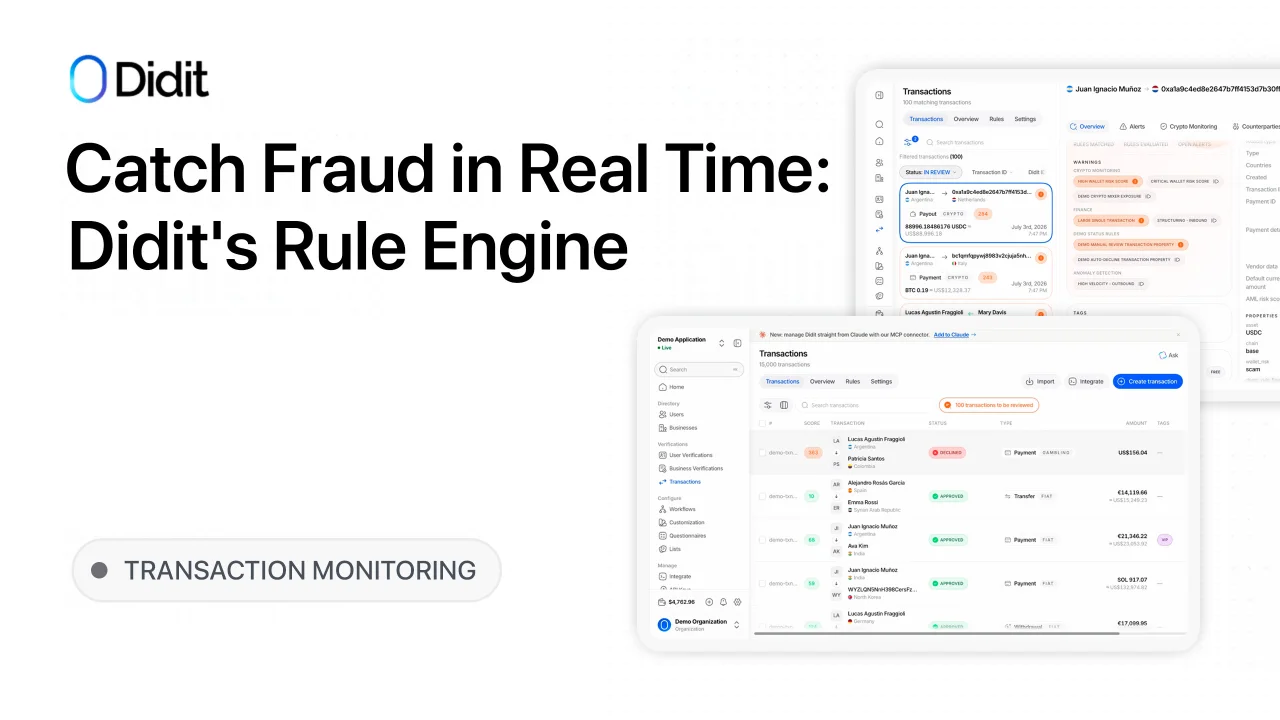
When to use each Didit path
| Path | Use it when | What you get |
|---|---|---|
| Native Authentication protection (documentation, pricing) | You need sign-up and sign-in enforcement with documented policies and modes. | Six policies, each Off, Log, Challenge or Block; matched signals in the console. |
| Custom event telemetry | You need application-specific signals such as pointer behavior, and you can review rule evidence. | Event enrichment, rule evaluation, and evidence that records field sources. |
| Hosted verification | You need identity documents, liveness, and device and IP analysis for a session. | A decision payload with ip_analyses[] warnings and the rest of the verification result. |
Prerequisites
- A Didit application. Sandbox testing is free on every plan.
- An API key and a workflow UUID from the Business Console, used by
POST /v3/session/. - Event ingestion switched on for the application. While it is off, the token endpoint answers
403withevent_monitoring_disabled. - A sign-in page you control, with pointer events available, and a backend that can mint a credential.
- Authentication protection turned on. Protection is off until you turn it on.
Steps
-
Write down the decision before you write code. Pick three outcomes: pass, challenge, review. Start Authentication with the
botspolicy in Log mode and read the matched signals. Test Challenge on the documented Authentication signal. Keep custom pointer telemetry for monitoring and review. Do not create a single automated block that combines the Authentication score, the pointer score, and a hosted verification warning, because the documented flows are separate. A person reviews the cases that need context. -
Measure pointer telemetry in your application. On your page, record pointer coordinates with timestamps. Sum the distance between consecutive points to get path length. Measure the straight-line distance between the first and last point. Divide the endpoint distance by the path length to get a ratio. The ratio and the sample count stay in your application, where the score is computed. Decide on a minimum sample count, treat it as an illustrative cutoff, and test whether it fits your traffic. If a session is below the cutoff, or the path length is zero, leave the score out of the event instead of sending a number.
Set an illustrative minimum sample count before you look at any session, say 10 samples. Example one: a session with 12 samples, a summed path length of 540 px and an endpoint distance of 420 px gives 420 / 540 ≈ 0.78. One illustrative way your application can turn that ratio into a 0 to 100 score is (1 - 0.78) x 100 = 22, so the event carries
payload.bot_score22. Example two: a separate session with 6 samples is below the cutoff, so you send no score for it. A ratio close to 1 means the path was close to a straight line. A lower ratio means more travel between the endpoints. Neither shape is a verdict, and the score comes from your own method, not from Didit. -
Turn on bot protection and set the policy modes. Read the current settings with
GET protection/and change them withPATCHonprotection/in your application's Authentication management API, or from the console. Turn protection on and setbotstolog. In a fresh test application, also set the other five policies tooffand keep breached-password checking disabled, so the test isolates the bot policy. If your application already has saved settings, setenabledtotrueandbotstolog. Preserve the savedbreached_password_checksetting and the other five policy modes.Fresh test application only.
{
  "enabled": true,
  "breached_password_check": false,
  "policies": {
    "bots": "log",
    "stuffing": "off",
    "brute": "off",
    "disposable": "off",
    "vpn": "off",
    "travel": "off"
  }
}
The
botspolicy matches when Didit's server scores the request 0.8 or more. Review the matched signals in Log mode before deciding whether to switch the policy to Challenge or Block. -
Mint a monitoring credential on your backend. The credential is scoped to one
vendor_data, so no API key ever reaches the browser.curl -X POST https://verification.didit.me/v3/events/sdk-token/ -H 'x-api-key: YOUR_API_KEY' -H 'Content-Type: application/json' -d '{"vendor_data": "user_391", "allowed_event_categories": ["auth", "session"], "ttl_seconds": 900, "max_uses": 1000, "bind_to_origin": "https://app.example.com"}'The response carries
monitoring_token,expires_atand the scope you asked for. Narrowingallowed_event_categorieslimits what a leaked credential could write, andbind_to_originmakes the browserOriginmatch exactly. -
Submit the sign-in event with the pointer score in the payload. Send it from the device with the credential in the
X-Monitoring-Tokenheader.curl -X POST https://verification.didit.me/v1/events/ -H 'X-Monitoring-Token: THE_MINTED_TOKEN' -H 'Content-Type: application/json' -d '{"event_id": "session-abc-login-1", "event_category": "auth", "action_type": "login", "occurred_at": "2026-08-31T20:40:31.123Z", "session": { "session_id": "web-session-abc", "sequence": 1 }, "device_context": { "fingerprint": "didit-fp-v2:a8c1" }, "payload": { "method": "password", "bot_score": 22 }}'The payload score in this example, 22, comes from the illustrative calculation above and is produced by your own scoring method. The payload carries no API key and no subject. Both are enforced server-side: the credential is scoped to one
vendor_dataat mint time, and asubjectblock in the body is overwritten. Abot_scoreyou post insidedevice_contextdoes not set the Didit score; it is kept asdevice_context.metadata.client_bot_score. Abot_scoreinpayloadstays in the payload, whereevent.bot.*rules read it. That is the field your pointer score belongs in. -
Read the event evidence. Inspect the enriched event and rule evidence. When Didit has enough evidence to assign a device bot score, it uses a 0 to 100 scale. The submitted payload keeps its own score. The sources used here do not publish an equivalent enforcement threshold for the event score, so use Authentication policy modes for sign-in enforcement and keep the event score for monitoring and review. Rule evidence records where each value came from, including whether it was derived from the request or supplied by the client.

A rule on the event lane, where the event device score and the payload score can be reviewed as evidence. -
Read the verification decision for device and IP warnings. IP analysis is session-only. The sequence is: create the verification session, open the returned
session.urlfor the user, then fetch the decision or subscribe to the webhook. The Web and Mobile SDK collect the device fingerprint and IP during that hosted flow. There is no standalone endpoint for the basic signal set.curl -X POST https://verification.didit.me/v3/session/ -H 'x-api-key: YOUR_API_KEY' -H 'Content-Type: application/json' -d '{"workflow_id": "YOUR_WORKFLOW_ID", "vendor_data": "user-123", "callback": "https://yourapp.com/post-kyc"}'The
callbackfield is the hosted-flow redirect destination. It is not the status webhook. After the user finishes, fetchGET /v3/session/{sessionId}/decision/or subscribe tosession.status.updated. The result lands underip_analyses[]on the decision payload, one entry per IP and device collection point in the workflow.IP analysis emits its warnings under the
LOCATIONbucket. The codes you will act on in this how-to areVPN_DETECTED,PROXY_DETECTED,TOR_DETECTED,DATACENTER_IP,DUPLICATED_DEVICE,POSSIBLE_DUPLICATED_DEVICE, andLOCATION_MISMATCH_WITH_DOCUMENT. The full catalogue is in the risk catalogue.
The session overview shows verification warnings next to the rest of the check. -
Route the outcome and log the reason. Challenge returns an extra proof to the user. For
bots,stuffing,disposableandvpn, a block returns403with{"error": "attempt_blocked"}before the password or code is checked, and the answer is identical whether the account exists or not. Forbruteandtravel, a password attempt returns400with{"error": "invalid_credentials"}and a code attempt returns400with{"error": "invalid_grant"}. Passkey, social and organization SSO attempts return403with{"error": "attempt_blocked"}. Authentication shows the matched policy and signals in its own record. Event monitoring shows rule evidence. The verification decision showsip_analyses[]warnings.
Expected output
When the bots policy is in Block mode and the Authentication score reaches 0.8, the sign-in call answers:
HTTP/1.1 403 Forbidden
{"error": "attempt_blocked"}
In Log mode the attempt continues and a risk_logged event records the match. For brute and travel, the block is recorded as an attempt_blocked event, but a password or code attempt answers like a wrong secret: 400 with {"error": "invalid_credentials"} for a password and 400 with {"error": "invalid_grant"} for a code. Passkey, social and organization SSO attempts answer 403 with {"error": "attempt_blocked"}.
On the event lane, the enriched event and rule evidence are available after submission. When Didit has enough evidence to assign a device bot score, it uses a 0 to 100 scale. The submitted payload keeps its own score. The event score has no published enforcement threshold in the sources used here.
When a verification exists, the decision payload lists ip_analyses[] entries with geo, ASN, VPN, proxy and Tor flags, fingerprint id, duplicate matches and LOCATION warnings. Authentication shows the matched policy and signals. Event monitoring shows rule evidence. These are separate records.
Failure cases and recovery
| Symptom | Cause | Recovery |
|---|---|---|
Token request returns 403 with event_monitoring_disabled | Event ingestion is off for the application. | Switch event ingestion on, then mint again. Do not cache a credential that was never issued. |
| The event has no bot score at all | Nothing in the request or the device evidence to read. | Treat it as unknown, not as zero. A missing score is not a pass. |
Your posted device_context.bot_score is ignored | Didit decides that score on the server. | Read it as device_context.metadata.client_bot_score and move your number to payload.bot_score. |
| A client tries to lower the score | The device can only raise it. | Nothing to fix. Evidence and an older SDK's own score can raise the value and never reduce it. |
| No pointer samples on a session | A phone, a keyboard user, an assistive-input path, or a page that loads late. | Send no score for that session and treat the score as unknown in review. |
vpn and travel stay silent in the sandbox | The lookup answers only for addresses Didit has already resolved. | Test with a known address or move the check to a live application. |
| Saved protection settings keep old modes | Settings you already saved are not rewritten by a new default. | Read GET protection/ and set each mode you want. |
ip_analyses[] is empty | The user blocked the SDK fingerprinting script. | Decide once whether you fail closed on that path or continue on soft signals, and write it down. |
Inputs and outputs
| Item | Where it comes from | Value you act on |
|---|---|---|
payload.bot_score | Your page, from pointer features | Illustrative score from your own method; event.bot.* rules read it |
device_context.bot_score | Didit event server | 0 to 100 when evidence exists; no published enforcement threshold |
| Authentication bots score | Authentication server | 0 to 1; matches at 0.8; blocks only when the mode is Block |
| Matched signals | Authentication detection | automation-ua, script-ua, browser-headers, webdriver, automation-artifact, headless, no-signals, client-score |
ip_analyses[] | Hosted verification decision | Geo, ASN, VPN, proxy and Tor flags, fingerprint id, duplicate matches, LOCATION warnings |
| Attempt answer | Authentication | 403 attempt_blocked, 400 invalid_credentials, 400 invalid_grant, a challenge, or a normal credential answer |
| Authentication record | Authentication console | Policy matched and the signals behind the score |
| Event rule evidence | Event monitoring | The rule that fired and the field source for each value |
| Verification warnings | Verification decision | ip_analyses[] warnings such as DUPLICATED_DEVICE or DATACENTER_IP |
Worked cost example
Take an eligible Free-plan organization that runs 100 completed full KYC checks in one month and has all $10 of monthly credit available. Prices are list prices from the feed on November 26, 2026.
- Full KYC: 100 x $0.33 = $33.00.
- Device and IP Analysis: 100 x $0.03 = $3.00. This is already inside the $0.33 full check, so it is part of the $33.00, not an extra line.
- Monthly credit: $33.00 - $10.00 = $23.00 paid from prepaid balance.
Authentication is billed by monthly active users. The first 50,000 are free, and each active user above that allowance costs $0.02 per month at list price.
This example does not include transaction monitoring. The price per monitored transaction beyond the plan allowance is $0.001. The published transaction rate does not establish a per-event price for the custom sign-in telemetry shown here.
Paid steps and where review starts
Device and IP analysis costs $0.03 and runs inside each verification session. The price per monitored transaction beyond the plan allowance is $0.001. Authentication bills $0.02 per active user per month after the first 50,000. Workflow orchestration, reusable KYC, the SDKs and the MCP server carry no separate fee.
The enforcement boundary follows the documented Authentication policy. Start in Log and measure. Move to Challenge on the bots policy when you have reviewed the matched signals. Use Block only when the documented Authentication policy is in Block mode and you accept the result. Custom pointer telemetry is monitoring and review evidence, not an automated block. When a verification exists, send DUPLICATED_DEVICE, POSSIBLE_DUPLICATED_DEVICE or LOCATION_MISMATCH_WITH_DOCUMENT to a person. Do not block on a pointer score alone.
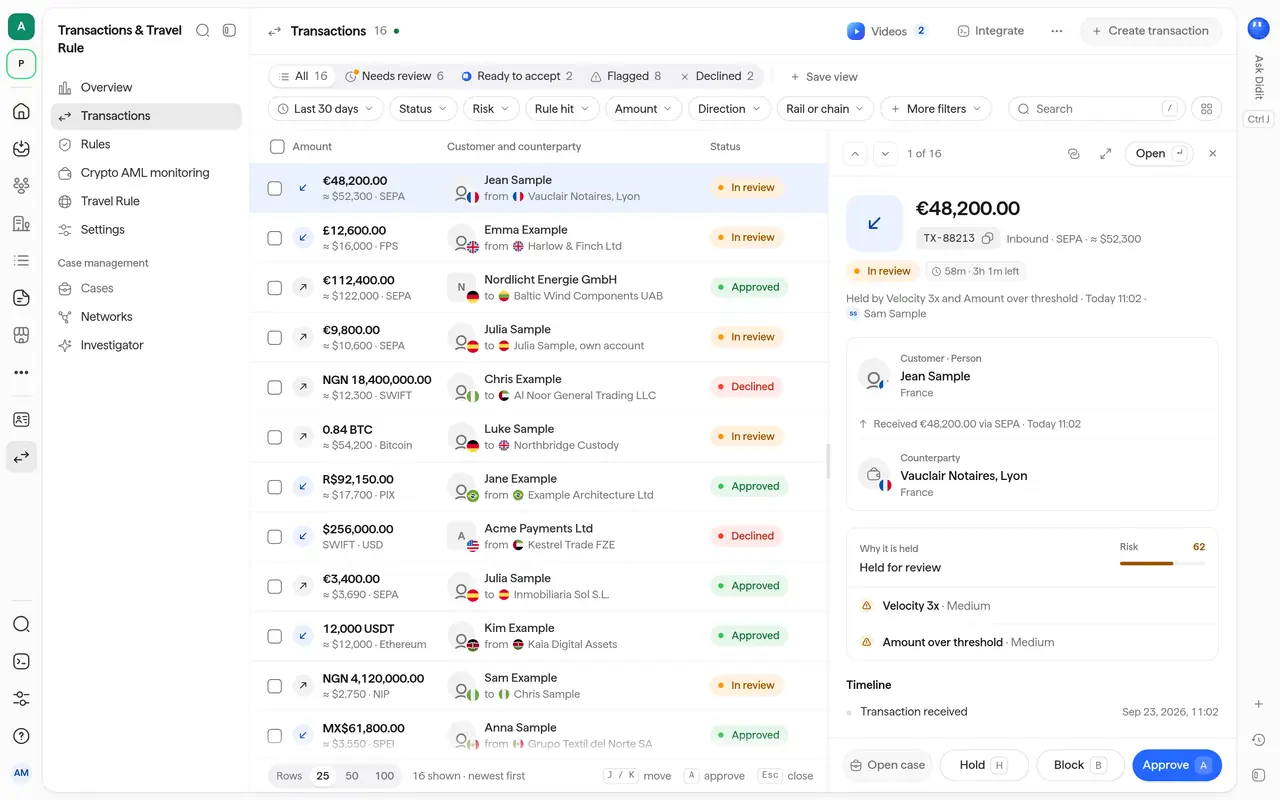
Validation plan before enforcement
Before you change a mode from Log to Challenge or Block, measure the challenge rate on legitimate test sessions. Use the same events and rules you plan to run in production.
- Manual mouse use. Run normal desktop sessions. Record sample counts and ratios. Check that the Authentication policy logs what you expect.
- Keyboard-only sign-in. Complete the flow without a pointer. Expect missing or sparse pointer data, and confirm your application sends no score for those sessions.
- Touch. Run phone and tablet sessions. Distinguish touch events from mouse movement, and confirm mobile sessions still reach the Authentication policies.
- Authorized browser automation. Run your own automation harness against a test application. Check which Authentication signals fire and whether the event score appears. Do not use real users as test traffic.
Write down the false-challenge count and the sample cutoffs you used. If keyboard or touch sessions receive Authentication challenges, inspect the matched Authentication signal. If those sessions produce misleading pointer scores, adjust the sampling cutoff in your application and keep insufficient samples unscored.
Sources
- Didit docs: Bot protection at sign-in, read November 26, 2026
- Didit docs: Authentication overview, read November 26, 2026
- Didit Authentication product page, read November 26, 2026
- Didit docs: SDK event submission, read November 26, 2026
- Didit docs: Device fingerprinting and IP risk, read November 26, 2026
- Didit docs: IP analysis risk catalogue, read November 26, 2026
- Didit docs: Create session API, read November 26, 2026
- Didit docs: Event rules and evidence, read November 26, 2026
- Didit docs: Web SDKs, read November 26, 2026
- Didit docs: Pricing and billing, read November 26, 2026
- Didit pricing page, read November 26, 2026
- Didit pricing JSON, the live price feed, read November 26, 2026
- Didit MCP server, read November 26, 2026
Next step: open the sandbox at business.didit.me, create an application, and run the Authentication policy and event submission calls above against test data. No sales call, and sandbox testing is free on every plan.
Try it
Try this in the sandbox
Run the check this guide describes, free.
The product this post is about, taken from its topic. Run it free in the sandbox.
Author
Alberto Rosas
Co-founder and CEO

Keep reading
Other guides in the same topic.
 What Is the Purpose of FICA in South Africa? 2026 Guide
FICA is South Africa's anti-money laundering law. It creates the Financial Intelligence Centre and requires accountable institutions to identify and verify clients, screen for PEP and sanctions risk and report suspicious.
Alberto RosasNov 26, 2026 Sixth Money Laundering Directive (6AMLD): What Changed and Which Rules Apply
6AMLD is Directive (EU) 2018/1673: Member States must criminalise laundering, widen predicate offences and set a four-year penalty floor. It adds no new due diligence duties for firms.
Alberto RosasNov 26, 2026 Automated Sanctions Screening: Canada, the Entity List and Embargoes
Automated sanctions screening matches people and companies against lists such as Canada's autonomous sanctions made under SEMA and JVCFOA and the OFAC SDN List, and returns candidate hits scored for identity confidence and.
Alberto RosasNov 26, 2026Questions
Frequently asked questions
What is a mouse movement detector?
A mouse movement detector is code that reads pointer input and scores how it moved: path shape, speed, pauses and hover time. It uses those readings to flag unusual input. It is a signal for a decision, not a verdict on its own.
Does Didit collect mouse movements for me?
The integrations described here do not document a dedicated mouse-movement field. If your application calculates a pointer score, submit it in the event payload. Didit calculates its event device bot score separately.
What does Didit's Authentication bot score measure, and when does it block?
In Didit Authentication, the bots policy matches at 0.8 or higher and blocks only when set to Block. The server scores the request on a 0 to 1 scale from the user agent, browser headers, automation artifacts, and what the hosted page or a Didit SDK saw, such as WebDriver detection or a headless browser. Each detection in the console lists the signals that matched.
How do I send my own pointer score to Didit?
Mint a monitoring credential from your backend with POST /v3/events/sdk-token/, then post the event to /v1/events/ with the X-Monitoring-Token header and your number in payload.bot_score. Rules read that field as event.bot.*. A bot_score you put in device_context is stored as device_context.metadata.client_bot_score.
What happens when an event has no bot score?
When Didit has nothing to go on, the event has no bot score, not zero. Your rule should treat that as unknown and fall back to device, network and identity signals. A missing score must never count as a pass.
Does mouse movement analysis work on mobile?
Mouse data may be absent on touch, keyboard, or assistive-input paths, so pointer telemetry is often empty or sparse on a phone. Touch events are not mouse movement. Send no score for that session and treat it as unknown. Device and IP analysis runs in hosted verification sessions on mobile the same way it runs on desktop.
What does a blocked attempt return?
For the bots, stuffing, disposable and vpn policies, a block returns 403 with {"error": "attempt_blocked"} before the password or code is checked. For brute and travel, a password attempt returns 400 with {"error": "invalid_credentials"} and a code attempt returns 400 with {"error": "invalid_grant"}. Passkey, social and organization SSO attempts return 403 with {"error": "attempt_blocked"}. The console event always shows which policy matched.
Can a bot fake human mouse movement?
It can, and some do. A page can dispatch pointer events with plausible coordinates and timing, so a pointer score built on coordinates alone is weak. Compare the signal against known test traffic and use it for monitoring and review. Do not make it the only reason for a block.
How much does this cost?
Device and IP analysis is $0.03 per check and is part of the $0.33 full KYC check. The price per monitored transaction beyond the plan allowance is $0.001. Authentication is free for the first 50,000 active users each month, then $0.02 per active user per month at list price. The published transaction rate does not establish a per-event price for the custom sign-in telemetry shown here.
Do I need a separate KYC session for Didit's VPN and impossible-travel sign-in policies?
No. The vpn and travel policies use the Authentication IP lookup when it is available. If that lookup is unavailable, the attempt continues and a sign-in never fails because of it. Hosted verification reports are a separate flow, and warnings from a verification decision are read under ip_analyses[].
Compliance built in
Audited, certified and attested.
We hold the certifications and build each country's rules into your flows, so you can launch anywhere without worrying. Security and Compliance center
- Regulation encoded into your flows
Tell us what you do and where. Didit lists the rules that apply to you, with sources, and builds the checks each country needs into one workflow.
- Ready for AMLR
Every requirement of the new EU anti-money laundering rules, from checking customers to human review, is already covered by a Didit check.
- Tested in Spain's Treasury sandbox
Spain's Treasury published its supervised sandbox report on Didit's NFC plus active liveness onboarding; SEPBLAC took part and valued the added measures positively.
- Audited, not self-declared
iBeta Level 1 and Level 2. Liveness tested under ISO/IEC 30107-3.
Your obligations · 3 regions
 SOC 2 Type 2
 ISO 27001
 iBeta Level 1 and Level 2
 EU regulator attestation
 FSM youth protection
 GDPR
 EBA remote onboarding
 MiCA compatible
 FIDO Alliance member
- AMLREU AML Regulation ready
Integration · Didit MCP
Run Didit from your own AI agent
Connect Didit to Claude, Cursor, VS Code or ChatGPT and just ask in plain words. Your agent can do anything you can do in the console, with the same permissions you have.
 Add to Claude
 ChatGPT
 Cursor
- Build workflowsDescribe the checks you need. The agent creates and publishes the flow.
- Run investigationsAsk why a session was declined, review cases, search people and companies.
- Change rulesCreate payment rules, test them on past data and switch them on.
- Pull reportsAsk for numbers, exports or the audit log.
Didit Academy


