How to Normalize Names and Dates of Birth Before Database Verification
Normalize names to the spelling the registry holds and send date of birth as ISO 8601 before a Didit Database Validation call. Pricing varies by service; $0.05 per check is the lowest published example.
 Alberto RosasCo-founder and CEO
Contents
In this guide
Jump to the part you need.
This guide is for teams that hold an identity record and check it against a government registry. It covers the name and date-of-birth cleanup that decides whether the lookup matches, then the exact Didit Database Validation call. Pricing varies by service and country; $0.05 per check is the lowest published example. The caveat: normalization fixes formatting, not spelling. If the registry holds a different name, the record will not match, so read the per-field result, not only the overall status.
Last updated: November 26, 2026. Prices checked against the live Didit price feed on November 26, 2026.
| Item | Answer |
|---|---|
| Result | A normalized identity record plus a registry match type: full_match, partial_match or no_match, with the fields that matched. |
| Install route | Three documented routes: the API recipe POST /v3/database-validation/, the MCP connector at mcp.didit.me, or a hosted session with the DATABASE_VALIDATION feature. |
| Price | Database Validation pricing varies by selected service and country. $0.05 per check is the lowest published example; specialist sources can reach $7.00. |
| Prerequisites | Any plan, a Business Console account, an API key, and prepaid credit for live calls. Sandbox testing is free. |
| Normalization scope | Given and family names, and date_of_birth as an ISO date, decided before the call leaves your code. |
| Cost of both ends | Normalization runs in your own code at no Didit charge. Billing depends on the service. Some no-match lookups and retries are billable, so check the current Database Validation pricing table. |
Start free in the sandbox at business.didit.me, no sales call. For developers who want to run lookups from an AI assistant, connect Didit over MCP at didit.me/developers/mcp. Every price below is checked against didit.me/pricing and the Database Validation documentation.
Why a registry lookup fails on a record that looks correct
Database Validation sends your fields to the source that issued the record: a national civil registry, a tax authority, an electoral roll, a credit bureau or a biometric registry. The source compares what you send against what it holds. There is no fuzzy tuning knob on that comparison from the outside, so a record that is obviously correct to a human can fail as a machine one. Common causes include stripping diacritics, swapping name order, sending a local date format, and sending a placeholder where a real value belongs.
| What happened upstream | What reaches the service | What you see back |
|---|---|---|
| Accents stripped | Nunez where the register holds Núñez | partial_match on last_name |
| Encoding mangled | José from a CSV import | no_match |
| Name order swapped | family name in first_name | partial_match |
| One of two family names sent | García instead of García López | partial_match or no_match |
| Local date format | 15/01/1990 | rejected field, or no match on date_of_birth |
| Placeholder kept as data | 1900-01-01 from an empty form | no_match, read as a synthetic identity |
| Wrong country code | BR instead of BRA | HTTP 400, service id not eligible for that issuing_state |
The fields Database Validation reads
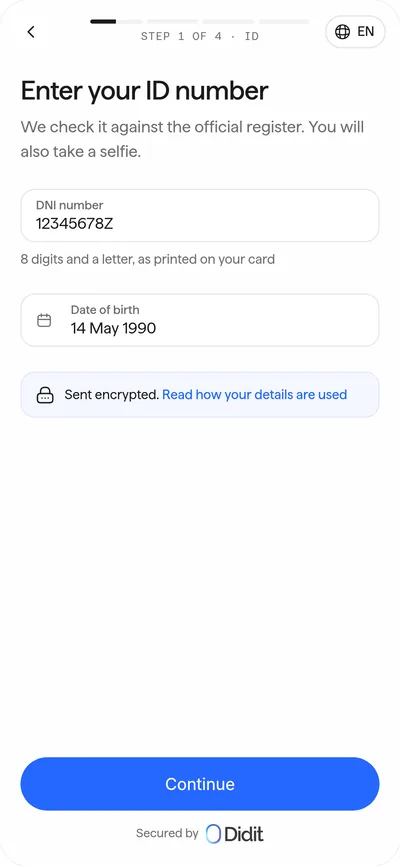
The standalone endpoint takes multipart form fields. Use the universal identification_number: Didit maps it to CPF, RUT, CURP, DNI and the other national identifiers by issuing_state, so the country code has to be right before anything else is.
| Field | Format | Note |
|---|---|---|
issuing_state | ISO 3166-1 alpha-3 | BRA, ARG, DOM. Not alpha-2. |
identification_number | string, as the country prints it | Mapped to the country identifier by issuing_state. |
first_name | text | Given name or names. |
last_name | text | Family name or names. |
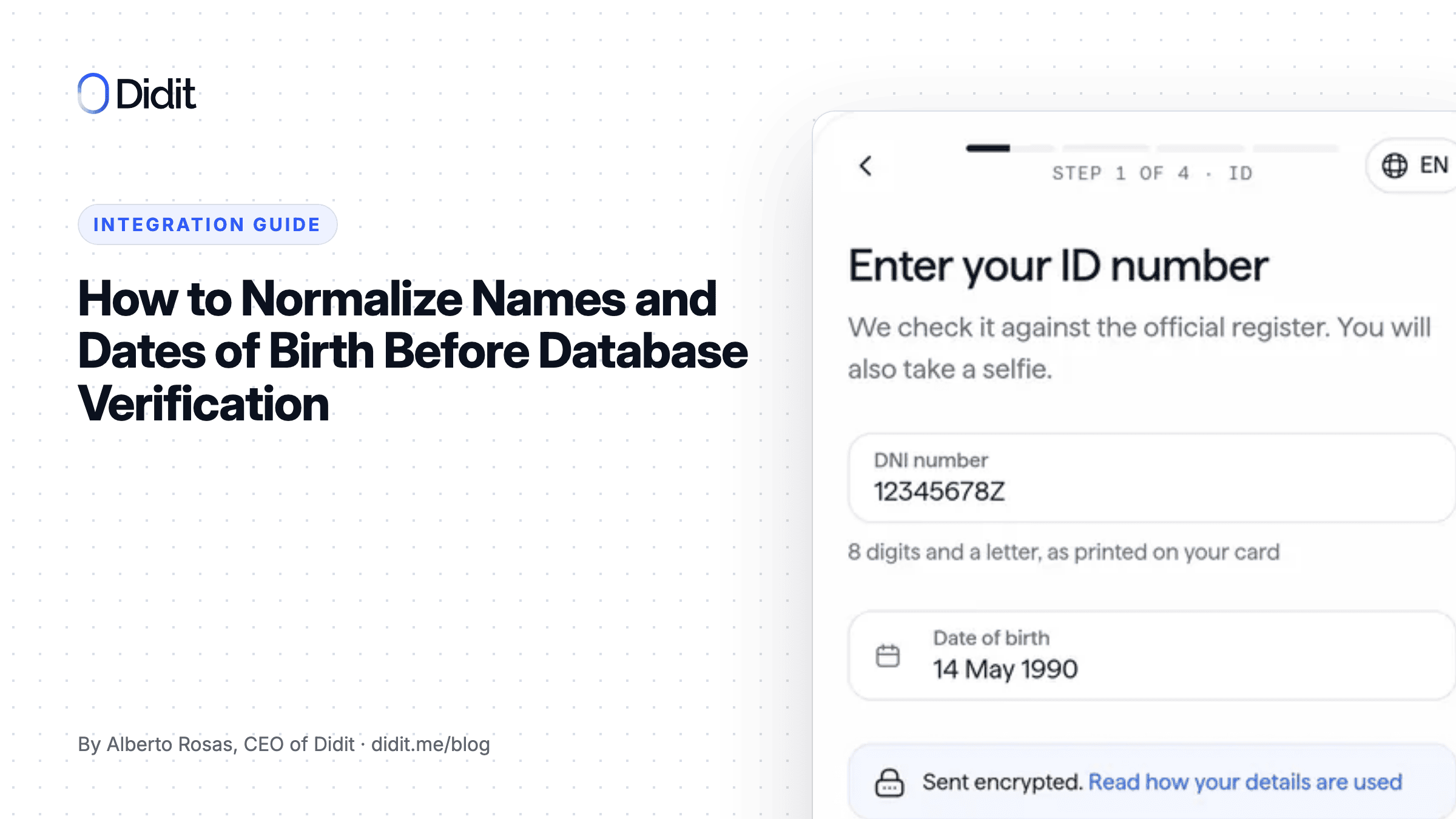
date_of_birth | ISO date, YYYY-MM-DD | The docs use 1990-01-15 in the example call. |
services | array of service ids | Omit to run the country default; pass bra_cpf or several ids to choose. |
consent | boolean | Required when the catalog flags the service requires_consent=true, otherwise HTTP 400. |
selfie and gender | JPG, PNG or WebP up to 2 MB | Only for arg_renaper and pan_sib, which face-match against the registry photo. |
vendor_data | string | Your user id, echoed back for reconciliation. |
How to normalize names
Normalize Unicode first, then decide about diacritics
Convert every string to Unicode NFC before comparing or storing it. A decomposed e followed by a combining accent and a precomposed é look identical on screen and compare as different bytes, so half your cleanup work disappears into that. Once the encoding is stable, decide diacritics per source rather than globally. The machine-readable zone of a passport is uppercase ASCII; the visual zone of the same passport keeps its accents. Both describe the person, but they are not interchangeable. Where you cannot tell, consider sending the visual-zone spelling with the accents intact, and verify the exact source convention for that country before you rely on it. A partial_match on first_name tells you the form was wrong and you can correct it; a record that silently lost an accent looks correct and keeps failing.
Keep the order the document prints
Send given names in first_name and family names in last_name. Do not merge them into one field and do not reverse them to match your own display convention. Spanish and Portuguese records also carry two family names often enough that dropping the second one is a common cause of a partial match. If you collected the name from a document, take the split from the document's own fields rather than from a single free-text input.
Keep particles with the name they belong to
Particles such as de, da, dos, van, von and bin are part of the family name where the document puts them. Do not strip them to make sorting easier, and do not move them into a separate column that never reaches the API. Trim leading and trailing whitespace and collapse repeated spaces, then stop. Those two operations are safe; everything beyond them is a decision you should make per country.
Do not fill gaps with guesses
If the user gave an initial, send the initial. Do not expand it. If the form has no middle name, send an empty value rather than inventing one. If a name is longer than your database column, widen the column instead of truncating, because a truncated family name is likely to cause a partial match. Placeholder text such as N/A, unknown or a single dash should be treated as missing data and should stop the lookup rather than travel to the registry.
How to normalize dates of birth
Send date_of_birth as an ISO date, YYYY-MM-DD. The same format applies when you correct a stored field later through the Update Session Data API, which lists date_of_birth as an ISO date in its mutable fields.
- Zero-pad month and day:
1990-01-05, never1990-1-5. - Keep four digits in the year. Turning
90into1990is a guess about a person's age, so ask instead of inferring. - Drop the time and the timezone. A timestamp of
1990-01-15T23:00:00-05:00is 16 January in UTC, and picking the wrong side of midnight turns a full match into a partial one. - Reject calendar-impossible dates in your own validation (
1990-02-31) before they reach the API. - Treat placeholder dates (
00/00/1990,1900-01-01) as missing values. Sending one producesno_match, which your policy will then read as a synthetic identity. - Never reorder day and month by locale. If a source system gives you
03/04/1990, resolve it against the source's own convention before you format it.
Prerequisites
| Requirement | Detail |
|---|---|
| Plan | Any plan. Sandbox testing is free and unlimited on every plan. Free includes $10 of monthly credit for organizations that sign up with a work email, and phone codes are excluded from that credit. |
| Account | An organization in the Business Console at business.didit.me. |
| Credential | An API key from the console, sent as the x-api-key header. |
| Client | curl or your server for the standalone call; the Web or Mobile SDK for a hosted session; an MCP client for the connector. |
| Permission | The key alone is enough for the standalone lookup. Correcting a session KYC record with PATCH /v3/session/{session_id}/update-data/ needs the write:sessions privilege, from an API key or a user-auth token. |
| Billing | Prepaid credit. The endpoint answers HTTP 403 with the not-enough-credits error when the balance cannot cover the call, before any processing. |
| Consent | End-user consent captured for any service the catalog flags requires_consent=true. |
Install route: the API recipe, the MCP connector, or a hosted session
Route 1: the documented API recipe
Best when you already hold the record and want to control every field you send. One server-to-server call, no session, no front end. This is the route the steps below use, and it is the only one where you decide the exact spelling of first_name and last_name rather than having them read from a document.
Route 2: the MCP connector
Best when the person doing the check works inside an AI assistant. The hosted server is at https://mcp.didit.me/mcp with OAuth sign-in, and the MCP server is included free on every plan. Add it through your MCP client's custom connector dialog, or follow the setup notes for every client at didit.me/developers/mcp. The normalization rules do not change: the assistant still needs the accent-correct name and an ISO date of birth as inputs.

Route 3: a hosted session with the DATABASE_VALIDATION feature
Best when the user is present and can correct a rejected field themselves. In session mode the fields are fed into the lookup from the steps in front of it, such as ID Verification, NFC, Liveness, Phone or Email Verification, Proof of Address, Document AI or a Questionnaire. An ID Verification step is not required. The trade-off is that the document read decides the spelling, so a misread accent becomes your normalization problem after the fact.
Step by step, from a raw record to a registry result
Choose the country and service. Set
issuing_stateas ISO 3166-1 alpha-3 and read the rate for that exact service in the per-service pricing table. Omitservicesto run the country default only, or passservices=["bra_cpf"]to choose, and list several ids to run more than one service in a single request.Normalize the two name fields. Apply the rules above: NFC, trim, collapse spaces, keep particles, keep order, no guessing. Record which form you sent so that a partial match has a cause you can look up.
Normalize
date_of_birthtoYYYY-MM-DD. Drop the time and timezone, refuse impossible dates, and stop the request when the value is a placeholder rather than a real date.Send the lookup. The docs example for a Brazil CPF is the template:
Normalization checklist before you send:
issuing_stateis ISO 3166-1 alpha-3.- Names are NFC, trimmed, spaces collapsed, particles kept and order preserved.
date_of_birthisYYYY-MM-DD, with no time or timezone.- No placeholder values for names or dates; stop the request instead.
curl -X POST 'https://verification.didit.me/v3/database-validation/' \
-H "x-api-key: $DIDIT_API_KEY" \
-F "issuing_state=BRA" \
-F "identification_number=00000000191" \
-F "first_name=Jane" \
-F "last_name=Doe" \
-F "date_of_birth=1990-01-15" \
-F "vendor_data=user-1234"
Read the answer, per field. The response carries the overall type and the detail underneath it:
{ "request_id": "...", "database_validation": { "match_type": "full_match", "validation_type": "...", "services_used": [...], "match_score": 0.0, "validations": [ { "service": "...", "status": "...", "matched_fields": [...], "record_details": {...} } ], "warnings": [...] } }matched_fieldsis the part that tells you whether normalization was the problem.match_typevalues arefull_match,partial_matchandno_match; warning codes includeDATABASE_VALIDATION_NO_MATCH,DATABASE_VALIDATION_PARTIAL_MATCHandCOULD_NOT_PERFORM_DATABASE_VALIDATION. The full catalogue is in the warnings reference and the outcome codes.Or run it inside a session. Add the
DATABASE_VALIDATIONfeature to the workflow in the Business Console or withPOST /v3/workflows/, optionally pinning specific services per country. Create the session withPOST /v3/session/and{ workflow_id, vendor_data, callback }, opensession.urlfor the user, then fetch the decision withGET /v3/session/{sessionId}/decision/or subscribe tosession.status.updated. The result is thedatabase_validations[]array, one entry per lookup in the workflow.Correct a stored field when the read was wrong. If a document step misread an accent or a date, fix the session KYC record instead of asking the user to resubmit:
curl -X PATCH "https://verification.didit.me/v3/session/<SESSION_ID>/update-data/" \
-H "x-api-key: <API_KEY>" \
-H "Content-Type: application/json" \
-d '{
  "first_name": "John",
  "last_name": "Doe",
  "date_of_birth": "1990-01-01",
  "issuing_state": "ESP",
  "extra_fields": { "municipality": "Madrid" }
}'
The PATCH is partial: only the fields you send change, and sending
nullon anextra_fieldskey removes it. Two side effects matter for normalization. A change to KYC name, date of birth or nationality can re-trigger AML if AML was still running, and an address change re-runs geocoding asynchronously without ever failing the update. The full mutable field list is in the Update Session Data docs.

Field and event mapping
| Didit field or event | Where it appears | Map to | Note |
|---|---|---|---|
identification_number | Request field | national_id | Universal field, resolved by issuing_state. |
first_name, last_name | Request field, and mutable on update-data | given_name, family_name | Store the exact string you sent, plus the normalized form. |
date_of_birth | Request field, and mutable on update-data | dob as a DATE column | ISO YYYY-MM-DD in both places. |
issuing_state | Request field, and mutable on update-data | country_iso3 | ISO 3166-1 alpha-3. |
vendor_data | Request field, echoed in the decision | your user id | The join key back to your record. |
database_validation.match_type | Standalone response; database_validations[] in the decision | registry_match | full_match, partial_match, no_match. |
validations[].matched_fields | Inside each service result | a per-field match table | The diagnostic for normalization errors. |
warnings[].risk | Every warning object | your risk table | Filters on feature: DATABASE_VALIDATION; each warning also carries node_id. |
session.status.updated | Webhook | session lifecycle | Fires as the session moves through its statuses. |
data.updated | Webhook | field correction log | Fires after a successful PATCH, with session_kind of user or business. |
id_lookup.source | Session payload | provenance record | Names the exact source queried for that country, for you and your auditors. |
Test in the sandbox
Sandbox testing is free and unlimited, so build the normalization path against sandbox first and only move to live credit once a full match, a partial match and a no match all land where you expect. The docs example request (Brazil, identification_number=00000000191, first_name=Jane, last_name=Doe, date_of_birth=1990-01-15) is the template; replace the values with your own sandbox records and do not assume the example's outcome.
| Case | What you send | Expected | If it goes wrong |
|---|---|---|---|
| Correct record | Accent-correct names, ISO date, correct alpha-3 country | match_type: full_match | partial_match means one field's spelling differs; read matched_fields. |
| One field differs | Accent stripped on the family name | partial_match | Send the visual-zone spelling and re-check; route the record to review rather than declining it. |
| Not in the register | Fabricated or unknown identifier | no_match | Confirm the record is real and normalized before treating it as a synthetic identity. |
| Wrong country code | issuing_state=BR | HTTP 400, service not eligible | Use ISO alpha-3 and confirm the service exists for that country. |
| Missing consent | Service flagged requires_consent=true, no consent | HTTP 400 | Capture consent and resend with consent=true. |
| Biometric service incomplete | arg_renaper or pan_sib without selfie and gender | HTTP 400 | Send a JPG, PNG or WebP under 2 MB plus the gender field. |
| Upstream outage | Any request where every selected service fails | HTTP 502 with validation_errors[] | Not billed, and a COULD_NOT_PERFORM_DATABASE_VALIDATION log is written. Retry later or fall back to OCR only. |
| No balance | Live call with an empty balance | HTTP 403, not enough credits | Top up; the call is refused before any processing. |
| Correcting a session | update-data on a session with no session KYC record | HTTP 404 | Check the session id and the node_id of the KYC instance you meant. |
| Missing privilege | update-data with a key lacking write:sessions | HTTP 403 | Use a key with the privilege, or a user-auth token. |

Disconnect and revoke
Disconnecting is two actions, and doing only one leaves access open. Remove the connector in the MCP client where it was added. Then retire the API key you issued for the integration, because the connector and the key are separate credentials. Sessions already created stay in the Business Console with their decisions and audit records, so export whatever you need first.
What it costs on both ends
Normalization itself has no Didit charge. It runs in your own code, before the request, and the MCP server, the Workflow Orchestrator and the SDKs are all free on every plan. What you pay for is the lookup. Billing depends on the service: some no-match lookups and retries are billable, so check the current Database Validation pricing table before you size a budget.
Worked example, using published unit prices. A monthly file of 30,000 first-time lookups on a service priced at $0.05 per check, the lowest published Database Validation example. Your selected service and country rate may be higher.
- 30,000 lookups x $0.05 = $1,500.00
- Assume 8% of records arrive with a name or date the register will not match as typed: 30,000 x 0.08 = 2,400 corrected records
- One more lookup each: 2,400 x $0.05 = $120.00
- Monthly total: $1,500.00 + $120.00 = $1,620.00
- Compare the same 30,000 people as full KYC at $0.33: 30,000 x $0.33 = $9,900.00
- Difference: $9,900.00 minus $1,620.00 = $8,280.00
That gap is why the normalization step earns its place. Every 1,000 avoidable lookups at $0.05 costs $50.00, so the only real question is how many of your records would fail a first pass. Read the per-service and per-country rate before you size anything, because the price varies by selected service and country and a specialist source can sit far above the cheap end of the range. Some no-match lookups and retries are billable, and the docs pricing page lists them. On volume plans, Growth is $99 a month with 4% off every Didit price and Scale is $299 a month with 10% off. The documented per-call prices also live in the price book behind didit.me/pricing and the machine-readable pricing.json.
Sources
- Didit docs: Database Validation API overview
- Didit docs: per-service Database Validation pricing
- Didit docs: Database Validation warnings
- Didit docs: Database Validation outcome codes
- Didit docs: Non-document ID verification and the source per country
- Didit docs: ID Verification overview
- Didit docs: Update Session Data API
- Didit docs: Data models and canonical schemas
- Didit docs: Pricing and billing rules
- Didit docs: full integration playbook
- Didit pricing page and pricing.json, read November 26, 2026
- Didit MCP server setup
- No third-party vendor pages were used for this page; every price and behaviour above comes from Didit's own documentation and live price feed.
Next step: open the sandbox at business.didit.me, create an API key, and run the documented lookup against a handful of normalized sandbox records before you touch live credit. No sales call, and sandbox testing is free on every plan.
Try it
Try this in the sandbox
Run the check this guide describes, free.
The product this post is about, taken from its topic. Run it free in the sandbox.
Author
Alberto Rosas
Co-founder and CEO

Keep reading
Other guides in the same topic.
 How to Require a Fresh Sign-In Before MFA or Recovery Email Changes
A recovery email or phone number change uses the documented contact step-up rule: call the step-up endpoint, send the person to verification_url, and write the change only after your backend reads an approved step-up.
Alberto RosasNov 26, 2026 AML Transaction Monitoring Red Flags and Solutions 2026
Red flags: structuring, round-amount layering, rapid in-and-out, velocity spikes, high-risk jurisdictions, sanctions hits. Didit scores each transaction, $0.001 beyond the plan allowance;
Alberto RosasNov 26, 2026 Client Onboarding Compliance: KYC, KYB and AML Checks 2026
Client onboarding compliance means verifying the person (KYC), the business and its owners (KYB), and screening everyone against sanctions, PEP and adverse media (AML).
Alberto RosasNov 26, 2026Questions
Frequently asked questions
How do I normalize a name with accents before a database verification?
Convert the string to Unicode NFC, trim the ends and collapse repeated spaces, then keep the accents. Send the spelling the identity document's visual zone shows, but verify the exact source convention for that country before you rely on it. A partial_match on first_name or last_name in the Didit response tells you the form was wrong, so you can correct and retry instead of guessing up front.
What date format does Didit Database Validation expect for date of birth?
An ISO date, YYYY-MM-DD, such as 1990-01-15 in the documentation's example call. The Update Session Data API also lists date_of_birth as an ISO date when you correct a stored record. Drop the time and timezone, zero-pad the month and day, and never send a placeholder such as 1900-01-01 for a value you do not have.
Does Didit normalize names for me before the registry lookup?
Our documentation does not describe a normalizer sitting between the document read and the registry call, so the field you send is the field the source compares. Didit does map identification_number to the country's identifier (CPF, RUT, CURP, DNI and others) based on issuing_state. Treat name and date cleanup as your responsibility, or you inherit whatever OCR or a CSV import produced.
What does partial_match mean and what should I do with it?
partial_match means some fields matched the register and others did not, for example the date of birth matched and the family name did not. The per-service validations[] entry lists which fields matched, so you can see whether the cause is a spelling, an accent or a name order. The docs recommend routing a partial match to review, and in session mode the workflow's configured partial-match action decides between Approved, In Review and Declined.
What does no_match mean, and is it billed?
no_match means the record is not in the registry, which the docs say to treat as a synthetic identity under your own policy. Confirm two things first: that the record is real, and that you normalized it before sending. Billing depends on the service; some no-match lookups and retries are billable, so check the current Database Validation pricing table. A request where every selected service fails returns HTTP 502 and is not billed.
Can I fix a name or a date of birth after a session is finished?
Yes, with PATCH /v3/session/{session_id}/update-data/, which accepts first_name, last_name, date_of_birth, issuing_state and other KYC fields as a partial update. The session must be in Approved, Declined, In Review or Kyc Expired status and must carry a session KYC record. Changing a name, date of birth or nationality can re-trigger AML if that check is still running, and a successful patch fires a data.updated webhook.
Which countries use a government registry and which use something else?
Most are a government register, such as the Department of Home Affairs in South Africa, RENAPER in Argentina, UIDAI in India or the CPR register in Denmark. In Canada, France, Indonesia, the Netherlands, Norway, Singapore, the United Kingdom and the United States the authoritative record Didit can reach is a credit-bureau, financial-services, utility or residential-records file rather than a state register. That changes what the match proves and what you can say to a regulator, so read the source column for the country before enabling it.
How much does Database Validation cost?
Pricing varies by the selected service and country, from $0.05 per check as the lowest published example up to $7.00 for the most expensive specialist sources; Finland's National ID is $2.10 as an example of a high-wholesale source. There are no monthly minimums or platform fees on the lookup. Billing depends on the service; some no-match lookups and retries are billable, so check the current Database Validation pricing table before you size a budget.
Can I run Didit Database Validation from Claude or ChatGPT?
Yes. Didit hosts an MCP server at https://mcp.didit.me/mcp with OAuth sign-in, and the server is included free on every plan. Add it through your MCP client's custom connector dialog. The inputs still have to be normalized before the assistant calls the lookup.
Why does issuing_state matter so much for the ID number?
identification_number is a universal field, and Didit resolves it to CPF, RUT, CURP, DNI or another national identifier using issuing_state. Send the country as ISO 3166-1 alpha-3, so BRA and not BR. A wrong or alpha-2 code returns HTTP 400 with the service not eligible for that issuing_state, and the lookup never runs.
Compliance built in
Audited, certified and attested.
We hold the certifications and build each country's rules into your flows, so you can launch anywhere without worrying. Security and Compliance center
- Regulation encoded into your flows
Tell us what you do and where. Didit lists the rules that apply to you, with sources, and builds the checks each country needs into one workflow.
- Ready for AMLR
Every requirement of the new EU anti-money laundering rules, from checking customers to human review, is already covered by a Didit check.
- Tested in Spain's Treasury sandbox
Spain's Treasury published its supervised sandbox report on Didit's NFC plus active liveness onboarding; SEPBLAC took part and valued the added measures positively.
- Audited, not self-declared
iBeta Level 1 and Level 2. Liveness tested under ISO/IEC 30107-3.
Your obligations · 3 regions
 SOC 2 Type 2
 ISO 27001
 iBeta Level 1 and Level 2
 EU regulator attestation
 FSM youth protection
 GDPR
 EBA remote onboarding
 MiCA compatible
 FIDO Alliance member
- AMLREU AML Regulation ready
Integration · Didit MCP
Run Didit from your own AI agent
Connect Didit to Claude, Cursor, VS Code or ChatGPT and just ask in plain words. Your agent can do anything you can do in the console, with the same permissions you have.
 Add to Claude
 ChatGPT
 Cursor
- Build workflowsDescribe the checks you need. The agent creates and publishes the flow.
- Run investigationsAsk why a session was declined, review cases, search people and companies.
- Change rulesCreate payment rules, test them on past data and switch them on.
- Pull reportsAsk for numbers, exports or the audit log.
Didit Academy