Peru DNI and RUC Verification API: A 2026 Buyer Guide
Didit verifies a Peru DNI by document capture at $0.15 per check. A registry lookup is only available if your live catalog offers a Peru service, so check its source, fields, consent flag and per-service price.
 Alberto RosasCo-founder and CEO
Contents
In this guide
Jump to the part you need.
Peru identity checks start with the DNI, and for teams onboarding Peru users, a document capture in Didit costs $0.15 per check. A registry lookup is only available if your live catalog offers a Peru service, so check its exact source, fields, consent flag and per-service price before you design the flow. A data match proves the record, not the document, and a photograph or screenshot is not valid identity verification.
Last updated: November 26, 2026. Prices checked against the live Didit price feed on November 26, 2026.
| What you check | What the supplied sources establish | Didit method | Assurance tier | Published price |
|---|---|---|---|---|
| Peru DNI, physical or electronic card | The supplied Reniec card covers the DNId guidelines. It does not state a DNI digit format. | ID Verification, document capture | documentary | $0.15 per check |
| Peru DNI number plus personal details | The catalog entry for the Peru service you enable, if any. The supplied Didit docs do not name Peru or a Peru source. | Non-doc lookup, or standalone Database Validation, only if offered | data_match | Variable, priced per service |
| Peru RUC | Not established by the supplied Didit docs or the Reniec card. | No confirmed RUC/SUNAT service. Check the live Database Validation catalog. | Not applicable unless a catalog service exists | Not confirmed; read the catalog |
| Peru DNId | Reniec requires dynamic QR verification, not a photograph or screenshot. | Not a Didit method in the supplied docs. The Reniec rule applies. | Not applicable | Not applicable |
Start free in the sandbox at https://business.didit.me/. There is no sales call. If you build with an AI assistant, connect Didit through the MCP server at https://didit.me/developers/mcp/. Product details for business and registry checks are on the business verification page, and every list price is on https://didit.me/pricing/.
What you must verify in Peru, and on what authority
Three things come up in Peru onboarding: the DNI as a physical or electronic card, the DNId as its digital form, and the RUC as a tax registration. They are not interchangeable and they do not carry the same assurance.
The legal basis we can cite for the digital DNI is Reniec's own resolution. Reniec approved and published the guidelines for issuing and using the Documento Nacional de Identidad digital (DNId) under Resolución Jefatural N° D000012-2026-2026-RENIEC/JNAC, published in the Normas Legales section of diario El Peruano on 1 August 2026, and it orders the progressive implementation of DNId issuance (Reniec, Registro Nacional de Identificación y Estado Civil, announcement page on the DNId guidelines, identidad.reniec.gob.pe, read November 26, 2026). The resolution states that the DNId has the same valor legal, eficacia jurídica y fuerza probatoria as the physical DNI, both convencional and electrónico, and can be used in presencial and virtual procedures through secure identity verification mechanisms. Obtaining it is voluntary and it does not replace the physical DNI, which continues to coexist under Reniec provisions.
The part that matters for your flow is the verification rule. Reniec states that DNId verification uses dynamic, temporarily valid QR codes backed by cryptographic mechanisms, and that a simple photograph or screenshot of the DNId is not a valid identity verification. If your onboarding accepts an image of a DNId as proof, you are accepting a picture of a screen, and nothing in the Reniec guideline supports treating that as identity evidence.
For the RUC, the supplied Reniec source card and the supplied Didit docs do not establish a Didit RUC or SUNAT service. We do not present one as confirmed. Check the live Database Validation catalog for an available service before relying on it. If a service appears, read its source, fields, consent flag and price; a registration match would not establish tax good standing, solvency, or authority to bind the company.
Reniec, and what the supplied sources do not cover
The supplied Reniec source card covers the DNId guidelines and verification requirements. It does not cover a RUC register, and the supplied Didit docs do not name a Peru lookup source. The two identifiers are not interchangeable. A DNI match confirms a natural person. A RUC check is outside the supplied source card and docs, so we do not describe what it confirms here. A flow that treats one as proof of the other can misclassify the entity.
For the lookup route, if a Peru lookup is offered, the source is named in the catalog entry and is the only statement of provenance to rely on. In most countries that source is a government register, but not in all: in Canada, France, Indonesia, the Netherlands, Norway, Singapore, the United Kingdom and the United States the record reached is a credit-bureau, financial-services, utility or residential-records file. Read the Source queried column in Non-document ID Verification before you enable a country. The end user never sees the source name, the price or the assurance tier. The source is on the session payload, in the console and in exports, for you and your auditors.
What Didit returns for a Peru check
Every ID Verification result carries an assurance tier derived from the method that produced it. The tier is an honest description of what was proven, not a ranking.
| Tier | Value on the session | What it means |
|---|---|---|
| Documentary | documentary | A physical DNI was captured, read and checked for authenticity. |
| Data match | data_match | The details the user gave matched a record held by the source that was queried. No document was inspected. |
| Cryptographic | cryptographic | A digital identity provider authenticated the user and signed the attributes it shared. |
Document capture is the route that returns documentary. ID Verification reads and authenticates government-issued documents across 220+ countries and 14,000+ document types at $0.15 per check inside a workflow, and $0.20 through the direct upload API. It extracts the fields, checks the document for tampering and returns warnings such as DOCUMENT_EXPIRED, INVALID_MRZ, INCONSISTENT_DATA, DOCUMENT_LIVENESS_FAILED and DUPLICATED_DOCUMENT. For Peru the practical question is which document type and subtype you accept, and the console's document list is where you confirm it before you publish.

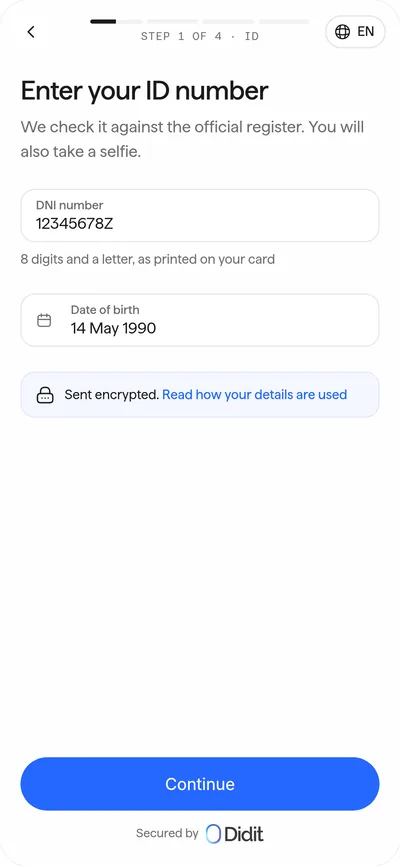
If a Peru lookup is available, it returns data_match. From the standalone endpoint you get request_id and a database_validation object containing match_type (full_match, partial_match or no_match), validation_type, services_used, match_score, a validations[] array with per-service status, matched_fields and record_details, plus warnings[]. Inside a session, the same results surface in the database_validations[] array on the decision payload. The supplied Database Validation overview says 60+ live countries, but it does not name Peru.
The per-field match covers identification_number, first_name, last_name, date_of_birth, and address fields when the service uses them, with an aggregated outcome and the underlying record details when available. Warnings include DATABASE_VALIDATION_NO_MATCH, DATABASE_VALIDATION_PARTIAL_MATCH and COULD_NOT_PERFORM_DATABASE_VALIDATION. Where a service checks a selfie against a registry photo, the biometric outcome arrives as a per-service outcome_code such as BIOMETRIC_NO_MATCH.
On price, be precise. ID document verification is $0.15 per check. Database Validation is priced per service, not per country, and the feed lists it as Variable. The rate for the exact Peru service you call, if one exists, is on the per-service pricing table, and that table is the only place to read it. Published rates span $0.05 for the cheapest source to $7.00 for the most expensive specialist source, so a single Peru figure quoted without the service id would be a guess. Billing is per successful service hit, a request that runs more than one service produces more than one usage event, and some no-match lookups and retries are billable. There are no monthly minimums, no platform fees and no per-seat billing.
Didit runs these checks for 4,000+ companies. The mechanics are identical for every country. What changes is the catalog entry: whether a Peru source is live in your environment, which fields it asks for, and whether it requires consent.
How to check whether a Peru service is live
The supplied Didit documentation does not name Peru or a Peru service id. That is not a gap you can fill with an assumption. The live catalog decides what is available in your environment.
In the Business Console, select the ID Verification node and open the Countries tab. The tab reads the same capability catalog the API validates against, so a method the catalog does not offer in that country is not shown, and a source marked Coming soon is listed but cannot be switched on. Use See details on a source to read the expected request and response in plain language: what the user is asked for and what comes back. That panel is also where you confirm whether consent is required.
The per-service pricing table is the other check. Database Validation is priced per service, not per country, so the exact service id determines the rate. If Peru does not appear in your catalog, or no Peru row appears in the pricing table, document capture is the route that is documented and priced at $0.15.
Step by step in the Business Console
- Sign up at https://business.didit.me/ and create a workflow.
- Select the ID Verification node and open the Countries tab. Pick Peru if it is listed and open its editor. If Peru is not listed, the catalog does not support a Peru method in that environment.
- Turn on Non-doc lookup only if it is offered. Set
id_lookup.max_attemptsto the number of answered attempts a user gets. - Set the fallback switches, one per failure mode:
id_lookup.on_partial_match,id_lookup.on_no_matchandid_lookup.on_provider_error. Each can send the user to document capture or decline them. - Use See details on the source to read the expected request and response in plain language: what the user is asked for and what comes back.
- If you want a registry check as its own step, add the
DATABASE_VALIDATIONfeature to the workflow and optionally pin specific services per country. Only pin a service that exists in the catalog. - Save and publish. The Countries tab reads the same capability catalog the API validates against, so it only offers methods the platform supports. If a Peru source is not offered in your environment, that is the catalog speaking, not a bug.
The console and the Management API are two views of the same object. Everything on that tab writes the methods key on the ID Verification node, so a change made in the console is visible in POST /v3/workflows/ and the other way round. Configuration detail is in Configure ID Verification Methods in the Console and ID Verification Methods.
Step by step with the API
Session mode is the route for a user-facing flow. Create a session, open the returned URL, then read the decision.
POST https://verification.didit.me/v3/session/
x-api-key: YOUR_API_KEY

{
  "workflow_id": "<workflow uuid>",
  "vendor_data": "user-1234",
  "callback": "https://app.example.com/done"
}
Open session.url for the user, or mount the Web or Mobile SDK. Then fetch GET /v3/session/{sessionId}/decision/ or subscribe to the session.status.updated webhook. The lookup result appears in database_validations[] on the decision payload. Field reference: Create Session and Retrieve Session.
Standalone mode is the route when you already hold the identity data and want a one-shot registry check. Below is the documented request shape, shown with the documented Brazil example. The supplied docs do not show a Peru service id, so do not infer that Peru uses the same service id; for a Peru check, take issuing_state and the required fields from the catalog entry for the Peru service you are calling, if one is offered.
curl -X POST 'https://verification.didit.me/v3/database-validation/' \
-H "x-api-key: $DIDIT_API_KEY" \
-F "issuing_state=BRA" \
-F "identification_number=00000000191" \
-F "first_name=Jane" \
-F "last_name=Doe" \
-F "date_of_birth=1990-01-15" \
-F "vendor_data=user-1234"
Use the universal field identification_number: Didit maps it to CPF, RUT, CURP, DNI and the rest according to issuing_state. Omit services to run the country's default service only, or pass a list such as services=["bra_cpf"] to choose. Services flagged requires_consent=true in the catalog require consent=true, otherwise the call returns HTTP 400. Argentina (arg_renaper) and Panama (pan_sib) take an extra selfie and gender for a face match against the registry photo. Full contract in Database Validation API.

The docs describe the calls, the response fields and the failure modes. Build against that surface. Do not infer queues, workers or storage layers from this page.
Worked cost example
Take 10,000 Peru users a month on a full ID check: ID document $0.15 + passive liveness $0.10 + face match 1:1 $0.05 + device and IP analysis $0.03 = $0.33 per completed check.
- List price: 10,000 x $0.33 = $3,300.00
- Scale plan, 10% off every Didit price: unit price $0.33 x 0.90 = $0.297, so 10,000 x $0.297 = $2,970.00
- Growth plan, 4% off: unit price $0.33 x 0.96 = $0.3168, so 10,000 x $0.3168 = $3,168.00
- Same volume with AML screening added at $0.20: $0.33 + $0.20 = $0.53 per user, 10,000 x $0.53 = $5,300.00
Now the lookup line. Because Database Validation is priced per service, the Peru unit rate is not a number this page can multiply. Take the rate for the exact service id from the per-service pricing table, multiply by your expected volume, and remember that billing is per successful service hit, so a request that runs two services bills twice. Budget for billable no-match lookups rather than assuming a failed lookup is free.
If you prefer to start on the free tier, the Free plan includes $10.00 of credit a month for eligible organizations that sign up with a work email, phone codes excluded, and sandbox testing is free and unlimited. Plan details: https://didit.me/pricing/.
Fallbacks when the Peru source is down or returns no match
If a Peru lookup is enabled, handle four outcomes explicitly, because they mean different things.
- No match.
match_type="no_match"means the record is not in the register. Treat it as a synthetic identity per your policy, or seton_no_matchto fall back to document capture. - Partial match. Some fields match and others do not, for example the date of birth matches and the name does not. Route to review, or set
on_partial_matchto fall back to document capture. - Provider error. HTTP 502 with
validation_errors[]means every selected upstream service failed. The request is not billed and aCOULD_NOT_PERFORM_DATABASE_VALIDATIONlog is written. Retry later or fall back to OCR-only, which is whaton_provider_errorconfigures. - Bad request. HTTP 400 means the service id is not eligible for that issuing state, a required field is missing, or consent is missing for a service that requires it. Fix the request; a retry with the same body will fail again.
One more trap. A data-only lookup leaves a later Face Match step nothing to compare against. Face Match reports FACE_MATCH_NOT_COMPUTED with a null score rather than declining automatically, and the workflow editor warns you before you publish when a Face Match step can only be reached through methods that leave no photo. If you want a face comparison on a Peru flow, either capture a document or run Liveness and Face Match as their own steps. Details in Face Match and the Database Validation warning catalogue.
Identifiers and fields for Peru
| Field | Where it comes from | How it is used |
|---|---|---|
issuing_state | Your request | ISO country code that selects the service and the format rules. It is the reason Didit can map one universal field to a national identifier. |
identification_number | User types the identifier the catalog service asks for | The universal identifier field. Didit maps it to the national identifier according to issuing_state. |
first_name, last_name | User or your records | Returned in matched_fields when the record agrees. |
date_of_birth | User | Returned in matched_fields when the record agrees. |
| Address fields | User | Collected only when the service uses them. |
consent | Your request | Required only when the catalog flags the service requires_consent=true. |
selfie, gender | User | Only for services that check a selfie against a registry photo. Those services return a verdict, not a portrait. |
services | Your request | Optional. Omit it to run the country's default service; pass a list to choose. |
The supplied Reniec card does not state a DNI digit count, and the supplied Didit docs do not name a Peru service. Do not hardcode a format. Use the format rule attached to the catalog service you call, and handle documented HTTP 400 validation errors for missing required fields, ineligible services or missing consent.
Sources
- Didit docs: Database Validation API
- Didit docs: Non-Document ID Verification, Authoritative Source Lookup
- Didit docs: ID Verification Methods
- Didit docs: ID Verification API
- Didit docs: Configure ID Verification Methods in the Console
- Didit docs: Create Session API
- Didit docs: Retrieve Session API
- Didit docs: per-service Database Validation pricing
- Didit docs: Database Validation warnings
- Didit docs: Face Match
- Didit docs: Pricing and billing
- Didit: Pricing page, and the live price feed read November 26, 2026
- Reniec (Registro Nacional de Identificación y Estado Civil), identidad.reniec.gob.pe, announcement on the DNId guidelines and Resolución Jefatural N° D000012-2026-2026-RENIEC/JNAC, dated 1 August 2026, read November 26, 2026.
The next step is a sandbox run, not a sales call. Create a free account at https://business.didit.me/, enable the Peru path your catalog offers, and read the catalog entry to confirm the fields, the consent flag and the per-service rate before you publish.
Try it
Try this in the sandbox
Run the check this guide describes, free.
The product this post is about, taken from its topic. Run it free in the sandbox.
Author
Alberto Rosas
Co-founder and CEO

Keep reading
Other guides in the same topic.
 New Zealand Identity Verification: Passport, Birth and Citizenship Records
Didit verifies identity data by non-document lookup and returns the data match tier: the typed details matched a record the queried source holds.
Alberto RosasNov 26, 2026 Colombia ID Verification API: Cédula Lookup Guide 2026
Didit documentation names the Registraduría Nacional among its authoritative sources for Database Validation, and Migración Colombia runs cédula de extranjería certificate checks on its own portal.
Alberto RosasNov 26, 2026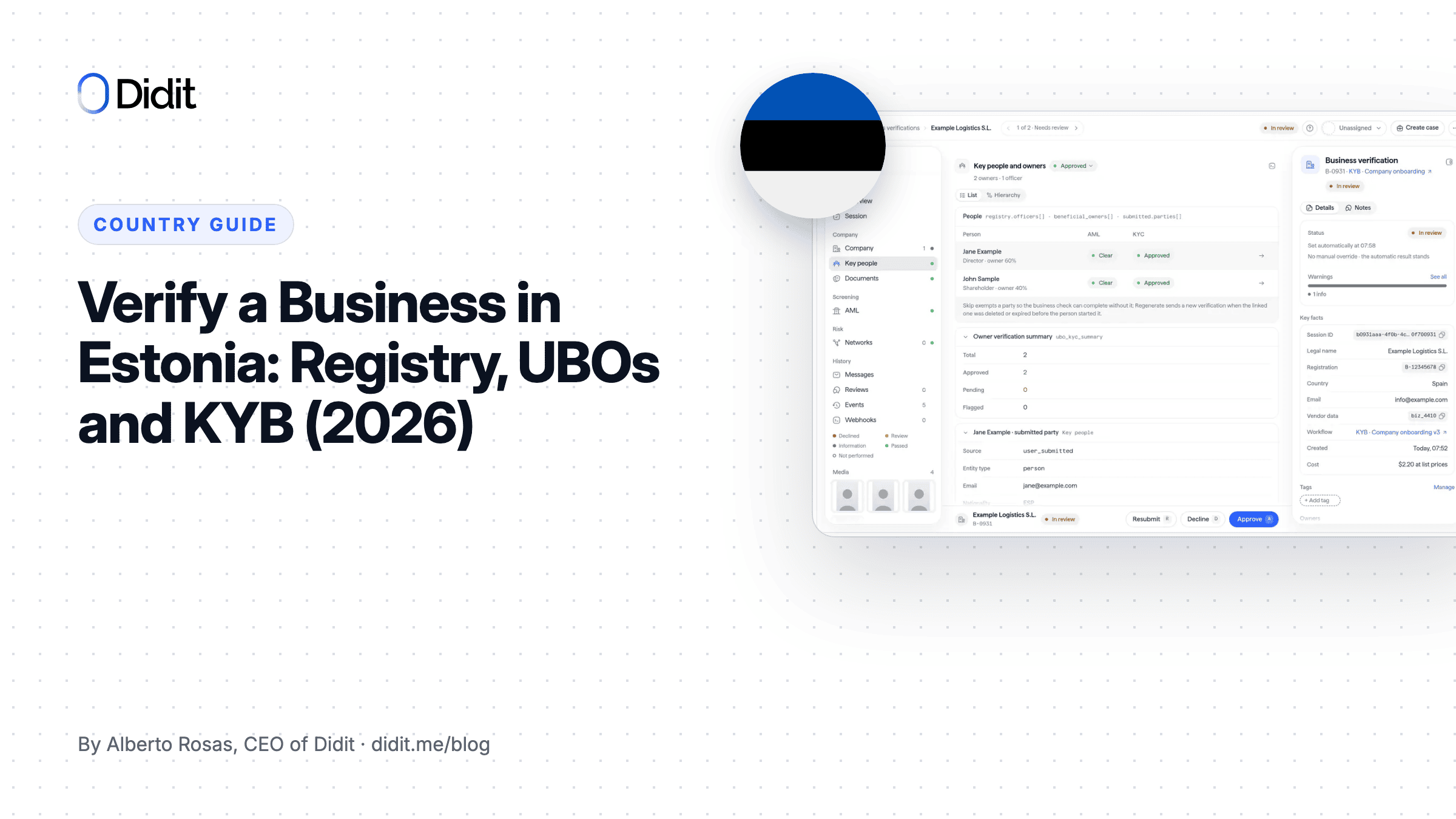 Verify a Business in Estonia: Registry, UBOs and KYB (2026)
Verify an Estonian company with Didit: registry lookup from $2.00, Shareholders $5.00, UBOs $9.00 per company, plus $0.20 company AML, $0.20 person AML, and $0.33 linked KYC per person.
Alberto RosasNov 26, 2026Questions
Frequently asked questions
Does Peru have an identity verification API against government databases?
The supplied Didit documentation describes a non-document lookup and a Database Validation API, but it does not name Peru or a Peru source. Whether a Peru government-register lookup is available depends on the live catalog for your environment. Check the Countries tab and the per-service pricing table before you promise it.
How do I check whether Didit supports Peru right now?
Open the Business Console, select the ID Verification node and open the Countries tab. That tab reads the same capability catalog the API validates against, so a method the catalog does not offer in a country is not shown, and a source marked Coming soon is listed but cannot be switched on. The supplied docs do not publish a Peru service id, so the country editor and any See details panel are where you confirm source, fields, consent and price.
How much does a Peru DNI check cost in Didit?
A document-based DNI check is $0.15, and a full ID check with passive liveness, face match and device and IP analysis is $0.33 per completed check. A registry lookup is priced per service, not per country, and the price feed lists Database Validation as Variable. Read the rate for the exact service id on the per-service pricing table before you quote anyone.
Can Didit verify a Peru RUC against SUNAT?
The provided Didit documentation does not confirm a Peru RUC/SUNAT service. Check the live Database Validation catalog for an available service before relying on it. If a service appears, read its source, fields, consent flag and price; a registration match would not by itself confirm tax good standing or authority to bind the company.
What is the difference between a DNI document check and a DNI data match?
A document check photographs the DNI, reads its fields and checks it for tampering, and returns the documentary tier. A data match types the number and personal details and compares them with the source, and returns the data_match tier. Only the document check makes a statement about the document's authenticity; the lookup makes a statement about the record.
Is a screenshot of a Peru DNId accepted as verification?
No. Reniec's guidelines, approved under Resolución Jefatural N° D000012-2026-2026-RENIEC/JNAC and published in El Peruano on 1 August 2026, state that DNId verification uses dynamic, temporarily valid QR codes backed by cryptographic mechanisms, and that a simple photograph or screenshot is not valid identity verification. If your flow accepts a DNId image, route those users to a document capture of the physical DNI instead.
What happens if the Peru source is down?
If a Peru lookup is enabled and every selected upstream service fails, you get HTTP 502 with a validation_errors[] array. The request is not billed and a COULD_NOT_PERFORM_DATABASE_VALIDATION log is written. Set on_provider_error to fall back to document capture so the user can finish without waiting for the register to return.
What does partial_match mean on a Peru lookup?
On a lookup result, partial_match means some of the fields you supplied agree with the record and others do not, for example the date of birth matches but the name does not. That is a mismatch to investigate, not an approval. Route it to review, or set on_partial_match to offer document capture as the next step.
Can I verify a Peru ID without asking the user for a document?
Only if the live catalog offers a non-document lookup for Peru in your environment and you enable it. The user would pick the country, type the identifier and the details the source asks for, and get a result. If no Peru lookup is offered, document capture is the supported route.
Which fields do I need to send for a Peru check?
At the API level the documented universal fields are issuing_state and identification_number, plus names, date of birth or address where the service asks for them. The supplied Didit documentation does not name a Peru service, so read the catalog entry under See details for the exact fields and consent flag. A service flagged requires_consent=true needs consent=true.
Does a data match prove the user is live and present?
No. A data match proves that the details typed agree with a record. If the source returns the holder's photograph, Didit asks for a selfie, runs passive liveness on it and face-matches it to the registry portrait inside the lookup. Where the source returns data only, no selfie is taken, so add Liveness and Face Match as their own steps if you need them.
Compliance built in
Audited, certified and attested.
We hold the certifications and build each country's rules into your flows, so you can launch anywhere without worrying. Security and Compliance center
- Regulation encoded into your flows
Tell us what you do and where. Didit lists the rules that apply to you, with sources, and builds the checks each country needs into one workflow.
- Ready for AMLR
Every requirement of the new EU anti-money laundering rules, from checking customers to human review, is already covered by a Didit check.
- Tested in Spain's Treasury sandbox
Spain's Treasury published its supervised sandbox report on Didit's NFC plus active liveness onboarding; SEPBLAC took part and valued the added measures positively.
- Audited, not self-declared
iBeta Level 1 and Level 2. Liveness tested under ISO/IEC 30107-3.
Your obligations · 3 regions
 SOC 2 Type 2
 ISO 27001
 iBeta Level 1 and Level 2
 EU regulator attestation
 FSM youth protection
 GDPR
 EBA remote onboarding
 MiCA compatible
 FIDO Alliance member
- AMLREU AML Regulation ready
Integration · Didit MCP
Run Didit from your own AI agent
Connect Didit to Claude, Cursor, VS Code or ChatGPT and just ask in plain words. Your agent can do anything you can do in the console, with the same permissions you have.
 Add to Claude
 ChatGPT
 Cursor
- Build workflowsDescribe the checks you need. The agent creates and publishes the flow.
- Run investigationsAsk why a session was declined, review cases, search people and companies.
- Change rulesCreate payment rules, test them on past data and switch them on.
- Pull reportsAsk for numbers, exports or the audit log.
Didit Academy


