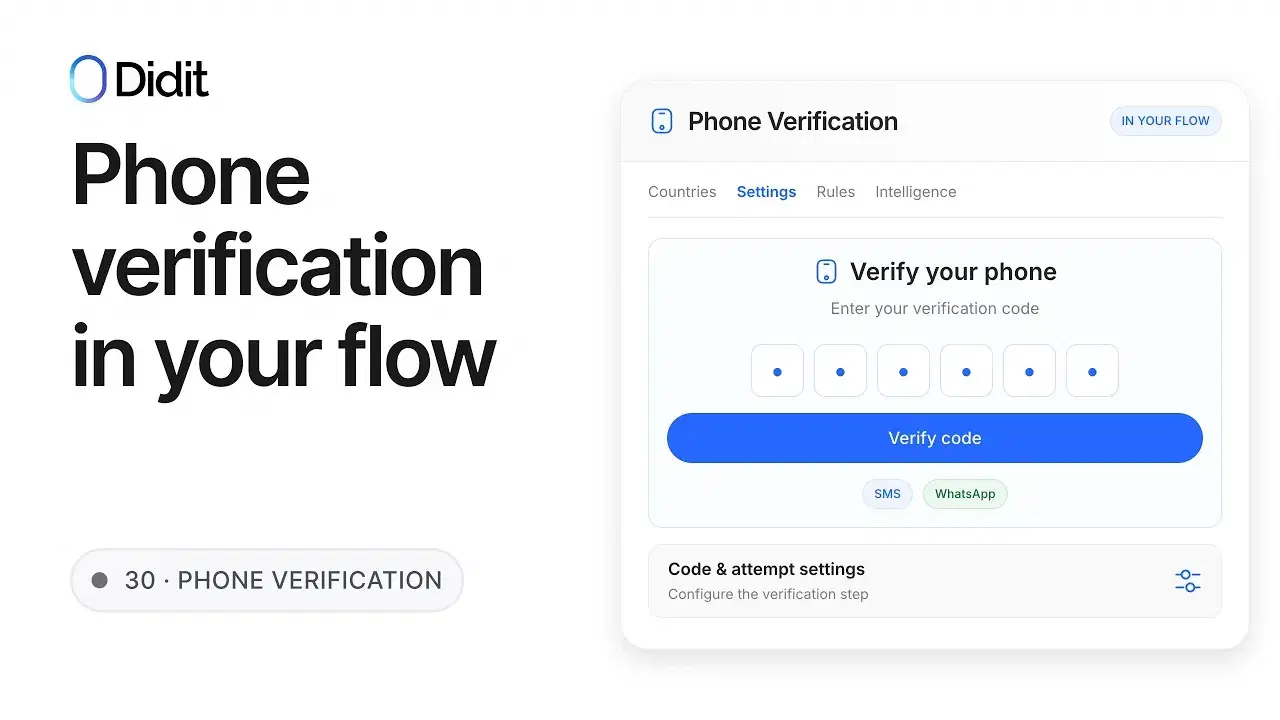
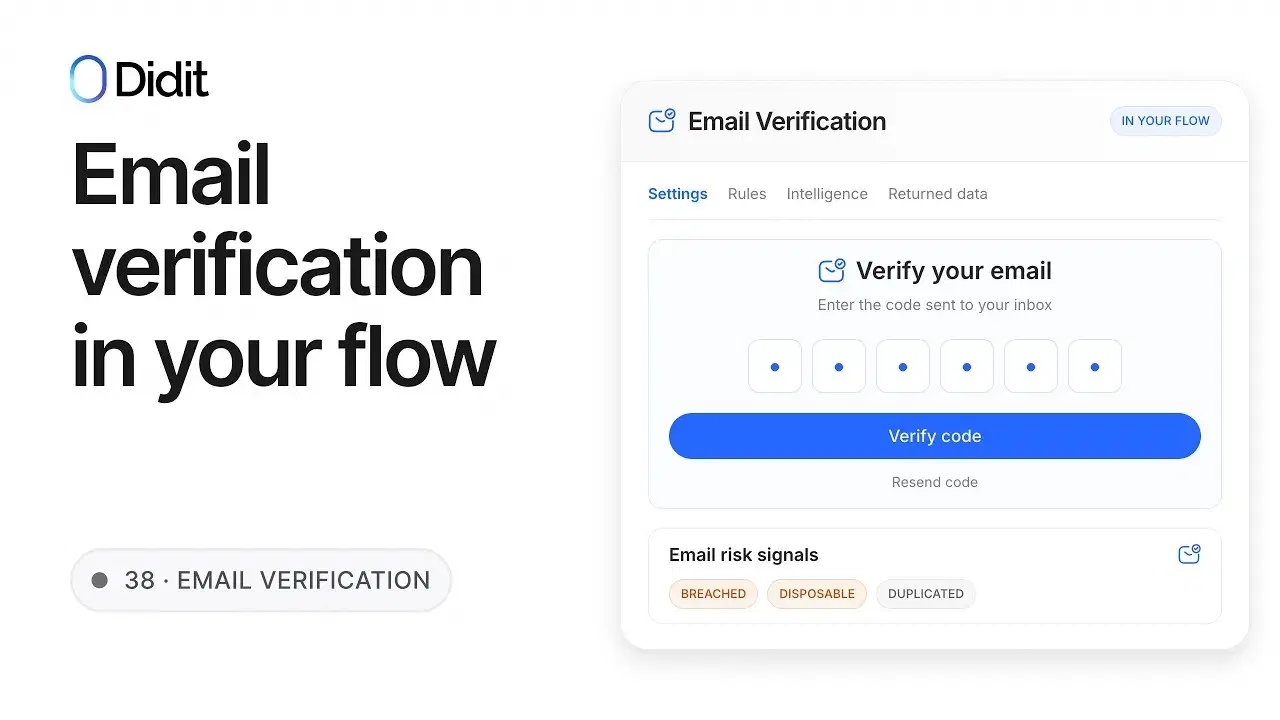
Phone and Email Verification: Your First Check for Digital Trust
Verify phones and emails with two-step OTP: POST /v3/phone/send/ then /v3/phone/check/, and the same pair for email. Phone is carrier price plus $0.02 per code, email is $0.02 per check.
 Alberto RosasCo-founder and CEO
Contents
In this guide
Jump to the part you need.
Phone and email verification fits teams that must prove a new user controls a contact point before anything else happens. The recommended method on Didit is the two-step OTP API: send a code, check the code. Phone costs the carrier price plus $0.02 per code; email costs $0.02 per check. For live phone codes, use Growth or Scale or make a first top-up. Free plan credit does not cover phone codes.
Last updated: November 26, 2026. Prices checked against the live Didit price feed on November 26, 2026.
| What you get | Method | Published price |
|---|---|---|
| Phone verification with OTP over SMS, WhatsApp, Telegram, voice or Viber | POST /v3/phone/send/ then POST /v3/phone/check/ | Carrier price + $0.02 per code. US SMS $0.0473, US WhatsApp $0.0431, lowest SMS entry in the published country table $0.0413 |
| Email verification with OTP plus breach, disposable and deliverability signals | POST /v3/email/send/ then POST /v3/email/check/ | $0.02 per check |
| Phone risk without sending a code | POST /v3/phone/risk/ | Listed in Didit's price book |
| Email risk without sending a code | POST /v3/email/risk/ | $0.04 per check |
| The same steps inside a hosted flow | Workflow with the PHONE and EMAIL features, then POST /v3/session/ | Same per-check prices |
Start free in the sandbox at business.didit.me, no sales call. Developers who work with a coding agent can connect the Didit MCP server at didit.me/developers/mcp and call the same endpoints from the assistant. The full price list is on didit.me/pricing, and the phone and email references are in the phone docs and email docs.
What you end up with
Two verified contact points, each with a result you can act on and a record you can audit. A phone verification returns Approved only after the user enters the code Didit sent, and the same response carries carrier type, line type, porting, virtual-number and disposable-number signals. An email verification returns Approved with breach exposure, disposable provider detection and deliverability attached. You route on the signals instead of guessing.
We recommend the standalone OTP pair as the default for signup. It is two calls, it needs no hosted screen, and you keep your own UI, so a team that already has a signup form can add the check without moving the user to another page. Move the same checks into a workflow session when you want them bundled with document and biometric checks under one decision payload. 4,000+ companies run checks on Didit, and both routes sit on one plan and one credit balance.
Prerequisites
- A Didit organization and an application. Create the application in sandbox mode while you test. Sandbox mocks every external provider and never bills. Sandbox testing is free and unlimited.
- An API key, sent as the
x-api-keyheader. - Phone numbers in E.164 format, for example
+14155552671. A number that is not E.164 is refused with HTTP 400 on send. - Email addresses you can receive mail at while testing.
- For live phone codes, a Growth or Scale plan or a first top-up. Free plan credit does not cover phone codes.
How to add phone and email verification: eight steps
Step 1. Create the sandbox application and key
Sign in at business.didit.me, create an application and keep it in sandbox while you build. Sandbox outcomes come from scenarios and magic values, not from the pixels you upload, so you can reproduce an Approved or a Declined result on demand. The sandbox test data page lists the scenarios. Sandbox testing is free and unlimited.
Step 2. Collect the number and the address
Ask for the phone number in international format and suggest the country code from IP location. Ask for the email address, and pass a locale if you want the message localized. If you create the verification through a session, you can pre-fill either value, and the user then verifies the pre-filled value rather than a fresh one.
Step 3. Send the phone code
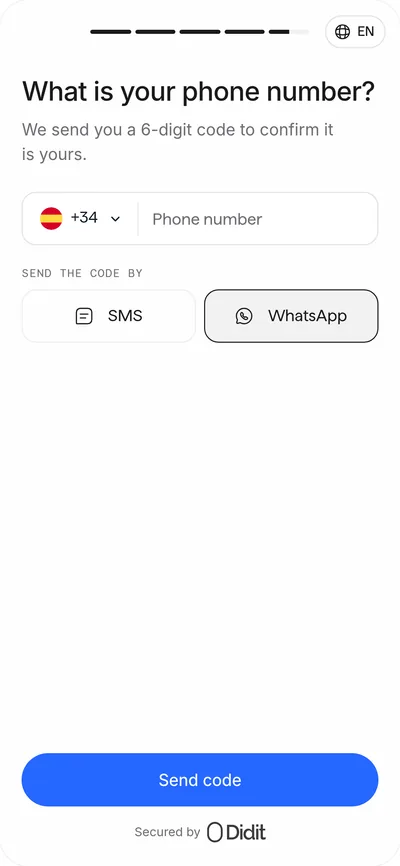
curl -X POST 'https://verification.didit.me/v3/phone/send/' -H "x-api-key: $DIDIT_API_KEY" -H "Content-Type: application/json" -d '{"phone_number":"+14155552671","options":{"code_size":6,"preferred_channel":"whatsapp","locale":"en-US"},"vendor_data":"user-1234"}'whatsapp is the default channel. sms, telegram, voice and Viber are also available, and delivery falls back to SMS when the preferred channel is unavailable. The code window is 5 minutes from the first send, and a same-window retry keeps that deadline. SMS codes carry your app's sender name at no extra cost, or you can sign one code with options.sms_sender_name between 1 and 30 characters.
Step 4. Check the code the user typed
Send Phone Code returns a verification_id. Add it to the check body to bind the check to that specific verification.
curl -X POST 'https://verification.didit.me/v3/phone/check/' -H "x-api-key: $DIDIT_API_KEY" -H "Content-Type: application/json" -d '{"phone_number":"+14155552671","verification_id":"<verification_id-from-send>","code":"123456","voip_number_action":"DECLINE"}'A standalone phone verification accepts 5 wrong code entries by default through the verification.max_attempts setting. voip_number_action decides what happens when the number is virtual: DECLINE ends the verification. You can configure duplicated_phone_number_action and disposable_number_action on the workflow in the same way.
Step 5. Read the phone result
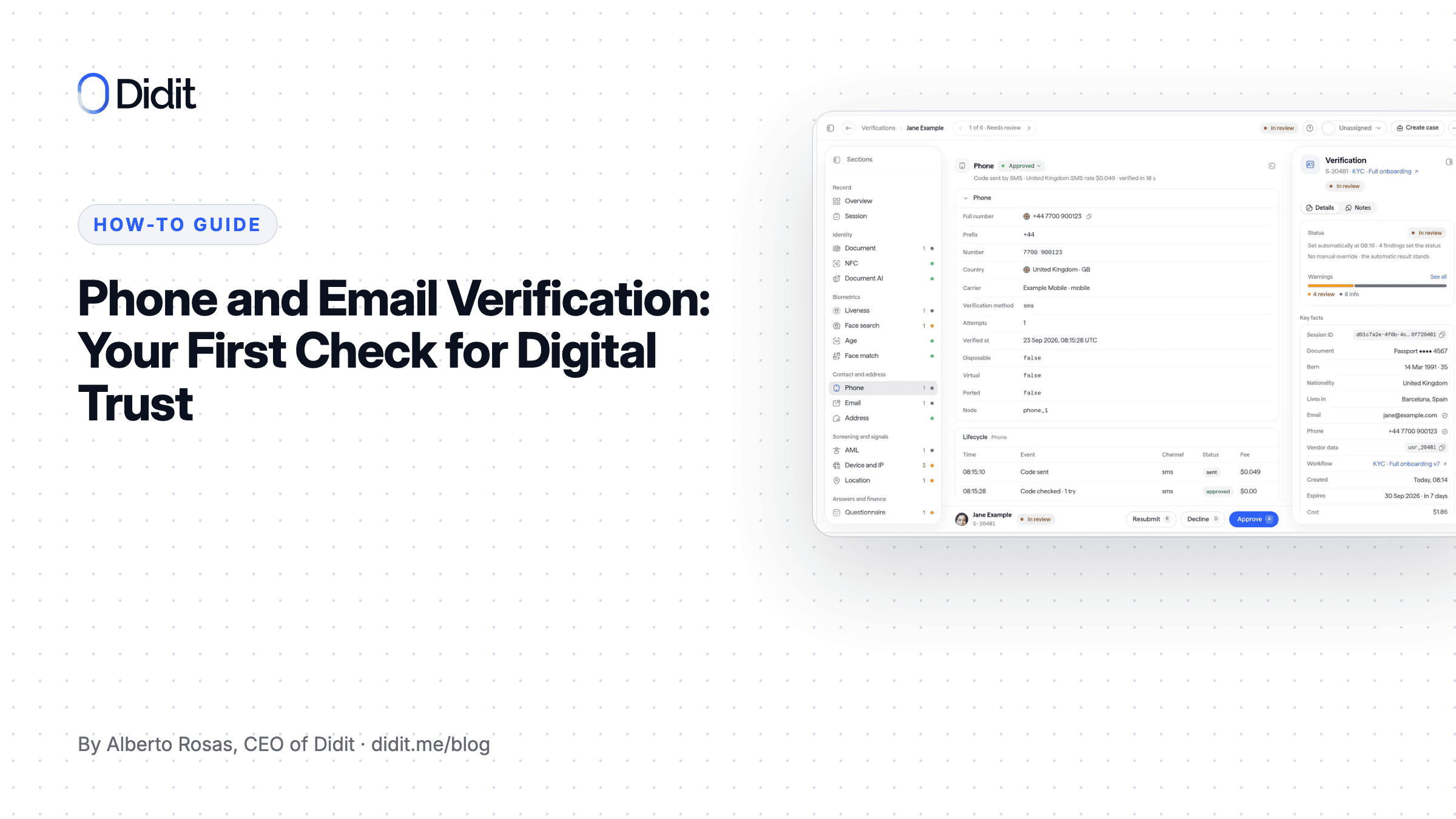
Approved means the user entered the code inside the window. The check response also carries the phone metadata: carrier, line type, disposable flag, virtual flag and whether the number was ported. Warnings arrive in the same payload, and the failure table below lists what each one means.
Step 6. Send and check the email code
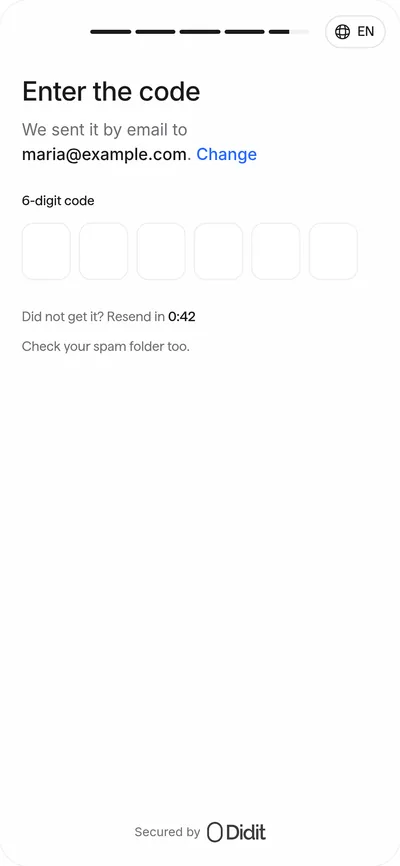
curl -X POST 'https://verification.didit.me/v3/email/send/' -H "x-api-key: $DIDIT_API_KEY" -H "Content-Type: application/json" -d '{"email":"alice@example.com","options":{"code_size":6,"locale":"en","use_white_label_customization":false},"vendor_data":"user-1234"}'

curl -X POST 'https://verification.didit.me/v3/email/check/' -H "x-api-key: $DIDIT_API_KEY" -H "Content-Type: application/json" -d '{"email":"alice@example.com","code":"123456","disposable_email_action":"DECLINE"}'
Codes are 6 numeric digits by default, between 4 and 8 if you set code_size, and letters plus digits if you set options.alphanumeric_code to true; the check is case-insensitive. Codes expire in 5 minutes with one free retry per address inside that window, and each session accepts up to 3 code-entry attempts. Set options.use_white_label_customization to true to send a standalone OTP with your own configured sender and branding.
Step 7. Act on the risk signals
The check response always includes the full metadata: breaches, disposable flag and deliverability for email, carrier and number type for phone. Map each warning to an action in your policy. For example, a policy may decline a disposable address on a paid signup, step up a breached address on a login, and open a case when a duplicated number belongs to a financial account. Each business should define its own action for each signal, because the same signal can carry different weight in different products.
Step 8. Move the same checks into a session when you need the full decision
Add the PHONE and EMAIL features to a workflow in the Business Console or through POST /v3/workflows/, configure the risk actions, then create a session with POST /v3/session/ and open session.url or mount the Web or Mobile SDK. Read the result with GET /v3/session/{sessionId}/decision/ or subscribe to session.status.updated. Phone results land in phone_verifications[] and email results in email_verifications[] on the same decision payload as the document and liveness results.
Expected output
A completed phone verification records one of these statuses: Not Started, In Progress, Approved, Declined, Failed, Expired or Not Found, Abandoned or Kyc Expired. Email adds Undeliverable to that list. Failed means a wrong code with attempts remaining, so you re-prompt. Declined means the verification ended.
Read phone and email results from the session decision payload and the documented reporting surfaces.
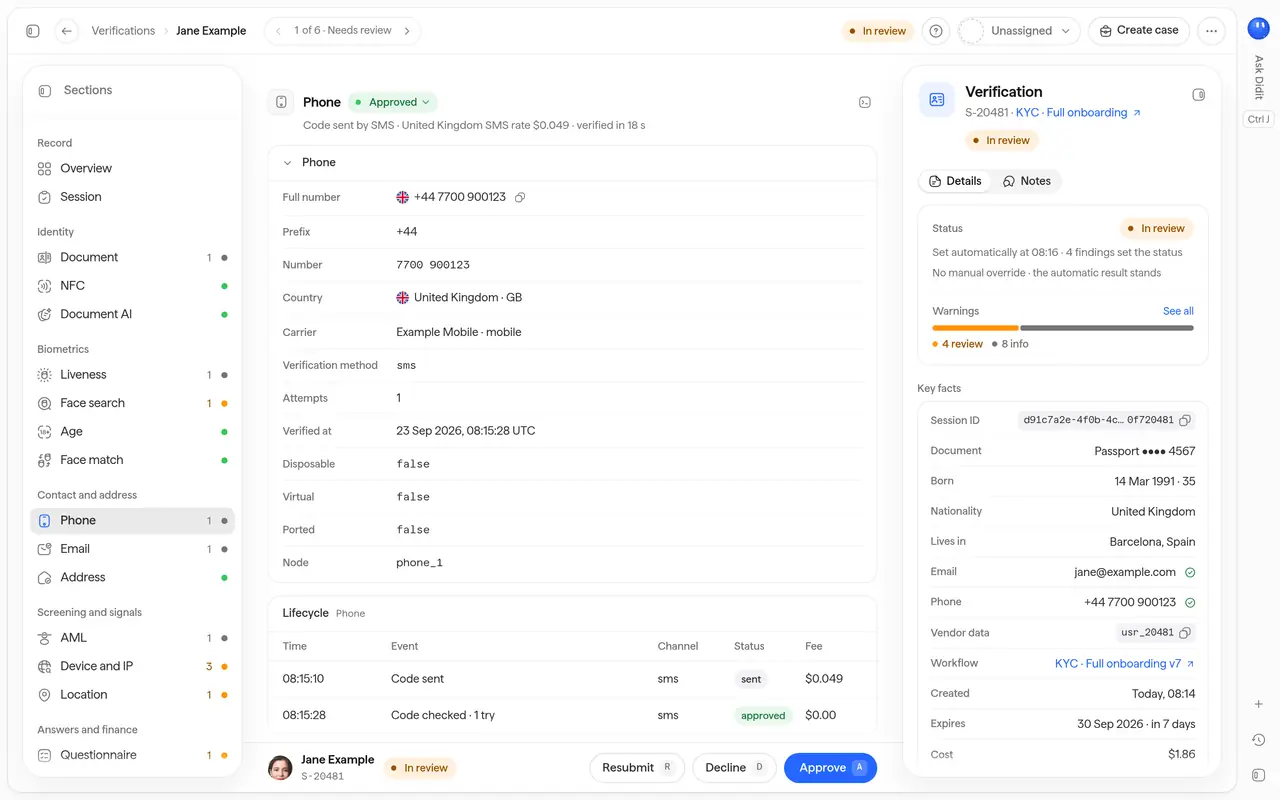
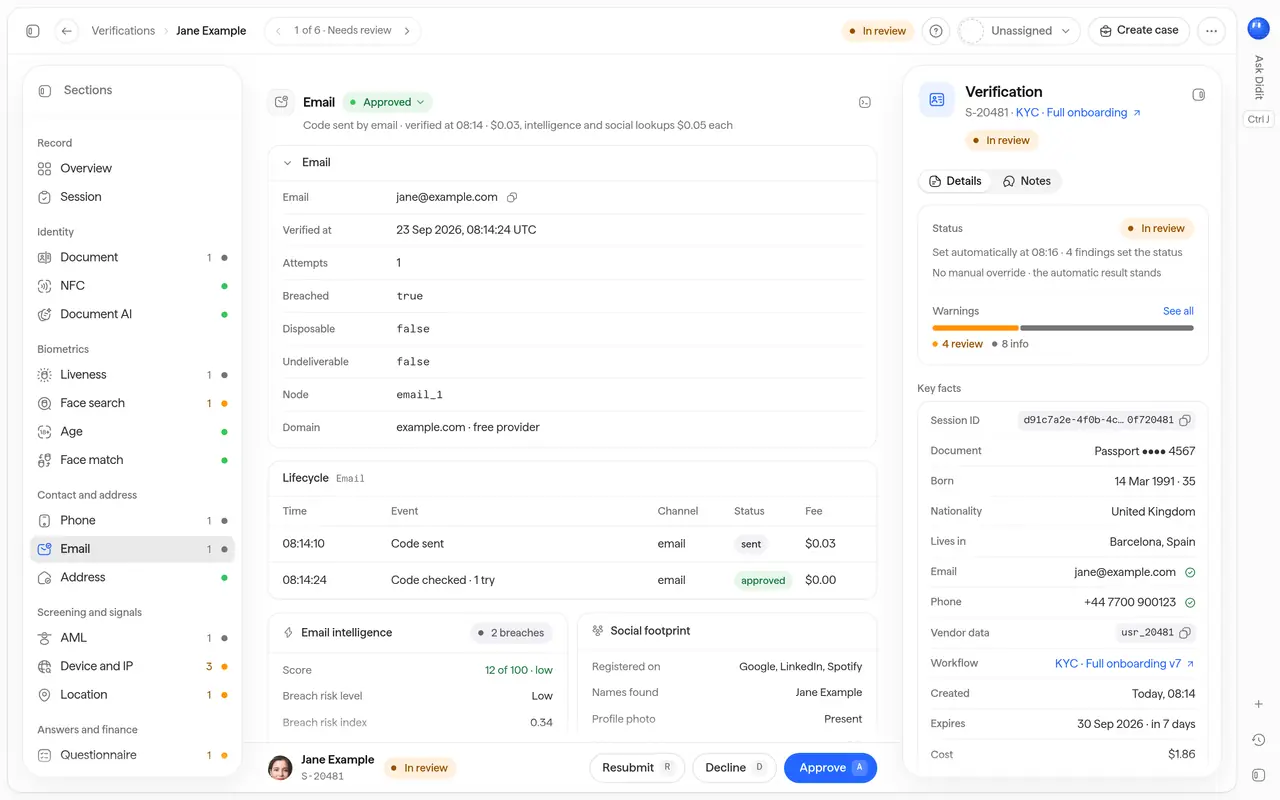
Inputs and outputs
| Direction | Field | Notes |
|---|---|---|
| Input | phone_number | E.164, for example +14155552671. HTTP 400 if it is not. |
| Input | verification_id | Returned by send; binds the check to that verification. |
| Input | options.preferred_channel | whatsapp, sms, telegram, voice or Viber. Falls back to SMS. |
| Input | options.code_size, options.locale | 4 to 8 digits; the locale localizes the message. |
| Input | vendor_data | Your reference for the user. |
| Input | email, options.alphanumeric_code, options.use_white_label_customization | Address, code alphabet and sender branding. |
| Input | voip_number_action, disposable_email_action | What to do when the number or address is high risk. |
| Output | status | Approved, Declined, Failed, Expired or Not Found, Undeliverable. |
| Output | warnings[] | Risk codes such as DUPLICATED_PHONE_NUMBER, VOIP_NUMBER and BREACHED_EMAIL. |
| Output | Phone metadata | carrier, line_type, disposable, voip, ported. |
| Output | Email metadata | breaches[], disposable flag, deliverable flag. |
Failure cases and recovery
| Symptom | Meaning | Recovery |
|---|---|---|
| HTTP 400 on send | The phone number is not in E.164. | Normalize the number and retry. |
| Send returns status Blocked with reason spam | Anti-abuse block. No code was sent and nothing is charged. | Stop the loop, check the number and the traffic source, retry later. |
| Check returns Failed | Wrong code, attempts remaining. | Re-prompt while attempts remain. |
| Check returns Declined | The verification ended. With OTP_MAX_ATTEMPTS_REACHED the user used the configured limit. | Restart with a fresh send if your policy allows it. |
| Check returns Expired or Not Found | Outside the 5-minute window, or no pending verification for that number. | Restart from the send call. |
| Email send returns Undeliverable | Bounce or invalid domain. Nothing is charged. | Ask for another address and surface the reason. |
BREACHED_EMAIL warning | The address appears in known breaches. | Route to review or a step-up per policy, not an automatic block. |
OTP_DELIVERY_FAILED | The channel did not deliver. | Try another channel for the same number. |
The phone warning catalogue includes DUPLICATED_PHONE_NUMBER, DISPOSABLE_NUMBER, VOIP_NUMBER, INVALID_PHONE_NUMBER, OTP_DELIVERY_FAILED, OTP_MAX_ATTEMPTS_REACHED, OTP_EXPIRED and PHONE_NUMBER_BLOCKED. The email catalogue includes DUPLICATED_EMAIL, BREACHED_EMAIL, DISPOSABLE_EMAIL, UNDELIVERABLE_EMAIL, INVALID_EMAIL, OTP_MAX_ATTEMPTS_REACHED and OTP_EXPIRED.
What each step costs, and where review starts
You pay for a check when it finishes with a result. Email verification is $0.02 per check, $0.0192 on Growth and $0.018 on Scale. Phone verification is the carrier price for the country and channel plus Didit's $0.02 fee per code; the fee is $0.0192 on Growth and $0.018 on Scale, and the carrier price passes through at cost. A blocked spam send and an undeliverable email are not charged. The emails Didit sends during a verification are free.
The risk-only endpoints are priced separately: POST /v3/phone/risk/ and POST /v3/email/risk/ score carrier, line type, porting, deliverability and breach exposure without sending anything. Current pricing for each is listed in Didit's price book.
Review is where humans enter. A Declined phone verification, an exhausted attempt limit, a breached email or a duplicated number on a high-value account are the natural hand-off points. Set the risk actions in the workflow so the decision stays consistent. Take the case in the console when your policy says a person should review it.
Worked example: 10,000 signups in one month
Take 10,000 new users, each verified by SMS in the United States and by email, all at list price. The US SMS total is $0.0473 per code, which is the carrier price of $0.0273 plus the $0.02 Didit fee.
- Phone: 10,000 x $0.0473 = $473.00
- Email: 10,000 x $0.02 = $200.00
- Total: $673.00
On Scale the fee drops to $0.018, so the SMS code is $0.0273 + $0.018 = $0.0453 and email is $0.018. Phone: 10,000 x $0.0453 = $453.00. Email: 10,000 x $0.018 = $180.00. Total: $633.00. Moving the US sends to WhatsApp at $0.0431 per code would bring the phone line to $431.00 at list price.
Check the phone price list for your countries before you model this, because the carrier part moves by country and channel.
Address verification and digital identity
Phone and email prove control of a contact point. They do not prove where a person lives, and that is where address verification joins the same identity record. Proof of address on Didit is $0.20 per check. Add it where your documented workflow supports an address check.
The order that holds up in practice: verify email and phone at signup to block bots and disposable contacts, verify the ID document and biometrics when the user reaches a regulated action, and add proof of address when your policy or your regulator needs a residential address on file. Each step is priced separately and writes its own result, so you can start with the cheap contact checks and add the rest without rebuilding the flow.
Sources
- Didit docs: Phone Verification API, OTP, SMS and WhatsApp
- Didit docs: standalone Phone Verification API
- Didit docs: Email Verification API, OTP and risk assessment
- Didit docs: standalone Email Verification API
- Didit docs: pricing, plans and billing
- Didit docs: sandbox test data and scenarios
- Didit pricing page
- Didit phone price list
- Didit MCP server setup
The next step is a free sandbox: create an application at business.didit.me, run the two calls above, and read the phone and email results in the decision payload. No sales call is needed to start in the sandbox.
Try it
Try this in the sandbox
Run the check this guide describes, free.
The product this post is about, taken from its topic. Run it free in the sandbox.
Author
Alberto Rosas
Co-founder and CEO

Keep reading
Other guides in the same topic.
 What Is the Purpose of FICA in South Africa? 2026 Guide
FICA is South Africa's anti-money laundering law. It creates the Financial Intelligence Centre and requires accountable institutions to identify and verify clients, screen for PEP and sanctions risk and report suspicious.
Alberto RosasNov 26, 2026 Sixth Money Laundering Directive (6AMLD): What Changed and Which Rules Apply
6AMLD is Directive (EU) 2018/1673: Member States must criminalise laundering, widen predicate offences and set a four-year penalty floor. It adds no new due diligence duties for firms.
Alberto RosasNov 26, 2026 Automated Sanctions Screening: Canada, the Entity List and Embargoes
Automated sanctions screening matches people and companies against lists such as Canada's autonomous sanctions made under SEMA and JVCFOA and the OFAC SDN List, and returns candidate hits scored for identity confidence and.
Alberto RosasNov 26, 2026Questions
Frequently asked questions
How much does phone verification cost on Didit?
Phone verification costs the carrier price for the country and channel plus Didit's $0.02 fee per code. A US SMS code is $0.0473 in total and a US WhatsApp code is $0.0431. Growth and Scale discount only the $0.02 fee, to $0.0192 and $0.018, while the carrier part passes through at cost.
How much does email verification cost?
Email verification is $0.02 per check at list price, $0.0192 on Growth and $0.018 on Scale. You pay when the check finishes with a result, and an undeliverable address is not charged.
What is the difference between phone verification and a phone risk lookup?
Verification sends a one-time code the user must enter, so it proves control of the number. A risk lookup calls POST /v3/phone/risk/ and scores carrier, line type, porting and fraud risk without sending anything; current pricing is listed in Didit's price book. Use verification at signup and the lookup for silent checks on existing accounts.
Can I verify a phone number without sending an SMS?
Didit supports silent verification where the carrier network allows it, through the coverage, eligibility and country registration calls documented in the phone API reference. Where a carrier does not support it, the OTP route over SMS, WhatsApp, Telegram, voice or Viber is the fallback.
How long does an OTP last and how many attempts do I get?
Phone codes last 5 minutes from the first send and accept 5 wrong entries by default. Email codes also last 5 minutes, allow one free retry per address inside that window, and accept up to 3 code-entry attempts per session.
Why did my send call return Blocked with reason spam?
That is the anti-abuse block. No code was sent and nothing was charged, so the block is not a billing problem. Check the number and the traffic that produced it before you retry.
Does email verification check data breaches?
Yes. The email check returns breach exposure with the exposed services, a disposable provider flag, a deliverability result and reputation signals. A BREACHED_EMAIL warning should route to review or a step-up rather than an automatic block.
Is address verification the same as email verification?
No. Email verification proves the user controls an inbox; address verification checks a document that shows where the person lives, priced at $0.20 per check on Didit. Each step is priced separately and writes its own result.
Can I run phone and email checks inside a full KYC session?
Yes. Add the PHONE and EMAIL features to a workflow, create a session, and the decision payload carries phone_verifications[] and email_verifications[] on the same payload as the document and liveness results. The per-check prices are the same on both routes.
Do phone and email verifications work in the sandbox?
Yes, and they are never billed there. Sandbox mocks every external provider, so outcomes come from scenarios and magic values rather than a real carrier or inbox. Sandbox testing is free and unlimited.
Compliance built in
Audited, certified and attested.
We hold the certifications and build each country's rules into your flows, so you can launch anywhere without worrying. Security and Compliance center
- Regulation encoded into your flows
Tell us what you do and where. Didit lists the rules that apply to you, with sources, and builds the checks each country needs into one workflow.
- Ready for AMLR
Every requirement of the new EU anti-money laundering rules, from checking customers to human review, is already covered by a Didit check.
- Tested in Spain's Treasury sandbox
Spain's Treasury published its supervised sandbox report on Didit's NFC plus active liveness onboarding; SEPBLAC took part and valued the added measures positively.
- Audited, not self-declared
iBeta Level 1 and Level 2. Liveness tested under ISO/IEC 30107-3.
Your obligations · 3 regions
 SOC 2 Type 2
 ISO 27001
 iBeta Level 1 and Level 2
 EU regulator attestation
 FSM youth protection
 GDPR
 EBA remote onboarding
 MiCA compatible
 FIDO Alliance member
- AMLREU AML Regulation ready
Integration · Didit MCP
Run Didit from your own AI agent
Connect Didit to Claude, Cursor, VS Code or ChatGPT and just ask in plain words. Your agent can do anything you can do in the console, with the same permissions you have.
 Add to Claude
 ChatGPT
 Cursor
- Build workflowsDescribe the checks you need. The agent creates and publishes the flow.
- Run investigationsAsk why a session was declined, review cases, search people and companies.
- Change rulesCreate payment rules, test them on past data and switch them on.
- Pull reportsAsk for numbers, exports or the audit log.
Didit Academy