Privacy-Preserving Age Verification Without Collecting ID Documents
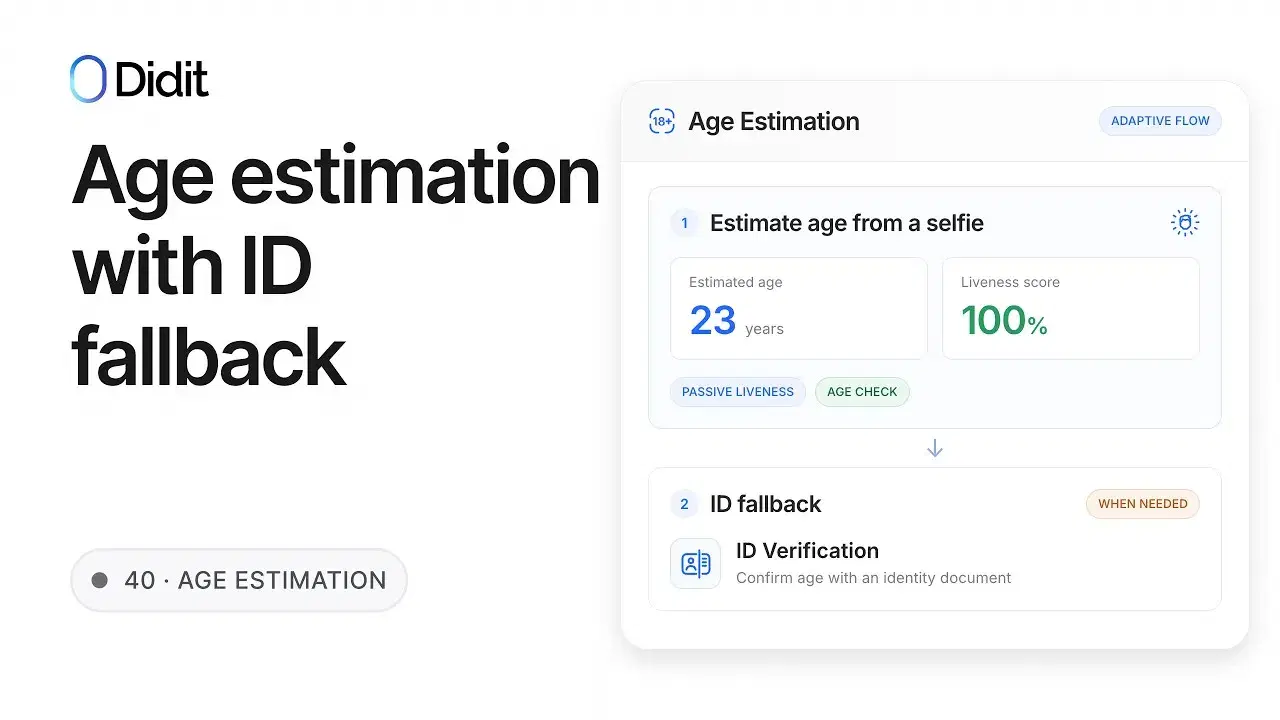
Estimate age from one selfie for $0.10 per check, with passive liveness included. Turn off storage in the standalone API. Use document verification when an estimate is insufficient.
 Alberto RosasCo-founder and CEO
Contents
In this guide
Jump to the part you need.
This guide fits teams that must gate an age-restricted product without holding anyone's ID document. We process one selfie with Didit Age Estimation and return a predicted age plus a passive-liveness score for $0.10 per completed check. The standalone API stores no session and no image when save_api_request is false; your own application controls its own storage. The caveat: a predicted age is an age gate, not legal proof of age.
Last updated: November 26, 2026. Prices checked against the live Didit price feed on November 26, 2026.
| Route | What the user supplies | What you receive | List price |
|---|---|---|---|
| Standalone Age Estimation API | One face photo | Predicted age in years, passive-liveness score, Approved or Declined, warning codes | $0.10 per check, passive liveness included |
| Age Estimation inside a Liveness step | A selfie inside a hosted or SDK session | Age estimation result on the Liveness entry in the session decision, at liveness_checks[].age_estimation. | $0.10 per completed Age Estimation check; the workflow total depends on the separately priced steps it completes |
| Fallback ID document check | ID document | Extracted date of birth and document data | $0.15 document only |
| Full KYC | ID document and selfie | ID verification, passive liveness, face match, device and IP analysis | $0.33 per check |
| Digital ID wallet | Sign in with a supported digital ID wallet | Verify production availability and whether the method returns date of birth or the age attribute your policy requires | Method-dependent, for example $0.10 Google Wallet, $0.25 MitID, $0.95 iDIN |
Start free in the sandbox at business.didit.me, with no sales call. The sandbox validates the request and returns a fixed mock, so it confirms request handling before you spend credit. Developers can connect Didit to an AI assistant through our MCP server. The Age Estimation overview explains the method, the standalone API reference lists the request parameters, and the pricing page holds the list prices and the cost estimator.
The outcome: an age decision with no ID document
The standalone API returns a decision for each completed request, along with the predicted age, passive-liveness score and any warnings. No ID document is uploaded and no date of birth is read from a document. The recommended method is Age Estimation, and you can run it two ways. The standalone call suits apps that already hold a selfie capture. The embedded route puts age estimation inside a Liveness step of a Didit workflow, so the result arrives with the session decision.
Confirm the age threshold and accepted verification method for your product and jurisdiction. Use selfie estimation where an estimate is appropriate, and use an accepted verification method where stronger evidence is required.

Prerequisites
- A Didit organization and an application. Sandbox testing is free on every plan.
- An API key for that application, sent in the
x-api-keyheader. Missing or invalid credentials answer 403, never 401. - A selfie capture path: one clear, front-facing, well-lit face as jpg, jpeg, png, tiff or webp, maximum 5 MB. PDFs are not accepted.
- Two thresholds decided in advance:
age_estimation_decline_threshold, default 18, andface_liveness_score_decline_threshold, default 30. - A decision on persistence.
save_api_requestdefaults to true. Set it to false when you want the call to store nothing. - For the embedded route, a workflow with a Liveness step and age estimation enabled on that node. For the hosted integration shown here, enable Age Estimation on the Liveness node and read the result from that node's session decision.
Step by step: age verification from a selfie
- Create a sandbox application and copy its API key. Sandbox keys skip processing and billing: after request validation the endpoint returns a static Approved mock, no session is persisted and no credit is consumed. Keep the live key separate.
- Set the age limit your product needs. Pass
age_estimation_decline_thresholdper call, for example 18 or 21. Those are hypothetical configuration values: confirm the threshold that applies to your product and jurisdiction. The value you submit overrides the default of 18. - Decide whether the call should persist anything. With
save_api_request=truewe save the call as an API session, the returnedrequest_idis a real session id you can query later, we store the face crop and reference image, and we add the face embedding to your application's face index for face search and duplicate detection. Astatus.updatedwebhook fires. Withfalsewe store nothing andrequest_idis a one-off correlation UUID that you cannot look up later. - Capture the selfie. Ask for one face in frame, well lit, front-facing. Set
rotate_image=trueif captures may arrive sideways. The largest face in the frame drives the result when more than one appears. - Send the image to the standalone endpoint. This is the documented call with persistence off:
curl -X POST 'https://verification.didit.me/v3/age-estimation/' \
-H 'x-api-key: YOUR_API_KEY' \
-F 'user_image=@./selfie.jpg' \
-F 'age_estimation_decline_threshold=18' \
-F 'save_api_request=false'
- Read the decision.
statusis Approved only when thewarningsarray is empty. Any warning declines the check. - Branch on the warning code, not on the message text.
AGE_BELOW_MINIMUMmeans the prediction fell under your threshold.AGE_NOT_DETECTEDmeans no age could be read and the user should retake.LOW_LIVENESS_SCOREmeans the passive-liveness score was at or below the configured cutoff.LIVENESS_FACE_ATTACKmeans the model flagged a presentation attack. Both of those decline the standalone check. - Apply the borderline fallback on both sides of the cutoff. After the liveness check passes, compare the predicted age with your threshold and send the cases inside a band around it to an accepted document check, including a case where
AGE_BELOW_MINIMUMis the only warning. Choose a band around your cutoff and validate it against document-verified ages. Measure false declines and false approvals before adopting it. Keep liveness declines out of this branch. - Apply retention and deletion only if you persisted a session. Set the retention window in App Settings, then Data retention. For an erasure request on a persisted session, call
DELETE /v3/session/{session_id}/delete/withdeletion_instructionset toprivacy_erasure. A call made withsave_api_request=falseleaves no Didit session to delete.

Hosted route: age estimation inside a Liveness step
- In the Business Console, open your workflow and enable Age Estimation on the Liveness node.
- Set
age_estimation_decline_thresholdon that node. The default is 18. - Create the session with
POST /v3/session/, sendingworkflow_id, plusvendor_dataandcallbackas you need them. - Open
session.urlfor the user, or mount the Web or Mobile SDK. - Fetch
GET /v3/session/{sessionId}/decision/and readliveness_checks[].age_estimationon each Liveness entry. It is not returned in a top-level array.
A hosted session is stored by design. To disable Didit storage, set save_api_request to false on the standalone call. We store no session, image or face embedding. Your application controls its own copies.
Expected output
A sandbox key returns a static Approved mock with an age of 30 and no warnings, so you can wire the branch before you spend anything. A sandbox call validates request handling and returns a fixed approval: it cannot validate warning-driven declines or measure estimation accuracy.
In production the response carries an age_estimation object. Read these fields:
age_estimation.status: Approved or Declined. It is Approved only when the warnings array is empty.age_estimation.age_estimation: the predicted age in years as a float, or null when no age could be read.age_estimation.score: the passive-liveness score from 0 to 100. No user challenge is required.age_estimation.warnings: the risk codes. An empty warning array approves the standalone check.AGE_BELOW_MINIMUMis the code for an estimate below your threshold.
Inputs and outputs
| Field | Direction | Values | Notes |
|---|---|---|---|
user_image | Input, required | Binary file: jpg, jpeg, png, tiff or webp, max 5 MB | One front-facing face. PDFs are rejected. |
age_estimation_decline_threshold | Input | Integer, default 18 | A prediction below it adds AGE_BELOW_MINIMUM. |
face_liveness_score_decline_threshold | Input | Integer, default 30 | A liveness score at or below it adds LOW_LIVENESS_SCORE. |
save_api_request | Input | Boolean, default true | False stores nothing and makes request_id a one-off UUID. |
vendor_data | Input | String | An optional caller-supplied user reference. |
request_id | Output | UUID | A real session id when persistence is on; a correlation UUID when it is off. |
status | Output | Approved or Declined | Approved only when warnings is empty. |
age_estimation | Output | Float, years, or null | The model prediction. Null when no age could be read. |
score | Output | 0 to 100 | Passive-liveness score. No user challenge is required. |
warnings | Output | Risk codes | Includes AGE_BELOW_MINIMUM, AGE_NOT_DETECTED, LOW_LIVENESS_SCORE, NO_FACE_DETECTED, LIVENESS_FACE_ATTACK, MULTIPLE_FACES_DETECTED. |
Failure cases and how to recover
| Symptom | Cause | Recovery |
|---|---|---|
| HTTP 400 | Missing or oversized user_image, or an unsupported extension | Re-capture as jpg or png under 5 MB and retry. Malformed input is rejected even in sandbox. |
| HTTP 403 with a permission detail | Missing or wrong x-api-key | Send the application's own key. This API never answers 401. |
| HTTP 403 not enough credits | The balance cannot cover the call | Top up or move the test to a sandbox key. The check is refused before any image processing. |
| HTTP 429 | More than 300 write requests a minute on one key | Back off and retry. The budget is shared across all POST, PATCH and DELETE calls. |
Declined, AGE_BELOW_MINIMUM | The prediction fell under your threshold | If the estimate is within the fallback band and AGE_BELOW_MINIMUM is the only warning, route to an accepted document check. Otherwise reject the attempt. |
Declined, LOW_LIVENESS_SCORE | The liveness score was at or below the configured cutoff | Reject the attempt. If your policy provides an alternative, use an approved verification route. |
Declined, LIVENESS_FACE_ATTACK | The model flagged a presentation attack | Reject. Do not offer an unlimited retry loop. |
Declined, AGE_NOT_DETECTED | The model could not estimate age | Ask for a retake with better light and no glasses glare. |
Declined, NO_FACE_DETECTED or MULTIPLE_FACES_DETECTED | No face, or more than one face, in frame | Ask for one face alone in frame. |
Paid steps and review boundaries
Each live HTTP 200 response consumes one Age Estimation credit at $0.10 list price, and that includes a Declined result, because a decision was produced. A 403 for insufficient balance costs nothing. Sandbox calls cost nothing and persist nothing. The standalone call returns a decision directly: there is no human review step inside it. If your policy needs a document fallback or a manual review, that runs as a separate step after the standalone decision.
The review boundary that matters here is the threshold. Our documentation says the model's error grows for faces close to the limit, and recommends a fallback to document-based verification for borderline ages. In the Workflow Builder, branch on age and verification status to route eligible borderline results to ID Verification. Handle failed liveness and unusable captures separately.
Privacy controls that make this hold up
Three controls decide how little data exists after the check, and none of them are automatic.
- Nothing stored.
save_api_request=falsestores no session, no face crop, no reference image and no face embedding. Use it when you only need a pass or fail and can keep your own record of the outcome. Your application still controls its own storage: whatever you save on your side is your decision and your responsibility. - Retention window. This applies to persisted sessions. Set it in App Settings, then Data retention, from 1 month to 10 years. A new application starts at the longest window its plan includes: 1 year on Free, 5 years on Growth, 10 years on Scale, unlimited on Enterprise. The policy applies to inputs, outputs, derived results and operational metadata.
- Deletion. For a persisted session,
DELETE /v3/session/{session_id}/delete/removes the session and its files. Sendingdeletion_instructionasprivacy_erasurealso purges every retained biometric template for that session's User and blocks a new one from being kept. A call made withsave_api_request=falseleaves no Didit session to delete. Records your own application stored are outside that call, and you handle them separately.
Processing location is chosen per application. The European Union (Ireland) is the default, with Australia (Sydney), Mexico, the United Arab Emirates and the United States (N. Virginia) coming soon. Enterprise accounts can request in-country processing, subject to availability and contract.
A selfie-only gate can reduce the amount of data you collect for an age decision. The controller still needs to establish a lawful basis and assess the applicable rules, notices and retention obligations. We act as processor and you remain the controller. Read the regulation itself at EUR-Lex.
One warning belongs here. We can retain an image-free biometric face template after a session is deleted, but that is opt-in, needs a finite window between 1 and 3,650 days, and our documentation states plainly that it is still biometric data and not anonymous. Enable template retention only when your controller instructions and privacy notice cover it. Set a finite expiry that meets the rules that apply to your users.
Age verification methods and when each fits
- Facial age estimation, $0.10. No document, no user challenge, sub-2-second inference and passive liveness in the same call. Fits age gates where your product policy and applicable rules permit an estimate. Use an accepted verification method whenever stronger evidence is required.
- ID document verification, $0.15. ID document verification checks the document and reads its date of birth.
- Full KYC, $0.33. Adds a liveness check and compares the selfie with the document portrait, with device and IP analysis included. Best when you need to tie the document to a live person.
- Digital ID wallets. The user signs in with a supported digital ID wallet. Verify production availability and whether the specific method returns date of birth or the age attribute your policy requires. Google Wallet is available in the United States, the United Kingdom, Brazil, Singapore and Taiwan at $0.10 per completed verification. The EUDI Wallet is listed at $0.15 per completed verification and marked coming soon in the markets listed in our catalog. A published price does not establish production availability, so check the wallet coverage page first.
Age estimation or document-based verification: which fits?
Use age estimation where an estimate is appropriate and use an accepted verification method where stronger evidence is required. One option is to use estimation first and send borderline results to a document check. Confirm the age threshold and accepted verification method for your product and jurisdiction.
Per-market thresholds
Keep the threshold out of your code. The standalone call takes age_estimation_decline_threshold every time, so a per-market value is one parameter: 18 for one market, 21 for another. Both are hypothetical configuration values, so confirm what applies to your product. In hosted workflows, branch nodes can route by country, and the threshold is configured on the Liveness node.
Worked cost example
Take 10,000 age checks a month on the Growth plan. Assume 8% of users escalate to a full ID check because their selfie landed inside your borderline band. The 8% is an assumption for this model, not a published figure; your escalation rate depends on the band you set. This example uses published USD list prices and Growth rates, with one initial check per user, from the pricing page.
- Age estimation at list price: 10,000 x $0.10 = $1,000.00. At the Growth discount of 4%: 10,000 x $0.096 = $960.00.
- Fallbacks: 8% of 10,000 = 800 full ID checks. 800 x $0.3168 = $253.44.
- Usage for the month: $960.00 + $253.44 = $1,213.44.
- Usage beyond credit = $1,213.44 - $115.00 = $1,098.44. Monthly plan fee plus usage beyond credit = $99.00 + $1,098.44 = $1,197.44. Actual cash timing depends on the organization's prepaid balance and top-ups.
Per thousand checks: 1,000 x $0.096 = $96.00. On Scale the age estimation price drops to $0.09, so 10,000 checks would be $900.00 in age estimation usage only, before plan fee, credit and document fallbacks.
Sources
- Didit docs: Age Estimation API overview
- Didit docs: standalone Age Estimation API reference
- Didit docs: age estimation warning catalogue
- Didit docs: age estimation report
- Didit docs: data models for age estimation
- Didit docs: plans, credit and billing
- Didit Age Estimation product page
- Didit pricing page and cost estimator
- Didit live price feed as JSON
- Didit docs: Workflow Builder and Liveness step configuration
- Didit docs: data retention and biometric template retention
- Didit docs: Delete Session API
- Didit docs: digital ID wallet coverage
- Didit docs: integration prompt for coding agents
- Didit MCP server setup
- Regulation (EU) 2016/679, the GDPR, on EUR-Lex
Next step: create a free sandbox application at business.didit.me, with no sales call. Send a valid sample image to POST /v3/age-estimation/ with save_api_request=false to confirm request handling. The sandbox returns a fixed mock, so test warning and decline handling separately with controlled live inputs.
Try it
Try this in the sandbox
Run the check this guide describes, free.
The product this post is about, taken from its topic. Run it free in the sandbox.
Author
Alberto Rosas
Co-founder and CEO

Keep reading
Other guides in the same topic.
 What Is the Purpose of FICA in South Africa? 2026 Guide
FICA is South Africa's anti-money laundering law. It creates the Financial Intelligence Centre and requires accountable institutions to identify and verify clients, screen for PEP and sanctions risk and report suspicious.
Alberto RosasNov 26, 2026 Sixth Money Laundering Directive (6AMLD): What Changed and Which Rules Apply
6AMLD is Directive (EU) 2018/1673: Member States must criminalise laundering, widen predicate offences and set a four-year penalty floor. It adds no new due diligence duties for firms.
Alberto RosasNov 26, 2026 Automated Sanctions Screening: Canada, the Entity List and Embargoes
Automated sanctions screening matches people and companies against lists such as Canada's autonomous sanctions made under SEMA and JVCFOA and the OFAC SDN List, and returns candidate hits scored for identity confidence and.
Alberto RosasNov 26, 2026Questions
Frequently asked questions
How do I verify someone's age without collecting their ID?
Send one selfie to POST /v3/age-estimation/. We return a predicted age in years, a passive-liveness score and an Approved or Declined status, and no document is uploaded. With save_api_request set to false, we store no session and no image.
What is the difference between a no-ID check, a no-retention check and a hosted session?
A no-ID check is any route that decides age without a document: the standalone call and the Liveness step both do that. A no-retention check is the standalone call with save_api_request=false: we process the selfie, return the decision and keep nothing. A hosted session is created with POST /v3/session/ and is persisted by design, so we keep the session, its files and, unless you turn it off, a face embedding. Your own application's storage is separate in all three cases.
How accurate is age estimation?
We publish a mean absolute error of 1.1 years at ages 16 and 17 and 1.9 years at ages 18 to 20, and the model classifies 96% of selfies correctly as under 18 or 18 and over. These are published model results, not a guarantee for every threshold or population. Error grows for faces close to your threshold, which is why a document fallback belongs on borderline results.
Age estimation vs document-based age verification: which should I use?
Use estimation where an estimate is appropriate and document verification where stronger evidence is required. Age estimation is model-predicted from the face and is not verified against a document, so it is not legal proof of age. One option is to use estimation first and send borderline results to a document check. Confirm the accepted method for your product and jurisdiction.
Does Didit keep the selfie?
With the standalone call, only if you let us. save_api_request defaults to true, which persists an API session with the face crop, the reference image and a face embedding added to your application's face index. Set it to false and we store nothing, with request_id becoming a one-off correlation UUID. Anything your own application stores is your decision.
Can I delete age verification data on request?
For a persisted session, call DELETE /v3/session/{session_id}/delete/, which removes the session, its files and its feature records. Adding deletion_instruction as privacy_erasure also purges any retained biometric template for that session's User and blocks a new one. If the original call used save_api_request=false, we hold no session to delete, and you handle any copy your application stored.
How much does privacy-preserving age verification cost?
Age Estimation is $0.10 per completed check at list price, $0.096 on Growth and $0.09 on Scale. A full ID check for fallbacks costs $0.33 at list price, $0.3168 on Growth and $0.297 on Scale. Prices and the cost estimator are on our pricing page.
Can I test age verification for free?
Yes. Sandbox testing is free on every plan. The standalone Age Estimation sandbox validates the request and returns a static mock without consuming credit or persisting a session. Because the mock is a fixed approval, it cannot validate warning-driven declines or measure estimation accuracy.
Is a selfie-only check safe against photos and masks?
Passive liveness runs in the same call and returns a score from 0 to 100. A score at or below face_liveness_score_decline_threshold, default 30, adds LOW_LIVENESS_SCORE, while a model-flagged presentation attack adds LIVENESS_FACE_ATTACK. Both decline the standalone check. If your workflow needs a user challenge, Active Liveness is listed at $0.15 per completed check.
Can I use this for age verification on an AI platform or chatbot?
We document a server-to-server API for this integration. The supplied Didit docs do not describe a direct chatbot connector. Send the selfie from your backend to POST /v3/age-estimation/ and read the decision there. Use the linked MCP server at didit.me/developers/mcp for AI-assisted setup; we do not charge for it.
How do I apply different age limits per country?
Pass age_estimation_decline_threshold per request on the standalone call, for example 18 for one market and 21 for another. Both are hypothetical configuration values, so confirm the threshold that applies to your product and jurisdiction. In hosted workflows, branch nodes can route by country and the threshold is configured on the Liveness node.
What image formats and sizes work?
Use jpg, jpeg, png, tiff or webp up to 5 MB. PDFs are refused with HTTP 400. Submit one clear, front-facing, well-lit face per image, and set rotate_image=true if captures may arrive sideways.
What does the Free plan include for age checks?
The first eligible Free organization created with a work email for a company domain receives $10 in monthly credit. That covers 100 age checks at list price if the organization spends the full credit on age estimation. Unused monthly credit does not roll over.
Which third-party age verification provider should I use?
Compare on method, published price, country coverage and what the provider stores afterwards. We publish a full price list, offer age estimation at $0.10 and document verification at $0.15, cover 220+ countries overall as Didit coverage, and serve 4,000+ companies. Our standalone API can also store nothing at all when you set save_api_request=false.
Compliance built in
Audited, certified and attested.
We hold the certifications and build each country's rules into your flows, so you can launch anywhere without worrying. Security and Compliance center
- Regulation encoded into your flows
Tell us what you do and where. Didit lists the rules that apply to you, with sources, and builds the checks each country needs into one workflow.
- Ready for AMLR
Every requirement of the new EU anti-money laundering rules, from checking customers to human review, is already covered by a Didit check.
- Tested in Spain's Treasury sandbox
Spain's Treasury published its supervised sandbox report on Didit's NFC plus active liveness onboarding; SEPBLAC took part and valued the added measures positively.
- Audited, not self-declared
iBeta Level 1 and Level 2. Liveness tested under ISO/IEC 30107-3.
Your obligations · 3 regions
 SOC 2 Type 2
 ISO 27001
 iBeta Level 1 and Level 2
 EU regulator attestation
 FSM youth protection
 GDPR
 EBA remote onboarding
 MiCA compatible
 FIDO Alliance member
- AMLREU AML Regulation ready
Integration · Didit MCP
Run Didit from your own AI agent
Connect Didit to Claude, Cursor, VS Code or ChatGPT and just ask in plain words. Your agent can do anything you can do in the console, with the same permissions you have.
 Add to Claude
 ChatGPT
 Cursor
- Build workflowsDescribe the checks you need. The agent creates and publishes the flow.
- Run investigationsAsk why a session was declined, review cases, search people and companies.
- Change rulesCreate payment rules, test them on past data and switch them on.
- Pull reportsAsk for numbers, exports or the audit log.
Didit Academy