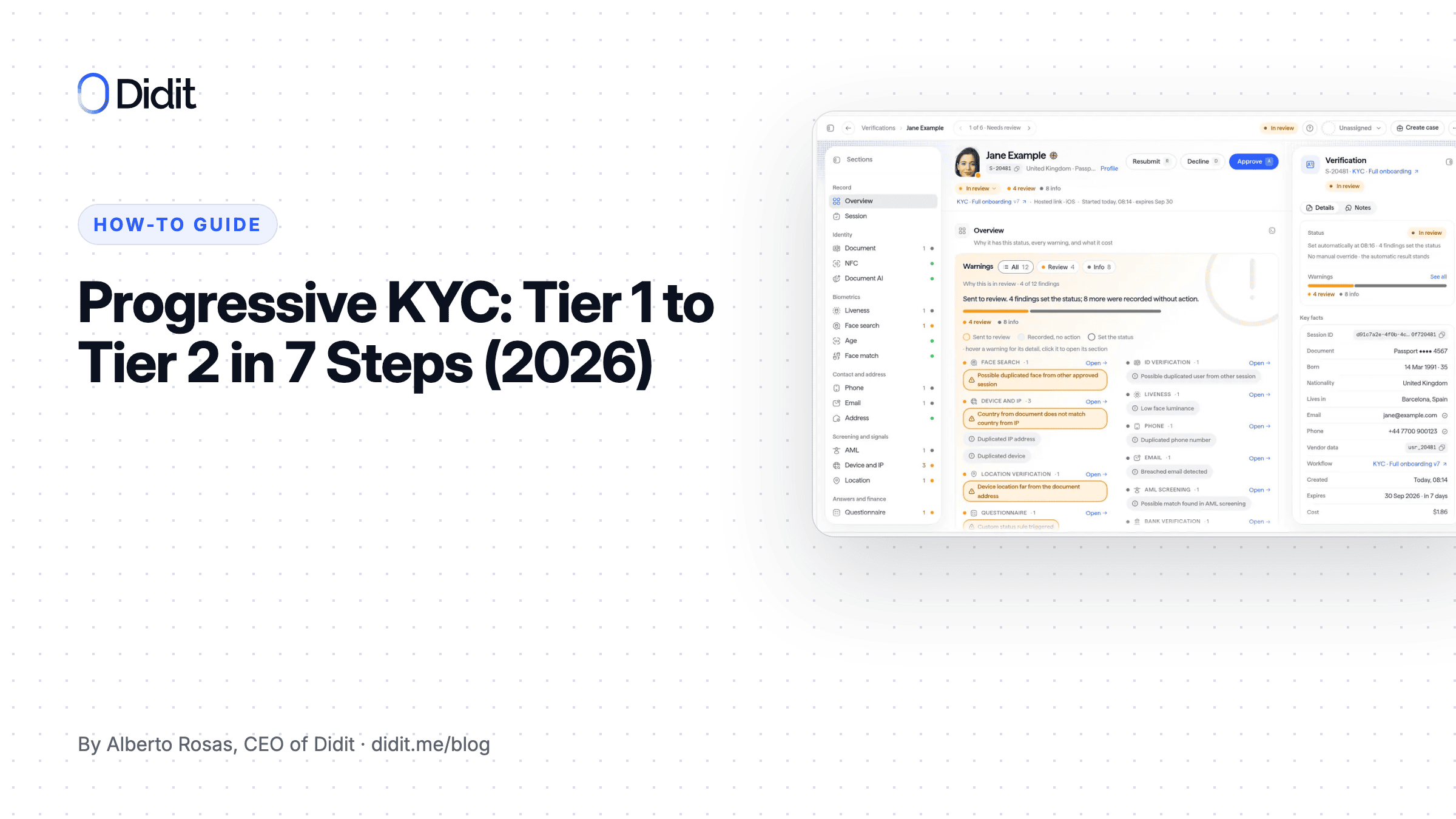
Progressive KYC: Tier 1 to Tier 2 in 7 Steps (2026)
Progressive KYC runs light Tier 1 checks (email verification $0.02, device and IP analysis $0.03) at signup, then a full Tier 2 check ($0.33 KYC, plus a separate $0.20 AML screening) when a written trigger fires.
 Alberto RosasCo-founder and CEO
Contents
In this guide
Jump to the part you need.
Progressive KYC fits products that want most users inside in seconds and a full identity check only when risk or value rises. On Didit a Tier 1 email check costs $0.02 and a full Tier 2 KYC check costs $0.33 at list price, so the tier split is a cost decision as much as a compliance one. The caveat sits in design: every escalation trigger has to be written down and enforced, or the tiering is not defensible.
Last updated: November 26, 2026. Prices checked against the live Didit price feed on November 26, 2026.
| Stage | What runs | Access boundary | List price |
|---|---|---|---|
| Tier 1 contact | Email Verification, Phone Verification | Account opened, trial credit, catalogue browsing. No withdrawals, no payouts, no selling. | $0.02 email; phone from $0.02 plus carrier |
| Tier 1 risk | Device and IP analysis, optional Age Estimation | Same boundary as Tier 1 contact; risk signals are recorded on the session for your escalation rules to read | $0.03; $0.10 |
| Tier 2 identity | ID Verification, Passive Liveness, Face Match 1:1, Device and IP analysis | Full feature set: withdrawals, payouts, higher limits, marketplace selling | $0.33 full KYC check |
| Tier 2 compliance | AML Screening, ongoing AML monitoring, Proof of Address | Regulated products, and withdrawal limits above the Tier 2 cap | $0.20; $0.07 per person per year; $0.20 |
| Review boundary | Human decision on a session that routes to In Review | Whatever the reviewer decides: approve, decline or request resubmission | Billed as the checks that ran |
You can build both tiers yourself. Start free in the sandbox at business.didit.me, with no sales call. If you work from an AI assistant, connect Didit through the Didit MCP server. Plans, discounts and the cost estimator are on the pricing page, and the check list behind Tier 2 is on the Didit User Verification product page.
What progressive KYC means
Progressive KYC, also called tiered or staged KYC, splits verification into stages and moves a person to the next stage only when a trigger fires. Tier 1 is the entry stage: light checks, limited access. Tier 2 is the full stage: document, biometrics, sanctions and PEP screening, full access. The alternative, one full check for every signup, costs $0.33 per person before any compliance screening and asks a first-time visitor for an identity document and biometric capture before they have seen the product.
Regulators ask for due diligence that reflects risk rather than one uniform check for every customer. FATF Recommendation 10 sets out that risk-based approach, and documented triggers are what make tiers defensible when a supervisor or an auditor asks why a particular account sat in Tier 1 for four months. Keep the record that answers it: which tier the session was assigned to, which rule version assigned it, and when the rule was last reviewed, stored next to the session in metadata or tags.
Tier 1: what to collect and what to run
Tier 1 answers one question: is this a reachable person on a plausible device? It should not ask for documents, because that is where signup drop-off lives.
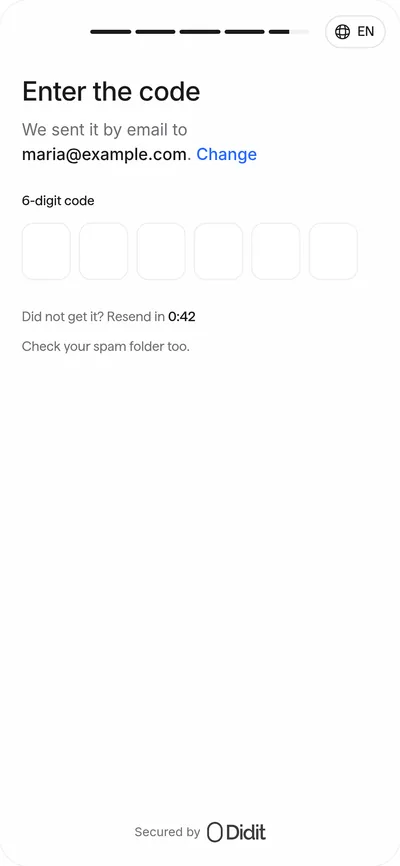
- Email Verification, $0.02 per check. The lowest line in the price book, so it is the check Tier 1 starts with.
- Phone Verification, from $0.02 per code plus the carrier price. A US SMS code totals $0.0473. Use it when the product needs a reachable number rather than a document.
- Device and IP analysis, $0.03 per check. Duplicate devices, VPN, proxy, Tor and location mismatch, drawn from the 200+ fraud signals Didit returns on a session.
- Age Estimation, $0.10 per check. For age-restricted products where a document check at signup is premature.
- Custom Questionnaires, $0.10 per check. For a declared purpose, source of funds or expected volume before any document step.
Give Tier 1 users a real, bounded product: a trial, a read-only view, low limits. Give Tier 1 users bounded access so the stage has a clear product purpose.
Tier 2: the full identity and compliance check
Tier 2 answers a different question: is this person who they claim to be, and are they permitted to do this? It runs document capture, biometrics and screening before higher-value features switch on.
- ID Verification, $0.15 per check. Passport, ID card, driving licence or residence permit, read by OCR, MRZ and barcodes. The methods and per-country coverage are on the Didit User Verification product page.
- Passive Liveness, $0.10, and Face Match 1:1, $0.05. Confirms a live person is present and that the face matches the portrait on the document.
- Device and IP analysis, $0.03. Part of the full KYC check, not an extra line on the invoice.
- AML Screening, $0.20 per check. Sanctions and politically exposed persons against 1,300+ lists, with ongoing monitoring at $0.07 per person per year.
- NFC reading, $0.15 add-on. Reads the chip in ePassports and eIDs and returns the chip data and authenticity result on the session.
- Proof of Address, $0.20 per check. For regulated products that need a verified residential address.
The first four lines are the $0.33 full KYC check: ID document $0.15 plus passive liveness $0.10 plus face match $0.05 plus device and IP analysis $0.03. Tell finance the arithmetic in that order, because the bundle hides three separate checks.
AML is not inside the $0.33 bundle. The full KYC check covers the ID document, biometrics and device and IP analysis only. AML Screening at $0.20 is a separate check, so KYC plus AML is $0.53 per person, and ongoing AML monitoring at $0.07 per person per year is a third, separate line.
ID Verification is one feature with three methods, and the method you allow decides the assurance you can claim. Document capture returns the documentary tier. Non-document lookup, where the country supports it, returns a data match against a government or authoritative source, priced per country. Digital identity wallets such as MitID, BankID or Smart-ID return a cryptographic tier, priced per wallet, for example $0.25 for MitID personal or $0.21 for Smart-ID. Read the method catalogs before you promise a client a specific tier.


What KYC level 2 means
People who search for KYC level 2 usually mean the full check: a government ID document read and authenticated, a live selfie matched to the document portrait, and sanctions and PEP screening before higher-value features are enabled. In a Didit workflow that is ID Verification, Passive Liveness, Face Match and AML Screening, which costs $0.33 plus $0.20, so $0.53 per person. Vendors label it Tier 2, Level 2 or full KYC; what matters is the list of checks behind the label, not the word.
Escalation triggers: policy examples you configure
Nothing in this list is a legal requirement on its own. Each line is an example rule you write into your own risk policy, then enforce as a value check, a feature gate or a workflow branch. Copy the ones that fit your product and delete the rest.
- Transaction thresholds, as a configured rule. For example: a single transfer above a value you set, or cumulative volume above a rolling window, measured in your own ledger.
- Feature access, as a configured gate. Withdrawals, credit lines, payout accounts, private messaging, marketplace selling each map to a tier in your policy.
- Risk signals from Tier 1, as a configured branch. A VPN or Tor exit node, a duplicate device already linked to a declined session, a country mismatch between IP and declared residence.
- Time and tenure. Trial converted to paid, or a fixed number of days of activity you choose.
- Market rules you adopt. A product line or market where your policy requires full KYC for every customer.
- Document expiry. An approved session whose verified document passes its expiry date moves to
"Kyc Expired", which is a Tier 2 re-check, not a new account.
Write each trigger as a rule with a number, an owner and a review date. Store the rule version next to the session, in metadata or tags, so a later audit can see which policy applied on the day.
Prerequisites
- A Didit account. Sandbox testing is free and unlimited, so you can build and test both tiers before you touch production.
- Two published workflows, Tier 1 and Tier 2, each with a stable UUID. Draft edits do not affect live sessions; publishing creates an immutable version and every session references the version it was created with.
- An API key for
POST /v3/session/, plus theread:sessionsprivilege forGET /v3/session/{session_id}/decision/. - If you use an http or https callback, the origin must be on the application's allowed domains, set with
PATCH /v3/webhook/. Custom app deep links are always accepted. - A written risk assessment holding the tier boundary and the escalation thresholds.
Build the two tiers in 7 steps
- Write the tier boundary before you build anything. Put the escalation rules in a document compliance signs: value thresholds, feature gates, risk signals, the named owner of reviews. The workflow only enforces what the policy states.
- Build the Tier 1 workflow in Simple mode. In the Business Console, pick the KYC template, switch on Email Verification and Phone Verification, leave ID Verification off, and publish. Simple mode is template plus toggles, which is all Tier 1 needs. The workflow builder docs walk through it.
- Build the Tier 2 workflow in Advanced mode. Drag ID Verification, Passive Liveness, Face Match, Device and IP Analysis and AML Screening onto the canvas, then publish. Use a branch node if a country should take non-document lookup instead of document capture.
- Record both workflow UUIDs. Calls reference
workflow_id, not a workflow name. Keep the Tier 1 and Tier 2 UUIDs in your configuration so a policy change is a config change, not a deploy. - Create the Tier 1 session at signup. One call, documented fields only.
curl -X POST https://verification.didit.me/v3/session/ \ -H "x-api-key: <API_KEY>" \ -H "Content-Type: application/json" \ -d '{ "workflow_id": "<TIER_1_WORKFLOW_UUID>", "vendor_data": "user_1042", "callback": "https://app.example.com/kyc/done", "tags": ["TIER_1"], "metadata": {"policy": "kyc-tiering-v3"}, "language": "en" }' - Read the decision and branch on the exact status string. Status values are case sensitive and include spaces.
curl https://verification.didit.me/v3/session/<SESSION_ID>/decision/ \
  -H "x-api-key: <API_KEY>"
const decision = await (await fetch(url, { headers: { "x-api-key": API_KEY } })).json(); switch (decision.session_kind) { case "user": return handleUserDecision(decision); case "business": return handleBusinessDecision(decision); } if (decision.status === "Approved") { /* grant Tier 1 access, keep watching triggers */ } if (decision.status === "In Review") { /* a reviewer decides in the Console */ } - Create the Tier 2 session when a trigger fires. Same endpoint, Tier 2
workflow_id, the samevendor_dataso both sessions bind to one person, andexpected_detailsif you already hold the name and date of birth so mismatches surface as decision warnings. Handle the new decision exactly as in step 6, including"In Review".
Expected output
The create call returns a session with session_id, session_url and status. The user opens session_url, works through the hosted flow, and is redirected to your callback with the session id and status appended. Every decision carries one of these exact strings: "Not Started", "In Progress", "Approved", "Declined", "In Review", "Awaiting User", "Resubmitted", "Expired", "Abandoned", "Kyc Expired". The decision payload also returns feature arrays such as id_verifications, liveness_checks, face_matches and aml_screenings. A feature that did not run is absent or null, never a placeholder, so test for presence before you read a field.
Each session also returns decision_trace, which records how the status was reached, who decided it and the warnings counted, and biometric_retention, which gives the date the session's live biometric data is deleted. Store both. They answer the audit question about why a specific user was escalated on a specific day.
Failure cases and recovery
| Case | What you see | Recovery |
|---|---|---|
| User never opens the link | "Expired" after the session TTL | Create a new session. Set session_expiration_time between 3600 and 2419200 seconds if the workflow default is too short |
| User starts and stops | "Abandoned" | Resend the same session_url while it is valid, then create a fresh session |
| A check fails | "Declined" with warnings | A reviewer requests resubmission, the status becomes "Resubmitted", and the user redoes only the failed steps |
| A warning needs a human | "In Review" | Approve, decline or request resubmission in the Console, or through the update-status endpoint |
| Bad API key | 401 | Rotate the key |
| Key without the read privilege | 403 with a permission detail | Grant read:sessions |
| Unknown session or another application | 404 | Check session_id and that the key belongs to the same application |
| Callback outside your allowed domains | 400 on callback | Add the origin with PATCH /v3/webhook/, or use an app deep link |
| Expiration out of range | 400 on session_expiration_time | Send a whole number from 3600 to 2419200 |
| Sandbox scenario on a live app | 400 | Arm scenarios in sandbox only |
| Verified document passes its expiry date | "Kyc Expired" | Send the user back through the Tier 2 workflow, not the signup flow |

Inputs and outputs
| Field | Direction | Required | What it does |
|---|---|---|---|
workflow_id | Input | Yes | Stable workflow UUID. The Tier 1 or Tier 2 workflow decides which checks run |
vendor_data | Input | Recommended | Your identifier for the person. Binds sessions and drives duplicate detection |
callback | Input | No | Where the hosted flow redirects the user, with the session id and status appended |
tags | Input | No | Up to 10 labels, filterable in the Console. Useful for storing the tier and policy version |
metadata | Input | No | Arbitrary JSON echoed back in responses and webhooks, never shown to the user |
session_expiration_time | Input | No | Link lifetime in seconds, 3600 to 2419200, overriding the workflow setting |
expected_details | Input | No | Name, date of birth, nationality, document types. Mismatches surface as decision warnings |
status | Output | Always | One of the exact status strings. Branch on this, not on a warning count |
session_kind | Output | Always | user or business. Always branch on it first |
decision_trace | Output | Always | How the status was reached, who decided, and the warnings counted |
reviews | Output | Always | Manual review activity for the session, including any status override |
Paid steps and where review starts
Didit bills per completed check from prepaid credit, and the full plan and credit numbers are on the pricing page. A check is charged when it finishes with a result, so a Tier 1 session abandoned before the email code is typed costs nothing. Plan credit is added monthly, does not roll over, and is spent before any top-up balance. The Free plan carries $10 of credit a month, Growth is $99 a month with $115 of credit and 4% off every price, Scale is $299 a month with $350 of credit and 10% off, and Enterprise contracts start at $15,000 a year.
- Full KYC is one check, three parts. ID document $0.15, passive liveness $0.10, face match $0.05, device and IP analysis $0.03. You are not billed four times in a workflow session.
- AML is a separate check. AML Screening at $0.20 is not inside the $0.33 full KYC bundle. Ongoing AML monitoring is $0.07 per person per year.
- Non-document lookup is billed per completed attempt. Each completed attempt is charged separately, including partial matches and no matches, and if several database services answer one attempt their prices add up. Format errors and provider failures that return no answer are not charged. Document capture is charged additionally when a completed lookup falls back to documents.
- Free, and one paid neighbour. The Workflow Orchestrator, the MCP server, the SDKs and Reusable KYC are free. Face Search 1:N is $0.05 per search.
- The review boundary. Automated checks produce the decision. Warnings that need a person route the session to
"In Review", and a reviewer approves, declines or requests resubmission in the Console. A manual status change is recorded instatus_overridewith the automatic status kept beside it, so you can always see what the machine said. - Ongoing monitoring. AML monitoring after approval is $0.07 per person per year, which is the cost of keeping Tier 2 live rather than a one-off check.
Worked cost example
Take 10,000 monthly signups, with 30% reaching Tier 2 through a documented trigger. Tier 1 runs Email Verification only, Tier 2 runs full KYC plus AML Screening.
- Tier 1 Email Verification: 10,000 x $0.02 = $200.00
- Tier 2 full KYC check: 3,000 x $0.33 = $990.00
- Tier 2 AML Screening: 3,000 x $0.20 = $600.00
- Total: $200.00 + $990.00 + $600.00 = $1,790.00, which is $0.179 per signup
- The same population checked at Tier 2 with AML for everyone: 10,000 x $0.53 = $5,300.00
- Difference: $5,300.00 - $1,790.00 = $3,510.00 saved on the same 10,000 users, before any conversion gain from a lighter signup
- On Growth, 4% off Didit prices: 10,000 x $0.0192 = $192.00, 3,000 x $0.3168 = $950.40, 3,000 x $0.192 = $576.00, total $1,718.40
Add-ons change the number honestly. NFC reading at $0.15 per check on the 3,000 Tier 2 sessions adds $450.00. Proof of Address at $0.20 on half of them adds $300.00. Ongoing AML monitoring at $0.07 per person a year on the 3,000 approved users adds $210.00 across the year.
Sources
- Didit User Verification product page
- Didit pricing page and live price feed, read November 26, 2026
- Didit docs: Workflow Builder, simple and advanced modes, versioning
- Didit docs: Create Session API
- Didit docs: Retrieve Session API and handler pattern
- Didit docs: Verification statuses and session lifecycle
- Didit docs: Sandbox testing
- Didit docs: ID verification methods and assurance tiers
- Didit docs: ID Verification overview
- Didit docs: Device fingerprinting and IP risk
- Didit docs: Update status endpoint
- Didit docs: Pricing, billing rules and credits
- FATF, risk-based approach guidance (fatf-gafi.org)
No third-party vendor pages were used for this page.
Next step: open the sandbox at business.didit.me, publish a Tier 1 workflow with Email Verification only, and run it end to end with test sessions before you touch production. No sales call is required to start.
Try it
Try this in the sandbox
Run the check this guide describes, free.
The product this post is about, taken from its topic. Run it free in the sandbox.
Author
Alberto Rosas
Co-founder and CEO

Keep reading
Other guides in the same topic.
 What Is the Purpose of FICA in South Africa? 2026 Guide
FICA is South Africa's anti-money laundering law. It creates the Financial Intelligence Centre and requires accountable institutions to identify and verify clients, screen for PEP and sanctions risk and report suspicious.
Alberto RosasNov 26, 2026 Sixth Money Laundering Directive (6AMLD): What Changed and Which Rules Apply
6AMLD is Directive (EU) 2018/1673: Member States must criminalise laundering, widen predicate offences and set a four-year penalty floor. It adds no new due diligence duties for firms.
Alberto RosasNov 26, 2026 Automated Sanctions Screening: Canada, the Entity List and Embargoes
Automated sanctions screening matches people and companies against lists such as Canada's autonomous sanctions made under SEMA and JVCFOA and the OFAC SDN List, and returns candidate hits scored for identity confidence and.
Alberto RosasNov 26, 2026Questions
Frequently asked questions
What is progressive KYC?
Progressive KYC verifies a person in stages instead of asking for everything at signup. Tier 1 confirms a reachable contact and checks device and IP signals, and Tier 2 adds a government ID document, biometrics and AML screening when risk or requested value rises. The point is to grant useful access early and reserve the expensive, slower checks for the users who need them.
What is the difference between Tier 1 and Tier 2 KYC?
Tier 1 is contact and risk verification: Email Verification at $0.02, Phone Verification from $0.02 plus carrier, and Device and IP analysis at $0.03, and it opens a limited account with no withdrawals or payouts. Tier 2 is full identity and compliance verification: ID document $0.15, passive liveness $0.10, face match $0.05, device and IP analysis $0.03, plus AML Screening at $0.20 as a separate check, and it opens the full feature set and higher limits.
What is KYC level 2?
KYC level 2 normally means full KYC: a government ID document authenticated, a live selfie matched to the document portrait, and sanctions and PEP screening completed before higher-value features are enabled. On Didit that is a $0.33 full KYC check plus $0.20 for AML Screening, so $0.53 per person. The label varies by vendor; check which checks sit behind it.
When should a user move from Tier 1 to Tier 2?
Escalate on a trigger you have written into your own policy: a single or cumulative transaction value you set, access to a feature such as withdrawals or payouts, a risk signal from Tier 1 such as a VPN or a duplicate device, a market where your policy requires full KYC, or a verified document passing its expiry date. Each trigger should carry a number and an owner. Triggers stored in metadata or tags let a later audit see which policy applied.
How much does a Tier 1 check cost on Didit?
Email Verification is $0.02 per check, Device and IP analysis is $0.03, and Phone Verification starts at $0.02 per code plus the carrier price, so a US SMS code costs $0.0473 in total. Custom Questionnaires are $0.10 and Age Estimation is $0.10. A Tier 1 session abandoned before a check completes is not billed, because Didit charges per completed check with a result.
What does a full Tier 2 KYC check cost on Didit?
A full KYC check is $0.33: ID document verification $0.15, passive liveness $0.10, face match 1:1 $0.05 and device and IP analysis $0.03. AML Screening is separate at $0.20, so KYC plus AML is $0.53 per person. Optional lines are NFC reading at $0.15, Proof of Address at $0.20, and ongoing AML monitoring at $0.07 per person per year.
Is tiered KYC allowed under AML rules?
AML rules are built around a risk-based approach rather than identical checks for every customer, which is what FATF Recommendation 10 describes. A tiered flow is defensible when the escalation criteria are documented, applied consistently, and evidenced per session. The failure mode is an undocumented tier that leaves a high-risk account lightly verified, so write the policy before you configure the workflow.
What happens when a Tier 2 check goes to In Review?
The session holds the exact status "In Review" and the decision payload carries the warnings that caused it. A compliance reviewer opens the session in the Business Console and approves, declines or requests resubmission, and the decision trace records who decided and when. The checks that already ran are billed as usual, and any manual status change is kept in status_override next to the automatic status.
Can we reuse an approved check when a user comes back?
Reusable KYC is free on Didit, so an approved session is not re-billed when the same person returns. Sessions whose verified document passes its expiry date move to "Kyc Expired", which sends the user back through the Tier 2 workflow rather than the signup flow. Link same-person verifications at approval time if your policy groups accounts.
How do we test a two-tier flow without paying for live checks?
Sandbox testing is free and unlimited. Sandbox applications can test every digital ID wallet with simulated results, and scenario slugs reproduce specific outcomes so you can exercise the escalation path. Sandbox availability does not indicate production availability, so re-check each method before launch.
Compliance built in
Audited, certified and attested.
We hold the certifications and build each country's rules into your flows, so you can launch anywhere without worrying. Security and Compliance center
- Regulation encoded into your flows
Tell us what you do and where. Didit lists the rules that apply to you, with sources, and builds the checks each country needs into one workflow.
- Ready for AMLR
Every requirement of the new EU anti-money laundering rules, from checking customers to human review, is already covered by a Didit check.
- Tested in Spain's Treasury sandbox
Spain's Treasury published its supervised sandbox report on Didit's NFC plus active liveness onboarding; SEPBLAC took part and valued the added measures positively.
- Audited, not self-declared
iBeta Level 1 and Level 2. Liveness tested under ISO/IEC 30107-3.
Your obligations · 3 regions
 SOC 2 Type 2
 ISO 27001
 iBeta Level 1 and Level 2
 EU regulator attestation
 FSM youth protection
 GDPR
 EBA remote onboarding
 MiCA compatible
 FIDO Alliance member
- AMLREU AML Regulation ready
Integration · Didit MCP
Run Didit from your own AI agent
Connect Didit to Claude, Cursor, VS Code or ChatGPT and just ask in plain words. Your agent can do anything you can do in the console, with the same permissions you have.
 Add to Claude
 ChatGPT
 Cursor
- Build workflowsDescribe the checks you need. The agent creates and publishes the flow.
- Run investigationsAsk why a session was declined, review cases, search people and companies.
- Change rulesCreate payment rules, test them on past data and switch them on.
- Pull reportsAsk for numbers, exports or the audit log.
Didit Academy