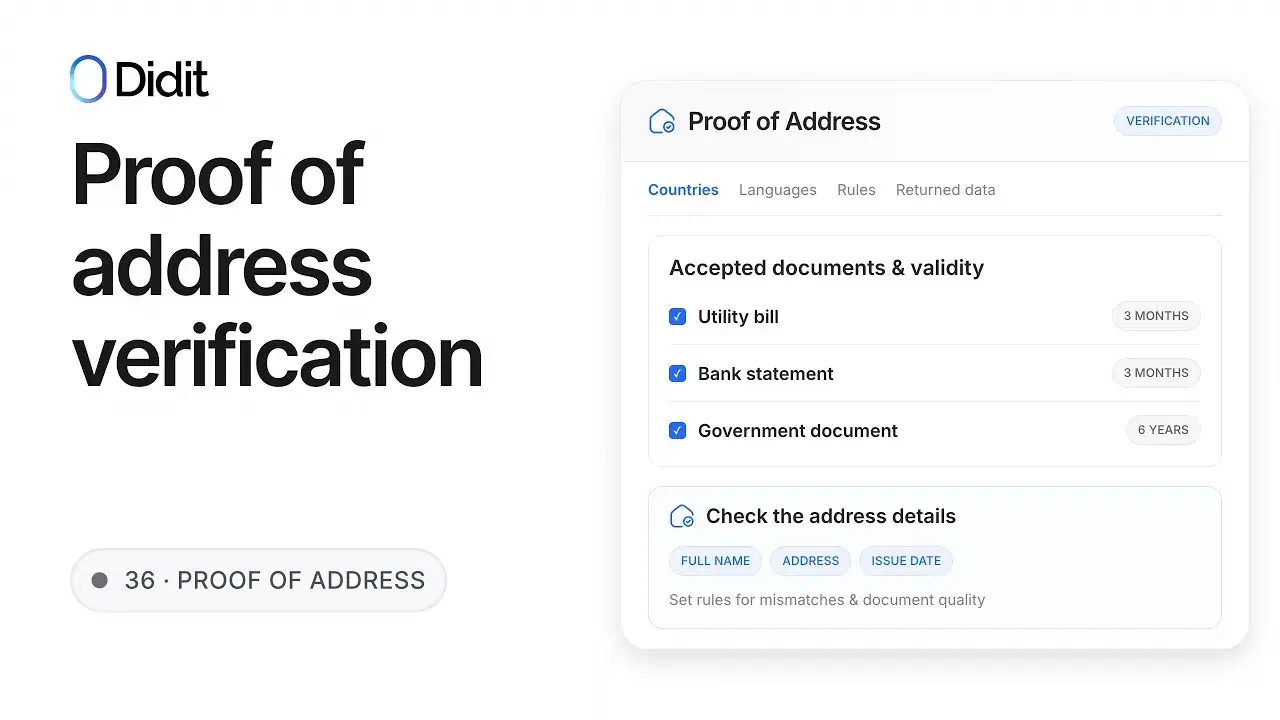
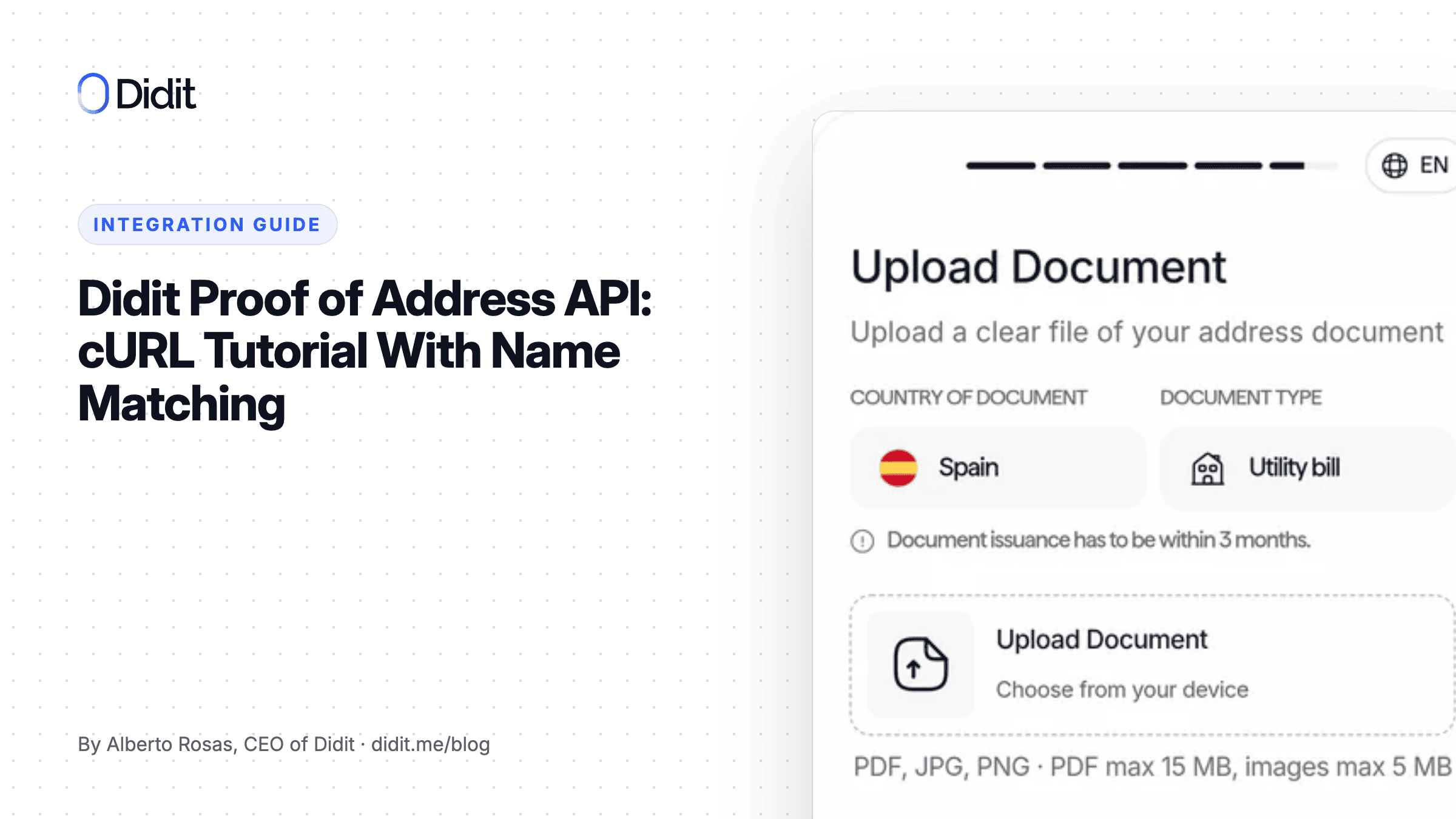
Didit Proof of Address API: cURL Tutorial With Name Matching
POST a utility bill to /v3/poa/ with your x-api-key plus the expected address and names. Set a client timeout of at least 45 seconds, read poa.status and poa.warnings, and budget $0.20 at list price per completed live check.
 Alberto RosasCo-founder and CEO
Contents
In this guide
Jump to the part you need.
Use the Didit Proof of Address API when you already hold the document and want a one-shot address check from your server, with no hosted flow to build. Each call to POST https://verification.didit.me/v3/poa/ costs $0.20 USD at list price per completed live check. Both Approved and Declined results returned with HTTP 200 are billable. Extraction typically takes 5 to 15 seconds and can take about 30 seconds for multi-page PDFs, so set a client timeout of at least 45 seconds and read poa.status, not the HTTP code alone.
Last updated: November 26, 2026. Prices checked against the live Didit price feed on November 26, 2026.
| Item | What it is |
|---|---|
| Endpoint | POST https://verification.didit.me/v3/poa/ |
| Body | multipart/form-data, the file goes in the document field |
| Authentication | x-api-key header carrying your application key |
| Price | $0.20 USD at list price per completed live check. Both Approved and Declined results returned with HTTP 200 are billable. $0.192 on Growth, $0.18 on Scale |
| Latency | 5 to 15 seconds typical, up to about 30 seconds for multi-page PDFs |
| Client timeout | At least 45 seconds. Do not retry before the call completes |
| Upload limit | 15 MB, one document per call, PDF, JPG, PNG, TIFF or WebP |
| Key response fields | poa.status, poa.parsed_address, poa.document_type, poa.issuer, poa.issue_date, poa.language, poa.warnings |
| Common failure codes | 400 with encrypted_pdf or document_unreadable, 503 with document_processing_busy and Retry-After, 403 for key or credit problems |
| Sandbox | Free. A sandbox key skips processing and billing and returns a static Approved mock |
Start free in the sandbox at https://business.didit.me/, with no sales call. Developers who want to run Didit checks from an AI assistant can connect the server at https://didit.me/developers/mcp/. The endpoint reference lives at docs.didit.me/standalone-apis/proof-of-address and the full price list at https://didit.me/pricing/.
What the endpoint actually checks
The feature behind this call is the Didit Proof of Address product, documented on the Didit Proof of Address product page. The documentation at docs.didit.me/core-technology/proof-of-address/overview also covers the session based route. We classify the uploaded document by type and subtype, for example UTILITY_BILL with subtype WATER_BILL, then we run LLM-based extraction for the issuer, the issue and expiry dates, the holder name and the address. We parse and geocode the address into poa_parsed_address.
PDF and EXIF forensics screen for tampering: modification after digital signing, known PDF editors, overlay-text manipulation, suspicious re-exports. Those surface as SUSPECTED_DOCUMENT_MANIPULATION or DOCUMENT_METADATA_MISMATCH, and a text field that was blanked and re-typed in another font surfaces POA_DOCUMENT_UNPROVEN_TEXT_REPLACEMENT. When you pass expected_address, expected_country or expected_first_name and expected_last_name, the extracted values are cross-checked and every mismatch is flagged in poa.warnings.
The decision rule is simple. status is Approved unless at least one warning resolves to a decline. Hard failures always decline: MISSING_ADDRESS_INFORMATION, POA_DOCUMENT_EXPIRED, INVALID_DOCUMENT_TYPE, UNABLE_TO_VALIDATE_DOCUMENT_AGE, plus UNABLE_TO_EXTRACT_ISSUE_DATE and POA_NAME_NOT_DETECTED, which are not configurable on this endpoint. Five risk groups can be set per request through the poa_*_action options, with DECLINE or NO_ACTION, all defaulting to DECLINE. Two codes are informational and never decline: POA_DOCUMENT_NOT_SUPPORTED_FOR_APPLICATION and UNPARSABLE_OR_INVALID_ADDRESS.
Prerequisites: plan, client, permissions
| Item | Detail | Where |
|---|---|---|
| Plan | Any plan works. The first Free-plan organization created with an eligible work email for a company domain gets $10 in monthly credit. At $0.20 per completed check, that covers 50 checks if the full credit is available. The sandbox is free on every plan. | didit.me/pricing |
| Client | cURL, or any HTTP client that can send multipart form data. The call is synchronous and belongs on the server. | This page |
| Permissions | An application API key in x-api-key. New keys start with sk_test_ for sandbox or sk_live_ for live, then 43 URL-safe characters. The primary key has full access, and scoped keys can be narrower. | Developers, then API keys |
| Document | PDF, JPG, PNG, TIFF or WebP, up to 15 MB. Multi-page statements are supported. A password protected PDF needs document_password. | Your user |
| Balance | $0.20 USD at list price per completed live check. Both Approved and Declined results returned with HTTP 200 are billable. A balance that cannot cover the call returns 403 before any document processing. | docs.didit.me/getting-started/pricing |
Verify a utility bill with cURL
curl --max-time 45 -X POST 'https://verification.didit.me/v3/poa/' \
-H "x-api-key: $DIDIT_API_KEY" \
-F "document=@./utility-bill.pdf" \
-F "expected_address=Av. Monseñor Tavella 3396, Salta" \
-F "expected_country=ARG" \
-F "expected_first_name=Sophia" \
-F "expected_last_name=Martinez" \
-F "poa_languages_allowed=en,es" \
-F "vendor_data=user-1234"
Pick the application and copy its key. Sign in at https://business.didit.me/, choose the Application from the menu at the top, open Developers, then API keys, and copy the primary key. Create a separate key next to it when a service or a partner needs its own secret with only the access it needs.
Export the key as an environment variable. Keep it server side. Never put it in a browser or a mobile bundle.
export DIDIT_API_KEY=sk_test_your_key_herePrepare the document. One file per call, up to 15 MB. If the PDF is password protected, keep the password and send it in
document_password.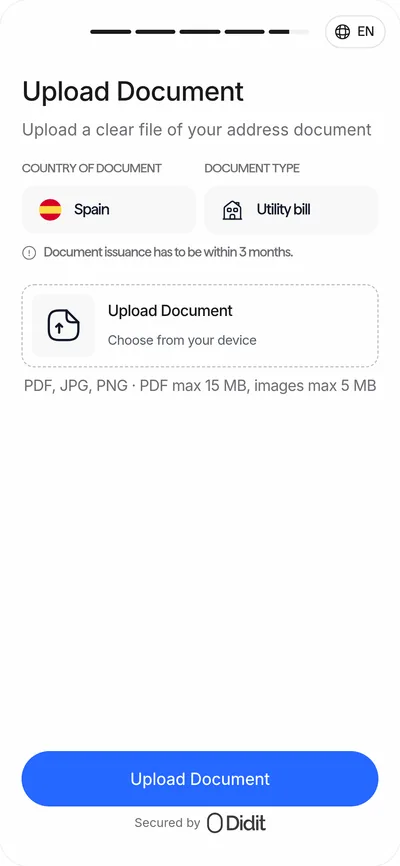
The same document a user uploads in a hosted flow can be posted straight to /v3/poa/.Send the call. Use the command under the heading. It is the documented example with the matching fields filled in and the documented client timeout on the command line.
Add the password field only when the PDF is encrypted. Append it to the same multipart request, next to the file, with your own placeholder value:
curl --max-time 45 -X POST 'https://verification.didit.me/v3/poa/' \
-H "x-api-key: $DIDIT_API_KEY" \
-F "document=@./encrypted-bank-statement.pdf" \
-F "document_password=YOUR_PDF_PASSWORD" \
-F "expected_first_name=Sophia" \
-F "expected_last_name=Martinez"
Read the response. The body carries
request_idand thepoaobject. Checkpoa.statusand every entry inpoa.warningsbefore you approve anything.
The sample below is a minimal response. Read poa.warnings for the findings; the metadata path is conditional, as explained after the tables.
{
  "request_id": "...",
  "poa": {
    "status": "Approved",
    "parsed_address": { },
    "document_type": "UTILITY_BILL",
    "issuer": "...",
    "issue_date": "...",
    "language": "en",
    "warnings": []
  }
}
What happens to the request after it returns. For a live call with save_api_request left at its default true, we save the request as an API-type session: the uploaded document is stored, the returned request_id is a real session id you can pass to GET /v3/session/{sessionId}/decision/, and a status.updated webhook is emitted. With save_api_request set to false, nothing is stored and request_id is a one-off correlation UUID you cannot look up later. Sandbox calls never create a saved session. Decide which one you want before the first live call, because it changes both your storage and your reconciliation.

No console access is needed to get a key. The documented programmatic route is
POST https://apx.didit.me/auth/v2/programmatic/register/with an email and password, thenPOST https://apx.didit.me/auth/v2/programmatic/verify-email/with the 6-character code, which returnsapplication.api_keyandsandbox_application.api_keyinline. Note that an organization created through the API starts at $0 of credit. The full flow is at docs.didit.me/getting-started/api-authentication.
Reading the result: HTTP status and next action
| Response | What it means | Field to inspect | Next action |
|---|---|---|---|
Live HTTP 200 with poa.status = Approved | No warning triggered a decline under the request's settings | poa.status and poa.warnings | Read poa.warnings and apply your acceptance policy. |
HTTP 200, status: "Declined" | A readable document with at least one warning that resolves to a decline | poa.warnings | Reject or route to manual review. The HTTP code is not an error |
HTTP 400 | The request failed validation, or the file could not be read | The code in the body | Fix the input, the password or the file, then resend |
HTTP 403 | The key was rejected, or the balance cannot cover the call | The body: a permission message or a not-enough-credits message | Send a valid application key, or top up the balance |
HTTP 503 with document_processing_busy | Too many documents were being processed, so the upload was not processed | The Retry-After header | Wait for Retry-After, then resend the same file |
Sandbox approval is a static mock: a sandbox key returns Approved without checking the document, so do not read it as a live pass.
Request fields and response mapping
| Field | What it does | Where you see it |
|---|---|---|
document | The file: utility bill, bank statement, lease or government letter | poa.document_type, poa.issuer, poa.issue_date |
expected_address | The address you hold for the user; compared with the extracted address | Warning ADDRESS_MISMATCH |
expected_country | The country you expect, as an ISO code such as ARG | Warning COUNTRY_MISMATCH |
expected_first_name | The holder first name from your KYC record | Warning NAME_MISMATCH |
expected_last_name | The holder last name from your KYC record | Warning NAME_MISMATCH |
poa_languages_allowed | Comma separated language list, for example en,es | poa.language, warning LANGUAGE_NOT_ALLOWED |
vendor_data | An identifier you supply for the user or case | Your own records |
document_password | Required for an encrypted PDF | Without it, 400 with encrypted_pdf |
| Key | What it holds |
|---|---|
poa.status | Approved or Declined on this endpoint. The shared status enum used by other integration surfaces also carries Not Started, In Progress, In Review, Abandoned and Kyc Expired |
poa.parsed_address | Parsed, geocoded address |
poa.document_type | Document classification, such as UTILITY_BILL |
poa.issuer | The company or body that issued the document |
poa.issue_date | The issue date read from the document |
poa.language | Detected language, checked against poa_languages_allowed |
poa.document_metadata.overlay_manipulation | Forensics metadata for overlay manipulation. The Mode B overview shows it in the standalone payload, while the endpoint reference says standalone responses omit document_metadata; persisted session decisions expose it. Read poa.warnings first and treat metadata access as conditional |
poa.warnings | Warnings raised during the check. Read them alongside poa.status. |
One detail trips people up. The Mode B overview shows poa.document_metadata.overlay_manipulation in the standalone payload, while the endpoint reference says standalone responses omit document_metadata and that persisted session decisions expose it. Read poa.warnings for forensic findings such as OVERLAY_MANIPULATION_DETECTED and SUSPECTED_DOCUMENT_MANIPULATION. If the metadata path is absent and the live call was saved with save_api_request=true, use request_id with GET /v3/session/{sessionId}/decision/ to read the available forensics metadata. With persistence disabled or in sandbox, there is no saved decision to fetch.
Name and address matching: what triggers a mismatch
We compare the extracted holder name with the expected first and last names. A mismatch raises NAME_MISMATCH and declines by default. Other warnings can still cause a decline when the names match.
We compare the extracted address and country with the values you supply. Check poa.warnings for ADDRESS_MISMATCH and COUNTRY_MISMATCH.
The full catalogue of codes is at docs.didit.me/core-technology/proof-of-address/warnings-proof-of-address, and the per-feature report shape is at docs.didit.me/core-technology/proof-of-address/report-proof-of-address.
Handling failures: encrypted PDFs, unreadable files, busy documents, empty balance
| Symptom | Meaning | Fix |
|---|---|---|
400 with code: "encrypted_pdf" | The PDF is password protected, or the password you sent is wrong | Send the right document_password, or ask for a decrypted copy |
400 with code: "document_unreadable" | The file is corrupt or cannot be opened | Ask the user for a different file. Branch on code, not on the message |
503 with code: "document_processing_busy" | Too many documents are being processed, so the upload was not processed | Send the same file again after the Retry-After seconds |
403 with the not-enough-credits body | The balance cannot cover the call; nothing was processed | Top up at business.didit.me |
HTTP 403 with an authentication or permission error | The endpoint reference documents the quoted body {"detail": "You do not have permission to perform this action."} for missing or invalid credentials, while the platform guide also documents 401 for a wrong, malformed, revoked or expired key and distinct 403 permission messages | Inspect the body, verify the key and the access it has, and handle both 401 and 403 |
429 | Rate limit. This endpoint is covered by the generic-write limit of 300 requests per minute per API key | Follow Retry-After, then back off with jitter |
| Client timeout | The client stopped waiting before it received a response. The outcome of the original request is unknown. | Use at least 45 seconds and do not retry while the original call is still running |
200 with status: "Declined" | A warning resolved to a decline, for example OVERLAY_MANIPULATION_DETECTED | Reject or route to manual review. The HTTP code is not an error |
The platform-wide code list is at docs.didit.me/integration/api-errors.
poa.document_type.Proof of address document age limit: a three month example
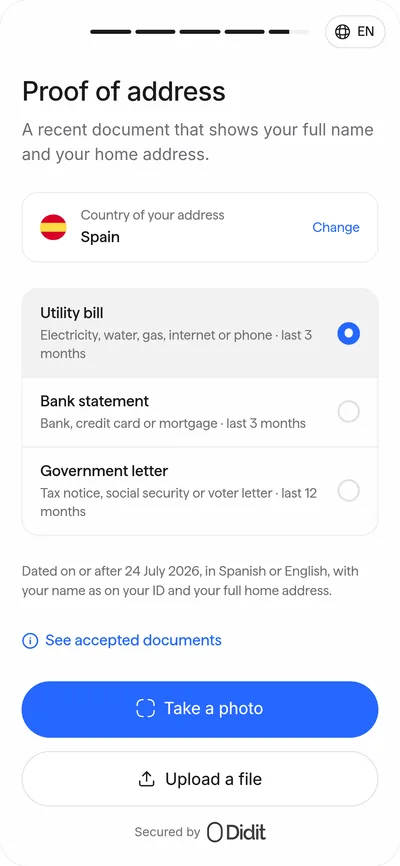
Treat three months as an example policy for a utility bill, not a Didit constant. POA_DOCUMENT_EXPIRED is the expiration hard failure. The documented validation failures also include UNABLE_TO_VALIDATE_DOCUMENT_AGE when the age cannot be established and UNABLE_TO_EXTRACT_ISSUE_DATE when the issue date cannot be read. Each of these declines.
In a hosted workflow the age window is set with poa_document_age_months on the proof of address step, and the accepted languages with poa_languages_allowed. On the standalone call, compare poa.issue_date with today and decline the document yourself when it is older than your three month policy; keep the code that came back in poa.warnings in your record.
Test with sandbox data, then go live
A sandbox API key skips all processing and billing. After request validation, which still returns 400 on malformed input, the endpoint returns a static Approved mock payload for a fictional Sandbox Power Co. electricity bill, and no session is persisted. That makes the sandbox the right place to test multipart request validation and your own parsing of a static HTTP 200 Approved response. It will not tell you how fast extraction runs on your documents. Use a live request with real credit to measure extraction latency and to exercise real document checks.
- Expected success: HTTP
200with a JSON body your client parses andpoa.statusofApproved. - Expected request error: send the same form without the
documentpart to see how your client handles a400before any billing. - Expected auth error: call with no
x-api-keyheader to confirm you surface the403permission message and not a generic failure.
When your organization has sufficient credit, replace the sandbox application key with the live application key in DIDIT_API_KEY. Then run one real bill and compare poa.parsed_address and poa.issue_date with the document you can see.
Disconnect and clean up
To stop calls, stop requests from the calling service. If it uses a dedicated key, read the API-key documentation before revoking it. For a live call with save_api_request set to true, the call is persisted as an API-type session, the uploaded document is stored and the request appears in the Business Console. With false, nothing is stored and request_id is a one-off correlation UUID. Sandbox calls never create a saved session. Decide which one you want before the first live call.
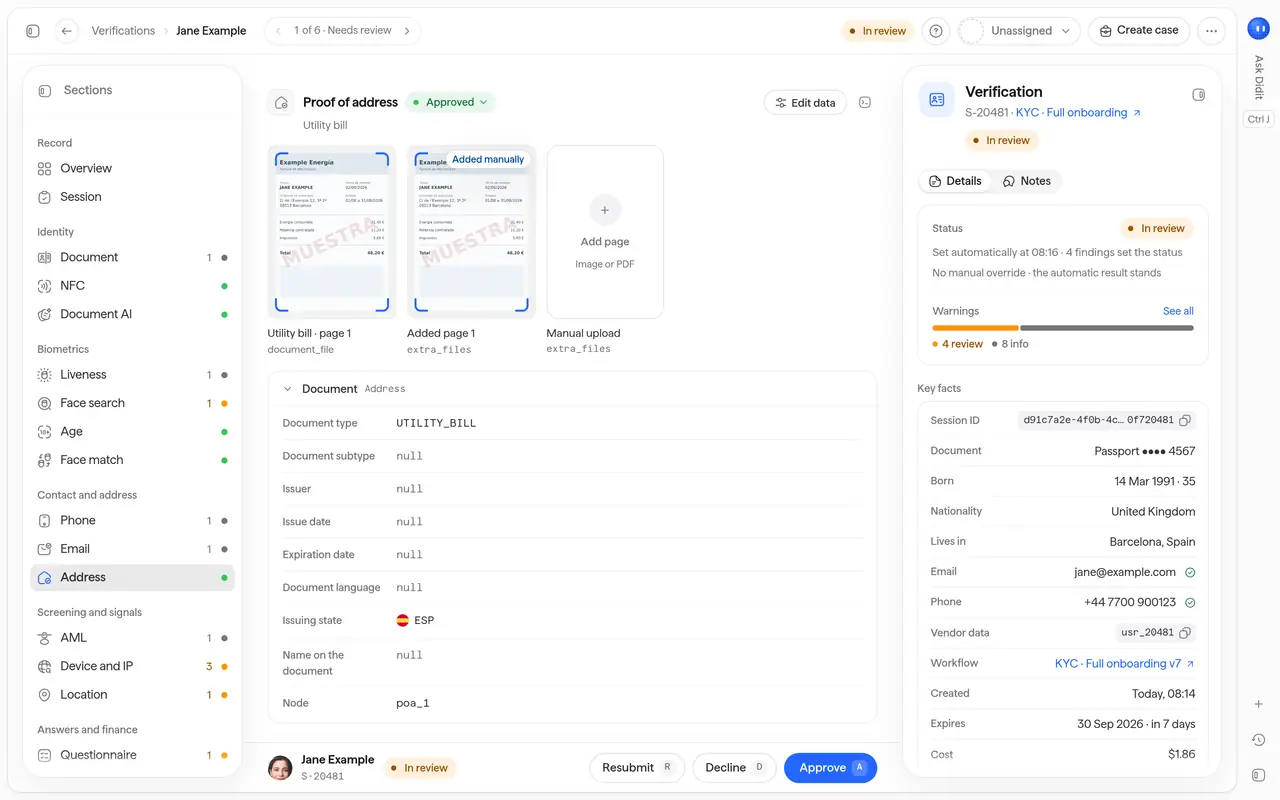
There is no separate contract to cancel on the self-serve plans, and unused monthly credit simply expires at the end of the plan month.
Standalone Proof of Address pricing
We charge one Proof of Address API credit for each live HTTP 200. That is $0.20 at list price, $0.192 on Growth and $0.18 on Scale, whether the result is Approved or Declined. A request that comes back 400, 403 or 503 returns no 200 and consumes no credit. Sandbox calls consume no credits.
Worked example, 4,000 proof of address checks in one month. The Growth and Scale totals are monthly plan fees plus usage beyond the included credit, before taxes, assuming all included credit is available for these checks:
- List price: 4,000 × $0.20 = $800.00 of usage
- Growth: 4,000 × $0.192 = $768.00 usage; $768.00 - $115.00 included credit + $99.00 monthly fee = $752.00
- Scale: 4,000 × $0.18 = $720.00 usage; $720.00 - $350.00 included credit + $299.00 monthly fee = $669.00
- Free plan credit: $10.00 ÷ $0.20 = 50 checks covered each month before any top-up, if the full credit is available
If you run a full ID check and a proof of address check for each user, add the two unit prices. Full KYC at $0.33 plus proof of address at $0.20 is $0.53 per user at list price: 4,000 × $0.53 = $2,120.00 of usage before plan fees and credits. On Growth it is $0.3168 + $0.192 = $0.5088, so 4,000 × $0.5088 = $2,035.20. On Scale it is $0.297 + $0.18 = $0.477, so 4,000 × $0.477 = $1,908.00. Discounts apply to every Didit price on the plan, and plan credit is dollars, not a count, so you can mix checks freely.
The other cost is the held connection. Allow at least 45 seconds for the synchronous request. If we return HTTP 503 with document_processing_busy, wait for Retry-After before resending the same file. The price list is public, including the machine-readable feed at https://didit.me/pricing.json.
Sources
- Didit docs: Proof of Address API, POST /v3/poa/, read November 26, 2026
- Didit docs: Proof of Address overview and Mode A versus Mode B, read November 26, 2026
- Didit docs: API authentication and key formats, read November 26, 2026
- Didit docs: API errors, status codes and credit errors, read November 26, 2026
- Didit docs: rate limits and Retry-After, read November 26, 2026
- Didit docs: warnings catalogue for proof of address, read November 26, 2026
- Didit docs: proof of address report, read November 26, 2026
- Didit docs: data models, read November 26, 2026
- Didit docs: full integration prompt, read November 26, 2026
- Didit docs: pricing and billing rules, read November 26, 2026
- Didit Proof of Address product page, read November 26, 2026
- Didit pricing page and pricing as JSON, live price feed read November 26, 2026
- Didit MCP server setup, read November 26, 2026
The next step is a sandbox call. Open the Didit Business Console, copy the sk_test_ key of your sandbox application, and run the cURL example with a sandbox key and a sample file to check your request and response handling. The API returns a fictional electricity-bill result. No sales call is needed.
Try it
Try this in the sandbox
Run the check this guide describes, free.
The product this post is about, taken from its topic. Run it free in the sandbox.
Author
Alberto Rosas
Co-founder and CEO

Keep reading
Other guides in the same topic.
 BIPA, CUBI and Colorado Biometric Consent for Selfie Checks
Illinois BIPA requires written notice and a written release. Texas CUBI requires prior notice and consent for commercial capture. Colorado requires prior notice and consent for covered collection.
Alberto RosasNov 26, 2026 How to Add Identity Verification to Okta with Didit (2026)
Didit connects to Okta’s BYO IDV profile through an OpenID Connect bridge using PAR, PKCE S256 and verified claims. Full ID checks cost $0.33 at list price. The request profile is strict.
Alberto RosasNov 26, 2026 Didit ID Verification API: cURL, File Limits, Dual-Sided Docs
Send an uncropped front image and, for dual-sided IDs, a back image to Didit's standalone API. The limit is 5 MB per file. Completed live calls cost $0.20 at list price.
Alberto RosasNov 26, 2026Questions
Frequently asked questions
How do I call the Didit proof of address API with cURL?
Send a POST to https://verification.didit.me/v3/poa/ as multipart/form-data with your application key in the x-api-key header and the file in the document field. Add the expected address, the expected country and the expected first and last names to turn on the cross-checks, and poa_languages_allowed to restrict languages. Set the client timeout to at least 45 seconds.
Which fields does the proof of address API use for name matching?
expected_first_name and expected_last_name are compared with the holder name extracted from the document. A difference raises NAME_MISMATCH in poa.warnings and, by default, a Declined status. When the names match, other warnings can still cause a decline, so read the whole warnings list.
Why does my proof of address call time out?
Extraction is LLM-based and typically takes 5 to 15 seconds, with multi-page PDFs taking up to about 30 seconds. A shorter client timeout can cut off a slow response. Use at least 45 seconds and avoid retrying while the original call is still running.
What does the encrypted_pdf error mean on the Didit POA API?
It is an HTTP 400 with code: "encrypted_pdf" and it means the PDF is password protected, or the document_password you sent is wrong. Send the correct password, or ask the user for a decrypted copy. The call returns no 200, so no credit is consumed.
What should I do when I get document_processing_busy with HTTP 503?
The platform was processing too many documents, so your upload was not processed. The response carries a Retry-After header; wait that many seconds and send the same file again. The failure is about capacity, not about the document, so do not modify the file.
How do I check that a proof of address is not older than three months?
In a hosted workflow the age window is set with poa_document_age_months on the proof of address step, so a three month rule is a configuration value. POA_DOCUMENT_EXPIRED is the expiration hard failure; UNABLE_TO_VALIDATE_DOCUMENT_AGE covers an age that cannot be validated and UNABLE_TO_EXTRACT_ISSUE_DATE covers an unreadable issue date. On a standalone call, compare poa.issue_date with today and decline when it is older than your three month policy.
Does a Declined status mean the API call failed?
No. A live check that completes and returns poa.status of Declined still returns HTTP 200. Read poa.warnings for the findings. Malformed input or an unreadable document can return HTTP 400.
How much does a Didit proof of address check cost?
$0.20 per completed check at list price, $0.192 on the Growth plan and $0.18 on the Scale plan. Each live HTTP 200 consumes one Proof of Address API credit, whether the result is Approved or Declined. Sandbox calls consume no credits. The first Free-plan organization created with an eligible work email for a company domain gets $10 of monthly credit, which covers 50 checks at $0.20 if the full credit is available.
Is the sandbox result a real verification?
No. A sandbox API key skips processing and billing and returns a static Approved mock payload for a fictional Sandbox Power Co. electricity bill. It exercises request validation and your parsing of a success response, not the document. Use a live key with real credit to check a real bill.
Can I call the proof of address API from a browser or a mobile app?
Keep every application API key server-side and send the request from your backend. The primary key has full access. Scoped keys can have narrower permissions. Never ship a key in frontend code, a public repository or a client-side bundle.
What is the difference between the POA API and a session with the PROOF_OF_ADDRESS feature?
The standalone API is a one-shot check for a document you already hold. A session with the PROOF_OF_ADDRESS feature runs the capture inside a hosted Didit flow and reports through the poa_verifications[] array on the decision payload. Choose the standalone call when you have the file, and the session when the user uploads the document in a hosted Didit flow or through the Didit SDK.
Does the POA call also check the identity document?
No. It extracts and validates the address document only, including forensics, age, language and the cross-checks you request. Pair it with a full ID check at $0.33, or with a linked KYC inside a workflow, when you need the holder identity confirmed as well.
Compliance built in
Audited, certified and attested.
We hold the certifications and build each country's rules into your flows, so you can launch anywhere without worrying. Security and Compliance center
- Regulation encoded into your flows
Tell us what you do and where. Didit lists the rules that apply to you, with sources, and builds the checks each country needs into one workflow.
- Ready for AMLR
Every requirement of the new EU anti-money laundering rules, from checking customers to human review, is already covered by a Didit check.
- Tested in Spain's Treasury sandbox
Spain's Treasury published its supervised sandbox report on Didit's NFC plus active liveness onboarding; SEPBLAC took part and valued the added measures positively.
- Audited, not self-declared
iBeta Level 1 and Level 2. Liveness tested under ISO/IEC 30107-3.
Your obligations · 3 regions
 SOC 2 Type 2
 ISO 27001
 iBeta Level 1 and Level 2
 EU regulator attestation
 FSM youth protection
 GDPR
 EBA remote onboarding
 MiCA compatible
 FIDO Alliance member
- AMLREU AML Regulation ready
Integration · Didit MCP
Run Didit from your own AI agent
Connect Didit to Claude, Cursor, VS Code or ChatGPT and just ask in plain words. Your agent can do anything you can do in the console, with the same permissions you have.
 Add to Claude
 ChatGPT
 Cursor
- Build workflowsDescribe the checks you need. The agent creates and publishes the flow.
- Run investigationsAsk why a session was declined, review cases, search people and companies.
- Change rulesCreate payment rules, test them on past data and switch them on.
- Pull reportsAsk for numbers, exports or the audit log.
Didit Academy