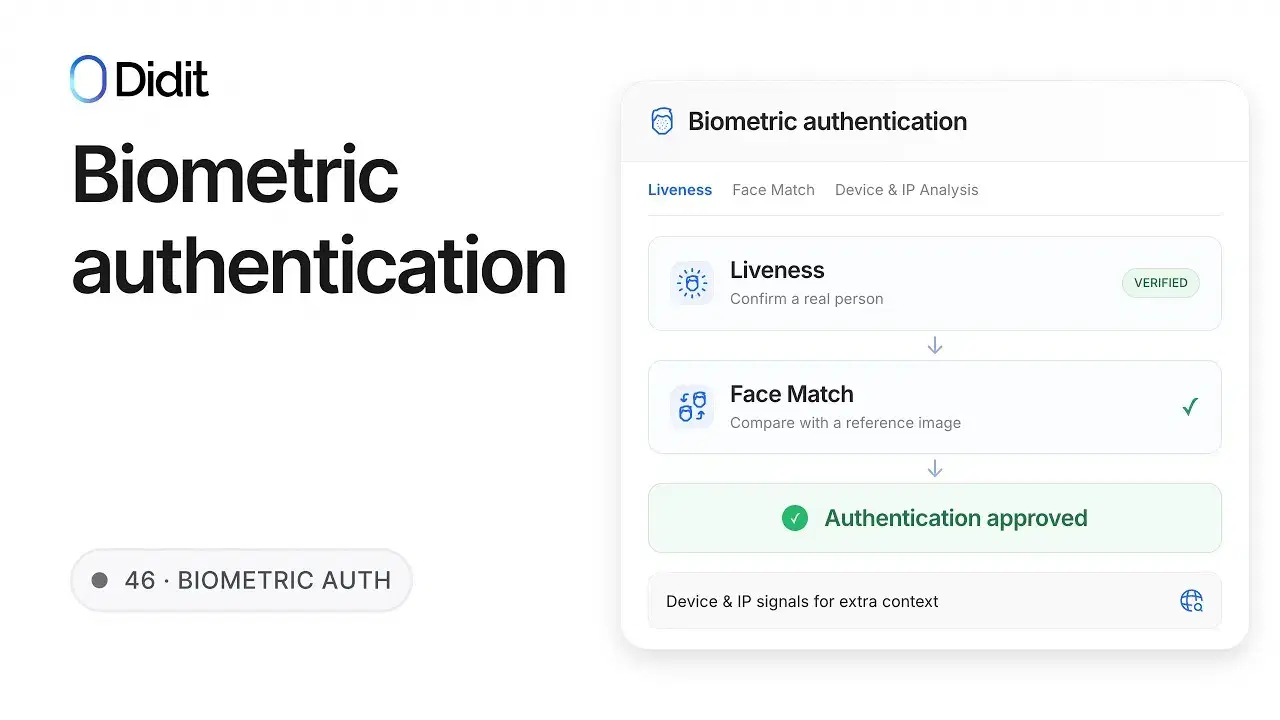
React Native SDK for Offline Biometric Capture: A Comprehensive Guide
Explore the nuances of implementing offline biometric capture in React Native applications, focusing on the challenges and solutions for robust identity verification without constant internet connectivity.
 Alejandro RosasCo-founder and CTO
Contents
In this guide
Jump to the part you need.
Offline Biometric ChallengesImplementing reliable biometric capture offline in React Native apps presents significant hurdles, including data security, processing power, and ensuring data integrity without real-time server validation.
SDKs vs. Custom SolutionsWhile custom development is possible, leveraging a specialized React Native SDK is crucial for efficient and secure offline biometric capabilities, offering pre-built features and optimized performance.
Security and User ExperienceMaintaining high security standards and a fluid user experience is paramount for offline biometric capture, requiring advanced liveness detection, data encryption, and intuitive UI.
Didit's Superior SolutionDidit's React Native SDK provides a robust, AI-native solution for offline biometric capture, featuring advanced ID Verification, Passive & Active Liveness, and 1:1 Face Match, all designed for global scalability and developer-first integration.
The Growing Need for Offline Biometric Capture in React Native
In an increasingly connected world, the demand for identity verification solutions that function reliably even without an internet connection is on the rise. Industries like fintech, healthcare, and government services often operate in environments with intermittent or non-existent connectivity, yet still require stringent identity checks. For React Native developers, building applications that can perform secure biometric capture offline presents a unique set of challenges. These include ensuring data integrity, preventing fraud, maintaining a seamless user experience, and securely storing sensitive biometric data until it can be synchronized with a backend system.
Offline biometric capture is not just about convenience; it's a critical component for expanding access to services in remote areas, enabling field operations, and providing continuity during network outages. Imagine a mobile banking agent onboarding new customers in a rural village, or a healthcare worker verifying patient identities in an emergency zone. In such scenarios, relying solely on online verification is simply not feasible. The ability to capture and process biometrics like facial scans and fingerprints locally, then securely transmit them later, is transformative.
Challenges of Implementing Offline Biometrics in React Native
Developing an offline biometric capture system in React Native demands careful consideration of several technical and security challenges:
- Data Security and Encryption: Biometric data is exceptionally sensitive. When captured offline, it must be encrypted at rest and in transit to prevent unauthorized access. Implementing robust encryption within a mobile application, especially across different platforms (iOS and Android), requires deep expertise.
- Liveness Detection: A major concern with biometric capture is presentation attacks (spoofing). Offline liveness detection, such as Didit's Passive & Active Liveness, is crucial to ensure that the user is a real, live person and not a photo, video, or deepfake. This often involves complex AI models that traditionally require significant processing power and real-time backend communication. Running these models efficiently on-device without compromising performance is a key challenge.
- Device Compatibility and Performance: React Native apps need to run smoothly across a wide range of devices with varying hardware capabilities. Biometric processing, especially for tasks like 1:1 Face Match, can be computationally intensive. Optimizing these processes for mobile chips while maintaining accuracy and speed is vital for a good user experience.
- Data Synchronization and Conflict Resolution: Once captured offline, biometric data needs to be securely stored and then synchronized with a central server when connectivity is restored. This involves designing robust synchronization mechanisms, handling potential data conflicts, and ensuring that the order of operations is maintained for audit trails.
- User Experience and Feedback: Without real-time server feedback, guiding users through the biometric capture process can be difficult. Clear, intuitive UI/UX is essential to ensure users correctly position themselves, perform liveness checks, and understand the status of their verification.
Leveraging a Robust React Native SDK for Seamless Integration
Instead of building a complex offline biometric system from scratch, the most efficient and secure approach for React Native developers is to utilize a dedicated SDK. A well-designed SDK, like Didit's React Native SDK, abstracts away much of the underlying complexity, providing a unified TypeScript API that wraps native iOS and Android SDKs. This approach offers several distinct advantages:
- Optimized Performance: Native SDKs are inherently optimized for their respective platforms, leveraging device hardware and operating system features for superior performance in camera control, NFC reading, and biometric processing.
- Enhanced Security: A specialized SDK comes with built-in security features, including advanced encryption protocols and robust anti-spoofing measures (like Didit's Passive & Active Liveness), which are critical for handling sensitive biometric data.
- Simplified Integration: With a clean API and comprehensive documentation, developers can integrate powerful biometric capabilities with minimal code. Didit's React Native SDK, for example, supports both Expo (with a zero-config plugin) and React Native CLI, making integration straightforward.
- Access to Advanced Features: Beyond basic capture, a powerful SDK provides features like NFC Verification (ePassport/eID) for high-security verification, 1:1 Face Match for comparing a live selfie to an ID document, and multi-language support, all crucial for global applications.
- Reduced Development Time and Cost: By using a pre-built and tested solution, companies can significantly reduce development time, allocate resources more efficiently, and bring their applications to market faster.
Didit's React Native SDK specifically addresses these needs, enabling developers to integrate identity verification with features like optimized camera access, NFC reading, and liveness detection directly into their React Native and Expo apps. The SDK handles the intricacies of native device capabilities, ensuring a smooth and secure user experience for offline biometric capture.
How Didit Helps Implement Offline Biometric Capture
Didit is the AI-native, developer-first identity platform that provides a comprehensive and modular solution for identity verification, including robust offline biometric capture capabilities through its React Native SDK. Here's how Didit stands out:
- AI-Native Liveness Detection: Didit's Passive & Active Liveness detection is built into the SDK, allowing for advanced anti-spoofing measures to be performed on-device. This ensures that even in offline scenarios, the system can reliably verify that the user is a real person, mitigating fraud risks from deepfakes or other presentation attacks.
- Seamless ID Verification: Our ID Verification (OCR, MRZ, barcodes) capabilities are designed to work efficiently, capturing and processing identity document data locally. This allows for initial document data extraction even without an internet connection, with full verification and 1:1 Face Match against government-issued IDs being completed once connectivity is restored.
- NFC Verification for High Assurance: Didit's React Native SDK supports NFC Verification for ePassports and eIDs, enabling the most secure form of document verification. This feature can be initiated offline, reading encrypted data directly from the chip, and then synchronized for full validation.
- Modular and Developer-First Design: Didit's modular architecture allows developers to pick and choose the identity checks they need. The React Native SDK provides a clean, TypeScript API, making integration intuitive for developers. We offer an instant sandbox and public documentation to accelerate development.
- Core KYC: Didit offers Core KYC, making robust identity verification accessible to businesses of all sizes, with transparent pay-per-successful-check pricing and no setup fees. This allows companies to build and test their offline biometric solutions without initial financial barriers.
By using Didit's React Native SDK, businesses can confidently deploy applications that offer secure, efficient, and user-friendly offline biometric capture, expanding their reach and ensuring compliance even in challenging connectivity environments.
Ready to Get Started?
Ready to see Didit in action? Get a free demo today.
Start verifying identities for free with Didit's free tier.
Try it
Try this in the sandbox
Run the check this guide describes, free.
The product this post is about, taken from its topic. Run it free in the sandbox.
Author
Alejandro Rosas
Co-founder and CTO

Keep reading
Other guides in the same topic.
 What Is the Purpose of FICA in South Africa? 2026 Guide
FICA is South Africa's anti-money laundering law. It creates the Financial Intelligence Centre and requires accountable institutions to identify and verify clients, screen for PEP and sanctions risk and report suspicious.
Alberto RosasNov 26, 2026 Sixth Money Laundering Directive (6AMLD): What Changed and Which Rules Apply
6AMLD is Directive (EU) 2018/1673: Member States must criminalise laundering, widen predicate offences and set a four-year penalty floor. It adds no new due diligence duties for firms.
Alberto RosasNov 26, 2026 Automated Sanctions Screening: Canada, the Entity List and Embargoes
Automated sanctions screening matches people and companies against lists such as Canada's autonomous sanctions made under SEMA and JVCFOA and the OFAC SDN List, and returns candidate hits scored for identity confidence and.
Alberto RosasNov 26, 2026Questions
Blog questions
Who writes the Didit blog?
Which topics does the blog cover?
Is the blog available in my language?
Where do I find product updates?
Are these posts legal advice?
How do I find posts on one topic?
Are posts dated?
Do posts link to the docs?
Is the blog the same as the docs?
Compliance built in
Audited, certified and attested.
We hold the certifications and build each country's rules into your flows, so you can launch anywhere without worrying. Security and Compliance center
- Regulation encoded into your flows
Tell us what you do and where. Didit lists the rules that apply to you, with sources, and builds the checks each country needs into one workflow.
- Ready for AMLR
Every requirement of the new EU anti-money laundering rules, from checking customers to human review, is already covered by a Didit check.
- Tested in Spain's Treasury sandbox
Spain's Treasury published its supervised sandbox report on Didit's NFC plus active liveness onboarding; SEPBLAC took part and valued the added measures positively.
- Audited, not self-declared
iBeta Level 1 and Level 2. Liveness tested under ISO/IEC 30107-3.
Your obligations · 3 regions
 SOC 2 Type 2
 ISO 27001
 iBeta Level 1 and Level 2
 EU regulator attestation
 FSM youth protection
 GDPR
 EBA remote onboarding
 MiCA compatible
 FIDO Alliance member
- AMLREU AML Regulation ready
Integration · Didit MCP
Run Didit from your own AI agent
Connect Didit to Claude, Cursor, VS Code or ChatGPT and just ask in plain words. Your agent can do anything you can do in the console, with the same permissions you have.
 Add to Claude
 ChatGPT
 Cursor
- Build workflowsDescribe the checks you need. The agent creates and publishes the flow.
- Run investigationsAsk why a session was declined, review cases, search people and companies.
- Change rulesCreate payment rules, test them on past data and switch them on.
- Pull reportsAsk for numbers, exports or the audit log.
Didit Academy