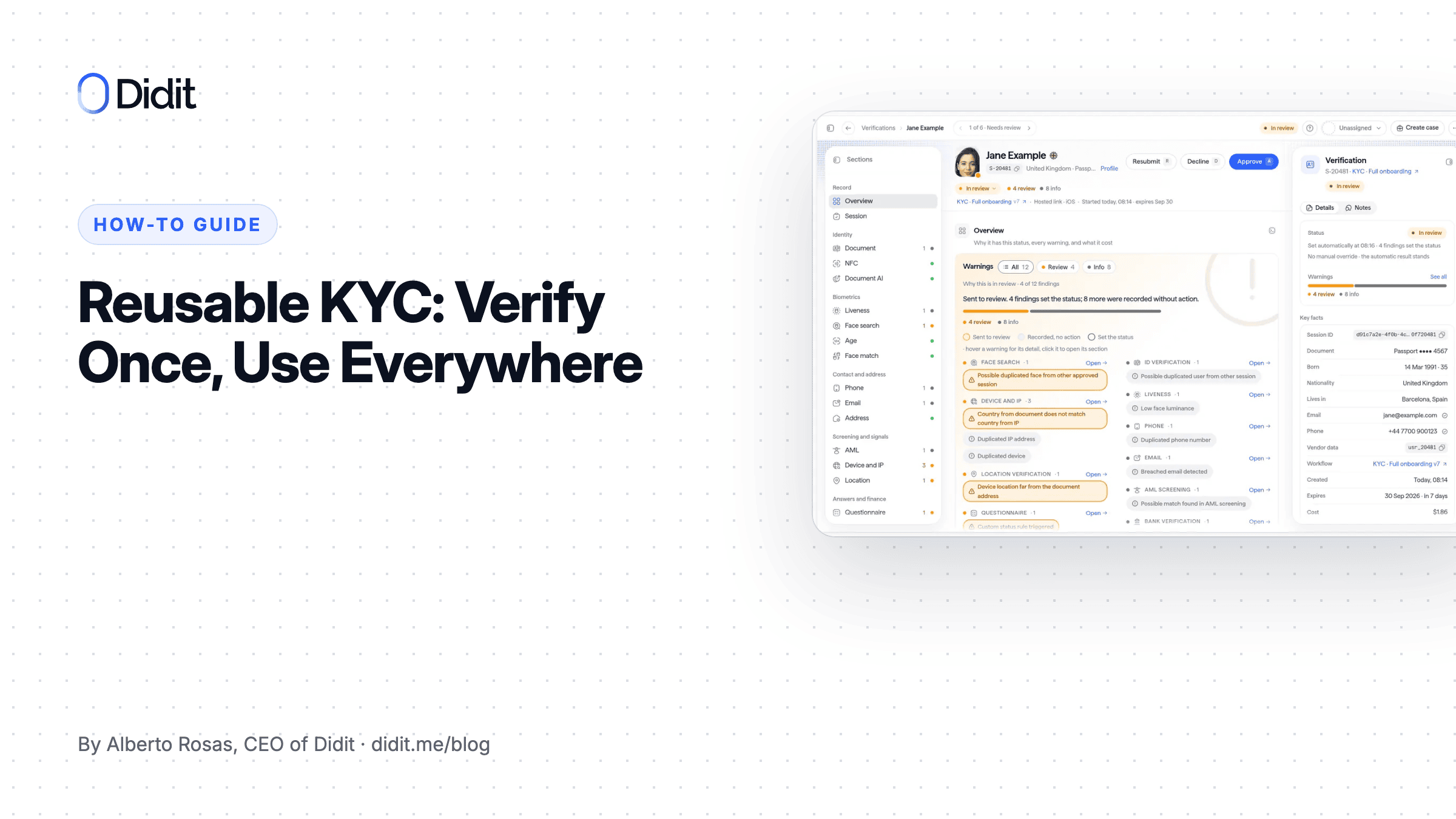
Reusable KYC: Verify Once, Use Everywhere
Reusable KYC hands a finished Didit verification to another app with a share token and one import call, so users skip repeat document capture. The feature is free; you pay for new checks only.
 Alberto RosasCo-founder and CEO
Contents
In this guide
Jump to the part you need.
Reusable KYC fits products where the same person must pass verification at more than one application: your own second app, a partner's, or a business verification file. Didit hands a finished session from one application to another with a share token and one import call, and the feature is free on every plan. The caveat: the token is a bearer credential that expires and cannot be revoked.
Last updated: November 26, 2026. Prices checked against the live Didit price feed on November 26, 2026.
| Item | Detail |
|---|---|
| What it does | Moves a finished Didit session from a source application to a receiving application, without a second document capture |
| Price | Free. The Reusable KYC line is included on every plan; you pay only for checks that run |
| Shareable source statuses | Approved, Declined, In Review |
| Endpoints | POST /v3/session/{sessionId}/share/ on the source, then POST /v3/session/import-shared/ on the receiver |
| Token lifetime | ttl_in_seconds from 60 to 86400, default 3600. Not revocable, it expires on its own |
| Receiver decision | trust_review true keeps the source status, false forces In Review |
| Audit link | The clone gets a fresh session_id and shared_from_session pointing at the source |
Start free in the sandbox at business.didit.me (no sales call), and for developers, connect Didit to an AI assistant via the Didit MCP server. Plans and every unit price sit on the pricing page.
What reusable KYC changes
Without reuse, a person who already passed KYC at your first product uploads the same document again at your second. You pay for the check twice, you store a second copy of the same sensitive data, and the person repeats a flow they already finished. Reusable KYC replaces the second capture with a transfer: the source application mints a token that names exactly one receiving application, and that application redeems the token for a cloned session.
The import creates a new session in the receiving application. It does not move or delete the source session. The clone points back at the source through shared_from_session, so an auditor can walk from the new record to the original.

Prerequisites
- Two Didit applications: the source that ran the verification, and the receiving application that imports it. Each call authenticates with that side's own
x-api-key. The receiving call must not use the source key. - A source session in a finished status:
Approved,DeclinedorIn Review. A session atNot Started,In Progress,ExpiredorAbandonedis refused. - The receiving application's UUID, sent as
for_application_idwhen you mint the token. Only that application can redeem it. - A
workflow_idthat already exists on the receiving application. A workflow from any other application returns 404. - A policy decision on
trust_review: keep the source status, or force your own reviewers to re-decide.
How to implement reusable KYC, step by step
Run the verification on the source application. Create the session with
POST https://verification.didit.me/v3/session/, passingworkflow_idand a stablevendor_datafor the person. Keep the returnedsession_id. The create call, its optional fields and its errors are documented in Create Session.Confirm the session is finished. Call
GET https://verification.didit.me/v3/session/{session_id}/decision/and readstatus. OnlyApproved,DeclinedorIn Reviewcan be shared. Declined sessions are shareable on purpose: a partner may need the fact that this person failed your checks.Collect the receiving side details. Note the receiving application's UUID for
for_application_idand one of its workflow UUIDs forworkflow_id. You send the first when minting and the second when redeeming.Mint the share token on the source application.
ttl_in_secondsis optional: minimum 60, maximum 86400, default 3600.curl -X POST 'https://verification.didit.me/v3/session/11111111-2222-3333-4444-555555555555/share/' \ -H 'x-api-key: YOUR_API_KEY' \ -H 'Content-Type: application/json' \ -d '{ "for_application_id": "a5f3bca2-46e2-411e-90ef-a580900a57ee", "ttl_in_seconds": 7200 }'Read the token response. It returns
share_token,for_application_idandsession_kind(userfor KYC,businessfor KYB). The token is an HS256-signed JWT carryingsession_id,session_kind,from_application_id,for_application_id,iatandexp, useful fields for diagnosing a rejected redeem. Every mint call produces a fresh token.Redeem the token on the receiving application. Use the receiving application's own API key here.
curl -X POST 'https://verification.didit.me/v3/session/import-shared/' \
-H 'x-api-key: RECEIVING_APP_API_KEY' \
-H 'Content-Type: application/json' \
-d '{
"share_token": "eyJhbGciOiJIUzI1NiIsInR5cCI6IkpXVCJ9...",
"trust_review": false,
"workflow_id": "9f9b1234-aaaa-bbbb-cccc-1234567890ab",
"vendor_data": "user-1"
}'
Handle the 201 response. You get the V3 decision payload for the cloned session, the same shape as
GET /v3/session/{sessionId}/decision/, discriminated bysession_kind. Branch onsession_kindbefore reading feature arrays, because KYC and KYB sessions return different ones.
Expected output
The mint call returns the token object: share_token (the JWT you hand to the receiver), for_application_id and session_kind. Treat the token as a bearer secret until it expires.
The redeem call returns 201 with the full decision payload of the clone. It has a new session_id, its own status, decision_trace, reviews and feature arrays, plus shared_from_session and shared_from_session_number pointing at the source. The schema for every nested field is in Data Models.
Security note: the share token is a bearer credential. Anyone who holds it can present it to the designated receiving application, so transmit it only to that application over a secure channel. Do not log it, put it in a URL, or send it to a third party. It cannot be revoked; it expires at exp.

Inputs and outputs
| Call | Field | Required | What it does |
|---|---|---|---|
| share | sessionId in the path | Yes | The finished source session to share |
| share | for_application_id | Yes | UUID of the receiving application, the only app that can redeem the token |
| share | ttl_in_seconds | No | 60 to 86400, default 3600 |
| share | share_token (output) | n/a | The signed JWT you send to the receiver |
| share | session_kind (output) | n/a | user or business, decides which rows get cloned |
| import | share_token | Yes | The token from the mint call |
| import | trust_review | Yes | true keeps the source status, false forces In Review |
| import | workflow_id | Yes | A workflow that exists on the receiving application |
| import | vendor_data | No | Your identifier on the clone, defaults to the source value |
| import | 201 decision payload (output) | n/a | Same shape as the decision endpoint, with a new session_id and shared_from_session |
What gets cloned
session_kindisuser: the KYC, Face, Liveness, FaceMatch, AML, POA, Phone, Location and DatabaseValidation rows, plus the activity log.session_kindisbusiness: the KYBCompany, KYBKeyPeopleCheck and KYBDocument rows, plus the shared feature rows (AML, Phone, Email, Location, QuestionnaireResponse) and the activity log.
Reuse inside business verification
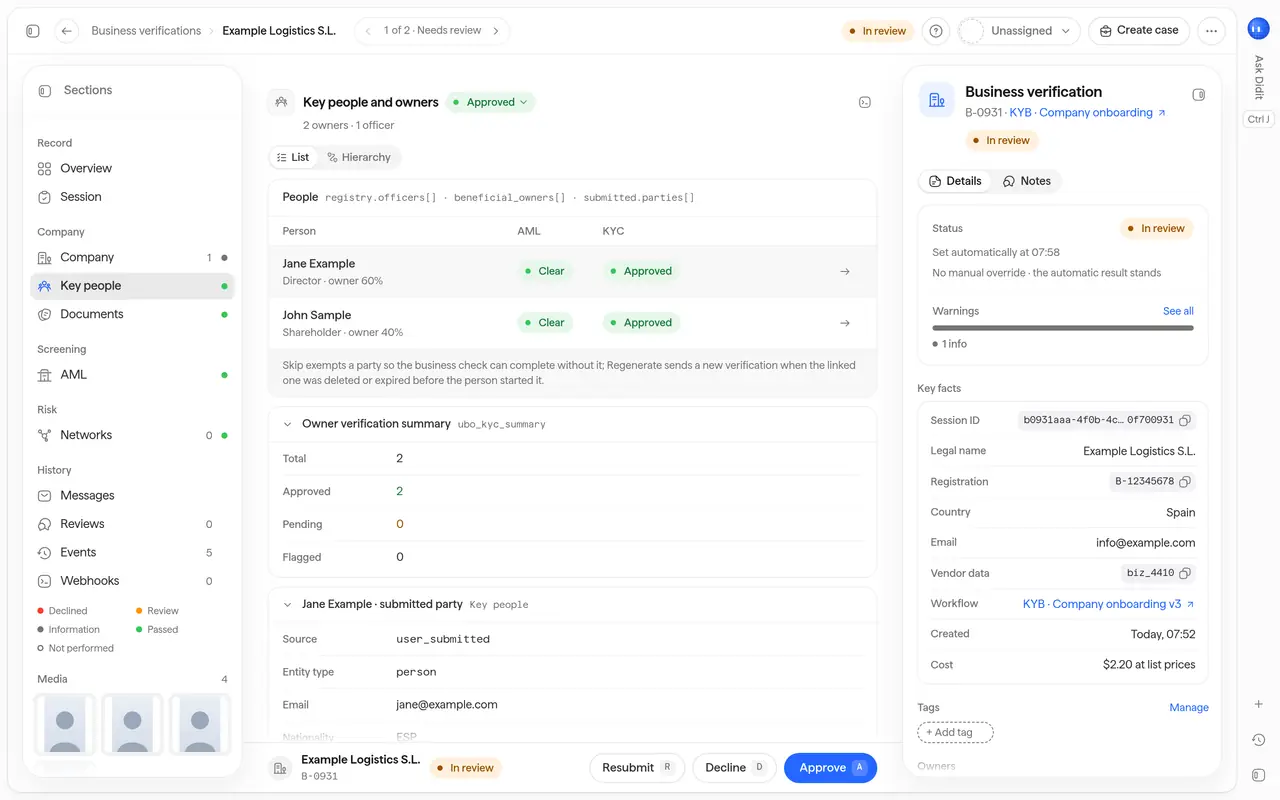
The same two calls work for KYB. A token minted from a business session returns session_kind business, and the import clones the company, key people and document rows instead of a single person record. The receiving application still supplies its own workflow_id, and linked KYC plus person AML on owners and officers are billed per person at their published prices.
For person-level reuse inside a KYB file, the Didit Academy KYB lesson shows party verification picking up an existing KYC session rather than making an owner verify twice. The product detail is on the Business Verification page and in the Reusable KYC docs.
Failure cases and recovery
| Error returned | What caused it | What to do |
|---|---|---|
| 400 Invalid share token. | Malformed JWT or wrong signature | Send the token exactly as minted, with no truncation or whitespace changes |
| 400 Share token has expired. | The request arrived after exp | Mint a new token, with a longer ttl_in_seconds if the handoff is slow |
| 400 This token is not valid for this application. | for_application_id inside the JWT does not match the redeeming application | Mint with the receiving application's UUID and redeem with that application's key |
| 400 Original session does not exist. | The source session was deleted between mint and redeem | Re-run the verification, or mint from a session that still exists |
| 400 Only finished sessions (Approved, Declined, In Review) can be shared. | Source session is still Not Started, In Progress, Expired or Abandoned | Wait for the decision, or handle the unfinished session in the source application first |
| 403 This session has already been shared with your application. | That token was already redeemed by this receiving application | Mint a new token |
| 404 Workflow does not exist for this application. | workflow_id belongs to a different application | Pass a workflow UUID from the receiving application |
Paid steps and review boundaries
The published Reusable KYC price is Free on every plan. Any check that a receiving workflow executes is billable at its own listed price, and you pay for a check only when it finishes with a result.
- Full KYC on the source application: $0.33 per completed check, which is ID document verification $0.15, passive liveness $0.10, face match 1:1 $0.05 and device and IP analysis $0.03.
- AML screening: $0.20 per check, if the source or the receiving workflow runs it.
- Proof of address: $0.20 per check.
- Person AML on KYB key people: $0.20 per person.
Review boundaries live in one field. With trust_review true the clone keeps the source status, so an Approved source produces an approved clone and no reviewer is involved. With false the clone lands in In Review and your reviewers decide, and the decision payload then carries assignee, waiting_since and sla_due_at.
Worked cost example
Say 500 people verify once on your source application, and all 500 appear at two partner applications, which is 1,000 imports.
- Source full KYC: 500 x $0.33 = $165.00
- Imports: 1,000 x the Reusable KYC line, which is Free = $0.00
- Proof of address added on the receiving workflow: 1,000 x $0.20 = $200.00
- Total: $165.00 + $0.00 + $200.00 = $365.00
Run the same traffic with a fresh verification at every partner and those 1,000 extra captures cost 1,000 x $0.33 = $330.00 on their own, before any support time spent on failed document uploads.
On the Scale plan the Didit prices are 10% lower: 500 x $0.297 = $148.50 for the source checks and 1,000 x $0.18 = $180.00 for proof of address, so $148.50 + $180.00 = $328.50. Check the current numbers in the machine-readable price feed or the pricing docs.
Sources
- Didit docs: Reusable KYC: Verify Once, Share Across Apps
- Didit docs: Mint share token
- Didit docs: Redeem share token
- Didit docs: Create Session API
- Didit docs: Retrieve Session API
- Didit docs: Verification statuses
- Didit docs: Data models
- Didit docs: Pricing
- Didit pricing page and pricing as JSON, read November 26, 2026
- Didit MCP server
Next step: start in the sandbox at business.didit.me, finish one KYC, then try the share and import calls. No sales call is required. The endpoint reference is in the Reusable KYC docs.
Try it
Try this in the sandbox
Run the check this guide describes, free.
The product this post is about, taken from its topic. Run it free in the sandbox.
Author
Alberto Rosas
Co-founder and CEO

Keep reading
Other guides in the same topic.
 What Is the Purpose of FICA in South Africa? 2026 Guide
FICA is South Africa's anti-money laundering law. It creates the Financial Intelligence Centre and requires accountable institutions to identify and verify clients, screen for PEP and sanctions risk and report suspicious.
Alberto RosasNov 26, 2026 Sixth Money Laundering Directive (6AMLD): What Changed and Which Rules Apply
6AMLD is Directive (EU) 2018/1673: Member States must criminalise laundering, widen predicate offences and set a four-year penalty floor. It adds no new due diligence duties for firms.
Alberto RosasNov 26, 2026 Automated Sanctions Screening: Canada, the Entity List and Embargoes
Automated sanctions screening matches people and companies against lists such as Canada's autonomous sanctions made under SEMA and JVCFOA and the OFAC SDN List, and returns candidate hits scored for identity confidence and.
Alberto RosasNov 26, 2026Questions
Frequently asked questions
What is reusable KYC in Didit?
Reusable KYC lets a Didit verification that already finished on one application be imported by a second application instead of being run again. The source application mints a share token that names one receiving application, and that application redeems it with POST /v3/session/import-shared/. The result is a new session in the receiving application with its own session_id and a shared_from_session link to the original.
Does Didit charge for reusable KYC?
No. The live price feed lists Reusable KYC as Free and included on every plan. You still pay for any check that actually runs, for example a full KYC at $0.33 or AML screening at $0.20. The reuse step itself carries no price on the public feed.
Which session statuses can be shared?
Only finished sessions can be shared, and the documented list names three: Approved, Declined and In Review. Anything else returns 400 with the message that only finished sessions can be shared. A declined session being shareable is deliberate, because a partner may need the negative result.
What does trust_review do in the import call?
trust_review decides whether the clone keeps the source decision. With true the cloned session keeps the source status, so an Approved source produces an approved clone. With false the clone is forced to In Review so your own reviewers re-decide. It is a required field on every import call.
How long is a Didit share token valid?
ttl_in_seconds sets the lifetime: minimum 60 seconds, maximum 86400 seconds (24 hours), default 3600 seconds (1 hour). The expiry is written into the signed JWT as exp. A token cannot be revoked, so keep the lifetime short and mint a new one when you need one.
Can one share token be redeemed twice?
Once per receiving application. A second redeem returns 403 with the message that this session has already been shared with your application, so mint a fresh token for a new import. Every mint call produces a new JWT.
What data does the import copy?
For session_kind user it clones the KYC, Face, Liveness, FaceMatch, AML, POA, Phone, Location and DatabaseValidation rows plus the activity log. For session_kind business it clones the KYBCompany, KYBKeyPeopleCheck and KYBDocument rows plus the shared feature rows (AML, Phone, Email, Location, QuestionnaireResponse) and the activity log.
Can I reuse a KYB verification the same way?
Yes. A token minted from a business session returns session_kind business, and the import clones the company, key people and document rows. The receiving application still supplies its own workflow_id, and linked KYC and person AML on owners and officers are billed per person at their published prices.
Does the imported session keep an audit trail back to the source?
Yes. The clone carries shared_from_session and shared_from_session_number, so the receiving application can trace the record to the original session, and the activity log comes with the cloned rows. The receiving application also stores the full V3 decision payload as its own session.
How do I fix the error This token is not valid for this application?
That 400 means the for_application_id inside the JWT does not match the application whose API key is redeeming it. Mint a new token using the receiving application's UUID, then redeem with that same application's key. Confirm the UUID in the Didit Business Console before minting, because the token is bound to it for its whole lifetime.
How do I know the import finished?
The import is synchronous: a 201 response carries the full decision payload for the clone, so you can act on it immediately. Re-read it later with GET /v3/session/{session_id}/decision/ using the new session_id. The docs describe no separate import event, so treat the 201 body as the record and store it.
Compliance built in
Audited, certified and attested.
We hold the certifications and build each country's rules into your flows, so you can launch anywhere without worrying. Security and Compliance center
- Regulation encoded into your flows
Tell us what you do and where. Didit lists the rules that apply to you, with sources, and builds the checks each country needs into one workflow.
- Ready for AMLR
Every requirement of the new EU anti-money laundering rules, from checking customers to human review, is already covered by a Didit check.
- Tested in Spain's Treasury sandbox
Spain's Treasury published its supervised sandbox report on Didit's NFC plus active liveness onboarding; SEPBLAC took part and valued the added measures positively.
- Audited, not self-declared
iBeta Level 1 and Level 2. Liveness tested under ISO/IEC 30107-3.
Your obligations · 3 regions
 SOC 2 Type 2
 ISO 27001
 iBeta Level 1 and Level 2
 EU regulator attestation
 FSM youth protection
 GDPR
 EBA remote onboarding
 MiCA compatible
 FIDO Alliance member
- AMLREU AML Regulation ready
Integration · Didit MCP
Run Didit from your own AI agent
Connect Didit to Claude, Cursor, VS Code or ChatGPT and just ask in plain words. Your agent can do anything you can do in the console, with the same permissions you have.
 Add to Claude
 ChatGPT
 Cursor
- Build workflowsDescribe the checks you need. The agent creates and publishes the flow.
- Run investigationsAsk why a session was declined, review cases, search people and companies.
- Change rulesCreate payment rules, test them on past data and switch them on.
- Pull reportsAsk for numbers, exports or the audit log.
Didit Academy