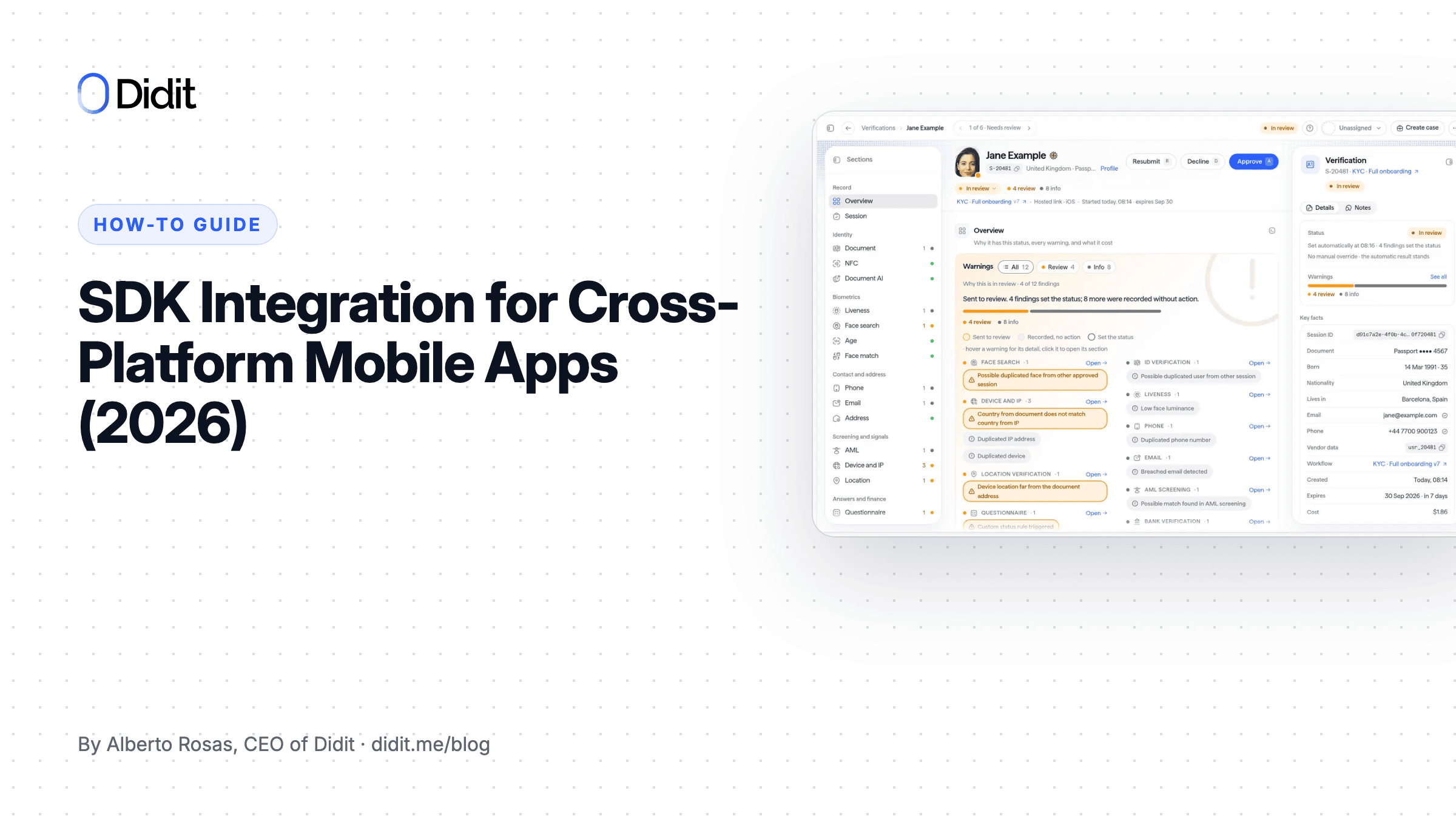
SDK Integration for Cross-Platform Mobile Apps (2026)
Create the Didit session on your server, open it with the native SDK for React Native, Flutter, iOS or Android, and read the decision by webhook. A full KYC check costs $0.33.
 Alejandro RosasCo-founder and CTO
Contents
In this guide
Jump to the part you need.
This guide fits mobile teams shipping identity checks in React Native, Flutter, iOS or Android with Didit. A full KYC check costs $0.33 at published list price, and the native SDKs, the workflow orchestrator and the MCP server are free. The caveat: keep your API key on your server, and follow Didit's recommendation to use the native SDKs rather than a WebView-based integration.
Last updated: November 26, 2026. Prices checked against the live Didit price feed on November 26, 2026.
| Item | What it covers | Price |
|---|---|---|
| iOS, Android, React Native, Flutter SDKs | All at 4.15.4, NFC on each of the four | Free |
| Full KYC check | ID document $0.15, passive liveness $0.10, face match 1:1 $0.05, device and IP $0.03 | $0.33 per check |
| NFC chip reading | Add-on to a document check | $0.15 per check |
| AML screening | 1,300+ lists, one check | $0.20 per check |
| Workflow orchestrator, sandbox, MCP server | Configuration, testing, agent access | Free |
Start free in the sandbox at business.didit.me: no sales call, and sandbox testing is unlimited on every plan. If you want an AI assistant reading the API while you build, connect Didit through the Didit MCP server. Plans and discounts are on the pricing page.
The outcome and the method we recommend
The outcome is simple to state: verification runs as native screens inside your app, on the framework you already ship, and your backend ends up holding a decision it can store against the user. The method is three moves. Your server creates the session. The mobile SDK opens that session. A webhook delivers the decision to your server, which is the only place the API key ever lives.
Our native SDK documentation is direct about one choice: use the native SDKs instead of a WebView integration. The SDKs handle camera permissions, NFC reading and liveness detection directly. The same documentation links to a separate implementation guide for iOS, Android, React Native and Flutter, so each platform has its own install and call reference. React Native 4.15.4 and Flutter 4.15.4 pin native 4.15.4. 4,000+ companies run verification on Didit, and the platform holds SOC 2 Type 2 and ISO/IEC 27001:2022 certification.
Prerequisites
- A Didit account and an application. Keys sit under Developers, then API keys, in the Business Console. New keys start with
sk_test_for sandbox orsk_live_for live, followed by 43 URL-safe characters. Keys created before that format have no prefix and keep working, so never validate a key by its prefix. - A workflow UUID from
/v3/workflows/. A KYC workflow creates user sessions and a KYB workflow creates business sessions from the same endpoint, so the workflow decides the kind. - Framework minimums: iOS 13.0+ (iOS 15.0+ for NFC), Android API 23+, React Native 0.76+ on the New Architecture with Android API 24+, Flutter 3.41+ with Dart 3.11+.
- A server endpoint for webhooks, plus either an HTTPS callback on one of the application's allowed domains or a custom deep link scheme such as
myapp://, which is always accepted.
Step by step: a working cross-platform integration
Create the sandbox key. Sign in to the Business Console, choose the application, open Developers, then API keys, and copy the primary key or create a scoped one. Keep
DIDIT_API_KEYset to the sandbox key while you build. The authentication guide also shows a programmatic register and verify-email flow that returns both keys inline if you would rather not open the console.Install the SDK for your framework. React Native takes
@didit-protocol/sdk-react-nativefrom npm or yarn. Flutter takesdidit_sdkfrom pub.dev. iOS takes Swift Package Manager or CocoaPods. Android takes Maven from the custom repo,me.didit:didit-sdk. Pin 4.15.4 everywhere: React Native 4.15.4 and Flutter 4.15.4 pin native 4.15.4 and add no JavaScript or Dart API, so the iOS and Android release notes apply to your app unchanged.Create the session from your backend. This is the documented call, and it returns the session your app will open.
curl -X POST https://verification.didit.me/v3/session/ \ -H "x-api-key: $DIDIT_API_KEY" \ -H "Content-Type: application/json" \ -d '{"workflow_id":"<WORKFLOW_ID>","vendor_data":"user-42","callback":"myapp://verification-return"}'vendor_datais your stable identifier for the person. Send it: it binds the session to a user and drives duplicate detection across sessions.callbackis where the flow sends the person back, and a custom scheme likemyapp://is always accepted while anhttpsURL must sit on one of the application's allowed domains. The full field list is in the create session reference.Open the flow from the app. Pass the session to the SDK once your backend returns it. In React Native the calls are
startVerificationandstartVerificationWithWorkflow. Since 4.15.3 those calls wait until the app is back in the foreground before opening the screen and always settle, so a user who backgrounds the app mid-call cannot leave your promise hanging.
The native flow your users see: one screen per step, on iOS, Android, React Native and Flutter. Catch the return in the app. The redirect carries
verificationSessionIdandstatusas query parameters. Treat that as a UI hint only. Do not make access decisions from the deep link: the signed webhook, or the decision your server pulls fromGET /v3/session/{session_id}/decision/, is authoritative.Receive the decision on your server by webhook. Subscribe to
status.updatedanddata.updated. Read the raw body before parsing JSON, verifyX-Signature-V2(HMAC-SHA256 over the sorted, canonical JSON), check thatX-Timestampis within 300 seconds, and compare in constant time, accepting a match against the-Previousheader while a rotated secret is being deployed. Return 2xx quickly and write idempotently. Thedecisionobject is present only when the status is Approved, Declined, In Review or Abandoned. Details are in the webhook guide.Fetch the decision and branch on it. The same data is available on demand, which is what you use for a pull after the deep link returns.
curl https://verification.didit.me/v3/session/<SESSION_ID>/decision/ \
  -H "x-api-key: $DIDIT_API_KEY"
const decision = await (await fetch(url, { headers: { "x-api-key": API_KEY } })).json(); switch (decision.session_kind) { case "user": return handleUserDecision(decision); case "business": return handleBusinessDecision(decision); }Branch on
session_kindevery time. The endpoint resolves a user session first and a business session second, so one route serves both. See the retrieve session reference.
The liveness entry your liveness_checksarray maps to, in the Console session view.Cover the device features the flow needs. NFC reading is supported on all four SDKs. When it does not run,
nfc_verifications[]carriesis_nfc_skippedandskip_reason, and the top-levelnfc_skip_reasonsays why. For people in Illinois, Texas or Colorado, native 4.10.0 or later shows the explicit biometric consent step, so passuser_stateon create and let the flow decide. The biometric consent page covers the rules.Test with sandbox scenarios. Send
sandbox_scenarioon create using a slug fromGET /v1/sandbox/scenarios/to reproduce a specific outcome, such as a decline or an AML hit. The field is rejected with 400 on live applications. You can also arm or re-arm a scenario after create while the session is still Not Started, throughPOST /v3/session/{session_id}/sandbox/arm/.
Expected output
The create session reference documents the response to POST /v3/session/: the session comes back with its session_id and session_url, a status of "Not Started", and the vendor_data, metadata and tags you sent echoed back. After the person finishes, the retrieve session reference documents GET /v3/session/{session_id}/decision/ returning these top-level keys:
session_kind, the discriminator you branch on:"user"or"business".status, one exact case-sensitive string:"Approved","Declined","In Review","In Progress","Not Started","Awaiting User","Resubmitted","Expired","Abandoned"or"Kyc Expired".features, the feature list the workflow runs, plus the feature arrays, which are always plural:id_verifications[],liveness_checks[],face_matches[],nfc_verifications[],aml_screenings[],phone_verifications[],email_verifications[],poa_verifications[]. A feature that did not run is absent or null, never a placeholder.decision_tracewithdecided_byset to manual, automatic or investigator, pluswarning_countsandstatus_warnings.biometric_retentionwithjurisdictionsanddeletes_at, so your backend can expose the documented biometric deletion date.
Inputs and outputs
| Field | Direction | What it does |
|---|---|---|
workflow_id | In, required | Workflow UUID. KYC workflows create user sessions, KYB workflows create business sessions. |
vendor_data | In, recommended | Your stable identifier for the person or business. Binds the session and drives duplicate detection. |
callback | In | Where the flow redirects. Custom schemes always accepted, https only on allowed domains. |
callback_method | In | initiator, completer or both. Use both if the callback sometimes fails to fire. |
metadata, tags | In | Arbitrary JSON echoed back, and up to 10 session tags for filtering in the Console. |
language | In | ISO 639-1 code for the verification UI, one of 54 capture languages. |
session_expiration_time | In | Seconds the link stays valid, 3600 to 2419200, overriding the workflow setting for this session. |
user_state | In | ISO 3166-2 or US state. Illinois, Texas and Colorado trigger the explicit biometric consent step. |
sandbox_scenario | In, sandbox only | Reproduces a named outcome. Rejected with 400 on live applications. |
session_kind | Out | Always branch on it: user or business. |
status | Out | The exact decision string. Use strict comparison, the values are case-sensitive and include spaces. |
decision_trace | Out | How the status was reached, with decided_by and the warning counts. |
Failure cases and recovery
| Symptom | Cause | Recovery |
|---|---|---|
| 401 on verification.didit.me | Key wrong, malformed, revoked or expired | Recover it through the programmatic login flow, or issue a new key under Developers, API keys. |
| 403 | No key header, a scoped key without access to that resource, or a call from an address outside the key's IP list | Use a key with that access. A 404 on a session route also means the session sits outside the key's scoped workflows. |
400 on callback | The https URL is not on the application's allowed domains | Add the origin, or switch to a custom scheme such as myapp://. |
| 429 | Rate limit | The response carries a wait field in seconds. Back off, then retry. See rate limiting. |
"Expired" | The link ran out before the person opened it | Create a new session. Expiry is 3600 to 2419200 seconds, per session or per workflow. |
"Abandoned" | The person started and did not finish in time | Create a new session and resend the link, keeping vendor_data stable so duplicate detection still works. |
biometric_consent.status of pending with reason BIOMETRIC_CONSENT_UNSUPPORTED_SDK | A native SDK below 4.10.0, or one that does not report its version | Upgrade to 4.10.0 or later. Older sessions run as before but cannot show the consent step. |
| NFC did not run | nfc_skip_reason names it: USER_SKIPPED, DOCUMENT_WITHOUT_CHIP, CHIP_CERTIFICATE_UNAVAILABLE, DEVICE_WITHOUT_NFC, INTEGRATION_WITHOUT_NFC_ACCESS, MRZ_KEY_UNAVAILABLE or JPKI_UNAVAILABLE | Read the reason before you treat a missing chip read as fraud. DEVICE_WITHOUT_NFC is not a user problem. |
Paid steps and review boundaries
Billing starts when a check completes, not when you create a session. Creating sessions, the SDKs, the workflow orchestrator and the sandbox cost nothing. The native Authentication modules ship as a separate release: selfie login is $0.10 per check, and the first 50,000 authentication active users each month are free.
| Step | Price |
|---|---|
| Full KYC check | $0.33 (ID $0.15 + passive liveness $0.10 + face match $0.05 + device and IP $0.03) |
| NFC chip reading, as an add-on | $0.15 per check |
| AML screening | $0.20 per check |
| Ongoing AML monitoring | $0.07 per person a year |
| Proof of address | $0.20 per check |
| Phone verification | From $0.02 per code plus the carrier price for the country and channel |
| Business verification (KYB) | From $2.00 per company, plus $0.20 person AML and $0.33 linked KYC per owner |
Review boundaries matter more than the price table. The SDK captures evidence, while Didit's verification workflow and checks produce the decision; neither approves a person by itself. When automated checks raise warnings, the session lands in "In Review" and a person in the Console approves it, declines it or requests a resubmission. The decision then records decided_by as manual, automatic or investigator. Build your screens for that pause, because a session can sit in review for a while and the webhook fires again when it moves. The status lifecycle is spelled out in verification statuses.

Worked cost example
Take a consumer app that completes 10,000 KYC checks a month, with NFC used by the 2,000 people who hold chip documents. The $0.33 is the published list price; what you are billed depends on your plan's discount and the credit included in that plan.
- 10,000 x $0.33 = $3,300.00 for the full KYC checks.
- 2,000 x $0.15 = $300.00 for NFC chip reading.
- Total at list price: $3,300.00 + $300.00 = $3,600.00.
- On Scale, every Didit price is 10% lower: $3,600.00 x 0.90 = $3,240.00 of usage, before the monthly plan fee and its included credit are applied.
- Add AML screening on all 10,000 people: 10,000 x $0.20 = $2,000.00, or $2,000.00 x 0.90 = $1,800.00 on Scale, for $3,240.00 + $1,800.00 = $5,040.00 of usage that month.
The same arithmetic on the free plan is capped by the $10.00 of monthly credit: $10.00 / $0.33 = 30 full KYC checks before credit runs out.
Sources
- Didit native mobile SDKs overview, versions 4.15.4, minimum platforms and NFC support.
- React Native SDK guide and Flutter SDK guide.
- iOS SDK guide and Android SDK guide.
- Create session API and retrieve session API.
- API authentication and rate limiting.
- Webhooks and HMAC signing and verification statuses.
- Biometric consent.
- Didit pricing and pricing in the docs, read November 26, 2026.
- Didit MCP server and integration prompt.
Next step: create a sandbox application, copy the sk_test_ key, and run the create-session call once from your backend at business.didit.me. No sales call, and the sandbox stays free while you wire the SDK into your build.
Try it
Try this in the sandbox
Run the check this guide describes, free.
The product this post is about, taken from its topic. Run it free in the sandbox.
Author
Alejandro Rosas
Co-founder and CTO

Keep reading
Other guides in the same topic.
 What Is the Purpose of FICA in South Africa? 2026 Guide
FICA is South Africa's anti-money laundering law. It creates the Financial Intelligence Centre and requires accountable institutions to identify and verify clients, screen for PEP and sanctions risk and report suspicious.
Alberto RosasNov 26, 2026 Sixth Money Laundering Directive (6AMLD): What Changed and Which Rules Apply
6AMLD is Directive (EU) 2018/1673: Member States must criminalise laundering, widen predicate offences and set a four-year penalty floor. It adds no new due diligence duties for firms.
Alberto RosasNov 26, 2026 Automated Sanctions Screening: Canada, the Entity List and Embargoes
Automated sanctions screening matches people and companies against lists such as Canada's autonomous sanctions made under SEMA and JVCFOA and the OFAC SDN List, and returns candidate hits scored for identity confidence and.
Alberto RosasNov 26, 2026Questions
Frequently asked questions
What is the fastest way to add identity verification to a React Native app?
Install @didit-protocol/sdk-react-native at 4.15.4, create a session on your server with POST /v3/session/, and open it from the app with the SDK calls. Do not create sessions from the app itself, because the API key would ship in the bundle. The sandbox key works immediately and every check is mocked.
Which Didit SDK versions support NFC passport reading?
All four native SDKs at 4.15.4 support NFC: iOS, Android, React Native and Flutter. On iOS it needs 15.0 or later, and Android needs API 23 or later. NFC reading bills as a $0.15 add-on to the document check, and when it does not run the decision reports an nfc_skip_reason.
How much does one KYC check cost through the mobile SDK?
$0.33 at published list price, made of ID document verification $0.15, passive liveness $0.10, face match 1:1 $0.05 and device and IP analysis $0.03. NFC adds $0.15 and AML screening adds $0.20. Growth takes 4% off and Scale takes 10% off every Didit price, and the credit included in a plan changes what you are actually billed each month.
Where should I store the Didit API key in a mobile app?
Nowhere in the app. The key is a server-side secret and belongs in an environment variable on your backend, which creates the session and holds the webhook endpoint. A key inside an iOS or Android bundle can be extracted. A leaked primary live key gives full access to your application; scoped keys expose only their permitted resources and actions.
How does my app get the verification result?
Two ways, and the server is the source of truth in both. The webhook posts status.updated to your endpoint with a signed decision, and your app polls your own backend for the stored status. The deep link return carries a session id and a status hint, which you should treat as a UI trigger only, because the signed webhook or the server-side decision is authoritative.
What happens if a user's session expires or is abandoned?
The status becomes "Expired" when the link ran out before it was opened, and "Abandoned" when the person started and did not finish in time. Both are recoverable: create a new session with the same vendor_data and resend the link, and set session_expiration_time between 3600 and 2419200 seconds for the window you want.
Do I need biometric consent for users in Illinois, Texas or Colorado?
Didit can ask users in Illinois, Texas or Colorado for explicit biometric consent before the first face capture. Pass user_state on create, and native iOS and Android SDK 4.10.0 or later show that step, as does a React Native or Flutter build pinned to native 4.10.0 or later. An older SDK, or one that does not report its version, cannot show it, and the decision reports biometric_consent.status as pending with reason BIOMETRIC_CONSENT_UNSUPPORTED_SDK.
What does an In Review status mean, and can the SDK approve it?
"In Review" means automated checks raised warnings that need a human. A compliance reviewer opens the session in the Console and approves it, declines it or requests a resubmission, and the decision records that as decided_by: manual. The SDK captures evidence only, so it cannot approve anyone.
Can I test the SDK integration without paying?
Yes. Sandbox testing is free and unlimited on every plan, and a sandbox key starts with sk_test_. Every check is mocked, and sandbox_scenario lets you reproduce a decline or an AML hit on demand. Live billing starts only when you switch DIDIT_API_KEY to the live key on an organization with credit.
Can an AI coding agent set up the integration for me?
Yes. The integration prompt is one prompt that lets a coding agent integrate Didit end to end, and the MCP server provides Didit integration for AI agents while you build. See the MCP documentation for its supported operations. Both are free. The agent still needs your key kept on the server side.
Compliance built in
Audited, certified and attested.
We hold the certifications and build each country's rules into your flows, so you can launch anywhere without worrying. Security and Compliance center
- Regulation encoded into your flows
Tell us what you do and where. Didit lists the rules that apply to you, with sources, and builds the checks each country needs into one workflow.
- Ready for AMLR
Every requirement of the new EU anti-money laundering rules, from checking customers to human review, is already covered by a Didit check.
- Tested in Spain's Treasury sandbox
Spain's Treasury published its supervised sandbox report on Didit's NFC plus active liveness onboarding; SEPBLAC took part and valued the added measures positively.
- Audited, not self-declared
iBeta Level 1 and Level 2. Liveness tested under ISO/IEC 30107-3.
Your obligations · 3 regions
 SOC 2 Type 2
 ISO 27001
 iBeta Level 1 and Level 2
 EU regulator attestation
 FSM youth protection
 GDPR
 EBA remote onboarding
 MiCA compatible
 FIDO Alliance member
- AMLREU AML Regulation ready
Integration · Didit MCP
Run Didit from your own AI agent
Connect Didit to Claude, Cursor, VS Code or ChatGPT and just ask in plain words. Your agent can do anything you can do in the console, with the same permissions you have.
 Add to Claude
 ChatGPT
 Cursor
- Build workflowsDescribe the checks you need. The agent creates and publishes the flow.
- Run investigationsAsk why a session was declined, review cases, search people and companies.
- Change rulesCreate payment rules, test them on past data and switch them on.
- Pull reportsAsk for numbers, exports or the audit log.
Didit Academy