Seamless Branding: Theming Didit's Mobile SDK UI Components
Achieving a consistent brand experience during identity verification is crucial for user trust and conversion. This post explores how advanced UI theming, particularly with Didit's Mobile SDK, allows businesses to fully.
 Alejandro RosasCo-founder and CTO
Contents
In this guide
Jump to the part you need.
Brand Consistency is KeyMaintaining a unified brand experience throughout the entire user journey, including critical identity verification steps, builds trust and improves conversion rates.
Deep Customization OptionsModern identity verification SDKs, like Didit's, offer extensive UI theming capabilities, allowing control over colors, typography, logos, and layout to perfectly align with your brand guidelines.
Enhanced User ExperienceA white-labeled verification flow feels native to your application, reducing user friction and increasing completion rates by eliminating jarring transitions to third-party interfaces.
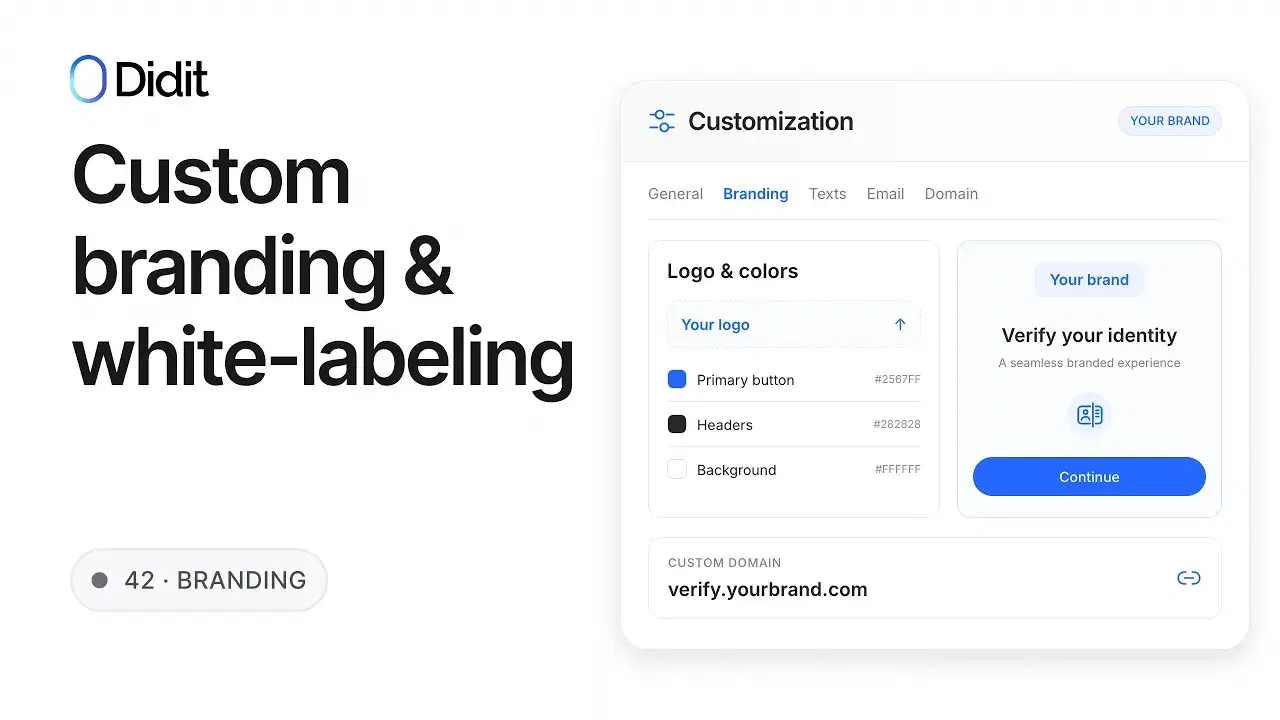
Didit's No-Code White-LabelingDidit provides a powerful, no-code Style Editor within its Business Console, enabling businesses to effortlessly customize their verification workflows and even host them on a custom domain.
The Importance of Brand Consistency in Identity Verification
In today's digital landscape, user experience is paramount. Every touchpoint a customer has with your brand contributes to their perception and trust. This is especially true during sensitive processes like identity verification. When users are redirected to a generic, third-party verification page, it can create a sense of discontinuity, raise security concerns, and even lead to drop-offs. A seamless, on-brand verification experience, however, reinforces trust, enhances professionalism, and ultimately improves conversion rates.
Imagine a user signing up for your service, enjoying a beautifully designed app, only to be abruptly taken to an unbranded, unfamiliar page for ID verification. This jarring transition can undermine the positive experience you've worked hard to build. That's why advanced mobile SDK UI theming is not just a 'nice-to-have' but a critical component for businesses aiming to provide a high-quality, integrated user journey.
Unlocking Full Customization with Mobile SDKs
Modern identity verification platforms understand the need for deep customization. They move beyond simple logo uploads, offering comprehensive UI theming capabilities that allow businesses to control virtually every visual element of the verification flow. Didit, for instance, offers an unparalleled level of customization through its Business Console, ensuring that the verification process feels like an integral part of your application.
With Didit's White Label feature, you can fully customize the verification experience. This includes:
- Colors: Adjusting buttons, text, panels, and backgrounds to match your brand's palette.
- Typography: Selecting fonts that align with your brand's visual identity.
- Logos: Uploading square and rectangular logos for consistent branding across different screen orientations and layouts.
- Layout: Fine-tuning elements like border radius for panels and buttons.
- Login Screen: Choosing whether to show or skip the login screen, streamlining the user journey.
- Custom Domain: Hosting the entire verification flow on your own domain instead of a default 'verify.didit.me' subdomain, further cementing the on-brand experience.
This granular control ensures that the verification process is not just functional but also aesthetically cohesive with your brand.
Practical Implementation: Bringing Your Brand to Life
Implementing custom theming with Didit is designed to be straightforward and accessible, even for those without extensive development resources. The process is managed through the intuitive Style Editor within the Didit Business Console. This no-code approach democratizes powerful customization, allowing marketing and design teams to take ownership of the verification UI.
The setup involves a few key steps:
- Open the Style Editor: Navigate to 'Console → White Label → Style Editor' in your Didit Business Console.
- Configure Visual Elements: Use the color picker to select brand colors, upload your logos, and adjust typography and border radius settings.
- Set Up Custom Domain (Optional): For the ultimate branded experience, add your domain in the White Label settings, configure DNS settings as instructed, and verify domain ownership. This means your users will never leave your domain during the verification process.
- Enable in Your Workflow: Crucially, after configuring your custom style, you must enable it per workflow. For each workflow that should use your branding, go to 'Workflow → Settings → Options' and toggle 'Include custom style' to enabled. This modular approach allows for different branding or levels of customization across various verification flows if needed.
- Preview and Test: Always use the live preview feature to see changes in real-time and thoroughly test the full verification flow before going live to ensure everything meets your brand standards.
This structured approach ensures that businesses can deploy a fully branded identity verification experience quickly and efficiently, without sacrificing security or compliance.
The Impact on User Trust and Completion Rates
Beyond aesthetics, a well-themed mobile SDK UI directly impacts key business metrics. When users feel they are consistently interacting with a trusted brand, their confidence in the process increases. This reduces anxiety often associated with submitting personal information and leads to higher completion rates for essential steps like ID Verification or Passive & Active Liveness checks. For businesses operating in regulated industries, such as finance (requiring AML Screening & Monitoring) or age-restricted services (utilizing Age Estimation), building this trust is even more vital.
A white-labeled experience also reduces the perception of a third-party hand-off, making the entire onboarding or re-authentication journey feel more integrated and secure. This is particularly beneficial for processes involving sensitive data capture, like scanning government-issued IDs (ID Verification with OCR, MRZ, barcodes) or verifying biometric data (1:1 Face Match & Face Search).
How Didit Helps
Didit stands out by providing an AI-native, developer-first identity platform that prioritizes both security and user experience. Our modular architecture allows businesses to compose verification, orchestrate risk, and automate trust globally and at scale. With Didit, you get:
- Core KYC: Start verifying identities with pay-per-use pricing and no upfront costs, leveraging essential features like ID Verification and Passive & Active Liveness.
- Advanced White-Labeling: Our no-code Style Editor in the Business Console empowers you to fully customize every aspect of the verification UI – colors, fonts, logos, layout, and even a custom domain – ensuring a truly branded experience.
- Modular and Flexible Workflows: Orchestrated Workflows allow you to design multi-step identity verification flows, combining features like ID Verification, AML Screening, and Age Estimation, all while maintaining your brand's look and feel.
- AI-Native Technology: Benefit from cutting-edge AI for robust fraud prevention and efficient identity processing.
- No Setup Fees: Get started immediately with transparent pay-per-successful-check pricing.
Didit's commitment to an open, modular identity layer means you can integrate powerful identity verification capabilities seamlessly into your existing applications, always under your brand's unique identity.
Ready to Get Started?
Ready to see Didit in action? Get a free demo today.
Start verifying identities for free with Didit's free tier.
Try it
Try this in the sandbox
Run the check this guide describes, free.
The product this post is about, taken from its topic. Run it free in the sandbox.
Author
Alejandro Rosas
Co-founder and CTO

Keep reading
Other guides in the same topic.
 What Is the Purpose of FICA in South Africa? 2026 Guide
FICA is South Africa's anti-money laundering law. It creates the Financial Intelligence Centre and requires accountable institutions to identify and verify clients, screen for PEP and sanctions risk and report suspicious.
Alberto RosasNov 26, 2026 Sixth Money Laundering Directive (6AMLD): What Changed and Which Rules Apply
6AMLD is Directive (EU) 2018/1673: Member States must criminalise laundering, widen predicate offences and set a four-year penalty floor. It adds no new due diligence duties for firms.
Alberto RosasNov 26, 2026 Automated Sanctions Screening: Canada, the Entity List and Embargoes
Automated sanctions screening matches people and companies against lists such as Canada's autonomous sanctions made under SEMA and JVCFOA and the OFAC SDN List, and returns candidate hits scored for identity confidence and.
Alberto RosasNov 26, 2026Questions
Blog questions
Who writes the Didit blog?
Which topics does the blog cover?
Is the blog available in my language?
Where do I find product updates?
Are these posts legal advice?
How do I find posts on one topic?
Are posts dated?
Do posts link to the docs?
Is the blog the same as the docs?
Compliance built in
Audited, certified and attested.
We hold the certifications and build each country's rules into your flows, so you can launch anywhere without worrying. Security and Compliance center
- Regulation encoded into your flows
Tell us what you do and where. Didit lists the rules that apply to you, with sources, and builds the checks each country needs into one workflow.
- Ready for AMLR
Every requirement of the new EU anti-money laundering rules, from checking customers to human review, is already covered by a Didit check.
- Tested in Spain's Treasury sandbox
Spain's Treasury published its supervised sandbox report on Didit's NFC plus active liveness onboarding; SEPBLAC took part and valued the added measures positively.
- Audited, not self-declared
iBeta Level 1 and Level 2. Liveness tested under ISO/IEC 30107-3.
Your obligations · 3 regions
 SOC 2 Type 2
 ISO 27001
 iBeta Level 1 and Level 2
 EU regulator attestation
 FSM youth protection
 GDPR
 EBA remote onboarding
 MiCA compatible
 FIDO Alliance member
- AMLREU AML Regulation ready
Integration · Didit MCP
Run Didit from your own AI agent
Connect Didit to Claude, Cursor, VS Code or ChatGPT and just ask in plain words. Your agent can do anything you can do in the console, with the same permissions you have.
 Add to Claude
 ChatGPT
 Cursor
- Build workflowsDescribe the checks you need. The agent creates and publishes the flow.
- Run investigationsAsk why a session was declined, review cases, search people and companies.
- Change rulesCreate payment rules, test them on past data and switch them on.
- Pull reportsAsk for numbers, exports or the audit log.
Didit Academy