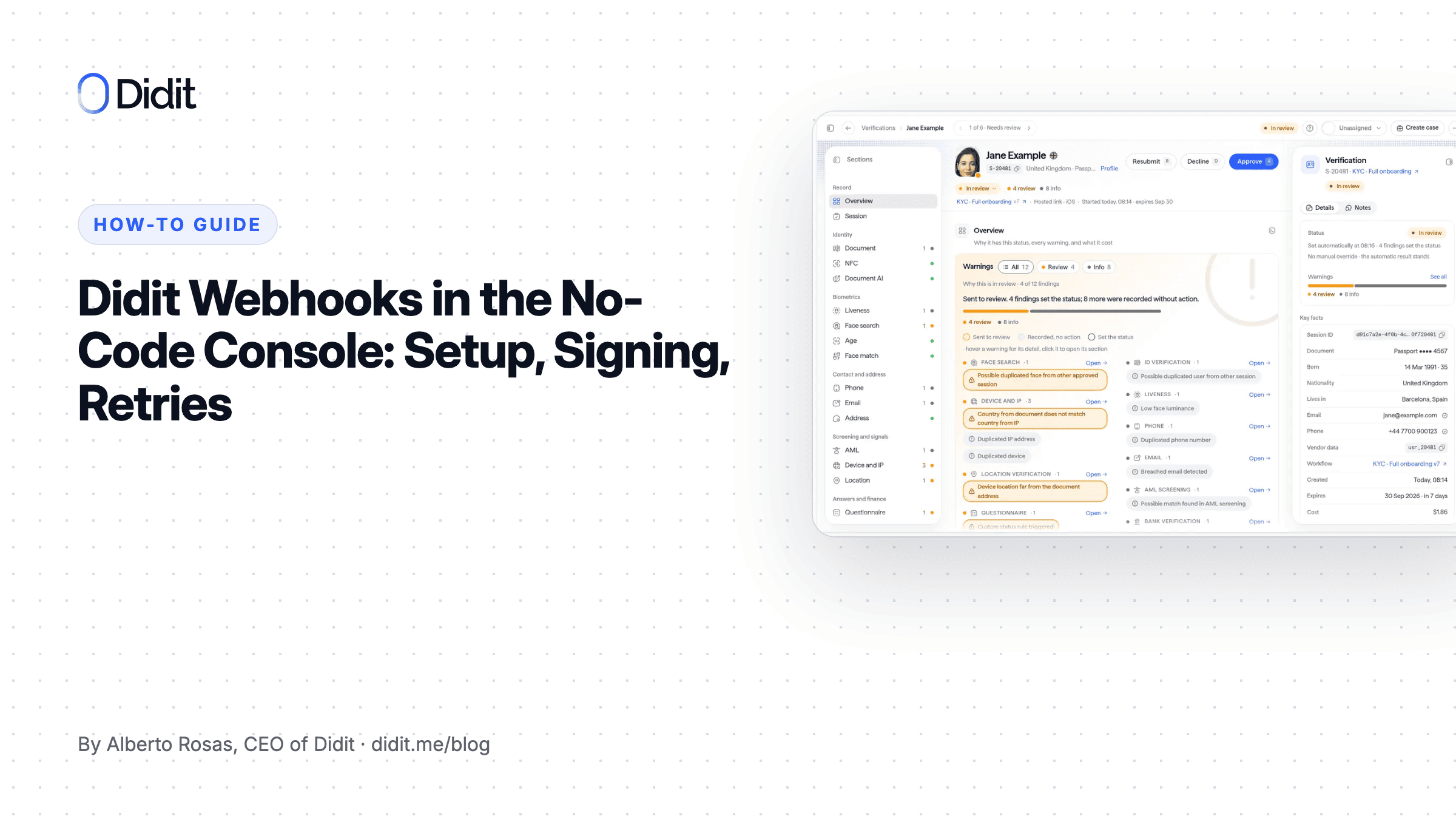
Didit Webhooks in the No-Code Console: Setup, Signing, Retries
Didit webhooks push verification, entity and transaction events to a destination URL you control, configured in the Business Console. You subscribe to exact event names, verify an HMAC signature and get bounded retries.
 Alejandro RosasCo-founder and CTO
Contents
In this guide
Jump to the part you need.
This how-to fits teams that run verification in the Didit Business Console and want each outcome pushed to their own systems instead of polling. Webhook delivery has no line in the price book; you pay for the check that produces the event, $0.33 for a full ID check. Two caveats: no wildcard exists, so you subscribe to each event by name, and Didit posts to a URL you control, so someone has to own that endpoint.
Last updated: November 26, 2026. Prices checked against the live Didit price feed on November 26, 2026.
| Item | What it is |
|---|---|
| What you get | Real-time POST requests to your URL when a session, user, business, transaction, Travel Rule exchange or Investigator item changes |
| Where you configure it | Business Console, application settings, Developers section, then Webhooks. See the applications guide |
| Payload version | v3 is current and recommended |
| Auth on delivery | HMAC-SHA256 in X-Signature-V2 (recommended), X-Signature, or the deprecated X-Signature-Simple, plus X-Timestamp |
| Event selection | Exact event names in subscribed_events. No wildcard |
| Retries | Bounded retries; a failed attempt is HTTP 400 or above, a timeout, a refused connection or a blocked address |
| Testing | Sandbox application, free, 500 session creates per 24 hours, plus the Try Webhook test |
| Price | No webhook line in the price book. You pay for the checks that emit events |
Start free in the sandbox at https://business.didit.me/, no sales call. For developer tooling, connect Didit to an AI assistant through https://didit.me/developers/mcp/, or hand the endpoint work to a coding agent with the integration prompt. Prices, plan credits and the cost estimator are on https://didit.me/pricing/.
Didit webhook basics: what the event actually contains
A Didit webhook is an HTTP POST that Didit sends when something changes. The envelope carries the session or entity identifiers, the exact status string, the workflow version that produced the result, your own vendor_data and metadata, and, for decisions, a full decision object that mirrors GET /v3/session/{sessionId}/decision/. The same report shape appears in both places, which is why the data models reference is the one page worth bookmarking.
Two design choices matter in production. First, status values are exact and case-sensitive strings: Approved, Declined, In Review, In Progress, Not Started, Abandoned, Expired, Kyc Expired, Resubmitted, Awaiting User. Note the single capital K in Kyc Expired. Second, the decision object is only attached for Approved, Declined, In Review and Abandoned; everything else is a state change you observe, not a verdict you act on. The full lifecycle is documented in verification statuses.

status.updated event. The warnings you see here are filtered per feature inside the webhook decision object.Webhook destinations and workflow webhook nodes are separate
Two things in the console carry the word webhook, and they are configured in different places. A destination is an application-level setting under Developers, then Webhooks: it belongs to one application and one Live or Sandbox environment, and it receives the event families you list in subscribed_events. A webhook node is a step inside a flow in the workflow builder, so it is versioned with that workflow and published with it. Creating or editing a destination never changes a workflow, and publishing a workflow never creates a destination.
Prerequisites before you create a destination
- A Didit organization and at least one application. Every application is created with a Live and a Sandbox environment, and each environment has its own API keys and webhooks.
- An HTTPS endpoint you control that answers a POST and returns a 2xx quickly.
- The signing secret of the destination. Didit generates it with the destination, and the list endpoint returns only
secret_last4, so read the full secret from the single-destination call or copy it in the console. - A written list of the event families you need. There is no wildcard, so that list is your subscription.
Step by step: from console to first delivery
- Switch to Sandbox. Open the application switcher at the top of the sidebar and pick the Sandbox environment of the application you are testing. Sandbox sessions are never billed and carry
"environment": "sandbox"in the payload, which is how you keep test events out of your production logic. See sandbox testing. - Open Developers, then Webhooks. Destinations belong to one application and one environment. A Sandbox API key never creates a billed verification, and each destination reports its
environmentas live or sandbox. - Create a destination with a label and the URL you control. Use a path you can search in your logs, for example
/api/webhooks/didit. You can create several destinations to fan out to different URLs, one for your back office and one for your compliance queue. - Set the payload version to v3. v3 is current and carries multi-instance features, each with a
node_idthat pins the report to the workflow node that produced it. v1 and v2 still exist; new work should not start there. - Subscribe to exact event names. Most teams start with
status.updatedanddata.updated. Adduser.status.updatedandbusiness.status.updatedif you act on entity state,transaction.createdandtransaction.status.updatedif you monitor transactions,travel_rule.status.updatedfor Travel Rule exchanges, and the Investigator events if a review queue drives your operations. Every name must be listed explicitly. - Copy the signing secret into your secret manager. This is the value you compute the HMAC with.
- Build the endpoint. Check the timestamp window, recompute the signature, compare in constant time, then process by
webhook_type. Return 2xx as soon as you have accepted the event and update state idempotently onevent_id. - Send a test. Use the Try Webhook action in the console to fire an event at the destination. The
activity.createdevent type exists for this: it is reserved for the activity timeline and currently only sent by Try Webhook tests. - Run a real sandbox session. Create a session from your Sandbox key, complete it with a sandbox scenario, and confirm your endpoint received the event, verified the signature and wrote the expected state.
- Repeat in Live, then watch health. Create the Live destination with the same URL and event list, and monitor delivery metrics instead of assuming delivery.
The receiving endpoint, with signature verification
This is the minimum glue for the verification steps in the webhooks guide. The raw body is retained first, on the untouched request, before any JSON parsing, which is the raw-body requirement the guide sets. That retained body is then parsed and canonicalized for X-Signature-V2, which covers the sorted, Unicode-preserved canonical JSON. The code also accepts X-Signature-V2-Previous while a rotated secret is still in flight.
// POST /api/webhooks/didit  (Node + Express, X-Signature-V2)
import express from "express";
import crypto from "crypto";

const app = express();
const SECRET = process.env.DIDIT_WEBHOOK_SECRET;             // current signing secret
const PREVIOUS = process.env.DIDIT_WEBHOOK_SECRET_PREVIOUS;  // set only during a rotation

// X-Signature-V2 signs the sorted, Unicode-preserved canonical JSON.
function canonicalJson(value) {
  if (Array.isArray(value)) return "[" + value.map(canonicalJson).join(",") + "]";
  if (value && typeof value === "object") {
    const keys = Object.keys(value).sort();
    return "{" + keys.map((k) => JSON.stringify(k) + ":" + canonicalJson(value[k])).join(",") + "}";
  }
  return JSON.stringify(value);
}

function hmac(secret, payload) {
  return crypto.createHmac("sha256", secret).update(payload, "utf8").digest("hex");
}

function matches(sent, expected) {
  return Boolean(sent) && sent.length === expected.length &&
    crypto.timingSafeEqual(Buffer.from(sent), Buffer.from(expected));
}

app.post("/api/webhooks/didit", express.raw({ type: "application/json" }), (req, res) => {
  const raw = req.body;                              // Buffer, kept for the raw-byte path
  const ts = Number(req.get("X-Timestamp"));         // Unix epoch seconds

  if (!Number.isFinite(ts) || Math.abs(Date.now() / 1000 - ts) > 300) return res.sendStatus(401);

  const event = JSON.parse(raw.toString("utf8"));
  const canonical = canonicalJson(event);

  const ok = matches(req.get("X-Signature-V2"), hmac(SECRET, canonical)) ||
    (PREVIOUS && matches(req.get("X-Signature-V2-Previous"), hmac(PREVIOUS, canonical)));
  if (!ok) return res.sendStatus(401);

  // route on event.webhook_type, e.g. "status.updated"
  res.sendStatus(200);
});
Order matters. With X-Signature-V2 the signature covers the canonical form of the parsed body, so you parse first and hash the canonical string. With the raw-byte header X-Signature, hash the buffer before parsing, and keep that path only if your stack never re-encodes the body; treat it as a fallback, not the default. The signature guide is in Webhooks: real-time KYC and KYB events.
During a secret rotation, Didit also sends X-Signature-V2-Previous, X-Signature-Previous and X-Signature-Simple-Previous for 24 hours, made with the replaced secret, so accept a match on either header and deploy at your own pace. The legacy application-level webhook_url never receives the previous headers.
Avoid X-Signature-Simple unless nothing else is available. It authenticates the envelope only, not the decision body, so if you verify with it you must re-fetch the decision from GET /v3/session/{session_id}/decision/ instead of trusting the payload.
Expected output: the envelope you receive
The session envelope is documented field by field. The shape below is the one to code against, trimmed to the fields most integrations read.
{
  "event_id": "uuid",
  "session_id": "uuid",
  "status": "Approved",
  "webhook_type": "status.updated",
  "created_at": 1627680000,
  "timestamp": 1627680000,
  "application_id": "uuid",
  "environment": "live",
  "sandbox_scenario": null,
  "workflow_id": "uuid",
  "workflow_version": 1,
  "vendor_data": "your-internal-user-id",
  "metadata": { "user_type": "premium" },
  "decision": { }
}
KYB and business-session payloads also carry business_session_id and session_kind: "business". Inside decision, each feature is an array: id_verifications[], nfc_verifications[], liveness_checks[], face_matches[], aml_screenings[], poa_verifications[], phone_verifications[], email_verifications[], ip_analyses[], database_validations[], questionnaire_responses[], bank_verifications[], plus registry_checks[], document_verifications[] and key_people_checks[] for KYB. Arrays exist because one workflow can run the same feature more than once.

aml_screenings[] entry in the decision object is the same result you see here, including hit status and warning codes.Documented event types in this guide
These are the documented values for subscribed_events. There is no wildcard, so a destination receives only what it lists, and you can create several destinations to fan out to different URLs. This table is not the whole family list: bank links, connections and synced bank data send their own bank.* events, covered separately in the Bank webhooks documentation. Authentication activity is documented on its own page, and authentication event types must not be registered with the current destination API.
| Event | Fires when |
|---|---|
status.updated | A session or business session status changes |
data.updated | Verification data on a session or business session is edited |
user.status.updated | A User entity moves to ACTIVE, FLAGGED or BLOCKED |
user.data.updated | User entity profile or aggregate data changes |
business.status.updated | A Business entity moves to ACTIVE, FLAGGED or BLOCKED |
business.data.updated | Business entity profile or aggregate data changes |
activity.created | Reserved for the activity timeline, currently only sent by Try Webhook tests |
transaction.created | A transaction is created and its initial verdict is ready |
transaction.status.updated | A transaction status changes |
travel_rule.status.updated | A Travel Rule exchange status changes |
workflow.compliance_changed | The compliance status of a published workflow changes after a re-evaluation |
transaction_rule_suggestions.created | A transaction rule suggestion run proposes new rule changes |
investigator.report.ready | The Investigator wrote a report on an item |
investigator.decision.automated | The Investigator decided an item on its own |
investigator.decision.overridden | A person took another action than the report, or overrode an automated decision |
investigator.decision.contested | The end user contested a decision and asked for human review |
investigator.question.raised | The Investigator asked the team a question about its policy |
investigator.automation.paused | Automation stopped deciding, paused by a person or at the monthly spending limit |
investigator.rfi.answered | The end user answered an information request |
investigator.rfi.overdue | An information request passed its deadline unanswered |
investigator.drift.detected | A queue drifted and automation stepped down a tier |
investigator.sla.breached | A report waited past its queue SLA without a decision |
investigator.qa.failed | A human decision failed the Investigator quality review |
investigator.external.report.ready | The report on an item you sent from outside Didit is ready |
Inputs and outputs
| Direction | Field | Notes |
|---|---|---|
| Input | Destination URL | Your HTTPS endpoint. Multiple destinations fan out to multiple URLs |
| Input | subscribed_events | Exact event names. No wildcard, so list every family you need |
| Input | webhook_version | v1, v2 or v3; v3 is current |
| Input | Signing secret | Rotatable in the console; list responses show only secret_last4 |
| Output header | X-Signature-V2, X-Signature, X-Signature-Simple | Pick one and verify it, plus the matching -Previous header during a rotation |
| Output header | X-Timestamp | Epoch seconds when Didit dispatched. Reject anything older than 300 seconds |
| Output body | event_id, webhook_type, status, environment | Your routing keys, and your idempotency key |
| Output body | decision | Present for Approved, Declined, In Review and Abandoned only |
Failure cases and recovery
- Your endpoint returns 400 or above, times out, refuses the connection or is blocked. That is a failed attempt. Didit retries within a bounded window, and retries do not extend a failing streak.
- You parse JSON before verifying. Signature checks fail or silently pass on a reformatted body. Read the raw bytes first, then parse.
- Clock drift. A timestamp more than 300 seconds from now must be rejected. Fix NTP before you debug anything else.
- Rotation window. After you rotate the secret in the console, accept either the current or the previous signature for 24 hours. Accept only the new one and you drop deliveries mid-deploy.
- Duplicate deliveries. Treat
event_idas an idempotency key. A retry or a resend can deliver the same event twice. - Missing events. Almost always a subscription problem. A destination that lists only
status.updatedwill never tell you a user entity was blocked. - Acting on an incomplete event. If
statusisIn ProgressorAwaiting User, there is nodecisionobject. Wait for the terminal state.
You do not have to guess whether delivery is healthy. Read the destination list from the Management API:
curl -X GET "https://verification.didit.me/v3/webhook/destinations/" \
  -H "x-api-key: YOUR_API_KEY"
Each item returns health_status, failing_streak, failing_since, last_success_at, and 30 days of daily_points with deliveries_count, failed_deliveries_count, average_response_time_ms and error_rate_percentage. The list never includes the signing secret, so read that from GET /v3/webhook/destinations/{destination_uuid}/. Full reference: List webhook destinations.
| Value | Meaning | What to do |
|---|---|---|
healthy | No failing streak and no unresolved failed attempt in the last 24 hours | Nothing |
degraded | An attempt failed in the last 24 hours and no later attempt delivered that event | Check the endpoint, then resend |
failing | 3 or more consecutive events failed their first attempt since the last success | Fix or disable the destination; do not assume events are arriving |
health_status is independent of enabled. A disabled destination can read healthy, and a destination that is answering can still be missing event families you never subscribed to.
Paid steps and review boundaries
Webhook delivery is not a billed line. What costs money is the check that produces the event, and every one of those runs whether or not you receive the webhook. Published unit prices per completed check: ID document verification $0.15, passive liveness $0.10, face match 1:1 $0.05, device and IP analysis $0.03, AML screening $0.20, proof of address $0.20, phone verification from $0.02 plus carrier, wallet screening $0.15, transaction monitoring $0.001 per transaction beyond your plan allowance. The full ID check bundles the first four at $0.33. See pricing in the docs and https://didit.me/pricing/.
Two review boundaries belong in your webhook logic, not in a retry loop:
In Reviewis a human decision pending. The webhook delivers the full decision with warnings, but nothing is final. A reviewer in the console approves, declines or requests a resubmission, and that action produces anotherstatus.updatedevent.- Investigator events are a review queue, not a verdict.
investigator.decision.overridden,investigator.decision.contested,investigator.automation.pausedandinvestigator.sla.breachedall describe a process state that a person or a policy changed. Route them to a queue and let it drain.

Worked cost example
Take 5,000 monthly onboardings, each running a full ID check plus AML screening. Webhooks carry the results to your back office and your review queue at no extra charge.
- Full ID check: $0.33. AML screening: $0.20. Per onboarding: 0.33 + 0.20 = $0.53.
- Monthly at list price: 5,000 x $0.53 = $2,650.00.
- Monthly on the Scale plan, which takes 10% off every Didit price: 0.53 x 0.90 = $0.477 per onboarding, so 5,000 x $0.477 = $2,385.00. The $299 monthly Scale fee is separate and comes with $350 of monthly credit.
- Monthly on Growth, 4% off: 0.53 x 0.96 = $0.5088, so 5,000 x $0.5088 = $2,544.00, plus the $99 monthly fee with $115 of credit.
- Sandbox runs that produced the test webhooks: 5,000 simulated sessions would cost $0.00, because sandbox sessions are never billed.
Sources
- Didit docs: Webhooks, real-time KYC and KYB events, HMAC signing
- Didit docs: List webhook destinations API
- Didit docs: Verification statuses and session lifecycle
- Didit docs: Data models for every report object
- Didit docs: Sandbox test data, scenarios and magic values
- Didit docs: Applications, Live and Sandbox
- Didit docs: Workflow builder
- Didit docs: Wallet screening inside transaction monitoring
- Didit docs: Pricing and billing rules
- Didit pricing page and cost estimator
- Didit pricing as JSON
- Didit MCP server setup
- Didit integration prompt for coding agents
Next step: open the sandbox at https://business.didit.me/, create a destination on the Sandbox application, and fire a Try Webhook test at your endpoint today. No sales call, and nothing you do there is billed.
Try it
Try this in the sandbox
Run the check this guide describes, free.
The product this post is about, taken from its topic. Run it free in the sandbox.
Author
Alejandro Rosas
Co-founder and CTO

Keep reading
Other guides in the same topic.
 What Is the Purpose of FICA in South Africa? 2026 Guide
FICA is South Africa's anti-money laundering law. It creates the Financial Intelligence Centre and requires accountable institutions to identify and verify clients, screen for PEP and sanctions risk and report suspicious.
Alberto RosasNov 26, 2026 Sixth Money Laundering Directive (6AMLD): What Changed and Which Rules Apply
6AMLD is Directive (EU) 2018/1673: Member States must criminalise laundering, widen predicate offences and set a four-year penalty floor. It adds no new due diligence duties for firms.
Alberto RosasNov 26, 2026 Automated Sanctions Screening: Canada, the Entity List and Embargoes
Automated sanctions screening matches people and companies against lists such as Canada's autonomous sanctions made under SEMA and JVCFOA and the OFAC SDN List, and returns candidate hits scored for identity confidence and.
Alberto RosasNov 26, 2026Questions
Frequently asked questions
What is a Didit webhook?
A Didit webhook is an HTTP POST that Didit sends to a destination URL you register in the Business Console when a session, user, business, transaction, Travel Rule exchange or Investigator item changes. The body carries the event type, the exact status string, the workflow version, your own identifiers and, for decisions, the full decision object.
How do I set up a Didit webhook without writing backend code?
The configuration side needs no code: in the Business Console you open Developers, then Webhooks, and choose a destination URL, the payload version and the exact event names. The receiving side is still yours, because Didit sends a POST to a destination URL you control. Didit does not document a connector to any third-party automation service, so the documented route is your own endpoint verifying the signature, or polling GET /v3/session/{session_id}/decision/ for the same result.
Which event types should I subscribe to first?
Start with status.updated and data.updated, which cover the session lifecycle and edits to verification data. Add user.status.updated and business.status.updated if you act on entity state, and transaction.created plus transaction.status.updated if you monitor transactions. Every documented value is listed in the event table on this page, and each one must be named explicitly.
Why can I not use a wildcard for all events?
Didit has no wildcard by design: you list every event family you want in subscribed_events. That keeps a destination scoped to one consumer, and you can create several destinations to fan out to different URLs.
How do I verify that a webhook really came from Didit?
Recompute an HMAC-SHA256 with the destination signing secret and compare it in constant time against the signature header, and against the matching -Previous header when one is present. Also check that X-Timestamp is within 300 seconds of your clock. X-Signature-V2 is the recommended header because it survives body re-encoding.
What happens if my endpoint is down when Didit sends an event?
The attempt counts as failed and Didit retries within a bounded window. Three consecutive failed first attempts since the last success move the destination to failing. Read health_status and failing_streak from the destination list endpoint, and resend once your endpoint answers again.
Does a Didit webhook cost anything?
There is no webhook line in the price book, so delivery itself is not billed. You pay for the check that produces the event, for example $0.33 for a full ID check or $0.20 for an AML screening, and sandbox sessions are never billed.
How do I test webhooks in the sandbox?
Create a destination on the Sandbox application, then use Try Webhook to send a test event, and run a real sandbox session to exercise the full decision payload. Sandbox payloads carry "environment": "sandbox", and each sandbox application can create 500 sessions every 24 hours.
What is the difference between status.updated and data.updated?
status.updated fires when a session or business session changes status, such as moving to Approved or In Review. data.updated fires when verification data on an existing session is edited, so the status may be unchanged while the data behind it is not.
Can I send Didit webhooks to another service?
Didit sends POST requests to the destination URL you configure. No specific third-party connector is documented here, so use the documented webhook route and verify signatures at an endpoint you control. If you cannot run an endpoint, poll GET /v3/session/{session_id}/decision/ for the same decision.
How do I rotate a webhook signing secret safely?
Rotate it in the console and deploy code that accepts either the current or the previous signature. Didit sends the -Previous variants for 24 hours after a rotation, which gives you that window to ship the new secret to every instance.
How do I know a destination is healthy without opening the console?
Call GET https://verification.didit.me/v3/webhook/destinations/ with your API key. It returns health_status, failing_streak, last_success_at and 30 days of daily delivery points, and it never returns the signing secret.
What is the difference between a webhook destination and a webhook node in a workflow?
A destination is an application setting under Developers, then Webhooks, and it receives the event families you subscribe to at the URL you set. A webhook node is a step inside a flow in the workflow builder, so it is versioned and published with that workflow. Editing one never changes the other.
Compliance built in
Audited, certified and attested.
We hold the certifications and build each country's rules into your flows, so you can launch anywhere without worrying. Security and Compliance center
- Regulation encoded into your flows
Tell us what you do and where. Didit lists the rules that apply to you, with sources, and builds the checks each country needs into one workflow.
- Ready for AMLR
Every requirement of the new EU anti-money laundering rules, from checking customers to human review, is already covered by a Didit check.
- Tested in Spain's Treasury sandbox
Spain's Treasury published its supervised sandbox report on Didit's NFC plus active liveness onboarding; SEPBLAC took part and valued the added measures positively.
- Audited, not self-declared
iBeta Level 1 and Level 2. Liveness tested under ISO/IEC 30107-3.
Your obligations · 3 regions
 SOC 2 Type 2
 ISO 27001
 iBeta Level 1 and Level 2
 EU regulator attestation
 FSM youth protection
 GDPR
 EBA remote onboarding
 MiCA compatible
 FIDO Alliance member
- AMLREU AML Regulation ready
Integration · Didit MCP
Run Didit from your own AI agent
Connect Didit to Claude, Cursor, VS Code or ChatGPT and just ask in plain words. Your agent can do anything you can do in the console, with the same permissions you have.
 Add to Claude
 ChatGPT
 Cursor
- Build workflowsDescribe the checks you need. The agent creates and publishes the flow.
- Run investigationsAsk why a session was declined, review cases, search people and companies.
- Change rulesCreate payment rules, test them on past data and switch them on.
- Pull reportsAsk for numbers, exports or the audit log.
Didit Academy