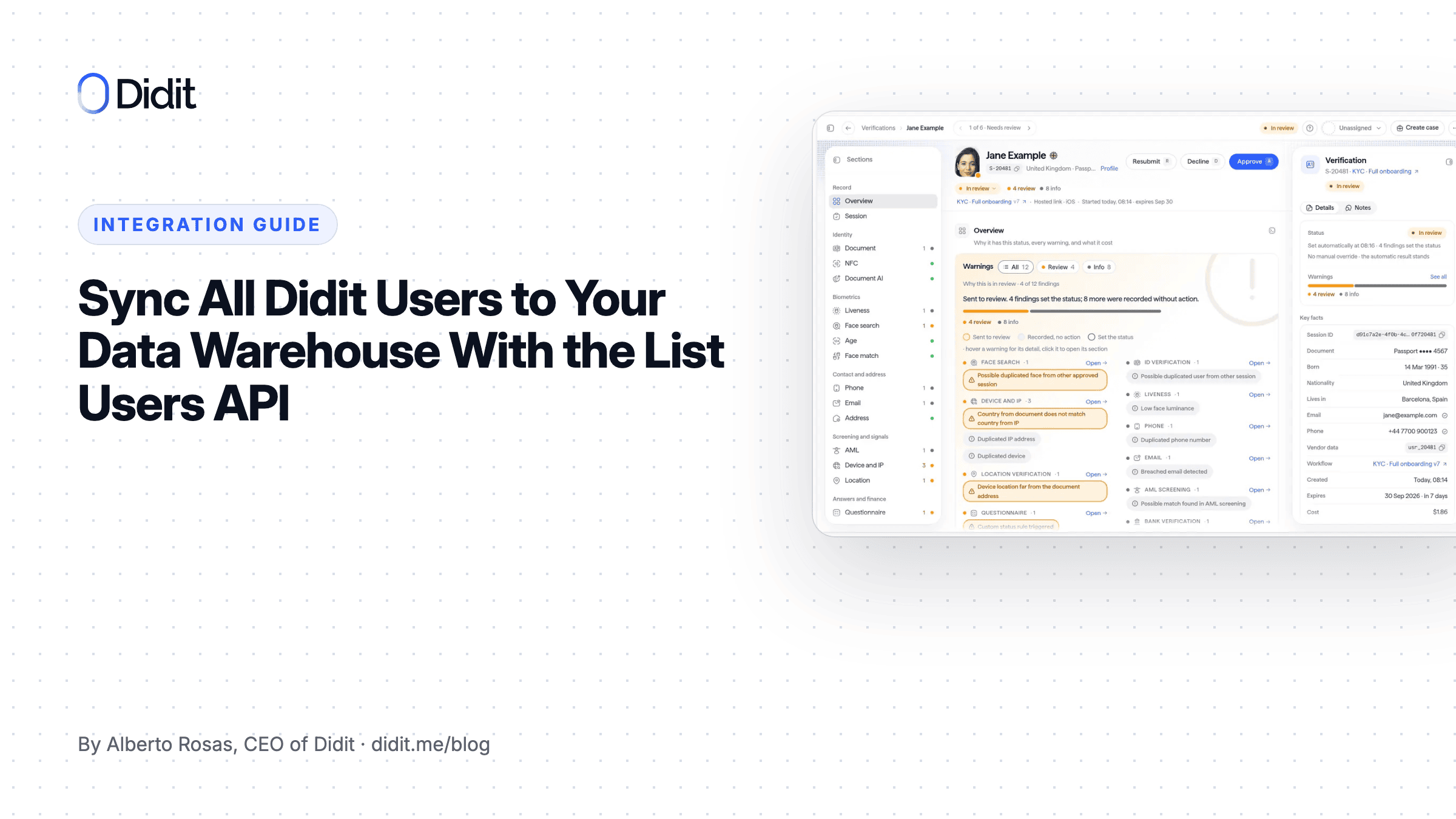
Sync All Didit Users to Your Data Warehouse With the List Users API
Call GET /v3/users/ with x-api-key, limit=200, and follow the next URL until it is empty. Do not page by count, which is exact only up to 100. The request itself is not a priced line;
 Alberto RosasCo-founder and CEO
Contents
In this guide
Jump to the part you need.
We publish GET https://verification.didit.me/v3/users/ for teams that want their Didit user table inside their own warehouse. It fits any application with an active API key. The request itself carries no line in our price book; you pay for the verification checks behind each user, from $0.33 for a full KYC. The caveat that breaks naive syncs is count, which is exact only up to 100 and capped above that, so page by the next URL until it is empty.
Last updated: November 26, 2026. Prices checked against the live Didit price feed on November 26, 2026.
The whole sync in one table
| Decision | What the docs say |
|---|---|
| Endpoint | GET https://verification.didit.me/v3/users/ |
| Auth | x-api-key header. Application-scoped key, not role-scoped. |
| Page size | limit 1 to 200, default 50. |
| Pagination | Follow next until it is empty. offset exists but the docs prefer next. |
| Never page by | count. Exact up to 100, capped above that. |
| Order | last_session_at descending, most recently active first. |
| Deleted users | Not returned. |
| Stable key | didit_internal_id (UUID). vendor_data is a free-form string and may be null. |
| Cost of the call | No separate line in the public price book. The charges come from the checks behind the users, for example $0.33 per full KYC, billed when those checks run. |
| Sandbox | Free and unlimited on every plan. |
Start free in the sandbox at business.didit.me, no sales call. The checks you are syncing are described on identity verification, with every unit price on Didit pricing. If you would rather work with an AI assistant, the Didit MCP server is a documented connection option.
What one page of the List Users API returns
Every response is an envelope with four keys. Read results to write rows, next to decide whether to call again, and treat count as a rough signal only.
{
  "count": 100,
  "next": "URL of next page or null",
  "previous": "URL of previous page or null",
  "results": [ UserListItem, ... ]
}
count is exact up to 100 and capped above that, so a response that says 100 can mean one hundred users or many more. next is the only reliable stop condition: it holds the URL of the next page and is null on the last one. previous points backwards.
Results are ordered by last_session_at descending, so the most recently active user comes first. Deleted users are not returned. Both facts shape the sync: a user who verifies again while your pass is running moves to the top of the ordering, and a deleted user simply disappears from the feed without an entry telling you so.
Prerequisites
| Area | Requirement | Where |
|---|---|---|
| Plan | Any plan. Free includes $10 of monthly credit for eligible organizations that sign up with a work email; the sandbox is free and unlimited. | Didit pricing |
| API key | Any active API key of the application. New keys start with sk_live_ or sk_test_ followed by 43 URL-safe characters. | Business Console, Developers, API keys |
| Permissions | API keys are application-scoped, not role-scoped. Console roles such as list:users are not evaluated for Management API traffic, so access is controlled by who can read the key. | API authentication |
| Client | Any HTTP client. The docs show curl and Python requests. | List Users API |
| Warehouse table | A table with a column that can hold a UUID, plus timestamp columns for the three session dates. | Your warehouse |
| Retention, optional | Decide how long Didit keeps the underlying sessions. Windows run from 1 month to 10 years, with defaults by plan. | App Settings, Data retention |
Three install routes, one of which you can ship today
Route 1: the API recipe
This is the documented route and the one a scheduled warehouse load should use. You hold the key server side, loop over pages, and write rows. Everything below comes from the List Users API reference.
Route 2: the MCP connector
The Didit MCP server is hosted at https://mcp.didit.me/mcp with OAuth sign-in and costs nothing. It is a documented way to connect an AI assistant to Didit. A nightly warehouse load should use the REST route above.

Route 3: a native warehouse listing
The Didit docs do not describe a native Snowflake, BigQuery or Redshift connector, so there is nothing to install from a warehouse marketplace. The documented route stays the REST endpoint in this guide. If a listing is published later it will appear in the docs index at docs.didit.me/llms.txt.
Step by step: sync every user into your warehouse
-
Copy the application's API key. In the Business Console, select the application, open Developers then API keys, and copy the Primary key or create a key for this service. Keep it server side. Use the sandbox key while you build.
export DIDIT_API_KEY="sk_test_your_key_here" -
Pull one small page and read the shape. A limit of 5 is enough to see real rows before you loop.
curl -X GET 'https://verification.didit.me/v3/users/?limit=5' \ -H "x-api-key: $DIDIT_API_KEY" -
Raise the page size to 200 and follow next. This is the pagination loop from our docs, unchanged apart from the quotes.
import requests

API_KEY = "YOUR_API_KEY"
url = "https://verification.didit.me/v3/users/?limit=200"
rows = []

while url:
    r = requests.get(url, headers={"x-api-key": API_KEY})
    r.raise_for_status()
    page = r.json()
    for user in page["results"]:
        rows.append(user)
    url = page["next"]

print(len(rows))
The printed number is what you actually received. It is not
count. -
Narrow the pull if you do not need every user.
statusacceptsACTIVE,FLAGGEDorBLOCKEDand is the vendor user status, not the session status enum.searchmatchesvendor_data,display_name,full_name, approved emails and approved phones.countrytakes an ISO 3166-1 alpha-3 code and filters by the issuing country of approved documents; the endpoint overview names the same controlcountry_code. Date windows are available ascreated_after,created_before,last_activity_afterandlast_activity_before.curl -X GET 'https://verification.didit.me/v3/users/?limit=50&status=FLAGGED' \ -H "x-api-key: $DIDIT_API_KEY" -
Map the fields and key each row on
didit_internal_id. The mapping table below is the contract between the API and your schema. Every item carriesdidit_internal_idas a UUID, which makes it a sensible key for your table; how you declare that key and how you upsert rows are decisions in your warehouse, not part of the API contract. -
Handle the three failure modes you will actually see. A wrong key answers 401, a key that does not belong to this application answers 403, and too many calls answer 429 with a
Retry-Afterheader. Wait forRetry-After, then back off with jitter. The global GET ceiling is 600 requests a minute per API key, so a 10,000 user table at 200 per page is 50 requests for a full pass. -
Run full passes and reconcile, do not infer deletions from one page. Because results are ordered by
last_session_atdescending and deleted users are not returned, the honest comparison is the set of ids from one complete pass against the ids already in your table. Nothing in the endpoint tells you that a user was removed.
When you only need to re-check a known list, our Look Up Users API resolves up to 20,000 vendor ids, Didit user ids or emails in one call and returns a lookup_id. Pass it as lookup on the List Users call and you get exactly those users back in the order you submitted them. An unknown or expired id, 24 hours after issue, answers 404 with code lookup_not_found.
Field mapping from UserListItem to your warehouse schema
| UserListItem field | Type or values | Warehouse column | Note |
|---|---|---|---|
didit_internal_id | UUID | didit_user_id | Didit's UUID for the user. Stable across responses, so it is the natural join key. |
vendor_data | string, may be null | your_user_id | Free-form string you sent, not a UUID. Null when the session did not provide one. |
status | ACTIVE, FLAGGED, BLOCKED | user_status | Vendor user status, not the session enum. |
session_count | integer | session_count | Total sessions for the user. |
approved_count, declined_count, in_review_count | integer | three count columns | Keep them separate, do not collapse into one. |
issuing_states | array of ISO 3166-1 alpha-3 | document_countries | What the country filter matches on. |
last_session_at | timestamp | last_session_at | Sort key of the feed, so it changes between passes. |
first_session_at, created_at | timestamp | first_session_at, user_created_at | Two different dates, keep both. |
display_name, full_name, effective_name | string | three name columns | Three fields, three columns. |
approved_emails, approved_phones | arrays | email_list, phone_list | Approved contact values only. |
features, features_list | map of feature to Approved, Declined, In Review | feature_status_json | Store as a JSON column, not flattened. |
tags | array | tags | Your labels. |
portrait_image_url | presigned URL | not stored | Media URLs are presigned with a limited validity window. Do not persist the URL. |

The endpoint is a snapshot, not a change feed. Our webhooks carry status.updated and data.updated payloads that reuse the report shape documented on data models. The List Users endpoint is for the full table.
Test with sandbox data
Create a few sandbox sessions with the sk_test_ key so the user table has rows, then run the loop with the same key. Every check in the sandbox is mocked and nothing is charged.
What success looks like. A 200 response with results populated, a next URL that keeps advancing while pages have data, and a final page where next is null. Your row count should equal the sum of results lengths across pages. Treat a second pass as a reconciliation snapshot: ids can differ when users are added or deleted during the interval, so a keyed write on didit_internal_id updates rows instead of adding duplicates.
| Status | What it means here | Fix |
|---|---|---|
| 400 | A query value failed validation, for example a malformed date. | Correct the query and retry. |
| 401 | The key is missing, malformed, revoked or expired. The body reads Authentication credentials were not provided or are invalid. | Check DIDIT_API_KEY, or create a new key under Developers, API keys. |
| 403 | No x-api-key was sent, the key is revoked or not valid for this application, or the call came from outside the key's IP list. | Use the application's own key and check its IP restrictions. |
| 404 | Only with the lookup filter: the lookup_id is unknown or older than 24 hours, code lookup_not_found. | Submit the lookup again and page with the new id. |
| 429 | Rate limit or quota reached. The response carries Retry-After and the rate limit headers. | Wait for Retry-After, then exponential backoff with jitter, and stop after a small number of attempts. |
| 500, 502, 503 | Something failed on our side or in a dependency. | Retry with backoff. If it repeats, contact support with the request details. |
Disconnect and wind-down
There is nothing to uninstall. Stop the loop, then revoke the key under Developers, API keys if no other service uses it; the next call answers 401. Delete your warehouse copy under your own retention rules. Deleting your copy does not delete Didit's copy. Warehouse deletion and Didit deletion are separate. Didit keeps the sessions under the retention window set in App Settings, Data retention, and any deletion on our side is subject to that configured retention and biometric-template policy. On the assistant side, removing the Didit MCP server from your client ends that connection.
Worked cost example
The List Users request itself is not a priced item, and calling it does not add a charge. What you pay is the checks behind the users you are syncing, and those are billed when the checks run, not when you read the list. Take 10,000 users who each completed one full KYC, at list prices from the live feed.
- KYC at $0.33: 10,000 x $0.33 = $3,300.00.
- If the workflow also runs AML screening at $0.20: 10,000 x $0.20 = $2,000.00, total $5,300.00.
- On Growth, every Didit price is 4% off. KYC at $0.3168: 10,000 x $0.3168 = $3,168.00. AML at $0.192: 10,000 x $0.192 = $1,920.00, total $5,088.00. The month's $115 credit comes off usage and the $99 plan fee is added: 5,088 - 115 + 99 = $5,072.00.
- On Scale, the discount is 10%. KYC at $0.297: 10,000 x $0.297 = $2,970.00. AML at $0.18: 10,000 x $0.18 = $1,800.00, total $4,770.00. With the $350 credit and the $299 fee: 4,770 - 350 + 299 = $4,719.00.
The other end of the pipe is your warehouse, which bills you for storage and compute at its own rates; we publish no price for that. The sync itself adds requests, not charges: 10,000 users at 200 per page is 50 GET calls, against a ceiling of 600 GET requests a minute per key.

Sources
- Didit docs: List Users API
- Didit docs: Look Up Users API
- Didit docs: API authentication
- Didit docs: API rate limiting
- Didit docs: API errors
- Didit docs: data models
- Didit docs: data retention and deletion
- Didit documentation index
- Didit pricing and pricing.json, read November 26, 2026
- Didit identity verification
- Didit MCP server
- Switch to Didit
Start in the sandbox at business.didit.me: free and unlimited, and no sales call to get a key. Create the application, copy the sk_test_ key, and run the loop against sandbox rows before you point it at production. If you are moving from another provider, the same key works with the routes on switch to Didit.
Try it
Try this in the sandbox
Run the check this guide describes, free.
The product this post is about, taken from its topic. Run it free in the sandbox.
Author
Alberto Rosas
Co-founder and CEO

Keep reading
Other guides in the same topic.
 What Is the Purpose of FICA in South Africa? 2026 Guide
FICA is South Africa's anti-money laundering law. It creates the Financial Intelligence Centre and requires accountable institutions to identify and verify clients, screen for PEP and sanctions risk and report suspicious.
Alberto RosasNov 26, 2026 Sixth Money Laundering Directive (6AMLD): What Changed and Which Rules Apply
6AMLD is Directive (EU) 2018/1673: Member States must criminalise laundering, widen predicate offences and set a four-year penalty floor. It adds no new due diligence duties for firms.
Alberto RosasNov 26, 2026 Automated Sanctions Screening: Canada, the Entity List and Embargoes
Automated sanctions screening matches people and companies against lists such as Canada's autonomous sanctions made under SEMA and JVCFOA and the OFAC SDN List, and returns candidate hits scored for identity confidence and.
Alberto RosasNov 26, 2026Questions
Frequently asked questions
How do I sync all Didit users to my database?
Call GET https://verification.didit.me/v3/users/ with the x-api-key header, set limit to 200, and follow the next URL from each response until it is null. Write each item keyed on didit_internal_id. Stop on an empty next, never on count.
Why is count not the number of users?
count is exact only up to 100 and capped above that, so a response that says 100 can cover thousands of users. Use the number of rows you actually received, or your own table count, as the truth, and page by next.
What order does the List Users API return users in?
Ordered by last_session_at descending, most recently active first. A user who completes a session while your pass is running can move position, so key writes on didit_internal_id and compare full passes instead of relying on offsets.
Does the List Users API return deleted users?
No. Deleted users are not returned. A complete pass tells you which users exist now, and noticing a deletion means comparing the ids from that pass against the ids already in your table.
What is the maximum page size for the List Users API?
limit accepts 1 to 200 and defaults to 50. At 200 per page, 10,000 users take 50 GET requests, well under the 600 GET per minute ceiling per API key.
What is the difference between didit_internal_id and vendor_data?
didit_internal_id is Didit's UUID for the user and is the stable join key. vendor_data is the free-form string your application sent when it created the session; it is not a UUID and may be null when the session did not provide one.
How do I pull only flagged users?
Add status=FLAGGED to the query. status accepts ACTIVE, FLAGGED or BLOCKED and is the vendor user status, not the session status enum. For free text, search matches vendor_data, display_name, full_name, approved emails and approved phones.
Can I filter users by document country?
Yes. The country filter takes an ISO 3166-1 alpha-3 code such as USA or ESP and filters by the issuing country of approved documents. The endpoint overview names the parameter country_code, and the values appear in issuing_states on each user row.
What does syncing users from Didit cost?
The List Users call has no line in the public price book and calling it adds no charge. What you pay is the checks behind the users: $0.33 per full KYC and $0.20 per AML screening at list, with 4% off on Growth and 10% off on Scale. The sandbox is free and unlimited, so the loop costs nothing to test.
What happens when the API returns 429?
Wait for the Retry-After header, then back off with jitter. The global GET limit is 600 requests a minute per API key, and 429 responses carry Retry-After plus the rate limit headers. Stop after a handful of attempts and alert rather than looping.
Can I connect an AI assistant instead of writing the loop?
Yes. The Didit MCP server is hosted at https://mcp.didit.me/mcp with OAuth sign-in and is free on every plan. It is a documented Didit connection option for an AI assistant; for an unattended warehouse load the REST loop in this guide is the documented route.
Is there a native Snowflake or BigQuery connector?
The Didit docs do not describe a native warehouse connector, so there is no listing to install. The documented routes are the REST endpoint GET /v3/users/ and the MCP server for assistant access.
How do I stop the sync later?
Stop the loop and revoke the API key under Developers, API keys if nothing else uses it; the next call answers 401. Your warehouse copy is yours to delete, and Didit keeps its own copy under the retention window set in App Settings, Data retention.
Compliance built in
Audited, certified and attested.
We hold the certifications and build each country's rules into your flows, so you can launch anywhere without worrying. Security and Compliance center
- Regulation encoded into your flows
Tell us what you do and where. Didit lists the rules that apply to you, with sources, and builds the checks each country needs into one workflow.
- Ready for AMLR
Every requirement of the new EU anti-money laundering rules, from checking customers to human review, is already covered by a Didit check.
- Tested in Spain's Treasury sandbox
Spain's Treasury published its supervised sandbox report on Didit's NFC plus active liveness onboarding; SEPBLAC took part and valued the added measures positively.
- Audited, not self-declared
iBeta Level 1 and Level 2. Liveness tested under ISO/IEC 30107-3.
Your obligations · 3 regions
 SOC 2 Type 2
 ISO 27001
 iBeta Level 1 and Level 2
 EU regulator attestation
 FSM youth protection
 GDPR
 EBA remote onboarding
 MiCA compatible
 FIDO Alliance member
- AMLREU AML Regulation ready
Integration · Didit MCP
Run Didit from your own AI agent
Connect Didit to Claude, Cursor, VS Code or ChatGPT and just ask in plain words. Your agent can do anything you can do in the console, with the same permissions you have.
 Add to Claude
 ChatGPT
 Cursor
- Build workflowsDescribe the checks you need. The agent creates and publishes the flow.
- Run investigationsAsk why a session was declined, review cases, search people and companies.
- Change rulesCreate payment rules, test them on past data and switch them on.
- Pull reportsAsk for numbers, exports or the audit log.
Didit Academy