Active Liveness Detection: How to Reduce Deepfake Risk (2026)
Our 3D Action and Flash method combines a randomized action with motion and reflected-light analysis to help detect printed photos and video replays. We charge a list price of $0.15 per completed active liveness check.
 Alejandro RosasCo-founder and CTO
Contents
In this guide
Jump to the part you need.
Active liveness detection fits teams where a spoofed selfie could cost real money: banks, crypto exchanges, iGaming operators and any onboarding flow where a replayed video might pass for a person. We charge $0.15 per completed active liveness check and $0.10 per completed passive liveness check. The main caveat: liveness assesses live presence, not identity, so if your flow must match a reference portrait, pair it with face match.
Last updated: November 26, 2026. Prices checked against the live Didit price feed on November 26, 2026.
| Method | What the user does | What the system measures | Security level | Best for |
|---|---|---|---|---|
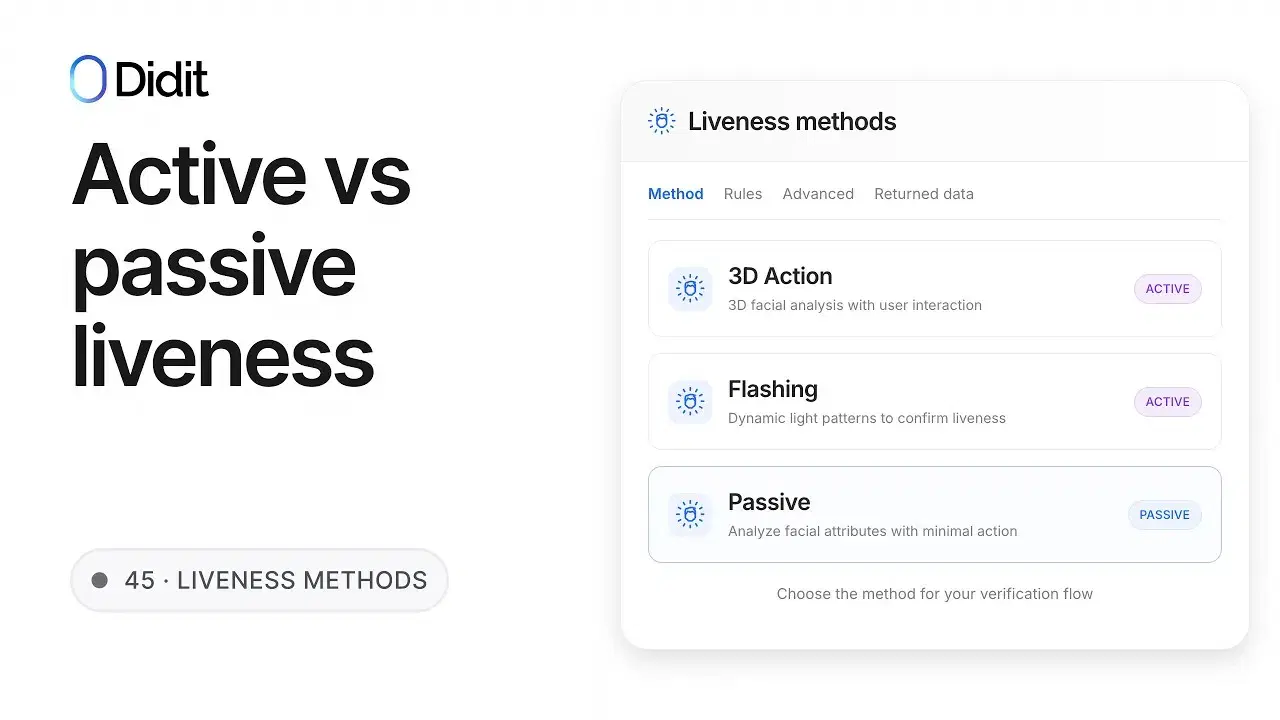
3D Action and Flash (ACTIVE_3D) | Follows a randomized action prompt, such as blinking or nodding | Combines the randomized action with analysis of motion and reflected light to assess facial structure | Highest | Banking, healthcare, government onboarding |
3D Flash (FLASHING) | Holds still | Analyzes reflected light patterns at over 30 frames per second to build a depth map | High | Financial services, account access, re-verification |
| Passive liveness | Nothing beyond a selfie | Single-frame model looking for spoof artefacts and texture cues | Standard | Lower-risk signup, age gates, high-volume funnels |
Start free in the sandbox at business.didit.me; there is no sales call. For developers, connect Didit to your coding assistant through the MCP server. The Didit liveness detection product page shows what we ship, the liveness detection docs describe every method, and the pricing page lists every unit rate.
3D Action and Flash and 3D Flash run inside hosted workflows and the native SDKs. The standalone selfie endpoint supports passive liveness only.
What active liveness detection measures
Active liveness asks for something unpredictable and watches the face while the person does it. Didit's 3D Action and Flash method pairs a randomized action, such as a blink or a nod, with analysis of motion and reflected light patterns to assess facial structure. A printed photo has no depth response. A screen replay does not respond to a new light pattern the way skin does, and it cannot answer a challenge it never saw. Those are signals that help detect an attack. They are not a guarantee, because any liveness model can make errors.
Didit's liveness docs report 99.9% accuracy with a false acceptance rate under 0.1%, and list iBeta Level 1 and Level 2 testing. The documented 3D Flash method is the one that analyzes reflected light patterns at over 30 frames per second and turns them into a depth map. 3D Action and Flash combines the challenge with motion and light analysis. Liveness detection is one anti-spoofing control. It evaluates evidence of live presence during capture.
You will also see this sold as a 3D liveness check or 3D facial liveness detection. Those names describe depth measurement, not a different product.
Active vs passive liveness: how to choose for your flow
There is no universal winner. Choose by the cost of a false accept, not by the cost of a check.
- Passive liveness at $0.10 suits flows where a spoofed selfie costs you little: a loyalty signup, a free trial, a low-value wallet. One frame, one decision, no extra steps for the user.
- Active liveness at $0.15 suits flows where a successful spoof costs real money: account opening, payout release, or a password reset on a funded account, when your risk policy calls for a challenge. The 3D action method is the highest setting we offer.
- 3D Flash is the middle case. You get depth analysis without asking the user to move, which suits re-verification and account access where the person expects one short capture.
You can also combine them. In a node-based workflow, you can branch on verification results and route selected sessions to a separate active liveness step. The workflow builder handles that as a routing rule. Didit runs checks for 4,000+ companies, and the platform covers 220+ countries and territories.
Prerequisites
- A Didit organization. Sign up at business.didit.me. Sandbox testing is free on every plan.
- An API key from the console, with the sandbox key kept separate from the live key.
- A workflow with a
LIVENESSnode. Create it in the console or withPOST /v3/workflows/. - A camera on the device, plus a browser or one of the native SDKs to open the hosted flow.
- Optional: a callback URL. If your application has an allowlist, an HTTP(S) callback origin must match it, and custom URL schemes such as
myapp://are always accepted. - Optional: an HTTPS webhook endpoint that answers within 5 seconds, if you want decisions pushed instead of polled.

Optional: register the webhook destination first
Webhooks are optional. If you want decisions pushed to your server instead of polling, register the webhook destination and prepare signature verification before creating your first test session.
curl -X POST https://verification.didit.me/v3/webhook/destinations/ \
-H "x-api-key: $DIDIT_API_KEY" \
-H "Content-Type: application/json" \
-d '{"label": "Production", "url": "https://myapp.com/webhooks/didit", "subscribed_events": ["status.updated", "data.updated"], "webhook_version": "v3"}'
Save the returned secret_shared_key and verify the X-Signature-V2 header, which is HMAC-SHA256 over the canonical JSON. De-duplicate on event_id and answer within 5 seconds. If your handler is slower than 5 seconds, returns a 5xx or a 404, or times out, Didit retries twice, at about 1 and 4 minutes, then drops the delivery and you resend it from the destination's delivery log. See the webhooks docs.
How to add active liveness detection, step by step
- Create the account and copy the sandbox API key. Sign up, create an organization, then open the API keys page. On Free, the first eligible organization created in the console with a work email for a company domain receives $10 in monthly credit. Build with the sandbox key and switch to the live key only when you go live.
- Create a workflow with the
LIVENESSnode set toACTIVE_3D. In the console, open Workflows, choose New workflow, pick the KYC template, set the liveness method toACTIVE_3D, and publish the workflow before creating a session. Or create it with the API:
The response returns the workflow'scurl -X POST https://verification.didit.me/v3/workflows/ \ -H "x-api-key: $DIDIT_API_KEY" \ -H "Content-Type: application/json" \ -d '{ "workflow_label": "Active liveness KYC", "workflow_type": "kyc", "features": [ {"feature": "OCR"}, {"feature": "LIVENESS", "config": {"face_liveness_method": "ACTIVE_3D"}}, {"feature": "FACE_MATCH"} ] }'id. SetWORKFLOW_IDto that value. - Create a session for the user.
The shell expandscurl -X POST https://verification.didit.me/v3/session/ \ -H "x-api-key: $DIDIT_API_KEY" \ -H "Content-Type: application/json" \ -d "{\"workflow_id\": \"$WORKFLOW_ID\", \"vendor_data\": \"user-42\", \"callback\": \"https://myapp.com/kyc/return\"}"$WORKFLOW_IDbefore the request is sent, so the body carries the workflow UUID rather than a placeholder string. The response containssession_id,urlandsession_token. Savesession_id: in the decision command below,SESSION_IDmust be replaced with it. Keepvendor_dataas your own stable user id, because it also drives duplicate detection. Full field list in the create session docs. - Send the user to the flow. Redirect the browser to
urlor mount the Web or Mobile SDK. The user sees the liveness intro, then the capture. WithACTIVE_3Dthey follow a randomized action prompt, such as blinking or nodding, while the light pattern runs. The Academy walkthrough reaches the liveness selfie at 8:49 and the three methods at 9:16: watch the liveness step.
The capture screen. The challenge action and the light pattern run during this step. - Read the decision and gate on the liveness result.
Replacecurl https://verification.didit.me/v3/session/SESSION_ID/decision/ \ -H "x-api-key: $DIDIT_API_KEY"SESSION_IDwith thesession_idreturned at step 3. Readliveness_checks[], one entry per liveness node, and gate onstatusandwarnings[]. V3 returns plural arrays for every feature, so never assume the V2 singular fields.
Pick the right liveness result in a multi-node workflow
Each entry in liveness_checks[] carries the node_id of the workflow node that produced it; in legacy single-feature sessions node_id can be null. In a workflow with more than one liveness node, find the entry whose node_id matches the node you want to gate on, then read its status and the risk field of each object in its warnings[] array. Do not read the first entry and assume it is the node you configured.
If you only have a selfie
For a one-shot check on a selfie you already captured, use the standalone passive API. It is billed per call and priced separately from the $0.10 passive liveness check inside a workflow. It cannot run a 3D action challenge, because there is no user in the loop.
curl -X POST 'https://verification.didit.me/v3/passive-liveness/' \
-H 'x-api-key: YOUR_API_KEY' \
-F 'user_image=@./selfie.jpg' \
-F 'save_api_request=true' \
-F 'vendor_data=user-123'
Accepted formats are jpg, jpeg, png, tiff and webp, up to 5 MB. PDFs are rejected. With save_api_request set to true, the face is also screened against your blocklist and face index for duplicates. Set it to false to skip enrolment.
Expected output
A session decision returns the liveness report inside liveness_checks[]. Both examples show selected fields from their respective responses.
{
  "liveness_checks": [
    {
      "status": "Approved",
      "node_id": "liveness_node",
      "warnings": []
    }
  ]
}
The standalone passive API returns a single object instead:
{
  "request_id": "...",
  "liveness": {
    "status": "Approved",
    "method": "PASSIVE"
  }
}
That response also documents score, user_image with its entities and best_angle fields, warnings, face_quality and face_luminance. Example values are illustrative. The status enum is Not Started, In Progress, Approved, In Review, Declined, Abandoned, Kyc Expired. The schema reference is in the data models docs, and the per-feature report is described in the liveness report docs.

Inputs and outputs
| Field | Where it goes | What it means |
|---|---|---|
workflow_id | Session create request | UUID of the workflow whose LIVENESS node is set to ACTIVE_3D |
vendor_data | Session create request | Your stable user identifier; also used for duplicate detection |
callback | Session create request, optional | Where the hosted flow sends the user when finished. An HTTP(S) origin must match the application's allowlist if one is configured; custom URL schemes are accepted |
user_image | Standalone passive API only | jpg, jpeg, png, tiff or webp, max 5 MB; PDFs rejected |
save_api_request | Standalone passive API only | true also screens the face against your blocklist and face index for duplicates; false skips enrolment |
liveness_checks[].node_id | Decision | The workflow node that produced the report |
liveness_checks[].status | Decision | Not Started, In Progress, Approved, In Review, Declined, Abandoned, Kyc Expired |
liveness_checks[].warnings[] | Decision | An array of objects. Inspect each object's risk field, for example LOW_LIVENESS_SCORE, LIVENESS_FACE_ATTACK or NO_FACE_DETECTED |
score, face_quality, face_luminance | Standalone passive API response | Liveness score and capture-quality signals returned with the result |
Failure cases and recovery
| Symptom | What it means | Recovery |
|---|---|---|
| HTTP 401 from verification.didit.me | Invalid, revoked or expired API key | Issue a new key in the console and redeploy |
| HTTP 403 from verification.didit.me | Missing key, or credits exhausted | Check the response detail, the key header and the balance. If credits are exhausted, replenish manually or through configured auto top-up |
| HTTP 400 on the standalone API | Missing user_image, file over 5 MB, or unsupported extension | Validate size and format before the call |
| HTTP 400 on session create | Invalid workflow_id, or a callback outside your allowed domains | Inspect the response for the invalid field. For a callback allowlist error, use an origin named in the response. You can also omit callback if the workflow default is valid under the application's allowlist. |
Declined with LIVENESS_FACE_ATTACK or LOW_LIVENESS_SCORE | A presentation attack is suspected | Do not approve a declined result carrying LIVENESS_FACE_ATTACK or LOW_LIVENESS_SCORE. Route it to review or rejection under your policy. For NO_FACE_DETECTED or MULTIPLE_FACES_DETECTED, ask for a new capture with one well-framed face |
NO_FACE_DETECTED or MULTIPLE_FACES_DETECTED | Capture problem, not a fraud finding | Ask for a retry with a single, well-framed face |
FACE_IN_BLOCKLIST or DUPLICATED_FACE | Didit flagged a match against the face blocklist or an existing face | Handle under your organization's policy: block, or route to review |
POSSIBLE_FACE_IN_BLOCKLIST or POSSIBLE_DUPLICATED_FACE | Didit flagged a possible blocklist or duplicate-face match | Route to review before you block anyone |
| Webhook never arrives | Causes to check: handler slower than 5 seconds, a 5xx or 404 response, or a timeout | Check the destination's delivery log and resend the event |
The full risk catalogue is in the liveness warnings docs. Map every code to an action before you go live, so a new code does not fall through as approved.
Acceptance checklist before you go live
- A normal capture returns
Approvedwith no warnings. - A capture with no face returns
NO_FACE_DETECTEDand your retry message appears. - A capture with two faces returns
MULTIPLE_FACES_DETECTEDand your retry path runs. - A suspected presentation attack returns
DeclinedwithLIVENESS_FACE_ATTACKorLOW_LIVENESS_SCORE, and your policy sends it to review or rejection, never to approval. - The webhook delivery and the polled decision agree on
statusand on theriskvalues inwarnings[]for the same session.
What is billable, and where a human review starts
You pay per completed check, from prepaid credit. A check is billed when it finishes with a result, not when it starts. Unit rates come from the live price feed; the rules for monthly credit, top-ups and expiry are in the pricing docs, and the full rate card is on the pricing page.
Active liveness is $0.15 per check. Passive liveness is $0.10 per check, and the $0.33 full ID check includes passive liveness.
| Module | List price | Growth | Scale |
|---|---|---|---|
| Active liveness | $0.15 | $0.144 | $0.135 |
| Passive liveness | $0.10 | $0.096 | $0.09 |
| ID document verification | $0.15 | $0.144 | $0.135 |
| Face match 1:1 | $0.05 | $0.048 | $0.045 |
| Device and IP analysis | $0.03 | $0.0288 | $0.027 |
| Full ID check (KYC) | $0.33 | $0.3168 | $0.297 |
Automation covers the capture, the randomized action, the light analysis and the score. Human review starts where a rule you set sends the session: a liveness result you chose to review instead of reject, a possible duplicate face, or a blocklist hit that needs a second opinion. Two statuses carry that meaning. In Review indicates the result is under review. Declined indicates a decline.
Worked cost example
Assume 10,000 completed flows in one month, each with the four completed checks below, at list prices. Device and IP analysis is included in this cost example and is not part of the workflow curl shown earlier.
- ID document verification: $0.15
- Active liveness: $0.15
- Face match 1:1: $0.05
- Device and IP analysis: $0.03
- Total per user: $0.15 + $0.15 + $0.05 + $0.03 = $0.38
10,000 x $0.38 = $3,800 a month. The same flow on passive liveness is the published $0.33 full ID check, so 10,000 x $0.33 = $3,300. Active liveness adds $0.05 per user, or $500 a month at this volume.
On Growth every Didit price is 4% lower: $0.144 + $0.144 + $0.048 + $0.0288 = $0.3648 per user. At Growth unit rates, 10,000 completed flows × $0.3648 = $3,648 in usage charges before monthly plan credit. The Growth subscription fee is separate.
Spoofing and capture risks to test
Test presentation attacks separately from virtual camera injection and device compromise. The table separates what liveness controls from what needs a separate evaluation of your own stack.
| Risk | What it is | What to test or add |
|---|---|---|
| Printed or screen presentation attack | A photo or a replay held in front of the camera | Light-pattern depth analysis, which 3D Flash and 3D Action and Flash both apply |
| Replayed challenge response | A pre-recorded video answering a fixed prompt | Check how the flow handles a prerecorded response to a randomized prompt |
| Mask or 3D prop | A physical object shaped like a face | Light-response analysis, texture cues and the randomized action. Test your own mask scenarios; no published result covers every mask |
| Virtual camera injection | A deepfake stream fed into the capture path so the camera never sees a person | Requires separate evaluation. Liveness analyzes what reaches the capture, so test injection defenses on your own stack |
| Compromised device | Hooks or emulators altering what the capture returns | Requires separate evaluation. Device and IP analysis is one signal, not a defense on its own |
Injection and device compromise need their own evaluation. A deepfake stream that replaces the camera, or a hooked device that alters what the capture returns, is not answered by liveness alone. The full ID check includes device and IP analysis at $0.03 as one signal among several.
Sources
- Didit liveness detection
- Didit liveness detection docs
- Didit liveness report docs
- Didit liveness warnings catalogue
- Didit data models
- Create session docs
- Workflow builder docs
- Webhooks docs
- Quick Start
- Sandbox testing docs
- Didit pricing docs
- Didit pricing page
- Didit live price feed (pricing.json)
- Didit MCP server
- The liveness selfie, Didit Academy
Start in the sandbox at business.didit.me. Sandbox testing is free on every plan, with no sales call. Build the ACTIVE_3D workflow, run a few sessions, read the liveness report, then switch to live keys when the failure handling is done.
Try it
Try this in the sandbox
Run the check this guide describes, free.
The product this post is about, taken from its topic. Run it free in the sandbox.
Author
Alejandro Rosas
Co-founder and CTO

Keep reading
Other guides in the same topic.
 What Is the Purpose of FICA in South Africa? 2026 Guide
FICA is South Africa's anti-money laundering law. It creates the Financial Intelligence Centre and requires accountable institutions to identify and verify clients, screen for PEP and sanctions risk and report suspicious.
Alberto RosasNov 26, 2026 Sixth Money Laundering Directive (6AMLD): What Changed and Which Rules Apply
6AMLD is Directive (EU) 2018/1673: Member States must criminalise laundering, widen predicate offences and set a four-year penalty floor. It adds no new due diligence duties for firms.
Alberto RosasNov 26, 2026 Automated Sanctions Screening: Canada, the Entity List and Embargoes
Automated sanctions screening matches people and companies against lists such as Canada's autonomous sanctions made under SEMA and JVCFOA and the OFAC SDN List, and returns candidate hits scored for identity confidence and.
Alberto RosasNov 26, 2026Questions
Frequently asked questions
What is active liveness detection?
Active liveness detection asks the user to perform a randomized action, such as a blink or a nod, and checks the response in real time. Didit's 3D Action and Flash method also analyzes reflected light patterns to assess facial structure. A printed photo or a replayed video cannot answer an action it did not see coming, which is a signal that helps detect an attack. Didit bills active liveness at $0.15 per completed check.
Active vs passive liveness detection: which should I use?
Choose by your risk policy. Passive liveness at $0.10 analyzes a single selfie and adds no user steps, so it fits lower-risk signup. Active liveness at $0.15 adds a randomized challenge and light analysis, so teams may choose it for account opening, payouts or other higher-risk flows. In a node-based workflow, you can branch on verification results and route selected sessions to a separate active liveness step.
Can a deepfake video pass active liveness detection?
Yes. Active liveness can help detect some deepfake attempts, and false accepts are possible. A replay shown to the camera has to answer a randomized action prompt in real time, which is harder than producing one convincing frame. Camera injection changes the video supplied to the capture flow. Test separately whether your integration detects or blocks an injected feed.
What is a 3D liveness check?
A 3D liveness check measures the shape of the face, not only its appearance. Didit's 3D Flash analyzes reflected light patterns at over 30 frames per second to build a depth map. Didit's 3D Action and Flash pairs a randomized action with analysis of light reflections to assess facial structure. The same depth measurement is what people mean by 3D facial liveness detection.
How accurate is Didit liveness detection?
Didit's liveness docs report 99.9% accuracy with a false acceptance rate under 0.1%, and list iBeta Level 1 and Level 2 testing. Accuracy on your own traffic depends on capture quality, lighting and the method you choose. Test your flow in the sandbox before you set review thresholds.
How much does active liveness detection cost?
Active liveness is $0.15 per completed check at list price, $0.144 on Growth and $0.135 on Scale. Passive liveness is $0.10 per check and the $0.33 full ID check includes passive liveness. The standalone passive API is billed separately per call, with its rate published in the price feed.
How do I add liveness detection to my app?
Create a workflow with a LIVENESS node and set face_liveness_method to ACTIVE_3D, create a session with POST /v3/session/, and send the user to the returned url. Then read liveness_checks from GET /v3/session/{sessionId}/decision/ or decision.liveness_checks from the status.updated webhook. Sandbox testing is free on every plan.
What spoofing risks should I test before launch?
Test normal capture, no face, multiple faces, a suspected presentation attack, and a replayed challenge response. The liveness warnings appear as objects in warnings[], each with a risk field such as LIVENESS_FACE_ATTACK, LOW_LIVENESS_SCORE or NO_FACE_DETECTED. Treat those codes as warning signals. Virtual camera injection and device compromise need a separate evaluation.
What happens when a liveness check fails?
Do not approve a declined result carrying LIVENESS_FACE_ATTACK or LOW_LIVENESS_SCORE. Route it to review or rejection under your policy. For NO_FACE_DETECTED or MULTIPLE_FACES_DETECTED, ask for a new capture with one well-framed face.
Is liveness detection the same as face match?
No. Liveness assesses live presence. Face match compares the person to a reference portrait, such as the photo on the ID document or a stored profile face, and it costs $0.05 per check. If your flow must verify that the live person matches a reference portrait, pair liveness with face match.
Is liveness detection enough for KYC compliance?
A liveness result alone does not establish KYC compliance. Liveness assesses live presence. A Didit workflow can return liveness, ID verification, face match and AML results in the session decision when those checks run. Select and document the checks your use case and jurisdiction require.
Can I test liveness detection for free?
Yes. Sandbox testing is free on every plan. Use the sandbox to exercise the hosted flow and inspect the liveness result. Check the sandbox scenario catalog for supported outcomes before scripting a decline test.
Compliance built in
Audited, certified and attested.
We hold the certifications and build each country's rules into your flows, so you can launch anywhere without worrying. Security and Compliance center
- Regulation encoded into your flows
Tell us what you do and where. Didit lists the rules that apply to you, with sources, and builds the checks each country needs into one workflow.
- Ready for AMLR
Every requirement of the new EU anti-money laundering rules, from checking customers to human review, is already covered by a Didit check.
- Tested in Spain's Treasury sandbox
Spain's Treasury published its supervised sandbox report on Didit's NFC plus active liveness onboarding; SEPBLAC took part and valued the added measures positively.
- Audited, not self-declared
iBeta Level 1 and Level 2. Liveness tested under ISO/IEC 30107-3.
Your obligations · 3 regions
 SOC 2 Type 2
 ISO 27001
 iBeta Level 1 and Level 2
 EU regulator attestation
 FSM youth protection
 GDPR
 EBA remote onboarding
 MiCA compatible
 FIDO Alliance member
- AMLREU AML Regulation ready
Integration · Didit MCP
Run Didit from your own AI agent
Connect Didit to Claude, Cursor, VS Code or ChatGPT and just ask in plain words. Your agent can do anything you can do in the console, with the same permissions you have.
 Add to Claude
 ChatGPT
 Cursor
- Build workflowsDescribe the checks you need. The agent creates and publishes the flow.
- Run investigationsAsk why a session was declined, review cases, search people and companies.
- Change rulesCreate payment rules, test them on past data and switch them on.
- Pull reportsAsk for numbers, exports or the audit log.
Didit Academy