Test KYT Rules Before Deploy: Test Mode vs Active Mode
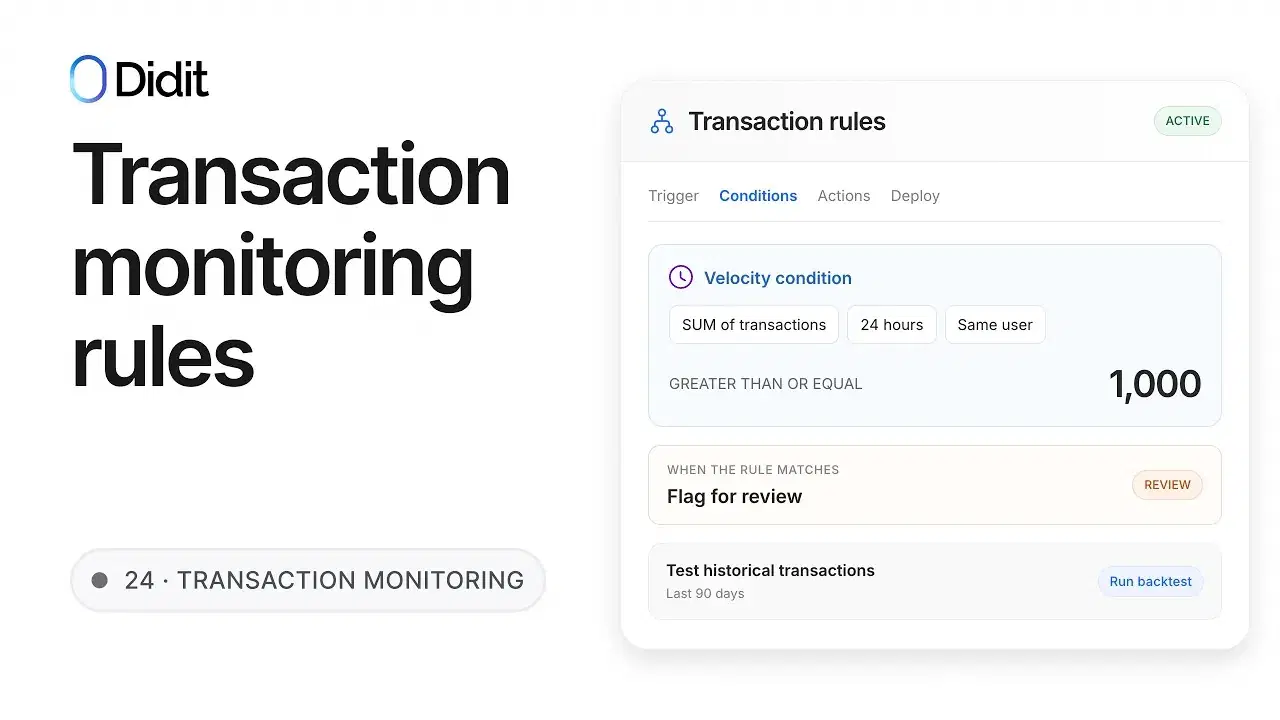
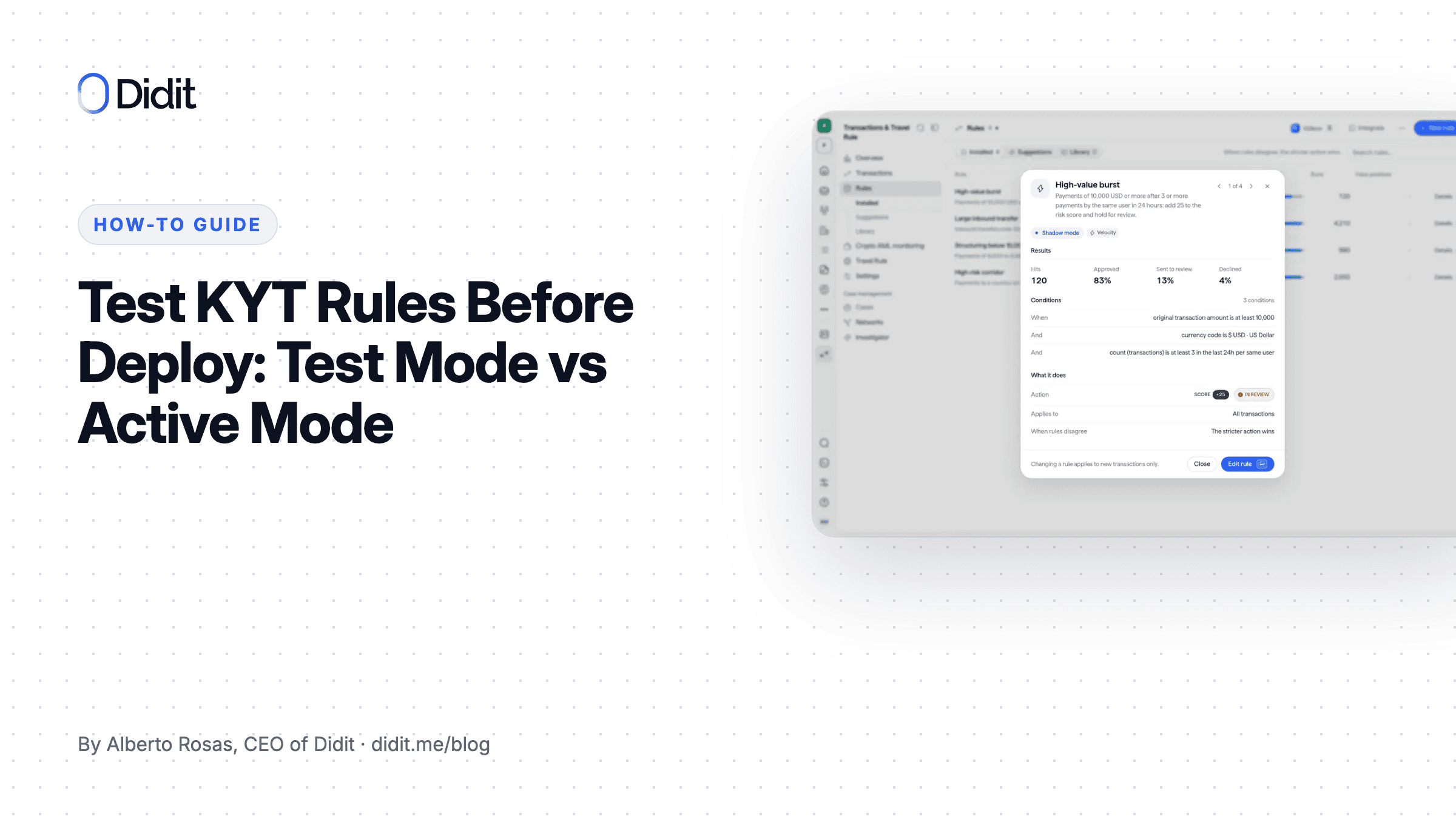
Didit rules run as Active, Test or Disabled. Test mode evaluates a rule and records rule-run results without changing the transaction, so you can back-test a structuring rule before you set it Active.
 Alberto RosasCo-founder and CEO
Contents
In this guide
Jump to the part you need.
Didit rules run in three modes: Active, Test and Disabled. This page shows how we back-test a transaction monitoring rule in Test mode before we set it Active, with a runnable structuring example. It suits compliance engineers and AML analysts who own a rule set. Transaction Monitoring costs $0.001 per transaction beyond the monthly allowance of 1,000, 10,000 or 100,000. The caveat: a sandbox application never evaluates rules, so the proof happens in Test mode on a live application.
Last updated: November 26, 2026. Prices checked against the live Didit price feed on November 26, 2026.
| Mode | What the rule engine does | Where the result appears | Effect on the transaction |
|---|---|---|---|
Active | Evaluates the rule on every submitted transaction and applies its actions | rule_runs in the transaction response, plus the Business Console transaction detail | Score, status and tags can change |
Test | Evaluates the rule on every submitted transaction but applies no actions | rule_runs in the transaction response, plus the Business Console transaction detail | Nothing changes. The results do not affect the transaction |
Disabled | Skips the rule entirely | No entry in rule_runs | Nothing changes |
Start free in the sandbox at https://business.didit.me/ with no sales call, and if you tune rules from a terminal or an editor, connect Didit to an AI assistant through https://didit.me/developers/mcp/. The product lives at Transaction Monitoring and every price sits on https://didit.me/pricing/.
The outcome, and the method we recommend
The outcome is a signed-off rule set: each rule has a measured match rate on your own data, a documented threshold, and a named person who approved the move from Test to Active.
Our recommended method has four parts. Install the preset or build the custom rule. Put it in Test mode. Push real and historical traffic through it and read rule_runs. Then promote it to Active, one rule at a time, rather than switching a whole bundle live on the same day.
Test mode is the part people skip. A rule in Test mode is evaluated on every transaction submitted through POST /v3/transactions/, and its result is written to the transaction's rule_runs[] array, but the actions attached to the rule are not applied. Nothing moves to review, nothing is declined, the score stays where it was. That is exactly what a pre-deployment check needs: you see what the rule would have done without letting it do it.
Test mode does not silence ordinary webhooks. A transaction you submit to a live application still emits transaction.created, and transaction.status.updated still fires whenever a status actually changes for any other reason. What a Test-mode rule cannot do is change that status or that score itself.
Rules can be managed from the Business Console, the Management API and the Didit MCP. Use the console when a human on your compliance team has to review every change. Use the API or the MCP when you are creating and tuning rules programmatically, for example when you migrate a rule set from another provider.
Prerequisites
- A Didit application with Transaction Monitoring enabled under Settings, then Transaction Monitoring, then Enable.
- An API key. The same
x-api-keyheader is used for sessions, entities and transactions. - Historical transactions you are allowed to replay, or a test subject such as
user-42. - A webhook endpoint reachable from the internet if you want to watch
transaction.createdandtransaction.status.updatedwhile you test. - A live application rather than a sandbox application. The sandbox section below gives the single definitive explanation of why.
Step by step: prove a structuring rule in Test mode
The example uses the Finance bundle preset structuring-outbound. Its documented trigger is 20 or more outbound transfers under $10,000 by the same subject within 30 days, and its default action is +35 to the transaction score. This models a documented structuring pattern, which makes it a good first rule to rehearse.

Write the expected outcome before you touch anything. For this rule: by the 20th outbound transfer under $10,000 for the same subject inside 30 days, the rule matches, and in Active mode it would add 35 points and could cross the review threshold.
Install the preset. In the Business Console go to Transactions, then Rules, then Library, and install Structuring (outbound), either alone or as part of the Finance bundle. The same install is available through the rule library API (
GET /v3/transactions/rules/library/andPOST /v3/transactions/rules/install/) or through the MCP toolsdidit_transaction_rule_library_listanddidit_transaction_rule_install.Set the installed preset to Test. Installed presets accept mode changes only; their thresholds are fixed, and you override one by building a custom rule. Set the mode in the console, through the Management API, or with the MCP tools. If you want to keep monitoring live traffic at the same time, leave your existing rules Active and put only the new rule in Test.
Submit a baseline transaction to confirm nothing else fires. This is the payload from the quickstart:
curl -X POST https://verification.didit.me/v3/transactions/ \
  -H "x-api-key: YOUR_API_KEY" \
  -H "Content-Type: application/json" \
  -d '{
    "transaction_id": "baseline-0001",
    "transaction_category": "finance",
    "transaction_details": {
      "direction": "outbound",
      "amount": "500.00",
      "currency": "EUR"
    },
    "subject": { "entity_type": "person", "vendor_data": "user-42", "full_name": "Jane Doe" },
    "counterparty": { "entity_type": "company", "full_name": "Acme Supplier" }
  }'
Submit 20 transfers under $10,000 for the same subject. The quickstart loop keeps
vendor_dataidentical on every call, which is what links the transfers into one velocity window:for i in $(seq 1 20); do curl -X POST https://verification.didit.me/v3/transactions/ \ -H "x-api-key: YOUR_API_KEY" \ -H "Content-Type: application/json" \ -d "{ \"transaction_id\": \"struct-$i\", \"transaction_category\": \"finance\", \"transaction_details\": { \"direction\": \"outbound\", \"amount\": \"9500.00\", \"currency\": \"EUR\" }, \"subject\": { \"entity_type\": \"person\", \"vendor_data\": \"user-42\", \"full_name\": \"Jane Doe\" }, \"counterparty\": { \"entity_type\": \"company\", \"full_name\": \"Shell Co $i\" } }" doneRead the result for one of the transactions. The response schema returns
status,scoreandrule_runs:curl https://verification.didit.me/v3/transactions/{transaction_id}/ \ -H "x-api-key: YOUR_API_KEY"Confirm the rule would have fired. In Test mode the twentieth transfer keeps the status and score it would have had without the rule, and
rule_runsstill shows thatstructuring-outboundevaluated the transaction and matched. Write the result down next to the expected outcome from step 1.Repeat the same sequence with the rule set to Active to see the real decision, then decide whether Active is the right resting state. The quickstart documents the Active behaviour: by the 20th submission the Structuring rule fires, the transaction returns
status: IN_REVIEW, and the score reflects the rule'sscore_delta.
What you should see
On the baseline call, with no other Active rule matching that subject, the expected result is status APPROVED, score 0, and rule_runs listing the evaluated rules with no match. If another Active rule already targets this subject, the baseline is not clean and you should use a fresh vendor_data.
On the twentieth transfer, rule_runs contains an entry for structuring-outbound with a match, while status and score stay unchanged because the rule is in Test mode. Flip the same rule to Active and resubmit the sequence, and the twentieth transfer comes back IN_REVIEW with the added score.
Inputs and outputs you will work with
| Field | Direction | What it does |
|---|---|---|
transaction_id | Input | Your idempotency key, unique per application |
transaction_category | Input | Set to finance for deposit, withdrawal and transfer checks |
transaction_details.direction | Input | inbound or outbound. The structuring presets are split by direction |
transaction_details.amount | Input | Decimal string, for example 9500.00 |
transaction_details.currency | Input | ISO code, for example USD or EUR |
subject.vendor_data | Input | Your identifier for the person or company. The same value across calls powers velocity aggregation |
transaction_at | Input | The transaction time on an ordinary payload, for example 2026-04-16T10:00:00Z |
txn_date | Input | The past date the integration guide documents for historical backfill through the API |
status | Output | APPROVED, IN_REVIEW, DECLINED or AWAITING_USER |
score | Output | Integer risk score. The cumulative score across matched rules decides review and decline |
rule_runs | Output | Every rule that evaluated this transaction, including rules in Test mode |
parties | Output | The subject as APPLICANT and the other side as COUNTERPARTY |
Back-testing a rule set against history
A back-test is the same Test-mode run, pointed at transactions that already happened. There are two ingestion routes and they behave differently. Through the API you submit each past record with txn_date set to the past date, which is the field the integration guide documents for historical backfill. Rules still run on it: results land in rule_runs, and because the rule is in Test mode no transaction changes status. Through the console, Transactions then Import history accepts a CSV and offers a dry ingest flag that stores the rows without evaluating any rule at all.
So the choice is simple. Want to see what a rule would have matched? Use the API with txn_date in the past and keep the rule in Test mode. Want the history stored and nothing evaluated? Use the console CSV import with dry ingest. The integration guide is explicit that historical submission through the API can trigger webhooks, which is another reason to keep the rules in Test for the duration.
Compare the match count against what the rule is supposed to catch. Write the expected range down before the run, then treat a count far outside it as a scoping error rather than a rule that works. A rule that matches nothing on a casino deposit book is probably reading the wrong direction or the wrong transaction_category.
The integration guide warns against feeding history through a velocity rule with live actions: running 6 months of data through a 20 transfers in 30 days rule generates thousands of alerts at once. Test mode is how you avoid that morning.
Why a sandbox transaction comes back APPROVED with score 0
This is the single most common support question about testing rules, so here is the whole answer once. Sandbox is session-shaped: it mocks the third-party providers a verification session would call. Transaction Monitoring has no provider to mock, so a sandbox application takes a different route. The transaction is stored and returned as usual, but nothing that decides, screens, notifies or charges runs over it.
In practice that means rule_runs is empty whatever mode your rules are in, an Active rule never fires, and the transaction comes back APPROVED with score 0. It is working as designed, and it is why every test in this guide runs on a live application. Sandbox applications expose plan features, including custom transaction rules and rule backtests, so you can see the screens before you upgrade, but the numbers you care about come from Test mode.
Failure cases and how to recover
| Symptom | Cause | Recovery |
|---|---|---|
Sandbox transaction is APPROVED with score 0 and an empty rule_runs | Sandbox applications never evaluate rules | Move the test to a live application and use Test mode there |
400 with A transaction with this transaction_id already exists. | transaction_id is unique per application | The response does not return the existing transaction. Read it with GET /v3/transactions/{uuid}/ using the uuid from the first response, or use the transaction.created webhook |
409 on two identical requests | Two requests raced each other | Same recovery as above. Generate transaction_id on your side before submitting |
| The rule never matches in Test mode | Scope or aggregation mismatch | Check transaction_types, directions and action_types on the rule scope, the aggregation window, and that vendor_data is identical across the test calls |
| Transactions do not aggregate against each other | A party without vendor_data is stored as an external snapshot with no linked entity | Always send vendor_data for the subject you are testing velocity on |
Installing a library key returns 400 | The rule is withheld because the engine cannot evaluate its conditions yet | Install a different key. A copy you installed earlier is switched to DISABLED and stays in your list, and setting its mode to anything else returns 400 |
400 when an action sets AWAITING_USER | workflow_id is required for that status | Add workflow_id (alias remediation_workflow_id) to the action |
| The back-test opens hundreds of alerts | The rules were Active on first run, or presets with review actions were installed across a bundle | Put the bundle in Test mode first, then promote rules one at a time |
Paid steps and review boundaries
Testing is cheap, but it is not always free. A transaction submitted to a live application is a monitored transaction. Each organization's plan includes 1,000 (Free), 10,000 (Growth) or 100,000 (Scale) monitored transactions a month, and each transaction beyond the allowance costs $0.001, the same on every plan. Sandbox sessions are never billed, but a sandbox run cannot replace a Test-mode run.
Anything a rule touches that calls a paid module is billed normally. Wallet screening is $0.15 per screening when crypto screening runs, and AML screening is $0.20 per check on the counterparty side. Those are published unit prices, not estimates.
The review boundary matters more than the price. Keep the mode switch in the Business Console when a human on your compliance team must approve every change, because rule runs, alerts and status transitions are all queryable in the console audit trail. Use the Management API or the Didit MCP when rules are created and tuned programmatically, for example during a migration, and treat Test mode as the checkpoint: a rule leaves Test only after someone has looked at the back-test numbers and said yes. Because a Test-mode rule leaves the score and status alone, a test run cannot push a transaction into an analyst queue.
Worked cost example
Take a team on the Free plan: $0.00 monthly fee, $10.00 of monthly credit for eligible organizations, and 1,000 monitored transactions included each month.
- Live smoke test of the structuring rule: 21 transactions, 21 × $0.001 = $0.021, of which 1,000 are included, so $0.00. The transaction count is what makes the rule fire, not the fee.
- Back-test against 6,000 historical transfers in Test mode: 6,000 transactions, minus the 1,000 included = 5,000 billable. 5,000 × $0.001 = $5.00.
- $5.00 sits inside the $10.00 monthly credit, so the card is not charged. The credit does not roll over, so unused amounts expire at the end of the plan month.
- If the team later runs the same 6,000-transaction back-test on Growth, the allowance rises to 10,000 a month and the billable count is zero. The Growth 4 percent discount does not apply here, because Transaction Monitoring is $0.001 per transaction on every plan.
- Hold the example to monitoring fees only. If those historical crypto transfers also trigger wallet screening at $0.15 each, that is a separate published line: 200 screenings × $0.15 = $30.00, against $5.00 of Transaction Monitoring.
Sources
- Didit docs: KYT Rules and Scoring, conditions, velocity windows and modes
- Didit docs: KYT Rules Library, 150+ preset scenarios
- Didit docs: Transaction Monitoring Quickstart
- Didit docs: Transaction Monitoring Integration, historical ingestion and idempotency
- Didit docs: Submit Transactions API payload and data model
- Didit docs: transaction response schema, including the
rule_runsarray - Didit docs: Sandbox Test Data, including Transaction Monitoring in sandbox
- Didit docs: Management API rule reference
- Didit docs: MCP tools list
- Didit pricing page, read November 26, 2026
- FATF, fatf-gafi.org, for guidance on structuring and suspicious transaction reporting typologies
Next step: open https://business.didit.me/, create a live application, install structuring-outbound in Test mode and replay 30 days of your own transfers. No sales call, and 4,000+ companies are active Didit customers.
Try it
Try this in the sandbox
Run the check this guide describes, free.
The product this post is about, taken from its topic. Run it free in the sandbox.
Author
Alberto Rosas
Co-founder and CEO

Questions
Frequently asked questions
What does Test mode do in Didit transaction monitoring?
In Test mode the rule engine evaluates the rule on every submitted transaction and writes the result to the transaction's rule_runs[] array, but the rule's actions are not applied. The score, status and tags stay exactly as they would have been without the rule. It is the mode you use to see what a rule would do before it is allowed to do it.
What is the difference between Test mode and Active mode?
Active evaluates the rule and applies its actions: added score, status changes, tags, notes, list entries or cases. Test evaluates the rule and applies nothing. Disabled skips the rule so it does not appear in rule_runs at all. All three modes exist on installed presets and on custom rules.
Why does a sandbox transaction come back APPROVED with score 0 and no rules evaluated?
Because sandbox applications never run rules. A transaction created on a sandbox application is stored and returned as usual, but no rule evaluation, screening, notification or charge happens over it, so rule_runs is empty whatever mode your rules are in. To test rule logic, use Test mode on a live application.
Where do I see which rules ran on a transaction?
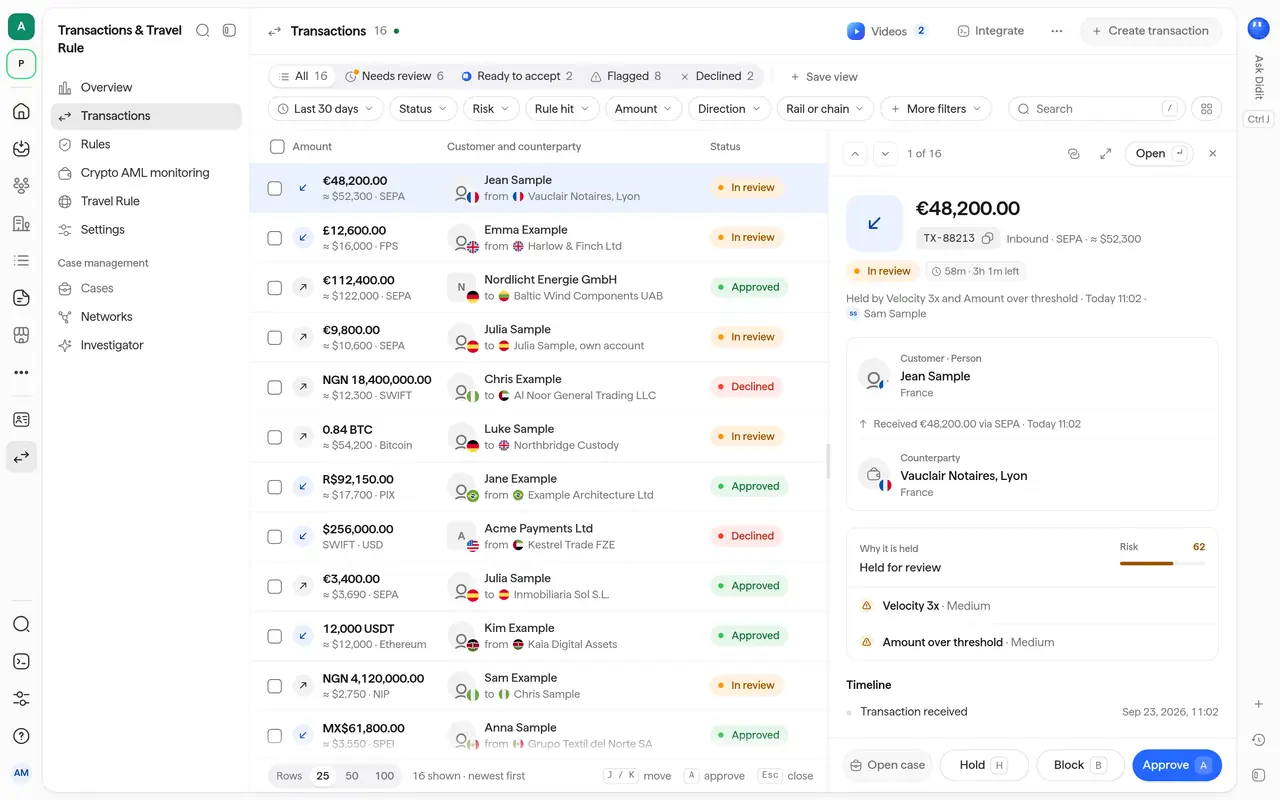
Two places. In the API response, rule_runs lists every rule that evaluated the transaction, including rules in Test mode. In the Business Console, open Transactions and then the transaction detail, which shows rule runs, IP enrichment, party details and linked alerts.
How do I test an AML structuring rule with 20 transfers under $10,000?
Install the Finance preset structuring-outbound, which triggers at 20 or more outbound transfers under $10,000 by the same subject within 30 days and adds 35 to the score by default. Set it to Test, then submit 20 transfers under $10,000 with the same vendor_data on the subject. Read the twentieth transaction: rule_runs shows the match, while the status and score stay unchanged because the rule is in Test.
Can I back-test rules against historical transactions without creating alerts?
Yes, if the rules are in Test mode. Submit history through the API with txn_date set in the past, or ingest it through the console, and keep the rules in Test so no actions are applied. The integration guide warns that replaying six months of data through a 20 transfers in 30 days rule generates thousands of alerts at once if the rule is live. Use the console CSV import with dry ingest if you want the history stored without any evaluation at all.
How much does it cost to test a rule?
Transaction Monitoring is $0.001 per transaction beyond the plan allowance, which is 1,000 on Free, 10,000 on Growth and 100,000 on Scale. A 21-transaction smoke test therefore costs $0.021 before the allowance applies, and a 6,000-transaction back-test on Free bills 5,000 over the allowance at $5.00. Sandbox testing is free but does not evaluate rules.
Can I change a rule's mode from an AI assistant or the API?
Yes. Rules can be managed from the Business Console, the Management API and the Didit MCP. Library presets install through the library API or the MCP tools didit_transaction_rule_library_list, didit_transaction_rule_install and didit_transaction_rule_uninstall, and installed presets accept mode changes only.
Why does my rule never match in Test mode?
The usual causes are scope and aggregation. Check the rule scope keys (transaction_types, directions, action_types), the aggregation window, and whether the subject carries the same vendor_data on every call. A party without vendor_data is stored as an external snapshot with no linked entity, so velocity checks do not see it.
Can I promote one rule to Active while others stay in Test?
Yes. Mode is set per rule, and installed presets accept individual mode changes. Promoting one rule at a time keeps the change attributable when an alert or a decline appears, and the console audit trail keeps the record of rule runs and status transitions.
Does running a rule in Test mode still cost a transaction?
Yes. A transaction submitted to a live application is counted as a monitored transaction whatever mode the rules are in, so it consumes the monthly allowance and then costs $0.001. Only the sandbox avoids billing, and the sandbox does not evaluate rules.
Compliance built in
Audited, certified and attested.
We hold the certifications and build each country's rules into your flows, so you can launch anywhere without worrying. Security and Compliance center
- Regulation encoded into your flows
Tell us what you do and where. Didit lists the rules that apply to you, with sources, and builds the checks each country needs into one workflow.
- Ready for AMLR
Every requirement of the new EU anti-money laundering rules, from checking customers to human review, is already covered by a Didit check.
- Tested in Spain's Treasury sandbox
Spain's Treasury published its supervised sandbox report on Didit's NFC plus active liveness onboarding; SEPBLAC took part and valued the added measures positively.
- Audited, not self-declared
iBeta Level 1 and Level 2. Liveness tested under ISO/IEC 30107-3.
Your obligations · 3 regions
 SOC 2 Type 2
 ISO 27001
 iBeta Level 1 and Level 2
 EU regulator attestation
 FSM youth protection
 GDPR
 EBA remote onboarding
 MiCA compatible
 FIDO Alliance member
- AMLREU AML Regulation ready
Integration · Didit MCP
Run Didit from your own AI agent
Connect Didit to Claude, Cursor, VS Code or ChatGPT and just ask in plain words. Your agent can do anything you can do in the console, with the same permissions you have.
 Add to Claude
 ChatGPT
 Cursor
- Build workflowsDescribe the checks you need. The agent creates and publishes the flow.
- Run investigationsAsk why a session was declined, review cases, search people and companies.
- Change rulesCreate payment rules, test them on past data and switch them on.
- Pull reportsAsk for numbers, exports or the audit log.
Didit Academy