Didit action required: wallet ownership vs verification session
The wallet ownership action is auto-launched by the Didit SDK, which then refreshes the transaction. A verification session is never auto-launched: read its session token or url and run your own Didit flow.
 Alberto RosasCo-founder and CEO
Contents
In this guide
Jump to the part you need.
This page is for teams running Didit Transaction Monitoring with Travel Rule enabled, and for developers wiring the Didit SDK into a crypto withdrawal or deposit screen. When a transfer needs something from the end user, the response carries an action_required block. Travel Rule costs $0.02 per outbound exchange and wallet screening costs $0.15 per screening. The caveat: only one of the two action types opens itself, and wallet ownership has no separately published fee.
Last updated: November 26, 2026. Prices checked against the live Didit price feed on November 26, 2026.
| Type | What triggered it | SDK client-side submission | Server-side or custom client |
|---|---|---|---|
wallet_ownership | A Travel Rule transfer needs proof that the end user controls a self-hosted wallet. The transfer stays in UNCONFIRMED_OWNERSHIP until the proof lands. | The SDK opens the widget automatically, then refreshes the transaction with GET /v1/transactions/{transaction_id}/. | Handle the block in your own code and follow the endpoint documentation. The auto-launch and refresh are documented for SDK client-side submission. |
verification_session | A rule or workflow asks for a Didit verification before the transaction can proceed. | Never auto-opened. Your app must launch it. | Read action_required.session_token or action_required.url and start your own Didit verification flow. |
Start in the sandbox at business.didit.me, no sales call. For developers, connect Didit to an AI assistant through the MCP server. The Transaction Monitoring product page covers the flow, and every published line price is on our pricing page.
Outcome and recommended method
Both types arrive in the same block of a transaction response. The difference is who puts the flow in front of the user, and that difference decides how much code you write. The recommended method is the documented SDK path for client-side submissions and the Management API for back-office work.
wallet_ownership: the SDK opens it and refreshes
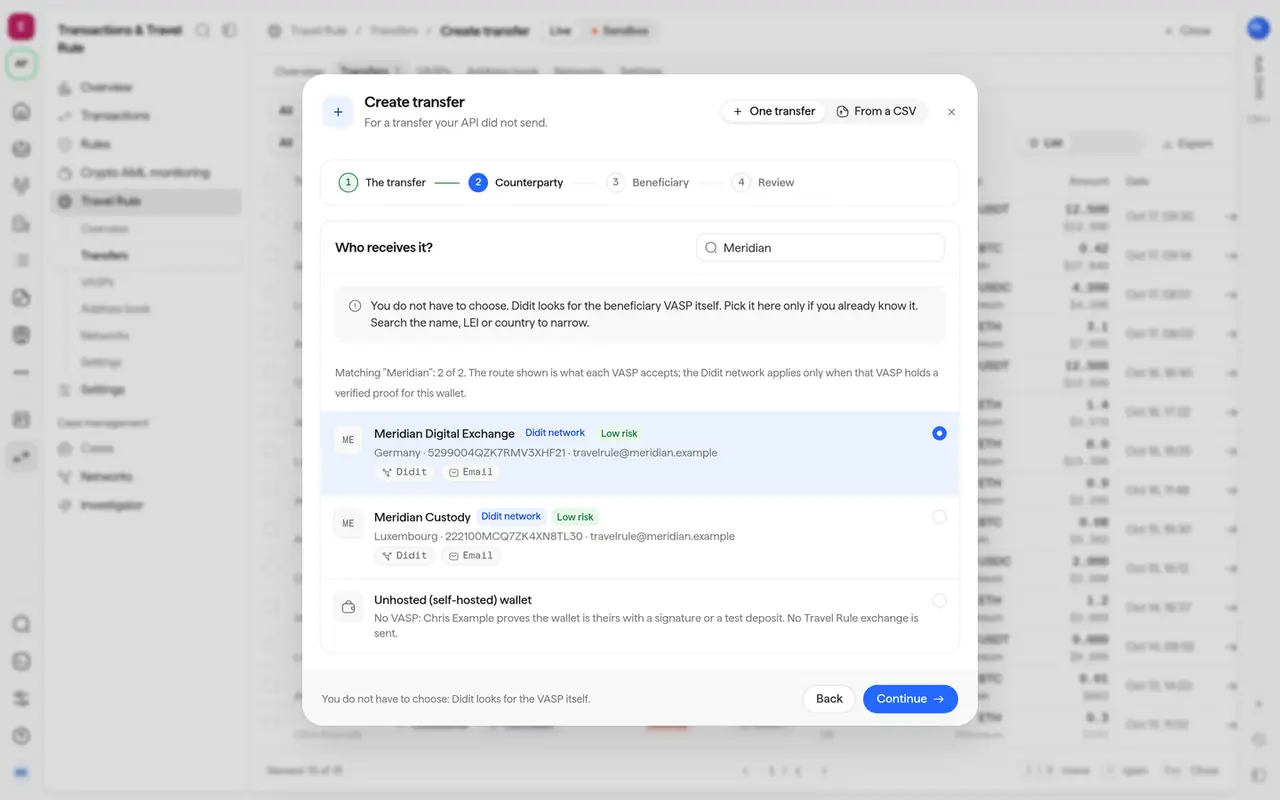
Didit mints a wallet ownership widget session when auto_wallet_verification is on in your Travel Rule settings, which is the default. Two cases trigger it. The counterparty wallet was declared self-hosted at submission with method_type: unhosted_wallet and the amount, in your application default currency, is not below threshold_amount, so the transfer goes straight to UNCONFIRMED_OWNERSHIP. Or the transfer is outbound and sits in COUNTERPARTY_VASP_NOT_FOUND, where ownership proof is the remaining path to completion.
The session comes back in action_required with the url to open. Because the block is part of the transaction response, the SDK can act on it without any extra call from you: on client-side submission it launches the widget, and when the user finishes it refreshes the transaction through GET /v1/transactions/{transaction_id}/. No polling loop, no emailed link, no state machine of your own.
verification_session: your app opens it, always
This type appears when the transaction needs a Didit verification and not a wallet signature. The documentation is blunt about the behaviour: a required verification session is never auto-launched. It arrives in the same block for your app to launch with your own Didit verification integration, carrying session_token, or url on web.
If you ship only the wallet branch, a user who hits a verification session gets no screen to finish, and the transaction stays blocked while support treats it as a product bug. The SDK never starts that flow for you.
Prerequisites
- A Didit application with Transaction Monitoring enabled under Settings, then Transaction Monitoring, then Enable.
- An API key that stays on your backend. The key mints tokens. It never ships inside an app.
- Travel Rule enabled with
auto_wallet_verificationon, if you expectwallet_ownershipon outbound transfers. - A Didit verification workflow configured, if any of your rules can return
verification_session. - A webhook endpoint reachable from the internet, subscribed to
transaction.createdandtransaction.status.updated, if you want status changes pushed rather than polled. - The Didit SDK in your app, or your own HTTP client if you prefer to reproduce the documented wire calls by hand.
Steps to handle the action block
- Confirm the two settings that decide the outcome. Transaction Monitoring must be on. In Travel Rule settings, check
auto_wallet_verification. With it on, Didit auto-mints a widget session at transaction creation whenever a transfer needs end-user proof. With it off, no session is minted and the transfer waits for you to mint one. - Mint a scoped transaction token from your backend. The token is scoped to one
vendor_data, so the subject identity of every transaction submitted with it is enforced server-side.curl -X POST https://verification.didit.me/v3/transactions/sdk-token/ \ -H "x-api-key: YOUR_API_KEY" \ -H "Content-Type: application/json" \ -d '{ "vendor_data": "user-042", "ttl_seconds": 900, "max_uses": 3 }' # response { "sdk_token": "q7Zt...urlsafe", "expires_at": "2026-07-07T12:15:00Z" } - Submit the transaction from the device. The SDK method
submitTransactionbuilds this payload for you and posts it with the token in theX-Transaction-Tokenheader. The same wire call is below, so you can reproduce it with your own HTTP client.curl -X POST https://verification.didit.me/v1/transactions/ \ -H "X-Transaction-Token: SDK_TOKEN" \ -H "Content-Type: application/json" \ -d '{ "txnId": "wd-2026-07-07-0042", "type": "travelRule", "info": { "direction": "out", "amount": "0.25", "currency": "ETH", "currencyType": "crypto", "cryptoParams": { "crypto_chain": "ETH" } }, "subject": { "fullName": "Jane Doe" }, "counterparty": { "fullName": "Ana Diaz", "paymentMethod": { "type": "unhosted_wallet", "accountId": "0xBeneficiaryWallet01" } }, "travelRule": { "status": "AWAITING_COUNTERPARTY", "beneficiaryData": { "wallet_address": "0xBeneficiaryWallet01", "name": "Ana Diaz" } }, "includeCryptoScreening": true }' - Read
action_required.typein the response. An outbound transfer that needs auto-minted wallet proof returns the wallet branch: either one whose counterparty wallet was declared self-hosted at submission and whose amount is not belowthreshold_amount, or one that is outbound and sits inCOUNTERPARTY_VASP_NOT_FOUND. Inbound transfers Didit creates for you, and transfers created whileauto_wallet_verificationis off, can sit inUNCONFIRMED_OWNERSHIPwith no wallet action at all, and those need a manually minted session throughPOST /v3/travel-rule/widget-session/. The examples below are separate illustrative snippets, not the response to the payload above.
A verification branch uses the same block with a different payload:{ "action_required": { "type": "wallet_ownership", "url": "https://...", "widget_session_id": "...", "expires_at": "2026-07-07T12:15:00Z" } }
These response examples are illustrative and limited to the documented{ "action_required": { "type": "verification_session", "session_token": "...", "url": "https://..." } }action_requiredfields:typeandurl, pluswidget_session_idandexpires_aton the wallet branch, andsession_tokenon the verification branch. - Open the right flow. For
wallet_ownershipon the SDK, do nothing: the widget launches itself and the SDK refreshes the transaction when the user finishes. If you callPOST /v1/transactions/from your own client, handle the block in your own code and follow that endpoint's documentation; the automatic launch and refresh described here are documented SDK client-side submission behaviour. Forverification_session, start your own Didit verification flow withsession_token, or send the user tourlon web. Nothing happens until you do. - Refresh and read the record. The SDK refreshes with
GET /v1/transactions/{transaction_id}/. From your backend, read the same transaction through the Management API.curl https://verification.didit.me/v3/transactions/{transaction_id}/ \ -H "x-api-key: YOUR_API_KEY" - Confirm the proof and move the transfer. Message signing and the Satoshi test verify without a human: a successful signature submission returns
200withstatus: VERIFIED, and a confirmed deposit completes the Satoshi test automatically. A verified proof marks the matching wallet address book entry asis_ownership_verified: true, which lets the linked transfer advance out ofUNCONFIRMED_OWNERSHIP. A screenshot proof never auto-verifies, so it waits for your compliance team. - Mint manually when no session exists. Inbound transfers Didit creates for you (a sunrise registration, an inbound
TRPinquiry, or theINTERNAL-rail inbound leg) never get an auto-minted session, even inUNCONFIRMED_OWNERSHIP. Mint withPOST /v3/travel-rule/widget-session/for those, whenauto_wallet_verificationis off, or when you want to pre-verify a wallet before any transfer exists. The endpoint needs the wallet and session fields documented on its page; use the request shape in the Wallet Ownership Widget docs instead of a bare curl with only headers.
Expected output
After a successful proof, three things are true. The widget or signature call reports a verified proof rather than an open one. The wallet address book entry for that address reads is_ownership_verified: true. And the linked transfer leaves UNCONFIRMED_OWNERSHIP, which is your signal to continue the exchange and, once it reaches COMPLETED, broadcast on-chain and report the hash back so the exchange closes as FINISHED.
When the transaction status changes for any reason, Didit posts transaction.status.updated to the webhook destinations you registered, alongside transaction.created for every submission. Verify the X-Signature-V2 HMAC on every incoming webhook before you trust it.
Inputs and outputs
| Field | Where it comes from | What you do with it |
|---|---|---|
action_required.type | Transaction response | Branch. wallet_ownership is auto-launched by the SDK, verification_session never is. |
action_required.url | Transaction response | Open the hosted widget (SDK path), or send the user to it on web for a verification session. |
action_required.session_token | Transaction response, verification branch | Hand to your own Didit verification integration. |
vendor_data | Your backend, at token mint | Scopes the token and enforces the subject identity server-side. |
sdk_token | POST /v3/transactions/sdk-token/ | Travels to the device in the X-Transaction-Token header. The API key never does. |
transaction_id | Your system | Idempotency and lookups. Generate it on your side before submitting. |
travel_rule.status | Transaction response | Release funds only once the exchange reaches COMPLETED. |
Failure cases and recovery
| Symptom | Why it happened | Recovery |
|---|---|---|
400 with code: SIGNATURE_INVALID | Another account or key signed, or the message differs. For a smart-contract account, its contract answered that the signature is not its own. | The proof stays open. The customer signs again. Show which address is being verified, since the mismatch is usually a switched account. |
400 with code: SIGNATURE_UNSUPPORTED_SCHEME | The wallet signed in a format Didit does not verify, for example a Bitcoin multisig or a BIP-322 full signature. | Ask for a signature from a supported account, or use another proof method your settings allow. |
403 when a self declaration is started | Your ownership_validation_mode does not accept a declaration for that transfer. Never in FULL, and in SIMPLIFIED only below simplified_validation_threshold. | Require signing, the Satoshi test, or review. Do not retry the same call. |
No action_required, transfer stuck in UNCONFIRMED_OWNERSHIP | Inbound transfer Didit created, or auto_wallet_verification turned off. | Mint through POST /v3/travel-rule/widget-session/. |
| Session present, nothing happens for the user | You handled wallet_ownership only. verification_session is never auto-launched. | Read the type and start your own flow with session_token, or send the user to url on web. |
| Widget link no longer works | The session may have expired; the docs do not publish a fixed lifetime. | Mint a new widget session. Do not resubmit the transaction. |
400 "A transaction with this transaction_id already exists", or 409 on a race | transaction_id is unique per application. | Read the existing record with GET /v3/transactions/{uuid}/ instead of resubmitting. |
Proof verified, transfer still in UNCONFIRMED_OWNERSHIP | The proof is not linked to this transfer, for example a different wallet address, or a screenshot that is still waiting on review. | Confirm from the Travel Rule tab in the console, or call POST .../travel-rule/ownership/. |
Paid steps and review boundaries
Four published lines matter for this flow. Monitored transactions cost $0.001 each beyond the monthly allowance, which is 1,000 on Free, 10,000 on Growth and 100,000 on Scale, and resets on the first of each month without rolling over. A Travel Rule exchange costs $0.02 and is billed once per outbound exchange, regardless of later status transitions. Wallet screening costs $0.15 per screening. AML screening is $0.20 per check.
The wallet ownership proof does not have a separately published fee in the supplied pricing facts. Travel Rule is $0.02 per outbound exchange, wallet screening is $0.15 per screening, and a verification_session costs whatever the verification workflow it launches costs, which is priced per completed check on the pricing page.
The review boundary is worth designing for. Message signing and the Satoshi test verify without a human in the loop. A screenshot proof never auto-verifies: your compliance team pulls it from the screenshot review queue with GET /v3/travel-rule/wallet-proofs/ and approves or rejects it with POST .../decision/, or confirms the transfer from the Travel Rule tab. Self declaration is a last resort where the jurisdiction tolerates it. Alert and case decisions in Transaction Monitoring are human decisions too.
Worked cost example
A Growth customer processes 60,000 monitored transactions in a month, 1,500 of them outbound Travel Rule exchanges, and runs 800 wallet screenings. The list-price arithmetic and the Growth-discount arithmetic are shown separately.
- List-price monitored transactions: the plan includes 10,000, so 60,000 minus 10,000 = 50,000 billable. 50,000 x $0.001 = $50.00.
- List-price Travel Rule: 1,500 x $0.02 = $30.00.
- List-price wallet screening: 800 x $0.15 = $120.00.
- List-price usage total: $50.00 + $30.00 + $120.00 = $200.00.
- Growth-discount monitored transactions: the price stays $0.001, so 50,000 x $0.001 = $50.00.
- Growth-discount Travel Rule: 1,500 x $0.0192 = $28.80.
- Growth-discount wallet screening: 800 x $0.135 = $108.00.
- Discounted usage total: $50.00 + $28.80 + $108.00 = $186.80.
- Payment from the Growth plan: the $115.00 monthly credit covers part of the $186.80, leaving $71.80 from top-up balance. The $99.00 plan fee is separate.
Build the forecast from your own mix. The supplied pricing facts do not list a separate wallet-proof fee, so forecast the monitored transaction, the Travel Rule exchange, and wallet screening.
Sources
- Didit docs: SDK Transaction Submission, for the token mint, the wire payload, and the auto-launch rule.
- Didit docs: Wallet Ownership Widget, for minting, proof methods and the signature error codes.
- Didit docs: FATF Travel Rule API, for
UNCONFIRMED_OWNERSHIP, the state lifecycle and the ownership confirmation call. - Didit docs: Submit Transactions API, for the party model and
unhosted_wallet. - Didit docs: Transaction Monitoring integration guide, for idempotency and webhooks.
- Didit docs: Transaction Monitoring quickstart, for the retrieval call and webhook registration.
- Didit Management API: list wallet proofs and decide wallet proof.
- Didit Management API: confirm ownership.
- Didit pricing and pricing feed as JSON, read November 26, 2026.
- Didit Transaction Monitoring product page.
- FATF, Recommendation 16, the standard behind Travel Rule data exchange.
- EUR-Lex, for the EU Transfer of Funds Regulation text.
Next step: open the sandbox at business.didit.me, submit one self-hosted transfer and watch the action block come back. No sales call, and sandbox testing is free.
Try it
Try this in the sandbox
Run the check this guide describes, free.
The product this post is about, taken from its topic. Run it free in the sandbox.
Author
Alberto Rosas
Co-founder and CEO

Keep reading
Other guides in the same topic.
 Verify a Company in Switzerland: Registry, UBO and KYB Checks
Verify a Swiss company with a commercial register lookup, officers and UBOs at the 25% control threshold. Didit charges $2.00 Lite, $5.00 Shareholders and $9.00 UBOs per company, plus linked KYC and AML per person.
Alberto RosasNov 26, 2026 Client-Side SDK vs Server-Side Transaction Submission (2026)
Client-side SDK: use it when an end user is present, for subject binding, device data and wallet ownership. Server-side POST /v3/transactions/: back-office, batch, system events. Same records, rules and webhooks.
Alberto RosasNov 26, 2026 Submit Travel Rule Transactions From Mobile With Scoped SDK Tokens
Mint a scoped transaction token on your backend, submit from the app with the X-Transaction-Token header, and keep the API key server-side.
Alberto RosasNov 26, 2026Questions
Frequently asked questions
What does an action-required wallet ownership block mean in Didit?
It means the transaction needs proof that the end user controls a self-hosted wallet before the Travel Rule transfer can move. The transfer sits in UNCONFIRMED_OWNERSHIP, and the block carries the widget url. A verified proof marks the wallet address book entry as is_ownership_verified: true and releases the transfer.
Does the Didit SDK open the wallet ownership widget automatically?
Yes. When action_required.type is wallet_ownership, the SDK launches the widget on the spot and, when the user finishes, refreshes the transaction through GET /v1/transactions/{transaction_id}/. You do not need a polling loop or a link delivery step.
Why is a verification session never auto-launched?
The docs state that a required verification session is never auto-launched. It comes back in the response for your app to launch with your own Didit verification integration, using its session_token or url on web. The SDK does not start that flow for you.
What do I do with the session token from a verification session?
Pass session_token to your Didit verification integration to start the verification the transaction is waiting for. On web you can send the user to action_required.url instead. When the verification finishes, read the transaction again to see whether the rule that requested it is satisfied.
How much does a wallet ownership proof cost in Didit?
The supplied pricing facts do not specify a separate wallet-proof fee. Travel Rule costs $0.02 per outbound exchange and wallet screening costs $0.15 per screening. Monitored transactions cost $0.001 each beyond the plan allowance.
When does an inbound transfer get no widget session?
Inbound transfers Didit creates for you never get an auto-minted session, even when they land in UNCONFIRMED_OWNERSHIP. That covers a sunrise registration, an inbound TRP inquiry and the INTERNAL-rail inbound leg. Mint one yourself with POST /v3/travel-rule/widget-session/.
How long does a wallet ownership session last?
The documentation provided here does not publish a fixed session lifetime. If a session no longer works, mint a new widget session. Do not resubmit the transaction, because transaction_id is unique per application and a resubmit returns an error, not the existing record.
Which wallets can prove ownership by signing?
Message signing supports EVM, Solana, Bitcoin and Tron wallets, including legacy, nested SegWit, native SegWit and Taproot Bitcoin addresses. EVM smart-contract accounts sign too: Didit checks ERC-1271 on the chain the wallet is declared on, and ERC-6492 for accounts not deployed yet, without sending a transaction. Browser wallet extensions are discovered through EIP-6963 and Wallet Standard. Pairing a separate mobile wallet app by QR code is not available today.
Can a customer just declare that they own the wallet?
Only when allow_self_declaration is true and your ownership_validation_mode accepts a declaration for that transfer. That is never in FULL, and in SIMPLIFIED only below simplified_validation_threshold. Starting one that the mode does not accept answers 403.
Does a screenshot proof clear automatically?
No. A screenshot never auto-verifies. Your compliance team reviews it from the screenshot review queue with GET /v3/travel-rule/wallet-proofs/ and approves or rejects it, or confirms the transfer from the Travel Rule tab in the console. Message signing and the Satoshi test are the two methods that clear without a reviewer.
Is wallet ownership the same as wallet screening?
No, they answer different questions. Wallet screening asks whether the address carries sanctions or risk exposure and is priced at $0.15 per screening. Wallet ownership proves the customer controls the private keys, and it is what moves a Travel Rule transfer out of UNCONFIRMED_OWNERSHIP. A transfer can need both.
What if the action block is missing but the transfer is stuck?
Check auto_wallet_verification in your Travel Rule settings first, then check whether the transfer is inbound and created by Didit, since those never get an auto-minted session. Mint manually with POST /v3/travel-rule/widget-session/. If a proof was already verified and the transfer still has not moved, confirm ownership from the console or with POST .../travel-rule/ownership/.
Compliance built in
Audited, certified and attested.
We hold the certifications and build each country's rules into your flows, so you can launch anywhere without worrying. Security and Compliance center
- Regulation encoded into your flows
Tell us what you do and where. Didit lists the rules that apply to you, with sources, and builds the checks each country needs into one workflow.
- Ready for AMLR
Every requirement of the new EU anti-money laundering rules, from checking customers to human review, is already covered by a Didit check.
- Tested in Spain's Treasury sandbox
Spain's Treasury published its supervised sandbox report on Didit's NFC plus active liveness onboarding; SEPBLAC took part and valued the added measures positively.
- Audited, not self-declared
iBeta Level 1 and Level 2. Liveness tested under ISO/IEC 30107-3.
Your obligations · 3 regions
 SOC 2 Type 2
 ISO 27001
 iBeta Level 1 and Level 2
 EU regulator attestation
 FSM youth protection
 GDPR
 EBA remote onboarding
 MiCA compatible
 FIDO Alliance member
- AMLREU AML Regulation ready
Integration · Didit MCP
Run Didit from your own AI agent
Connect Didit to Claude, Cursor, VS Code or ChatGPT and just ask in plain words. Your agent can do anything you can do in the console, with the same permissions you have.
 Add to Claude
 ChatGPT
 Cursor
- Build workflowsDescribe the checks you need. The agent creates and publishes the flow.
- Run investigationsAsk why a session was declined, review cases, search people and companies.
- Change rulesCreate payment rules, test them on past data and switch them on.
- Pull reportsAsk for numbers, exports or the audit log.
Didit Academy