False Rejection Rate in Mobile Biometrics: Measure It, Lower It
FRR is false rejections divided by genuine attempts. Measure it per attempt and again after retries, report person-level FRR apart from attempt-level rejection rate, then tune the face match threshold (default 30) and the retry.
 Alberto RosasCo-founder and CEO
Contents
In this guide
Jump to the part you need.
This guide fits product, risk and engineering teams that run face liveness and face match on phones and need to know how often a real customer is turned away. On Didit a full identity check costs $0.33, passive liveness $0.10 and face match $0.05. Didit does not publish an FRR for your traffic; measure it on your own population, at your threshold, with your retry budget.
Last updated: November 26, 2026. Prices checked against the live Didit price feed on November 26, 2026.
The prices and controls this page uses
| Component | Price (USD) | Unit | Role in a false rejection |
|---|---|---|---|
| Full ID check (KYC) | $0.33 | completed check | ID document $0.15 plus passive liveness $0.10 plus face match $0.05 plus device and IP $0.03 |
| Passive Liveness | $0.10 | check | Confirms a live person is present. A decline on a real customer is a false rejection |
| Passive Liveness API (standalone) | $0.10 | call | One shot check on a captured selfie, passive method only |
| Active Liveness | $0.15 | check | 3D action or flashing method, higher security and more user effort than passive |
| Face Match 1:1 | $0.05 | check | Compares the selfie to the document portrait. Its score threshold is your main dial |
| Face Match API (standalone) | $0.05 | call | One shot comparison you can run before changing anything in production |
| Biometric Authentication | $0.10 | auth | Repeat sign-in by face, where a false reject costs a login, not an onboarding |
| Device and IP Analysis | $0.03 | check | Context that travels with the biometric decision in the same session |
Start free in the sandbox at business.didit.me, with no sales call. Developers who want an AI assistant to drive the same API can connect Didit through the MCP server. Per-call rates and plan credit sit on the pricing page, the billing rules are in the pricing docs, and the feature itself is documented in the Face Match overview.
What a false rejection rate is in mobile biometrics
A false rejection rate (FRR) is the share of genuine attempts that a biometric system refuses. It is the Type I error of the pair: the system says no to the right person. Its twin is the false acceptance rate (FAR), where the system says yes to the wrong person. Security writing tends to celebrate low FAR. Your support queue feels FRR.
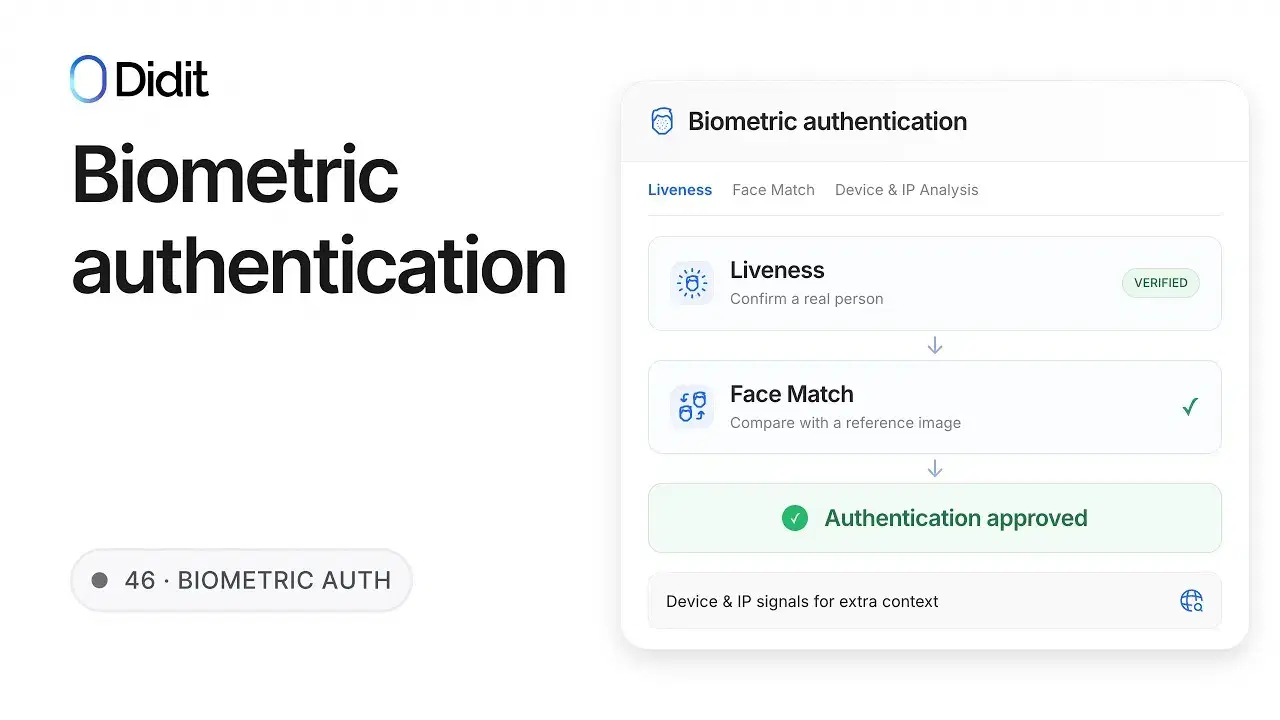
In a Didit session the biometric step is passive liveness plus a 1:1 face match, with the live selfie as user_image and the ID portrait as ref_image. A rejection can come from two places: liveness declines a real person, or face match scores a genuine pair below the threshold. Count them separately or you will tune the wrong dial.

The formula is short: FRR equals false rejections divided by genuine attempts. The hard part is the denominator. A person who gives up after two failures is one person with a bad outcome, not two attempts.
Two numbers, two questions. Attempt-level rejection rate is rejected submissions divided by submitted attempts, retries included, and it tells you how the check behaves frame by frame. Person-level FRR is people still refused after the retry budget divided by people who started, and it tells you how many customers you lost. Report both, with the names kept apart.
Excluded from both: sessions that never started, expired before the user opened the link, or were abandoned mid-flow. Those are funnel losses. Report them as a separate abandonment rate next to FRR, not inside it.
The threshold is the dial: FRR against FAR
Face Match returns a similarity score from 0 to 100. The standalone POST /v3/face-match/ call approves when the score is strictly above face_match_score_decline_threshold, which defaults to 30, and declines with a LOW_FACE_MATCH_SIMILARITY warning at or below it. Raise the threshold and you reject more impostors and more real customers. Lower it and the reverse. No setting improves both, which is why the number has to come from your own population and your own fraud losses.
Liveness is measured the other way round in public. We publish 99.9% accuracy with a false acceptance rate under 0.1%, plus iBeta Level 1 and Level 2 presentation attack detection. Those are accuracy and FAR figures. They are not your FRR, and no honest vendor can quote your FRR before seeing your users, their phones and their lighting.

Outcome: what you will have at the end
By the end of this page you will have four numbers and two settings. The numbers are genuine attempts, first-attempt rejections, rejections after the retry budget, and the share of rejections that were fixable capture problems rather than a real mismatch. The settings are face_match_score_decline_threshold and face_match_max_attempts. With those you can argue about FRR with data instead of adjectives.
Prerequisites
- A Didit account and a sandbox application. Sandbox testing is free and unlimited on every plan, with a quota of 500 session creates per 24 hours per application.
- An API key sent in the
x-api-keyheader. Sandbox keys skip processing and billing. - A workflow that runs
ID_VERIFICATION,LIVENESSandFACE_MATCH, so the selfie and the document portrait exist in the same session. - A test set of selfie and portrait pairs, JPEG, PNG, WebP or TIFF, max 5 MB each, one clear front-facing face per image.
- A webhook endpoint that reads the raw body and verifies the
X-Signature-V2HMAC before parsing JSON, if you will count rejections in production. - One person who owns the definition of a genuine attempt, written down before the first measurement.
Step by step: measure FRR, then bring it down
Write the definition first. Report first-attempt FRR and post-retry FRR as separate numbers. A flow at 4.0% first-attempt FRR and 1.0% post-retry FRR is one flow at two points in the journey, and reporting only the first number overstates the damage.
Create the workflow. Add
ID_VERIFICATION,LIVENESSandFACE_MATCHin the Business Console or withPOST /v3/workflows/. Face Match uses the document portrait as the reference and the liveness selfie as the live image.Choose the liveness method. Set
face_liveness_methodtoPASSIVE,ACTIVE_3DorFLASHINGper workflow. Those three belong to the session workflow, while the standalone passive liveness API runs the passive method only. Passive asks the least of the user, 3D Flash analyses light patterns at over 30 frames per second, and 3D Action adds a randomised action.Set the attempt budget.
face_match_max_attemptsdefaults to 3, one initial attempt plus two retries, and accepts 1 to 3 per workflow node. It is one measurable FRR control: a fixable failure stops being a declined customer.Run one standalone check and read the raw score. The standalone endpoint is single-shot. With
save_api_request=falseit is stateless. Withsave_api_request=trueit persists a session and emits a webhook. Neither mode provides a retry budget.curl -X POST 'https://verification.didit.me/v3/face-match/' \ -H 'x-api-key: YOUR_API_KEY' \ -F 'user_image=@./selfie.jpg' \ -F 'ref_image=@./id_portrait.jpg' \ -F 'save_api_request=true' \ -F 'vendor_data=user-123'Read the decision payload in the session. Per-feature results live in plural arrays so a workflow can hold more than one instance:
face_matches[],liveness_checks[], and the rest. Count a rejection as a face match or a liveness check whose status isDeclined, and fetch it withGET /v3/session/{sessionId}/decision/.Capture the retry signal. While attempts remain, a retryable failure keeps the user on the step and returns feedback codes. Store the score next to
attempts_usedandmax_attempts, because that pair says whether the budget absorbed the failure or merely delayed it.{ "detail": "Make sure your face matches your document photo, improve lighting and try again.", "error": "LOW_FACE_MATCH_SIMILARITY", "feedback_codes": ["LOW_FACE_MATCH_SIMILARITY"], "attempts_used": 1, "max_attempts": 3 }Subscribe to
status.updatedand count. The envelope carriessession_id,status,workflow_idand, for Approved, Declined, In Review and Abandoned, the fulldecisionobject. VerifyX-Signature-V2, reject a timestamp more than 300 seconds old, and usesession_idto deduplicate session-level counts. Then FRR is a division, not an opinion.Change one dial at a time. Move the threshold by a few points, or raise
face_match_max_attemptsfrom 1 to 3, then re-measure on the same population. Two dials moved together produce a number you cannot explain to a regulator.
Expected output
A successful call returns HTTP 200 with the request id and the face match object. The score is 0 to 100 and the status is derived from it. This example is trimmed to the fields you count, and it shows a Declined result because 24 does not clear the default threshold of 30.
{
  "request_id": "8f14e45f-ceea-4f6f-9a2d-3c1a0f7f2b91",
  "face_match": {
    "status": "Declined",
    "score": 24,
    "warnings": ["LOW_FACE_MATCH_SIMILARITY"]
  }
}
Read it in three passes. First the status, because that is what the customer experiences. Second the score against the threshold, because a cluster of scores between 25 and 29 is a threshold decision, not a model failure. Third the warnings, because NO_REFERENCE_IMAGE or NO_FACE_DETECTED means the capture was bad and the fix is in the UI. If no pair can be scored at all, the call still returns 200 with Declined and a NO_REFERENCE_IMAGE warning, so a null score is a capture problem, not a match decision.

Inputs and outputs you work with
| Field | Direction | Meaning for FRR |
|---|---|---|
face_liveness_method | input | PASSIVE, ACTIVE_3D or FLASHING. Higher-security methods ask more of the user |
face_match_max_attempts | input | Total face match submissions per session, default 3, range 1 to 3 |
face_match_score_decline_threshold | input | Approve only above this score, default 30. The main FRR dial |
save_api_request | input | On the standalone APIs, true persists a session and emits a webhook, false leaves a one-off id you cannot look up |
vendor_data | input | Your own user id, so a rejected person maps to one record rather than many |
face_matches[].score | output | 0 to 100 similarity. Scores just under the threshold are your cheapest wins |
face_matches[].status | output | Exact, case-sensitive strings including Approved, Declined, In Review, Abandoned |
feedback_codes, attempts_used, max_attempts | output | Tells you whether a retry was available and whether it was used |
warnings[] | output | Risk codes such as LOW_FACE_MATCH_SIMILARITY or LIVENESS_FACE_ATTACK |
status on the webhook envelope | output | The session level outcome you divide by genuine attempts |
Failure cases and recovery
| Failure | What it means | Recovery |
|---|---|---|
| HTTP 403, not enough credits | The balance cannot cover the call. It is refused before any image processing | Top up or use a sandbox key. Do not treat it as a rejection |
| HTTP 400 | Missing image, file over 5 MB, or an unsupported extension | Fix the upload. The passive liveness API does not accept PDFs |
| HTTP 429 | You exceeded the shared write budget of 300 requests per minute per API key | Slow the batch. Do not count throttled calls as attempts |
LOW_FACE_MATCH_SIMILARITY | The pair scored at or below the threshold | Retry with guidance while attempts remain, then review the score distribution |
NO_FACE_DETECTED or MULTIPLE_FACES_DETECTED | Capture problem, not a match decision | Ask for a retry with one well-framed face. Fix the capture screen wording |
NO_REFERENCE_IMAGE | No usable portrait on the reference side | Re-run the document step. Never decline a customer for this |
LOW_LIVENESS_SCORE or LIVENESS_FACE_ATTACK | Presentation attack suspected | Do not approve. Route to review if the customer disputes it |
FACE_IN_BLOCKLIST, DUPLICATED_FACE | Face search signal, not a biometric quality issue | Block or route to manual review per your policy |
| Attempts exhausted | The budget ran out and the computed status applies | Declined, or In Review. A reviewer can request resubmission |
Abandoned or Expired | The user did not finish, or never opened the link before the TTL | Excluded from FRR. Report abandonment and expiry as separate rates beside FRR |
Paid steps and review boundaries
Sandbox is free on every plan and never billed, and a sandbox application is capped at 500 session creates per 24 hours. Liveness runs the real capture there so you can test the experience, but the result is simulated by the scenario or magic value, and outcomes never depend on the pixels you upload. The sandbox is the right place to test the flow and the wrong place to get your FRR.
In production, billing is per completed check from prepaid credit. The standalone face match API is $0.05 per successful HTTP 200 response, the standalone passive liveness API is $0.10 per check, and a full ID check inside a workflow is $0.33. The price feed notes that some no-match database lookups and retries are billable and that the pricing docs list them, so read that page before you set a large attempt budget.
Review boundaries matter as much as thresholds. Automated checks drive most moves, and a person steps in at In Review or on a resubmission. A reviewer in the Business Console approves, declines or requests a resubmission, and can move a declined session to Resubmitted. Two rules stay fixed: nobody approves a session carrying LIVENESS_FACE_ATTACK or LOW_LIVENESS_SCORE, and nobody counts an In Review session as a false rejection before a person has looked at it.
One more boundary: POST /v3/face-match/ never enrolls faces into your face search index and never runs blocklist or duplicate screening. That screening happens on the passive liveness call when save_api_request=true, and setting it to false skips enrolment. Decide which of the two you are comparing before you compare their numbers.
Worked cost example
Take a hypothetical month of 25,000 completed identity checks, each running the full KYC bundle.
- ID document: 25,000 x $0.15 = $3,750.00
- Passive liveness: 25,000 x $0.10 = $2,500.00
- Face match: 25,000 x $0.05 = $1,250.00
- Device and IP: 25,000 x $0.03 = $750.00
- Total at list price: 25,000 x $0.33 = $8,250.00, which matches $3,750.00 + $2,500.00 + $1,250.00 + $750.00
On the Scale plan the list price takes a 10% discount, so a check costs $0.33 x 0.90 = $0.297. For 25,000 checks that is 25,000 x $0.297 = $7,425.00, or $825.00 less than list. On Growth the discount is 4%, so $0.33 x 0.96 = $0.3168 per check and 25,000 x $0.3168 = $7,920.00. Plan fees are separate: Growth is $99 a month with $115 of monthly credit, Scale is $299 a month with $350 of monthly credit, and monthly credit does not roll over.
Measuring before you commit to a threshold is cheaper than guessing. Score 1,000 pairs with the standalone face match API: 1,000 x $0.05 = $50.00. Score the same 1,000 selfies with the standalone passive liveness API: 1,000 x $0.10 = $100.00. The whole pre-production measurement costs $50.00 + $100.00 = $150.00, and the sandbox runs on top of that at no charge.
Then express FRR in the same units. If 1,000 of those 25,000 sessions are rejected on the first attempt, first-attempt FRR is 1,000 / 25,000 = 4.0%. If the retry budget brings 750 of them through and 250 people remain declined, post-retry FRR is 250 / 25,000 = 1.0%. Every point of post-retry FRR removed returns 250 customers a month in this example. If you want a unit value for that, 250 x $0.33 = $82.50 at the published full check price. Treat it as an illustration of avoided re-checks, not as a refund, because billing for rejected sessions follows the pricing docs.
Sources
- Didit pricing page, prices, plans and the cost estimator, read November 26, 2026.
- Didit docs: pricing and billing rules, read November 26, 2026.
- Didit docs: Face Match 1:1 overview, retries and feedback codes, read November 26, 2026.
- Didit docs: Face Match standalone API reference, read November 26, 2026.
- Didit docs: Liveness Detection overview, methods and warnings, read November 26, 2026.
- Didit docs: verification statuses and session lifecycle, read November 26, 2026.
- Didit docs: webhooks, signing and the decision envelope, read November 26, 2026.
- Didit docs: sandbox test data, scenarios and quotas, read November 26, 2026.
- Didit MCP server for AI assistants, read November 26, 2026.
Next step: open a free sandbox application at business.didit.me, run the sample pairs above, and take your first real FRR number before you change a single threshold. No sales call is required.
Try it
Try this in the sandbox
Run the check this guide describes, free.
The product this post is about, taken from its topic. Run it free in the sandbox.
Author
Alberto Rosas
Co-founder and CEO

Keep reading
Other guides in the same topic.
 What Is the Purpose of FICA in South Africa? 2026 Guide
FICA is South Africa's anti-money laundering law. It creates the Financial Intelligence Centre and requires accountable institutions to identify and verify clients, screen for PEP and sanctions risk and report suspicious.
Alberto RosasNov 26, 2026 Sixth Money Laundering Directive (6AMLD): What Changed and Which Rules Apply
6AMLD is Directive (EU) 2018/1673: Member States must criminalise laundering, widen predicate offences and set a four-year penalty floor. It adds no new due diligence duties for firms.
Alberto RosasNov 26, 2026 Automated Sanctions Screening: Canada, the Entity List and Embargoes
Automated sanctions screening matches people and companies against lists such as Canada's autonomous sanctions made under SEMA and JVCFOA and the OFAC SDN List, and returns candidate hits scored for identity confidence and.
Alberto RosasNov 26, 2026Questions
Frequently asked questions
What is a false rejection rate in mobile biometrics?
It is the share of genuine attempts that a biometric check refuses, written as false rejections divided by genuine attempts. On a phone the check is usually liveness plus a 1:1 face match, so a false rejection can come from either step. It is a property of your population, your devices and your threshold, not a single fixed number.
What is the difference between person-level FRR and attempt-level rejection rate?
Attempt-level rejection rate divides rejected submissions by submitted attempts, retries included, so it measures the check itself. Person-level FRR divides people still refused after the retry budget by people who started, so it measures customer loss. The first is a model and capture metric, the second is the one support and finance feel. Report both and label them.
Is a false rejection rate the same as a false acceptance rate?
No. FRR is the Type I error: the right person is refused. FAR is the Type II error: the wrong person is accepted. They pull in opposite directions on the same threshold, so lowering one raises the other. Didit publishes a false acceptance rate under 0.1% for liveness with 99.9% accuracy; your FRR still has to be measured by you.
What is a good FRR for a mobile face check?
There is no universal target, and we do not publish one for your population. Set the target per market and per risk level, then compare it to the fraud loss you would take by relaxing the threshold. What matters is that you report first-attempt FRR and post-retry FRR separately and keep the definition stable between releases.
How does the face match threshold change FRR?
Face Match returns a score from 0 to 100 and approves only when the score is strictly above face_match_score_decline_threshold, which defaults to 30. Raising the threshold rejects more genuine pairs and lowers false acceptance. Lowering it does the reverse. Change it a few points at a time and re-measure on the same sample.
How many face match retries does a Didit session allow?
face_match_max_attempts sets the total submissions per session, defaults to 3, and accepts 1 to 3 per workflow node. A fixable failure keeps the user on the step with feedback codes rather than declining immediately. Retries apply to the session flow only, because the standalone POST /v3/face-match/ endpoint is stateless and single shot.
Can I reproduce a declined face match in the sandbox?
You can reproduce the flow, but not a real FRR. Liveness runs the real capture in sandbox, and the result is simulated by a scenario or magic value, so outcomes never depend on the uploaded pixels. Nothing is billed, sessions are capped at 500 creates per 24 hours per application, and webhooks carry "environment": "sandbox".
How much does it cost to measure FRR before going live?
The sandbox costs nothing. If you want real scores on a sample, the standalone face match API is $0.05 per call and the standalone passive liveness API is $0.10 per call, so 1,000 pairs on face match ($50.00) plus 1,000 selfies on passive liveness ($100.00) is $150.00 in total. Production checks are billed per completed check from prepaid credit, at $0.33 for a full ID check.
What is the difference between Declined and In Review?
Declined means one or more checks failed and the automated decision stands unless a reviewer requests a resubmission. In Review means warnings need a human, and a compliance reviewer approves, declines or requests resubmission in the Business Console. Only the first is a candidate for your FRR count, and only after a person confirms the warning was not a true hit.
Do retries cost another check?
Billing is per completed check from prepaid credit. The price feed states that some no-match database lookups and retries are billable and that the pricing docs list them, so read the pricing docs before you raise the attempt budget. The retry itself is a workflow setting, not a separate product.
Which liveness method should I pick if false rejections are the complaint?
Passive Liveness does single-frame analysis, asks the least of the user, and is documented as standard security for low-risk flows. 3D Flash analyses light patterns at over 30 frames per second, and 3D Action adds a randomised action for the highest security. The standalone passive liveness API is passive only; the three methods are chosen per workflow with face_liveness_method, so test them on the same population before you decide.
What happens when the attempt budget runs out?
Once the budget is exhausted, the computed status is applied: Declined or In Review, depending on your workflow and the warnings present. A reviewer can then move a declined session to Resubmitted if the issue is fixable. Count those separately from first-attempt rejections.
Compliance built in
Audited, certified and attested.
We hold the certifications and build each country's rules into your flows, so you can launch anywhere without worrying. Security and Compliance center
- Regulation encoded into your flows
Tell us what you do and where. Didit lists the rules that apply to you, with sources, and builds the checks each country needs into one workflow.
- Ready for AMLR
Every requirement of the new EU anti-money laundering rules, from checking customers to human review, is already covered by a Didit check.
- Tested in Spain's Treasury sandbox
Spain's Treasury published its supervised sandbox report on Didit's NFC plus active liveness onboarding; SEPBLAC took part and valued the added measures positively.
- Audited, not self-declared
iBeta Level 1 and Level 2. Liveness tested under ISO/IEC 30107-3.
Your obligations · 3 regions
 SOC 2 Type 2
 ISO 27001
 iBeta Level 1 and Level 2
 EU regulator attestation
 FSM youth protection
 GDPR
 EBA remote onboarding
 MiCA compatible
 FIDO Alliance member
- AMLREU AML Regulation ready
Integration · Didit MCP
Run Didit from your own AI agent
Connect Didit to Claude, Cursor, VS Code or ChatGPT and just ask in plain words. Your agent can do anything you can do in the console, with the same permissions you have.
 Add to Claude
 ChatGPT
 Cursor
- Build workflowsDescribe the checks you need. The agent creates and publishes the flow.
- Run investigationsAsk why a session was declined, review cases, search people and companies.
- Change rulesCreate payment rules, test them on past data and switch them on.
- Pull reportsAsk for numbers, exports or the audit log.
Didit Academy