Velocity Rules & Structuring Detection: A Developer's Guide
Velocity rules evaluate transactions over time windows with count, sum and distinct-count aggregations — the foundation for catching structuring, smurfing and mule patterns. A developer's guide to building them on Didit.
 Alejandro RosasCo-founder and CTO

Contents
In this guide
Jump to the part you need.
Look at any single payment and it usually tells you nothing. €9,700 to a counterparty is unremarkable. But ten payments of €9,700 to the same counterparty over three days, or twenty inbound transfers from twenty distinct accounts in one afternoon, are the signatures of structuring and mule activity. Catching them requires looking at transactions as a stream — across time, with counting and summing — not one at a time.
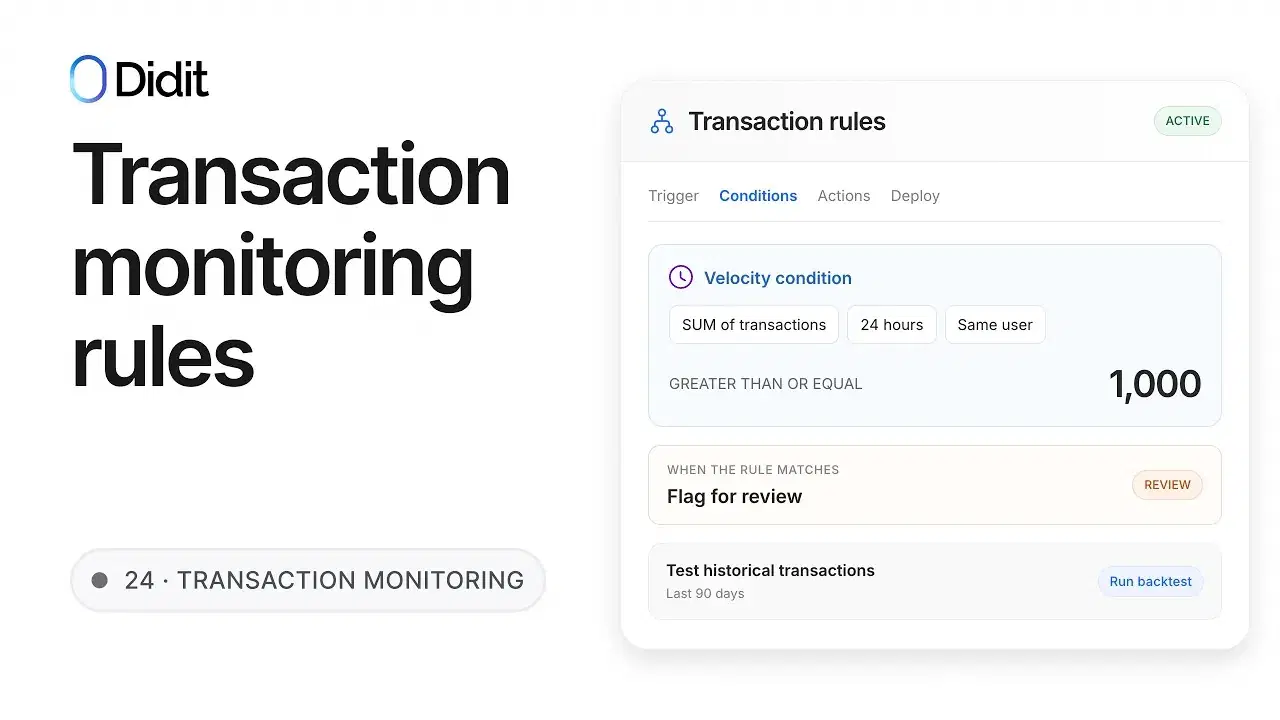
That's what velocity rules do, and they're the hardest part of transaction monitoring to build yourself. You need a stream processor that maintains rolling windows per user, counts and sums and de-duplicates counterparties inside those windows, and evaluates thresholds in real time. Didit's Transaction Monitoring API gives you that engine out of the box: define a window, pick an aggregation — count, sum, or distinct — set a threshold, and the rule runs against every transaction at $0.02 per transaction.
This is a developer's guide to building velocity rules and using them to detect structuring.
Key takeaways
- Velocity rules evaluate over time windows — "in the last 24 hours", "over 7 days" — instead of scoring a single transaction in isolation.
- Three aggregations:
count(how many),sum(cumulative amount), anddistinct(unique counterparties or attributes) — the building blocks of structuring and mule detection. - Structuring — many payments just under a reporting threshold — is caught by combining a sum window with a threshold-proximity condition.
- Mule and smurfing patterns are caught with distinct-counterparty counts inside a window.
- No stream processor required — the engine maintains the windows; you declare the rule in the Console.
- $0.02 per transaction. AML screening on a flagged party is billed separately at $0.20.
What velocity rules are
A velocity rule has three parts: a window (the lookback period — 1 hour, 24 hours, 7 days), an aggregation over the transactions in that window, and a threshold that, when crossed, triggers an action. The aggregations are the expressive core:
count— how many transactions matched the rule's conditions in the window. "More than 5 inbound transfers in 24 hours."sum— the cumulative value of matching transactions. "Cumulative volume over €10,000 in 7 days."distinct— the number of unique values of an attribute, usually the counterparty. "Transfers from more than 8 distinct senders in 24 hours."
Windows are keyed per subject by default — each user has their own rolling counters — so a busy day for your whole platform doesn't drown an individual user's signal.
Why it matters
Structuring (also called smurfing) is one of the oldest laundering techniques and one of the most explicitly regulated. Reporting thresholds — €10,000 across much of the EU, $10,000 in the US — create an incentive to split large sums into smaller payments that each stay under the line. A point-in-time rule that only checks single amounts will never see it; the whole pattern lives in the aggregate.
The same is true of mule networks. A money mule's tell isn't any single transfer — it's the fan-in of funds from many distinct accounts followed by a rapid fan-out. You only see it with distinct-counterparty counts over a window. Regulators expect firms to detect these typologies, and velocity rules are how you do it without standing up a streaming-analytics stack of your own.
Technical details
Transactions are created against the unified /v3/ API, idempotent on a transaction_id you control:
curl -X POST https://verification.didit.me/v3/transactions/ \
  -H "x-api-key: $DIDIT_API_KEY" \
  -H "Content-Type: application/json" \
  -d '{
    "transaction_id": "txn_a19f04",
    "category": "finance",
    "amount": 9600,
    "currency": "EUR",
    "currency_kind": "fiat",
    "txn_date": "2026-05-21T13:18:00Z",
    "subject": { "vendor_data": "user_3310", "role": "SENDER", "entity_type": "INDIVIDUAL" },
    "counterparty": { "role": "RECEIVER", "entity_type": "INDIVIDUAL" },
    "payment_method": "BANK_TRANSFER"
  }'
When the transaction completes a structuring pattern, the velocity rule fires and the response names it:
{
  "transaction_id": "txn_a19f04",
  "status": "IN_REVIEW",
  "risk_score": 66,
  "triggered_rules": [
    {
      "name": "Structuring — cumulative sum near threshold",
      "bundle": "Finance",
      "aggregation": "sum",
      "window": "7d",
      "action": "CHANGE_STATUS"
    }
  ],
  "alert_id": "alrt_b4d8e1"
}
Webhooks. Subscribe to transaction.created and transaction.status.updated to keep your ledger in sync as alerts resolve.
Price. $0.02 per transaction, billed per call. AML screening on a flagged party is billed separately at $0.20.
Building structuring and mule rules
Structuring (sum window). Combine a sum aggregation over a 7-day window with a per-transaction condition that the amount sits just below your reporting threshold. The rule fires when a user's cumulative just-under-threshold payments add up past a line you set — the aggregate large transaction the structuring was meant to hide. Tune the threshold proximity (how close to the reporting line counts as "just under") and the cumulative trigger.
Smurfing (count window). A count aggregation over a short window catches a burst of small payments. "More than 10 outbound transfers under €1,000 in 24 hours" surfaces the fragmentation pattern even when no single payment is large.
Mule fan-in (distinct window). A distinct aggregation on the counterparty catches the fan-in: "Inbound transfers from more than 8 distinct senders in 24 hours." Pair it with a rapid-fan-out count rule and you've described the full mule signature.
These map onto the seeded bundles — structuring and threshold avoidance live in Finance, cumulative volume and rapid in/out in AML/CTF, velocity spikes in Anomaly detection — and you can extend any of them, or build your own, in the Custom bundle. Each rule's action can add to the risk score, change the status, add tags, or add the party to a list.
Use cases
- Fintech — cumulative-sum structuring rules on transfers and withdrawals; distinct-counterparty mule rules on inbound deposits.
- Crypto — count windows on rapid in-and-out wallet activity; distinct rules on funds arriving from many addresses before a single large outflow.
- Lending — velocity rules on disbursement and repayment patterns to catch bust-out fraud.
- Marketplaces — distinct-buyer count rules to catch collusive transaction rings inflating a seller's volume.
- iGaming — deposit-velocity count windows that double as a responsible-gaming signal.
How to integrate with Didit
- Define the windows. In the Business Console, build velocity rules with the window, aggregation (count/sum/distinct), and threshold your policy requires.
- Send transactions.
POST /v3/transactions/from your backend as money moves, with a stabletransaction_idandvendor_dataso the engine keys windows to the right subject. - Handle webhooks. Listen for
transaction.status.updatedto react when a velocity rule trips and an analyst resolves the alert. - Tune over time. Adjust thresholds in the Console as you learn your true-positive and false-positive rates — no deploy required.
Because it's all on the unified /v3/ API, a user onboarded with KYC flows straight into the same engine that runs these velocity rules — one identity-and-fraud platform, end to end.
Frequently asked questions
What aggregations can a velocity rule use?
Three: count (number of matching transactions), sum (cumulative amount), and distinct (unique counterparties or attributes), each evaluated over a time window you define.
How do I detect structuring specifically?
Combine a sum aggregation over a window with a condition that each payment sits just below your reporting threshold. The rule fires when the cumulative total crosses the line the structuring was meant to hide.
Do I need my own stream processor?
No. The engine maintains the rolling windows per subject. You declare the window, aggregation, and threshold in the Console.
How much does it cost?
$0.02 per transaction, billed per call. AML screening on a flagged party is billed separately at $0.20.
Can I build velocity rules the seeded bundles don't cover?
Yes. The Custom bundle supports conditions, velocity windows, and aggregations for any typology unique to your product.
Ready to get started?
Read the Transaction Monitoring overview in the docs, see how it fits the rest of the platform on the Transaction Monitoring product page, and check transparent per-call pricing on the pricing page. When you're ready, start free — transaction monitoring at $0.02 per call.
Try it
Try this in the sandbox
Run the check this guide describes, free.
The product this post is about, taken from its topic. Run it free in the sandbox.
Author
Alejandro Rosas
Co-founder and CTO

Keep reading
Other guides in the same topic.
 What Is the Purpose of FICA in South Africa? 2026 Guide
FICA is South Africa's anti-money laundering law. It creates the Financial Intelligence Centre and requires accountable institutions to identify and verify clients, screen for PEP and sanctions risk and report suspicious.
Alberto RosasNov 26, 2026 Sixth Money Laundering Directive (6AMLD): What Changed and Which Rules Apply
6AMLD is Directive (EU) 2018/1673: Member States must criminalise laundering, widen predicate offences and set a four-year penalty floor. It adds no new due diligence duties for firms.
Alberto RosasNov 26, 2026 Automated Sanctions Screening: Canada, the Entity List and Embargoes
Automated sanctions screening matches people and companies against lists such as Canada's autonomous sanctions made under SEMA and JVCFOA and the OFAC SDN List, and returns candidate hits scored for identity confidence and.
Alberto RosasNov 26, 2026Questions
Blog questions
Who writes the Didit blog?
Which topics does the blog cover?
Is the blog available in my language?
Where do I find product updates?
Are these posts legal advice?
How do I find posts on one topic?
Are posts dated?
Do posts link to the docs?
Is the blog the same as the docs?
Compliance built in
Audited, certified and attested.
We hold the certifications and build each country's rules into your flows, so you can launch anywhere without worrying. Security and Compliance center
- Regulation encoded into your flows
Tell us what you do and where. Didit lists the rules that apply to you, with sources, and builds the checks each country needs into one workflow.
- Ready for AMLR
Every requirement of the new EU anti-money laundering rules, from checking customers to human review, is already covered by a Didit check.
- Tested in Spain's Treasury sandbox
Spain's Treasury published its supervised sandbox report on Didit's NFC plus active liveness onboarding; SEPBLAC took part and valued the added measures positively.
- Audited, not self-declared
iBeta Level 1 and Level 2. Liveness tested under ISO/IEC 30107-3.
Your obligations · 3 regions
 SOC 2 Type 2
 ISO 27001
 iBeta Level 1 and Level 2
 EU regulator attestation
 FSM youth protection
 GDPR
 EBA remote onboarding
 MiCA compatible
 FIDO Alliance member
- AMLREU AML Regulation ready
Integration · Didit MCP
Run Didit from your own AI agent
Connect Didit to Claude, Cursor, VS Code or ChatGPT and just ask in plain words. Your agent can do anything you can do in the console, with the same permissions you have.
 Add to Claude
 ChatGPT
 Cursor
- Build workflowsDescribe the checks you need. The agent creates and publishes the flow.
- Run investigationsAsk why a session was declined, review cases, search people and companies.
- Change rulesCreate payment rules, test them on past data and switch them on.
- Pull reportsAsk for numbers, exports or the audit log.
Didit Academy