Verify SSN, Date of Birth and Address in the US (2026)
US SSN and date of birth checks run as a non-document lookup against a credit-bureau or residential file, not a government register. The result carries the data match assurance tier. The address is verified as a separate step.
 Alberto RosasCo-founder and CEO
Contents
In this guide
Jump to the part you need.
Use this guide if you must confirm a US applicant's Social Security number, date of birth and address without a photographed document. Didit runs SSN and date of birth as a non-document lookup, priced per lookup at a variable rate, and the address as a document step at $0.20 or an Address Validation call at $0.10. The caveat: in the United States the record we query is a credit-bureau or residential file, not a government register.
Last updated: November 26, 2026. Prices checked against the live Didit price feed on November 26, 2026.
Summary
| Question | Answer |
|---|---|
| Can Didit check a US SSN and date of birth without a document? | Yes. It is the non-document lookup method on the ID Verification step, enabled per country with the ISO 3166-1 alpha-3 code USA. |
| Which record is queried in the United States? | A credit-bureau, financial-services, utility or residential-records file. The Didit non-document lookup page names the United States among the countries where the reachable record is not a state register. |
| What does the check prove? | The details the user typed matched a record that source holds. The assurance tier on the session is data_match. No document was inspected. |
| What does it cost? | Non-document verification is a variable per-lookup price, read from the pricing table. Document capture is $0.15, residence evidence is $0.20 per Proof of Address check, and the Address Validation add-on is $0.10 per validated address. |
| Is a selfie taken? | No. A data-only US source leaves no portrait, so no selfie is taken inside the lookup and the skip switch is normalised off on save. Run Liveness at $0.10 and Face Match at $0.05 as their own steps if you need them. |
| What is the free employer alternative? | The Social Security Administration's Social Security Number Verification Service. It is free and limited to wage reporting for current or former employees. |
Start free in the sandbox at https://business.didit.me/, no sales call and no procurement cycle. Developers who want an assistant to drive the setup can connect Didit to an AI assistant through the MCP server at https://didit.me/developers/mcp/.
What you must verify in the United States, and why
Three data points answer three different questions, and buyers routinely merge them. The Social Security number, read through the matched fields a lookup returns, tells you whether the number and the name and date of birth you supplied agree with one record. That is an interpretation of the match, not a statement that the number belongs to the person in front of you. The date of birth is one of the details compared with the queried record. The address asks where someone can be reached. Run the SSN and date-of-birth lookup separately from Proof of Address or Address Validation, then interpret their results together under your policy.
The legal basis you will be asked about
When your US check reads a credit-bureau or specialty file rather than a register, the query runs under a different consent regime. That is not our framing; it is stated on the Didit non-document lookup page, which says the distinction changes what the match proves, which consent regime the query runs under, and what you can tell a regulator about provenance.
The first rule that comes up is the Fair Credit Reporting Act rule, Regulation V, at 12 CFR Part 1022. The eCFR page, read November 26, 2026, lists Part 1022 as Fair Credit Reporting (Regulation V), running from section 1022.1 to 1022.142, in Title 12, Chapter X, the Consumer Financial Protection Bureau. Subpart N places the centralized source for requesting annual file disclosures at 1022.136 and a streamlined process for nationwide specialty consumer reporting agencies at 1022.137. Subpart O covers reasonable charges for certain disclosures at 1022.141 and prohibits including adverse information in consumer reporting in cases of human trafficking at 1022.142.
The second is the Equal Credit Opportunity Act rule, Regulation B, at 12 CFR Part 1002. The same source, read November 26, 2026, lists sections 1002.1 through 1002.114, with Subpart A General at 1002.1 to 1002.16 and Subpart B Small Business Lending Data Collection at 1002.101 to 1002.114. The authority cited is 12 U.S.C. 5512, 5581 and 15 U.S.C. 1691b. Consult applicable Regulation B requirements before designing how your application collects or uses date of birth and address. Both regulations are cited here as background sources, and implementation-specific legal advice requires qualified counsel.
SSNVS is free, and it is not a KYC check
The Social Security Administration's Social Security Number Verification Service page, read November 26, 2026, describes two internet options. Online verification accepts up to 10 names and SSNs per screen with immediate results. Overnight file upload accepts up to 250,000 names and SSNs and usually returns results the next government business day. The service is open to all employers and third-party submitters, but it can only be used to verify current or former employees, and only for wage reporting (Form W-2) purposes.
The Social Security Administration's employer verification page, read November 26, 2026, adds the split that matters to a compliance team: the Social Security Number Verification Service is a free online service for registered users to check that names and SSNs of hired employees match SSA records, while the Consent Based Social Security Number Verification Service is fee-based. Both pages limit the service to current or former employees and to wage reporting, so SSNVS is an employer wage-reporting service, not an onboarding route for a prospect who has not been hired. For onboarding, you either query the record described further down or you capture a document.
The records behind a US SSN, date of birth and address check
Most countries in the Didit catalog are a government register: the Department of Home Affairs in South Africa, RENAPER in Argentina, UIDAI in India, the CPR register in Denmark. The Didit non-document lookup page is explicit that some are not, and names Canada, France, Indonesia, the Netherlands, Norway, Singapore, the United Kingdom and the United States as the countries where the authoritative record Didit can reach is a credit-bureau, financial-services, utility or residential-records file. For the United States, plan on that. Do not brief your auditor that we call a state register.
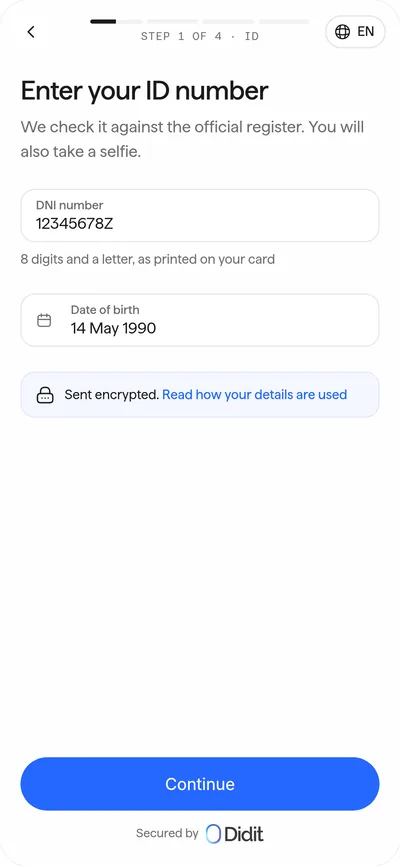
The exact source is never generalised. It is written on the Source queried column of the Didit non-document lookup table for each country, and it is the only statement of provenance to rely on. The end user never sees the name. It appears on the session payload at id_lookup.source, in the console and in exports, for you and your auditors.
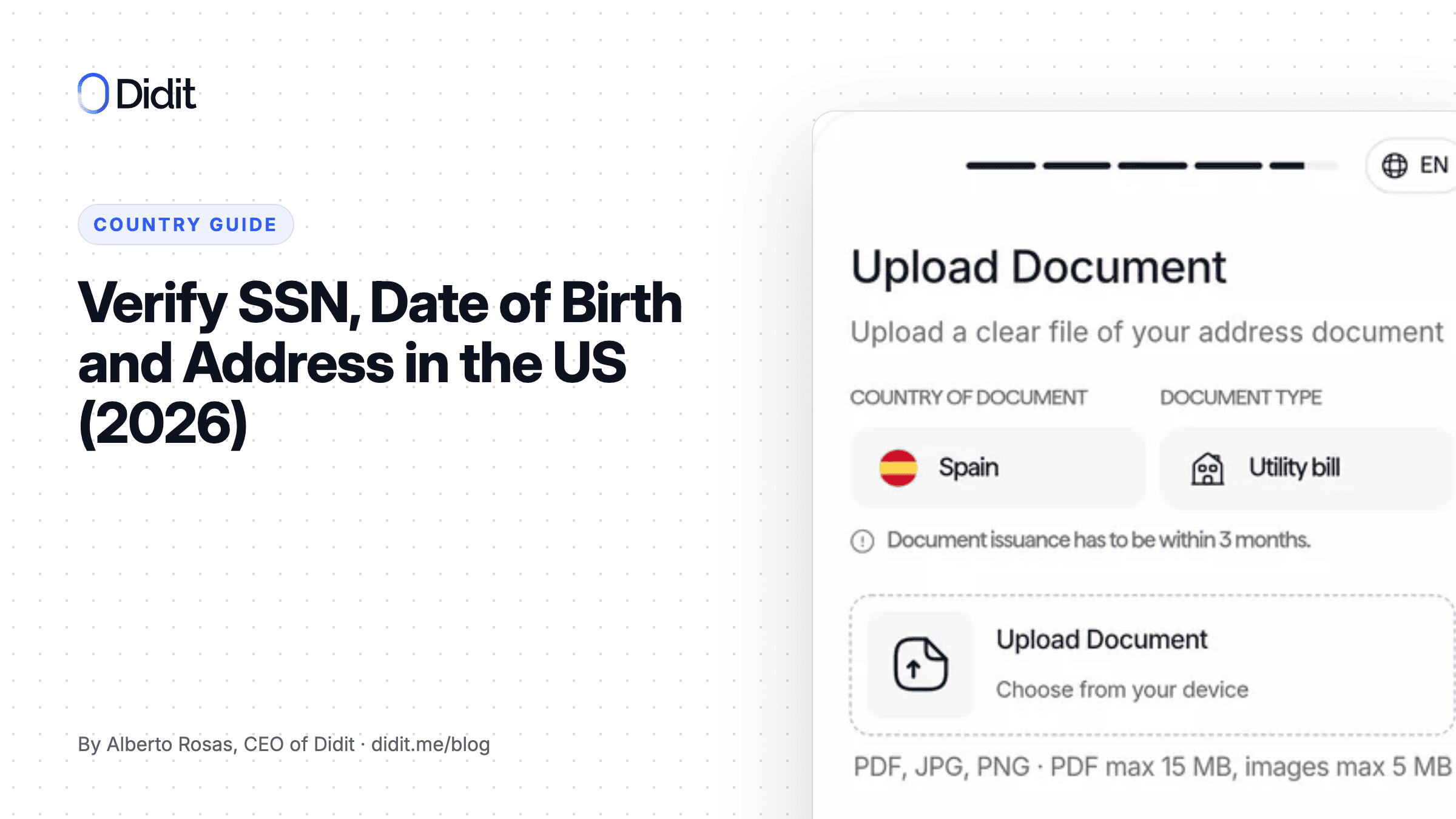
Address works differently and you should keep the two apart. Proof of Address reads a document the user supplies, such as a utility bill, bank statement or government letter, and returns extracted fields plus warnings. Address Validation confirms that a postal address exists and returns it normalised with coordinates, and the documentation states plainly that it never links the address to a person: a verified result means the place exists, not that anyone lives there.
Identifiers and fields
| Data point | What answers it | What the user does | Field you read |
|---|---|---|---|
| Social Security number | The credit-bureau, financial-services, utility or residential-records file named for the United States on the non-document lookup page | Types it in the lookup step | identification_number, and validations[].matched_fields on the standalone API |
| First and last name | Same record | Types them | first_name, last_name |
| Date of birth | Same record | Types it in the format the country asks for | date_of_birth |
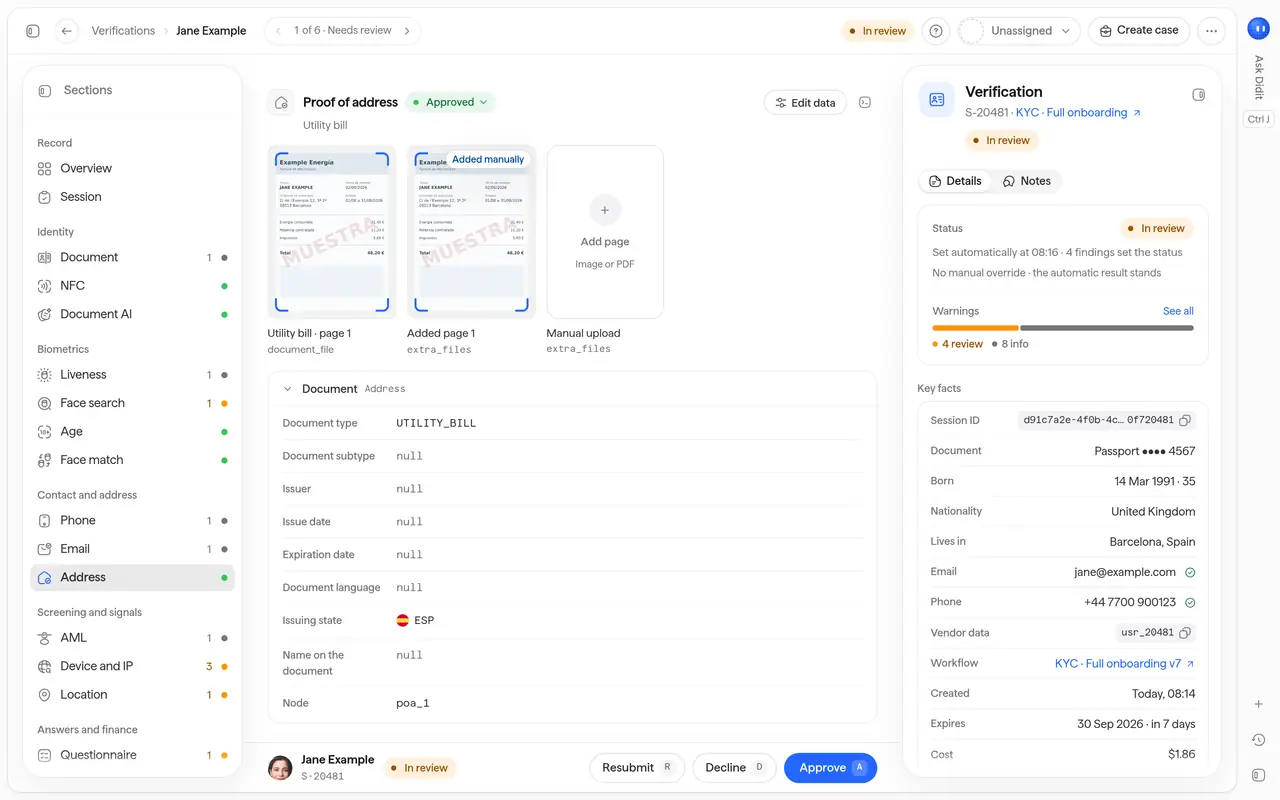
| Residential address | Proof of Address document step, or the Address Validation API | Uploads a bill or statement, or you send an address you already hold | parsed_address, expected_address, address_validation.status |
| Address type and occupancy | Address Validation, United States included | Nothing extra | address_type and is_residential |
| Provenance | The catalog entry for the country | Nothing, it is admin-facing | id_lookup.source |
| Assurance tier | Set by the method that produced the result | Nothing | Session assurance tier, whose documented lookup value is data_match |
What Didit returns for a US check
A lookup returns a match, not a document verdict. The tier on the session is data_match, described in our own documentation as the details the user gave matching a record the source holds, with no document inspected. Say that to your reviewer in those words and you will not have to walk anything back.
- The standalone Database Validation API returns
match_typeasfull_match,partial_matchorno_match, withmatch_score,services_usedand avalidationsarray carryingmatched_fieldsandrecord_detailswhen the source returns them. - Risk codes land in
warnings:DATABASE_VALIDATION_NO_MATCH,DATABASE_VALIDATION_PARTIAL_MATCHandCOULD_NOT_PERFORM_DATABASE_VALIDATION. - Address Validation returns
statusasverified,partially_verified,not_verifiedorunavailable, plusverification_level, the normalised address, coordinates,address_typeandis_residential. It costs $0.10 per validated address and anunavailableresult is not charged. - Proof of Address returns
poa.status,parsed_address,document_type,issuer,issue_dateand warnings includingNAME_MISMATCH,ADDRESS_MISMATCH,DOCUMENT_EXPIREDandOVERLAY_MANIPULATION_DETECTED. It costs $0.20 per check.

Step by step in the Business Console
- Open Workflows, select the workflow, then the ID Verification node, then the Countries tab. Everything on that tab writes the
methodskey on the node, so the console and the Management API are two views of one object. - Open the United States row and turn on Non-doc lookup. That writes
id_lookup.enabled,id_lookup.max_attemptsandid_lookup.skip_liveness_and_face_match. For a data-only US source the skip switch is normalised off on save. - Leave Document capture on, then turn on the three fallback switches: fall back on partial match, on no match and on provider error. They are off when the country has no document capture, because there is nowhere to fall back to.
- Use See details beside the lookup source to see the expected request and response in plain language before you publish.
- Add a Proof of Address step. Configure
poa_languages_allowed,poa_document_age_monthsand the per-risk actions such aspoa_name_mismatch_actionandpoa_address_mismatch_action. - If you want the address confirmed against postal reference data, turn on
address_validation_enabledin the ID Verification step or the Proof of Address step. The address the person supplied is validated once their upload is read, and the result is theaddress_validationobject of that step. - Run a sandbox session, then inspect the session decision and its warnings. Sandbox keys validate the request and return a deterministic
verifiedresult for Address Validation, so a sandbox pass does not prove production behaviour. A successful staging test does not enable anything in production by itself.
Global settings on the same tab turns a method on in every country that supports it, and the per-country editor still wins. The tab reads the same capability catalog the API validates against, so a source the catalog does not offer in the United States is simply not shown as a choice.
Step by step through the API
Two routes exist. Inside a workflow, the lookup is a step and you read the decision. Standalone, you already hold the data and you make one server-to-server call.
Session route. Create a session with POST /v3/session/ and a body of workflow_id, vendor_data and callback. Open session.url for the user, or mount the Web or Mobile SDK. Then fetch the decision with GET /v3/session/{sessionId}/decision/, or subscribe to session.status.updated. The lookup result sits in id_lookup and the address results in poa_verifications[] or id_verifications[].
Standalone route. Same request shape as the documented example, with the issuing state and identifier for the source you call. Check the catalog that the service is live for that state before you ship.
curl -X POST 'https://verification.didit.me/v3/database-validation/' \
-H "x-api-key: $DIDIT_API_KEY" \
-F "issuing_state=USA" \
-F "identification_number=000000000" \
-F "first_name=Jane" \
-F "last_name=Doe" \
-F "date_of_birth=1990-01-15" \
-F "vendor_data=user-1234"
Omit services to run the country's default service, or pass a list to pick which ones run. Services flagged requires_consent=true in the catalog need consent=true or the call answers HTTP 400. Billing is per successful service hit, so a multi-service request can produce more than one usage event.
curl -X POST 'https://verification.didit.me/v3/address-validation/' \
-H "x-api-key: $DIDIT_API_KEY" \
-F "address_line_1=1 Market Street" \
-F "city=San Francisco" \
-F "region=CA" \
-F "postal_code=94105" \
-F "country=US"
Send the address either on one line in address or as structured fields, never both in one request. country is always required as an ISO 3166-1 alpha-2 or alpha-3 code. HTTP is 200 for every completed request, unavailable included.
For a workflow, the configuration is the documented methods object, keyed by country code. This is the same shape our documentation shows for other countries, with the United States in it:
{
  "feature": "OCR",
  "config": {
    "methods": {
      "USA": {
        "document": { "enabled": true },
        "id_lookup": {
          "enabled": true,
          "max_attempts": 2,
          "on_partial_match": "fallback_to_document",
          "on_no_match": "fallback_to_document",
          "on_provider_error": "fallback_to_document"
        }
      }
    }
  }
}
A workflow that says nothing about methods stays document capture only, so add the block deliberately. If you are migrating from another provider, the switch page covers the field mapping, and the integration prompt lets a coding agent do the wiring from one prompt.
A worked cost example
Take 1,000 US applicants a month. Six hundred finish on the non-document lookup. Four hundred fall back to document capture because the record did not match or the source was unavailable. Every applicant also supplies residence evidence, and every address is validated.
| Line | Unit price | Quantity | Cost |
|---|---|---|---|
| Non-document lookup for the United States | Variable per lookup, read from the pricing table | 600 completed lookups | Variable |
| Document capture fallback, document only | $0.15 per check | 400 | $60.00 |
| Proof of Address | $0.20 per check | 1,000 | $200.00 |
| Address Validation add-on | $0.10 per validated address | 1,000 | $100.00 |
| Subtotal, document capture fallback plus the two address lines | $360.00 | ||
| Passive Liveness on fallback users, only if that step runs | $0.10 per check | 400 | $40.00 |
| Face Match 1:1 on fallback users, only if that step runs | $0.05 per check | 400 | $20.00 |
| Device and IP analysis, only if the workflow has it enabled | $0.03 per check | 1,000 | $30.00 |
| Subtotal with the three optional lines included | $450.00 |
The arithmetic: the document fallback is 400 times $0.15, which is $60.00, because document capture alone is $0.15 and a full $0.33 check only applies when biometrics and device and IP actually run. Proof of Address is 1,000 times $0.20, which is $200.00, and Address Validation is 1,000 times $0.10, which is $100.00. That sums to $360.00 before the variable lookup line. The variable non-document lookup amount is excluded from both subtotals, so neither $360.00 nor $450.00 is the complete monthly total. The other three lines are conditional: 400 times $0.10 is $40.00, 400 times $0.05 is $20.00, and 1,000 times $0.03 is $30.00, which brings the same month to $450.00. Add the lookup charge for the 600 attempts at the per-service rate on the pricing page. On Scale every Didit price drops 10 percent: document capture is $0.135, so 400 times that is $54.00; Proof of Address is $0.18, so 1,000 times that is $180.00; Address Validation is $0.09, so 1,000 times that is $90.00. That is $324.00 before the lookup line, or $405.00 with liveness at $0.09 ($36.00), face match at $0.045 ($18.00) and device and IP at $0.027 ($27.00). Growth takes 4 percent instead: $0.144, $0.192 and $0.096. Unused monthly plan credit expires at the end of the plan month and top-ups last 12 months.

Fallbacks when the source is down or has no match
Every failure mode has a named switch, and you should set all of them before publishing.
- No match.
on_no_matchdecides between document capture and a decline. The API returnsmatch_type="no_match", and the documented guidance is to treat that as a synthetic identity under your own policy. - Partial match.
on_partial_matchdecides between capture and a review route. A partial match means some fields agree and others do not, for example the date of birth matches and the name does not. - Source error.
on_provider_errorsends the user to document capture. On the standalone API, HTTP 502 with avalidation_errorsarray means every selected upstream service failed; that request is not billed and aCOULD_NOT_PERFORM_DATABASE_VALIDATIONlog is written. Retry later or fall back to OCR only. - Configuration errors. HTTP 400 covers a service id not eligible for the issuing state, a missing required field and a missing consent flag on a paid service. These are build errors, not user errors, so route them to your own alerts rather than to the applicant.
- Address unavailable. An
unavailablevalidation never raisesADDRESS_NOT_VERIFIEDand never changes the verification. Retry later, and remember it is not charged. - Document busy or unreadable. Proof of Address answers HTTP 503 with
document_processing_busy, so resend the same file after theRetry-Afterseconds. An unreadable file returnsdocument_unreadable, and an encrypted PDF needsdocument_password. - Face Match with no reference. A data-only lookup leaves a later Face Match step nothing to compare. It reports
FACE_MATCH_NOT_COMPUTEDwith a null score rather than declining automatically, and the workflow editor warns you before you publish.
Sources
- Didit docs: Non-Document ID Verification, authoritative source lookup
- Didit docs: ID Verification methods, document, lookup and wallet
- Didit docs: Configure ID Verification methods in the console
- Didit docs: Database Validation API
- Didit docs: Proof of Address API
- Didit docs: Address Validation API
- Didit docs: pricing and billing
- Didit pricing page and cost estimator
- Didit pricing as JSON
- Didit MCP server
- Didit integration prompt
- Social Security Administration, Social Security Number Verification Service, read November 26, 2026: https://www.ssa.gov/employer/ssnv.htm
- Social Security Administration, options for verifying Social Security numbers for wage reporting, read November 26, 2026: https://www.ssa.gov/employer/verifySSN.htm
- eCFR, 12 CFR Part 1022, Fair Credit Reporting (Regulation V), read November 26, 2026: https://www.ecfr.gov/current/title-12/chapter-X/part-1022
- eCFR, 12 CFR Part 1002, Equal Credit Opportunity Act (Regulation B), read November 26, 2026: https://www.ecfr.gov/current/title-12/chapter-X/part-1002
Next step: open the sandbox at https://business.didit.me/, add the ID Verification node with the United States lookup enabled, set the three fallback switches and run one session. No sales call, and the sandbox is free on every plan.
Try it
Try this in the sandbox
Run the check this guide describes, free.
The product this post is about, taken from its topic. Run it free in the sandbox.
Author
Alberto Rosas
Co-founder and CEO

Keep reading
Other guides in the same topic.
 Automated KYC Checks in 8 Steps: Cut Manual Review (2026)
Automated KYC runs document capture, liveness, face match, device and IP analysis and watchlist screening, then sends only sessions that breach your rules to a human queue.
Alberto RosasNov 26, 2026 Aadhaar API Integration Guide: Database Validation in Didit
Didit runs an Aadhaar lookup as a Database Validation call: POST /v3/database-validation/ with issuing_state IND. One server-to-server request, priced per successful hit, with the India rate read from the per-service table.
Alberto RosasNov 26, 2026 UK-Compliant AML Screening Solution: UK AML Requirements 2026
UK firms run risk-based CDD under SI 2017/692 and screen customers and beneficial owners against sanctions and PEP data. Didit runs that screen at $0.20 per check against 1,300+ lists and returns a match score and a risk score.
Alberto RosasNov 26, 2026Questions
Frequently asked questions
Can you verify a US Social Security number without a document?
Yes. Didit's non-document lookup lets the user type the identifier plus a name and date of birth, and checks those details against the record named for the country. In the United States that record is a credit-bureau, financial-services, utility or residential-records file rather than a government register. The result carries the data_match assurance tier.
Is Didit's SSN check the same as the SSA SSN Verification Service?
No. The Social Security Administration's Social Security Number Verification Service is free but restricted to current or former employees and to wage reporting on Form W-2, according to the SSA pages read November 26, 2026. It is an employer wage-reporting service, so it is not an onboarding alternative for a prospect who has not been hired. Didit's lookup is a commercial check you can run before anyone is hired, and the SSA also offers a fee-based Consent Based service, which is a different workflow again.
Does Didit query the Social Security Administration directly?
Not for onboarding. Our documentation names the exact source per country and states that the United States is one of the countries where the reachable record is a credit-bureau, financial-services, utility or residential-records file. The source name appears on the session payload at id_lookup.source and in exports, so you can show provenance without guessing.
How do SSN, date of birth and address verification work together in KYC?
The SSN and date of birth run as one non-document lookup against one record. The address runs separately: either a Proof of Address document check at $0.20, or an Address Validation call at $0.10 that confirms the postal address exists and returns it normalised. Address Validation never links the address to a person, so pair it with the identity result rather than treating it as proof of residence.
What does a data_match result actually prove?
It proves that the details the user typed matched a record the queried source holds. It does not prove that a document is authentic, because no document was inspected. Our documentation describes the tier as an honest description of what was proven, not a ranking.
Do US users need to take a selfie during the lookup?
No. A selfie is requested only where the source returns a portrait or checks the selfie itself, and the United States source returns data only. Add Passive Liveness at $0.10 and Face Match at $0.05 as their own workflow steps if you need biometric assurance on top of the match.
What happens if the US lookup returns no match?
The on_no_match setting decides. You can send the user to document capture or decline the session, and the documented guidance is to treat a no match as a synthetic identity under your policy. A partial match is different and usually belongs in manual review.
How much does SSN and date of birth verification cost in the United States?
Non-document verification is priced per lookup and the rate is variable, so read the exact service rate from the pricing table before quoting a number. Document capture, which you use as the fallback, is published at $0.15 per check, and biometrics and device and IP add $0.10, $0.05 and $0.03 only when those steps run. The address side is published too: Proof of Address is $0.20 per check and Address Validation is $0.10 per validated address, and Scale takes 10 percent off every Didit price while Growth takes 4 percent.
Can I verify a US address without asking for a utility bill?
Yes, if you only need to confirm the address exists. Send it to the Address Validation API with address or structured fields plus a country code, and read back verified, partially_verified or not_verified, plus is_residential, which is available for the United States. If you need evidence that a named person lives there, use the Proof of Address document step instead.
Which record does Didit reach for a US address during Proof of Address?
Proof of Address does not query a person-level register. It reads the document the user uploads, extracts the address, classifies the document, checks the issue date against your configured age limit and cross-checks the name against the identity result. Separately, the Address Validation add-on checks the address against postal reference data.
Compliance built in
Audited, certified and attested.
We hold the certifications and build each country's rules into your flows, so you can launch anywhere without worrying. Security and Compliance center
- Regulation encoded into your flows
Tell us what you do and where. Didit lists the rules that apply to you, with sources, and builds the checks each country needs into one workflow.
- Ready for AMLR
Every requirement of the new EU anti-money laundering rules, from checking customers to human review, is already covered by a Didit check.
- Tested in Spain's Treasury sandbox
Spain's Treasury published its supervised sandbox report on Didit's NFC plus active liveness onboarding; SEPBLAC took part and valued the added measures positively.
- Audited, not self-declared
iBeta Level 1 and Level 2. Liveness tested under ISO/IEC 30107-3.
Your obligations · 3 regions
 SOC 2 Type 2
 ISO 27001
 iBeta Level 1 and Level 2
 EU regulator attestation
 FSM youth protection
 GDPR
 EBA remote onboarding
 MiCA compatible
 FIDO Alliance member
- AMLREU AML Regulation ready
Integration · Didit MCP
Run Didit from your own AI agent
Connect Didit to Claude, Cursor, VS Code or ChatGPT and just ask in plain words. Your agent can do anything you can do in the console, with the same permissions you have.
 Add to Claude
 ChatGPT
 Cursor
- Build workflowsDescribe the checks you need. The agent creates and publishes the flow.
- Run investigationsAsk why a session was declined, review cases, search people and companies.
- Change rulesCreate payment rules, test them on past data and switch them on.
- Pull reportsAsk for numbers, exports or the audit log.
Didit Academy