White-Label Identity Verification SDK: Full Customization
Learn how to fully white-label Didit’s identity verification SDK – customize the UI, branding, and workflows for a seamless user experience. Maximize brand consistency and control.
 Alberto RosasCo-founder and CEO
Contents
In this guide
Jump to the part you need.
White-Label Identity Verification SDK: Full Customization
In today’s competitive landscape, a consistent brand experience is crucial. Extending that consistency to identity verification is paramount. A disjointed verification flow can erode user trust and negatively impact conversion rates. This post dives deep into how to fully white-label Didit’s identity verification SDK, offering complete UI customization, brand integration, and workflow control. We’ll cover everything from CSS overrides to API considerations, empowering you to deliver a verification experience that feels native to your platform.
Key Takeaway 1 Complete UI control is possible through CSS overrides and custom branding options within the Didit Console.
Key Takeaway 2 API integration allows for headless verification flows, enabling total frontend ownership and maximum customization flexibility.
Key Takeaway 3 White-labeling isn’t just about aesthetics; it’s about building trust and improving conversion rates by creating a fluid user experience.
Key Takeaway 4 Didit provides multiple SDKs (Web, iOS, Android, Flutter, React Native) to support your preferred development stack.
Understanding White-Labeling Options
Didit offers several tiers of white-labeling, ranging from simple branding adjustments to complete UI overhauls. The approach you choose depends on your technical resources and desired level of control. Here’s a breakdown:
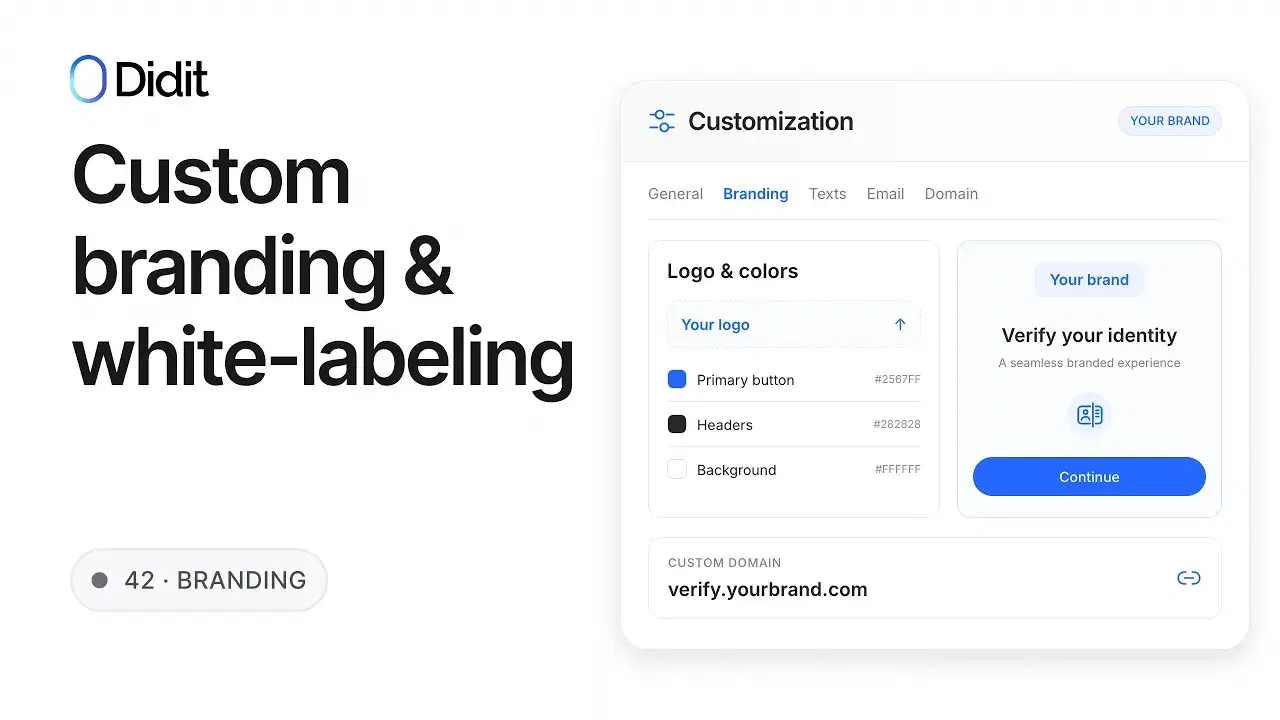
- Basic Branding: Adjust colors, logos, and typography via the Didit Console. This is the quickest and easiest option, requiring no code changes.
- CSS Overrides: Inject custom CSS to modify the appearance of the verification flow. This provides a significant degree of control without requiring a complete rewrite of the UI.
- Hosted Pages with Custom Domain: Host the verification flow on your own domain for a seamless user experience.
- Headless Integration with API: Leverage Didit’s APIs to build a completely custom frontend. This gives you full control over every aspect of the verification process.
Deep Dive: UI Customization with CSS Overrides
CSS overrides are a powerful way to customize the look and feel of Didit’s verification flow. The SDK injects specific CSS classes that you can target with your own styles. Here’s an example:
/* Example CSS Override */
.didit-verification-container {
  background-color: #f0f0f0; /* Change background color */
  font-family: 'Your Custom Font', sans-serif; /* Change font */
}

.didit-button {
  background-color: #2567FF; /* Didit Blue */
  color: white; /* Text color */
  border: none; /* Remove border */
  border-radius: 5px; /* Rounded corners */
}
Important Considerations:
- Specificity: Ensure your CSS rules have sufficient specificity to override the default styles. Use more specific selectors or the
!importantdeclaration (use cautiously). - Testing: Thoroughly test your CSS overrides across different browsers and devices.
- Updates: Be aware that updates to the Didit SDK may introduce new CSS classes or change existing ones. Regularly review and update your overrides.
Headless Integration: Full Control with the API
For maximum flexibility, consider a headless integration using Didit’s RESTful APIs. This approach allows you to build a completely custom frontend, giving you complete control over the user experience. You’ll handle the UI rendering, data collection, and communication with the Didit API. The API provides endpoints for each verification module (ID Verification, Liveness, AML, etc.).
Benefits of Headless Integration:
- Complete UI Control: Design a verification flow that perfectly matches your brand and user interface.
- Flexibility: Integrate verification into any platform or application.
- Advanced Customization: Implement custom logic and workflows.
API Considerations:
- Authentication: Use OAuth/OIDC for secure API access.
- Error Handling: Implement robust error handling to gracefully handle API errors.
- Data Security: Follow best practices for data security and privacy.
Brand Integration Best Practices
Beyond UI customization, consider these brand integration best practices:
- Consistent Messaging: Use consistent language and tone throughout the verification flow.
- Custom Error Messages: Replace generic error messages with branded messages that provide clear guidance to the user.
- Privacy Policy: Clearly link to your privacy policy to build trust and transparency.
- Data Residency: Leverage Didit’s EU-based infrastructure to meet data residency requirements.
How Didit Helps
Didit simplifies the white-labeling process with:
- Multiple SDKs: Web, iOS, Android, Flutter, and React Native SDKs support a wide range of platforms.
- Comprehensive Documentation: Detailed documentation and code samples make integration easy.
- Dedicated Support: Our support team is available to assist with any questions or issues.
- Flexible Pricing: Pay-as-you-go pricing.
Ready to Get Started?
Start building a seamless, branded identity verification experience today! Explore our technical documentation, talk to our team, or contact our sales team to learn more.
Try it
Try this in the sandbox
Run the check this guide describes, free.
The product this post is about, taken from its topic. Run it free in the sandbox.
Author
Alberto Rosas
Co-founder and CEO

Keep reading
Other guides in the same topic.
 What Is the Purpose of FICA in South Africa? 2026 Guide
FICA is South Africa's anti-money laundering law. It creates the Financial Intelligence Centre and requires accountable institutions to identify and verify clients, screen for PEP and sanctions risk and report suspicious.
Alberto RosasNov 26, 2026 Sixth Money Laundering Directive (6AMLD): What Changed and Which Rules Apply
6AMLD is Directive (EU) 2018/1673: Member States must criminalise laundering, widen predicate offences and set a four-year penalty floor. It adds no new due diligence duties for firms.
Alberto RosasNov 26, 2026 Automated Sanctions Screening: Canada, the Entity List and Embargoes
Automated sanctions screening matches people and companies against lists such as Canada's autonomous sanctions made under SEMA and JVCFOA and the OFAC SDN List, and returns candidate hits scored for identity confidence and.
Alberto RosasNov 26, 2026Questions
Blog questions
Who writes the Didit blog?
Which topics does the blog cover?
Is the blog available in my language?
Where do I find product updates?
Are these posts legal advice?
How do I find posts on one topic?
Are posts dated?
Do posts link to the docs?
Is the blog the same as the docs?
Compliance built in
Audited, certified and attested.
We hold the certifications and build each country's rules into your flows, so you can launch anywhere without worrying. Security and Compliance center
- Regulation encoded into your flows
Tell us what you do and where. Didit lists the rules that apply to you, with sources, and builds the checks each country needs into one workflow.
- Ready for AMLR
Every requirement of the new EU anti-money laundering rules, from checking customers to human review, is already covered by a Didit check.
- Tested in Spain's Treasury sandbox
Spain's Treasury published its supervised sandbox report on Didit's NFC plus active liveness onboarding; SEPBLAC took part and valued the added measures positively.
- Audited, not self-declared
iBeta Level 1 and Level 2. Liveness tested under ISO/IEC 30107-3.
Your obligations · 3 regions
 SOC 2 Type 2
 ISO 27001
 iBeta Level 1 and Level 2
 EU regulator attestation
 FSM youth protection
 GDPR
 EBA remote onboarding
 MiCA compatible
 FIDO Alliance member
- AMLREU AML Regulation ready
Integration · Didit MCP
Run Didit from your own AI agent
Connect Didit to Claude, Cursor, VS Code or ChatGPT and just ask in plain words. Your agent can do anything you can do in the console, with the same permissions you have.
 Add to Claude
 ChatGPT
 Cursor
- Build workflowsDescribe the checks you need. The agent creates and publishes the flow.
- Run investigationsAsk why a session was declined, review cases, search people and companies.
- Change rulesCreate payment rules, test them on past data and switch them on.
- Pull reportsAsk for numbers, exports or the audit log.
Didit Academy