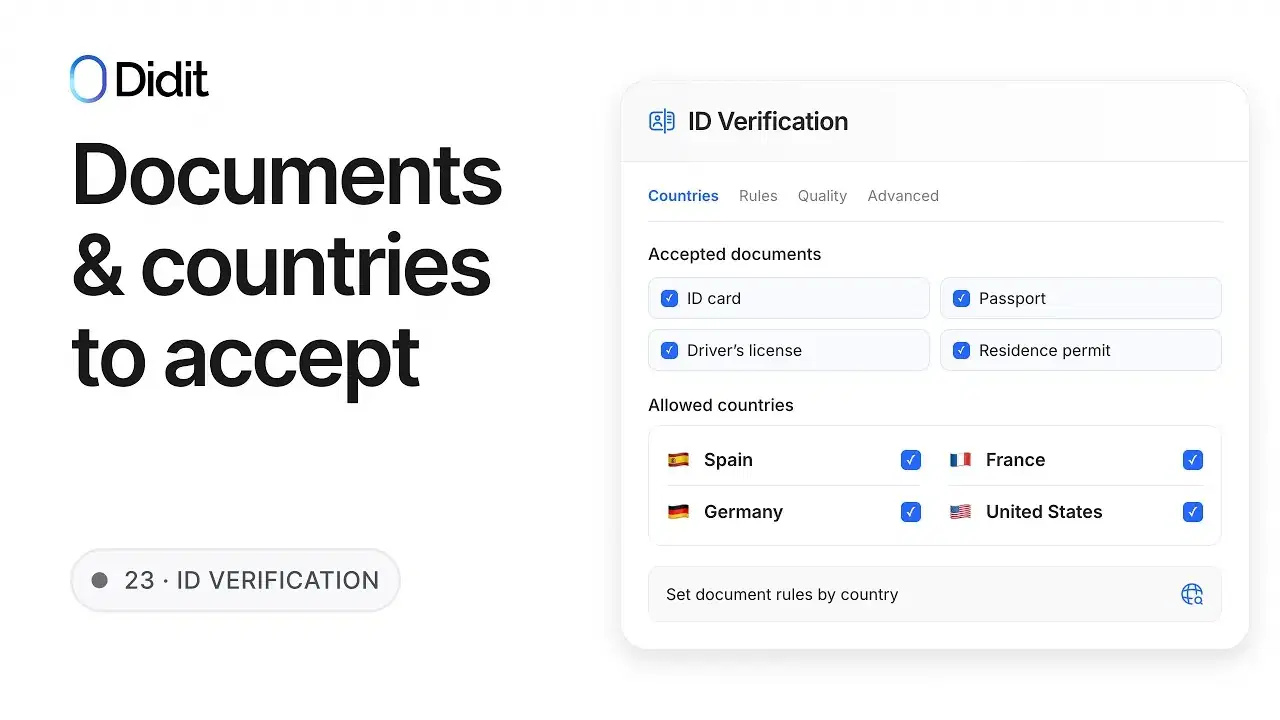
Map Document AI fields into the AML screening node
Map the four AML screening inputs to Document AI fields in the AML node's Advanced tab, or copy the extracted values into the standalone AML API. Document AI is $0.20 per document, AML screening $0.20 per check.
 Alberto RosasCo-founder and CEO
Contents
In this guide
Jump to the part you need.
You can run Didit AML screening on a document without an ID verification step: extract the four screening inputs with Document AI, then map those fields into the AML node's Advanced tab. It fits flows where a document arrives but no selfie follows, such as supplier onboarding or proof of funds review. Document AI costs $0.20 per document and AML screening $0.20 per check. The caveat: name is required, and the other three fields improve matching when mapped.
Last updated: November 26, 2026. Prices checked against the live Didit price feed on November 26, 2026.
| Route | Where the screening data comes from | Paid steps | Output | Watch out for |
|---|---|---|---|---|
| Document AI node, then AML node in a workflow | Document AI field keys mapped in the AML node Advanced tab | Document AI $0.20 per document, AML $0.20 per check | aml_screenings[] on the session decision | Needs a published workflow version |
| Questionnaire answers, then AML node | Answers mapped in the AML node Advanced tab | Questionnaire $0.10 per check, AML $0.20 per check | aml_screenings[] on the session decision | Answers are self-declared, not read from a document |
| Values sent at session creation | expected_details in the create session call | AML $0.20 per check | aml_screenings[] on the session decision | You must already hold the data |
| Standalone Document AI API, then standalone AML API | Values you copy from extracted_data into the AML request | Document AI API $0.20 per document, AML screening API $0.20 per check | request_id and an aml object with status, screening id, hits and warnings | Two calls; the screening is stored by default when save_api_request=true, or transient when set to false |
Start free in the sandbox at business.didit.me, no sales call. Developers who want to drive the same checks from an AI assistant can connect Didit through the MCP server. The product page is AML Screening and the full price list is didit.me/pricing.
Why the AML node needs mapping when there is no ID step
AML Screening normally inherits the screened person from an ID Verification step in the same workflow, or the company from a KYB Registry step. The node reads the name, date of birth, country and document number from the step before it, screens them against 1,300+ sanctions, PEP and watchlist sources, and returns every potential match with two scores: a match score for identity confidence and a risk score for how risky the listed entity is.
Remove the ID step and the inheritance has no source. The AML node still runs, but without mapping some screening inputs may be unavailable or incomplete. The Advanced tab closes that gap. It lets you set Entity type to person or company and map each of the four screening inputs to a Document AI field, a questionnaire answer, or a value you send at session creation. Only the name is required: a missing date of birth or country is supported through weight re-normalization, so the mapping improves matching rather than gating it. The mapping is configuration, not code, so you change it without shipping a release.
Prerequisites
- A Didit account and an application. Sandbox testing is free and unlimited.
- The workflow in Advanced mode, with a Document AI node and an AML node on the canvas. See the Workflow Builder documentation.
- The documents you plan to screen, and the four values you expect to read from them.
- An API key if you take the API route. Keys from sandbox applications return a mocked AML result and skip screening and billing entirely.
- Credit on the account. The AML call answers 403 when the balance is short.
Map Document AI fields into the AML node, step by step
- Open the workflow in Advanced mode. Draft versions are editable; a published version is immutable and every session keeps the version it was created with. Create a draft from the published version when you need to change the mapping later.
- Add the Document AI node and define four fields. Use one key per AML input:
holder_name(type text,is_full_nametrue),date_of_birth(type date, returned as YYYY-MM-DD),country(type text) anddocument_number(type text). Mark only one field withis_full_name; when none is marked, Didit falls back to the first text field whose key looks like a name. - Add the AML node after Document AI and connect the two nodes on the canvas. Order matters: the AML node screens what the nodes before it produced.
- Open the AML node and switch to the Advanced tab. Set Entity type to person for a passport, ID card, payslip or bank statement, or company when the document belongs to a business.
- Map the name input to the Document AI field
holder_name. The value must be the full name as printed. Partial or inaccurate names can lower match scores. - Map date of birth, country and document number to their fields in the same tab. Any of the four can also point at a questionnaire answer or at an
expected_detailsvalue sent at session creation, which is useful when one input is typed by the applicant and the rest are read from the document. If the document has no readable date of birth or country, the screening still runs: that component is re-normalized away from the match score and the remaining weights carry more of it. - Set thresholds. The match score threshold defaults to 93, the approve threshold to 80 and the review threshold to 100. The match score weights for name, date of birth and country default to 60, 25 and 15 and must total exactly 100.
- Publish the workflow and create a session. Publishing freezes that version; sessions created afterwards use it. The create session call takes the workflow id, your
vendor_dataand an optional callback. - Read the decision. The AML result lands in
aml_screenings[]on the session decision payload, with the same statuses and warnings as an AML step that inherited its data from ID Verification.
The same mapping over the API
Two standalone calls do the same job without a workflow. Document AI reads the fields, then you pass the values into the AML screening endpoint. Both are documented server-to-server calls, so there is no session to build and no workflow to publish.
Step 1: read the four fields
curl -X POST https://verification.didit.me/v3/document-ai/ \
  -H "x-api-key: $DIDIT_API_KEY" \
  -F "document=@./id-card.pdf" \
  -F 'fields=[{"key":"holder_name","name":"Full name","instruction":"Full name printed on the document","type":"text","required":true,"is_full_name":true},{"key":"date_of_birth","name":"Date of birth","instruction":"Date of birth printed on the document","type":"date","required":true},{"key":"country","name":"Country","instruction":"Issuing country or nationality of the document holder","type":"text","required":true},{"key":"document_number","name":"Document number","instruction":"Document or passport number printed on the document","type":"text","required":true}]'
The response echoes your field definitions and returns extracted_data keyed by your key values, with null for anything the model could not find. Sending fields as bracket-style form keys or as anything other than a JSON array returns 400 before extraction runs, so nothing is billed. Document AI is $0.20 per document.
Step 2: screen those values
curl -X POST 'https://verification.didit.me/v3/aml/' \
  -H "x-api-key: $DIDIT_API_KEY" \
  -H "Content-Type: application/json" \
  -d '{
    "full_name": "Javier Ejemplo Modelo",
    "entity_type": "person",
    "date_of_birth": "1974-01-01",
    "nationality": "ES",
    "document_number": "X1234567",
    "include_adverse_media": true,
    "vendor_data": "user-1234"
  }'
full_name is the only required field. entity_type, date_of_birth, nationality and document_number are the other screening inputs, and they map one to one onto the four Document AI keys. Normalize the extracted country value to the country-code format the AML request accepts before sending it, and leave out any field the model returned as null. The standalone endpoint takes the country as a code, which the example shows as ES; session expected_details.nationality takes ISO-3 instead, so check the format when you mix the two routes.
Step 3: know how the result is stored
save_api_request defaults to true, so the screening is stored as a session: request_id works with GET /v3/session/{sessionId}/decision/, the screening appears in the Business Console, a status.updated webhook fires, and hit review statuses can be updated later. With save_api_request=false nothing is stored and request_id is a transient correlation id, so there is nothing to look up afterwards.
That flag belongs to the standalone call only. On the workflow route there is no flag to set: the decision is persisted on the session regardless, under aml_screenings[], and the session keeps the workflow version it was created with. Ongoing monitoring is the one option that needs storage: include_ongoing_monitoring=true requires save_api_request=true and answers 400 otherwise.
Expected output
The standalone AML endpoint returns the request id and an aml object with the status, screening id, hits and warnings. The shape below is the documented response surface.
{
  "request_id": "3f1c9a52-8a62-4f56-9a2e-1f0f2a4c9b11",
  "aml": {
    "status": "Approved",
    "screening_id": "aml_9f2c1d7e",
    "hits": [],
    "warnings": []
  }
}
Each hit carries a match_score from 0 to 100 and a risk_score from 0 to 100. Hits below the match score threshold are tagged review_status: "False Positive" and ignored for risk. The highest risk score among the remaining hits becomes the AML score and drives the final status. Warnings you will see on this route include POSSIBLE_MATCH_FOUND, MATCH_FOUND, HIGH_RISK_COUNTRY, ADVERSE_MEDIA_HIT, SANCTIONED_ENTITY, PEP_MATCH and ONGOING_MONITORING_ENABLED.

Failure cases and recovery
| Symptom | Cause | Recovery |
|---|---|---|
| HTTP 400 on the AML call | aml_name_weight, aml_dob_weight and aml_country_weight do not total exactly 100 | Fix the weights. Defaults are 60, 25 and 15. |
| HTTP 400 with ongoing monitoring on | include_ongoing_monitoring=true without save_api_request=true | Set save_api_request to true, or turn monitoring off. |
| HTTP 403 | Out of credits | Top up. The refusal happens before a new screening runs. |
| Some hits may have lower or less certain match scores | Only the name was mapped, so fewer components carry the match score | Map date of birth and country when the document has them. A matching document number raises the match score to 100. |
| Status is In Review | The risk score sits above the approve threshold and at or below the review threshold | Route the hits to a reviewer with the score breakdown in front of them. |
| Status is Declined | At least one hit crossed the decline boundary | Do not approve. Investigate the hit before any manual override. |
| The call takes longer than expected | include_adverse_media=true waits for enrichment | Use a client timeout of at least 60 seconds. If the provider is slow the result returns without adverse media hits, still actionable. |
| Document AI warning on the step | DOCUMENT_AI_UNREADABLE_DOCUMENT, DOCUMENT_AI_MISSING_REQUIRED_FIELDS or DOCUMENT_AI_SUSPECTED_MANIPULATION | Defaults are REVIEW, REVIEW and DECLINE. Check the file and the field instructions before loosening anything. |
| Name on the document does not match | DOCUMENT_AI_NAME_MISMATCH, extracted name below the 80 threshold against the expected name | Confirm which field carries is_full_name. A wrong field comparison produces a false mismatch. |

Inputs and outputs
| AML input | Document AI key in the example | Type | If the value is missing |
|---|---|---|---|
Full name (full_name) | holder_name, the field marked is_full_name | text | The AML request is rejected, because the name is the only required field |
| Date of birth | date_of_birth | date, returned as YYYY-MM-DD | Dropped from the match score and the remaining weights are re-normalized |
| Country | country | text | Dropped from the match score in the same way |
| Document number | document_number | text | No golden key, so the match score stays a weighted combination of the other components |
Outputs are the session decision surface aml_screenings[] for a workflow, or the aml object for the standalone call. Both carry the same status enum: Not Started, In Progress, Approved, In Review, Declined, Abandoned, Kyc Expired.
Paid steps and review boundaries
| Step | Price | Unit |
|---|---|---|
| Document AI, inside a workflow | $0.20 | document |
| Document AI API | $0.20 | document |
| AML Screening | $0.20 | check |
| AML screening API | $0.20 | check |
| Custom Questionnaires, if you map from answers | $0.10 | check |
| Ongoing AML monitoring | $0.07 | person per year |
| Workflow Orchestrator, Reusable KYC, MCP server | Free | included |
| Setting | Default | What it changes |
|---|---|---|
aml_match_score_threshold | 93 | Hits below it are False Positive and ignored for risk purposes |
aml_score_approve_threshold | 80 | A risk score above it moves the screening to In Review |
aml_score_review_threshold | 100 | A risk score above it moves the screening to Declined |
| Name, date of birth and country weights | 60 / 25 / 15 | Must total exactly 100 or the request is rejected with 400 |
Manual review is the part that costs attention rather than money. A person-only flow that produces In Review needs a reviewer, so set the approve threshold where you are willing to staff it.
Worked cost example
An onboarding team screens 5,000 supplier documents a month and runs no ID verification. Document AI reads the four fields on every document: 5,000 x $0.20 = $1,000. AML screening runs once per document: 5,000 x $0.20 = $1,000. Total at list price: $1,000 + $1,000 = $2,000 a month.
On the Scale plan the same work is billed at $0.18 per unit instead of $0.20: 5,000 x $0.18 = $900 for Document AI and 5,000 x $0.18 = $900 for AML, so $900 + $900 = $1,800 a month, or 10% less.
If 40% of those entities, 2,000 people, stay under ongoing monitoring at $0.07 per person per year, that adds 2,000 x $0.07 = $140 a year. Mapping from a questionnaire instead of a document swaps the $0.20 Document AI step for a $0.10 questionnaire check on each submission, and drops the document read entirely.
Sources
- Didit docs: AML Screening overview
- Didit docs: AML Screening API
- Didit docs: Document AI API
- Didit docs: Document AI step
- Didit docs: Workflow Builder
- Didit docs: Create Session API
- Didit docs: Questionnaires
- Didit docs: AML warnings catalogue
- Didit docs: Ongoing AML monitoring
- Didit docs: Business AML screening
- Didit docs: Sandbox testing
- Didit pricing page
- Didit pricing as JSON
- Didit AML Screening product page
- Didit MCP server documentation
- FATF, the standard setter behind sanctions and PEP screening obligations
Didit runs these checks for 4,000+ companies. The fastest way to see the mapping work is to build it once in a sandbox application, upload a document, and open the AML screening tab on the resulting session. Start at business.didit.me and the sandbox is free, with no sales call.
Try it
Try this in the sandbox
Run the check this guide describes, free.
The product this post is about, taken from its topic. Run it free in the sandbox.
Author
Alberto Rosas
Co-founder and CEO

Keep reading
Other guides in the same topic.
 What Is the Purpose of FICA in South Africa? 2026 Guide
FICA is South Africa's anti-money laundering law. It creates the Financial Intelligence Centre and requires accountable institutions to identify and verify clients, screen for PEP and sanctions risk and report suspicious.
Alberto RosasNov 26, 2026 Sixth Money Laundering Directive (6AMLD): What Changed and Which Rules Apply
6AMLD is Directive (EU) 2018/1673: Member States must criminalise laundering, widen predicate offences and set a four-year penalty floor. It adds no new due diligence duties for firms.
Alberto RosasNov 26, 2026 Automated Sanctions Screening: Canada, the Entity List and Embargoes
Automated sanctions screening matches people and companies against lists such as Canada's autonomous sanctions made under SEMA and JVCFOA and the OFAC SDN List, and returns candidate hits scored for identity confidence and.
Alberto RosasNov 26, 2026Questions
Frequently asked questions
Can I run Didit AML screening on a document without an ID verification step?
Yes. Add a Document AI node before the AML node, then map the four screening inputs to the extracted fields in the AML node's Advanced tab. The node otherwise inherits the screened person from ID Verification, so mapping replaces that inheritance. Document AI is $0.20 per document and AML screening is $0.20 per check.
How do I map a Document AI field to the AML node?
Open the AML node in the workflow, switch to the Advanced tab, set Entity type, then point each of the four inputs at a Document AI field key. The same tab accepts a questionnaire answer or an expected_details value sent at session creation. Publish the workflow version so new sessions pick up the mapping.
Which Document AI field keys should I create for AML screening?
Create four: one for the holder name marked is_full_name, one for date of birth typed as date, one for country and one for document number. In the API example the keys are holder_name, date_of_birth, country and document_number. Keep the keys stable, because the AML mapping points at them by name.
What happens if the document has no date of birth or country?
The missing component is re-normalized away from the match score, so the remaining fields carry more weight, and the screening is not rejected. Hits then look less certain and more of them fall below the 93 match score threshold as False Positive. That is why a document with a readable date of birth screens better than a name-only document.
Does mapping the document number change the AML result?
Yes. A matching document number acts as a golden key and overrides the match score to 100, which moves the hit out of False Positive and into risk scoring. It is the most valuable of the four inputs when the document carries a reliable number, which is why mapping it is worth the extra field definition.
What does Document AI cost on top of AML screening?
Document AI is $0.20 per document and AML screening is $0.20 per check, so a document-only screening costs $0.40 at list price. Inside a workflow both are billed per completed step from prepaid credit. The Workflow Orchestrator, Reusable KYC and the MCP server are free.
What do Approved, In Review and Declined mean in this flow?
Approved means the highest risk score among the real matches stayed at or below the approve threshold. In Review means it landed between the approve and review thresholds, so a person should look. Declined means at least one hit crossed the decline boundary. The defaults are 80 and 100.
Can I screen a company from a document instead of a person?
Yes. Set Entity type to company in the AML node's Advanced tab and map the company name and country inputs. Company AML and person AML are $0.20 each, billed on top of the registry retrieval, which starts at $2.00 per company. For a UBO or officer, keep Entity type on person and screen that individual separately.
Why does the AML API return HTTP 400 when I set my own weights?
The name, date of birth and country weights must total exactly 100. A total of 99 or 101 is rejected before any screening runs. The defaults are 60, 25 and 15. The same 400 appears when you enable ongoing monitoring without save_api_request=true.
How do I add ongoing monitoring to a document-only flow?
Set include_ongoing_monitoring=true with save_api_request=true, which keeps the profile under provider-driven monitoring at $0.07 per person per year. On a workflow, enable it on the AML node instead. Monitoring can be disabled later from the Business Console.
Is there an API-only way to do this without a workflow?
Yes. Call POST /v3/document-ai/ to read the fields, then pass the returned extracted_data values into POST /v3/aml/ as full_name, date_of_birth, nationality and document_number. Use a client timeout of at least 60 seconds when adverse media is enabled.
Compliance built in
Audited, certified and attested.
We hold the certifications and build each country's rules into your flows, so you can launch anywhere without worrying. Security and Compliance center
- Regulation encoded into your flows
Tell us what you do and where. Didit lists the rules that apply to you, with sources, and builds the checks each country needs into one workflow.
- Ready for AMLR
Every requirement of the new EU anti-money laundering rules, from checking customers to human review, is already covered by a Didit check.
- Tested in Spain's Treasury sandbox
Spain's Treasury published its supervised sandbox report on Didit's NFC plus active liveness onboarding; SEPBLAC took part and valued the added measures positively.
- Audited, not self-declared
iBeta Level 1 and Level 2. Liveness tested under ISO/IEC 30107-3.
Your obligations · 3 regions
 SOC 2 Type 2
 ISO 27001
 iBeta Level 1 and Level 2
 EU regulator attestation
 FSM youth protection
 GDPR
 EBA remote onboarding
 MiCA compatible
 FIDO Alliance member
- AMLREU AML Regulation ready
Integration · Didit MCP
Run Didit from your own AI agent
Connect Didit to Claude, Cursor, VS Code or ChatGPT and just ask in plain words. Your agent can do anything you can do in the console, with the same permissions you have.
 Add to Claude
 ChatGPT
 Cursor
- Build workflowsDescribe the checks you need. The agent creates and publishes the flow.
- Run investigationsAsk why a session was declined, review cases, search people and companies.
- Change rulesCreate payment rules, test them on past data and switch them on.
- Pull reportsAsk for numbers, exports or the audit log.
Didit Academy