Flutter passkey sign-in with Didit Auth on iOS and Android
Add passkeys to a Flutter app with Didit Auth 0.1.1: signInWithPasskey for a passkey on this device, registerPasskey within five minutes of a session, and reauthenticate with DiditReauthMethod.passkey.
 Alberto RosasCo-founder and CEO
Contents
In this guide
Jump to the part you need.
Use didit_auth ^0.1.1 to add passkey sign-in to a Flutter app on iOS and Android. Register an HTTPS redirect and configure passkeys on both platforms. Authentication is free for the first 50,000 active users each month, then costs $0.02 per additional active user per month at list price. Passkeys require Android 9 or later, and hosted sign-in requires iOS 17.4 at run time.
Last updated: November 26, 2026. Prices checked against the live Didit price feed on November 26, 2026.
| Item | Value |
|---|---|
| Package | didit_auth ^0.1.1 on pub.dev, wrapping native Authentication 4.15.1 |
| Platforms | Android and iOS only. On any other platform every call throws DiditAuthUnavailableException |
| Passkey sign-in | auth.signInWithPasskey(), a passkey already on this device |
| Enroll a passkey | auth.registerPasskey(), needs a session at most five minutes old |
| Passkey reauthentication | auth.reauthenticate(method: DiditReauthMethod.passkey), or the hosted page by default |
| Access token | auth.getToken(), a five-minute JWT renewed before it expires |
| Android floor | API 23 for the package, Android 9 or later for passkeys |
| iOS floor | iOS 15.0 minimum deployment target, iOS 17.4 at run time for the hosted pages |
| Android toolchain | Kotlin 2.1.10 or later, AGP 8.6.0 or later, Gradle 8.7 or later, JDK 17 |
| Price | First 50,000 active users each month free, then $0.02 per active user per month at list price |
Start free in the sandbox at business.didit.me; there is no sales call, and every Sandbox application has Authentication turned on from the start. For developers, connect Didit to your AI assistant through Didit MCP. Every module price is listed on didit.me/pricing, and the machine-readable version is pricing.json.
What you get, and the method we recommend
By the end of this guide a Flutter app on iOS and Android signs a person in with a passkey stored on their device, enrolls a new passkey for a signed-in person, and reauthenticates with a passkey before a sensitive action. Your backend verifies a five-minute JWT against your application's JWKS on every protected request.
Use the hosted sign-in page that Didit Authentication serves for your application, and let the package open it. Passkeys are scoped to your application's Didit sign-in origin. In Flutter, use signIn() to open the hosted page and signInWithPasskey() to sign in with an existing passkey available on the device. Configure the Android App Link and iOS associated domains before testing. The technical reference is the Authentication overview listed under Sources below.
One instance of DiditAuth per application covers the whole flow: signIn for the hosted page, signInWithPasskey for a passkey of this device, registerPasskey to enroll one, and reauthenticate to ask the same person to prove themselves again.

Prerequisites
- Flutter 3.41 or later, the first release that includes Dart 3.11, and Dart 3.11.
- A Didit account with a Sandbox application. Every Sandbox application has Authentication turned on from the start. A Live application turns Authentication on from the Products page of the console.
- An HTTPS redirect URI registered under Authentication > Security and sessions. Didit accepts no custom URL schemes.
- The publishable key from Authentication > Developers. It is public. The secret key never goes into app code.
- Android build toolchain: Kotlin 2.1.10 or later, Android Gradle Plugin 8.6.0 or later, Gradle 8.7 or later, and a JDK 17 toolchain.
- A passkey-capable Android device running Android 9 or later, and iOS 17.4 or later to exercise the hosted page. The minimum iOS deployment target is 15.0.
Add passkey sign-in in nine steps
Install the package. Add it to your pubspec and import it.
didit_auth0.1.1wraps native release4.15.1.dependencies: didit_auth: ^0.1.1import 'package:didit_auth/didit_auth.dart';Register the redirect, turn on the sign-in methods and copy the key. Add the HTTPS redirect URI under Authentication > Security and sessions. Enable Email code and Passkeys under Authentication > Sign-in methods: a new application starts with every method off, and the hosted page offers only the methods you turn on. Then copy the publishable key from Authentication > Developers; in a Sandbox application it starts with
pk_test_. Didit returns a person only to a redirect you registered, character by character.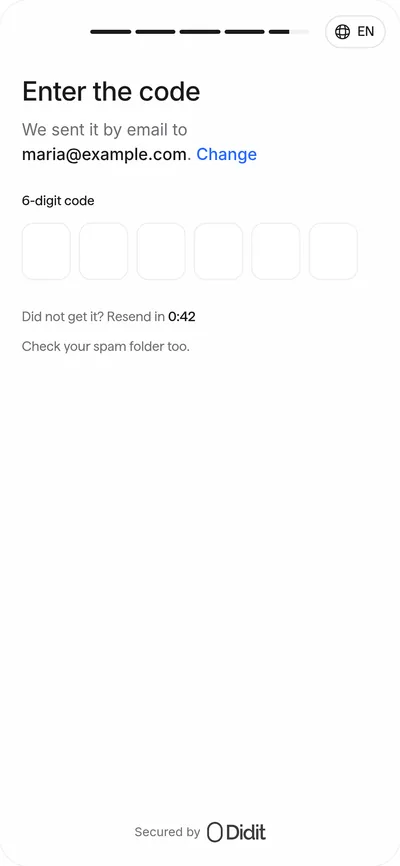
For this walkthrough, enable Email code for the first sign-in and Passkeys for returning users. Set up Android. Add the App Link, the redirect activity and passkeys as the Android quickstart shows. Nothing else is needed on the build side: the package adds Didit's Maven repository to your build and resolves
me.didit:didit-authfrom it. The package floor is API 23. Passkeys need Android 9 or later, a separate requirement from the package floor.Set up iOS. Add the associated domains and passkeys as the iOS quickstart shows. The minimum iOS deployment target is 15.0. With Swift Package Manager, run the documented setup command and nothing else is needed. With CocoaPods, name the podspec at the pinned version and set the iOS 15 floor in
ios/Podfile.flutter config --enable-swift-package-managerplatform :ios, '15.0' target 'Runner' do use_frameworks! pod 'DiditSDK/Auth', :podspec => 'https://raw.githubusercontent.com/didit-protocol/sdk-ios/4.15.1/DiditSDK.podspec' flutter_install_all_ios_pods File.dirname(File.realpath(__FILE__)) endThe Flutter quickstart documents using both packages when they pin the same native release. If
didit_sdkis in the same app and both pin the same native release, keep itsDiditSDK/...line:DiditSDK/Authis part of every variant, so you do not add a second line.Create one instance per application and run the hosted sign-in. This is also where a first-time person enrolls a passkey:
registerPasskeyneeds a session at most five minutes old, so call it straight after this sign-in.final auth = DiditAuth( publishableKey: 'pk_test_...', redirectUri: 'https://app.example.com/didit/callback', ); final session = await auth.signIn(); // hosted page: sign-up and sign-in final passkeyId = await auth.registerPasskey(); // needs a session at most five minutes oldSign a returning user in with a passkey of this device. Run this call once a passkey exists for the person on this device.
final passkeySession = await auth.signInWithPasskey(); // a passkey of this devicePut the fallback next to the button. If the person dismisses the passkey prompt, the call throws
passkey_cancelled: let them retry, or offer an enabled method on the hosted page throughsignIn(). On iOS, the hosted fallback requires 17.4 at run time.Reauthenticate the current user with a passkey. Pass
method: DiditReauthMethod.passkey, or leave the argument out and Didit uses the hosted page.final confirmed = await auth.reauthenticate(method: DiditReauthMethod.passkey);Recent authentication is not authorization. Before a sensitive action, your backend verifies the access token and checks the live session with
GET /session/. If an application rule requires step-up, proceed only after your backend reads anapprovedresult from Didit.reauthenticatethrowsnot_signed_inwithout a session, andstep_up_user_mismatchwhen a different person signs in: that new session is ended and the current one stays.Verify the token on your backend. Call
getToken()right before each request, and send the result as a Bearer token in the Authorization header only when it is not null. Your backend verifies it against the issuer's JWKS at<origin>/.well-known/jwks.jsonbefore it trusts it.final token = await auth.getToken(); // String?: a five-minute JWT for your backendThe backend checks the ES256 signature against the cached keys, then the issuer in
iss, the application audience inaud, the expiry inexpand the access-token type intyp: at+jwt, as tokens and JWKS describes. Reject access tokens with a non-nullactclaim unless the route explicitly accepts agent access. Access tokens last at most five minutes, andgetToken()renews them for you; after a refresh, the previous access token stops working atGET session/andDELETE session/.Handle sign-out and sessions that Didit ended.
signOut()signs out on the device at once, then ends the session at Didit when reachable. A session Didit ended (revoked, expired, a reused refresh token) reads as signed out, socurrentSessionandgetTokenreturn null.currentSessionis cached for 30 seconds; passforce: trueto ask Didit now. Refresh tokens stay in the iOS Keychain or the Android Keystore and never reach Dart.
Test passkey sign-in in your Flutter app
import 'package:didit_auth/didit_auth.dart';

// One instance per application. Sandbox publishable keys start with pk_test_.
final auth = DiditAuth(
  publishableKey: 'pk_test_...', // placeholder: copy it from Authentication > Developers
  redirectUri: 'https://app.example.com/didit/callback', // placeholder: your registered HTTPS redirect
);

// First enrollment: open the hosted page, then enroll a passkey.
Future<void> enroll() async {
  final session = await auth.signIn();
  final passkeyId = await auth.registerPasskey(); // needs a session at most five minutes old
}

// Returning user: a passkey that is already on this device.
Future<void> returningUser() async {
  final passkeySession = await auth.signInWithPasskey();
}

// Reauthentication: the same person proves themselves again.
Future<void> reauthenticateWithPasskey() async {
  final confirmed = await auth.reauthenticate(method: DiditReauthMethod.passkey);
}

// Test sequence: enroll, sign out, then sign back in with the passkey.
Future<void> testSequence() async {
  await enroll();
  await auth.signOut();
  await returningUser();
}
After configuring the native redirect and replacing both placeholders, call testSequence() from a button in your Flutter app. Once passkey sign-in succeeds, call reauthenticateWithPasskey() while the session is active.
Expected output
- The hosted page opens for
signInand offers only the methods you enabled for the application. Passkeys appear once you turn on thepasskeymethod under Authentication > Sign-in methods. signInWithPasskeyasks the operating system for a passkey on this device and returns aDiditSession.- A
DiditSessioncarriesuserId,sessionId,applicationId,vendorData,email,emailVerified,phone,methods,mfaVerified,verified,organizationsandexpiresAt. getTokenreturns a JWT string whoseexpis at most five minutes away, with your application ID asaud.- The sign-in appears under Authentication > Sign-ins in the console.
Failure cases and recovery
| What you see | What it means | Recovery |
|---|---|---|
passkey_cancelled | The person dismissed the passkey prompt. | Let them retry, or offer another enabled method on the hosted page with signIn. |
passkey_unavailable | The passkey operation is unavailable. | Offer another enabled sign-in method through the hosted page on supported devices. |
cancelled | The hosted page was closed before it returned. | Retry. The sign-in is bound to its start with PKCE and a random state, so a redirect from any other attempt is refused. |
browser_unavailable | iOS is below 17.4, so the hosted page cannot return to an HTTPS redirect. signIn fails, and so does stepUp when a check has to run. | Require iOS 17.4 at run time for hosted pages. Session, token and sign-out calls are not affected. |
not_signed_in | reauthenticate was called with no session. | Sign in first, then reauthenticate. |
step_up_user_mismatch | A different person signed in during reauthentication. | Nothing to undo: the new session is ended and the current one stays. |
DiditAuthUnavailableException | A package call ran on a platform other than Android or iOS. | Keep package calls off Flutter web and desktop builds. |
currentSession or getToken returns null | There is no active session. The person may be signed out, or Didit may have ended the session. | Treat the person as signed out and start sign-in again. |

Inputs and outputs
| Call | Input | Returns |
|---|---|---|
DiditAuth(...) | publishableKey, redirectUri | The auth instance, one per application |
signIn() | None | DiditSession from the hosted page, for sign-up and sign-in |
signInWithPasskey() | None | DiditSession from a passkey of this device |
registerPasskey() | No arguments. Requires a session at most five minutes old. | The new passkey id |
reauthenticate(...) | No arguments: the hosted page is the default. Optional method: DiditReauthMethod.passkey | The person's new DiditSession |
currentSession(...) | force: true to bypass the 30 second cache | DiditSession? |
getToken() | None | String?, a five-minute JWT for your backend |
signOut() | None | Signs out locally, then ends the session at Didit when reachable |
Authentication and verification pricing
The package, the sandbox and the MCP server are free. Authentication itself is free for the first 50,000 active users each month, then $0.02 per additional active user per month at list price. That is the only charge a pure passkey sign-in generates. We bill per completed check from prepaid credit.
Verification checks add separate charges when your flow runs them. If your verification settings require a liveness or ID check at sign-up or sign-in, that check is billed at module prices: a completed full ID check costs $0.33 at list price, made of ID document verification at $0.15, passive liveness at $0.10, face match 1:1 at $0.05 and device and IP analysis at $0.03. AML screening costs $0.20 per check when your workflow runs it.
The device performs the passkey ceremony. We record the session and sign-in events and send the auth.* webhooks your server subscribes to. Your backend decides what the person may do from the token it verified itself.
Worked cost example
Take an app with 60,000 monthly active users who sign in with passkeys, where 5,000 of them pass through a full ID check because the application's verification settings ask for one.
- Authentication subtotal: 60,000 minus the 50,000 free allowance = 10,000 billable active users. 10,000 x $0.02 = $200.00.
- Optional full ID checks: 5,000 x $0.33 = $1,650.00, made of 5,000 x $0.15 = $750.00 for ID document verification, 5,000 x $0.10 = $500.00 for passive liveness, 5,000 x $0.05 = $250.00 for face match 1:1 and 5,000 x $0.03 = $150.00 for device and IP analysis.
- Passkey-only rollout: $200.00, with no verification checks.
- Month total at list price with the checks: $200.00 + $1,650.00 = $1,850.00.
On the Scale plan every Didit price is 10% lower: 10,000 x $0.018 = $180.00 and 5,000 x $0.297 = $1,485.00, so usage is $1,665.00. The $299 monthly plan fee includes $350 of monthly credit, so the example needs $1,665.00 minus $350.00 = $1,315.00 in additional prepaid credit, and $299.00 + $1,315.00 = $1,614.00 including the plan fee, assuming no existing prepaid balance. Read the current plan terms on didit.me/pricing before you quote a number to anyone.
Check your setup while you build
After the native configuration steps, confirm three things in order. The hosted redirect returns to the app. A passkey enrolled within five minutes of sign-in works. After signOut(), signInWithPasskey() returns a session.
If hosted sign-in fails to return, compare the app's redirect URI with the registered URI character for character. If the hosted page omits Passkeys, check that the method is enabled under Authentication > Sign-in methods. The full list of pages is in the Didit documentation index.
Sources
- Didit docs: Flutter quickstart, the source of every call, requirement and error code on this page.
- Didit docs: Authentication overview, the technical reference for turning Authentication on for a Live application and for the hosted sign-in origin.
- Didit docs: sign-in methods, for enabling the
passkeyand Email code methods. - Didit docs: tokens and JWKS, for the five-minute access token, discovery, key rotation, the
actclaim and backend verification. - Didit docs: Authentication integration guide, for the hosted page versus your own screens and the backend checklist.
- Didit docs: Authentication quickstart, for the sandbox redirect, allowed origin and publishable key.
- Didit docs: Android quickstart and iOS quickstart, for the App Link, associated domains and passkey platform setup.
- Didit docs: native SDK overview, for the identity verification package that can sit beside
didit_authwhen both pin the same native release. - Didit documentation index, for every page of the documentation.
- Didit pricing and pricing.json, read November 26, 2026, for the 50,000 free active users and every module price used above.
- Didit docs: pricing, for billing rules and the standalone API price lines.
- Didit MCP server, for connecting Didit to an AI assistant.
The fastest next step is a sandbox run: create a free account at business.didit.me, register your HTTPS redirect, enable Email code and Passkeys, sign in with Email code, call registerPasskey(), then sign out and test signInWithPasskey(). No sales call, and sandbox testing is not billed.
Try it
Try this in the sandbox
Run the check this guide describes, free.
The product this post is about, taken from its topic. Run it free in the sandbox.
Author
Alberto Rosas
Co-founder and CEO

Keep reading
Other guides in the same topic.
 What Is the Purpose of FICA in South Africa? 2026 Guide
FICA is South Africa's anti-money laundering law. It creates the Financial Intelligence Centre and requires accountable institutions to identify and verify clients, screen for PEP and sanctions risk and report suspicious.
Alberto RosasNov 26, 2026 Sixth Money Laundering Directive (6AMLD): What Changed and Which Rules Apply
6AMLD is Directive (EU) 2018/1673: Member States must criminalise laundering, widen predicate offences and set a four-year penalty floor. It adds no new due diligence duties for firms.
Alberto RosasNov 26, 2026 Automated Sanctions Screening: Canada, the Entity List and Embargoes
Automated sanctions screening matches people and companies against lists such as Canada's autonomous sanctions made under SEMA and JVCFOA and the OFAC SDN List, and returns candidate hits scored for identity confidence and.
Alberto RosasNov 26, 2026Questions
Frequently asked questions
What Flutter package adds passkey sign-in to iOS and Android apps?
didit_auth ^0.1.1 on pub.dev. It wraps Didit's native Authentication modules at release 4.15.1, opens your hosted sign-in page, supports passkeys, and keeps the session in the iOS Keychain or the Android Keystore.
How do I sign a user in with a passkey in Flutter?
Call await auth.signInWithPasskey() on your DiditAuth instance. It uses a passkey already available on this device and returns a DiditSession. If the person dismisses the system prompt the call fails with passkey_cancelled, so let them retry or offer the hosted page.
Why does registerPasskey fail after a while?
registerPasskey needs a session at most five minutes old. Call it straight after signIn or reauthenticate instead of on a later screen. If the session is older, sign the person in again and then enroll the passkey.
Can I reauthenticate with a passkey instead of the hosted page?
Yes. Call await auth.reauthenticate(method: DiditReauthMethod.passkey) and it returns the person's new session; leave the argument out and Didit uses the hosted page. Without a session it throws not_signed_in, and if a different person signs in it throws step_up_user_mismatch, ending that new session and keeping the current one.
Which Android version do Didit passkeys need?
The package floor is API 23, but passkeys need Android 9 or later. Below that, use another sign-in method on the hosted page. The Android build also needs Kotlin 2.1.10 or later, AGP 8.6.0 or later, Gradle 8.7 or later and JDK 17.
Which iOS version do the hosted pages need?
The minimum iOS deployment target is 15.0, but the hosted pages need iOS 17.4 at run time. Below 17.4 the hosted page cannot return to an HTTPS redirect, so signIn fails with browser_unavailable, and so does stepUp when a check has to run. Session, token and sign-out calls are unaffected.
How do I verify the Didit token on my backend?
Send getToken() to your backend as a Bearer token and verify it there against the issuer's JWKS at <origin>/.well-known/jwks.json. Check the ES256 signature, then iss, aud, exp and typ: at+jwt, and reject access tokens with a non-null act claim unless the route explicitly accepts agent access. Access tokens last at most five minutes and getToken() renews them for you, so call it right before each request.
What do passkey_cancelled and passkey_unavailable mean?
passkey_cancelled means the person dismissed the passkey prompt, so offer a retry or the hosted page. passkey_unavailable means the passkey operation is unavailable. Offer another enabled sign-in method through the hosted page on supported devices. Passkeys themselves need Android 9 or later.
Does Flutter passkey sign-in cost anything?
Authentication is free for the first 50,000 active users each month, then $0.02 per additional active user per month at list price. A pure passkey sign-in runs no verification check, so nothing else is billed. If your settings require an ID or liveness check at sign-in, a completed full ID check costs $0.33 at list price.
Does didit_auth work on Flutter web or desktop?
No. The package runs on Android and iOS only, and on any other platform every call throws DiditAuthUnavailableException. For web, use the JavaScript, React or Next.js package instead.
Where does the passkey live, and what happens after sign-out?
The credential is scoped to your application's Didit sign-in origin and must be available on the device for native sign-in. signOut() ends the local session at once, then ends the session at Didit when reachable, and currentSession() and getToken() return null when signed out. Refresh tokens stay in the iOS Keychain or the Android Keystore and never reach Dart.
Compliance built in
Audited, certified and attested.
We hold the certifications and build each country's rules into your flows, so you can launch anywhere without worrying. Security and Compliance center
- Regulation encoded into your flows
Tell us what you do and where. Didit lists the rules that apply to you, with sources, and builds the checks each country needs into one workflow.
- Ready for AMLR
Every requirement of the new EU anti-money laundering rules, from checking customers to human review, is already covered by a Didit check.
- Tested in Spain's Treasury sandbox
Spain's Treasury published its supervised sandbox report on Didit's NFC plus active liveness onboarding; SEPBLAC took part and valued the added measures positively.
- Audited, not self-declared
iBeta Level 1 and Level 2. Liveness tested under ISO/IEC 30107-3.
Your obligations · 3 regions
 SOC 2 Type 2
 ISO 27001
 iBeta Level 1 and Level 2
 EU regulator attestation
 FSM youth protection
 GDPR
 EBA remote onboarding
 MiCA compatible
 FIDO Alliance member
- AMLREU AML Regulation ready
Integration · Didit MCP
Run Didit from your own AI agent
Connect Didit to Claude, Cursor, VS Code or ChatGPT and just ask in plain words. Your agent can do anything you can do in the console, with the same permissions you have.
 Add to Claude
 ChatGPT
 Cursor
- Build workflowsDescribe the checks you need. The agent creates and publishes the flow.
- Run investigationsAsk why a session was declined, review cases, search people and companies.
- Change rulesCreate payment rules, test them on past data and switch them on.
- Pull reportsAsk for numbers, exports or the audit log.
Didit Academy


