Authentication Pricing per MAU, Organizations, SMS and MFA 2026
The first 50,000 active users each month are free, then $0.02 per active user per month. SMS codes cost the carrier rate plus our $0.02 fee, and passkeys or TOTP have no separate price.
 Alberto RosasCo-founder and CEO
Contents
In this guide
Jump to the part you need.
This page fits B2B software teams that sign their own customers in through Didit Authentication and need to forecast the monthly bill before they ship. The metered line is active users: the first 50,000 each month are free, then $0.02 per active user per month at list price. SMS codes are billed separately, per code, at the carrier rate plus our $0.02 fee, and that is the line most teams underestimate.
Last updated: November 26, 2026. Prices checked against the live Didit price feed on November 26, 2026.
| Line | List price | Growth | Scale |
|---|---|---|---|
| Active users, first 50,000 each month | $0.00 | $0.00 | $0.00 |
| Active user after the free allowance | $0.02 per active user per month | $0.0192 | $0.018 |
| SMS code, United States | $0.0473 | $0.0465 | $0.0453 |
| SMS code, United Kingdom | $0.0783 | $0.0775 | $0.0763 |
| WhatsApp code, United States | $0.0431 | $0.0423 | $0.0411 |
| Passkey, TOTP and recovery codes | No separate line in the price book | Same | Same |
| Email code and magic link | No separate line in the price book | Same | Same |
| Biometric authentication, selfie step-up | $0.10 | $0.096 | $0.09 |
| Full ID check at sign-up | $0.33 | $0.3168 | $0.297 |
Start free in the sandbox at business.didit.me, no sales call. Developers can wire Didit into an AI assistant through the MCP server. The complete price list and cost estimator are on didit.me/pricing, and the Authentication overview is the product reference.
One plan covers Identity Verification, Authentication and Transaction Monitoring, and one credit balance pays for all of them; on Growth and Scale the same discount applies to every Didit price.
The method we recommend
Add active-user charges, message-code charges and verification checks as separate lines in your forecast, with the plan credit applied first.
The method is to price the three meters separately, then control the one that repeats. Active users grow with your customer base and are capped at $0.02 each above the allowance. Verification checks are one-time events you control with policy. SMS codes recur every time someone signs in with SMS, so your default second factor affects recurring SMS spend.
Prerequisites
- A Didit organization with at least one application. Every Sandbox application has Authentication turned on from the start.
- A redirect URL for your app, registered on the application.
- A decision on sign-in methods: passkey, email code, magic link, password, phone code, social or organization single sign-on.
- DNS control over your customers' email domains if you want auto-join, because verifying a domain adds a TXT record at
_didit-auth.<domain>. - An SMS budget per destination country, because the carrier part of a code is set by where the phone is.
- A paid plan or a first top-up before the first live SMS send. Phone codes are outside the Free plan's monthly credit.
Step by step: price Didit Authentication for a B2B application
Turn Authentication on for the application. Open the application in the console and turn Authentication on from the Products page. A Live application starts with it off, and until it is on, every runtime route for that application returns 404. Sandbox applications have it on already and you can switch products on and off freely there.
Register the redirect URL and enable only the methods you intend to bill for. Email code, magic link, passkey and password need no setup. Phone code needs the
workflow_idof a phone verification workflow. Social sign-in needs your own client credentials per provider. Organization single sign-on needs a SAML or OIDC connection per customer. Enable each method in the console, or withPUT methods/{name}/and{"enabled": true}on the management API in Set up Didit Authentication by API.Turn on Organizations if you sell to companies. Organizations are off for a new application. Open Authentication > Organizations, turn Organizations on, choose the default role for new members, and keep Require MFA for organization admins on. That default policy,
organization_admins, requires a second factor from anyone holding theadminrole in any of your customer organizations.Set the MFA policy deliberately. The policy lives under Authentication > Security and sessions, or in the
mfa_policyfield of application settings. Whatever you choose, the sign-in response names the missing step:mfa_required,mfa_enrollment_required,protection_requiredorverification_required. Each step can have a different cost, so the policy is a pricing decision as much as a security one.Price the SMS channel before you enable phone codes. Phone codes are priced by country and channel, so read the live feed instead of a spreadsheet:
curl -s https://verification.didit.me/v3/organization/phone-verification-pricing/ | jq '.DE.channels.sms'The documented response shape is
{"available": true, "price_usd": "0.0xxx", "price_eur": "0.0xxx"}. The figures are illustrative in the docs and live in the response. To print the total per code, carrier plus our $0.02 fee, for every country that offers SMS:curl -s https://verification.didit.me/v3/organization/phone-verification-pricing/ | jq -r 'to_entries[] | select(.value.channels.sms.available) | "\(.key) \(.value.name) \((.value.channels.sms.price_usd | tonumber) + 0.02)"'Expected output is one line per country, for example
US United States 0.0473. That figure matches the per-code table on didit.me/pricing/phone.Send people to the hosted sign-in page and exchange the code. Your app opens
{origin}/sign-inwithredirect_uri,state,code_challengeandcode_challenge_method=S256. The person signs in or up with the methods you enabled, any required second factor runs, and the browser returns to your redirect URL withcodeandstate. Your app exchanges the code atPOST {origin}/token/within 60 seconds for an access token, an ID token and a refresh token that rotates on every use.Read your active-user number every month. Authentication > Overview in the Business Console shows monthly active users, sign-ins, success rate and passkey adoption for the last 30 days. That monthly active user figure is the one to check before you forecast the next month.
Watch sign-ins and sessions. Subscribe to the
auth.*webhooks and review sign-ins and sessions in the console.

Inputs, outputs and what each one bills
| Input | Output | Billing |
|---|---|---|
| A person signs in on the hosted page | Access token, ID token and rotating refresh token | One active user for that month, free inside the first 50,000 |
| A passkey or TOTP code as second factor | A session that meets your MFA policy | No separate line in the price book |
| An SMS code as second factor | Code delivered and checked, with carrier and line type in the result | Carrier price for the country and channel plus our $0.02 fee, per code |
| An email code or magic link | 6-digit code valid 10 minutes, or a single-use link valid 15 minutes | No separate line in the price book |
| A selfie step-up before a payout | Approved or declined biometric result | Biometric authentication, $0.10 per check |
| An ID check at sign-up | A verification decision on its own session | Full ID check, $0.33 list |
| Organizations with roles, verified domains and SSO | Organizations and roles readable from the token and session | No price line. Billed through the people who sign in |
| The monthly active-user count | The console number and the invoice line | $0.02 per active user above 50,000, per month |
Worked example: 120,000 active users on Growth
Take a Growth plan customer with 120,000 active users in a month and 15,000 US SMS second factors. The ID checks are a separate product charge, shown after the authentication total.
- Active users: 120,000 minus 50,000 free leaves 70,000 billable. At list price, 70,000 x $0.02 = $1,400.00. Growth takes 4% off, so 70,000 x $0.0192 = $1,344.00.
- US SMS codes: the US list price is $0.0473 per code, made of the carrier's $0.0273 plus our $0.02. On Growth only our fee is discounted, so a code costs $0.0273 + $0.0192 = $0.0465, and 15,000 x $0.0465 = $697.50.
- Authentication total before credit: $1,344.00 + $697.50 = $2,041.50.
The Growth plan's $115 of monthly credit is shared across Didit products and pays the first $115 of the month's overall usage, so the authentication lines draw $1,926.50 from top-up if no other product uses that credit first.
Separate product charge, not Authentication: 2,000 full ID checks at $0.3168 = $633.60. With both products on the same plan, the month totals $2,041.50 + $633.60 = $2,675.10. The shared $115 credit pays the first $115 of that total, leaving $2,560.10 from top-ups. The passkeys and TOTP codes those same users enrolled add nothing to the bill.
Organizations: how a B2B account is priced
An organization in Didit Authentication is one of your customers inside your application. It is separate from your own Didit organization, which holds your team in the Business Console. Each organization has members, one role per member (admin, member or billing), verified email domains that let colleagues join automatically, and its own SAML or OIDC single sign-on. On Scale and Enterprise, and in every Sandbox application, you can also define custom roles.
Nothing in the price book prices an organization as a unit. The metered line is active users, so organizations group the people you already count. A customer company that adds a hundred colleagues bills through the same active-user meter it would without the organization structure. Check the active-user count in Authentication > Overview rather than assuming a per-organization charge.
Two organization features do touch the plan rather than the meter. Setup links for a customer's single sign-on connection need the Scale or Enterprise plan, and Sandbox applications have them on any plan. Custom roles need Scale or Enterprise, and Sandbox applications have them on any plan. Both are plan features, not per-use charges, so they change the monthly fee and not the per-code total.

SMS and MFA: where the per-code money goes
The price of a code is the carrier's price for that country and channel plus our fee: $0.02 at list, $0.0192 on Growth, $0.018 on Scale. Only our fee takes the discount, so two teams sending the same number of codes from different countries pay different bills.
| Country | SMS | Telegram | |
|---|---|---|---|
| United States | $0.0473 | $0.0431 | $0.05 |
| Canada | $0.0456 | $0.0431 | $0.05 |
| United Kingdom | $0.0783 | $0.0599 | $0.05 |
| Germany | $0.1145 | $0.0899 | $0.05 |
| Spain | $0.0685 | $0.0582 | $0.05 |
| India | $0.0948 | $0.0413 | $0.05 |
| Nigeria | $0.2597 | $0.0461 | $0.05 |
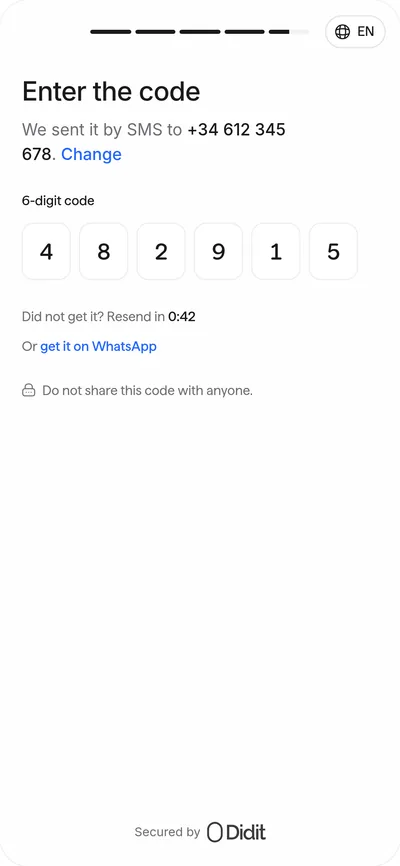
Ten thousand German SMS codes cost 10,000 x $0.1145 = $1,145.00. The same ten thousand to US numbers cost 10,000 x $0.0473 = $473.00. On the same volume to Nigerian numbers it is 10,000 x $0.2597 = $2,597.00. The channel matters as much as the country: the same US volume over WhatsApp is 10,000 x $0.0431 = $431.00. SMS codes carry your app's SMS sender name on every send at no extra cost, and you can sign one code with another name through options.sms_sender_name.
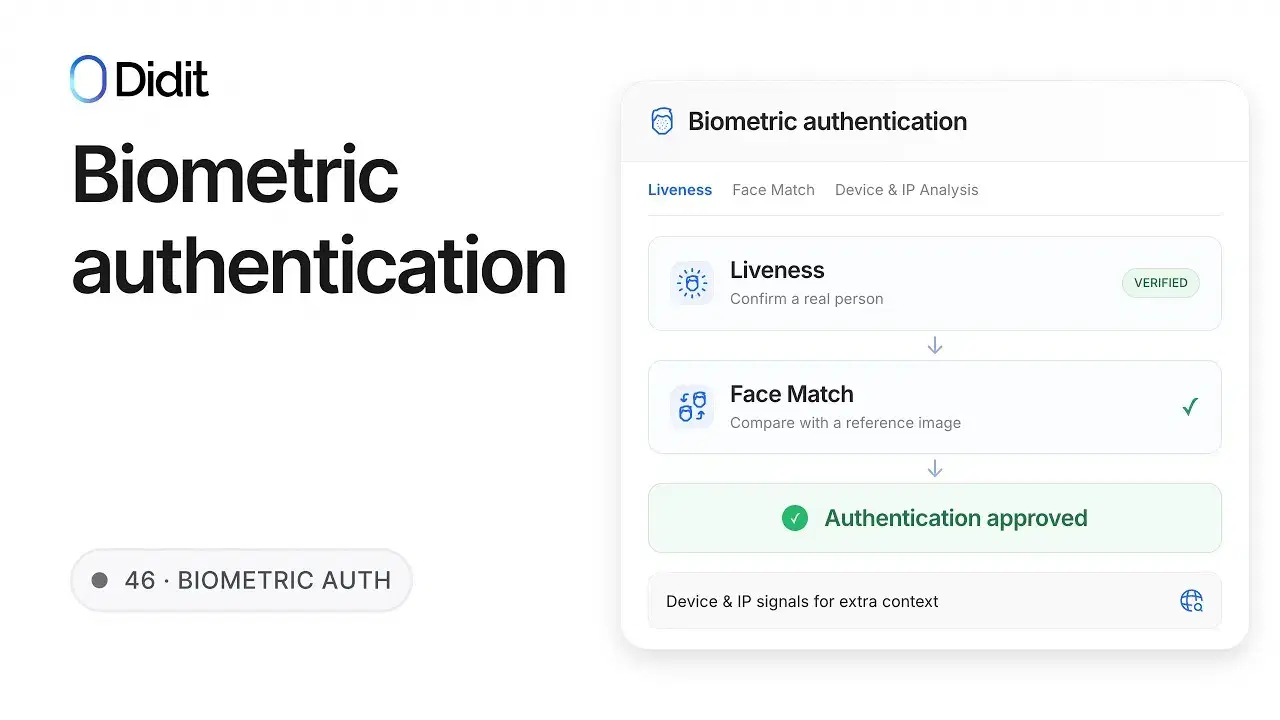
Multi-factor authentication itself is a policy, not a product line. The price book has no entry for passkeys, TOTP codes or recovery codes, so an MFA policy that requires a passkey adds nothing per sign-in. The priced authentication factors are SMS and WhatsApp codes per message, and a biometric step-up at $0.10 per check when your policy asks for a selfie before a sensitive action.
You configure these under Authentication > Sign-in methods, and the MFA policy under Authentication > Security and sessions; the Sign-in methods documentation lists each method.
Failure cases and recovery
| Symptom | Cause | Recovery |
|---|---|---|
| Every runtime route returns 404 | Authentication is off for that application | Turn it on from Products in the console. Sandbox applications already have it on |
invalid_credentials on a password sign-in | Wrong password, unknown email, unverified email, locked or blocked account, or a bot protection block | Show one generic message, check the person's timeline in the console, then clear the block or restore access |
mfa_required with a challenge and factors | The session does not meet your MFA policy | Send a TOTP or recovery code, or use a passkey |
mfa_enrollment_required with a challenge and URI | The policy requires an authenticator the person has not enrolled | Enroll it with POST mfa/setup/, then continue the sign-in |
protection_required with methods | A bot protection policy asks for an extra proof | Run the method the response lists |
verification_required with a verification URL | Your settings require an ID or liveness check at sign-in | Send the person to the URL, valid 30 minutes. The code follows an approved check |
| Token exchange fails | The one-time code is only good for 60 seconds, and the transaction behind it lasts 10 minutes | Restart from the sign-in page rather than retrying the exchange |
| 400 on a phone send | The number is not in E.164 format | Format as +14155552671 |
| Send returns status Blocked with reason spam | Anti-abuse protection stopped the send | No code was sent and nothing is charged. Stop retrying and reach the person another way |
| Check returns Expired or Not Found | Outside the 5-minute code window, or no pending verification for that number | Start a new send. A same-window retry keeps the original deadline |
| Live sign-ins stop | Plan credit and top-ups are used up with auto top-up off | Top up or turn auto top-up on. The sandbox keeps working meanwhile |
Paid steps and review boundaries
We charge for checks that run and finish with a result. A step that never executes, a send blocked by abuse protection, or a verification your policy never required costs nothing. You pay per completed check from prepaid credit, plan credit first and then top-ups.
The boundary that matters most is the decision. Signing a person in does not approve a verification and does not authorize a payment. Your backend verifies the access token on every request against your application's published keys, checks the live session before a sensitive action, and makes the call from each product's own result. A selfie step-up you add before a payout is billed as biometric authentication at $0.10; an AML screening you add at sign-up is $0.20 per check.
The second boundary is human review. Nothing in Authentication screens a customer for you: it signs them in, applies your MFA and bot protection policies, and records the events on the person's timeline. Blocking, restoring access and signing people out happen in the console, and the auth.* webhooks are how you learn about them in your own systems. Read the Authentication overview for the full flow, and the quickstart for a first sign-in in about ten minutes.
Sources
- Didit pricing page and per-country phone price list, read November 26, 2026.
- Didit docs: Identity verification pricing and billing rules, read November 26, 2026.
- Didit docs: Authentication overview, read November 26, 2026.
- Didit docs: Organizations for B2B apps, read November 26, 2026.
- Didit docs: Sign-in methods, MFA and password reset, read November 26, 2026.
- Didit docs: Set up Didit Authentication by API, read November 26, 2026.
- Didit docs: Tokens and JWKS, read November 26, 2026.
- Didit docs: Phone verification API, read November 26, 2026.
- Didit phone verification pricing feed and price book, read November 26, 2026.
- Didit blog: what changed in pricing on November 1, 2026, read November 26, 2026.
- Didit for teams switching providers and the site index for AI agents, read November 26, 2026.
Next step: create a sandbox application at business.didit.me, enable passkeys and one SMS route, and read your own active-user number for a month before you commit to a plan. No sales call is involved at any point.
Try it
Try this in the sandbox
Run the check this guide describes, free.
The product this post is about, taken from its topic. Run it free in the sandbox.
Author
Alberto Rosas
Co-founder and CEO

Keep reading
Other guides in the same topic.
 Travel Rule API Pricing by Transfer and Wallet Check (2026)
Didit charges $0.02 per outbound Travel Rule exchange on list price, $0.0192 on Growth and $0.018 on Scale. Delivery attempts and wallet ownership proofs add no separate line, and a screenshot proof needs human approval with no.
Alberto RosasNov 26, 2026 How to Price KYC per Approved Customer, Retries and Review Included
Cost per approved customer equals the Didit charges in the period plus your own reviewer labor, divided by unique customers approved. A Didit full ID check lists at $0.33, and retry billing depends on the specific retry, so you.
Alberto RosasNov 26, 2026 Accessible KYC Without a Selfie or NFC Chip (2026 How-To)
Wrap a user who cannot do a selfie or NFC read into a non-document lookup, a digital ID wallet, or document capture on its own, configured per country in one Didit workflow.
Alberto RosasNov 26, 2026Questions
Frequently asked questions
How much does Didit Authentication cost per monthly active user?
The first 50,000 active users each month are free, and every active user after that costs $0.02 per month at list price. Growth applies 4% off, which makes it $0.0192, and Scale applies 10%, which makes it $0.018. The monthly active user count is shown on Authentication > Overview in the Didit Business Console.
Do organizations cost extra in a B2B application?
No. The price book has no line for an organization. Organizations group the people who already count as active users, with roles, verified domains and their own single sign-on. What the plan gates is features, not seats: setup links for a customer's SSO connection and custom roles need Scale or Enterprise.
How much is an SMS second factor per user per month?
There is no monthly SMS price. A code costs the carrier's price for the destination country and channel plus our $0.02 fee, so a US SMS code is $0.0473 and a German one is $0.1145 at list price. A person who signs in twice with SMS in a month is billed for two codes.
Is MFA free on Didit Authentication?
Passkeys, TOTP codes and recovery codes have no separate line in the price book, so an MFA policy that requires them adds nothing per sign-in. SMS and WhatsApp codes are priced per code, and a biometric step-up is $0.10 per check. The default policy, organization_admins, requires a second factor from anyone holding the admin role in any of your customer organizations.
Do email codes and magic links cost anything?
The price book has no line for an email sign-in code or a magic link, and the emails Didit sends during a verification are free. Email Verification at $0.02 is a different product: a check on an email address, not the sign-in code.
Which plan do I need for organization single sign-on?
An organization can connect its own SAML or OIDC identity provider on any plan. Setup links, the guided flow you send to a customer's IT admin, need the Scale or Enterprise plan, while Sandbox applications have them on any plan. Your service provider metadata is published at {origin}/sso/saml/metadata/.
Do ID checks at sign-up count toward active-user pricing?
No, they are a separate line. A full ID check is $0.33 at list price, $0.3168 on Growth and $0.297 on Scale, billed when the check finishes with a result. The active-user line is charged separately at $0.02 per user above the 50,000 monthly allowance.
What happens when I pass 50,000 active users in a month?
Every active user above 50,000 is billed at $0.02 for that month. The charge comes from the plan's monthly credit first, then from your top-up balance, and auto top-up keeps live sign-ins running when the balance gets low. If credit runs out with auto top-up off, live checks stop until you top up, while the sandbox keeps working.
How do I see how many active users I had this month?
Open Authentication > Overview in the Business Console. It shows monthly active users, sign-ins, success rate and passkey adoption for the last 30 days. Use that console figure for the month, and use the auth.* webhooks to reconcile the same events against your own analytics.
Why is my SMS line so much larger than my active-user line?
Because active users are capped at $0.02 each while a code is billed every time someone signs in with SMS. Ten thousand German codes cost more than ten thousand US codes, and both cost more than asking those same people to enroll a passkey once. In the console, Authentication > Sign-in methods is where you enable passkey and TOTP, and Authentication > Security and sessions holds the MFA policy; the Sign-in methods documentation lists each method.
Compliance built in
Audited, certified and attested.
We hold the certifications and build each country's rules into your flows, so you can launch anywhere without worrying. Security and Compliance center
- Regulation encoded into your flows
Tell us what you do and where. Didit lists the rules that apply to you, with sources, and builds the checks each country needs into one workflow.
- Ready for AMLR
Every requirement of the new EU anti-money laundering rules, from checking customers to human review, is already covered by a Didit check.
- Tested in Spain's Treasury sandbox
Spain's Treasury published its supervised sandbox report on Didit's NFC plus active liveness onboarding; SEPBLAC took part and valued the added measures positively.
- Audited, not self-declared
iBeta Level 1 and Level 2. Liveness tested under ISO/IEC 30107-3.
Your obligations · 3 regions
 SOC 2 Type 2
 ISO 27001
 iBeta Level 1 and Level 2
 EU regulator attestation
 FSM youth protection
 GDPR
 EBA remote onboarding
 MiCA compatible
 FIDO Alliance member
- AMLREU AML Regulation ready
Integration · Didit MCP
Run Didit from your own AI agent
Connect Didit to Claude, Cursor, VS Code or ChatGPT and just ask in plain words. Your agent can do anything you can do in the console, with the same permissions you have.
 Add to Claude
 ChatGPT
 Cursor
- Build workflowsDescribe the checks you need. The agent creates and publishes the flow.
- Run investigationsAsk why a session was declined, review cases, search people and companies.
- Change rulesCreate payment rules, test them on past data and switch them on.
- Pull reportsAsk for numbers, exports or the audit log.
Didit Academy