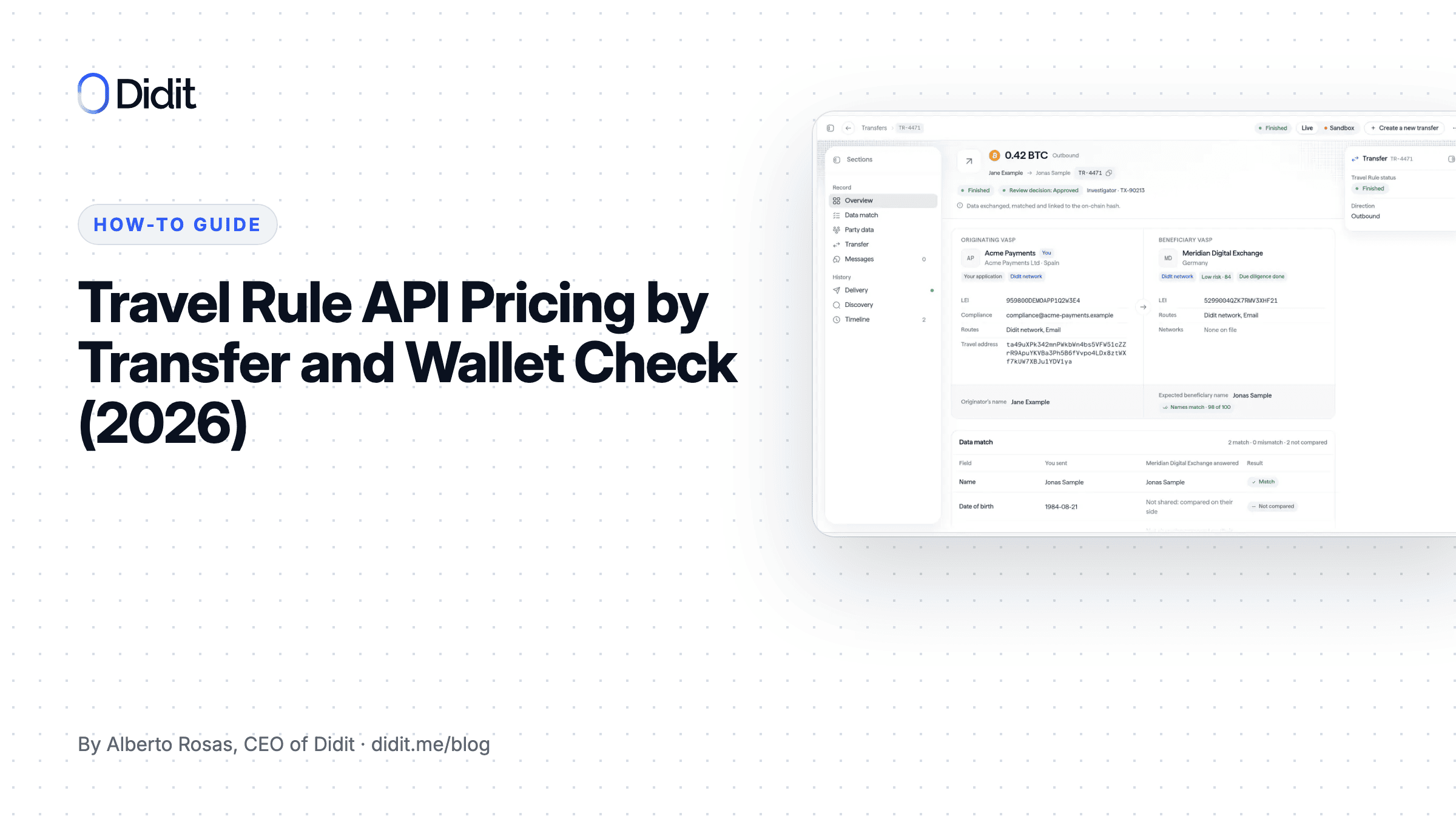
Travel Rule API Pricing by Transfer and Wallet Check (2026)
Didit charges $0.02 per outbound Travel Rule exchange on list price, $0.0192 on Growth and $0.018 on Scale. Delivery attempts and wallet ownership proofs add no separate line, and a screenshot proof needs human approval with no.
 Alberto RosasCo-founder and CEO
Contents
In this guide
Jump to the part you need.
This guide is for crypto VASPs and payment institutions that must run FATF Travel Rule and EU Transfer of Funds Regulation exchanges through an API and want the bill per transfer, not per vendor meeting. Didit charges $0.02 per outbound exchange, delivery attempts and wallet ownership proofs carry no separate line, and the caveat that matters is that network memberships are yours and screenshot proofs need human approval.
Last updated: November 26, 2026. Prices checked against the live Didit price feed on November 26, 2026.
Travel Rule API pricing at a glance
| Line | What it is | Unit | List | Growth (-4%) | Scale (-10%) |
|---|---|---|---|---|---|
| Travel Rule exchange, outbound | Published price | per exchange | $0.02 | $0.0192 | $0.018 |
| Delivery attempts, rail retries, status polling | Documented behavior, covered by the exchange | per exchange | no separate line | no separate line | no separate line |
| Wallet ownership proof by message signing or Satoshi test | Documented behavior, covered by the exchange | per proof | no separate line | no separate line | no separate line |
| Screenshot wallet proof | Documented behavior, a person has to approve or reject it | per proof | no separate fee stated here | no separate fee stated here | no separate fee stated here |
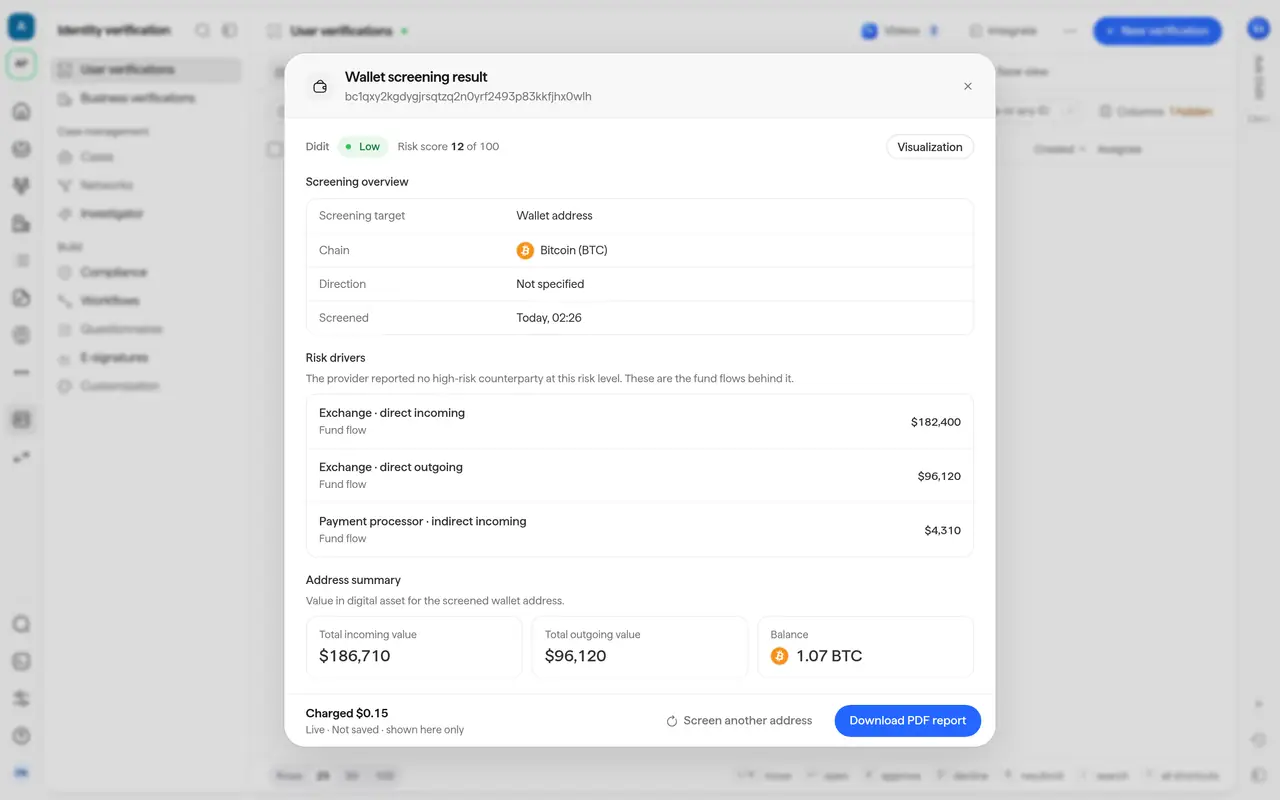
| Wallet screening (KYT), when you screen the wallet | Published price | per screening | $0.15 | $0.144 | $0.135 |
| Counterparty VASP screening, opt in and off by default | Published price, billed at the Company AML Screening price | per screening | $0.20 | $0.192 | $0.18 |
| AML screening of a person or company | Published price | per check | $0.20 | $0.192 | $0.18 |
| Transaction monitoring beyond the plan allowance | Published price | per transaction | $0.001 | $0.001 | $0.001 |
Start free in the sandbox at https://business.didit.me/ (no sales call, and sandbox testing is free and unlimited). Developers who want an assistant to drive the setup can connect Didit through the MCP server. The flow is described on the Travel Rule product page, and every number in this post is published on the pricing page.
What one Travel Rule transfer costs
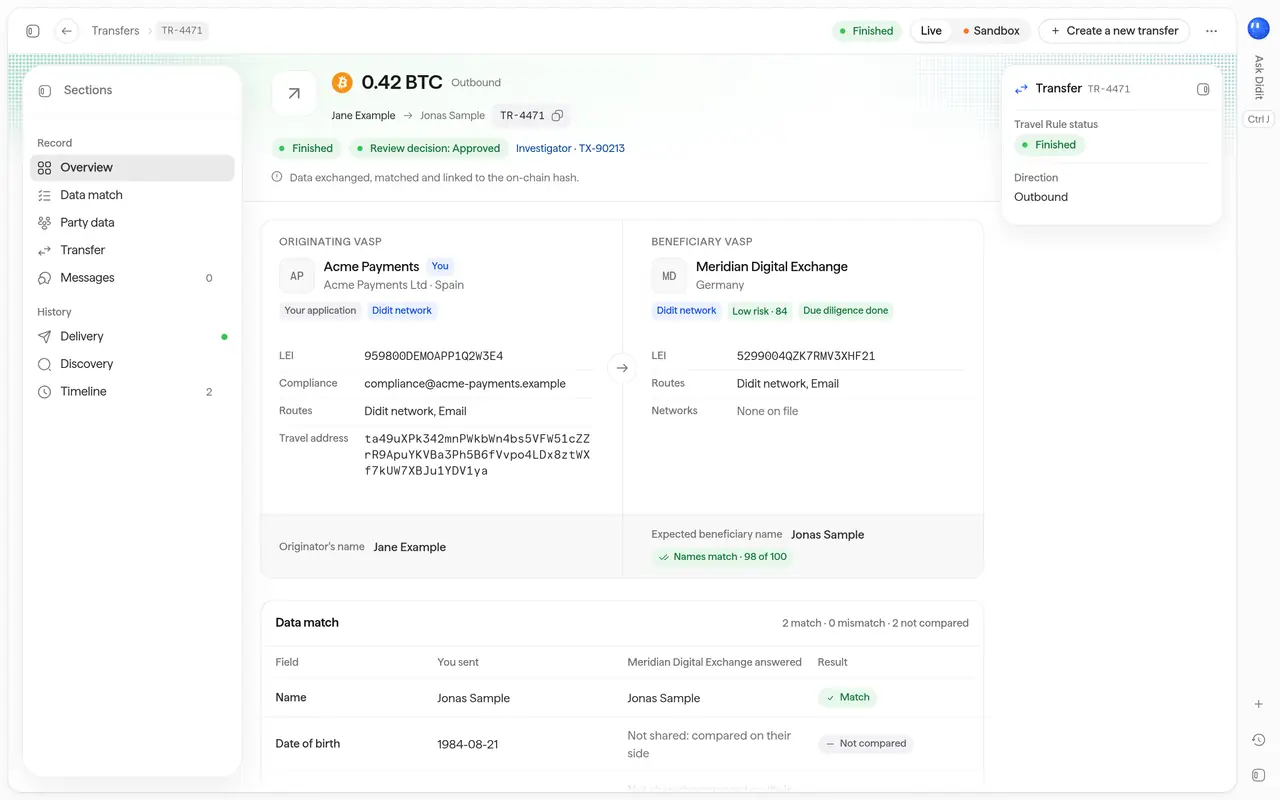
The Travel Rule line is $0.02 per outbound exchange. That price buys the managed exchange itself: Didit looks for a rail that reaches the counterparty VASP, negotiates the originator and beneficiary data over it, tracks the exchange through its lifecycle, matches a returned beneficiary name where the other side sends one, and tells you when the exchange has concluded so you can release funds on-chain. The docs describe this as a managed exchange rather than a data field you fill in.
The billing rule on the price feed is specific: the line is billed once per outbound exchange, regardless of later status transitions. A transfer that waits, retries on a second rail, expires into a hold, or ends in a decline does not produce a second Travel Rule charge. You are paying for the exchange you asked Didit to run, not for the outcome.
Two things sit outside that number on purpose. Network membership is yours: the GTR, TRUST, VerifyVASP and Sygna rails route only through a membership you connect in the console Marketplace, and Didit holds no platform membership on any of those four networks today while it onboards as a provider. Whatever the network charges you for that membership is not a Didit line and is not published by us. The second is human work inside the wallet proof flow: a screenshot never auto-verifies, so your compliance team has to approve or reject it before the transfer leaves UNCONFIRMED_OWNERSHIP. That approval is an operational step, and this post does not quote a separate Didit fee for it.
What a delivery attempt costs
Nothing extra. The delivery history API exposes every attempt as an entry with a kind of SEND, ANSWER, TXID, CANCEL or POLL, a status of QUEUED, SENDING, RETRYING, DELIVERED or FAILED, the rail that carried it, and the timestamps. The price feed has no per-attempt, per-message or per-request line for Travel Rule. Reading delivery history is a read of your own transaction record.
That matters for budgeting because rail fallback is normal, not exceptional. A transfer with no travel address may fall from an unreachable network to the email pickup rail, and the counterparty may take longer to answer, depending on the confirmation deadline and rail. What changes is the calendar, because the confirmation deadline and the timeout_outcome you set decide what happens to the funds if the other side never answers.
The one toggle that turns per-attempt activity into money is counterparty screening. counterparty_screening_enabled defaults to false, and when you turn it on, each screening is billed at the Company AML Screening price of $0.20.
What a wallet ownership check costs
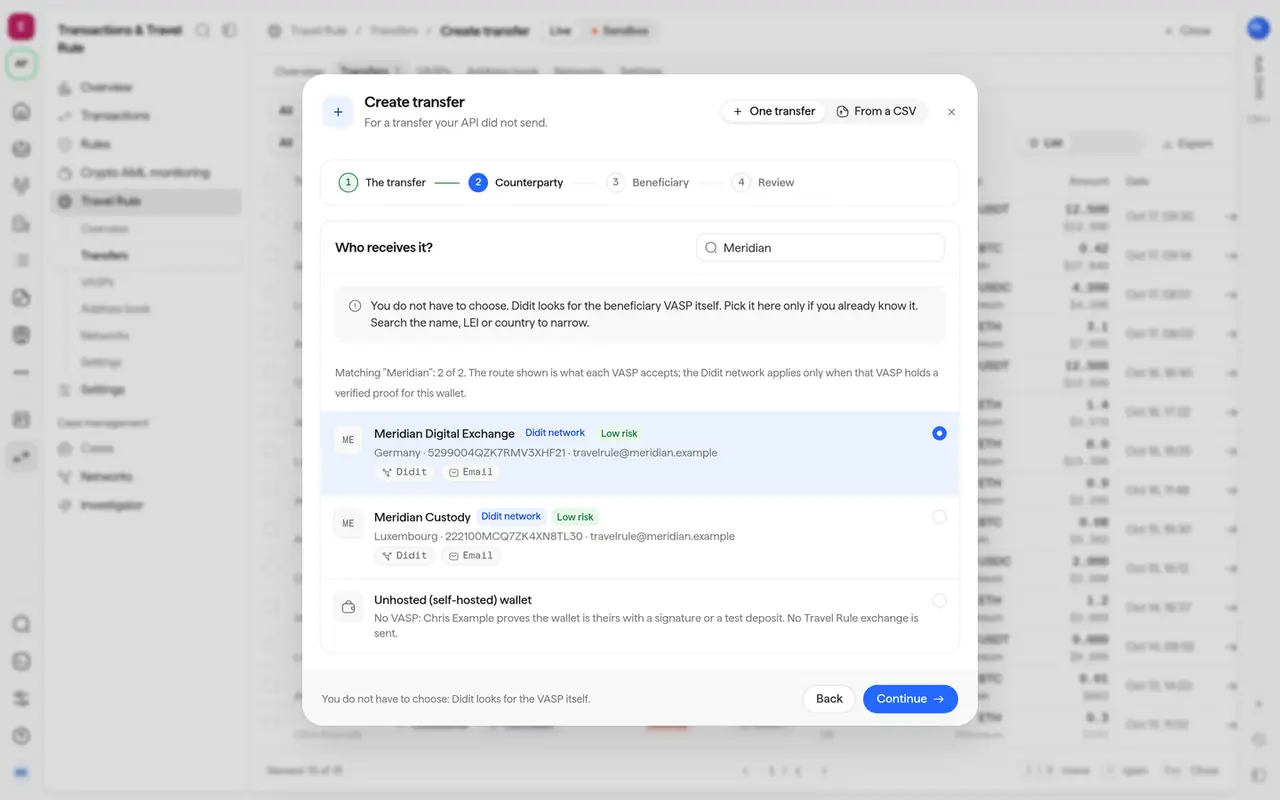
The wallet-ownership widget is the hosted page that proves a customer controls a self-hosted wallet. It offers up to four methods: MESSAGE_SIGNING with a Didit-issued challenge string, SATOSHI_TEST with a small on-chain deposit to an address you control, SCREENSHOT with a wallet screenshot your team reviews, and SELF_DECLARATION, which appears only where your validation mode accepts it.
The live price feed lists no separate line for minting or completing a widget session. A proof that verifies through message signing or a Satoshi test on a transfer you already submitted is part of that $0.02 exchange. The widget is normally minted for you: with auto_wallet_verification on, the default, Didit creates the session at transaction creation when a transfer lands in UNCONFIRMED_OWNERSHIP or is outbound in COUNTERPARTY_VASP_NOT_FOUND, and returns the URL in the transaction's action_required block.
Two boundaries move cost. Screenshot proofs never auto-verify, so they wait in a review queue that a person has to clear before the transfer can advance; that review is required operationally, and there is no separate published Didit fee for it stated in this post. And if your policy screens the counterparty wallet as part of the same flow, that is wallet screening at $0.15 per screening, independent of the ownership proof.
If you bring your own screening provider and run it inside Didit, the commercial terms sit with your provider. We do not quote a price for that route in this post.
Prerequisites
- A Didit organization on Free, Growth, Scale or Enterprise, with prepaid credit or plan credit available. Sandbox testing is free and does not consume credit.
- An API key with x-api-key authentication. For delivery history you need transaction read permission on that key.
- Travel Rule enabled for the application, so
GET /v3/travel-rule/settings/returnsis_enabled: trueand a travel address. - A filled VASP profile: legal name, an LEI that GLEIF lists as issued to an active entity, a confirmed compliance email, and Discoverable switched on, if you want other Didit customers to find you and reach you on the
INTERNALrail. - Your own network membership connected in Marketplace if you need GTR, TRUST, VerifyVASP or Sygna. Enabling Travel Rule does not activate any network.
- A decision on
ownership_validation_mode,allow_screenshot_proof,allow_self_declarationandauto_wallet_verificationbefore the first live transfer, because those settings decide which proofs appear and which reviews you inherit.
How to price and run a Travel Rule integration, step by step
The outcome of these steps is a working exchange flow plus a number you can defend at month end. The method is to read the settings first, submit one test transfer, and read the delivery history to see which rail actually carried it.
- Read the settings and the VASP profile. This tells you whether the exchange is enabled, how strictly names are matched, what the confirmation deadline is, and which proof methods are on.
curl -s https://verification.didit.me/v3/travel-rule/settings/ \ -H "x-api-key: $DIDIT_API_KEY" - Check the network status before you promise a rail. Read the
networksobject.ownmeans your connected membership carries the exchange,unavailablemeans nothing can send on that network yet for the application. With all four unavailable, plan onINTERNAL,TRPorEMAIL. - Set the proof toggles to match your policy. A partial update to the same endpoint changes only the fields you send. Turning
allow_screenshot_proofoff removes the manual review queue; turningallow_self_declarationon does nothing inFULLmode, where a declaration attempt answers 403. - Submit one transfer with the Travel Rule category. Submission runs through the documented flow: the SDKs submit from the client side and launch any required user action automatically, and the docs list the exact request shape for a
travelRuletransaction. Use theEMAILrail when no protocol or network rail reaches the counterparty and you have its compliance contact: name it incounterparty_vasp_email. Read the Travel Rule docs for the submission shape your SDK uses. - Read the delivery history for that transaction. The response returns every delivery entry for the transaction, oldest first, with its
kind,status,railand timestamps, so you can see which rail carried the exchange without refreshing the console.curl -s "https://verification.didit.me/v3/transactions/$TRANSACTION_ID/travel-rule/deliveries/?limit=100&offset=0" \ -H "x-api-key: $DIDIT_API_KEY" - Mint a widget session yourself only when you need to. Auto-minting covers transfers in
UNCONFIRMED_OWNERSHIP; mint manually to pre-verify a wallet before any transfer exists, or for an inbound transfer, which never gets an auto-minted session.satoshi_deposit_addressis a mint-time parameter and the only way to offer the Satoshi test.curl -s -X POST https://verification.didit.me/v3/travel-rule/widget-session/ \ -H "x-api-key: $DIDIT_API_KEY" \ -H "Content-Type: application/json" \ -d '{"satoshi_deposit_address": "0xYourDepositAddress"}' - Broadcast only after the exchange reaches COMPLETED, then report the on-chain hash. Reporting the hash closes the exchange out as
FINISHED. The $0.02 is billed once per outbound exchange, so waiting forCOMPLETEDdoes not add a fee. - Reconcile the month against the published lines. Pull https://didit.me/pricing.json and the price book at
https://verification.didit.me/v3/organization/price-book/, then multiply: exchanges times $0.02, wallet screenings times $0.15, counterparty screenings times $0.20, and apply your plan discount.
Expected output
A trimmed settings response looks like this, with placeholders in place of your own values. The field names are exactly what the API returns.
{
  "is_enabled": true,
  "legal_name": "<legal_name>",
  "lei": "<lei>",
  "jurisdiction": "EU",
  "vasp_jurisdiction": "GB",
  "name_matching_strictness": "DEFAULT",
  "confirmation_timeout_hours": 24,
  "timeout_outcome": "HOLD",
  "threshold_amount": "0.00",
  "allow_self_declaration": true,
  "allow_screenshot_proof": true,
  "auto_wallet_verification": true,
  "counterparty_screening_enabled": false,
  "networks": {"gtr": {"rail": "GTR", "mode": "unavailable", "state": "didit_onboarding"}}
}
A delivery history response returns paginated entries, oldest first, each with uuid, kind, status, rail, created_at, delivered_at and detail_lines. The rail value is EMAIL, TRP, INTERNAL, NETWORK or null before selection, and NETWORK collapses every named network into one value. Follow next until it is null rather than trusting count, which is capped at 100 and is not a reliable total for larger histories.
Failure cases and recovery
| Situation | What you see | Billing effect | Recovery |
|---|---|---|---|
| Wrong or revoked key | 401 on any call | None | Issue a new key with transaction read permission |
| Missing header or missing scope | 403 | None | Send x-api-key; add transaction read to the scoped key |
| Unknown transaction, no Travel Rule transfer, deleted transaction | 404 | None | Check the transaction UUID belongs to this application |
| Pagination out of range | 400 when limit or offset exceeds 1,000,000 | None | Page with next instead of large offsets |
| No rail reaches the counterparty | Transfer in COUNTERPARTY_VASP_NOT_FOUND or COUNTERPARTY_VASP_NOT_REACHABLE | One exchange | Check the networks modes: connect your own membership in Marketplace, or use a reachable INTERNAL, TRP or EMAIL counterparty. For an outbound transfer with no counterparty VASP identified, ownership proof is the remaining path to completion |
| TRUST send-only | Transfer sits in AWAITING_COUNTERPARTY until expiry | One exchange | Use a rail that returns an answer, or let timeout_outcome apply |
| Wallet signed by another account | 400 with code SIGNATURE_INVALID | None | Customer signs again with the correct account |
| Unsupported signature format | 400 with code SIGNATURE_UNSUPPORTED_SCHEME | None | Offer message signing on a supported chain family or a Satoshi test |
| Declaration offered where the mode forbids it | 403 | None | Collect a cryptographic proof instead |
| Membership saved with a code that is not yours | 400 | None | Use your own participant code for that network |
Inputs and outputs
| Field | Direction | What it controls | Billing impact |
|---|---|---|---|
transaction_category | Request | Set to travelRule to start the managed exchange | Raises the $0.02 exchange line |
counterparty_vasp_email | Request | The compliance contact for the email pickup rail | None beyond the exchange |
satoshi_deposit_address | Widget mint | Enables the Satoshi test proof method | None on the published lines |
allow_screenshot_proof | Settings | Adds the screenshot proof method and its manual review queue | No separate fee in the published lines here; the approval is human work |
allow_self_declaration | Settings | Offers declaration where the mode allows it | None |
auto_wallet_verification | Settings | Auto-mints widget sessions on qualifying transfers | None on the published lines |
counterparty_screening_enabled | Settings | Screens counterparty VASPs, default false | Each screening at the $0.20 AML screening price |
threshold_amount | Settings | Which amounts go through the exchange in full | Changes how many exchanges you raise |
networks | Response | Whether a network rail can carry the exchange | Membership cost sits with the network |
status, rail, delivered_at | Response | How the exchange is progressing | None |
Paid steps and review boundaries
Three lines in this post take money: the outbound exchange at $0.02, wallet screening at $0.15 when you screen the wallet, and counterparty screening at $0.20 when you switch counterparty_screening_enabled on. Only the first is mandatory for a Travel Rule transfer. The other two are policy decisions.
The review boundary is where finance and compliance need to agree in writing. A screenshot proof never clears itself: the transfer stays in UNCONFIRMED_OWNERSHIP until someone approves or rejects it from the wallet proof queue or confirms ownership from the Travel Rule tab. A self-declaration is accepted only in SIMPLIFIED mode below the simplified validation threshold, never in FULL. Screenshot review is required operationally, and we do not attach a separate published Didit fee to it in this post; plan compliance time for it, and keep the queue short by turning the method off when your policy does not need it.
Worked cost example
Take a VASP that raises 1,000 outbound exchanges in a month and screens each counterparty wallet once. Message-signing proofs add nothing on the published lines, so they are not in the arithmetic.
- List price: 1,000 x $0.02 = $20.00 for exchanges. 1,000 x $0.15 = $150.00 for wallet screening. Total $170.00 for the month.
- Growth, 4% off every Didit price: 1,000 x $0.0192 = $19.20. 1,000 x $0.144 = $144.00. Total $163.20. With $115 of monthly credit, the credit pays $115.00 and top-up balance pays $48.20.
- Scale, 10% off: 1,000 x $0.018 = $18.00. 1,000 x $0.135 = $135.00. Total $153.00, which the $350 monthly credit covers in full.
- Add counterparty screening across all 1,000 exchanges: list price grows by 1,000 x $0.20 = $200.00, so the month totals $370.00. At Growth prices that is 1,000 x $0.192 = $192.00, so $355.20. Leave the toggle off unless your policy needs it.
Didit serves 4,000+ companies, and sandbox testing is free and unlimited, so you can rehearse the whole flow before a cent of credit is spent.
Sources
- Didit docs: FATF Travel Rule API, VASP compliance, read November 26, 2026
- Didit docs: Wallet ownership widget, read November 26, 2026
- Didit docs: Travel Rule interoperability, read November 26, 2026
- Didit docs: Get Travel Rule settings, read November 26, 2026
- Didit docs: Travel Rule delivery history API, read November 26, 2026
- Didit docs: List unmatched Travel Rule deposits, read November 26, 2026
- Didit docs: Identity verification pricing and billing rules, read November 26, 2026
- Didit pricing page and pricing as JSON, live price feed read November 26, 2026
- Didit Travel Rule product page, read November 26, 2026
- FATF Recommendation 16 and the travel rule
- EUR-Lex: Regulation (EU) 2023/1113, Transfer of Funds Regulation
Next step: open the sandbox at https://business.didit.me/, enable Travel Rule on a test application, submit one transfer on the email rail, and read its delivery history. No sales call is needed to see the full exchange flow and confirm the numbers on this page against your own account.
Try it
Try this in the sandbox
Run the check this guide describes, free.
The product this post is about, taken from its topic. Run it free in the sandbox.
Author
Alberto Rosas
Co-founder and CEO

Keep reading
Other guides in the same topic.
 How to Detect Synthetic Identities During Fintech Onboarding
Stack a registry database check, phone verification, device and IP analysis and a biometric ID check on one Didit session. A full ID check is $0.33; Database Validation is priced variable by country and service.
Alberto RosasNov 26, 2026 Passkeys vs Email OTP vs TOTP for Fintech Sign-In
For phishing resistance, passkeys are our recommended first factor, email OTP is the practical fallback, and TOTP works best behind another factor.
Alberto RosasNov 26, 2026 How to Normalize Names and Dates of Birth Before Database Verification
Normalize names to the spelling the registry holds and send date of birth as ISO 8601 before a Didit Database Validation call. Pricing varies by service; $0.05 per check is the lowest published example.
Alberto RosasNov 26, 2026Questions
Frequently asked questions
How much does Didit charge per Travel Rule transfer?
Didit charges $0.02 per outbound Travel Rule exchange on list price, $0.0192 on the Growth plan and $0.018 on Scale. The line is billed once per outbound exchange, regardless of later status transitions, so retries and changes of rail do not add a second charge.
Do delivery attempts or retries cost extra?
No. The live price feed has no per-attempt, per-message or per-request line for Travel Rule. Delivery history entries of kind SEND, ANSWER, TXID, CANCEL and POLL, including retries and status polling, are covered by the $0.02 exchange price.
Is a wallet ownership verification charged separately?
The published price list carries no separate line for minting or completing a wallet-ownership widget session, so a message-signing proof or a Satoshi test on a submitted transfer sits inside the $0.02 exchange. A screenshot proof is different: it never auto-verifies and needs a person to approve it, and this post does not quote a separate Didit fee for that approval. Wallet screening on the same wallet is charged on its own $0.15 line.
What happens to a transfer while a screenshot proof waits for review?
The transfer stays in UNCONFIRMED_OWNERSHIP until your compliance team approves or rejects the proof from the screenshot review queue, or confirms ownership from the Travel Rule tab in the console. Nothing clears it automatically, which is why screenshot proofs need a staffing plan as well as a policy. Turning allow_screenshot_proof off removes that queue entirely.
What does wallet screening cost inside a Travel Rule flow?
Wallet screening is $0.15 per screening on list price, $0.144 on Growth and $0.135 on Scale, and it is a separate line from the exchange. If you bring your own screening provider and run it inside Didit, the commercial terms sit with your provider and we do not quote that route in this post.
Do I pay Didit for GTR, TRUST, VerifyVASP or Sygna membership?
No. Those rails route through your own membership, connected in the console Marketplace, and Didit holds no platform membership on any of the four networks today while it onboards as a provider. Membership fees are set by the network, not by Didit, so they never appear on a Didit invoice.
How much does counterparty VASP screening add?
Counterparty screening is off by default. When you enable counterparty_screening_enabled, each screening is billed at the Company AML Screening price of $0.20, which on a thousand exchanges is $200.00 a month at list price, more than the exchanges themselves.
What is included in the Free, Growth and Scale plans for Travel Rule?
Plans change the price, not the line. Free is $0 a month with $10 of monthly credit for eligible organizations, Growth is $99 a month with $115 of credit and 4% off every price, and Scale is $299 a month with $350 of credit and 10% off. Monitored-transaction allowances are 1,000 on Free, 10,000 on Growth and 100,000 on Scale, with $0.001 per transaction beyond.
Does a transfer that never completes still cost $0.02?
Yes. The price feed says the Travel Rule line is billed once per outbound exchange regardless of later status transitions, so a transfer that expires into a hold, a decline or a mismatched-data outcome bills once. What changes with the outcome is the funds, not the fee.
Are sandbox Travel Rule exchanges charged?
No. Sandbox testing is free and unlimited on every plan. Sandbox applications also never convert the transfer amount, so threshold_amount applies there only when the request sends amount_in_default_currency.
Which API calls do I need for pricing control?
Three are enough. GET /v3/travel-rule/settings/ shows the policy and toggles that decide how many exchanges and reviews you generate, the delivery history endpoint shows which rail carried each exchange, and the price book at https://verification.didit.me/v3/organization/price-book/ is the published list you reconcile against.
Compliance built in
Audited, certified and attested.
We hold the certifications and build each country's rules into your flows, so you can launch anywhere without worrying. Security and Compliance center
- Regulation encoded into your flows
Tell us what you do and where. Didit lists the rules that apply to you, with sources, and builds the checks each country needs into one workflow.
- Ready for AMLR
Every requirement of the new EU anti-money laundering rules, from checking customers to human review, is already covered by a Didit check.
- Tested in Spain's Treasury sandbox
Spain's Treasury published its supervised sandbox report on Didit's NFC plus active liveness onboarding; SEPBLAC took part and valued the added measures positively.
- Audited, not self-declared
iBeta Level 1 and Level 2. Liveness tested under ISO/IEC 30107-3.
Your obligations · 3 regions
 SOC 2 Type 2
 ISO 27001
 iBeta Level 1 and Level 2
 EU regulator attestation
 FSM youth protection
 GDPR
 EBA remote onboarding
 MiCA compatible
 FIDO Alliance member
- AMLREU AML Regulation ready
Integration · Didit MCP
Run Didit from your own AI agent
Connect Didit to Claude, Cursor, VS Code or ChatGPT and just ask in plain words. Your agent can do anything you can do in the console, with the same permissions you have.
 Add to Claude
 ChatGPT
 Cursor
- Build workflowsDescribe the checks you need. The agent creates and publishes the flow.
- Run investigationsAsk why a session was declined, review cases, search people and companies.
- Change rulesCreate payment rules, test them on past data and switch them on.
- Pull reportsAsk for numbers, exports or the audit log.
Didit Academy