Didit Android SDK integration reference: setup, code, costs
The Didit Android SDK 4.15.4 supports API 23 and later. Your backend creates a session and passes the token we return to the app. Full KYC costs $0.33 per completed check at list price, and sandbox testing is free.
 Alberto RosasCo-founder and CEO
Contents
In this guide
Jump to the part you need.
The Didit Android SDK is for teams that ship identity verification in a native Android app built with Kotlin, including apps that use Jetpack Compose. It runs on Android 6.0 (API 23) and up, reads supported document chips on Android devices with an NFC reader, and handles camera capture and liveness on the handset. A full KYC check costs $0.33 at list price and sandbox sessions cost nothing. The one caveat: your backend creates the session, because the API key must never ship inside the app.
Last updated: November 26, 2026. Prices checked against the live Didit price feed on November 26, 2026.
| Item | Detail |
|---|---|
| Package and repository | me.didit:didit-sdk, served from the Didit Maven repository at https://raw.githubusercontent.com/didit-protocol/sdk-android/main/repository |
| Latest version | 4.15.4, the same release line as iOS, React Native and Flutter |
| Language and UI | Kotlin, Jetpack Compose |
| Minimum Android | API 23 (Android 6.0); ML auto-detection on API 24 and above |
| NFC | Supported where the device has a chip reader; a chip read is a $0.15 add-on per check |
| Session creation | Server side: POST https://verification.didit.me/v3/session/ with the x-api-key header |
| What the app receives | session_token, the credential it uses to launch the flow through DiditSdk.startVerification(token = ...) |
| What the backend receives and calls | It receives the incoming status.updated webhook, then calls GET /v3/session/{session_id}/decision/ when it needs the full decision |
| List price per completed KYC | $0.33 |
| Sandbox price | $0.00, every check is mocked |
| Languages in the flow | 54 |
What the SDK covers, and where your code has to step in
Our Android SDK presents the verification flow and handles camera permissions and capture. When your workflow includes liveness or NFC, the SDK guides the person through those steps. A chip read also requires a supported document and compatible hardware. The SDK presents the verification steps enabled in your workflow. Your backend gets the session outcome from a verified webhook or the decision endpoint.
The back half stays on your server. For this flow, your backend creates the session. We return a session token that your backend passes to the Android SDK. Keep the API key on your server.
Treat the key as a server-side secret. Never ship it to a browser or a mobile bundle.
If you would rather have an assistant draft the backend, the Didit MCP server at mcp.didit.me/mcp exposes the API to your client, and the integration prompt hands a coding agent the whole recipe. The MCP server is free at list price.

Prerequisites
| Area | What you need | Where it comes from |
|---|---|---|
| Plan | Any plan works. The Free plan includes $10 in monthly credit for the first organization created with an eligible work email for a company domain. The credit excludes phone verification codes. Sandbox testing is free and unlimited on every plan | Didit pricing |
| Client | A sandbox application in the Business Console, and a sandbox API key with access to create sessions | Console, Developers, API keys |
| Key format | New sandbox keys start with sk_test_ and new live keys start with sk_live_. Keys created before this format have no prefix and keep working, so never validate a key by its prefix | API authentication |
| Workflow | A workflow UUID. The workflow type decides whether the session is KYC or KYB, there is no separate endpoint | /v3/workflows/ |
| Android build | minSdk 23; ML auto-detection on API 24 and above | Android SDK guide |
| Permissions and device | Camera. NFC only on hardware that has a reader; the SDK requests what it needs | SDK |
| Receiving results | An HTTPS endpoint that preserves the original body. Verify X-Signature-V2 over sorted, Unicode-preserving canonical JSON, or verify X-Signature over the exact original bytes | Webhooks |
Six steps from an empty project to a verified session
Copy the sandbox key. Sign in at business.didit.me, select your sandbox application from the dropdown at the top, open Developers then API keys, and copy its key. Use that key without relying on its prefix: new sandbox keys start with
sk_test_, and keys created before the prefix format existed have no prefix and keep working.Fix the workflow. Sessions are created against a workflow UUID. In the same Application, pick the workflow that holds the checks you want, such as document, passive liveness, face match and NFC, and copy its UUID. The Create Session call takes it as
workflow_id.Add the Maven repository and the dependency. Resolve the artifact from Didit's documented Maven repository, then set the minimum API level.
// settings.gradle.kts
dependencyResolutionManagement {
    repositories {
        maven { url = uri("https://raw.githubusercontent.com/didit-protocol/sdk-android/main/repository") }
    }
}

// app/build.gradle.kts
android {
    defaultConfig {
        minSdk = 23
    }
}

dependencies {
    implementation("me.didit:didit-sdk:4.15.4")
}
Create the session on the backend. This call carries the API key, so it runs on your server and never in the app. This is the smallest documented request.
curl -X POST https://verification.didit.me/v3/session/ \
  -H "x-api-key: $DIDIT_API_KEY" \
  -H "Content-Type: application/json" \
  -d '{"workflow_id":"<WORKFLOW_ID>"}'
The response returns
session_id,session_token,verification_urlandstatusset toNot Started. Send the token down to the app, not the key. The optionalcallbackfield redirects the hosted flow when the person finishes; for the result, your backend can use a verified webhook or the decision endpoint.Start the flow in the app. Call the SDK with the
session_tokenwe returned to your backend.DiditSdk.startVerification(token = sessionToken)The Android SDK guide covers the complete project wiring, permissions and NFC setup. If your app targets people in Illinois, Texas or Colorado, use Android SDK 4.10.0 or later to display Didit's biometric consent prompt. In Auto mode, a
user_stateof Illinois, Texas or Colorado triggers the prompt before the first face capture unless you already supplied consent throughbiometric_consent.
The document capture step in the verification flow. 
The selfie step feeds the liveness check and the face match in the same session. Take the result on the server. Register a webhook destination for the exact event family you want,
status.updatedfor a status change. Preserve the original body. VerifyX-Signature-V2over sorted, Unicode-preserving canonical JSON, or verifyX-Signatureover the exact original bytes. Reject requests ifX-Timestampdiffers from the current time by more than 300 seconds. Compute the HMAC-SHA256 over sorted, Unicode-preserving canonical JSON forX-Signature-V2or the exact original bytes forX-Signature. Compare the signature in constant time before processing the event. During destination secret rotation, also accept a constant-time match against the correspondingX-Signature-V2-PreviousorX-Signature-Previousheader using the previous secret, when available.curl https://verification.didit.me/v3/session/<SESSION_ID>/decision/ \ -H "x-api-key: <API_KEY>"The decision endpoint requires a key with the
read:sessionsprivilege. Branch onsession_kind:userfor KYC,businessfor KYB.
Field and event mapping
Pass session_token to the app to launch verification. Read the webhook envelope and decision payload on your backend. Feature results use plural array fields. If a feature did not run, its field may be absent or null, never a placeholder.
| Field or event | Where it appears | What to do with it |
|---|---|---|
session_token | Create Session response | The credential the app uses to launch the flow. Pass it to DiditSdk.startVerification(token = ...). It is not your API key |
session_id | Create response, webhook, decision | Use it to match the Create Session response, webhook and decision |
vendor_data | You send it, it is echoed back | Your own stable user or business id |
status | Webhook envelope and decision | Exact, case-sensitive strings: Approved, Declined, In Review, In Progress, Not Started, Expired, Abandoned, Kyc Expired, Resubmitted, Awaiting User |
webhook_type | Envelope | status.updated for a status change, data.updated when verification data was edited. There is no wildcard, list every family you want |
environment | Envelope | live or sandbox |
sandbox_scenario | Envelope and decision | In the webhook, this is the armed slug or null for live or unarmed sessions. In the decision response, the field is set only for sandbox scenario sessions |
id_verifications[] | Decision | Document read result, including barcodes, which is always an array |
liveness_checks[] | Decision | Liveness results for the configured check |
face_matches[] | Decision | Face match results for the checks that ran in this session |
nfc_verifications[] | Decision | Chip data with is_nfc_skipped and chip_protocol, either icao or jpki |
nfc_skip_reason | Decision, top level | Why the chip read did not run, for example USER_SKIPPED, DEVICE_WITHOUT_NFC or DOCUMENT_WITHOUT_CHIP |
biometric_consent | Decision | Given, or pending with BIOMETRIC_CONSENT_UNSUPPORTED_SDK on an old SDK |
aml_screenings[], phone_verifications[], email_verifications[], poa_verifications[] | Decision | Present only when the workflow ran that step |
session_kind | Decision | user or business. Always branch on it |
decision_trace | Decision | decided_by, decided_at and the warning counts behind the status |
biometric_retention.deletes_at | Decision | The date the live biometric data of that session is deleted |
The webhook envelope carries event_id, session_id, status, webhook_type, created_at, timestamp, application_id, environment, workflow_id, workflow_version, vendor_data and metadata, plus a decision object when the status is Approved, Declined, In Review or Abandoned. Read and preserve the raw body. Verify X-Signature-V2 with HMAC-SHA256 over sorted, Unicode-preserving canonical JSON, compare in constant time, and reject any request whose X-Timestamp is more than 300 seconds from the current time. X-Signature uses the exact raw bytes instead, which works only if your stack does not re-encode the body. Where X-Signature-V2-Previous is present, accept a match made with the previous secret during the 24-hour destination rotation window. The legacy application webhook URL does not send previous-secret headers.

Test with sandbox data
Sandbox testing is free and unlimited on every plan, and every check is mocked, so you can drive the Android flow end to end before you spend anything. Select your sandbox application in the console and use its key. Then run this checklist.
- Arm an approval scenario. Pass
sandbox_scenariowith a slug from the sandbox catalog,GET /v1/sandbox/scenarios/, when you create the session. The slug expands bundled magic values ontocontact_detailsandexpected_detailsso the session reproduces that outcome. - Re-arm if needed.
POST /v3/session/{session_id}/sandbox/arm/works as long as the session is stillNot Started. - Check the event, not just the status. Arm an approval scenario and verify that the
status.updatedevent containsenvironmentset tosandbox, the scenario slug andstatusset toApproved. Inspect the nesteddecisionwhen present, or fetch the full decision from the decision endpoint. - Match the session ID across all three. Take the
session_idfrom the create response and confirm the same value in the verified webhook and in the retrieved decision. - Arm a decline too. Confirm your handler routes
Declinedto the same path you use for a real decline, and that processing the sameevent_idtwice leaves your state unchanged.
Create Session rejects sandbox_scenario with HTTP 400 on a live application.
| Symptom | Cause | Fix |
|---|---|---|
401 on POST /v3/session/ | Key wrong, malformed, revoked or expired | Verify the key you copied from Developers, API keys, and replace it if it is revoked or expired |
| 403 on the verification host | No x-api-key header, a scoped key without access to the resource, or a call from an address outside its IP list | Check the header, the key's scope and the source IP list |
403 with "code": "application_deleted" | The key's application was deleted | Do not retry. Use a key of an application that exists |
| 404 on a decision request | The session ID is wrong, the session belongs to another application, or the key's workflow and status limits exclude it | Check the session ID, the application and the key's workflow and status limits |
| 429 | Rate limit | The response carries wait in seconds. Back off, then retry |
400 on callback | The URL is not on the application's allowed domains | Use an origin listed in allowed_domains, or a custom scheme deep link such as myapp:// |
biometric_consent.status is pending with reason BIOMETRIC_CONSENT_UNSUPPORTED_SDK | The SDK is below 4.10.0, or it does not report its version | Use Android SDK 4.10.0 or later to support Didit's biometric consent prompt. If you already collected the person's consent, pass its given_at and text_version in biometric_consent when creating the session. |
nfc_skip_reason is INTEGRATION_WITHOUT_NFC_ACCESS | The integration does not have NFC access | Check that your integration has NFC access, including the SDK variant you installed |
Session sits at Not Started | The session has yet to start | Check that the app passes the session_token from Create Session to DiditSdk.startVerification |
Session is Expired | The link passed expires_at | Check expires_at and create a new session |
| Webhook signature fails | X-Signature was checked against a body that had been re-encoded, the canonical JSON did not match for X-Signature-V2, or the signing secret was rotated | Reject requests if X-Timestamp differs from the current time by more than 300 seconds. Compute the HMAC-SHA256 over sorted, Unicode-preserving canonical JSON for X-Signature-V2 or the exact original bytes for X-Signature. Compare the signature in constant time before processing the event. During destination secret rotation, also accept a constant-time match against the corresponding X-Signature-V2-Previous or X-Signature-Previous header using the previous secret, when available. |
Disconnect and clean up
Stop your backend from creating new sessions, and revoke a key if it is dedicated to that backend. Keep any webhook destination that sessions still in flight or other integrations depend on. A rotated destination secret keeps producing -Previous signatures for 24 hours, so deploy the new secret before you retire the old one. Remove the me.didit:didit-sdk dependency when a project drops verification.
What it costs at both ends
The SDK, the workflow orchestrator and the MCP server are free at list price, and there is no separate SDK fee. You pay per completed check from prepaid credit, and a KYC check on Didit is always three parts in one price: the ID document, biometrics (passive liveness and face match) and device and IP analysis. We serve 4,000+ companies and support verification across 220+ countries and territories. Prices come from the Didit pricing page.
Worked example: 5,000 completed KYC checks in one month at list price.
- ID document: 5,000 x $0.15 = $750.00
- Passive liveness: 5,000 x $0.10 = $500.00
- Face match 1:1: 5,000 x $0.05 = $250.00
- Device and IP analysis: 5,000 x $0.03 = $150.00
- Sum: $750.00 + $500.00 + $250.00 + $150.00 = $1,650.00, which is 5,000 x $0.33
The same volume on the Growth plan: Growth discounts the full KYC check by 4%, to $0.3168 per completed check, so 5,000 x $0.3168 = $1,584.00. Growth costs $99.00 a month and includes $115.00 of credit, so the monthly fee plus required top-up is $99.00 + $1,584.00 minus $115.00 = $1,568.00, assuming the full $115.00 credit is available and there is no existing prepaid balance. Plan credit is added monthly and does not roll over; top-ups last 12 months.
If a fifth of those people read an NFC passport chip, the add-on is 1,000 x $0.15 = $150.00 at list, or 1,000 x $0.144 = $144.00 on Growth. Sandbox sessions for the Android test cycle are $0.00.
Sources
- Didit docs: Native mobile KYC SDKs, iOS, Android, RN, Flutter
- Didit docs: Android SDK guide
- Didit docs: SDKs and integrations
- Didit docs: API authentication and key formats
- Didit docs: Create Session API, including sandbox scenarios
- Didit docs: Retrieve Session decision API
- Didit docs: Webhooks, events and HMAC signing
- Didit docs: Pricing and billing rules
- Didit pricing page and pricing.json, read November 26, 2026
- Didit MCP server setup and integration prompt
- Didit site index for AI agents
Create the free account at business.didit.me, select your sandbox application, copy its key, and run the curl call above. Sandbox testing is free on every plan and there is no sales call to sit through.
Try it
Try this in the sandbox
Run the check this guide describes, free.
The product this post is about, taken from its topic. Run it free in the sandbox.
Author
Alberto Rosas
Co-founder and CEO

Keep reading
Other guides in the same topic.
 BIPA, CUBI and Colorado Biometric Consent for Selfie Checks
Illinois BIPA requires written notice and a written release. Texas CUBI requires prior notice and consent for commercial capture. Colorado requires prior notice and consent for covered collection.
Alberto RosasNov 26, 2026 How to Add Identity Verification to Okta with Didit (2026)
Didit connects to Okta’s BYO IDV profile through an OpenID Connect bridge using PAR, PKCE S256 and verified claims. Full ID checks cost $0.33 at list price. The request profile is strict.
Alberto RosasNov 26, 2026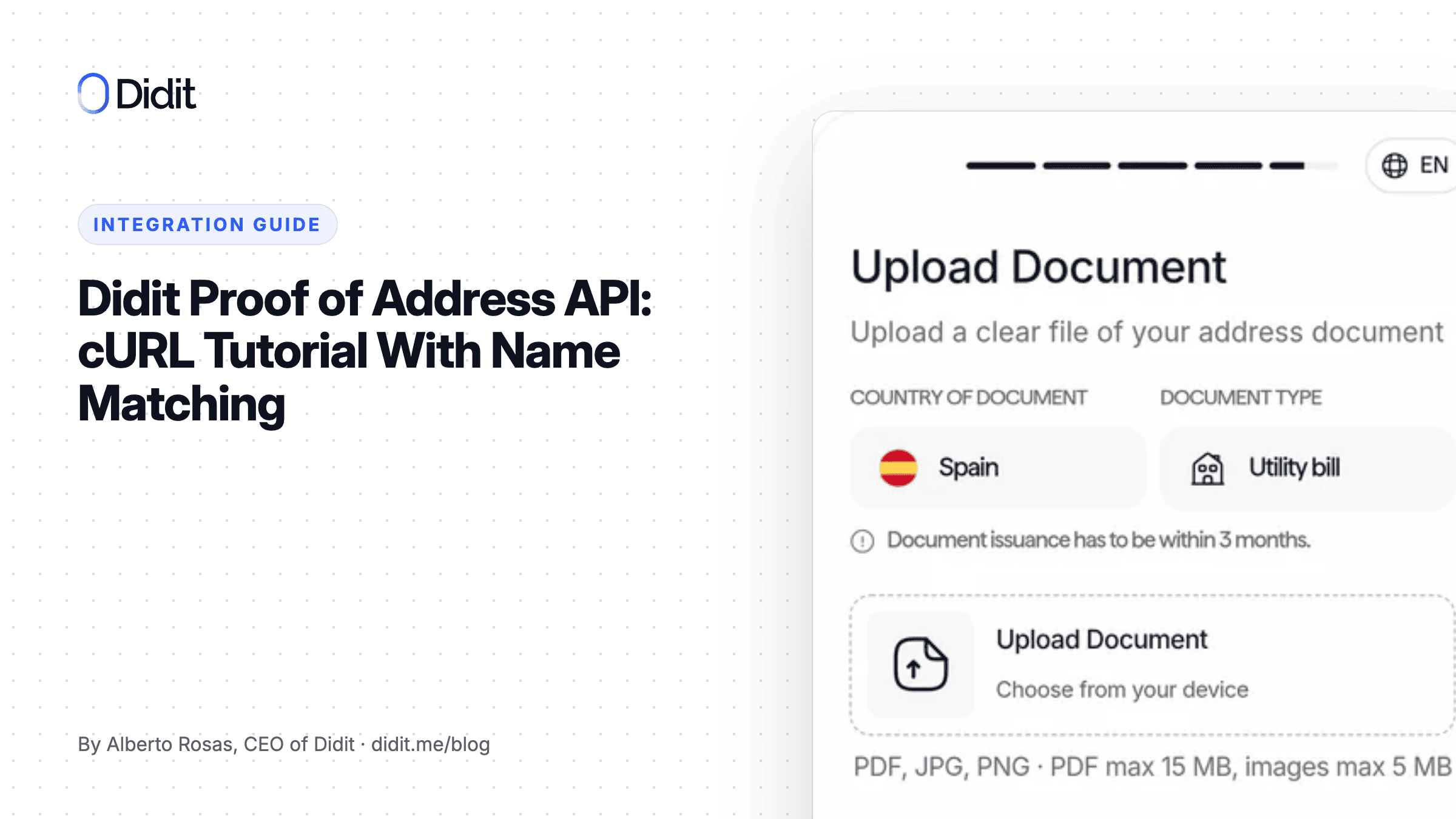 Didit Proof of Address API: cURL Tutorial With Name Matching
POST a utility bill to /v3/poa/ with your x-api-key plus the expected address and names. Set a client timeout of at least 45 seconds, read poa.status and poa.warnings, and budget $0.20 at list price per completed live check.
Alberto RosasNov 26, 2026Questions
Frequently asked questions
How do I add the Didit Android SDK to a Kotlin app?
Add Didit's documented Maven repository inside the repositories block within dependencyResolutionManagement in settings.gradle.kts, at https://raw.githubusercontent.com/didit-protocol/sdk-android/main/repository. Then add me.didit:didit-sdk at version 4.15.4 to your dependencies in app/build.gradle.kts and set minSdk to 23. The Android SDK guide covers the rest of the project wiring.
What is the minimum Android version for the Didit SDK?
API 23, which is Android 6.0. ML auto-detection needs API 24 or higher, and NFC chip reading needs a device with a reader. When the decision reports DEVICE_WITHOUT_NFC, the device had no NFC reader, so check the top-level nfc_skip_reason even if nfc_verifications is null.
Can I put my Didit API key in the Android app?
No. The key is a long-lived server-side secret. Your backend creates the session with the x-api-key header and passes the session_token down to the app, and that token is the credential the app uses to launch the flow through DiditSdk.startVerification(token = ...).
How does the Android app get the verification result?
The app asks your own backend for the verified outcome. Your backend receives the status.updated webhook and, when it needs the full payload, calls GET /v3/session/{session_id}/decision/ with a key holding read:sessions. Branch on session_kind before you read any feature array.
How do I test the Android SDK without paying?
Select your sandbox application in the console and use its key. Run the same calls you would run live. Every check is mocked, sandbox testing is free and unlimited on every plan, and you can arm a scenario slug to reproduce an approval or a decline.
What does BIOMETRIC_CONSENT_UNSUPPORTED_SDK mean?
An SDK below 4.10.0, or one that does not report its version, cannot show the biometric consent step. Android SDK 4.10.0 or later supports Didit's biometric consent prompt. In Auto mode, a supported Illinois, Texas or Colorado user_state triggers the prompt unless consent was already provided through biometric_consent.
Does an NFC chip read cost extra on Android?
Yes. NFC reading is $0.15 per check as an add-on, separate from the $0.33 full KYC price. Growth takes 4% off to $0.144 and Scale takes 10% off to $0.135.
Which languages can the Android flow show?
The native SDKs cover 54 capture and UI languages. You can set one explicitly with the ISO 639-1 language field when the backend creates the session.
Why did session creation fail with a 400 on callback?
When the application has allowed domains, an http or https callback must sit on one of those origins, matching scheme, host and port. Use an origin from allowed_domains, or a custom scheme deep link such as myapp://, which is always accepted.
Can I use React Native or Flutter instead of the native Android SDK?
Yes. The React Native and Flutter SDKs wrap the native iOS and Android SDKs, and each release pins the native version, for example 4.15.4. React Native requires 0.76 or later on the New Architecture, and Flutter requires 3.41 and Dart 3.11 or later.
How do I stop an app from creating new verifications?
Stop your backend from creating new sessions, and revoke the key if it is dedicated to that backend. Keep any webhook destination that sessions still in flight or other integrations depend on. Deploy the new signing secret before you retire the old one, since a rotated secret keeps sending -Previous signatures for 24 hours.
Compliance built in
Audited, certified and attested.
We hold the certifications and build each country's rules into your flows, so you can launch anywhere without worrying. Security and Compliance center
- Regulation encoded into your flows
Tell us what you do and where. Didit lists the rules that apply to you, with sources, and builds the checks each country needs into one workflow.
- Ready for AMLR
Every requirement of the new EU anti-money laundering rules, from checking customers to human review, is already covered by a Didit check.
- Tested in Spain's Treasury sandbox
Spain's Treasury published its supervised sandbox report on Didit's NFC plus active liveness onboarding; SEPBLAC took part and valued the added measures positively.
- Audited, not self-declared
iBeta Level 1 and Level 2. Liveness tested under ISO/IEC 30107-3.
Your obligations · 3 regions
 SOC 2 Type 2
 ISO 27001
 iBeta Level 1 and Level 2
 EU regulator attestation
 FSM youth protection
 GDPR
 EBA remote onboarding
 MiCA compatible
 FIDO Alliance member
- AMLREU AML Regulation ready
Integration · Didit MCP
Run Didit from your own AI agent
Connect Didit to Claude, Cursor, VS Code or ChatGPT and just ask in plain words. Your agent can do anything you can do in the console, with the same permissions you have.
 Add to Claude
 ChatGPT
 Cursor
- Build workflowsDescribe the checks you need. The agent creates and publishes the flow.
- Run investigationsAsk why a session was declined, review cases, search people and companies.
- Change rulesCreate payment rules, test them on past data and switch them on.
- Pull reportsAsk for numbers, exports or the audit log.
Didit Academy