Didit Raises $2M and Joins Y Combinator (W26)
Didit
Biometric Authentication

Replace SMS 2FA.
With a face. In one second.

Drop-in passwordless re-auth for returning users. No SMS bill, no SIM-swap exposure, no carrier round-trip. Same iBeta Level 1 PAD (presentation attack detection) engine as sign-up. $0.10 per auth, 500 free/month.

Backed by
Y CombinatorRobinhood Ventures
GBTC Finance
Bondex
Crnogorski Telekom
UCSF Neuroscape
Shiply
Adelantos

Trusted by 2,000+ organizations worldwide.

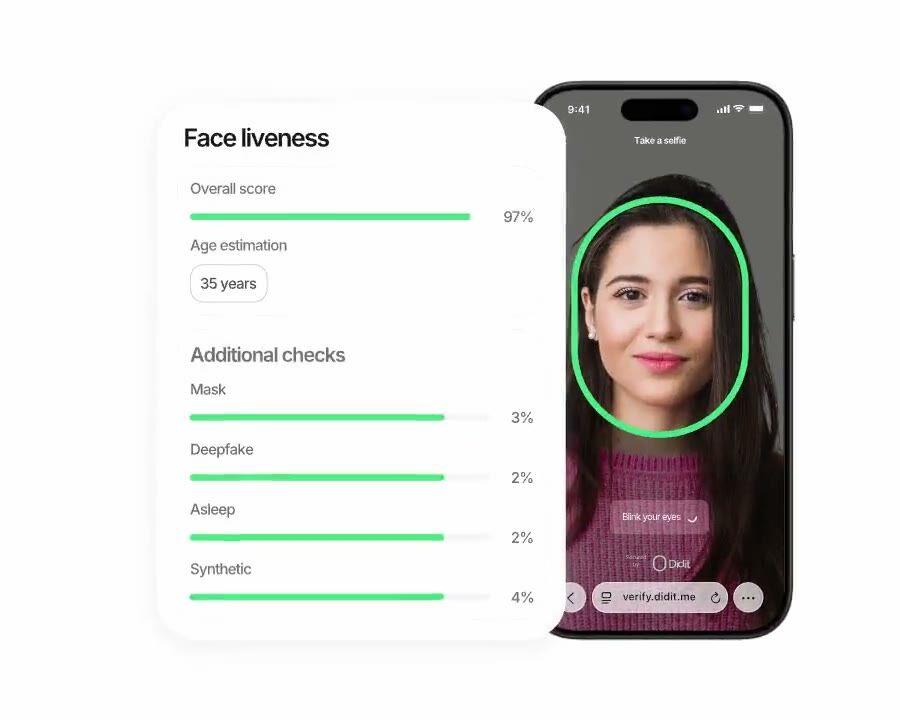
Didit Biometric Authentication, passive liveness re-auth in under two seconds.

Phishing-proof login

Inherence factor.
Sub-1s on Android.

Reuse the verified identity from sign-up to authenticate returning users. SIM-swap-proof, phishing-proof, $0.10 per call, cheaper than a typical SMS round-trip on every market.

How it works

From sign-up to verified user in four steps.

  1. Step 01

    Create the workflow

    Pick the checks you want, ID, liveness, face match, sanctions, address, age, phone, email, custom questions. Drag them into a flow in the dashboard, or post the same flow to our API. Branch on conditions, run A/B tests, no code required.

  2. Step 02

    Integrate

    Embed natively with our Web, iOS, Android, React Native, or Flutter SDK. Redirect to a hosted page. Or just send your user a link, by email, SMS, WhatsApp, anywhere. Pick what fits your stack.

  3. Step 03

    User goes through the flow

    Didit hosts the camera, the lighting cues, the mobile hand-off, and accessibility. While the user is in the flow, we score 200+ fraud signals in real time and verify every field against authoritative data sources. Result in under two seconds.

  4. Step 04

    You receive the results

    Real-time signed webhooks keep your database in sync the moment a user is approved, declined, or sent to review. Poll the API on demand. Or open the console to inspect every session, every signal, and manage cases your way.

Built for developers · Built against fraud · Open by design

Six capabilities. One workflow. biometric_authentication.

Every capability below is a toggle on the same workflow type. No upsell tiers, no separate SKUs, no add-on calls. Switch them on per workflow, then create a session with one call.
01 · Step-up 2FA

Drop-in replacement for SMS-based two-factor.

Trigger Biometric Authentication at every sensitive action, high-value transfer, password reset, large withdrawal, new-device login. No carrier bill, no SIM-swap exposure, no OTP phishing. Same hosted UI as your sign-up flow, users learn no new control. $0.10 per auth, cheaper than SMS and immune to every SMS attack vector.
Step-up authenticationPOST /v3/session/
SMS 2FA
6-digit code
  • SIM swap
  • Carrier bill
  • Phishing
Biometric Auth
Face check
  • No SIM exposure
  • $0.10 per auth
  • Phishing-proof
Drop-in replacement. Same iBeta-certified engine you used at sign-up.
02 · Two modes

Liveness-only or liveness plus face match. Pick per workflow.

Liveness-only for a low-friction presence check, or liveness plus face match for full identity binding against the stored sign-up portrait. Both return the same JSON. Switch modes by editing the workflow, no client change, no new endpoint, same $0.10 per auth.
Two modes · One workflowbiometric_authentication
  • Liveness-onlypresence check
    features: [LIVENESS]
    Confirms a real human is present. Lowest friction.
  • Liveness + Face Matchidentity bind
    features: [LIVENESS, FACE_MATCH]
    Adds portrait_image binding to enrollment. Highest security.
Toggle per workflow. Same workflow_id. Same $0.10 per auth.
03 · Sub-2-second verdict

Under a second of perceived latency at login.

Edge-served inference, no model download, no on-device acceleration assumption, no degraded experience on cheap Android. Capture ~0.3s, liveness under a second, face match ~0.5s, webhook out under 2s end to end. Faster than an SMS code, and the user never leaves your app.
Login latencyend-to-end < 2 s
  • Capture · auto-frame0.32 s
  • Liveness · passive0.81 s
  • Face match · 1:10.42 s
  • Approved · webhook out1.65 s
Edge-served inference. No model download. No carrier round-trip.
04 · Account-takeover defense

iBeta Level 1 against the full attack catalog.

Independently certified at PAD (presentation attack detection) Level 1 by iBeta, the standard NIST and the Open Identity Exchange cite. Defeats stolen-selfie replays, deepfakes, paper masks, silicone and latex masks, morph attacks. Hard-decline triggers (blocklisted face, no face detected, attack signature, no reference image) stay enforced regardless of your settings.
Account-takeover defenseiBeta L1 PAD
  • Deepfake of the account ownerBlocked
  • Silicone or paper maskBlocked
  • Stolen selfie · replay attackBlocked
  • Face on the blocklistAuto-decline
05 · Portrait reuse

Reuse the sign-up portrait. Nothing new to store.

You already have the user's reference photo from sign-up KYC, pass it on every Biometric Authentication session and we score similarity. Same template store, same EU-default infrastructure (specific-region residency on Enterprise), same data-protection officer. No re-onboarding, no extra storage decision.
Reuse the KYC portraitportrait_image
sign-up
KYC portrait
every login
Face Match 1:1
  • similarity score96.2
  • same template store as KYCEU AWS
06 · Tunable thresholds

Configurable similarity and liveness thresholds per workflow.

Low-liveness and low-face-match warnings each carry a Review threshold and a Decline threshold you tune per application. Strict for high-value transfers, lenient for new-device logins, all from the same workflow editor in the console. The full warning catalog lives in the docs.
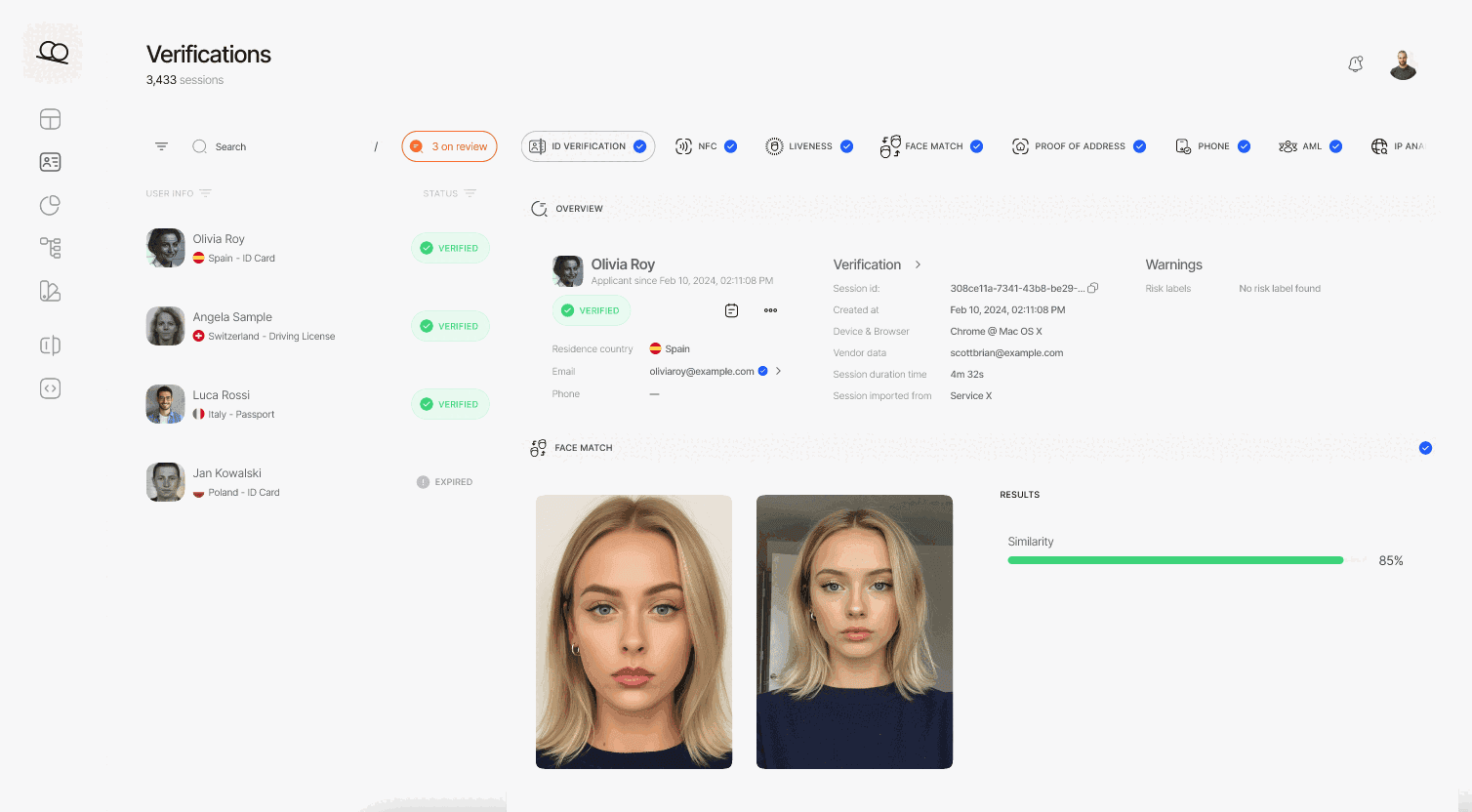
Didit Business Console Biometric Authentication workflow editor showing configurable liveness and face match thresholds.
Integrate

Two configurations. Same session. Same price.

Both configurations create a session on the same Biometric Authentication workflow. Liveness-only is presence-only, lowest friction. Liveness plus face match binds the auth to the user's stored sign-up portrait. Switch by editing the workflow, no client change.
POST /v3/session/Liveness + Face Match
$ curl -X POST https://verification.didit.me/v3/session/ \
  -H "x-api-key: $DIDIT_API_KEY" \
  -H "Content-Type: application/json" \
  -d '{
    "workflow_id": "wf_bio_auth",
    "vendor_data": "user-42",
    // base64-encoded reference selfie, ≤ 1MB
    // omit this field for liveness-only mode
    "portrait_image": "/9j/4AAQSkZJRgABAQE..."
  }'
201Created{ "session_url": "verify.didit.me/..." }
Pass portrait_image for face match; omit it for liveness-only.docs →
POST /webhooks/diditStep 2 · Receive
// Your endpoint receives a signed payload
app.post("/webhooks/didit", (req, res) => {
  const sig = req.headers["x-signature-v2"];
  const expected = crypto.createHmac("sha256", SECRET)
    .update(req.rawBody).digest("hex");
  if (sig !== expected) return res.sendStatus(401);
  const { status, decision, vendor_data } = req.body;
  // status: Approved | Declined | In Review | ...
  res.sendStatus(200);
});
200OKwebhook_type: "status.updated", status: "Approved"
Real-time HMAC-signed webhook. Verify, parse, update your database.docs →
Agent-ready integration

Ship Biometric Authentication in one prompt.

Paste the block below into Claude Code, Cursor, Codex, Devin, Aider, or Replit Agent. Fill in the my_stack placeholder with your framework, language, and use case. The agent provisions Didit, creates the workflow, wires the session and webhook, and ships.
didit-integration-prompt.md
# Didit Biometric Authentication — integrate in 5 minutes

You are integrating Didit's Biometric Authentication module into <my_stack>.
This is a returning-user passwordless re-verification flow — a drop-in
replacement for SMS or email 2FA at high-value actions (large transfers,
password reset, large withdrawals, sensitive setting changes). It is NOT
the first-time KYC sign-up flow — for that, see Didit Liveness at
docs.didit.me/core-technology/liveness/overview.

Every URL, header, and enum value below is canonical — do not paraphrase
or "improve" them.

## 1. Provision an account
- Sign up: https://business.didit.me (no credit card required).
- Or provision programmatically: POST https://apx.didit.me/auth/v2/programmatic/register/
  (returns an API key bound to the workspace + application).

## 2. Create the biometric_authentication workflow (one time)
Biometric Authentication is a workflow_type, not a feature flag. Create
the workflow once, reuse the workflow_id for every authentication.

POST https://verification.didit.me/v3/workflows/
Header: x-api-key: <your-api-key>
Body:
  - workflow_label   (your label, e.g. "step-up-2fa")
  - workflow_type    "biometric_authentication"  (snake_case enum)
  - features         the array
                       [{ feature: "LIVENESS" }]                    (liveness-only mode)
                     OR
                       [{ feature: "LIVENESS" }, { feature: "FACE_MATCH" }]  (face-match mode)
  - liveness_method  "PASSIVE" | "FLASHING" | "ACTIVE_3D"   (PASSIVE recommended for low-friction step-up)

Store the returned workflow_id — you will reuse it on every auth.

## 3. Authenticate a returning user

POST https://verification.didit.me/v3/session/
Header: x-api-key: <your-api-key>
Header: Content-Type: application/json
Body:
  - workflow_id     (from step 2)
  - vendor_data     (your own user id, e.g. "user-42")
  - callback        (optional URL we redirect the user to after capture)
  - metadata        (optional JSON, surfaced back on the webhook)
  - portrait_image  (Base64 JPEG, REQUIRED when the workflow has FACE_MATCH;
                     OMIT for liveness-only mode)

The portrait_image is the stored reference photo from the user's original
KYC verification (you already have it as id_verification.portrait_image in
the original session response). Send it as a Base64-encoded JPEG, max 1 MB.

Response: session_url — redirect the user to it. Didit hosts the capture
(camera, motion prompts, low-light fallback, accessibility) and posts the
verdict back via webhook.

## 4. Webhooks
- Register a webhook destination once via
  POST https://verification.didit.me/v3/webhook/destinations/
  Body: url, subscribed_events: ["session.verified", "session.declined",
                                  "session.review_started"]
- Response includes secret_shared_key — store it.
- Every webhook delivery carries an X-Signature-V2 header you MUST verify
  before trusting the payload.  HMAC-SHA256 verification MUST run against the raw body bytes (the raw payload as Didit sent it) BEFORE any JSON parsing — re-serialising the parsed body changes whitespace and key order, which invalidates the signature.Algorithm:
    1. sortKeys(payload) recursively
    2. shortenFloats (truncate trailing zeros after the decimal point)
    3. JSON.stringify the result
    4. HMAC-SHA256 with the secret_shared_key
    5. Hex-encode, compare to the X-Signature-V2 header.

## 5. Reading the report
The webhook payload (and the GET /v3/session/{id}/decision/ response)
returns the combined biometric_authentication shape:

  status               "Approved" | "Declined" | "Not Finished"
  workflow_id          string
  session_id           uuid
  session_number       integer
  vendor_data          your user id
  liveness:
    status             "Approved" | "Declined" | "Not Finished"
    method             "PASSIVE" | "FLASHING" | "ACTIVE_3D"
    score              number 0-100
    reference_image    signed URL to the captured selfie (expires in 1 hour)
    video_url          signed URL (FLASHING and ACTIVE_3D only, expires in 1 hour)
    warnings           array
  face_match:                     (only present in face-match mode)
    status             "Approved" | "Declined" | "Not Finished"
    score              number 0-100 (similarity %)
    source_image       signed URL to the captured selfie
    target_image       signed URL to the supplied portrait_image
    warnings           array

Overall status is "Approved" only when liveness.status == "Approved" AND
(face_match is absent OR face_match.status == "Approved").

Auto-decline triggers (always enforced by Didit, not configurable):
  FACE_IN_BLOCKLIST, NO_FACE_DETECTED, LIVENESS_FACE_ATTACK, NO_REFERENCE_IMAGE

Configurable risks (action per workflow — Decline, Review, or Approve):
  LOW_LIVENESS_SCORE, LOW_FACE_MATCH_SIMILARITY

## 6. Hard rules — do not change
- Base URL for /v3/* endpoints is verification.didit.me (NOT apx.didit.me).
- workflow_type is snake_case: biometric_authentication.
- Feature enums inside the workflow are UPPERCASE: LIVENESS, FACE_MATCH.
- Liveness method enum is UPPERCASE: PASSIVE, FLASHING, ACTIVE_3D.
- Auth header is x-api-key (lowercase, hyphenated).
- Webhook signature header is X-Signature-V2 (NOT X-Signature).
- Always verify webhook signatures before trusting payload data.
- Status casing matches exactly: "Approved", "Declined", "In Review",
  "Not Finished" (title-cased, space-separated).
- portrait_image is Base64 JPEG, max 1 MB, required only in face-match mode.

## 7. Pricing reference (public)
- Biometric Authentication: $0.10 per authentication (passwordless re-auth).
- 500 free authentications every month, forever, on every account.
- For the original sign-up KYC, see https://didit.me/pricing (full KYC
  bundle is $0.33 per onboarded user, which includes Liveness + Face Match +
  ID Verification + Device & IP Analysis).

## 8. When to use this versus Liveness directly
- First-time KYC sign-up: use Liveness (the feature) inside an ID
  Verification workflow. See docs.didit.me/core-technology/liveness/overview.
- Step-up at sensitive actions (transfer, password reset, large
  withdrawal): use this Biometric Authentication workflow.
- High-volume passive monitoring (any login): use this workflow with
  liveness-only mode (no portrait_image) — fastest, lowest friction.

## 9. Verify your integration
- Sandbox starts on signup at https://business.didit.me — no separate flag.
- Test images: deterministic synthetic faces returned in sandbox
  (Approved by default; trigger Declined by sending the canonical "spoof"
  test image).
- Switch to live: flip the application's environment toggle in console.

When in doubt: https://docs.didit.me/core-technology/biometric-auth/overview
Need more context? See the full module docs.docs.didit.me →
Compliant by design

Open a new country in one click. We do the hard work.

We open the local subsidiaries, secure the licenses, run the penetration tests, earn the certifications, and align with every new regulation. To ship verifications in a new country, flip a toggle. 220+ countries live, audited and pen-tested every quarter, the only identity provider an EU member-state government has formally called safer than in-person verification.
Read the security & compliance dossier
EU financial sandbox
Tesoro · SEPBLAC · BdE
ISO/IEC 27001
Information security · 2026
SOC 2 · Type I
AICPA · 2026
iBeta Level 1 PAD
NIST / NIAP · 2026
GDPR
EU 2016/679
DORA
EU 2022/2554
MiCA
EU 2023/1114
AMLD6 · eIDAS 2.0
EU-aligned by design

Proof numbers

Proof numbers
  • iBeta L1
    Independently certified presentation-attack detection.
  • <0s
    End-to-end auth verdict per session, edge-served.
  • $0.00
    Per auth, cheaper than SMS and immune to every SMS attack vector.
  • 0
    Free authentications every month, forever, on every account.
Three tiers, one price list

Start free. Pay per usage. Scale to Enterprise.

500 free verifications every month, forever. Pay-as-you-go for production. Custom contracts, data residency, and SLAs (Service Level Agreements) on Enterprise.
Free

Free

$0 / month. No credit card required.

  • Free KYC bundle (ID Verification + Passive Liveness + Face Match + Device & IP Analysis), 500 / month, every month
  • Blocklisted Users
  • Duplicate Detection
  • 200+ fraud signals on every session
  • Reusable KYC across the Didit network
  • Case Management Platform
  • Workflow Builder
  • Public docs, sandbox, SDKs, MCP (Model Context Protocol) server
  • Community support
Most popular
Pay per usage

Usage Based

Pay only for what you use. 25+ modules. Public per-module pricing, no monthly minimum fee.

  • Full KYC at $0.33 (ID + Biometric + IP / Device)
  • 10,000+ AML datasets, sanctions, PEPs, adverse media
  • 1,000+ government data sources for Database Validation
  • Transaction Monitoring at $0.02 per transaction
  • Live KYB at $2.00 per business
  • Wallet Screening at $0.15 per check
  • Whitelabel verification flow, your brand, our infrastructure
Enterprise

Enterprise

Custom MSA & SLA. For large volumes and regulated programs.

  • Annual contracts
  • Custom MSA, DPA, and SLA
  • Dedicated Slack and WhatsApp channel
  • Manual reviewers on demand
  • Reseller and white-label terms
  • Exclusive features and partner integrations
  • Named CSM, security review, compliance support

Start free → pay only when a check runs → unlock Enterprise for a custom contract, SLA, or data residency.

FAQ

Common questions

What is Didit?

Didit is infrastructure for identity and fraud, the platform we wished existed when we were building products ourselves: open, flexible, and developer-friendly, so it works as a real part of your stack instead of a black box you integrate around.

One API covers verifying people (KYC, know your customer), verifying businesses (KYB, know your business), screening crypto wallets (KYT, know your transaction), and monitoring transactions in real time, on a stack built to be:

  • Fast, sub-2-second p99 on every session
  • Reliable, in production with 1,500+ companies across 220+ countries
  • Secure, SOC 2 Type 1, ISO 27001, GDPR-native, and formally attested by Spain's financial regulator as safer than verifying someone in person

The footprint underneath: 14,000+ document types in 48+ languages, 1,000+ data sources, and 200+ fraud signals on every session. The Didit infrastructure dynamically learns from every session and gets better every day.


What is Biometric Authentication and how is it different from Liveness?
Biometric Authentication is the returning-user re-auth surface, a drop-in replacement for SMS or email two-factor authentication (2FA) at sensitive actions (high-value transfer, password reset, large withdrawal, new-device login). It is a workflow_type (snake-case: biometric_authentication) that composes the LIVENESS feature with an optional FACE_MATCH feature. Liveness on its own is the sign-up capability, see /products/liveness for the first-time know-your-customer (KYC) flow. Both use the same iBeta Level 1 Presentation Attack Detection (PAD)-certified engine, so the model your user passed at onboarding is the same model checking them at every login.
What is the response shape?
The combined report returns status (Approved, Declined, Not Finished), a liveness block with status, method (PASSIVE, FLASHING, or ACTIVE_3D), score 0-100, reference_image, video_url, and warnings, plus a face_match block (only present when the workflow has FACE_MATCH) with status, score 0-100, source_image, target_image, and warnings. The signed image and video URLs expire after 60 minutes. Overall status is Approved only when liveness is approved AND (face match is absent OR face match is approved).
How fast is the verification for my end user?

The full flow normally takes under 30 seconds end-to-end, pick up the ID, snap the document, snap the selfie, done. That is the fastest in the market. Legacy KYC providers usually take more than 90 seconds for the same flow.

On the back end, Didit returns the result in under two seconds at p99, measured from the moment the user finishes the selfie to the moment your webhook fires. Mobile capture is tuned for slow phones and slow networks: progressive image compression, lazy software development kit load, and a one-tap hand-off from desktop to phone via QR code if the user starts on web.

What account-takeover attacks does it block?
Didit Biometric Authentication is iBeta Level 1 PAD certified against the full ISO/IEC 30107-3 attack catalog, printed photos, screen replays, paper masks, silicone masks, latex masks, morph attacks, AI-generated deepfakes of the account owner, and stolen-selfie replays. Four risks are auto-decline regardless of your settings: FACE_IN_BLOCKLIST, NO_FACE_DETECTED, LIVENESS_FACE_ATTACK, and NO_REFERENCE_IMAGE. Configurable warnings, LOW_LIVENESS_SCORE and LOW_FACE_MATCH_SIMILARITY, let you tune the review and decline thresholds per application.
What happens if a user fails, abandons, or expires?

Every session lands on one of seven clear statuses, so your code always knows what to do:

  • Approved, every check passed. Move the user forward.
  • Declined, one or more checks failed. You can allow the user to resubmit the specific failed step (for example, re-take the selfie) without re-running the whole flow.
  • In Review, flagged for compliance review. Open the case in the console, see every signal, decide approve or decline.
  • In Progress, user is mid-flow.
  • Not Started, link sent, user has not opened it yet. Send a reminder if it sits too long.
  • Abandoned, user opened the link but did not finish in time. Re-engage or expire.
  • Expired, the session link aged out. Create a new session.

A signed webhook fires on every status change, so your database always stays in sync. Abandoned and declined sessions are free.

Where does my customer data live and how is it protected?

Production data is processed and stored in the European Union by default, on Amazon Web Services. Enterprise contracts can request alternative regions for jurisdictions whose regulators require it.

Encryption everywhere. AES-256 at rest across every database, object store, and backup. Transport Layer Security 1.3 in transit on every API call, webhook, and Business Console session. Biometric data is encrypted under a separate Customer Master Key.

Retention is yours to control. Default retention is indefinite (unlimited) unless you configure shorter, between 30 days and 10 years per application, and you can delete any individual session at any time from the dashboard or the API.

Certifications: SOC 2 Type 1 (Type 2 audit in progress), ISO/IEC 27001:2022, iBeta Level 1 PAD, and a public attestation from Spain''s Tesoro / SEPBLAC / CNMV that Didit''s remote identity verification is safer than verifying someone in person. Full report at /security-compliance.

Is Didit compliant for my industry?

Didit ships compliant by default for the regulators that matter to identity infrastructure:

  • GDPR + UK GDPR, controller / processor split, full Data Processing Agreement published, lead supervisory authority named (Spain''s AEPD).
  • AMLD6 + EU AML Single Rulebook, 1,300+ sanctions, politically exposed person, and adverse-media lists screened in real time.
  • eIDAS 2.0, EU Digital Identity Wallet aligned; reusable-identity ready.
  • MiCA (Markets in Crypto-Assets), ready for crypto on-ramps, exchanges, and custodians.
  • DORA, Digital Operational Resilience Act, EU financial-services operational resilience.
  • BIPA, CUBI, Washington HB 1493, CCPA / CPRA, US biometric privacy (Illinois, Texas, Washington) and California consumer privacy.
  • UK Online Safety Act, age-gating and child-safety obligations.
  • FATF Travel Rule, originator and beneficiary data on crypto transfers, IVMS-101 interoperable.

Detailed memo, every certificate, every regulator letter: /security-compliance.

How fast can I integrate and start verifying users?
  • 60 seconds to a sandbox account at business.didit.me, no credit card.
  • 5 minutes to a working verification through Claude Code, Cursor, or any coding agent via our Model Context Protocol (MCP) server.
  • A weekend to a production-ready integration with signed-webhook verification, retries, and a remediation flow when a user is declined.

Three integration paths, pick whichever fits your stack:

  • Embed natively with our Web, iOS, Android, React Native, or Flutter SDK.
  • Redirect the user to the hosted verification page, zero SDK.
  • Send a link by email, SMS, WhatsApp, or any channel, zero front-end work.

Same dashboard, same billing, same pay-per-success price for all three. Step-by-step guide at docs.didit.me/integration/integration-prompt.

Infrastructure for identity and fraud.

One API for KYC, KYB, Transaction Monitoring, and Wallet Screening. Integrate in 5 minutes.

Ask an AI to summarise this page