Bank Verification Fallbacks: Unsupported Country, Statement Upload, 2026
Vietnam has no bank sign-in or account check route. The Bank Verification step still runs: the person uploads a statement from the last 3 months at $0.20 per check, and Continue without your bank routes the session to the.
 Alberto RosasCo-founder and CEO
Contents
In this guide
Jump to the part you need.
This page is for teams whose users bank in a country, or at an institution, that Didit's bank routes do not serve. Vietnam is the working example. Bank Verification still runs there: the person uploads a statement from the last 3 months, priced at $0.20 per check, or picks Continue without your bank. The caveat: the step compares an account holder with an identity another step already verified, so it is not identity proof on its own.
Last updated: November 26, 2026. Prices checked against the live Didit price feed on November 26, 2026.
| Situation | What the person sees | What you set | Published price |
|---|---|---|---|
| No bank route in the country (Vietnam, VNM) | Statement upload under Other ways to verify, plus Continue without your bank | bank_statement_enabled on, country enabled with no methods | Statement upload $0.20 per check |
A bank that cannot be used here (institution_unsupported) | "This bank cannot be used here", with the other ways and Continue without your bank | bank_statement_enabled, account check where the country offers it | Statement $0.20, account check from $0.45 |
| Statement after a charged bank attempt | The statement upload as a fallback | bank_statement_enabled on | Included at no extra charge |
| Every attempt spent | The step ends on its own, no continuation asked | bank_max_attempts, bank_attempts_exhausted_action | No extra charge |
| Continue without your bank | Shown last, when nothing else works or from the start | bank_continue_without_bank | No charge for the option |
Start free in the sandbox at https://business.didit.me/ (no sales call). Developers can connect Didit to an AI assistant through the Didit MCP server. The documentation for this step is Bank Verification, and every price on this page comes from Didit pricing.
What "not supported" means in Bank Verification
Bank Verification is one workflow step with two methods. The person either signs in at their bank (open_banking) or types their account details and the bank confirms the name on the account (account_lookup). You choose which methods each country offers and which one comes first. A method no route serves in a country is left out there, so the person never sees a screen that cannot run.
Coverage is per country. In production, bank sign-in runs in the United Kingdom, the 30 countries of the European Economic Area (the 27 EU countries plus Iceland, Liechtenstein and Norway), Nigeria and New Zealand. The account check runs in many countries, among them Nigeria, Ghana, Kenya, Zambia, the United Kingdom, the euro area, Argentina, Brazil, Mexico, Peru and India. Bank Verification pricing always shows the current list.
| Way to verify | method | Where it is offered | Published price |
|---|---|---|---|
| Bank sign-in | open_banking | Where a route serves the country | From $0.45 per completed sign-in |
| Account check | account_lookup | Where a route serves the country | From $0.45 per answered check |
| Statement upload | statement | Any country, when bank_statement_enabled is on | $0.20 per check, included at no extra charge after a charged bank attempt |
| Micro-deposits | microdeposits | Only where a route sends the deposits, after a charged sign-in or account check in the same session | Included after a charged attempt |
| Continue without your bank | none | Always, and it cannot be turned off | No charge for the option |
Two settings decide the rest. bank_method_order sets the default order for every country, and a save that sends none gets ["open_banking", "account_lookup"]: bank sign-in first, the account check as its backup. methods on a country inside bank_countries overrides that order for that country alone. In the Business Console, Countries and methods shows a method a country cannot use as Not available.
Vietnam: a country no bank route serves
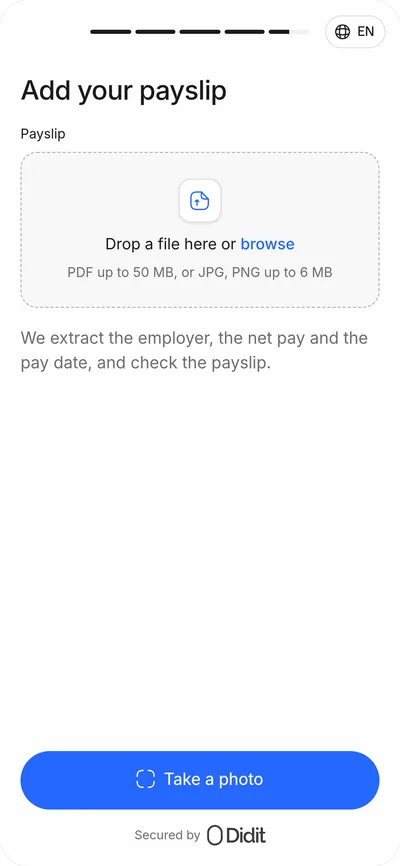
Vietnam (VNM) is in neither coverage list. It stays in the step. The person uploads a statement, when you offer one, or continues without a bank. The screen reads "We can't connect to banks in Vietnam yet", with the statement upload under Other ways to verify and Continue without your bank below it.
What you must verify there, and why
The Bank Verification step does not prove who someone is. It confirms that a bank account belongs to the person an earlier step verified, so put ID Verification, Database Validation, a questionnaire or expected_details before it. In Vietnam, where no bank route exists, the evidence the step can hold is a document the person supplies: a statement from the last 3 months that shows their name, their bank and the account number. Didit reads it, checks it for edits, and matches the holder name the same way it matches a bank's answer.
Didit's documented fallback does not depend on a register. It asks for a statement that shows the person's name, their bank and the account number, and the step matches the holder name on it against the name an earlier step already verified. Those three fields are exactly what the upload requests.
What Didit returns for a Vietnam session
Bank sign-in and the account check give the same kind of result: whether the holder matches the identity the session verified, the holder name the bank returned, and the masked account. For Vietnam the uploaded statement is the source the step reads, and the step's actions turn that ownership result into a verdict exactly as they do for bank sign-in.
Continue without your bank is a separate path. It records the method as none, carries no ownership evidence of its own, and routes the session to the outcome you configured for that case, a review by default. Nothing about Vietnam is a special case in your integration: the step reads the country list at run time, so when a bank route opens there, the country starts offering it without a change on your side.
Set it up in the Business Console
- Open your application at business.didit.me and open the workflow that holds the Bank Verification step.
- In Countries and methods, enable Vietnam (VNM). Bank sign-in and the account check show as Not available there.
- Turn on
bank_statement_enabledso the country has a way to verify. - Leave
bank_statement_standalone_enabledon. It is on by default and it is what lets the statement upload appear with no bank attempt before it, which is the only way it can appear in Vietnam. - Under When the person cannot verify, set Show Continue without a bank to When nothing else works, or to From the start if you would rather show it on the first screen.
- Set the outcome for that case. If you leave it, the session goes to review.
- Set
bank_max_attemptsto 2 or more in any country where you want room for a fallback after a failed bank sign-in.

The same setup through the API
Vietnam is saved by leaving methods out, or by setting it to null. The save keeps the country and its people see the statement upload and Continue without your bank.
{
  "bank_statement_enabled": true,
  "bank_countries": {
    "GBR": { "enabled": true, "institutions": "all" },
    "VNM": { "enabled": true, "institutions": "all" }
  }
}
Listing a method for a country no route serves is refused on save, for example Account check is not available in VNM. An empty list is refused too, as in every enabled country, with Choose a method: bank sign-in, account check, or both. A country a route does serve but that the order leaves with no method is refused the same way, with the country named after it in the message.
The default order for every country that sets none of its own:
{
  "bank_method_order": ["open_banking", "account_lookup"]
}
And the setting that decides when the option appears:
{
  "bank_continue_without_bank": "when_needed"
}
If your contract sets its own prices and does not include the statement upload, a save that offers one with no bank attempt before it also refuses a country no route serves. Check that with your account team before you rely on the standalone statement in Vietnam.
When Continue without your bank appears
| Value | The step shows it |
|---|---|
when_needed (the default) | Once no method works for the person's country or bank, when their bank cannot be reached right now and no other method could verify them, or when they say they have no online banking or their bank is not listed |
from_start | On the first screen too |
Neither value turns the option off. The person can always continue, and the option sits last in the list of ways to verify. What you control is the outcome: a review by default, or whatever your workflow sets for that case.
A bank that cannot be used here
Not every fallback is about a country. In a country a route does serve, one bank may still be unusable, and the step reports it as institution_unsupported with the message "This bank cannot be used here". The person can enter their account details where the country offers the account check, upload a statement, choose a different bank, or continue without their bank. If their bank cannot be reached right now rather than being unsupported, the account check takes over before any consent is asked, as long as they have account checks left.
Attempts, exhaustion and the automatic decline
The statement upload and micro-deposits each spend one of the step's bank_max_attempts, the same attempts bank sign-in uses. The account check has its own bank_account_check_max_attempts, so where it is the only method, someone who has used every account check can still upload a statement when the step offers one. When a failed attempt uses up the last attempt of every way the person is still offered, a statement upload included, the step does not wait: it ends on its own, the person is not asked to continue, and the result records no continuation. The session then follows bank_attempts_exhausted_action, a decline by default. An earlier verdict, such as a name mismatch, stands instead.

Worked cost example
Take 1,000 Vietnam cases on the self-serve list price. The identity check is an additional prerequisite, not part of the bank step: the full ID check runs before it, at ID document verification $0.15, passive liveness $0.10, face match 1:1 $0.05 and device and IP analysis $0.03. That is $0.15 + $0.10 + $0.05 + $0.03 = $0.33 per case. The standalone statement upload on the Vietnam path adds $0.20, so one case is $0.33 + $0.20 = $0.53, and 1,000 cases are 1,000 x $0.53 = $530.00.
On Growth, with 4% off every Didit price, the same case is ($0.33 x 0.96) + ($0.20 x 0.96) = $0.3168 + $0.1920 = $0.5088, so 1,000 cases cost $508.80. For contrast, a United Kingdom case that passes on the account check at the published floor of $0.45 is $0.33 + $0.45 = $0.78, or $780.00 for 1,000 cases, and the statement upload is not billed there because it follows a charged attempt.
Fallbacks when the source is down or has no match
- The bank is down. Where the country offers the account check, the step moves the person to the account form before any consent is asked, while they have account checks left.
- The country has no route. The statement upload and Continue without your bank are the whole list, and the person sees the country named in the message.
- The statement is edited. Didit reads the upload and checks it for edits before the holder name is matched, so an altered file is not treated as clean evidence.
- The name does not match. The step's actions turn that result into the verdict, and it stands even if later attempts run out.
- A standalone account check call fails.
POST /v3/bank/account-check/answers 402 withinsufficient_creditswhen the balance cannot cover it. A 429 waits forRetry-After. A 500 or 503 is retried with backoff, and the response body may not be JSON, so branch on the status as well ascode. Reads never bill.
Table of identifiers and fields
| Identifier | Type | What it controls |
|---|---|---|
VNM | ISO 3166-1 alpha-3 key | The country entry in bank_countries. A country no route serves is kept when methods is omitted or null |
methods | list on a country | The order for that country. Values are open_banking and account_lookup. Refused if it lists a method the country cannot run, or if it is empty |
bank_method_order | list | Default order for every country without its own. Defaults to ["open_banking", "account_lookup"] |
bank_statement_enabled | boolean | Offers the statement upload, as a fallback after a charged attempt or standalone |
bank_statement_standalone_enabled | boolean, on by default | Allows the statement upload with no bank attempt before it, in any country |
bank_microdeposits_enabled | boolean | Offers micro-deposits where a route sends them, only after a charged sign-in or account check |
bank_continue_without_bank | when_needed or from_start | When the option appears. It cannot be turned off |
bank_max_attempts | integer | Attempts shared by bank sign-in, statement upload and micro-deposits. Set 2 or more to leave room for a fallback |
bank_account_check_max_attempts | integer | Attempts for the account check, counted separately |
bank_attempts_exhausted_action | action, decline by default | What the session does when the last attempt of every offered way is used |
institution_unsupported | step outcome | A bank that cannot be used here, with the other ways offered |
Sources
- Didit docs, Bank Verification Fallbacks and Continue Without a Bank, read November 26, 2026.
- Didit docs, Bank Verification Methods: Sign-in or Account Check, read November 26, 2026.
- Didit docs, Bank Account Check, read November 26, 2026.
- Didit docs, Bank Verification overview, read November 26, 2026.
- Didit docs, Bank Data API overview, read November 26, 2026. Bank sign-in from $0.45 per completed sign-in, account check from $0.45 per answered check.
- Didit docs, Bank Verification pricing, read November 26, 2026.
- Didit docs, API Errors, read November 26, 2026.
- Didit docs, Account check API, read November 26, 2026.
- Didit pricing and the live price feed, read November 26, 2026. Statement upload $0.20 per check.
- Didit price book, the public line for statement upload, read November 26, 2026.
- NATIONAL LEGAL DATABASE OF VIETNAM (vbpl.vn), details not verifiable in the retrieved page, read November 26, 2026.
- Cơ sở dữ liệu quốc gia về pháp luật (vbpl.vn), Bộ Tư pháp, Nghi dinh so 70/2014/ND-CP detail page: https://vbpl.vn/van-ban/chi-tiet/nghi-dinh-so-70-2014-nd-cp-quy-dinh-chi-tiet-thi-hanh-mot-so-dieu-cua-phap-lenh-ngoai-hoi-va-phap-lenh-sua-doi-bo-sung-mot-so-dieu-cua-phap-lenh-ngoai-hoi--36831, read November 26, 2026. Plain text only, no hyperlink. Only the site footer rendered in our read, so the document body was not available and no article text is quoted.
Next step: start in the sandbox (no sales call), enable Vietnam in Countries and methods, leave the standalone statement setting on, and run one test case to see the exact screens your users will get.
Try it
Try this in the sandbox
Run the check this guide describes, free.
The product this post is about, taken from its topic. Run it free in the sandbox.
Author
Alberto Rosas
Co-founder and CEO

Keep reading
Other guides in the same topic.
 What Is the Purpose of FICA in South Africa? 2026 Guide
FICA is South Africa's anti-money laundering law. It creates the Financial Intelligence Centre and requires accountable institutions to identify and verify clients, screen for PEP and sanctions risk and report suspicious.
Alberto RosasNov 26, 2026 Sixth Money Laundering Directive (6AMLD): What Changed and Which Rules Apply
6AMLD is Directive (EU) 2018/1673: Member States must criminalise laundering, widen predicate offences and set a four-year penalty floor. It adds no new due diligence duties for firms.
Alberto RosasNov 26, 2026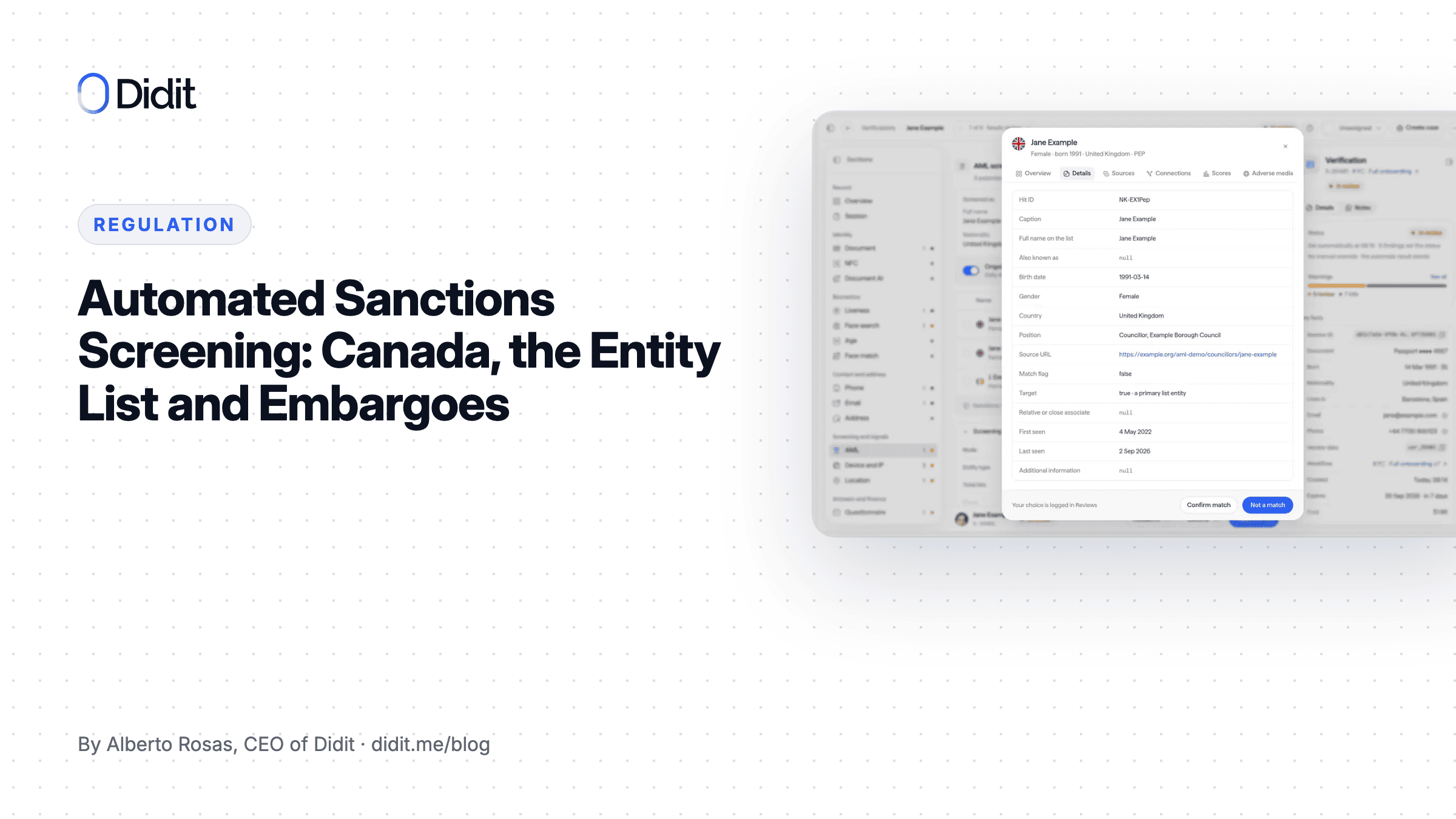 Automated Sanctions Screening: Canada, the Entity List and Embargoes
Automated sanctions screening matches people and companies against lists such as Canada's autonomous sanctions made under SEMA and JVCFOA and the OFAC SDN List, and returns candidate hits scored for identity confidence and.
Alberto RosasNov 26, 2026Questions
Frequently asked questions
What happens if bank verification is not supported in my user's country?
The step still runs. A country no bank route serves stays in the workflow and its people upload a statement from the last 3 months when bank_statement_enabled and bank_statement_standalone_enabled allow it, or pick Continue without your bank. In the console that country shows bank sign-in and the account check as Not available. Vietnam is the documented example, with the message "We can't connect to banks in Vietnam yet".
Can I verify a bank account in Vietnam with Didit today?
Not by asking a Vietnamese bank to confirm ownership. Neither bank sign-in nor the account check has a route in Vietnam, so no bank returns a holder name there. Ownership evidence in that case comes from the statement upload, which asks for a statement from the last 3 months showing the name, the bank and the account number, matched against the name an earlier step verified. Continuing without a bank is a separate path: it carries no ownership evidence and routes the session to the configured outcome, a review by default.
What does bank_statement_standalone_enabled do?
It lets the statement upload appear with no bank attempt before it, in any country, and it is on by default. Turn it off and the statement upload is offered only after a charged bank sign-in or account check in the same session. In Vietnam, where no method can be charged, turning it off removes the only way to verify.
Why does saving Vietnam fail with Account check is not available in VNM.?
Because a save cannot list a method no route serves in that country. Leave methods out for Vietnam, or set it to null, and the save keeps the country with its fallbacks. An empty list is refused everywhere with Choose a method: bank sign-in, account check, or both.
What does the person see when their bank cannot be used here?
The step reports institution_unsupported and shows "This bank cannot be used here". The person can enter their account details where the country offers the account check, upload a statement, choose a different bank, or continue without their bank. This case is about one bank, not the whole country.
Does Continue without your bank count as a pass?
No. The session follows the outcome you set for that case, and the default is a review, so a human decides. The option cannot be turned off: the person can always continue, and the setting only controls whether it appears from the first screen or once nothing else works.
What happens when the attempts run out?
When a failed attempt uses the last attempt of every way still offered, a statement upload included, the step ends on its own. The person is not asked to continue and the result records no continuation. The session follows bank_attempts_exhausted_action, a decline by default, unless an earlier attempt already reached a verdict such as a name mismatch, which then stands.
How much does a statement upload cost?
The published price book lists statement upload at $0.20 per check. Once a bank sign-in or an account check has been charged in the same session, the statement upload is a fallback and is included at no extra charge. On Growth that $0.20 becomes $0.192, and on Scale $0.18.
How many attempts should I allow so a fallback still has room?
The statement upload and micro-deposits each spend one of bank_max_attempts, the same pool bank sign-in uses, so set it to 2 or more. Where the account check is the only method, a person who has used every account check can still upload a statement, because the account check has its own bank_account_check_max_attempts.
What must the statement show?
A statement from the last 3 months showing the person's name, their bank and the account number. Didit reads it, checks it for edits, and matches the holder name the same way it matches a bank's answer, against the name the session already verified. The person never types the name that is checked.
Compliance built in
Audited, certified and attested.
We hold the certifications and build each country's rules into your flows, so you can launch anywhere without worrying. Security and Compliance center
- Regulation encoded into your flows
Tell us what you do and where. Didit lists the rules that apply to you, with sources, and builds the checks each country needs into one workflow.
- Ready for AMLR
Every requirement of the new EU anti-money laundering rules, from checking customers to human review, is already covered by a Didit check.
- Tested in Spain's Treasury sandbox
Spain's Treasury published its supervised sandbox report on Didit's NFC plus active liveness onboarding; SEPBLAC took part and valued the added measures positively.
- Audited, not self-declared
iBeta Level 1 and Level 2. Liveness tested under ISO/IEC 30107-3.
Your obligations · 3 regions
 SOC 2 Type 2
 ISO 27001
 iBeta Level 1 and Level 2
 EU regulator attestation
 FSM youth protection
 GDPR
 EBA remote onboarding
 MiCA compatible
 FIDO Alliance member
- AMLREU AML Regulation ready
Integration · Didit MCP
Run Didit from your own AI agent
Connect Didit to Claude, Cursor, VS Code or ChatGPT and just ask in plain words. Your agent can do anything you can do in the console, with the same permissions you have.
 Add to Claude
 ChatGPT
 Cursor
- Build workflowsDescribe the checks you need. The agent creates and publishes the flow.
- Run investigationsAsk why a session was declined, review cases, search people and companies.
- Change rulesCreate payment rules, test them on past data and switch them on.
- Pull reportsAsk for numbers, exports or the audit log.
Didit Academy


