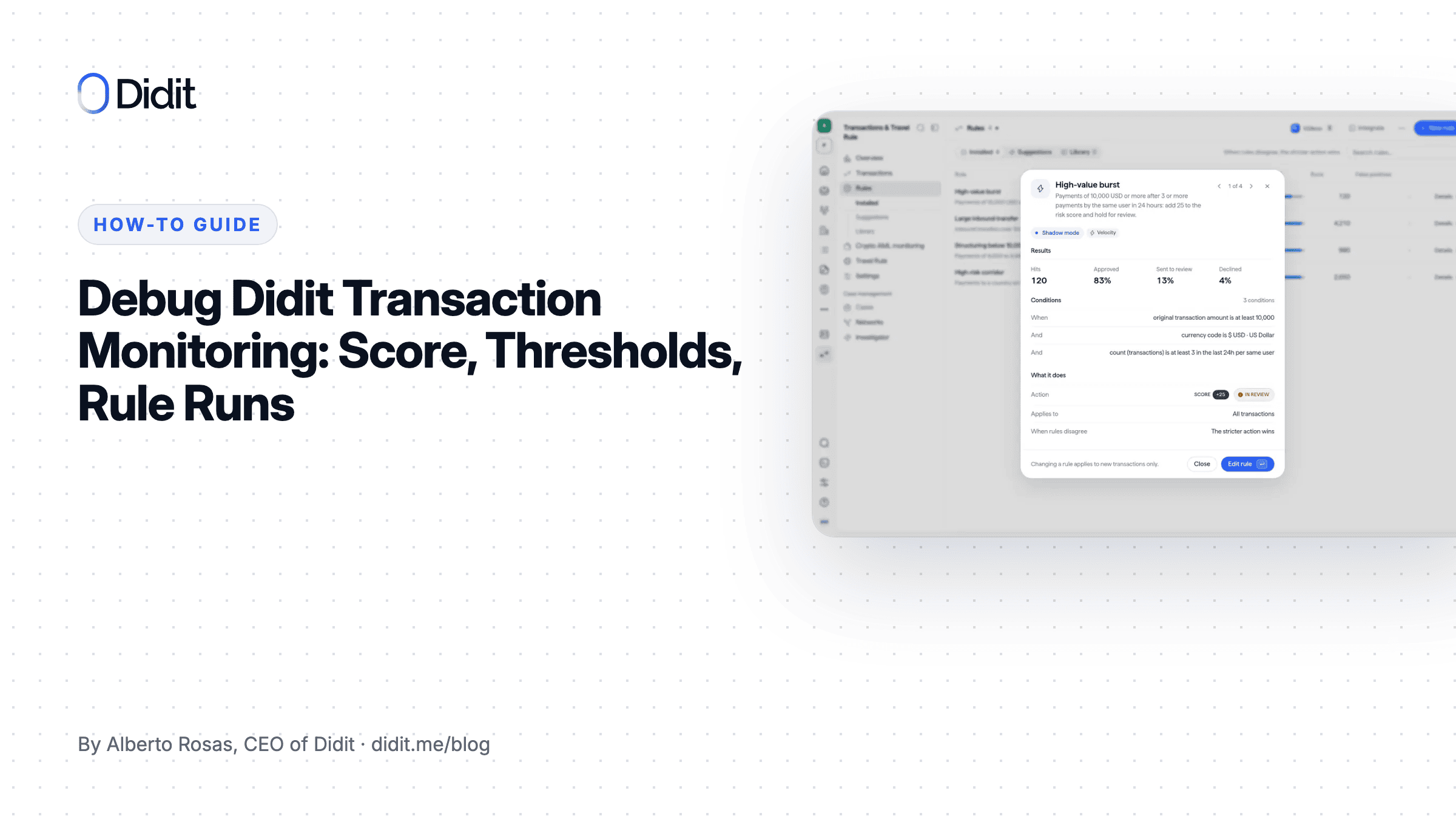
Debug Didit Transaction Monitoring: Score, Thresholds, Rule Runs
Didit starts every transaction at a score of 0 and adds each matched rule's score delta. Scores at or above 75 go to IN_REVIEW by default. Score-based decline applies only when you set the decline threshold below 500;
 Alberto RosasCo-founder and CEO
Contents
In this guide
Jump to the part you need.
This guide is for teams whose Didit transactions come back IN_REVIEW or DECLINED and who need to know which rule and which threshold produced that status. Transaction Monitoring costs $0.001 per transaction beyond your plan allowance, and Free includes 1,000 a month. The main caveat: the default decline threshold is 500, the maximum, so Didit never declines by score until you lower it.
Last updated: November 26, 2026. Prices checked against the live Didit price feed on November 26, 2026.
| Item | Default or value | Where you see it |
|---|---|---|
| Score formula | score = Σ(score_delta of every matched rule), base score 0 | Transaction response, Score tab |
preferred_review_score_threshold | 75 | Transactions → Settings |
preferred_decline_score_threshold | 500, the maximum value, which means never decline by score | Transactions → Settings |
| Status order | Decline check first, then review, else APPROVED | Transaction status |
| Rule action override | change_status wins over the score | rule_runs[].status_target |
| Per-rule breakdown | rule_runs[], one entry per matched rule | API response, Score tab |
| Thresholds used at evaluation | Fixed at the moment of evaluation | Hover the score badge in the console |
| Test mode | Rule evaluates with no score or status effect, is_test = true | TransactionRuleRun |
severity | Nullable and legacy on Transaction and TransactionAlert; contextual output on rule_runs[] | Transaction and alert records, rule_runs[] |
Start free in the sandbox at business.didit.me, no sales call. Developers can connect Didit to an AI assistant through our MCP server, and the Transaction Monitoring product page covers the full surface. Every number here comes from our pricing page.
What actually decides a status
Every transaction starts at a base score of 0. Each matched rule adds its configured score_delta, typically 25 to 35. A transaction with no matching rules scores 0.
The status is then assigned in this order:
if decline_threshold < 500 and score >= decline_threshold: status = DECLINED
else if score >= review_threshold: status = IN_REVIEW
else: status = APPROVED
Two details explain the surprising cases. First, the decline branch only runs when the decline threshold is below 500. At the default 500, which is also the maximum, Didit never declines by score: a score of 400 lands in review, not in decline. Second, a single rule can override the outcome with a change_status action, and that action wins regardless of the score.
The severity field on a transaction and on a transaction alert is nullable and legacy, and new rule evaluations do not set it. On rule_runs[], severity is contextual output you can read but should not rely on. Use score as the primary risk signal.
Prerequisites
- A Didit application with Transaction Monitoring enabled under Settings → Transaction Monitoring.
- An API key, sent as the
x-api-keyheader. - The transaction id from your create call, generated and stored on your side.
- Access to the Business Console, where the Score tab shows the threshold values used at evaluation time.
Debug a decision in six steps
Fetch the transaction record. The response returns the current
status, thescoreand therule_runs[]array.curl https://verification.didit.me/v3/transactions/{transaction_id}/ \ -H "x-api-key: YOUR_API_KEY"Read
statusandscoretogether. Write the pair down before changing anything. A decline at a score of 100 and a decline at a score of 620 come from different causes.Add up the contributions. Sum the
score_deltaof every entry inrule_runs[]. That sum must equalscore. If it does not, check whether a rule carries actions but is in TEST mode, which evaluates without contributing points.Look for a status override. A non-null
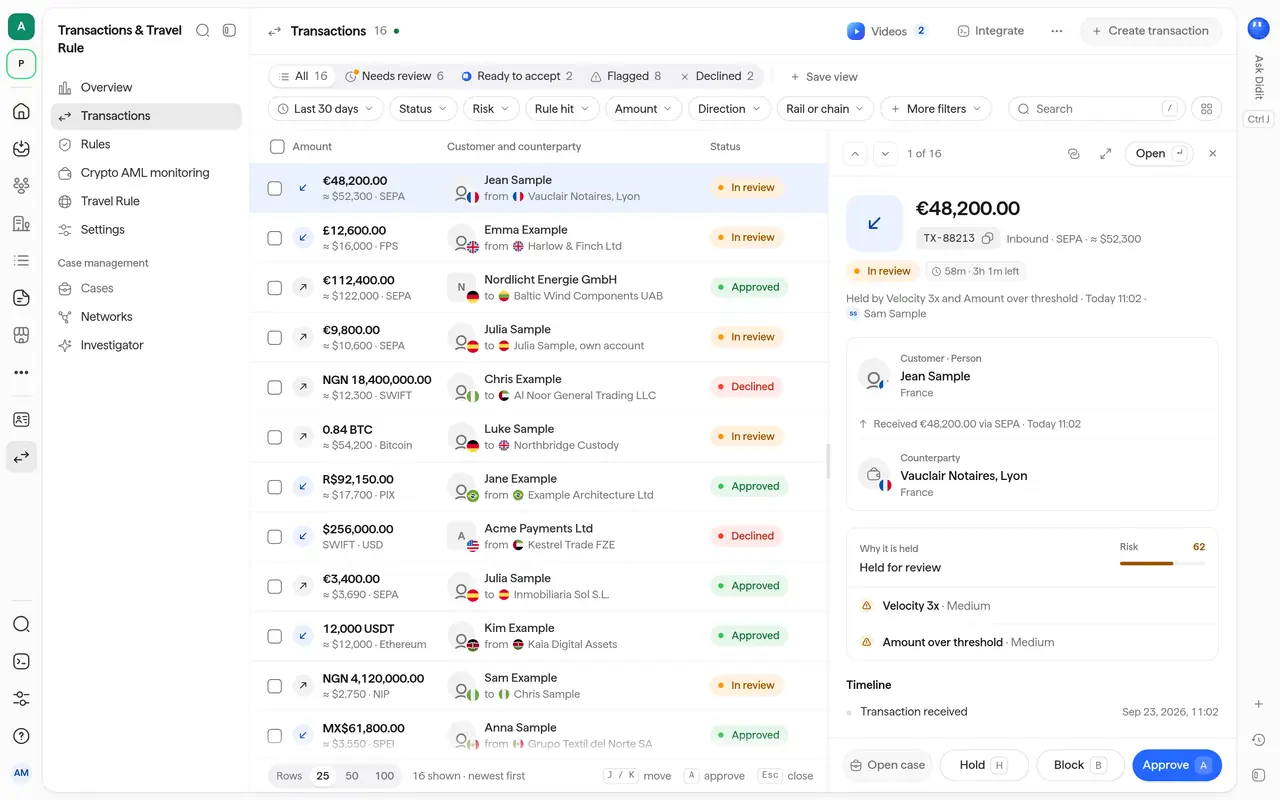
status_targeton any rule run means that rule set the status directly throughchange_status, bypassing the thresholds. A decline at a low score can result from achange_statusoverride.Check the thresholds that were in effect when the transaction was evaluated. In the console, open the transaction, go to the Score tab and hover the score badge. Threshold changes apply to new transactions only, so a transaction evaluated last month keeps the thresholds it saw at the time.
Fix the cause and resubmit with a new
transaction_id. The id is unique per application, and resubmitting an existing one returns400with a duplicatetransaction_iderror on the field, or409when two identical requests race.

A runnable reproduction
To reproduce a decision from scratch, submit a transaction with the documented minimal payload and read the response.
curl -X POST https://verification.didit.me/v3/transactions/ \
  -H "x-api-key: YOUR_API_KEY" \
  -H "Content-Type: application/json" \
  -d '{
    "transaction_id": "tx-0001",
    "transaction_category": "finance",
    "transaction_details": {
      "direction": "outbound",
      "amount": "500.00",
      "currency": "EUR"
    },
    "subject": { "entity_type": "person", "vendor_data": "user-42", "full_name": "John Doe" },
    "counterparty": { "entity_type": "company", "full_name": "Acme Corp" }
  }'
To isolate the rule that flips the status, change one input on a copy of that payload, the amount or the counterparty country_code, and compare three values between the two runs: score, status and the status_target on the rule run that changed. If score moved and status did not, a threshold was not crossed. If status moved while score stayed the same, a change_status action decided it. If both moved, read the new rule run before you touch any threshold.
Expected output
This is the documented response shape from our risk-scoring reference, with two rules matched:
{
  "txn_id": "tx-0002",
  "status": "IN_REVIEW",
  "score": 65,
  "rule_runs": [
    {
      "rule_title": "High-value outbound",
      "matched": true,
      "score_delta": 30,
      "severity": null,
      "status_target": null,
      "action_summary": "score +30"
    },
    {
      "rule_title": "High-risk jurisdiction counterparty",
      "matched": true,
      "score_delta": 35,
      "severity": "HIGH",
      "status_target": "IN_REVIEW",
      "action_summary": "score +35; add_tag:high_risk_country"
    }
  ]
}
The arithmetic is 30 + 35 = 65. Under the default review threshold of 75, a score of 65 would be APPROVED. The second rule run explains why it is not: status_target is IN_REVIEW, so that rule forced review through change_status. Look for this pattern first whenever the status does not match the score.
The other documented case is a score of exactly 100, built from three rules at 30, 35 and 35. With a review threshold of 60 and a decline threshold of 85 it is DECLINED. With the defaults of 75 and 500 it is IN_REVIEW, because the default never declines by score. Same transaction, same rules, different thresholds, different outcome.
Inputs and outputs
| Field | Source | What it tells you |
|---|---|---|
score | Transaction response | Sum of the matched rule contributions |
status | Transaction response | APPROVED, IN_REVIEW, DECLINED or AWAITING_USER |
rule_runs[].rule_title | Transaction response | Which rule produced this entry |
rule_runs[].matched | Transaction response | Whether this rule fired on this transaction |
rule_runs[].score_delta | Transaction response | The points this rule added |
rule_runs[].status_target | Transaction response | Set when a rule forced a status through change_status |
rule_runs[].action_summary | Transaction response | The actions applied, for example score +35; add_tag:high_risk_country |
rule_runs[].severity | Transaction response | Contextual output, not a decision input |
is_test | TransactionRuleRun | True when the rule ran in TEST mode and did not affect the transaction |
preferred_review_score_threshold | Transactions → Settings | Score at or above which the transaction goes to review, default 75 |
preferred_decline_score_threshold | Transactions → Settings | Score at or above which the transaction is declined, default 500 |
Failure cases and recovery
The transaction is APPROVED but a rule should have fired
Check the rule's mode first. A rule in TEST mode evaluates against transactions but does not contribute to the score or the status, and its run is recorded with is_test = true. A rule in DISABLED mode is skipped. Switch the rule to ACTIVE and submit a new transaction. If the rule is active, check its scope: keys such as transaction_types, directions and action_types limit which transactions the rule applies to, and an empty or missing scope means no restriction.
The transaction is IN_REVIEW at a score below 75
A rule forced the status. Look for a non-null status_target. Some presets ship with a score delta plus an IN_REVIEW action, so they hold the transaction whatever the arithmetic says. Installed preset thresholds are fixed, so if you want different logic, build a custom rule and disable the preset.
The transaction is DECLINED at a score of 100
With the default decline threshold of 500, a score of 100 cannot decline a transaction. The cause is one of two things: someone lowered preferred_decline_score_threshold below 100, for example to 85, or a rule carries change_status to DECLINED. Some preset library rules auto-decline on their own signals. Read status_target before you touch any threshold.
The same score gives a different status on two transactions
Thresholds are frozen at evaluation time. If you changed the settings between the two submissions, the earlier transaction keeps the status it was given. Hover the score badge on the Score tab to see the threshold values used for that evaluation.
Resubmitting returns 400 or 409
transaction_id is unique per application, so a duplicate is rejected and the response does not return the existing transaction. Look it up instead of resubmitting, using the Didit uuid from the first response or the transaction id that the transaction.created webhook carries next to your own txn_id.
The score looks too high and the review queue is flooded
Raise preferred_review_score_threshold, and raise the decline threshold if high scores are being blocked rather than reviewed. Do not rewrite rule logic first: moving two threshold numbers is a smaller change than editing rule deltas across a bundle. Changes apply to new transactions only.
Paid steps and review boundaries
Each transaction you submit to POST /v3/transactions/ is a monitored transaction. Your plan includes an allowance each month: 1,000 on Free, 10,000 on Growth and 100,000 on Scale. Each transaction beyond the allowance costs $0.001. The allowance resets on the 1st of the month and does not roll over.
Wallet screening at $0.15 per screening applies only when a screening actually runs on a transaction, so a transaction that carries no crypto screening incurs no wallet screening charge. If you bring your own screening provider and run it inside Didit, that route is priced separately on our pricing page.
Scoring is not a human decision. IN_REVIEW and AWAITING_USER are held transactions and count as open alerts, while APPROVED and DECLINED are decided. There is no separate alert record, so triage happens on the transaction itself in the console. An analyst decision and a score threshold both end in the same status field, which is why rule_runs[] matters more than the number alone.
Worked cost example
This example uses published list prices only. Plan credit, the Growth 4% discount and top-ups are calculated and deducted separately, and they do not change the arithmetic below.
A Growth plan monitors 10,000 transactions a month. Say you submit 12,000 in a month and 500 of them carry a crypto wallet for screening.
- Transactions beyond the allowance: 12,000 minus 10,000 = 2,000. At $0.001 each: 2,000 x $0.001 = $2.00.
- Wallet screening, charged only on the 500 transactions that were screened: 500 x $0.15 = $75.00.
- Total usage at list price: $2.00 + $75.00 = $77.00.
On Scale, the same 12,000 transactions sit inside the 100,000 allowance, so the transaction line costs $0.00 and the wallet screening line is the only metered charge. Same arithmetic, different allowance. Check the current numbers on our pricing page before you plan a budget.
Tuning thresholds and rules without the console
Our library ships over 150 preset rules mapped to typologies drawn from FATF recommendations, FinCEN advisories, NACHA rules, Wolfsberg principles and Egmont Group typologies, so a surprising decision often comes from a preset you installed months ago. Rules can be managed from the Business Console, the Management API and the Didit MCP. Use the console when a human on the compliance team should review every change; use the API or MCP when rules are created and tuned programmatically, for example when migrating a rule set from another provider. The library endpoints are GET /v3/transactions/rules/library/ and POST or DELETE /v3/transactions/rules/install/, and the MCP tools are didit_transaction_rule_library_list, didit_transaction_rule_install and didit_transaction_rule_uninstall.
If you want an AI assistant to read rule runs and thresholds while you debug, MCP setup for every client covers the connection.
Sources
- Didit docs: Transaction Risk Scoring, formula and thresholds
- Didit docs: KYT rules and scoring
- Didit docs: KYT rules library
- Didit docs: submitting transactions
- Didit docs: transaction monitoring integration guide
- Didit docs: transaction monitoring quickstart
- Didit docs: KYT alerts, triage and resolution
- Didit pricing, read November 26, 2026
- Didit Transaction Monitoring product page
- Didit MCP server setup
- FATF, typologies referenced by the preset rule library
- Images: Didit Academy lesson cover and Didit Business Console screenshots, from the Didit media library, read November 26, 2026.
The fastest way to see your own score breakdown is to submit a transaction in the sandbox at business.didit.me. It opens with no sales call and the sandbox is free on every plan.
Try it
Try this in the sandbox
Run the check this guide describes, free.
The product this post is about, taken from its topic. Run it free in the sandbox.
Author
Alberto Rosas
Co-founder and CEO

Keep reading
Other guides in the same topic.
 What Is the Purpose of FICA in South Africa? 2026 Guide
FICA is South Africa's anti-money laundering law. It creates the Financial Intelligence Centre and requires accountable institutions to identify and verify clients, screen for PEP and sanctions risk and report suspicious.
Alberto RosasNov 26, 2026 Sixth Money Laundering Directive (6AMLD): What Changed and Which Rules Apply
6AMLD is Directive (EU) 2018/1673: Member States must criminalise laundering, widen predicate offences and set a four-year penalty floor. It adds no new due diligence duties for firms.
Alberto RosasNov 26, 2026 Automated Sanctions Screening: Canada, the Entity List and Embargoes
Automated sanctions screening matches people and companies against lists such as Canada's autonomous sanctions made under SEMA and JVCFOA and the OFAC SDN List, and returns candidate hits scored for identity confidence and.
Alberto RosasNov 26, 2026Questions
Frequently asked questions
What does IN_REVIEW mean on a Didit transaction?
The transaction can be in review because it crossed the review threshold, 75 by default, a rule forced IN_REVIEW with a change_status action, or an analyst moved it there. A held transaction is an open alert handled in the console, so it sits in the review queue until someone approves or declines it. An analyst decision can also produce IN_REVIEW, so read rule_runs[] before assuming a threshold did it.
What score declines a Didit transaction by default?
None. preferred_decline_score_threshold defaults to 500, which is also the maximum value, and the decline branch only runs when the threshold is below 500. At the default, every high score routes to review instead of auto-declining, when no rule directly overrides the status. You have to lower the threshold, for example to 85 or 120, before scores start declining anything.
Why is my transaction DECLINED with a score of 100?
With the default thresholds a score of 100 cannot decline a transaction. Either the decline threshold was lowered below 100, or a rule used change_status to DECLINED, which ignores the score. Open rule_runs[] and read status_target: the rule run that names DECLINED is the cause.
How do I see which rules added points to a transaction?
Read rule_runs[] on the transaction response, or open the Score tab on the transaction detail page in the console. Every matched rule appears with its title, its score_delta and an action_summary. The sum of the deltas equals the transaction score.
What is the default review score threshold and where do I change it?
The default is 75, set per application at Transactions → Settings. Raise it if your review queue is flooded; lower it to catch more edge cases. Changes apply to new transactions only, because historical transactions keep the status they were given at evaluation time.
Why is my score lower than the sum of the rules I expect?
One of your rules is probably in TEST mode. A test-mode rule evaluates against transactions but does not contribute to the score or the status, and its run is recorded with is_test = true. Switch the rule to ACTIVE and evaluate a new transaction.
Can one rule decline a transaction no matter what the score says?
Yes. Rule actions are applied when conditions match and can set the status directly: change_status to DECLINED declines regardless of score, and change_status to IN_REVIEW sends the transaction to review. add_score only contributes points and never forces a status.
What does status_target mean in a rule run?
It is the status a rule forced through change_status. When it is null, the rule only added score, tags or a note. When it holds a value such as IN_REVIEW or DECLINED, that rule decided the outcome and the score thresholds were not consulted.
Should I use the severity field for transaction decisions?
No. severity on a transaction and on a transaction alert is nullable and legacy, and new rule evaluations do not set it. Use score as the primary risk signal and the rule actions for context.
Can I test a rule without declining real transactions?
Yes. Set the rule's mode to TEST. It evaluates against live transactions and creates TransactionRuleRun records with is_test = true, but it does not add to the score or change the status. Switch it to ACTIVE once you are happy with how selective it is.
Do threshold changes affect transactions already in review?
No. Threshold changes apply to new transactions only, and historical transactions retain their evaluation-time status. If you need a different decision on an existing transaction, an analyst has to make it in the console.
Compliance built in
Audited, certified and attested.
We hold the certifications and build each country's rules into your flows, so you can launch anywhere without worrying. Security and Compliance center
- Regulation encoded into your flows
Tell us what you do and where. Didit lists the rules that apply to you, with sources, and builds the checks each country needs into one workflow.
- Ready for AMLR
Every requirement of the new EU anti-money laundering rules, from checking customers to human review, is already covered by a Didit check.
- Tested in Spain's Treasury sandbox
Spain's Treasury published its supervised sandbox report on Didit's NFC plus active liveness onboarding; SEPBLAC took part and valued the added measures positively.
- Audited, not self-declared
iBeta Level 1 and Level 2. Liveness tested under ISO/IEC 30107-3.
Your obligations · 3 regions
 SOC 2 Type 2
 ISO 27001
 iBeta Level 1 and Level 2
 EU regulator attestation
 FSM youth protection
 GDPR
 EBA remote onboarding
 MiCA compatible
 FIDO Alliance member
- AMLREU AML Regulation ready
Integration · Didit MCP
Run Didit from your own AI agent
Connect Didit to Claude, Cursor, VS Code or ChatGPT and just ask in plain words. Your agent can do anything you can do in the console, with the same permissions you have.
 Add to Claude
 ChatGPT
 Cursor
- Build workflowsDescribe the checks you need. The agent creates and publishes the flow.
- Run investigationsAsk why a session was declined, review cases, search people and companies.
- Change rulesCreate payment rules, test them on past data and switch them on.
- Pull reportsAsk for numbers, exports or the audit log.
Didit Academy