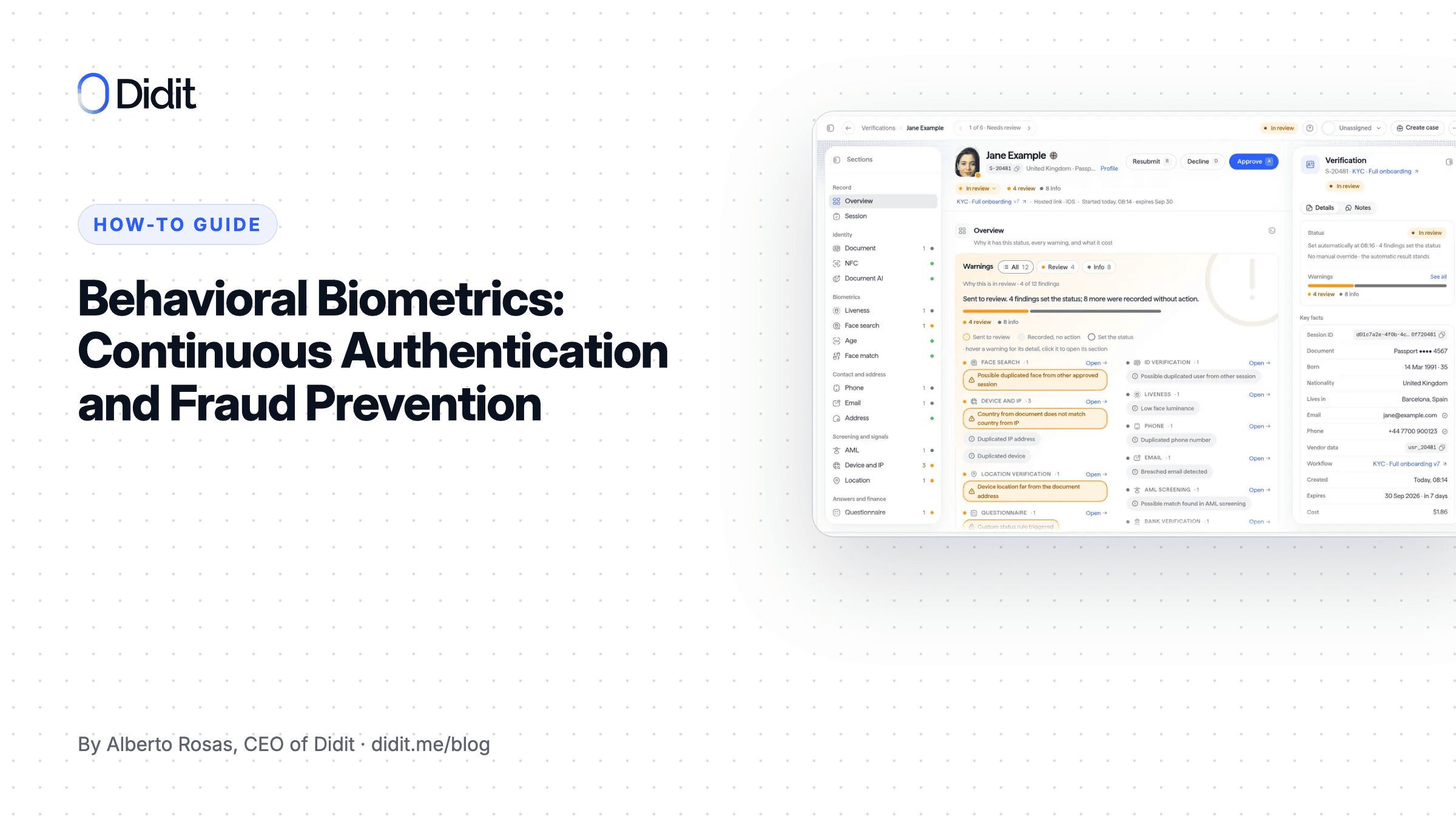
Behavioral Biometrics: Continuous Authentication and Fraud Prevention
Continuous authentication on Didit is built from device and IP analysis at $0.03, short-lived sign-in sessions, bot protection and event rules. No typing-cadence module is sold; this guide shows what to build instead.
 Alberto RosasCo-founder and CEO
Contents
In this guide
Jump to the part you need.
Continuous authentication fits teams that already verify identity at sign-up and now need to catch account takeover mid-session. Didit builds it from priced parts: device and IP analysis at $0.03 a check, biometric authentication at $0.10 for a step-up selfie, and sign-in sessions where the first 50,000 active users each month are free. Our price book has no typing-cadence module, so this guide builds continuous authentication from device, network and event signals instead.
Last updated: November 26, 2026. Prices checked against the live Didit price feed on November 26, 2026.
The outcome, the parts and the list prices
| What you need | Didit part | List price |
|---|---|---|
| Know the device and network behind a session | Device and IP analysis, collected inside every verification session | $0.03 per check |
| Keep a session trusted for minutes, not forever | Authentication: 5 minute access tokens, live session check, MFA policy | First 50,000 active users each month free, then $0.02 per active user a month |
| Prove the same person is present before money moves | Biometric authentication, a step-up selfie | $0.10 per auth |
| Score what happens after sign-in | Event ingestion and event rules, including the Authentication fraud bundle | Events are scored by the rule engine. The published monitoring price is per transaction: $0.001 beyond the plan allowance |
| Verify identity once, at sign-up | Full ID check | $0.33 per check |
Start free in the sandbox at business.didit.me, with no sales call, and connect Didit to your coding agent through the MCP server while you set the rules up. The events described below live in Transaction Monitoring, and every number on this page is on the pricing page.
What continuous authentication covers, and what we do not sell
Behavioral biometrics measures how a person acts rather than what they know or carry: typing rhythm, key hold time, pointer speed, scroll depth, the way a phone is held. Active biometrics, a fingerprint or a face scan, prove identity at one chosen moment. Passive signals keep scoring after that moment, which is why the two are usually paired.
We keep that distinction and we do not oversell it. Didit's public price book lists no typing-cadence or keystroke-dynamics line, so if you need a per-user typing model built from scratch, we are not that vendor and this page will not pretend otherwise. What we ship is the set of parts continuous authentication sits on: a device and network record inside every verification session, short-lived sign-in sessions your backend can re-check at any moment, bot protection on every sign-in attempt, and a rule engine that scores what happens after the login. Together they give you device, network, session and event signals to base account-takeover decisions on.

The four signals you actually get
- Device and IP analysis. A persistent device ID, a composite hash, a fingerprint vector, browser and OS context, geolocation, VPN, proxy, Tor and data-center flags, plus duplicate-device and recovered-device matching across users. It runs in-band during the session at $0.03 per check. Device and IP Analysis is session-only, and the decision carries it under
ip_analyses[]. - Sessions. Access tokens last five minutes and refresh tokens rotate on every use.
GET {origin}/session/tells your backend whether the session is still alive before a payout or an account change. - Bot protection. Six policies, each with Off, Log, Challenge and Block:
bots,stuffing,brute,disposable,vpnandtravel. - Event rules. Velocity, ratio, ordered-sequence and cross-subject correlation rules over the events you send, with the four Authentication fraud presets ready to switch on.
Prerequisites
- A Didit organization and a Sandbox application. Sandbox testing is free and unlimited, and every Sandbox application has Authentication on from the start.
- A workflow and verification session. Device and IP Analysis runs automatically during the session, with no standalone endpoint or separate toggle for the basic signal set.
- An API key for the server lane, and the publishable key
pk_test_...for Authentication. The publishable key identifies the application; it is not a secret. - Event monitoring switched on under Transactions, Settings, Event monitoring. Until it is on,
POST /v3/events/answers 403 with{"code": "event_monitoring_disabled"}. - A backend that verifies ES256 tokens against your issuer's JWKS, and one webhook destination you control.
- Growth or above if you want the sign-in allowlist and blocklist.
How to add continuous authentication, step by step
- Verify once and keep the device record. Create the verification session and let the SDK collect the fingerprint and IP in-band. There is no standalone endpoint for the basic signal set, it arrives with the session.
The decision carriescurl -X POST 'https://verification.didit.me/v3/session/' \ -H 'x-api-key: YOUR_API_KEY' \ -H 'Content-Type: application/json' \ -d '{ "workflow_id": "YOUR_WORKFLOW_ID", "vendor_data": "user-123", "callback": "https://yourapp.com/post-kyc" }'ip_analyses[], one entry per collection point, with resolved geo, ASN, VPN, proxy and Tor flags, the device fingerprint id, duplicate-device matches and a warnings array. - Turn on Authentication for the application. Sandbox applications already have it. A Live application turns it on from the Products page of the console, and until it is on every runtime route for that application returns 404. Choose the sign-in methods, the MFA policy, the session settings and your branding.
- Check the live session before a sensitive action. A valid access token is not proof the session is still good, because it stays valid until it expires, within five minutes. Call
GET {origin}/session/before a payout, a new bank account, or an email or phone change. It fails at once when the session was revoked, went idle, expired, when the person was blocked, or when the session no longer meets your MFA policy. For the riskiest actions, ask for a step-up selfie and act only on anapprovedstep-up that your backend read itself. - Set the bot protection modes. Read and change them with
GETandPATCHonprotection/in the application's Authentication management API, or in the console under Authentication, Bot protection. Protection is off until you turn it on.
Leave stuffing on Challenge. Offices, campuses and mobile carriers put many real people behind one address, and someone trying a correct breached password still cannot finish the attempt.{ "enabled": true, "breached_password_check": true, "policies": { "bots": "block", "stuffing": "challenge", "brute": "challenge", "disposable": "block", "vpn": "challenge", "travel": "block" } } - Send the activity Didit does not see as events. This is the step that makes authentication continuous instead of point-in-time. If you run Didit Authentication, its own sign-ins already arrive automatically and you must not post them again; send the rest, such as deposits, withdrawals and gameplay. The envelope uses your own
event_idas the idempotency key, anevent_categoryfrom ten categories, anaction_type,occurred_at, the subject'svendor_data, and an optionaldevice_contextwith the fingerprint, persistent device ID, bot score and IP.
Batch up to 500 events per request throughcurl -X POST https://verification.didit.me/v3/events/ \ -H "x-api-key: YOUR_API_KEY" \ -H "Content-Type: application/json" \ -d '{ "event_id": "login-2026-08-31-000001", "event_category": "auth", "action_type": "login", "occurred_at": "2026-08-31T20:40:31.123Z", "time_zone": "UTC", "subject": { "entity_type": "individual", "vendor_data": "user_391" }, "session": { "session_id": "web-session-abc", "sequence": 142 }, "device_context": { "fingerprint": "didit-fp-v2:a8c1", "network_context": { "ip_address": "203.0.113.42" } }, "payload": { "method": "password" } }'POST /v3/events/batch/when the volume grows. - Switch on the Authentication fraud bundle. It ships four presets: Account takeover (a password or MFA change after three or more failed sign-ins and a new device within one hour, decline at score 90), Credential stuffing (a successful sign-in from an IP with ten or more failures on three or more accounts within one hour, review at 60), New device then a payout (a withdrawal within 15 minutes of a new device, review at 60) and Impossible travel (more than 500 km between sign-ins at more than 1,000 km/h, review at 50). Useful fields for your own rules include
event.payload.method,event.payload.reason,event.device.fingerprint,event.device.bot_score,event.ip.is_vpn_or_torandevent.ip.travel_distance_km. - Subscribe to the auth events and work the fraud views. Point your webhook destination at
auth.signup,auth.login,auth.login_failed,auth.new_device,auth.account_lockedandauth.mfa_changed, then use the ready-made views on the Events page: one device with several people, a failed sign-in spike, a new device followed by a payout, a password change followed by a transaction, and many sessions from one IP. Views look back up to 31 days.
Expected output
A clean event is accepted, scored and stored in one call. The documented response looks like this:
{
  "event_uuid": "0f2b...",
  "event_id": "login-2026-08-31-000001",
  "status": "ACCEPTED",
  "score": 0,
  "rules_evaluated_count": 6,
  "rules_matched_count": 0,
  "correlation_pending": false,
  "retention_class": "standard",
  "expires_at": "2026-09-30T20:40:31.123Z",
  "idempotent_replay": false,
  "rule_matches": []
}
In the documented example response, a score of 0 with six rules evaluated and no matches is a quiet login: nothing matched. When a sequence matches, the matched rule appears in rule_matches, the score rises, and the event lands on the person's timeline next to their verifications and transactions. An idempotent_replay of true means you sent that event_id before and nothing was stored twice. On the verification side, the decision may include ip_analyses[], one entry per collection point, each with a status and a warnings array that your own policy has to evaluate. Warning codes sit in the LOCATION bucket, for example VPN_DETECTED, TOR_DETECTED, DUPLICATED_DEVICE, IMPOSSIBLE_TRAVEL and LOCATION_MISMATCH_WITH_DOCUMENT. Do not read a single status value as a pass on its own.

Inputs and outputs
| Input | Surface | Output |
|---|---|---|
workflow_id, vendor_data, callback | POST /v3/session/ | A session URL and, at the end, a decision with ip_analyses[] |
| A sign-in attempt | Hosted /sign-in on your origin | A one-time code, then access, ID and refresh tokens |
| An access token | GET {origin}/session/ | A live session, or 401 |
| An event envelope | POST /v3/events/ | status, score, rules_matched_count, rule_matches |
| A webhook subscription | auth.* event types | Events delivered only to subscribed destinations |
Failure cases and recovery
| Symptom | Cause | Recovery |
|---|---|---|
| 404 on every runtime route | Authentication is not on for that application | Turn it on for the Live application from the Products page of the console |
403 with event_monitoring_disabled | Event ingestion is opt-in and was never switched on | Transactions, Settings, Event monitoring. Reads keep working either way |
ip_analyses[] comes back empty | The person's browser or extension blocked the fingerprinting script | Pick a fail-closed policy or a documented fallback to softer signals. An empty array is unknown, never a clean device |
403 with attempt_blocked | bots, stuffing, disposable or vpn matched before the secret was checked | Read the protection reason on the event in the console. The same answer is returned for existing and unknown accounts by design |
400 with invalid_credentials or invalid_grant | A brute or travel block, or simply a wrong password or code | Password reset stays available and clears a brute-force lock, and your team can clear the lock from the console |
| A rule with a sign-out or block action stays DISABLED | Those two sign-in actions are not active yet, so a rule records them without applying them | Use the actions that work today: score, status, tags, notes, lists and cases. Keep the record and review the person |
vpn and travel never match in Sandbox | The IP lookup answers only for addresses Didit already resolved there | Test those two policies in a Live application before you set either to Block |
What costs money, and where review starts
- Full ID check at $0.33: ID document $0.15 + passive liveness $0.10 + face match 1:1 $0.05 + device and IP analysis $0.03.
- Device and IP analysis at $0.03 inside a session. It is session-only, it has no standalone endpoint, and it is billed per completed check.
- Biometric authentication at $0.10 per auth, for the step-up selfie. Selfie login is also $0.10 in the price book.
- Authentication active users: the first 50,000 each month are free, then $0.02 per active user a month.
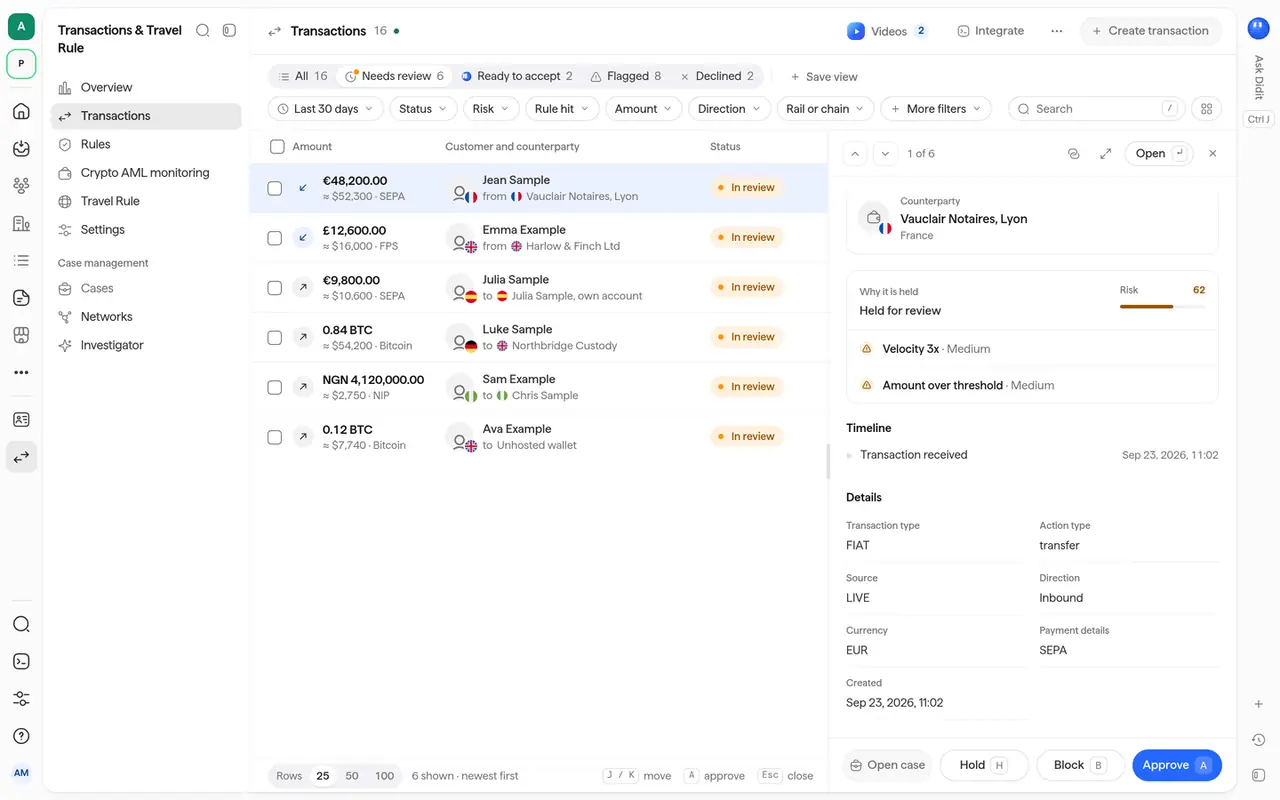
- Transaction monitoring: the published unit is a transaction, at $0.001 beyond the plan allowance, which is 1,000 on Free, 10,000 on Growth and 100,000 on Scale. Events run through the same rule engine and are not priced per event in the price book.
- AML screening at $0.20 per check, and ongoing AML monitoring at $0.07 per person a year, if you add them.
- Free: reusable KYC, the workflow orchestrator, the MCP server and the SDKs.
The review boundary is the decision you should write down before go-live. The bundle sets it for you: score 90 declines, 60 and 50 route to review. Those numbers only fire on a sequence rather than on every new device, so a single new device does not on its own reach a decline. Decide in advance which scores may block a payout without a person, and which may only tag the person and wait for a colleague, then budget the human review time yourself before launch.

Worked cost example
Take 10,000 new users in a month, each verified once, each signing in four times across the month, so 40,000 sign-in sessions. Assume 2% of sessions hit a step-up selfie before a payout, and AML screening on every new user.
- Sign-up identity checks: 10,000 x $0.33 = $3,300.00. The $0.33 is ID $0.15 + passive liveness $0.10 + face match $0.05 + device and IP $0.03.
- Step-up selfies: 2% of 40,000 = 800 x $0.10 = $80.00.
- Sign-in sessions: 10,000 active users, inside the 50,000 free allowance each month = $0.00.
- Authentication events: 50,000 events scored by the rule engine. The published price book carries no per-event price, so this line adds nothing to the total.
- AML screening: 10,000 x $0.20 = $2,000.00.
- Total at list prices: $3,300.00 + $80.00 + $0.00 + $2,000.00 = $5,380.00 a month.
- Same volume on Scale, with 10% off Didit prices: 10,000 x $0.297 = $2,970.00, 800 x $0.09 = $72.00, 10,000 x $0.18 = $1,800.00, total $4,842.00 a month before the $299 plan fee.
If you also monitor payments, that is a separate billable unit: each monitored transaction beyond the plan allowance costs $0.001, the same on every plan. At 50,000 monitored transactions a month on Growth, the allowance covers 10,000 and 40,000 x $0.001 = $40.00, which takes the list total to $5,420.00. The allowance and the $0.001 charge apply to monitored transactions, not to sign-in events.
Drop AML screening and the list total falls to $3,380.00. Re-check every figure against the pricing page and the price feed before you quote it internally, because plans and included credit change.
Sources
- Didit Authentication overview, read November 26, 2026.
- Didit Authentication integration guide, read November 26, 2026.
- Didit bot protection at sign-in, read November 26, 2026.
- Didit authentication events and webhooks, read November 26, 2026.
- Didit device fingerprinting and IP risk analysis, read November 26, 2026.
- Didit event ingestion API, read November 26, 2026.
- Didit event rules, read November 26, 2026.
- Didit pricing page and price feed as JSON, read November 26, 2026.
- Didit pricing in the docs, read November 26, 2026.
- Didit MCP server, read November 26, 2026.
- Regulation (EU) 2016/679, GDPR, read November 26, 2026.
Next step: open the sandbox at business.didit.me, create one workflow with device and IP analysis, send one event, and read the response before you set a single threshold. Sandbox testing is free and unlimited, and you start without a sales call.
Try it
Try this in the sandbox
Run the check this guide describes, free.
The product this post is about, taken from its topic. Run it free in the sandbox.
Author
Alberto Rosas
Co-founder and CEO

Keep reading
Other guides in the same topic.
 What Is the Purpose of FICA in South Africa? 2026 Guide
FICA is South Africa's anti-money laundering law. It creates the Financial Intelligence Centre and requires accountable institutions to identify and verify clients, screen for PEP and sanctions risk and report suspicious.
Alberto RosasNov 26, 2026 Sixth Money Laundering Directive (6AMLD): What Changed and Which Rules Apply
6AMLD is Directive (EU) 2018/1673: Member States must criminalise laundering, widen predicate offences and set a four-year penalty floor. It adds no new due diligence duties for firms.
Alberto RosasNov 26, 2026 Automated Sanctions Screening: Canada, the Entity List and Embargoes
Automated sanctions screening matches people and companies against lists such as Canada's autonomous sanctions made under SEMA and JVCFOA and the OFAC SDN List, and returns candidate hits scored for identity confidence and.
Alberto RosasNov 26, 2026Questions
Frequently asked questions
Does Didit offer behavioral biometrics?
Not a typing-cadence engine. The public Didit price book lists no keystroke-dynamics module, so there is nothing to buy on that line. What Didit prices is device and IP analysis at $0.03 per check, biometric authentication at $0.10 per auth, Authentication sessions with the first 50,000 active users a month free, and event rules over the events you send. Those parts provide device, network, session and event signals for your risk decisions without modelling how they type.
What is the difference between behavioral biometrics and a fingerprint scan?
A fingerprint or face scan is active: the person does something deliberate, once, and the result proves identity at that moment. Behavioral biometrics is passive: it reads habits such as typing rhythm or pointer speed in the background and keeps scoring across a session. Continuous authentication uses passive signals to decide when to ask for another active proof, which is why the two are normally combined rather than swapped.
How does this help with account takeover specifically?
Account takeover tends to appear as a sequence, and the Authentication fraud bundle encodes four of them. Account takeover declines at score 90 when a password or MFA change follows three or more failed sign-ins and lands on a new device within one hour, while credential stuffing, a new device followed by a payout, and impossible travel each route to review at 50 or 60. The signals behind those rules are the device fingerprint, the persistent device ID, the IP flags and the sign-in history, so a sign-in from a device and network the person has never used is scored against their own past.
Can continuous authentication replace passwords or MFA?
No, and we would not position it that way. Access tokens on Didit last five minutes, the live session check fails when the session was revoked or no longer meets your MFA policy, and a step-up selfie can be required before a payout. Sessions reduce how often you interrupt a real person; they do not remove the need for a second factor on sign-in.
How fast is detection?
Events are evaluated by the rule engine when they are ingested, and a matched rule returns in the same response that accepts the event. Verification inference runs at sub-2-second p99 latency. In practice the delay that matters is yours: how quickly your backend calls GET {origin}/session/ or reads the rule match before it moves money.
What data do you collect, and is it covered by GDPR?
Sign-in events carry the method, a reason for failures, the IP address, a persistent device ID, a device fingerprint, the user agent and a bot score when the client sent one, plus the session ID. Didit does not receive the identifier itself for a failed attempt on an unknown account, only a keyed hash of it. Didit states it is GDPR-native and holds SOC 2 Type 2 and ISO/IEC 27001:2022 certification, and the processing rules are set out in the GDPR text.
What does continuous authentication cost per month?
At 10,000 new users and 40,000 sign-in sessions a month, the identity checks cost $3,300.00, step-up selfies $80.00, and AML screening $2,000.00 if you add it, for $5,380.00 at list prices. Sign-in sessions cost nothing at that volume because the first 50,000 active users each month are free, and the price book carries no per-event price for the events themselves. If you also monitor payments, add $0.001 for each monitored transaction beyond the plan allowance. Every unit price above is public on the pricing page, while Enterprise contracts and variable products such as database validation and registry tiers stay custom or variable and need a quote.
What happens if the device fingerprint is missing?
ip_analyses[] can come back empty when a privacy extension or content blocker stops the fingerprinting script. Treat an empty array as unknown rather than clean: choose a fail-closed policy for high-value actions, or a fallback policy that leans on softer signals and routes the person to review. Write that policy down before launch, because the empty case is common on privacy-conscious audiences.
Do I need to send my own login events?
Only when you are not using Didit Authentication. Authentication sends its own auth.* activity to Didit automatically, and posting the same logins to /v3/events/ would store them twice without updating the person's sign-in summary or sending the webhooks. If you sign people in yourself, send the events yourself with your own event_id as the idempotency key.
Can AI agents sign in to my application?
Didit Authentication handles agent access: approval and revocation are recorded as security.agent_access_approved and security.agent_access_revoked. On your side, verify the ES256 signature, then iss, aud, exp and typ: at+jwt, and reject any token whose act claim is not null unless that route is meant to accept AI agents.
Is there a way to set this up from an AI assistant?
Yes. The Didit MCP server is free and hosted at https://mcp.didit.me/mcp with OAuth sign-in, so an assistant can read the pricing and docs and scaffold the calls while you review them. Setup instructions for each client are at didit.me/developers/mcp. Your team still owns the review thresholds and the go-live decision.
Compliance built in
Audited, certified and attested.
We hold the certifications and build each country's rules into your flows, so you can launch anywhere without worrying. Security and Compliance center
- Regulation encoded into your flows
Tell us what you do and where. Didit lists the rules that apply to you, with sources, and builds the checks each country needs into one workflow.
- Ready for AMLR
Every requirement of the new EU anti-money laundering rules, from checking customers to human review, is already covered by a Didit check.
- Tested in Spain's Treasury sandbox
Spain's Treasury published its supervised sandbox report on Didit's NFC plus active liveness onboarding; SEPBLAC took part and valued the added measures positively.
- Audited, not self-declared
iBeta Level 1 and Level 2. Liveness tested under ISO/IEC 30107-3.
Your obligations · 3 regions
 SOC 2 Type 2
 ISO 27001
 iBeta Level 1 and Level 2
 EU regulator attestation
 FSM youth protection
 GDPR
 EBA remote onboarding
 MiCA compatible
 FIDO Alliance member
- AMLREU AML Regulation ready
Integration · Didit MCP
Run Didit from your own AI agent
Connect Didit to Claude, Cursor, VS Code or ChatGPT and just ask in plain words. Your agent can do anything you can do in the console, with the same permissions you have.
 Add to Claude
 ChatGPT
 Cursor
- Build workflowsDescribe the checks you need. The agent creates and publishes the flow.
- Run investigationsAsk why a session was declined, review cases, search people and companies.
- Change rulesCreate payment rules, test them on past data and switch them on.
- Pull reportsAsk for numbers, exports or the audit log.
Didit Academy