SECO sanctions list: how the Swiss sanctions list works (2026)
The SECO sanctions list is Switzerland's sanctions list, held in Federal Council ordinance annexes and searchable in SESAM. We screen both SECO sources at $0.20 per AML check.
 Alberto RosasCo-founder and CEO
Contents
In this guide
Jump to the part you need.
SECO publishes Swiss sanctions across many programme-specific ordinances rather than one register, and SESAM is the consolidated search experience over them. If you onboard people or companies with a Swiss nexus, we screen both SECO sources inside 1,300+ watchlist databases at $0.20 per AML check, with daily re-screening at $0.07 per person a year. The caveat: names change by ordinance or listing decision, so screening once at onboarding is not a control.
Last updated: November 26, 2026. Prices checked against the live Didit price feed on November 26, 2026.
| Question | Short answer |
|---|---|
| Who publishes it | SECO, the State Secretariat for Economic Affairs, which enforces and monitors sanctions in Switzerland |
| Legal basis | The Embargo Act (EmbA, SR 946.231), plus one ordinance per sanctions programme |
| Where the names sit | In the annexes of the sanctions ordinances, for example Annex 8 of the Ukraine ordinance (SR 946.231.176.72) |
| How to search it | SESAM, SECO's search engine, plus an Excel export and an XML consolidated list |
| Identifier that helps document the review | The SSID, SECO's Swiss sanctions identifier, printed on each record, helps document the reviewed record |
| Who must comply | Private individuals and companies in Switzerland, not only banks |
| On a confirmed hit | Freeze funds and economic resources covered by the ordinance and report to SECO without delay |
| Didit coverage | Both SECO sources inside 1,300+ watchlists, at onboarding and in ongoing monitoring |
| Price | AML screening $0.20 per check, ongoing monitoring $0.07 per person a year |
Start free in the sandbox at business.didit.me, with no sales call, and run a screening before you commit to anything. Developers can connect Didit to an AI assistant through the MCP server. The product page is AML screening, and every unit price is on the pricing page. 4,000+ companies run checks on Didit today.
What the SECO sanctions list is
SECO publishes and enforces Swiss sanctions. The list is implemented through multiple sanctions ordinances. The Federal Council enacts one ordinance per sanctions programme, and the names sit in the annexes of those ordinances. The framework is the Embargo Act (EmbA, SR 946.231) of 22 March 2002, in force since 1 January 2003, which lets the Confederation implement measures ordered by the United Nations, the OSCE or Switzerland's most significant trading partners, where those measures serve to secure compliance with international law. SECO counts 28 sanctions ordinances.
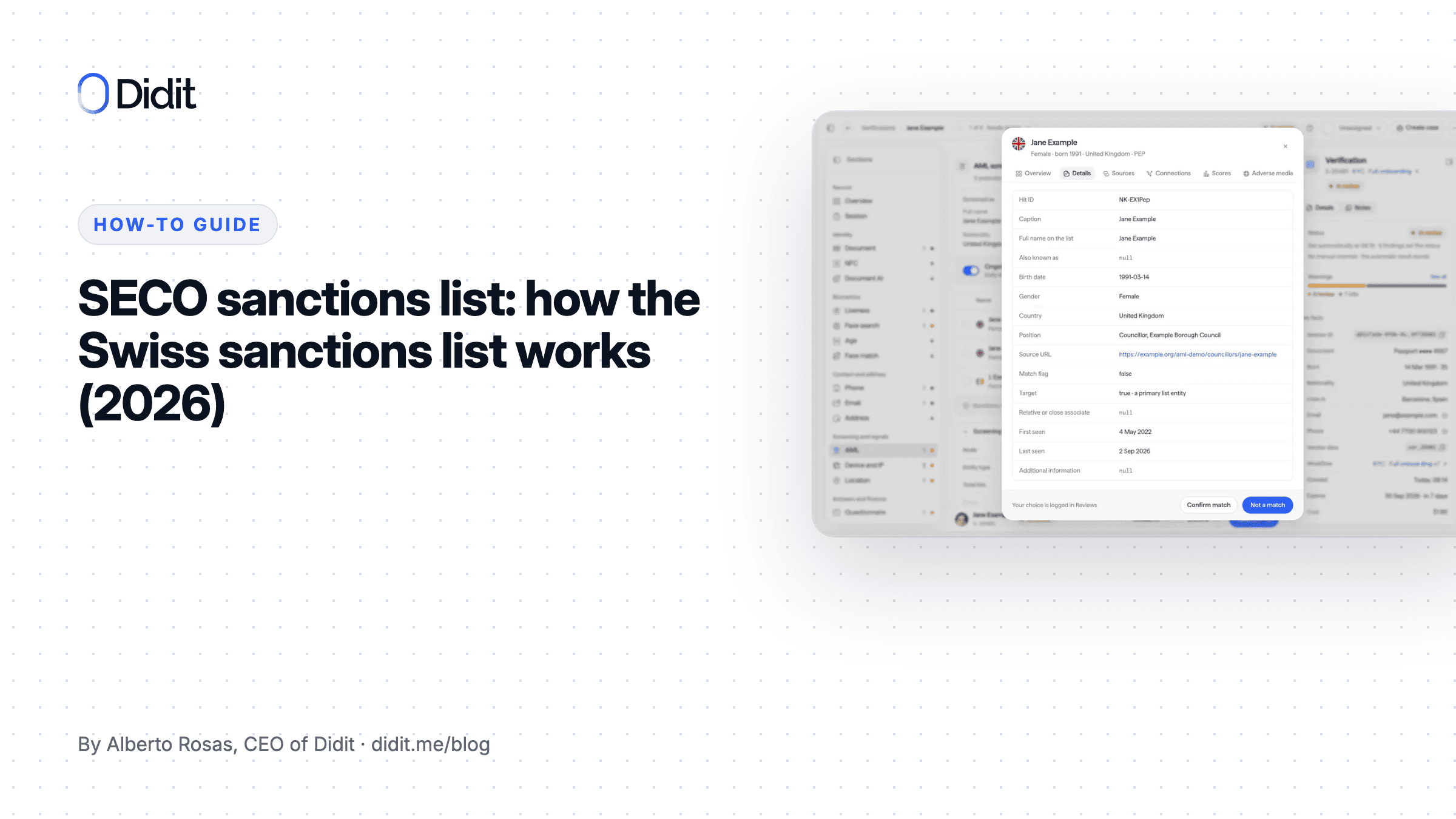
SESAM, SECO Sanctions Management, is where the list is searchable. Its page titled Searching for subjects of sanctions and overall list filters by programme, from Belarus, Iran and the situation in Ukraine to ISIL (Da'esh) and Al-Qaida, the Taliban and Syria, and by subject type: person, organisation or ship. The name search is fuzzy, so spelling variants are accepted, and results are sorted by quality of match. Additional data is in English only, so you search Milan, not Mailand. Each record carries an SSID, SECO's Swiss sanctions identifier, plus dates and places of birth and aliases where known. Recording the SSID helps document the reviewed record.
| Route | Who decides | Timing |
|---|---|---|
| UN sanctions | No new decision: since the Federal Council ordinance of 4 March 2016, changes to UN sanctions lists are directly valid in Switzerland | SECO enters them in SESAM as a rule one working day after the UN notifies |
| EU sanctions | The Federal Council decides case by case, in full, in part or not at all | Swiss measures follow the EU with a time lag |
| Swiss measures of its own | The Embargo Act gives no legal basis for them | Not applicable |
That lag is the risk to design around. Switzerland adopted the EU's 20th Russia package in stages during 2026, with the listings following the EU decision and the remaining measures taking effect months later. In the gap, a person can be on the EU list and not yet on the SECO list, so a screen that reads only the Swiss list answers a narrower question than your compliance file claims.
Who has to comply with Swiss sanctions
Everyone in Switzerland. SECO's own position is that private individuals and companies in Switzerland are obliged to comply with the sanctions in force, and it adds that companies are responsible for keeping track of changes themselves. Swiss measures follow the territoriality principle: they apply to persons in Switzerland, while legally independent foreign subsidiaries and Swiss citizens living abroad are usually not covered. Third-state measures, such as US sanctions, have no direct effect in Switzerland by default.
Financial intermediaries carry a second layer. Since 1 October 2026 the Anti-Money Laundering Act requires them to organise themselves against breaches of sanctions, with risk management that covers sanctions and suspicious activity reports to MROS where circumvention or false information is suspected. Supervision sits with FINMA or with a self-regulatory organisation, while sanctions enforcement and prosecution stay with SECO.
Freezing, reporting and the 50% ownership rule
Each ordinance has its own freezing and reporting articles. The Ukraine ordinance (SR 946.231.176.72) is the model most firms meet first. Article 15 freezes the funds and economic resources owned or controlled by the persons in Annex 8, including those of persons acting in their name or on their instruction and of companies they own or control, and forbids making funds or economic resources available to them directly or indirectly. Article 1 defines funds to include crypto-assets.
Article 16(1) of the Ukraine ordinance, in our translation from the German: persons and organisations that hold or manage funds, or know of funds or economic resources, which must be presumed to fall under the freeze in Article 15(1), must report this to SECO without delay.
| Duty | Who | When |
|---|---|---|
| Report funds presumed frozen | Anyone holding, managing or knowing of them | Without delay, Art. 16(1) |
| Report transactions of the two weeks before a listing | Anyone holding or managing funds of the newly listed person | Without delay, Art. 16(1bis) |
| Report frozen amounts as at 31 December | Financial institutions that reported funds | By 15 February each year, Art. 16(1quater) |
| Consult SECO before releasing | Anyone holding reported funds | Before release, per SECO's interpretation guide |
A report names the beneficiaries, gives the object and value of the frozen funds or resources and, for credits, names the originators. SECO publishes its forms online and takes written questions at sanctions@seco.admin.ch. Delisting requests go to the economic affairs department, not to SECO.
Ownership and control reach further than the list. SECO's interpretation guide of 30 June 2026, which it describes as legally non-binding, treats a person as owning a company where they directly or indirectly hold 50% or more of it, and holdings of several sanctioned persons are added together. Two listed people holding 30% and 25% of an unlisted trading company hold 55% between them, so the company falls under the freeze even though its own name appears nowhere in the annexes. A name search cannot tell you that. You have to read the ownership, which is why a KYB check with UBO data belongs next to the AML screen.
How to screen against the SECO sanctions list
The outcome. For every customer you end up with a written decision: no match; a false positive with the compared data recorded; or a true match that was frozen and reported to SECO, with the list version and the date on file and the SSID recorded where the record provides one to document the reviewed record. That file is what answers a SECO request for information under Article 3 of the Embargo Act.
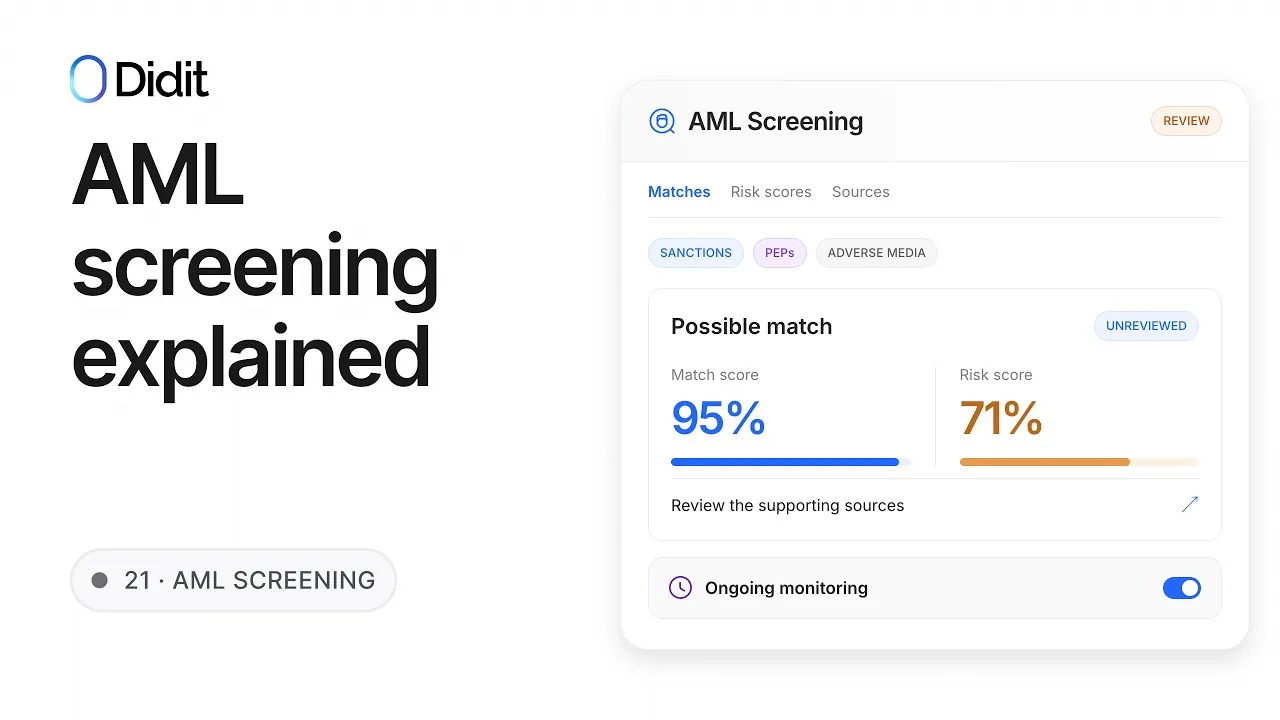
The method. Do not search SESAM by hand per customer. Send the identity data you already collect to an AML screening call that includes both SECO sources, keep the response, and act on its two scores. We offer two routes: POST /v3/aml/ as a standalone server-to-server call when screening is decoupled from onboarding, or the session route when AML is a step inside a workflow and you want the decision, monitoring and audit history bound to the session.
Prerequisites
- A Didit account and an API key. Sandbox testing is free and unlimited. Sandbox keys skip screening and billing and return a mocked
Approvedresult unless you passsandbox_scenario. - The data to screen.
full_nameis required and must be at least two characters.date_of_birth,nationalityand a document number sharpen the match; components you leave out are re-normalised away rather than failing the call. - Your thresholds decided in advance:
aml_match_score_threshold(default 93),aml_score_approve_threshold(default 80) andaml_score_review_threshold(default 100). - Weights that sum to exactly 100 for
aml_name_weight,aml_dob_weightandaml_country_weight. The defaults are 60, 25 and 15. - A place to keep
request_idand the response, becausesave_api_requestdefaults to true and stores the screening as a session you can retrieve later. save_api_request=trueif you want ongoing monitoring, because the API refuses the combination otherwise.
Steps to screen a customer against SECO
- Choose the route. Use
POST /v3/aml/from your backend for a one-shot check, or add the AML feature to a workflow in the Business Console and create a session withPOST /v3/session/when the result has to sit inside the onboarding. The endpoint is documented at standalone AML screening. - Decide what you send.
entity_typeispersonorcompany. Setinclude_adverse_mediaonly when you need adverse media, because it adds latency. Setinclude_ongoing_monitoringonly together withsave_api_requesttrue. - Send the request. This is the documented call, runnable as it stands once the key is in your environment:
curl -X POST 'https://verification.didit.me/v3/aml/' -H "x-api-key: $DIDIT_API_KEY" -H "Content-Type: application/json" -d '{"full_name":"Javier Ejemplo Modelo","entity_type":"person","date_of_birth":"1974-01-01","nationality":"ES","include_adverse_media":true,"vendor_data":"user-1234"}' - Read the two scores on every hit.
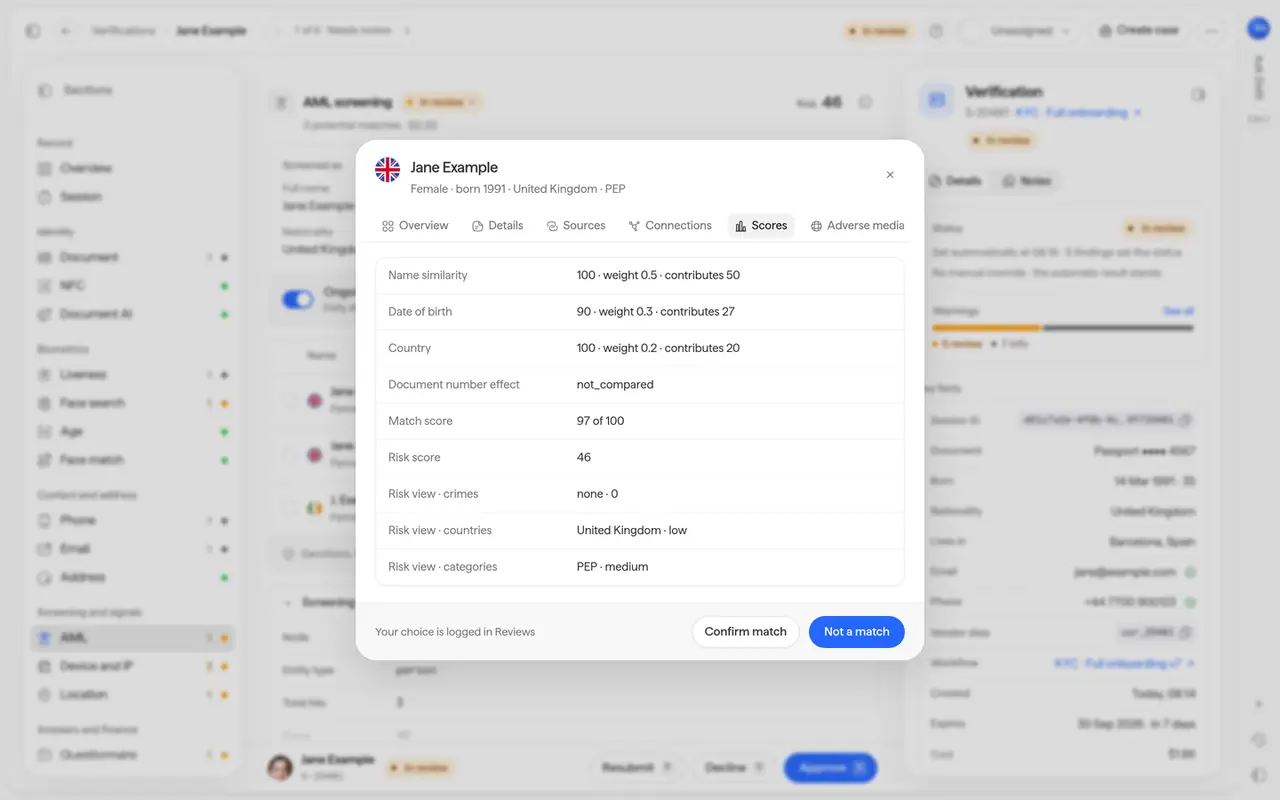
match_scoreanswers whether this is the same person.risk_scoreanswers how risky the listed entity is. Hits whosematch_scorefalls below your threshold are taggedreview_status: "False Positive"and ignored for risk. - Let the thresholds set the status. The highest
risk_scoreamong the remaining hits becomesaml.score. Above the review thresholdaml.statusisDeclined, above the approve threshold it isIn Review, otherwiseApproved. - Work each hit. Open it, compare name, date of birth, nationality and document number against the record, and write the comparison down. Record the SSID where the record provides one; it helps document the reviewed record. A matching document number acts as a golden key that overrides
match_scoreto 100. - Act on the status. A confirmed hit on a SECO source means freeze and report under your compliance owner's sign-off. Didit returns the score and applies your thresholds; the freeze decision and the filing are yours.
- Turn on ongoing monitoring when you accept the customer, so annex changes are picked up daily without a rebuild.
What the response returns
The call returns request_id and an aml object with status, screening_id, hits and warnings. With save_api_request true the same screening is retrievable through GET /v3/session/{sessionId}/decision/, where it appears in the aml_screenings[] array, and a status.updated webhook fires. The canonical field list is in the data models.
| Direction | Field | What it does |
|---|---|---|
| Input | full_name | Required. Person or company name, minimum two characters. |
| Input | entity_type | person or company. |
| Input | date_of_birth, nationality | Sharpen the match. Both are weighted in the match score. |
| Input | include_adverse_media | Adds adverse media enrichment and up to about 25 seconds of polling. |
| Input | include_ongoing_monitoring | Keeps the profile under daily monitoring by the provider. Requires save_api_request=true. |
| Input | vendor_data | Your own identifier for the person, echoed back. |
| Input | Idempotency-Key header | Retry safety, up to 255 characters. |
| Output | request_id | Correlation id, and the session id when the screening is saved. |
| Output | aml.status | Approved, In Review or Declined, inside a wider lifecycle enum. |
| Output | aml.hits[] | Every potential match with match_score, risk_score and review_status. |
| Output | aml.warnings[] | Risk codes including POSSIBLE_MATCH_FOUND, MATCH_FOUND, SANCTIONED_ENTITY, PEP_MATCH, HIGH_RISK_COUNTRY, ADVERSE_MEDIA_HIT and ONGOING_MONITORING_ENABLED. |

Failure cases and how to recover
| Symptom | Cause | What to do |
|---|---|---|
| HTTP 400 | The three weights do not sum to exactly 100 | Fix the weights on the request or in the workflow settings, then resend. |
| HTTP 400 | include_ongoing_monitoring without save_api_request=true | Set save_api_request to true and retry. |
| HTTP 403 | Out of credits | Top up, or test in the sandbox, where nothing is charged. |
status: "Declined" | At least one hit's risk_score crossed the decline boundary | Treat it as a possible true match, escalate to your compliance owner, and freeze and report if it is confirmed on a SECO source. |
status: "In Review" | The highest risk_score sits between the approve and review thresholds | Route to a manual queue with the hit details and the compared fields. |
| Slow response, or a result with no adverse media | include_adverse_media=true waits on the upstream provider | Set a client timeout of at least 60 seconds. A result that returns without adverse media hits is still actionable. |
| Timeout on your side | Network, or slow enrichment | Retry with the same Idempotency-Key and the same body: the stored response comes back and nothing is billed twice. A different body with the same key returns 409. |

Paid steps and review boundaries
Two things carry a published price: AML screening at $0.20 per check, charged once after the first successful screening, and ongoing AML monitoring at $0.07 per person a year. A replayed idempotent response is not billed again, and an insufficient balance returns 403 before a new screening runs.
| Step | List price | Growth | Scale |
|---|---|---|---|
| AML screening, both SECO sources inside 1,300+ lists | $0.20 per check | $0.192 | $0.18 |
| Ongoing AML monitoring | $0.07 per person a year | $0.0672 | $0.063 |
| Person AML in a KYB flow, per UBO or officer | $0.20 per person | $0.192 | $0.18 |
| Company AML in a KYB flow | $0.20 per check | $0.192 | $0.18 |
| Full KYC, if you need the identity check too | $0.33 per check | $0.3168 | $0.297 |
The review boundary is the line between a score and a decision. Didit returns a match score and a risk score and applies your thresholds. It does not decide that a person is the listed party, and it does not file with SECO. A human confirms the match against the record, checks ownership and control where the customer is a company, and signs off the freeze and the report. Keep the compared fields and the date in the case file, and record the SSID where the record provides one to document the reviewed record.
Worked cost example
Say you onboard 1,000 individuals a month with a Swiss nexus, you run one AML screening each, and 900 of them are accepted and put under ongoing monitoring. Every figure below is a published unit price. The monitoring amount is an annual charge.
- 1,000 AML screenings at $0.20 = $200.00
- 900 monitoring profiles at $0.07 per person a year = $63.00 a year
- 1,000 full KYC checks at $0.33 = $330.00, if you also verify identity
- Month one at list price: $200.00 + $330.00 + $63.00 = $593.00, with monitoring paid annually
On Scale, with 10% off Didit prices: 1,000 x $0.18 = $180.00 for AML, 1,000 x $0.297 = $297.00 for KYC, and 900 x $0.063 = $56.70 a year. That is $533.70 for month one before the $299 monthly plan fee, assuming annual monitoring is billed upfront.
On Growth, with 4% off: 1,000 x $0.192 = $192.00 for AML, 1,000 x $0.3168 = $316.80 for KYC, and 900 x $0.0672 = $60.48 a year. That is $569.28 for month one before the $99 monthly plan fee, assuming annual monitoring is billed upfront.
Sources
- Didit docs: AML screening overview
- Didit docs: standalone AML screening API
- Didit docs: business AML coverage
- Didit docs: ongoing AML monitoring
- Didit docs: data models
- Didit docs: create session
- Didit docs: webhooks
- Didit docs: pricing and billing
- Didit pricing page, read November 26, 2026
- SECO, Searching for subjects of sanctions and overall list (SESAM), read November 26, 2026
- Fedlex, Embargo Act (EmbA), SR 946.231, English translation without legal force, read November 26, 2026
- Fedlex, Ordinance on measures in connection with the situation in Ukraine, SR 946.231.176.72, read November 26, 2026
- SECO, interpretation guide on ownership and control of 30 June 2026, legally non-binding, read November 26, 2026
- CMS, note on Swiss sanctions and anti-money laundering duties, read November 26, 2026
Open the console at business.didit.me, create an application and send the call above. In the sandbox it returns a mocked Approved result unless you pass a sandbox_scenario, so use the sandbox to fix the request and the response shape, then run real names on a live key. Sandbox testing is free and unlimited, and there is no sales call.
Try it
Try this in the sandbox
Run the check this guide describes, free.
The product this post is about, taken from its topic. Run it free in the sandbox.
Author
Alberto Rosas
Co-founder and CEO

Keep reading
Other guides in the same topic.
 What Is the Purpose of FICA in South Africa? 2026 Guide
FICA is South Africa's anti-money laundering law. It creates the Financial Intelligence Centre and requires accountable institutions to identify and verify clients, screen for PEP and sanctions risk and report suspicious.
Alberto RosasNov 26, 2026 Sixth Money Laundering Directive (6AMLD): What Changed and Which Rules Apply
6AMLD is Directive (EU) 2018/1673: Member States must criminalise laundering, widen predicate offences and set a four-year penalty floor. It adds no new due diligence duties for firms.
Alberto RosasNov 26, 2026 Automated Sanctions Screening: Canada, the Entity List and Embargoes
Automated sanctions screening matches people and companies against lists such as Canada's autonomous sanctions made under SEMA and JVCFOA and the OFAC SDN List, and returns candidate hits scored for identity confidence and.
Alberto RosasNov 26, 2026Questions
Frequently asked questions
What is the SECO sanctions list?
It is Switzerland's list of sanctioned individuals, companies and organisations, published and enforced by the State Secretariat for Economic Affairs. The names sit in the annexes of the Federal Council's sanctions ordinances rather than in a single register, and SESAM is the database where they are searchable. Each record carries an SSID that identifies the listed subject.
Where can I see the full SECO sanctions list?
SECO's page titled Searching for subjects of sanctions and overall list gives you the complete list rather than a set of search hits: leave the search fields blank and click the Excel download, or take the XML consolidated list with its value lists and XSD specification. SECO also runs an e-mail news service for changes to the overall list. The search engine itself is a support tool and shows only directly sanctioned subjects, with no information on ownership or control.
Is the Taliban on the SECO sanctions list?
Yes, through the ordinance that implements the UN measures against ISIL (Da'esh), Al-Qaida and the Taliban. SESAM lets you filter by programme and by subject type, so you can search that programme directly. For several UN programmes the names are not printed in the official compilation of federal law, so SESAM and the XML list are where you find them.
Does Didit screen the SECO sanctions list?
Yes. Didit's AML screening includes two SECO sources, State Secretariat for Economic Affairs, Switzerland - List of Sanctioned Individuals, Entities and Organizations, and State Secretariat for Economic Affairs, Switzerland - Sanctions List, inside 1,300+ sanctions, PEP and watchlist sources. Business AML screening covers the same two SECO sources for companies. An AML check costs $0.20.
How often should I re-screen against the Swiss sanctions list?
Re-screen after every change to the annexes, not on a calendar alone. UN list changes are valid in Switzerland immediately and SECO enters them in SESAM as a rule one working day after the UN notifies, while EU measures arrive later because the Federal Council decides case by case. Didit's ongoing monitoring re-screens a person every day for $0.07 per person a year, which covers both SECO sources.
What if a name matches a watchlist but not the SECO list?
A non-SECO hit does not by itself establish a Swiss freeze under a SECO ordinance. Review the obligations attached to that other list and the applicable jurisdiction. The API still returns the hit with a match score and a risk score, so you can document why you cleared it.
Is a company on a human rights list sanctioned in Switzerland?
Not for that reason alone. Swiss sanctions are the names in the annexes of the Federal Council's ordinances, and a listing by a human rights project such as the Uyghur Human Rights Project is not a Swiss measure. Didit screens those lists as separate sources, so you can see the match, keep it apart from the SECO result, and record your reasoning.
How do I check whether a specific Swiss company is sanctioned?
Search the exact name and every alias in SESAM, then read the SSID and the identifiers on the record. If the company itself is not listed, it can still fall under the freeze when a listed person owns or controls 50% or more of it, directly or indirectly, with holdings of several sanctioned persons added together. Take a company such as Swiss Carbon Assets AG: the search tells you whether the name is listed, and the ownership test is work you do yourself or with a KYB screen.
What must I do when a customer is on the SECO list?
Freeze the funds and economic resources presumed frozen, make nothing available to the listed person directly or indirectly, and report to SECO without delay. Under the Ukraine ordinance you also report transactions of the two weeks before the listing and, for financial institutions, the frozen amounts as at 31 December by 15 February. SECO publishes its reporting forms online and takes written questions at sanctions@seco.admin.ch.
Does the EU sanctions list match the SECO list?
No, and the gap matters. The Federal Council decides case by case whether to adopt an EU measure, so a person can be on the EU consolidated list and not yet on the SECO list, and Swiss measures follow with a time lag. Screen both when you have an EU nexus, and treat a hit on either as a prompt to look at the other.
What does an AML screening cost and what is included?
One AML screening costs $0.20 at list price, $0.192 on Growth and $0.18 on Scale, and covers sanctions, PEP, warning and watchlist sources, plus adverse media when you ask for it. Ongoing monitoring is $0.07 per person a year. If you also need the identity check, a full KYC is $0.33.
What do I do with an In Review status?
Route it to a person. In Review means the highest risk score among the hits that passed the match score threshold fell between your approve and review thresholds, so the screen found something plausible but not decisive. Compare name, date of birth, nationality and any document number against the record, check ownership and control if the customer is a company, then close it as a false positive with the comparison written down, or escalate it.
Compliance built in
Audited, certified and attested.
We hold the certifications and build each country's rules into your flows, so you can launch anywhere without worrying. Security and Compliance center
- Regulation encoded into your flows
Tell us what you do and where. Didit lists the rules that apply to you, with sources, and builds the checks each country needs into one workflow.
- Ready for AMLR
Every requirement of the new EU anti-money laundering rules, from checking customers to human review, is already covered by a Didit check.
- Tested in Spain's Treasury sandbox
Spain's Treasury published its supervised sandbox report on Didit's NFC plus active liveness onboarding; SEPBLAC took part and valued the added measures positively.
- Audited, not self-declared
iBeta Level 1 and Level 2. Liveness tested under ISO/IEC 30107-3.
Your obligations · 3 regions
 SOC 2 Type 2
 ISO 27001
 iBeta Level 1 and Level 2
 EU regulator attestation
 FSM youth protection
 GDPR
 EBA remote onboarding
 MiCA compatible
 FIDO Alliance member
- AMLREU AML Regulation ready
Integration · Didit MCP
Run Didit from your own AI agent
Connect Didit to Claude, Cursor, VS Code or ChatGPT and just ask in plain words. Your agent can do anything you can do in the console, with the same permissions you have.
 Add to Claude
 ChatGPT
 Cursor
- Build workflowsDescribe the checks you need. The agent creates and publishes the flow.
- Run investigationsAsk why a session was declined, review cases, search people and companies.
- Change rulesCreate payment rules, test them on past data and switch them on.
- Pull reportsAsk for numbers, exports or the audit log.
Didit Academy


