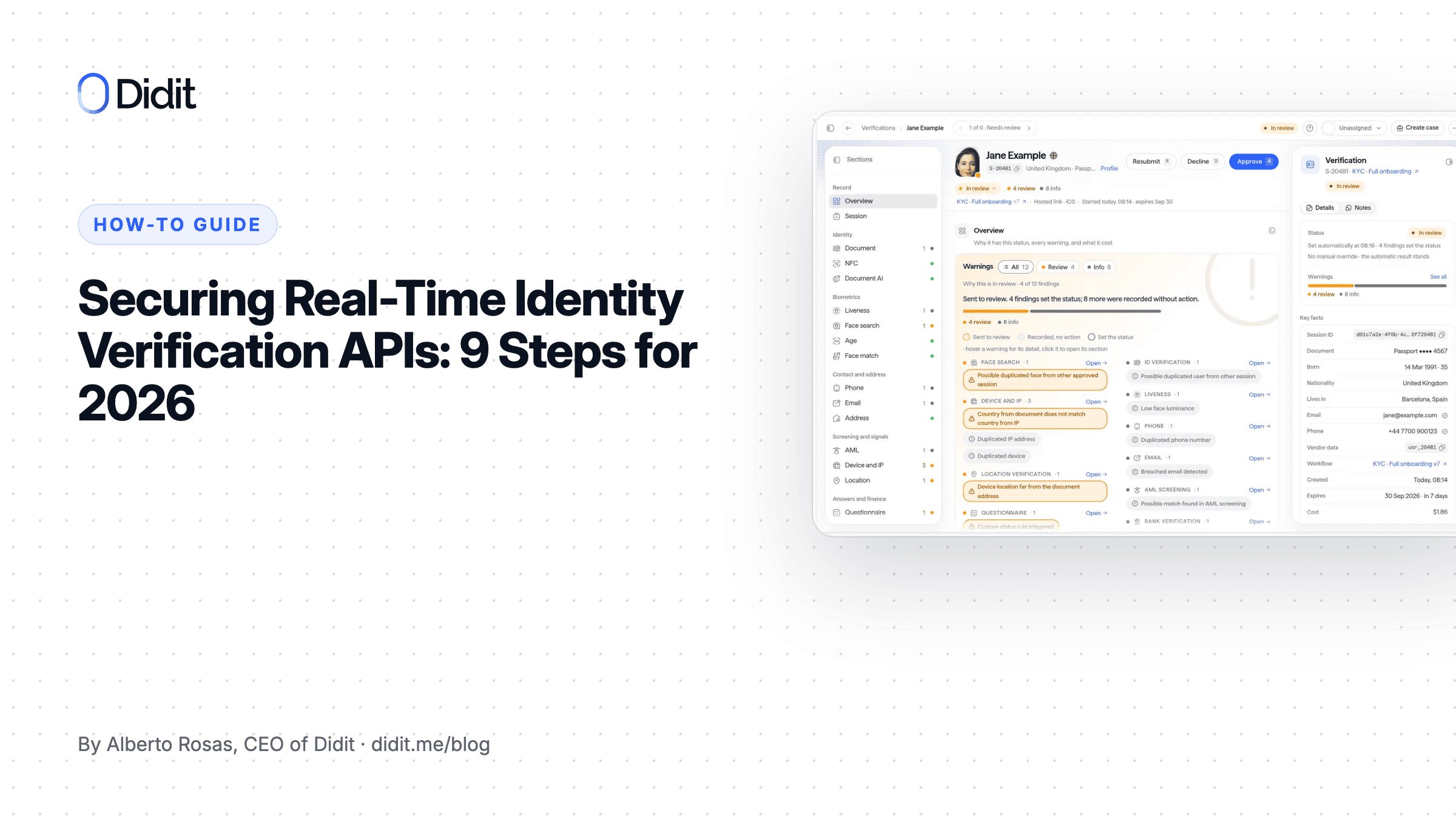
Securing Real-Time Identity Verification APIs: 9 Steps for 2026
Secure a high-volume identity verification API with scoped server-side keys, documented error handling, Retry-After backoff on 429, and HMAC-verified webhooks. A full Didit ID check costs $0.33.
 Alejandro RosasCo-founder and CTO
Contents
In this guide
Jump to the part you need.
This how-to fits engineering and compliance teams pushing thousands of identity checks a day through one API, with the key held server-side. A full ID check on Didit costs $0.33 per completed check from prepaid credit, and sandbox testing is free. The caveat sinks most integrations: the key must never reach a client, and session creation caps at 600 requests per minute per key.
Last updated: November 26, 2026. Prices checked against the live Didit price feed on November 26, 2026.
| Control | What you do | Documented Didit behaviour |
|---|---|---|
| Authentication | Send a scoped key in the x-api-key header from a server only | Wrong, malformed, revoked or expired key returns 401; a missing key returns 403 |
| Key scoping | One key per service or partner, with workflow, status and IP limits | A key used outside its IP list returns 403; a session outside the key's limits returns 404 |
| Load | Plan against the published per-key ceilings | Session creation 600 per minute per key; generic reads 600 per minute; generic writes 300 per minute |
| Throttles | Honour Retry-After, then jittered exponential backoff | 429 carries X-RateLimit-Scope, X-RateLimit-Reset and Retry-After |
| Webhooks | Verify HMAC-SHA256 over the sorted, Unicode-preserved canonical JSON with X-Signature-V2, or over the exact raw bytes with X-Signature; check the timestamp, then parse | X-Signature-V2 recommended; X-Timestamp must be within 300 seconds |
| Statuses | Match exact, case-sensitive strings | "Approved", "Declined", "In Review", "Kyc Expired" and the rest of the enum |
| Billing | Budget per completed check from prepaid credit | Full ID check $0.33; AML screening $0.20; wallet screening $0.15; sandbox free |
Start free in the sandbox at business.didit.me with no sales call, and every check is mocked. If you want an AI assistant to drive the build, connect Didit through the Didit MCP server. The product this page secures is User Verification, and every unit price is public on didit.me/pricing.
What an identity verification API does
An identity verification API takes an identifier for a person or a business, runs a set of checks against documents, biometrics, databases and watchlists, and returns a decision you can act on. Didit exposes that work through one REST API across three live product lines: User Verification (KYC), Business Verification (KYB), and Transaction Monitoring with wallet screening enabled inside it. Over 25 composable modules sit behind the same contract.
The verification surface lives on https://verification.didit.me, and every /v3/... route is authenticated with the x-api-key header. Account, organization and application management live on https://apx.didit.me and use Authorization: Bearer with a JWT. Mixing those two hosts causes authentication failures.
What you end up with
The outcome is a production integration where each request carries a scoped key from a server, every documented error status has a handler, throttles never turn into dropped verifications, and every webhook is verified before you trust a byte of it. The method we recommend is to treat the documented API contract as the security boundary. It is used by 4,000+ active companies.
- Keys that never leave the server, one per workload, with IP and scope limits.
- Handlers for
401,403,402,404,409,422,429and the 5xx family, branching on the status first and thecodefield second. - Backoff that respects
Retry-Afterand stops after a small ceiling instead of looping. - Webhook delivery verified with HMAC-SHA256:
X-Signature-V2over the sorted, Unicode-preserved canonical JSON, orX-Signatureover the exact raw bytes, then processed idempotently.
Prerequisites
- An Application in the Didit Business Console. Keys are scoped to an Application, and you find them under Developers, then API keys.
- Two keys: the sandbox application key (
sk_test_) for testing and the live application key (sk_live_) for production. Keys created before this format have no prefix and keep working, so never validate a key by its prefix. - A secret store on the server. The key must never appear in a browser bundle, a mobile binary or a public repository.
- A public HTTPS endpoint to receive webhooks, plus the destination signing secret from the console.
- Your workflow UUID, from
GET /v3/workflows/, and a realistic figure for peak sessions per minute.
The 9 steps to secure a high-volume identity verification API
- Take the key out of the client. Read
DIDIT_API_KEYfrom the server environment and send it in thex-api-keyheader. If a browser or mobile bundle ever held a key, consider it burned: create a new key and delete the old one in Developers, then API keys. - Give each workload its own scoped key. One key per backend, with the workflow and status limits and the IP list that service actually needs. Sharing one key across many backends collapses them into a single rate-limit counter, so one noisy service starves the rest.
- Create the session with the documented call. Send
workflow_id, plusvendor_dataso the session binds to your entity and duplicate detection works, plus acallbackif you redirect the user back. - Map every documented error status to a handler. Branch on the HTTP status first, then the stable
codefield, because message text can change. A500may not even be JSON, so parse defensively. - Respect the published ceilings. Session creation allows 600 requests per minute per key, generic reads 600 per minute, generic writes 300 per minute, and transaction or event ingestion has its own 600 per minute bucket. Decision lookups allow 100 per minute on the v1 and v2 paths only:
GET /v3/session/{id}/decision/is governed by the generic 600 per minute GET ceiling instead. PDF generation allows 50 per minute, and image or data updates 10 per minute. The full table is in the rate limiting documentation, and Enterprise contracts can raise the global and session limits on request. - Handle
429withRetry-Afteras the floor. Wait at least theRetry-Afterseconds, then add jittered exponential backoff, for example 5s, 10s, 20s, 40s plus random noise. Stop after about 5 attempts and alert, because sustained throttling usually means a runaway loop rather than a spike. - Verify webhooks before parsing them. Confirm
X-Timestampis within 300 seconds of now, recompute the HMAC-SHA256 with your destination secret, and compare with a constant-time function.X-Signature-V2signs the sorted, Unicode-preserved canonical JSON, so hash the canonical form, not the raw bytes.X-Signatureis the variant that signs the exact raw bytes, and it only works if your stack does not re-encode the body. Didit documents three signature variants,X-Signature-V2(recommended),X-Signatureand the deprecatedX-Signature-Simple, and each has a matching previous-signature header,X-Signature-V2-Previous,X-Signature-PreviousorX-Signature-Simple-Previous, sent for 24 hours after a signing secret is rotated. Accept a match on either the current or the previous header. - Match statuses as exact strings.
"In Review"is not"In review", and"Kyc Expired"uses a single capital K. Strict comparison is the only safe option in every webhook and decision handler. - Prove the flows in the sandbox, then go live. The sandbox is free and every check is mocked, so you can reproduce an approval, a decline or an AML hit deterministically before a single real document is processed. Switch
DIDIT_API_KEYto the live key only when the organisation has credit.
The documented call, ready to run
This is the create session request from the create session documentation, unchanged. Replace WORKFLOW_ID with your workflow UUID and run it with a sandbox key first.
curl -X POST https://verification.didit.me/v3/session/ \
-H "x-api-key: $DIDIT_API_KEY" \
-H "Content-Type: application/json" \
-d '{"workflow_id":"<WORKFLOW_ID>","vendor_data":"user-42","callback":"https://myapp.com/return"}'
If you ever lose a key, the recover flow is documented too: log in to POST https://apx.didit.me/auth/v2/programmatic/login/, call GET https://apx.didit.me/auth/v2/organizations/me/ with the bearer token, then read api_key from the application resource. Doing this from your own server, not from a laptop, keeps the key inside your secret boundary.
What a correct run looks like
The documented create-session call returns the new session object, and that session starts in the "Not Started" state. Nothing is decided at create time: the user has to open the link and complete the steps. From there the session moves to "In Progress", then to "Approved", "Declined" or "In Review", or times out as "Expired" or "Abandoned".
The payload you should build against arrives twice: in the status.updated webhook envelope, which carries event_id, session_id, status, webhook_type, application_id, environment, workflow_id, vendor_data and a decision object when the status is Approved, Declined, In Review or Abandoned, and in GET /v3/session/{session_id}/decision/. Per-feature results sit in plural arrays such as id_verifications[], liveness_checks[], face_matches[], aml_screenings[] and poa_verifications[], so one workflow can contain several instances of the same step.

Failure cases and recovery
| Status | Meaning | Recovery | Retry |
|---|---|---|---|
400 | A field failed validation, or an image could not be read | Fix what the body names, for example a callback outside the application's allowed domains | After fixing |
401 | The key is wrong, malformed, revoked or expired | Check DIDIT_API_KEY or run the recover-key flow | After fixing |
402 | The check could not be paid for, so it did not run | Top up the balance | After topping up |
403 | No key, no access to this resource, a request from outside the key's IP list, or an unresolvable balance | Read the body: the messages distinguish missing key, expired key, wrong IP and missing scope | After fixing |
404 | The session is outside the key's workflow or status limits | Use a key whose limits include that session | No |
409 | A conflict with current state, such as a reused Idempotency-Key | Read code, then reload state | Depends on code |
422 | A wallet address fits more than one chain, so nothing was screened or billed | Resend with blockchain set to one of candidate_chains | After fixing |
429 | A rate limit or quota was reached | Wait for Retry-After | Yes, after waiting |
500, 502, 503 | Unexpected error on our side, a dependency error, or a query timeout | Back off, then contact support if it continues | Yes, with backoff |
A throttle returns a documented shape, and the rate-limit headers are only emitted on the 429 itself. Successful responses do not carry them today, so read the reset time from the refusal:
HTTP/1.1 429 Too Many Requests
Content-Type: application/json
X-RateLimit-Scope: session-v2-create
X-RateLimit-Limit: 600
X-RateLimit-Remaining: 0
X-RateLimit-Reset: 1794358860
Retry-After: 37

{
  "detail": "Session creation rate limit exceeded. You can make up to 600 requests per minute.",
  "reference": "RL-00000000000040008000000000000001",
  "limit": 600,
  "remaining": 0,
  "reset": 1794358860,
  "window_seconds": 60
}
Save reference when you report a throttle, and do not parse it for business logic. For every other family, parse defensively, because error bodies do not share one envelope and a 500 may have no JSON at all:
const raw = await response.text();
let body = {};
try {
  body = JSON.parse(raw);
} catch {
  // A 5xx response may not be JSON: rely on response.status.
}
const code = body.code ?? null;
const message = body.detail ?? body.error ?? (Array.isArray(body) ? body[0] : raw);
Inputs and outputs for the session call
| Field | Required | What it controls |
|---|---|---|
workflow_id | Yes | The workflow UUID. A KYC workflow creates User Verification sessions, a KYB workflow creates Business Verification sessions. There is no separate KYB endpoint. |
vendor_data | Recommended | Your stable identifier for the person or business. It binds the session to an entity and is used for duplicate detection. |
callback | No | Where the hosted flow redirects the user. Didit appends the session id and status. For HTTP or HTTPS callbacks, use one of the application's allowed domains. Custom URL schemes are accepted. |
metadata | No | Arbitrary JSON echoed back in responses and webhooks, never shown to the user. |
session_expiration_time | No | Seconds the link stays valid, between 3600 and 2419200, overriding the workflow setting for this session. |
expected_details | No | Expected name, date of birth, nationality or document types. Mismatches surface as decision warnings. |
| Output: session | Returned | The documented response returns the new session object in "Not Started". |
| Output: webhook | Returned | status.updated with the full decision object once a decision exists. |
| Output: decision | Returned | GET /v3/session/{session_id}/decision/ mirrors the webhook decision. |
Paid steps and review boundaries
- Sandbox calls are free and unlimited on every plan, and every check is mocked, so failures cost nothing to rehearse.
- Live calls are billed per completed check from prepaid credit. A full ID check is $0.33: ID document verification $0.15, passive liveness $0.10, face match 1:1 $0.05 and device and IP analysis $0.03.
- Add-ons are priced per check: AML screening $0.20, proof of address $0.20, NFC chip reading $0.15, biometric authentication $0.10, wallet screening $0.15 per screening, transaction monitoring $0.001 per transaction beyond the plan allowance.
- A call that cannot be paid for does not run:
POST /v3/session/returns400, most standalone APIs return403, and the bank account check returns402. Some no-match database lookups and retries are billable, and the docs pricing page lists which ones, so do not retry blindly. - The review boundary is a status, not a guess. Automated checks drive most moves, and a person steps in at
"In Review"or"Declined". A reviewer can approve, decline or request a resubmission in the console or through the API. - Compliance evidence sits with the vendor: SOC 2 Type 2, ISO/IEC 27001:2022 certified under certificate ES144068, iBeta Level 1 PAD, GDPR, DORA, MiCA, AMLD6 and eIDAS 2.0, plus an attestation from Spain's Tesoro, Banco de España and SEPBLAC that the flow is safer than in-person verification.

In Review session. The same hit is one item in aml_screenings[].Worked cost example: 100,000 checks a month
Assume 100,000 full ID checks, 40,000 AML screenings and 30,000 wallet screenings in a month. At list prices, with the arithmetic shown:
- 100,000 x $0.33 = $33,000.00
- 40,000 x $0.20 = $8,000.00
- 30,000 x $0.15 = $4,500.00
- List total: $33,000.00 + $8,000.00 + $4,500.00 = $45,500.00
On the Scale plan, which costs $299 a month, includes $350 of monthly credit and takes 10% off every Didit price:
- 100,000 x $0.297 = $29,700.00
- 40,000 x $0.18 = $7,200.00
- 30,000 x $0.135 = $4,050.00
- Usage at Scale: $29,700.00 + $7,200.00 + $4,050.00 = $40,950.00
- Payable: $299.00 plan fee + $40,950.00 - $350.00 credit = $40,899.00
- Saving against list: $45,500.00 - $40,899.00 = $4,601.00
Monthly credit does not roll over, and top-ups last 12 months. If you want a starting point with no commitment, the Free plan gives $10 of monthly credit to organisations that sign up with a work email, phone codes excluded.

Sources
- Didit docs: API authentication
- Didit docs: API keys
- Didit docs: API rate limiting
- Didit docs: webhooks and HMAC signing
- Didit docs: API errors
- Didit docs: create session
- Didit docs: verification statuses
- Didit docs: sandbox test data
- Didit docs: pricing and billing rules
- Didit pricing page and pricing as JSON
- Didit documentation index
- Didit MCP server
- Regulation (EU) 2016/679, GDPR: eur-lex.europa.eu
- FATF Recommendations: fatf-gafi.org
Next step: open the sandbox at business.didit.me, create a sandbox key, and run the create session call above end to end. No sales call, and every check is mocked until you decide to go live.
Try it
Try this in the sandbox
Run the check this guide describes, free.
The product this post is about, taken from its topic. Run it free in the sandbox.
Author
Alejandro Rosas
Co-founder and CTO

Keep reading
Other guides in the same topic.
 What Is the Purpose of FICA in South Africa? 2026 Guide
FICA is South Africa's anti-money laundering law. It creates the Financial Intelligence Centre and requires accountable institutions to identify and verify clients, screen for PEP and sanctions risk and report suspicious.
Alberto RosasNov 26, 2026 Sixth Money Laundering Directive (6AMLD): What Changed and Which Rules Apply
6AMLD is Directive (EU) 2018/1673: Member States must criminalise laundering, widen predicate offences and set a four-year penalty floor. It adds no new due diligence duties for firms.
Alberto RosasNov 26, 2026 Automated Sanctions Screening: Canada, the Entity List and Embargoes
Automated sanctions screening matches people and companies against lists such as Canada's autonomous sanctions made under SEMA and JVCFOA and the OFAC SDN List, and returns candidate hits scored for identity confidence and.
Alberto RosasNov 26, 2026Questions
Frequently asked questions
What is an API for identity verification?
It is a REST interface that accepts an identifier for a person or business, runs identity and fraud checks, and returns a decision your application can act on. With Didit you create a session against a workflow, the user completes the hosted flow, and the result arrives as a webhook and through the decision endpoint. One API covers User Verification, Business Verification and Transaction Monitoring.
How do I secure an identity verification API in a high-volume environment?
Keep the API key server-side, scope a separate key to each workload with IP and workflow limits, handle every documented error status by code, and never retry without reading Retry-After. Verify webhook signatures over the sorted, Unicode-preserved canonical JSON with X-Signature-V2 and compare statuses as exact strings. At Didit, the verification API uses an x-api-key header and nothing else.
What authentication does the Didit API use?
The verification API on https://verification.didit.me authenticates with a long-lived key in the x-api-key header. New keys start with sk_live_ for a live application or sk_test_ for a sandbox application, followed by 43 URL-safe characters, and older keys without a prefix keep working. Treat the key as a server-side secret and never ship it to a browser or mobile bundle.
Does the Didit API use OAuth?
Not on the verification API: that surface uses API keys only. Account, organization and application management on https://apx.didit.me uses Authorization: Bearer with a JWT access token from the programmatic login endpoint. Do not send a bearer token to a /v3/ route, and do not send an API key to the management host.
What are the Didit API rate limits?
Per key, session creation allows 600 requests per minute, generic reads 600 per minute, generic writes 300 per minute, and transaction or event ingestion 600 per minute. Decision lookups allow 100 per minute only on the v1 and v2 paths, because GET /v3/session/{id}/decision/ falls under the generic 600 per minute GET ceiling. PDF generation allows 50 per minute, and image or data updates 10 per minute. The rate limiting documentation lists every scope and constant.
What is the difference between a 401 and a 403 from an identity verification API?
A 401 means the key you sent is wrong, malformed, revoked or expired, so fix the key or recover it. A 403 means no key was sent, the key lacks access to that resource or action, the request came from outside the key's IP list, or the balance cannot cover the call. The response body distinguishes these cases in plain language.
How should I handle a 429 from the Didit API?
Wait at least the number of seconds in Retry-After, then add jittered exponential backoff such as 5s, 10s, 20s, 40s plus random noise. Stop after about five attempts and alert your team, because sustained throttling usually indicates a runaway loop. Limits are per API key, so one key per workload keeps a noisy service from starving the rest.
How do I verify a Didit webhook signature?
Check that X-Timestamp is within 300 seconds of now, then recompute the HMAC-SHA256 with your destination signing secret. The recommended X-Signature-V2 signs the sorted, Unicode-preserved canonical JSON, not the raw bytes; X-Signature is the variant that signs the exact raw bytes, so use it only if your stack does not re-encode the body. Compare with a constant-time function against X-Signature-V2 and, when present, its X-Signature-V2-Previous header, which is sent for 24 hours after a secret rotation. The same previous-header pattern exists for the X-Signature and X-Signature-Simple variants. Return 2xx quickly, then apply the state change idempotently using event_id.
Can I test an identity verification API without paying?
Yes. Didit's sandbox is free and unlimited on every plan, and every check is mocked, so no real documents and no billing are involved. You can arm a documented scenario on a session, or request one at create time, to reproduce an approval, a decline or an AML hit deterministically. Switch to the live key only when your organisation has credit.
How much does one API identity verification cost?
A full ID check on Didit is $0.33 per completed check, made of ID document verification at $0.15, passive liveness at $0.10, face match 1:1 at $0.05 and device and IP analysis at $0.03. AML screening is $0.20 and wallet screening is $0.15 per screening. Everything is billed from prepaid credit, and the whole price list is public on didit.me/pricing.
Which Didit statuses need a human review?
"In Review" means automated checks raised warnings and a compliance reviewer must approve, decline or request a resubmission. "Declined" also allows a reviewer to request a resubmission or move the session to approved. "Approved", "In Progress", "Not Started", "Awaiting User", "Expired", "Abandoned" and "Kyc Expired" do not require a person.
Compliance built in
Audited, certified and attested.
We hold the certifications and build each country's rules into your flows, so you can launch anywhere without worrying. Security and Compliance center
- Regulation encoded into your flows
Tell us what you do and where. Didit lists the rules that apply to you, with sources, and builds the checks each country needs into one workflow.
- Ready for AMLR
Every requirement of the new EU anti-money laundering rules, from checking customers to human review, is already covered by a Didit check.
- Tested in Spain's Treasury sandbox
Spain's Treasury published its supervised sandbox report on Didit's NFC plus active liveness onboarding; SEPBLAC took part and valued the added measures positively.
- Audited, not self-declared
iBeta Level 1 and Level 2. Liveness tested under ISO/IEC 30107-3.
Your obligations · 3 regions
 SOC 2 Type 2
 ISO 27001
 iBeta Level 1 and Level 2
 EU regulator attestation
 FSM youth protection
 GDPR
 EBA remote onboarding
 MiCA compatible
 FIDO Alliance member
- AMLREU AML Regulation ready
Integration · Didit MCP
Run Didit from your own AI agent
Connect Didit to Claude, Cursor, VS Code or ChatGPT and just ask in plain words. Your agent can do anything you can do in the console, with the same permissions you have.
 Add to Claude
 ChatGPT
 Cursor
- Build workflowsDescribe the checks you need. The agent creates and publishes the flow.
- Run investigationsAsk why a session was declined, review cases, search people and companies.
- Change rulesCreate payment rules, test them on past data and switch them on.
- Pull reportsAsk for numbers, exports or the audit log.
Didit Academy