Travel Rule Stuck in Awaiting Counterparty: GTR vs TRUST vs VerifyVASP vs Sygna
TRUST only sends, so a transfer over it stays awaiting counterparty until the confirmation timeout expires. GTR, VerifyVASP and Sygna return the counterparty's answer, so those transfers complete or decline.
 Alberto RosasCo-founder and CEO
Contents
In this guide
Jump to the part you need.
This page is for VASP compliance and engineering teams whose Travel Rule transfer sits in AWAITING_COUNTERPARTY and will not move. The rail explains it: GTR, VerifyVASP and Sygna hand the counterparty's answer back to Didit, so those transfers move to COMPLETED or a named decline. TRUST only sends, so the transfer waits until confirmation_timeout_hours runs out. Travel Rule costs $0.02 per outbound exchange. The caveat is membership: all four network rails need your own membership today.
Last updated: November 26, 2026. Prices checked against the live Didit price feed on November 26, 2026.
| Rail | How Didit gets the answer | Where the transfer ends |
|---|---|---|
INTERNAL | Both sides are Didit customers, so the exchange negotiates inside the platform with no outbound network call. A wallet proven with a signed message or a test deposit completes at once; a named Didit customer first confirms the beneficiary is its customer, and only then sees who sent the transfer. | Completes once the beneficiary is confirmed |
TRP | Machine to machine inquiry to the counterparty's TRP endpoint | The answer in the inquiry response completes or declines the transfer |
GTR | Read from GTR's response, or by polling the request's status every 5 minutes | COMPLETED, COUNTERPARTY_MISMATCHED_DATA or COUNTERPARTY_VASP_GENERAL_DECLINE |
TRUST | Nothing readable comes back. The rail is send only. | Stays AWAITING_COUNTERPARTY until confirmation_timeout_hours, then it expires and timeout_outcome applies |
VERIFYVASP | Didit polls the verification's status every 5 minutes | The same three outcomes as GTR |
SYGNA | Didit polls the transfer's status every 5 minutes. The Sygna callback sits on Didit's public TRP host, which does not serve requests yet. | The same three outcomes as GTR |
EMAIL | One time pickup link emailed to the compliance contact | The contact confirms or declines |
Start free in the sandbox at business.didit.me, no sales call. If you build with an AI assistant, connect Didit to it through the MCP server. Every unit price for this product is on the pricing page.
The outcome you want, and the method we recommend
The outcome is a terminal state you can defend later. Every outbound transfer should end in COMPLETED, a named decline, COUNTERPARTY_VASP_NOT_REACHABLE, or an expiry with your policy applied, and the delivery history should show what Didit sent and when it landed. COUNTERPARTY_VASP_NOT_FOUND is not terminal: it means no rail identified a route to the counterparty, and it can persist until you add one.
The method is to find out which rail carried the transfer before touching anything else. On TRUST, waiting is the documented behaviour, not a fault. On GTR, VerifyVASP and Sygna, waiting past a few poll cycles may indicate a counterparty identifier or delivery problem. Then either fix the route, or set the deadline and the outcome policy on purpose.
Two facts about our product decide most of these cases. First, all four network rails need a membership on the sending side, and today that membership has to be yours, connected in the console Marketplace under the Travel Rule networks category. We hold no platform membership on GTR, TRUST, VerifyVASP or Sygna today and we are onboarding as a provider, so platform_available is false on all four, the didit mode is not available on any of them, and each network reads unavailable with state didit_onboarding until you connect your own or turn it off. Second, the rails are tried in strict priority order, so TRUST is tried before VerifyVASP and Sygna. A counterparty you can also reach on VerifyVASP or Sygna will still go out over TRUST when a TRUST membership id resolves first, and that exchange will wait. The full priority order and the state machine are in the Travel Rule guide, and the counterparty side is documented in Travel Rule interoperability.
Prerequisites
- A Didit application with Travel Rule enabled (
is_enabled: true). Enabling Travel Rule does not activate any network membership, including GTR. - An API key with transaction read permission for the delivery history, plus write access to transactions if you will add a VASP entry or change the settings.
- Your own membership on the network you want to route over, connected in the console Marketplace, unless the exchange can run over
INTERNAL,TRPorEMAIL. - The Didit transaction uuid of the transfer you are chasing. A chain transaction hash is not that identifier.
- Five minutes of patience per poll cycle on GTR, VerifyVASP and Sygna.
Step by step: find out why the transfer is waiting
Read the application's network modes. Call
GET https://verification.didit.me/v3/travel-rule/settings/and look at thenetworksobject. Each network reports{rail, mode, state, reason, platform_available, connected, participant}.ownmeans your connected membership routes, and it takes precedence even if the network appears indisabled_networks.diditmeans our membership would carry your application, and production does not report it yet.offmeans platform routing is disabled.unavailablemeans nothing can send on that network for the application yet. If the rail you expected readsunavailablewith statedidit_onboarding, that is the answer to the ticket.curl -s 'https://verification.didit.me/v3/travel-rule/settings/' \ -H 'x-api-key: YOUR_API_KEY'List the transfers that are waiting, filtered by rail, so you can separate the TRUST cases from the rest.
curl -s 'https://verification.didit.me/v3/travel-rule/transfers/?status=AWAITING_COUNTERPARTY&rail=TRUST' \
  -H 'x-api-key: YOUR_API_KEY'
Keep the
transaction_idof one transfer. That uuid is what the delivery history endpoint takes.Read the delivery history for that transaction. This is the call that tells you whether the message actually left.
curl -s 'https://verification.didit.me/v3/transactions/TRANSACTION_ID/travel-rule/deliveries/?limit=100&offset=0' \
  -H 'x-api-key: YOUR_API_KEY'
Follow
nextuntil it is null.countis capped at 100 and is not a reliable total for larger histories, so a paging loop keyed oncountstops early. Entries arrive oldest first, then by identifier for ties, and each one carriesuuid,kind,status,rail,created_at,delivered_atanddetail_lines. The delivery history docs spell out the parameters.Read the last entry against the transfer status. A
DELIVEREDsend on TRUST with the transfer still inAWAITING_COUNTERPARTYis the expected pair: the message left and TRUST cannot return an answer. AFAILEDsend means delivery did not happen, and the transfer moves toCOUNTERPARTY_VASP_NOT_REACHABLE.If the counterparty could not be identified at all, add a route. Search the directory, or create a private entry with a compliance contact and use its
idwith thebeneficiary_vaspaction on the transfer. A compliance contact opens theEMAILrail, which returns an answer with no network membership at all.curl -X POST 'https://verification.didit.me/v3/travel-rule/vasps/' \ -H 'x-api-key: YOUR_API_KEY' -H 'Content-Type: application/json' \ -d '{"name": "Example VASP", "email": "compliance@example.com", "jurisdiction": "DE", "invite": false}'That call needs write access to transactions. A matching visible name or LEI answers 409 with the existing
vasp_id, which you select instead. See Create a private Travel Rule VASP entry.Set the deadline and the outcome on purpose.
confirmation_timeout_hoursis how long a transfer waits before it expires, andtimeout_outcomeisHOLD,REJECTorPROCEED.sunrise_policyapplies first when the counterparty is a directory entry in a sunrise jurisdiction (currently CO, KH and VN), thennon_responsive_policywhen the entry is marked UNRESPONSIVE, thentimeout_outcome. Update them withPUT /v3/travel-rule/settings/, sending only the fields you change.Re-check after the next poll cycle. GTR, VerifyVASP and Sygna poll every 5 minutes while the transfer waits, so give the exchange at least one cycle before you call it stuck. Only once a transfer reaches
COMPLETEDshould you broadcast on chain, then report the on chain hash back so the exchange closes out asFINISHED.
Expected output
The deliveries call answers with four top level fields and a list ordered oldest first. Here is the shape, with one entry per message:
{
  "count": 100,
  "next": "https://verification.didit.me/v3/transactions/TRANSACTION_ID/travel-rule/deliveries/?limit=100&offset=100",
  "previous": null,
  "results": [
    {
      "uuid": "11111111-2222-3333-4444-555555555555",
      "kind": "SEND",
      "status": "DELIVERED",
      "rail": "NETWORK",
      "created_at": "2026-11-24T09:12:03Z",
      "delivered_at": "2026-11-24T09:12:41Z"
    }
  ]
}
A non null next means there is more history: request it again. rail is EMAIL, TRP, INTERNAL, NETWORK, or null before selection, and NETWORK collapses every named network into one value, so the network itself comes from the transfer and from the settings networks object, not from this field. detail_lines describes the message kind and status without transport payloads or raw errors. Transaction detail embeds only the newest 100 entries as travel_rule.deliveries, with deliveries_truncated set when older ones were dropped, so the paged endpoint is the one to trust for a full history.
What the delivery statuses mean
Read a delivery status as the state of one message, never as the state of the exchange. A message can be DELIVERED while the transfer is still waiting, and that is exactly the TRUST case.
| Status | What it tells you | What to check next |
|---|---|---|
QUEUED | The entry exists and has not been sent yet | Whether any rail has been selected for the transfer |
SENDING | An attempt is in flight | Nothing. Wait for the next entry. |
RETRYING | An earlier attempt did not deliver and another is scheduled | The counterparty identifier and your membership on that network |
DELIVERED | The rail accepted the message, and delivered_at is set | Whether that rail can return an answer. TRUST cannot. |
FAILED | The attempt ended without delivery | Whether the transfer has moved to COUNTERPARTY_VASP_NOT_REACHABLE |
Inputs and outputs
| Field | Direction | What it does |
|---|---|---|
x-api-key | Input | Your API key. A missing header, or a key without transaction read permission, answers 403. |
transaction_id | Input (path) | The Didit transaction uuid. An unknown transaction, a transaction with no Travel Rule transfer, or a deleted one answers 404. |
limit | Input | Entries per page, default 100, capped at 100. A value above 1,000,000 answers 400. |
offset | Input | Entries to skip, default 0, up to 1,000,000. A larger value answers 400. |
count | Output | Capped at 100. Not a reliable total for larger histories. |
next, previous | Output | Paging links. Follow next until null. |
status | Output | QUEUED, SENDING, RETRYING, DELIVERED or FAILED, per message. |
delivered_at | Output | Set when the rail accepted the message. |
| Field | Where | Why it matters here |
|---|---|---|
status | Transfer | Where the exchange sits in the 13 state lifecycle, including AWAITING_COUNTERPARTY |
confirmation_timeout_hours | Settings | How long a waiting transfer runs before it expires |
timeout_outcome | Settings | HOLD, REJECT or PROCEED, applied to the transaction when the transfer expires |
networks[].mode | Settings | own, didit, off or unavailable per network, read only |
counterparty_screening_enabled | Settings | Opt in sanctions and adverse media screening of counterparty VASPs, billed per screening |
Failure cases and recovery
| Symptom | What it means | Recovery |
|---|---|---|
Transfer in AWAITING_COUNTERPARTY, newest delivery DELIVERED, route resolves to TRUST | No answer path exists. TRUST sends and returns nothing Didit can read. | Set confirmation_timeout_hours and timeout_outcome, and route exchanges that need an answer over TRP, EMAIL, GTR, VerifyVASP or Sygna with your own membership |
COUNTERPARTY_VASP_NOT_REACHABLE | The message could not be delivered | Check the counterparty identifier and your membership on that network, or add a compliance contact and use EMAIL |
COUNTERPARTY_VASP_NOT_FOUND | No rail could identify the counterparty | Search the directory, add a private VASP entry with a compliance contact, or share a travel address |
| The transfer expired | The deadline passed and timeout_outcome (or a sunrise or non responsive policy) was applied | Decide whether HOLD, REJECT or PROCEED matches your policy, then change it before the next exchange |
| 403 forbidden on the deliveries call | The x-api-key header is missing, or the key lacks transaction read permission | Send the header, or use a key with the right scope. The API errors page maps every code. |
| 404 transaction not found | Unknown transaction, a transaction with no Travel Rule transfer, or a deleted transaction | Confirm you are sending the Didit transaction uuid, not a wallet address or a chain hash |
| 400 on the deliveries call | limit or offset above 1,000,000 | Keep the offset under the cap, or narrow the window with a different transaction |
count never goes past 100 | By design. count is capped and is not a total. | Page with next until it is null |
Every network reads unavailable, state didit_onboarding | No membership can send on that network for your application yet | Connect your own membership in Marketplace, or use INTERNAL, TRP or EMAIL |
One rule saves most of these tickets: a transfer only means the counterparty agreed when the status says COMPLETED. A delivered message is not an agreement.
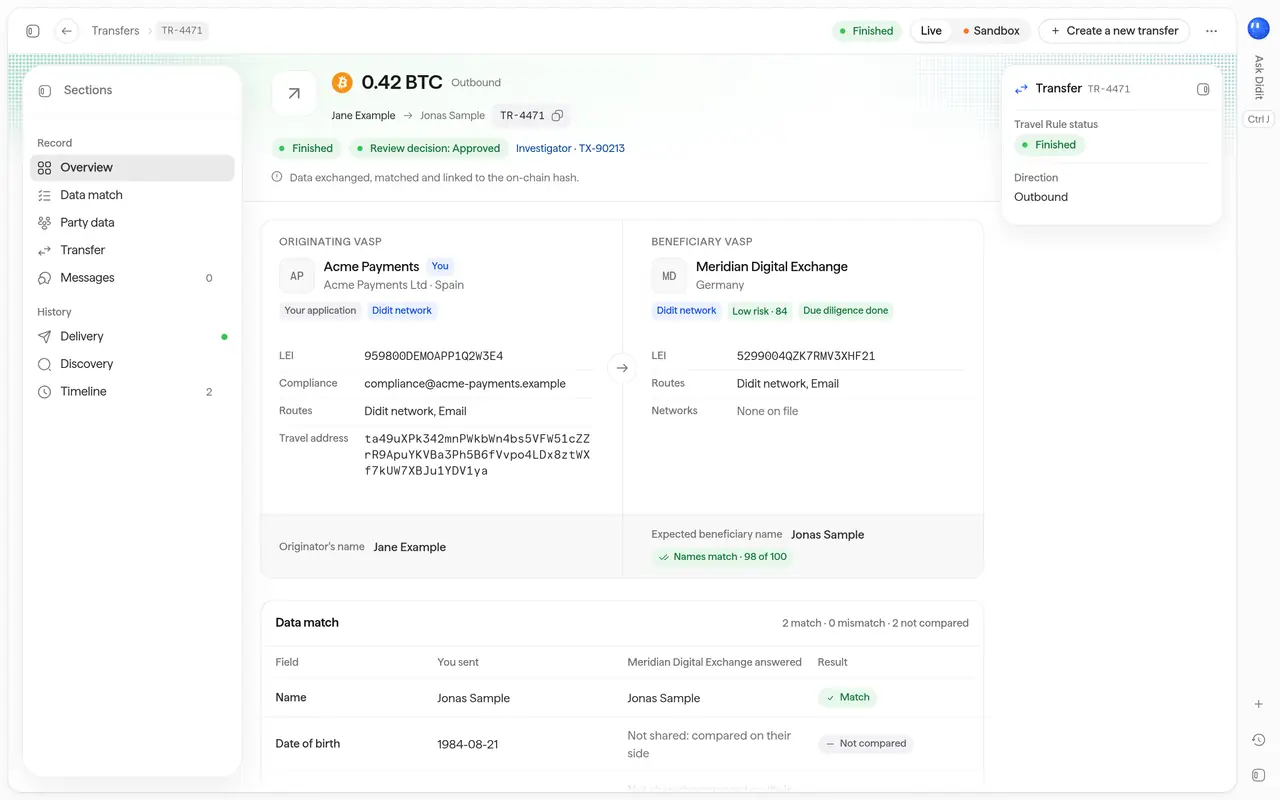
Paid steps and review boundaries
Travel Rule is $0.02 per outbound exchange, billed once per exchange regardless of later status transitions. A transfer that waits and then expires is billed once, because the fee attaches to the outbound exchange, not to the outcome. The 5 minute polling on GTR, VerifyVASP and Sygna does not add a charge for the same reason, and neither do the delivery history reads.
Counterparty screening is the one optional charge here. counterparty_screening_enabled defaults to false, and when you turn it on each screening is billed at the Company AML Screening price, $0.20 per check on the live Didit price feed. Network membership itself is a relationship between you and the network, and we publish no price for it.
The review boundary matters. We do not decide whether the counterparty answered, and on TRUST we cannot see an answer at all. What happens when the deadline passes is your policy, expressed as timeout_outcome and the sunrise and non responsive policies. Choosing PROCEED releases the transaction without a counterparty answer, which is a compliance decision your firm owns, not a Didit default you inherit.
Worked cost example
Say you send 12,000 outbound Travel Rule exchanges a month and every one goes over TRUST and expires. The fee is charged per exchange, so:
- List price: 12,000 x $0.02 = $240.00 for the month, whatever the statuses did afterwards.
- Growth, 4% off Didit prices: 12,000 x $0.0192 = $230.40, plus the $99.00 monthly fee = $329.40.
- Scale, 10% off: 12,000 x $0.018 = $216.00, plus the $299.00 monthly fee = $515.00.
- Add counterparty screening on the same 12,000 exchanges: 12,000 x $0.20 = $2,400.00, which is ten times the messaging cost. Turn it on deliberately.
Sources
- Didit Travel Rule guide, read November 26, 2026 (rails, priority order, 13 state lifecycle, delivery and retries).
- Get Travel Rule Settings API, read November 26, 2026 (network modes, timeout policy, travel address).
- Travel Rule delivery history API, read November 26, 2026 (pagination, statuses, 400, 403 and 404).
- Travel Rule interoperability, read November 26, 2026 (what a counterparty sees, the TRUST warning).
- Create a private Travel Rule VASP entry, read November 26, 2026.
- List unmatched Travel Rule deposits, read November 26, 2026.
- Didit API errors, read November 26, 2026.
- Didit pricing and the live price feed, read November 26, 2026.
- FATF Recommendation 16, the Travel Rule itself, read November 26, 2026.
- EUR-Lex for the EU Transfer of Funds Regulation, which applies with no minimum amount, read November 26, 2026.
- GTR, TRUST, VerifyVASP and Sygna: network behaviour on this page comes from Didit's own documentation, read November 26, 2026. We did not publish a vendor page review for this article, so their own product details are not restated here.
Next step: run the settings call and the deliveries call against a sandbox application, then fix the rail or the deadline before you send a real exchange. There is no sales call involved: open business.didit.me and start in the sandbox, and connect the MCP server at didit.me/developers/mcp if your team works from an AI assistant.
Try it
Try this in the sandbox
Run the check this guide describes, free.
The product this post is about, taken from its topic. Run it free in the sandbox.
Author
Alberto Rosas
Co-founder and CEO

Keep reading
Other guides in the same topic.
 What Is the Purpose of FICA in South Africa? 2026 Guide
FICA is South Africa's anti-money laundering law. It creates the Financial Intelligence Centre and requires accountable institutions to identify and verify clients, screen for PEP and sanctions risk and report suspicious.
Alberto RosasNov 26, 2026 Sixth Money Laundering Directive (6AMLD): What Changed and Which Rules Apply
6AMLD is Directive (EU) 2018/1673: Member States must criminalise laundering, widen predicate offences and set a four-year penalty floor. It adds no new due diligence duties for firms.
Alberto RosasNov 26, 2026 Automated Sanctions Screening: Canada, the Entity List and Embargoes
Automated sanctions screening matches people and companies against lists such as Canada's autonomous sanctions made under SEMA and JVCFOA and the OFAC SDN List, and returns candidate hits scored for identity confidence and.
Alberto RosasNov 26, 2026Questions
Frequently asked questions
Why is my Didit Travel Rule transfer stuck in AWAITING_COUNTERPARTY?
Either the rail cannot return the counterparty's answer, which is always true for TRUST, or the counterparty has not answered yet on GTR, VerifyVASP or Sygna. On those three networks Didit reads the answer from the network response or polls every 5 minutes, so give it one cycle before investigating. On TRUST the transfer waits until confirmation_timeout_hours expires and then timeout_outcome applies.
Can the TRUST network return the counterparty's answer to Didit?
No. TRUST is send only in Didit's implementation: the transfer reaches the counterparty but nothing readable comes back, so the transfer stays in AWAITING_COUNTERPARTY until the confirmation deadline and then expires. GTR, VerifyVASP and Sygna are the three rails where Didit reads the answer and moves the transfer to COMPLETED, COUNTERPARTY_MISMATCHED_DATA or COUNTERPARTY_VASP_GENERAL_DECLINE.
How does VerifyVASP polling work, compared with GTR?
Both read the counterparty's answer for you, they just resolve the counterparty differently. Over VerifyVASP the counterparty is found by counterparty_verifyvasp_id or a directory entry that carries one, and Didit polls the verification's status every 5 minutes. Over GTR the counterparty is found by an explicit GTR VASP code or a directory entry, and Didit reads GTR's response or polls the request every 5 minutes. Both need your own membership on that network today.
How long does a transfer wait before it expires?
As long as confirmation_timeout_hours in your Travel Rule settings says. Read it with GET /v3/travel-rule/settings/ and change it with a partial PUT to the same path. When the window closes the transfer expires and timeout_outcome decides what happens to the transaction.
What do HOLD, REJECT and PROCEED do on an expired transfer?
They are the three timeout_outcome values. HOLD leaves the transaction waiting, REJECT declines it and PROCEED lets it through without a counterparty answer. sunrise_policy applies first for counterparties in a sunrise jurisdiction (currently CO, KH and VN), then non_responsive_policy for entries marked UNRESPONSIVE, then timeout_outcome.
Why does the deliveries API count stop at 100?
count is capped at 100 and is not a reliable total for larger histories. limit is also capped at 100 per page. Follow next until it is null instead of looping on count, and remember transaction detail embeds only the newest 100 entries as travel_rule.deliveries with deliveries_truncated set when older ones were dropped.
What do QUEUED, SENDING, RETRYING, DELIVERED and FAILED mean?
They describe one message, not the exchange. QUEUED is an entry created and not yet sent, SENDING is an attempt in flight, RETRYING is an earlier attempt that did not deliver with another scheduled, DELIVERED is a message the rail accepted with delivered_at set, and FAILED is an attempt that ended without delivery. A DELIVERED message on TRUST still leaves the transfer waiting.
Why do I get 404 transaction not found instead of 403 forbidden?
The two mean different things. 403 means the x-api-key header is missing or the key lacks transaction read permission. 404 means the transaction is unknown to your application, has no Travel Rule transfer, or was deleted. Confirm that you are passing the Didit transaction uuid rather than a wallet address or a chain hash.
What is COUNTERPARTY_VASP_NOT_FOUND and how do I clear it?
It means no rail could identify the counterparty VASP, so there was nowhere to send the data. Search the VASP directory, create a private entry with a compliance contact, or share a travel address so the counterparty becomes reachable. Once a route exists the exchange can run over TRP, EMAIL or a network you hold a membership on.
What is COUNTERPARTY_VASP_NOT_REACHABLE?
It is the state a transfer moves to when the message cannot be delivered over the selected rail, rather than a state the counterparty chose. Check the counterparty identifier, your membership on that network, and the newest delivery entry with FAILED or RETRYING status before retrying.
Can I route over GTR, TRUST, VerifyVASP or Sygna without my own membership?
Not today. All four network rails need a membership on the sending side, and that membership has to be yours, connected in the console Marketplace. Didit holds no platform membership on any of the four and is onboarding as a provider, so each network reports unavailable with state didit_onboarding, and the didit mode is not offered. Enabling Travel Rule never activates a network.
Does a stuck transfer cost me twice if I resend it?
No for retries and status changes on the same exchange: billing is once per outbound exchange regardless of later transitions, so waiting, polling and expiring do not add charges. A separate new outbound exchange is billed as its own exchange at $0.02. Optional counterparty screening is the only per screening charge, at $0.20.
Why does the networks object show didit_onboarding for every network?
Because we do not hold a platform membership on GTR, TRUST, VerifyVASP or Sygna yet, so platform_available is false and production never reports the didit mode. A network reads own when you connect your own membership and off when you disable platform routing. Anything else is unavailable.
Compliance built in
Audited, certified and attested.
We hold the certifications and build each country's rules into your flows, so you can launch anywhere without worrying. Security and Compliance center
- Regulation encoded into your flows
Tell us what you do and where. Didit lists the rules that apply to you, with sources, and builds the checks each country needs into one workflow.
- Ready for AMLR
Every requirement of the new EU anti-money laundering rules, from checking customers to human review, is already covered by a Didit check.
- Tested in Spain's Treasury sandbox
Spain's Treasury published its supervised sandbox report on Didit's NFC plus active liveness onboarding; SEPBLAC took part and valued the added measures positively.
- Audited, not self-declared
iBeta Level 1 and Level 2. Liveness tested under ISO/IEC 30107-3.
Your obligations · 3 regions
 SOC 2 Type 2
 ISO 27001
 iBeta Level 1 and Level 2
 EU regulator attestation
 FSM youth protection
 GDPR
 EBA remote onboarding
 MiCA compatible
 FIDO Alliance member
- AMLREU AML Regulation ready
Integration · Didit MCP
Run Didit from your own AI agent
Connect Didit to Claude, Cursor, VS Code or ChatGPT and just ask in plain words. Your agent can do anything you can do in the console, with the same permissions you have.
 Add to Claude
 ChatGPT
 Cursor
- Build workflowsDescribe the checks you need. The agent creates and publishes the flow.
- Run investigationsAsk why a session was declined, review cases, search people and companies.
- Change rulesCreate payment rules, test them on past data and switch them on.
- Pull reportsAsk for numbers, exports or the audit log.
Didit Academy