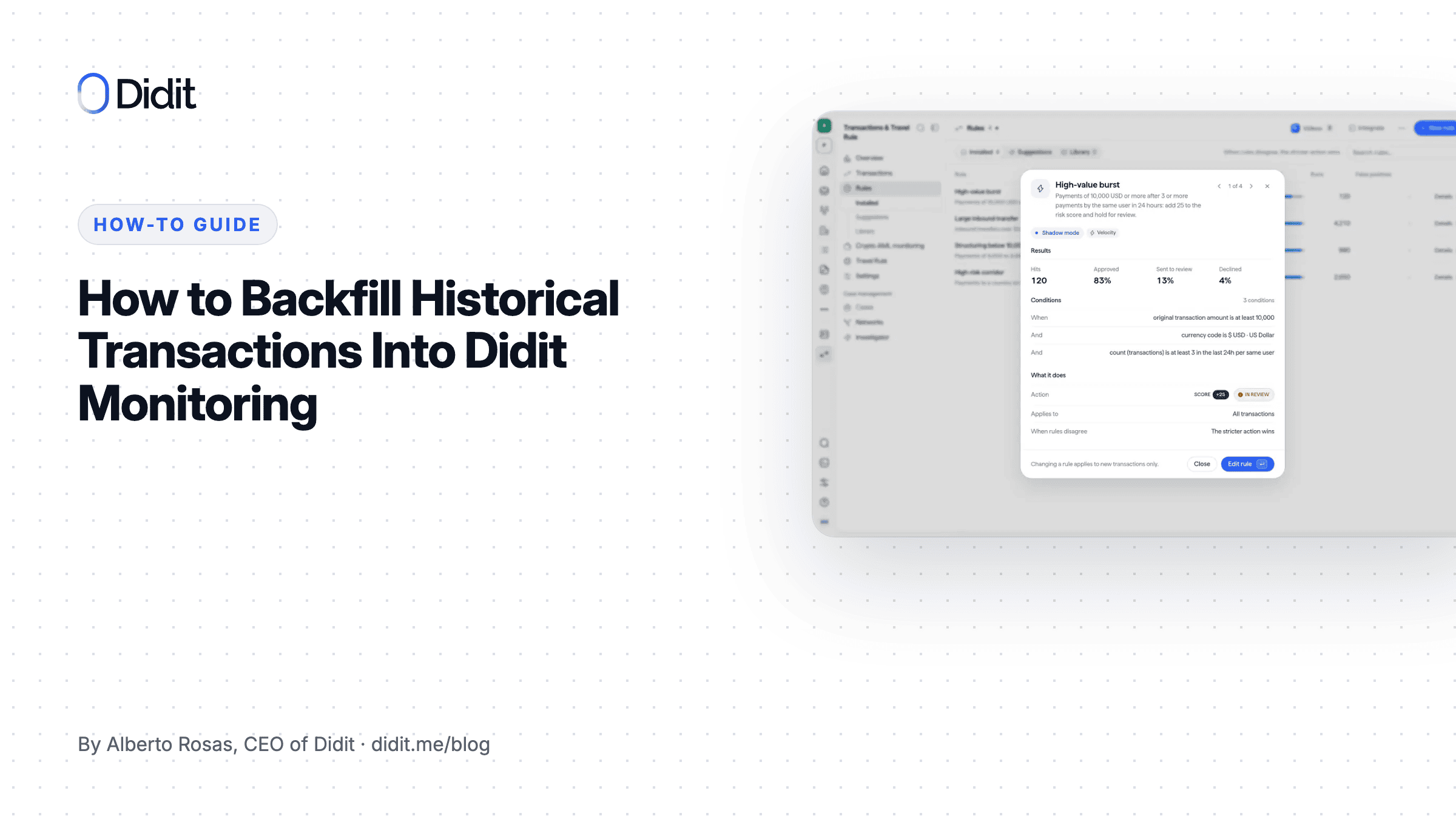
How to Backfill Historical Transactions Into Didit Monitoring
Export history to CSV, import it with dates in the past, then enable rules. Rules still run on backfilled rows, so six months of history through a velocity rule floods the review queue.
 Alberto RosasCo-founder and CEO
Contents
In this guide
Jump to the part you need.
Backfilling historical transactions into Didit Transaction Monitoring fits teams leaving another monitoring system who want six to twelve months of past activity inside the same rules as today's traffic. Transaction monitoring costs $0.001 per transaction beyond the plan allowance: 1,000 a month on Free, 10,000 on Growth, 100,000 on Scale. The main caveat is rules, which still run on backfilled rows and can generate thousands of alerts at once.
Last updated: November 26, 2026. Prices checked against the live Didit price feed on November 26, 2026.
| Decision | Recommended choice | Why |
|---|---|---|
| A few thousand rows or fewer | CSV export, then Transactions then Import history in the console | One pass, column mapping in the console, no loop to write |
| Tens of thousands of rows, or a migration you will repeat | API loop on POST /v3/transactions/ with transaction_at in the past | You control the loop, transaction IDs and field mapping |
| Rules are already active | Dry ingest on the import, or disable the velocity rules first | Dry ingest skips rule evaluation, so the import does not hold rows for review |
| History must be in place before rules go live | Enable rules only after ingestion finishes | The docs list this as the alternative to dry ingest, and do not say whether dry-ingested rows reach later aggregations |
| Webhooks are live | An endpoint you control that separates backfilled rows from live ones | Every submitted transaction posts transaction.created |
Start free in the sandbox at business.didit.me, with no sales call. The product page is Didit Transaction Monitoring and every list price sits on didit.me/pricing. Developers who work from an AI assistant can connect Didit over MCP and inspect transactions and rules without opening the console.
MCP setup for every client is documented at didit.me/developers/mcp.
The outcome, and the method we recommend
By the end you have one continuous timeline in one application. The old rows keep their original dates, and new traffic keeps arriving in real time. The docs recommend enabling rules after ingestion, but do not state whether dry-ingested rows affect later aggregations.
The integration guide describes three moves: export the history to CSV, import it with dates in the past, then enable rules. Two routes handle the middle move. The console has Transactions then Import history for files. The API has POST /v3/transactions/, which you call in a loop with transaction_at (camelCase alias txnDate) set to the original timestamp.
Our recommendation is to ingest with rule evaluation off. Leave the velocity rules disabled until the last row lands, or run the import with dry ingest, which the docs describe as skipping rule evaluation. This prevents historical rows from filling the review queue.
Prerequisites
- A Didit application with Transaction Monitoring enabled under Settings then Transaction Monitoring then Enable.
- An API key sent in the
x-api-keyheader, the same key type you use for sessions and entities. See API authentication. - An export from your current system with one row per transaction and a stable id you generate on your side. Do not rely on a Didit-generated id for idempotency.
vendor_datavalues for the subject, and for the counterparty where you have them. Whenvendor_datamatches an existing user or business profile, Didit links the row to that entity, which is what cross-session rules and velocity checks read.- A webhook endpoint reachable from the internet if you want events during the backfill. Backfill posts
transaction.createdfor every row.
Step by step
- Export the history to CSV. One row per transaction. Carry the original timestamp, direction, amount, currency, currency kind (fiat or crypto), an action label such as withdrawal or deposit, your customer id, the customer name and country, and the counterparty where you have one. If your old system stores blockchain hashes, carry them too: a hash in
payment_reference_idis what post-transfer crypto screening uses. - Pick the route. Use the console import for a one-off file. Use the API loop when you need repeatable mapping, when the export is larger than you want to handle by hand, or when you want to run the whole ingestion from a script with your own ids.
- Map your columns to the transaction model. The table further down lists each field and what Didit does with it. The single most important mapping is your own transaction id onto
transaction_id, because it is the idempotency key: resubmitting it returns an error rather than a duplicate row. - Import with the original date. In the console, open Transactions, then Import history, choose the file, map the columns, and switch on dry ingest if any rule is already active. Over the API, send one call per row with
transaction_atin the past. The quickstart shows the same call shape for live traffic; the only difference for a backfill is the date and the rule state.
curl -X POST https://verification.didit.me/v3/transactions/ \
  -H "x-api-key: YOUR_API_KEY" \
  -H "Content-Type: application/json" \
  -d '{
    "transaction_id": "hist-2025-0001",
    "transaction_at": "2025-11-04T09:12:00Z",
    "transaction_category": "finance",
    "transaction_details": {
      "direction": "outbound",
      "amount": "9500.00",
      "currency": "EUR",
      "action_type": "withdrawal"
    },
    "subject": { "entity_type": "person", "vendor_data": "user-42", "full_name": "Jane Doe", "country_code": "ES" },
    "counterparty": { "entity_type": "company", "vendor_data": "biz-acme", "full_name": "Acme Supplier", "country_code": "ES" }
}'- Confirm the rows landed. List them with
GET /v3/transactions/?limit=50. The list is ordered bytxn_datedescending, withcreated_atas the tie-breaker, so a backfill appears where its dates belong.countis capped at 100; readtotal_transactionsfor the true application total. Rows deleted in the console are not returned. - Turn rules on, or re-run dry, then watch the first hour. If you kept rules disabled, enable them now, in Test mode first if the rule is new. A rule in Test mode is evaluated but its result does not affect the transaction, which is the cheapest way to see what a velocity rule would have held across the imported history.
- Check the held transactions against the expectation you wrote down. You know how many rows crossed each threshold because you can read
rule_runson the transactions and the rule summary in the console. If the number is in the thousands, stop, disable that rule, and treat it as a rule design problem rather than a data problem.

Inputs and outputs
| Your column | API field | What Didit does with it |
|---|---|---|
| Your transaction id | transaction_id (alias txnId) | Idempotency key, unique per application, max 128 characters |
| Original timestamp | transaction_at (alias txnDate) | Sets txn_date, so the row sits in its real place in history |
| Direction | transaction_details.direction | inbound or outbound; also decides which wallet is screened on crypto rows |
| Amount | transaction_details.amount | Decimal string, for example "9500.00" |
| Currency | transaction_details.currency | ISO code such as USD, EUR, BTC |
| Currency kind | transaction_details.currency_kind | fiat or crypto. With crypto wallet fields and currency_kind set to crypto, blockchain screening can run automatically. |
| Action label | transaction_details.action_type | Vendor-defined label such as deposit or withdrawal |
| Reference or hash | transaction_details.payment_reference_id | External reference; use the blockchain hash for post-transfer crypto screening |
| Customer id | subject.vendor_data | Links the row to an existing user or business profile |
| Name, country | subject.full_name, subject.country_code | Party data used by jurisdiction and counterparty rules |
| Counterparty | counterparty.* | Optional; without vendor_data it is stored as an external snapshot |
| Payment instrument | payment_method.method_type, account_id | bank_card, bank_account, e_wallet, crypto_wallet, unhosted_wallet or other |
| Output | Meaning |
|---|---|
status | APPROVED when no rule fired, IN_REVIEW or DECLINED when one did |
score | Integer from 0 upwards, the sum of the matched rules' score deltas |
rule_runs | Every rule that evaluated the row, matched or not |
parties | The subject as APPLICANT and the counterparty as COUNTERPARTY |
uuid and txn_id | The Didit id you use in GET /v3/transactions/{uuid}/, and your own id |
Failure cases and recovery
| Symptom | Cause | Recovery |
|---|---|---|
400 with the message A transaction with this transaction_id already exists. on transaction_id | You resubmitted a txn_id that already exists in the application | Do not resubmit. Read the existing row with GET /v3/transactions/{uuid}/, or match the Didit uuid in the transaction.created webhook next to your txn_id |
409 | Two identical requests raced each other | Same fix: look the row up instead of sending it again |
| Thousands of alerts the morning after the import | Velocity rules were Active while the history went in, so 20 transfers in 30 days matched across the whole period at once | Disable the rule or move it to Test, review or resolve the held transactions in the console, then re-run with dry ingest or with rules off |
401 or 403 | Wrong, revoked or expired key answers 401; a key without permission for the action answers 403 | Reissue the key and send it in x-api-key |
429 | Rate limited | Back off and retry; slow the loop down |
| A party's country comes back null | address was sent as a string rather than an object | Send a structured address, or set country_code explicitly |
| Backfilled rows do not affect later velocity checks | vendor_data did not match an existing user or business, so the row is an external snapshot | Re-export with the same vendor ids you use in Didit |
| Your webhook endpoint is overwhelmed | transaction.created posts for every submitted row | Separate backfilled rows from live ones at your own endpoint, for example with a prefix filter on your own transaction_id values, then verify X-Signature-V2 on every call. |
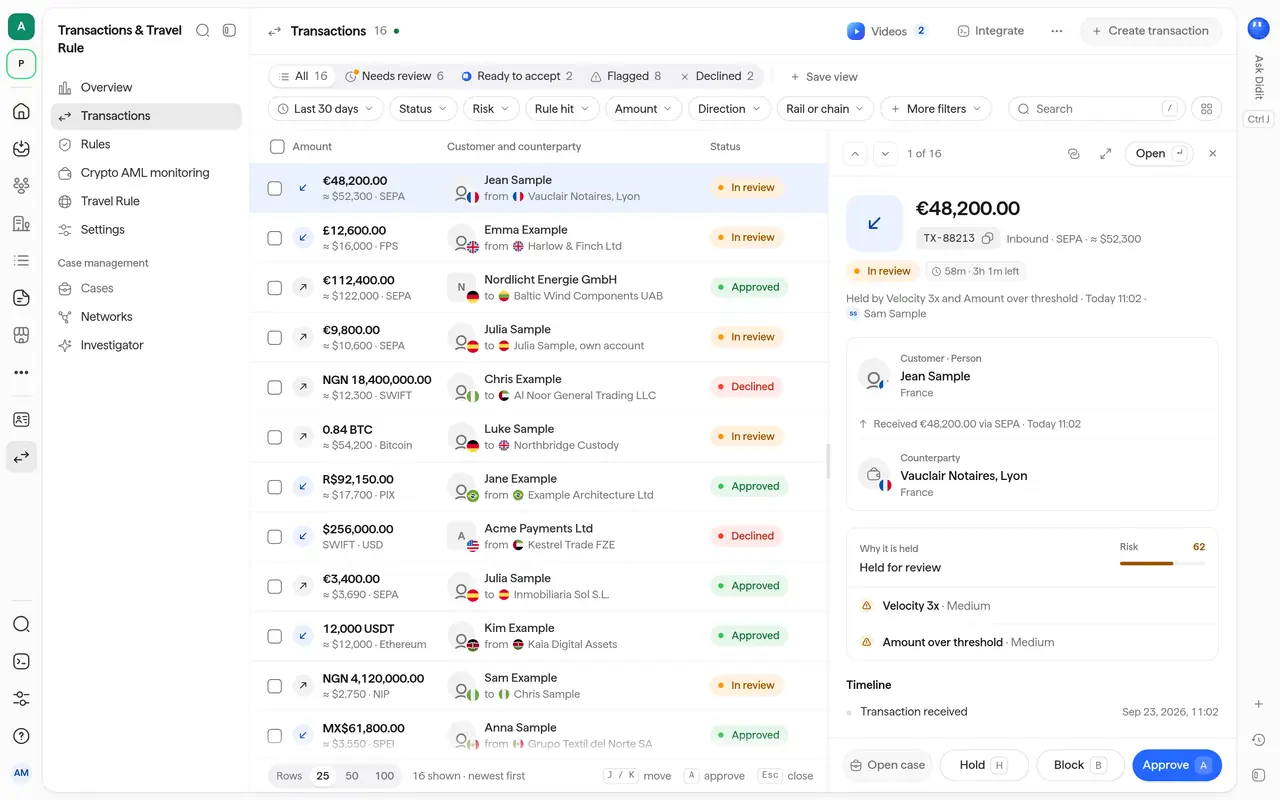
One console detail matters when you audit the result: the alerts array on a transaction detail is always empty today, so read status instead. A held transaction is the alert. IN_REVIEW and AWAITING_USER are open alerts; APPROVED and DECLINED are decided. Listing held rows means filtering on status in the console, or reading status across GET /v3/transactions/. The alerts page covers triage, assignment and escalation to a case.
Worked cost example
A migration of 120,000 transactions covering the last year, 8,000 of them crypto transfers that need blockchain screening, priced from the live feed on November 26, 2026:
- Transactions: 120,000 rows. On Growth the month includes 10,000 monitored transactions, so 120,000 minus 10,000 leaves 110,000 billable rows. 110,000 x $0.001 = $110.00.
- Wallet screening on the 8,000 crypto rows at list: 8,000 x $0.15 = $1,200.00.
- List total: $110.00 + $1,200.00 = $1,310.00.
- On Growth, Growth applies a 4% discount, making the screening price $0.144: 8,000 x $0.144 = $1,152.00, plus $110.00 = $1,262.00. Growth's $115.00 monthly credit is added on top of the $99.00 fee and is used first, so it covers the $110.00 transaction line and leaves $5.00 toward screening.
- On Scale, screening is $0.135: 8,000 x $0.135 = $1,080.00, plus $110.00 = $1,190.00.
The transaction line carries no plan discount: the feed lists $0.001 on every plan. The allowance is the lever. Spread the same 120,000 rows across twelve months and twelve monthly allowances absorb them, which removes the transaction line on any paid plan. The screening line cannot be spread, because it is charged per row you screen.
Paid steps and review boundaries
- Every monitored transaction beyond the monthly allowance is billed at $0.001, including rows submitted in the API loop. The allowance is 1,000 on Free, 10,000 on Growth and 100,000 on Scale, resets on the 1st of the month and does not roll over.
- Wallet screening is $0.15 per screening at list, $0.144 on Growth and $0.135 on Scale, when a row is crypto and screening runs.
include_crypto_screeningset tofalseskips it for that row; omitted or null uses your application default. - Didit does not submit reports to regulators. When a backfilled alert turns into a suspicious activity filing, the console prepares the form and the evidence and your compliance team files it. That boundary does not move because the transaction is historical.
Rule management is also documented for the API and for Didit MCP, which is useful when you migrate a rule set at the same time as the data. The managing rules guide and the rules library are the references, and the create transaction reference carries the full payload.
Sources
- Didit docs: Transaction Monitoring integration guide (architecture, batch and backfill, historical ingestion, idempotency).
- Didit docs: Submit Transactions API payload and data model.
- Didit docs: Transaction Monitoring quickstart.
- Didit docs: KYT rules, modes and aggregations.
- Didit docs: KYT alerts, triage and resolution.
- Didit docs: Transaction Monitoring webhooks and webhook signing.
- Didit Management API: create transaction, list transactions and get transaction.
- Didit docs: managing rules via API and MCP and the rules library.
- Didit docs: FIU reports and templates.
- Didit pricing and pricing in the docs, read November 26, 2026.
- Didit Transaction Monitoring product page and Didit MCP server.
Next step: create a sandbox application at business.didit.me (no sales call), send one historical row with a past transaction_at, and confirm it lands where its date belongs before you point a full export at the application.
Try it
Try this in the sandbox
Run the check this guide describes, free.
The product this post is about, taken from its topic. Run it free in the sandbox.
Author
Alberto Rosas
Co-founder and CEO

Keep reading
Other guides in the same topic.
 What Is the Purpose of FICA in South Africa? 2026 Guide
FICA is South Africa's anti-money laundering law. It creates the Financial Intelligence Centre and requires accountable institutions to identify and verify clients, screen for PEP and sanctions risk and report suspicious.
Alberto RosasNov 26, 2026 Sixth Money Laundering Directive (6AMLD): What Changed and Which Rules Apply
6AMLD is Directive (EU) 2018/1673: Member States must criminalise laundering, widen predicate offences and set a four-year penalty floor. It adds no new due diligence duties for firms.
Alberto RosasNov 26, 2026 Automated Sanctions Screening: Canada, the Entity List and Embargoes
Automated sanctions screening matches people and companies against lists such as Canada's autonomous sanctions made under SEMA and JVCFOA and the OFAC SDN List, and returns candidate hits scored for identity confidence and.
Alberto RosasNov 26, 2026Questions
Frequently asked questions
How do I backfill historical transactions into Didit Transaction Monitoring?
Export the history to CSV, then either use Transactions then Import history in the Business Console or submit each row to POST /v3/transactions/ with transaction_at set to the original date. After the last row lands, enable your rules. The docs describe exactly these three moves, and both routes use the same transaction fields.
Will backfilling history trigger alerts in Didit?
Yes. Rules still run on backfilled rows and can hold transactions in IN_REVIEW and fire webhooks. Six months of history through a rule like 20 transfers in 30 days generates thousands of alerts at once, which is the warning the docs put in print. Avoid it with dry ingest on the import, or by enabling rules only after ingestion finishes.
What is dry ingest in transaction monitoring?
Dry ingest is a flag on the console CSV import that skips rule evaluation for the imported rows, and the docs name it as the way to avoid triggering rules on a backfill. Use it when rules are already active and you do not want a historical backlog of held transactions. The docs do not state whether dry-ingested rows count in later velocity aggregations. They also do not publish a separate price for dry ingest, so budget those rows at the published per-transaction price.
Does Didit have a transactions import API?
There is a create transaction endpoint, POST /v3/transactions/, which takes one transaction per call, so an API backfill is a loop with transaction_at or txnDate in the past. No bulk upload endpoint is documented. For a file, the documented path is the console import.
What happens if I resubmit a transaction_id that already exists?
You get a 400 with the message A transaction with this transaction_id already exists. on the transaction_id field, and two identical requests that race produce a 409 on the second. Neither response returns the existing transaction, so look it up with GET /v3/transactions/{uuid}/ or match the Didit uuid in the transaction.created webhook.
Can I set a transaction date in the past?
Yes. Send transaction_at (alias txnDate) with the original timestamp. The docs describe batch and backfill mode as passing a date in the past, and they state that rules still run and can trigger webhooks on those rows.
How much does a historical backfill cost?
Transaction monitoring is $0.001 per transaction beyond the monthly allowance of 1,000 on Free, 10,000 on Growth or 100,000 on Scale, and crypto rows screened for wallet risk add $0.15 per screening at list. A 120,000 row backfill on Growth is 110,000 billable rows, so 110,000 x $0.001 = $110.00, plus 8,000 screens at $0.144 = $1,152.00. Prices come from the live feed on November 26, 2026.
Will backfilling send a webhook for every transaction?
Yes. transaction.created fires for every submitted transaction, and transaction.status.updated fires when a status changes. Point the backfill at an endpoint you control and separate backfilled rows from live ones there, for example with a prefix filter on your own transaction_id values; that filtering is your endpoint's implementation choice, not a Didit feature. Verify the X-Signature-V2 HMAC before trusting the payload.
How do I keep velocity rules counting the imported history?
Enable the rules after ingestion finishes, so the imported rows already exist in the application when the aggregation window runs. The docs recommend that sequence but do not state whether dry-ingested rows affect later aggregations. If the history has to feed future velocity checks, use the enable-rules-after-ingestion route rather than dry ingest.
Where do backfilled transactions appear in Didit?
Under Transactions in the Business Console, ordered by txn_date with the newest first, so historical rows sit in their real position. Each row opens to its rule runs, score, parties and any linked alert or case. The same rows come back from GET /v3/transactions/.
How many backfills can I run before the allowance resets?
The allowance is monthly: 1,000 monitored transactions on Free, 10,000 on Growth, 100,000 on Scale, resetting on the 1st and not rolling over. That makes the calendar part of the migration plan. Rows beyond the allowance cost $0.001 each on every plan.
Compliance built in
Audited, certified and attested.
We hold the certifications and build each country's rules into your flows, so you can launch anywhere without worrying. Security and Compliance center
- Regulation encoded into your flows
Tell us what you do and where. Didit lists the rules that apply to you, with sources, and builds the checks each country needs into one workflow.
- Ready for AMLR
Every requirement of the new EU anti-money laundering rules, from checking customers to human review, is already covered by a Didit check.
- Tested in Spain's Treasury sandbox
Spain's Treasury published its supervised sandbox report on Didit's NFC plus active liveness onboarding; SEPBLAC took part and valued the added measures positively.
- Audited, not self-declared
iBeta Level 1 and Level 2. Liveness tested under ISO/IEC 30107-3.
Your obligations · 3 regions
 SOC 2 Type 2
 ISO 27001
 iBeta Level 1 and Level 2
 EU regulator attestation
 FSM youth protection
 GDPR
 EBA remote onboarding
 MiCA compatible
 FIDO Alliance member
- AMLREU AML Regulation ready
Integration · Didit MCP
Run Didit from your own AI agent
Connect Didit to Claude, Cursor, VS Code or ChatGPT and just ask in plain words. Your agent can do anything you can do in the console, with the same permissions you have.
 Add to Claude
 ChatGPT
 Cursor
- Build workflowsDescribe the checks you need. The agent creates and publishes the flow.
- Run investigationsAsk why a session was declined, review cases, search people and companies.
- Change rulesCreate payment rules, test them on past data and switch them on.
- Pull reportsAsk for numbers, exports or the audit log.
Didit Academy