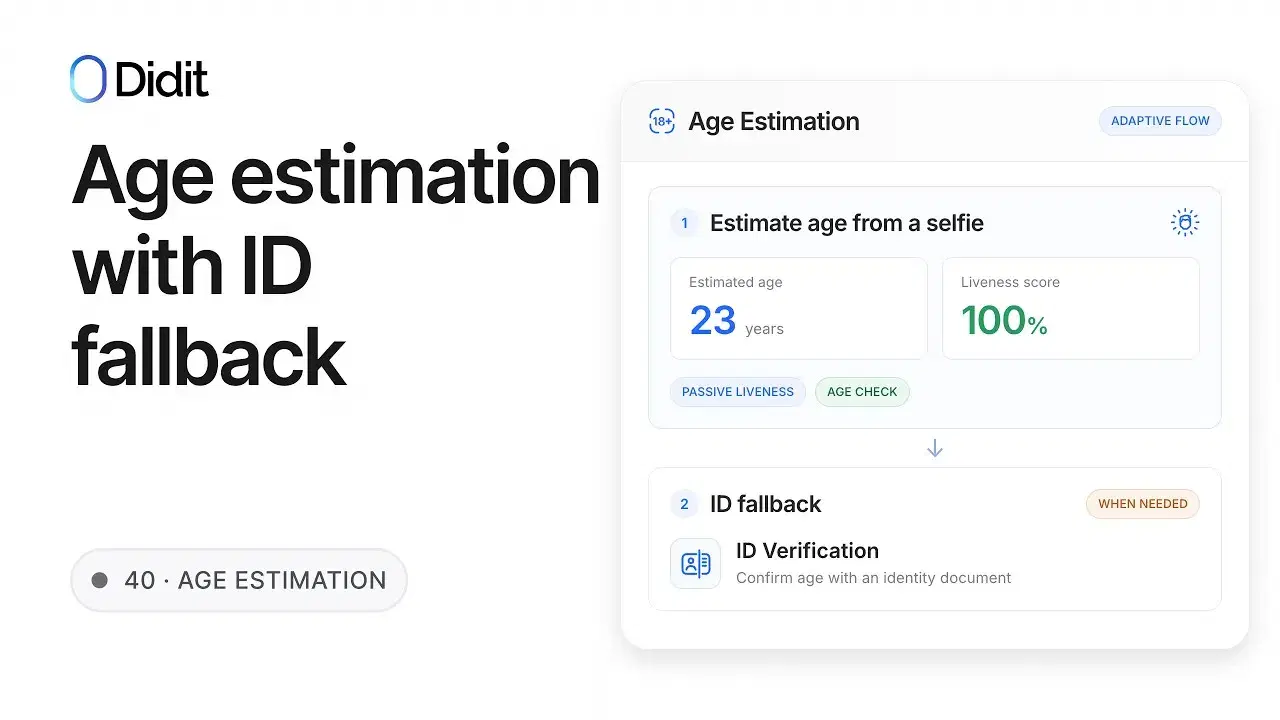
Brazil's Digital ECA: age verification steps for 2026
Brazil's Digital ECA sets the Article 9 duty, and Decree 12.880 applies it by category. Didit charges $0.10 per selfie estimate and $0.15 per workflow document check.
 Alberto RosasCo-founder and CEO
Contents
In this guide
Jump to the part you need.
This guide fits product and engineering teams at marketplaces, betting, gaming and social services. We charge $0.10 per selfie estimate and $0.15 for a document check in a workflow. Brazil's Digital ECA (Lei 15.211/2025) applies to digital services used by under-18s in Brazil, and Decree 12.880 sets different duties depending on what your service offers. We show how to integrate the checks and where your policy needs stronger evidence. For uses that require high-reliability verification, a selfie estimate alone does not establish age.
Last updated: November 26, 2026. Prices checked against the live Didit price feed on November 26, 2026.
| Question | Answer |
|---|---|
| Who must act | Any digital product or service directed at children and adolescents in Brazil, or likely to be accessed by them, wherever the provider is based; covered suppliers keep a legal representative in Brazil (Article 40) |
| The statutory duty | Article 9 of Lei 15.211/2025: prevent and block access by under-18s to content, products and services that are improper, inadequate or prohibited for them. Decreto 12.880 applies it by category |
| Improper or inadequate, not prohibited | Allowed on three cumulative conditions: age rating, safe by default and parental supervision (Decreto, Article 14). No hard gate is required if all three are met |
| Prohibited for under-18s | Effective age verification and effective blocking at each access, with self-declaration barred (Decreto, Article 15): alcohol, tobacco and vapes, weapons, gambling and betting, loot boxes, pornography, escort services |
| Marketplace or seller of prohibited products | Verification at sign-up or at purchase, self-declaration barred (Decreto, Article 18) |
| Social network that keeps prohibited content | A version without the content removes the verification duty; otherwise effective verification with self-declaration barred (Decreto, Article 19) |
| Game with loot boxes where access by minors is likely | Verification to keep minors away from the feature, unless you ship a version without loot boxes (Decreto, Article 23) |
| Recommended method | Selfie age estimation where the rules for your service permit it, a document check for the band around your cutoff, the gate closed while evidence is pending on prohibited features, plus a contest route |
| Didit prices | Age Estimation $0.10 per check, ID Verification $0.15 in a workflow or $0.20 through the standalone API, full KYC $0.33 |
| Enforcement | ANPD enforcement. Article 35 sets the sanctions and fine calculations |
Start free in the sandbox at business.didit.me; there is no sales call. Developers can wire Didit into an AI assistant through the Didit MCP server, and every unit price is on the pricing page.
What the law asks for, before you build
Lei 15.211/2025 sets the duties and Decreto 12.880 of 18 March 2026 fills in the detail. ANPD regulates and enforces it. Article 9 sets the statutory duty: prevent and block access by under-18s to content, products and services that are improper, inadequate or prohibited for them. The decree then applies that duty by category, and the categories do not carry the same obligation. Coverage follows the product, not the provider's address: a website, app, game, store or operating system aimed at minors in Brazil, or likely to be accessed by them, is covered wherever it is built, and covered suppliers must keep a legal representative in Brazil (Article 40).
The decree separates four words that get mixed up. Age assurance is the umbrella: procedures that verify, estimate or infer age. Age verification is a specific procedure of high reliability, under terms ANPD sets. An age signal is information that attests an age or age band to suppliers without revealing more personal data. Self-declaration is an age the user types, with no evidence behind it.
| What you offer | Which rule applies | When you gate | Evidence to require | If verification fails |
|---|---|---|---|---|
| Any covered product or service | Law, Article 10; Articles 17 and 18 | No age gate for the product itself | Age-appropriate experience mechanisms and parental supervision tools | Fix the defaults and the supervision tools before launch |
| Material that is improper or inadequate for minors, not prohibited | Decreto, Article 14 | Make the material available only when all three conditions are met | Age rating, safe by default and parental supervision, cumulatively | Withhold the material from minors until the missing condition is met |
| Prohibited for minors: alcohol, tobacco and vapes, weapons, gambling and betting, loot boxes, pornography, escort services | Decreto, Article 15 | At each access to the feature | Effective age verification of high reliability and effective blocking, self-declaration barred | Keep access blocked until that verification completes |
| Marketplace or seller of prohibited products | Decreto, Article 18 | At sign-up or at purchase | Verification, self-declaration barred | Block the purchase, not only the account |
| Social network that keeps prohibited content | Decreto, Article 19 | Only if you keep the content | A version without the content removes the duty; otherwise effective verification | Ship the restricted version, or verify and block |
| Game with loot boxes where access by minors is likely | Decreto, Article 23 | At the loot-box feature | Verification that keeps minors away from the feature, unless you ship a version without it | Disable the feature for that user |
Two duties land in code. Article 13 lets you use the data collected to verify age only for that purpose. You must confirm the retention duties that apply to the image and the data you collect, across capture, processing and storage, on your side as well as your provider's, in the official text of Decreto 12.880 before you publish a retention policy. Article 27 requires a way for the user to contest the age result. Article 26 also bars using behavioural profiles built from age verification data for advertising.
Article 12 makes app stores and operating systems assess age and share an age signal through an API, and Article 14 asks covered suppliers to be able to receive it. Receiving a signal does not remove your responsibility (Decreto Article 26, paragraph 3). Where your own result and the signal point different ways, the method below says which one wins.
The outcome, and the method we recommend
Apply the verification trigger for your category. Article 15 addresses access to prohibited material. Articles 18, 19 and 23 set specific rules for marketplaces, social networks and games. Article 18 specifies sign-up or purchase. Keep restricted access blocked while required evidence is pending, and determine when a fresh verification is required under the rule that applies to your service. Our recommended method, cheapest step first:
- Read the age signal from the store or operating system where it reaches you, and treat it as supplemental evidence rather than a substitute for your own decision.
- Where the rules for your service permit selfie age estimation, run Didit Age Estimation with passive liveness in the same call. The list price is $0.10. Didit's documentation reports a mean absolute error of 1.1 years at ages 16 and 17 and 1.9 years at ages 18 to 20, and 96% of selfies classified correctly as under 18 or 18 and over.
- Send the band around your policy cutoff to a document check, for example an illustrative 17 to 19 starting point when you gate at 18. Cover estimates on both sides of the cutoff, not only the ones under it. The list price inside a workflow is $0.15. The band is your own policy and is not a Didit API field, and those average errors describe the model rather than setting a universal cutoff or a universal band.
- Keep the gate closed while the stronger evidence is pending. On a service with a prohibited feature, do not admit a user on a selfie estimate or a store signal alone: keep access blocked until the high-reliability verification that use case needs has completed, and treat the selfie estimate and the signal as supplemental evidence in that branch.
- Apply the decree's more-protective rule when the store or operating-system signal conflicts with your own result. Use the document verification result to resolve a borderline selfie estimate, subject to the applicable rules and any unresolved signal conflict.
- Log the outcome outside the session, with no raw image, document copy or extracted document data in that log, and offer the contest route.
Prerequisites
- A Didit account. The sandbox is free on every plan.
- An API key sent in the
x-api-keyheader. This API answers 403, never 401, when the key is missing or invalid. - For the hosted route, a workflow with the Liveness feature and age estimation enabled, and
age_estimation_decline_thresholdset. Default is 18. The standalone route needs an API key and a valid selfie instead. - A retention decision you can defend for the stored image and the data collected, across capture, processing and storage on your side as well as Didit's, based on the official text of the decree rather than on a summary.
- A contest route in Portuguese that a user can reach after the decision.
Steps: from age signal to age decision
There are two integration routes and they are alternatives, not two halves of one flow. Take the hosted route when the user captures the selfie inside your Didit flow, or the standalone route when you already hold the image. When your band rule calls for document evidence, the document check is a separate check.
- Option A, hosted only: create the workflow. In the Business Console add the Liveness step, turn age estimation on and set
age_estimation_decline_thresholdto the age you gate. Copy the workflow UUID. The standalone route skips this step. - Option A, hosted age estimation: create the session.
Open the returnedcurl -X POST 'https://verification.didit.me/v3/session/' \ -H 'x-api-key: YOUR_API_KEY' \ -H 'Content-Type: application/json' \ -d '{"workflow_id": "WORKFLOW_UUID", "vendor_data": "user-1234", "callback": "https://app.example.com/verified", "language": "pt"}'session.url, or mount the web or mobile SDK in your app. Thelanguagefield sets the verification UI, so passptfor Brazilian users. - Option A: read the decision.
The age result sits atcurl 'https://verification.didit.me/v3/session/SESSION_ID/decision/' \ -H 'x-api-key: YOUR_API_KEY'liveness_checks[].age_estimation, one entry per Liveness step, not in a top-level array. The field list is in the Didit Age Estimation documentation. - Option B, standalone age estimation: send the selfie. Use this when you already have the image and need a one-shot age gate.
For standalone Age Estimation, setcurl -X POST 'https://verification.didit.me/v3/age-estimation/' \ -H 'x-api-key: YOUR_API_KEY' \ -F 'user_image=@./selfie.jpg' \ -F 'age_estimation_decline_threshold=18' \ -F 'save_api_request=false' \ -F 'vendor_data=user-1234'save_api_request=falseto prevent Didit from persisting the request. The caller still controls the copies it keeps on its own side. - Apply the band rule. Resolve suspected attacks and low liveness first and decline those attempts. Keep access closed on a missing age or an unusable capture and request a retake. Apply the band only after the other warnings are resolved: compare the returned
age_estimationwith your band. An in-band estimate with onlyAGE_BELOW_MINIMUMmay proceed to the separate document check while access remains blocked. A result below the band declines. - Run the document check as a separate check.
minimum_age=18raisesMIN_AGE_NOT_REACHEDwhen the date of birth is younger, andperform_document_liveness=truechecks for a screen or a print.
Sandbox only: the documented sample for this endpoint setscurl -X POST 'https://verification.didit.me/v3/id-verification/' \ -H 'x-api-key: YOUR_API_KEY' \ -F 'front_image=@./id_front.jpg' \ -F 'back_image=@./id_back.jpg' \ -F 'perform_document_liveness=true' \ -F 'minimum_age=18' \ -F 'save_api_request=true' \ -F 'vendor_data=user-1234'save_api_request=true. Keep live document collection disabled in production until you have verified how every copy is handled and deleted on the integration you chose. - Record the outcome, then apply your retention rule. You must confirm the retention duties that apply to the stored image and the data you collect, across capture, processing and storage, in the official text of the decree. A Didit setting is not a substitute for that duty. Whether you keep a gate outcome and its timestamp is an implementation choice, subject to the applicable retention rules. Keep no raw image, document copy or extracted document data in that log.


Expected output
The standalone call returns the prediction, the liveness score and a decision in one object:
{
  "request_id": "a1b2c3d4-0000-0000-0000-000000000000",
  "age_estimation": {
    "status": "Approved",
    "method": "PASSIVE",
    "age_estimation": 24.3,
    "score": 97,
    "warnings": []
  }
}
The status is Approved only when warnings is empty. A declined call carries the reason code in that array, for example AGE_BELOW_MINIMUM, or AGE_NOT_DETECTED with age_estimation set to null.
In hosted workflows, read liveness_checks[].age_estimation. A standalone call with save_api_request=false returns the result inline, and its request_id cannot be used to retrieve a session.
Inputs and outputs
| Field | Direction | What it does |
|---|---|---|
user_image | Input, required | Selfie to analyze. tiff, jpg, jpeg, png or webp, up to 5 MB, no PDF. The largest face in the frame drives the result. |
age_estimation_decline_threshold | Input | Age below which the call declines. Default 18. |
face_liveness_score_decline_threshold | Input | Liveness score at or below which the call declines. Default 30. |
save_api_request | Input | Default true. On the standalone Age Estimation endpoint, false means nothing is stored and the request_id cannot be looked up later. |
rotate_image | Input | Set true when captures may be sideways or upside down. |
vendor_data | Input | Your stable identifier for the user. |
status | Output | Approved or Declined. Session states add Not Started, In Progress, In Review, Abandoned and Kyc Expired. |
age_estimation | Output | Predicted age in years, or null when no age could be read. |
method | Output | PASSIVE for the passive liveness model. |
score | Output | Liveness score from 0 to 100. |
warnings | Output | Risk codes. Any entry declines the check. |
Failure cases and recovery
| What you see | Cause | Recovery |
|---|---|---|
| HTTP 400 | Missing or oversized image, or an extension the model does not accept | Check type and size before retrying. PDFs are refused. |
| HTTP 403 | No credits, or a missing or invalid key | Top up or fix the key. The call is refused before any image processing. |
| HTTP 429 | Shared write budget of 300 requests a minute per API key | Slow the caller and retry later. |
AGE_BELOW_MINIMUM | The estimate is under your threshold | Keep the gate closed. If the estimate falls inside your band, continue to the document check. |
AGE_NOT_DETECTED | Image quality too poor to read an age | Put the user on the retake path once, then take the document check if your policy still needs evidence. |
LOW_LIVENESS_SCORE | The liveness score is at or below your threshold, default 30 | Decline. Do not retry the same image. |
LIVENESS_FACE_ATTACK | The model flagged a presentation attack | Decline. Do not retry the same image. |
NO_FACE_DETECTED | No usable face in the frame | Ask for a new capture in better light. |
MULTIPLE_FACES_DETECTED | More than one face in the frame | Ask for a capture of one person and run it again. |
| Document step returns In Review | The result needs a person to look at it | Do not approve. Keep the gate closed and send it to your review queue. |
Paid steps and review boundaries
| Step | Price | Boundary |
|---|---|---|
| Standalone Age Estimation API | $0.10 per HTTP 200 response | The standalone sandbox returns a static Approved mock with age 30 after validation, without billing or persistence. It tests request and response handling, not the model's real decisions. |
| Age Estimation in a workflow | $0.10 per completed check | Billed when the check finishes with a result. |
| ID Verification in a workflow | $0.15 per completed check | Billed when the document step completes with a result. |
| Standalone server-to-server document verification | $0.20 per completed check | Its own per-call price through the direct API. |
| Full KYC | $0.33 per completed check | ID document $0.15, passive liveness $0.10, face match $0.05 and device and IP $0.03, when you need identity and not only age. |
Write the boundaries down before launch: who approves an In Review result, who answers a contest under Article 27, and what happens when the document and the selfie disagree. A document result of In Review leaves the gate closed pending manual review, and the service handles contests from the user. Keep the decision log outside the verification session, with no raw image, document copy or extracted document data in it. No vendor, Didit included, approves a user on your behalf, and no method here is authorised by ANPD. All prices here are list prices, and every unit price is on the pricing page.
Worked cost example
Take a hypothetical moderate-risk service with 100,000 age gates a month, at list prices. The 20% document fallback rate is an assumption for the arithmetic, not a published figure or a Didit setting.
- Selfie age estimation on all 100,000: 100,000 x $0.10 = $10,000.00
- Document fallback for 20,000 gates, at the standalone API price: 20,000 x $0.20 = $4,000.00
- Total: $10,000.00 + $4,000.00 = $14,000.00, or $0.14 per gate at a 20% document fallback rate
- On Growth, 4% off: $10,000 x 0.96 = $9,600.00 and $4,000 x 0.96 = $3,840.00, so $13,440.00, or $0.1344 per gate
- On Scale, 10% off: $9,000.00 + $3,600.00 = $12,600.00, or $0.126 per gate
The discounted figures are check usage before plan fees, included credits and applicable taxes. Run the document step inside a workflow and that line bills at $0.15 instead: 20,000 x $0.15 = $3,000.00, and the month lands at $13,000.00, or $0.13 per gate. The mix is the cost driver: every document you avoid saves $0.15 to $0.20.
A prohibited feature changes the design, not just the arithmetic. A selfie estimate cannot admit the user there: for a prohibited feature, budget for the verification method required for that use. If your implementation uses a Didit document check, budget $0.15 per completed workflow check or $0.20 per standalone check, plus any separately billed checks the flow uses. The selfie estimate becomes supplemental evidence rather than the gate.
Where ANPD's guidance stands
ANPD regulates and enforces the Digital ECA, and ANPD's own pages are where the current position on age assurance methods is stated. We do not treat any draft as settled: a draft approves no vendor and suspends no duty that Article 9 already sets. Check the title, date and status of each ANPD document on the ANPD site before you rely on it, and describe any draft as provisional until ANPD finalises it.
Sources
- Didit Age Estimation overview and the standalone Age Estimation API reference, read November 26, 2026.
- Age Estimation warnings catalogue, read November 26, 2026.
- Didit ID Verification overview, read November 26, 2026.
- Create Session API and the Retrieve Session decision API, read November 26, 2026.
- Didit pricing in the docs and the public price list, read November 26, 2026.
- Didit Business Console and the Didit MCP server page, read November 26, 2026.
- Didit Age Estimation product page, read November 26, 2026, and the Age Estimation technical overview for the API documentation.
- Lei 15.211 of 17 September 2025 (Digital ECA), Planalto, read November 26, 2026, in plain text.
- Decreto 12.880 of 18 March 2026, Planalto, read November 26, 2026, in plain text.
- ANPD ECA Digital page and enforcement calendar, gov.br, read November 26, 2026, in plain text.
- ANPD's own pages on age assurance, gov.br, read November 26, 2026, in plain text; check the title, date and status of each document there.
- Government Q&A on the ECA Digital, 30 July 2026, gov.br, read November 26, 2026, in plain text.
- Decreto-Lei 2.848/1940 (Penal Code), Article 217-A, Planalto, read November 26, 2026, in plain text.
Next step: open the sandbox at business.didit.me, there is no sales call. Then run one sandbox test for the route you chose. On the hosted route, create a session and inspect its decision. On the standalone route, validate the documented static Approved response with age 30 and an empty warnings array. That proves your request and response handling; describe production decision behaviour, including the band rule and the blocked state, separately from what the sandbox returns.
Try it
Try this in the sandbox
Run the check this guide describes, free.
The product this post is about, taken from its topic. Run it free in the sandbox.
Author
Alberto Rosas
Co-founder and CEO

Keep reading
Other guides in the same topic.
 What Is the Purpose of FICA in South Africa? 2026 Guide
FICA is South Africa's anti-money laundering law. It creates the Financial Intelligence Centre and requires accountable institutions to identify and verify clients, screen for PEP and sanctions risk and report suspicious.
Alberto RosasNov 26, 2026 Sixth Money Laundering Directive (6AMLD): What Changed and Which Rules Apply
6AMLD is Directive (EU) 2018/1673: Member States must criminalise laundering, widen predicate offences and set a four-year penalty floor. It adds no new due diligence duties for firms.
Alberto RosasNov 26, 2026 Automated Sanctions Screening: Canada, the Entity List and Embargoes
Automated sanctions screening matches people and companies against lists such as Canada's autonomous sanctions made under SEMA and JVCFOA and the OFAC SDN List, and returns candidate hits scored for identity confidence and.
Alberto RosasNov 26, 2026Questions
Frequently asked questions
Does Brazil require age verification in 2026?
Yes, for a defined set of services. Lei 15.211/2025 (the Digital ECA) has been in force since 17 March 2026, and Article 9 sets the duty to prevent and block access by under-18s to content, products and services that are improper, inadequate or prohibited for them. Decreto 12.880 then applies that duty by category: material that is improper or inadequate but not prohibited may stay available on three cumulative conditions, age rating, safe by default and parental supervision, while prohibited material such as pornography, betting, alcohol, tobacco and vapes, weapons, loot boxes and escort services needs effective verification and blocking. Other services owe age-appropriate experiences and parental tools rather than a hard gate.
What is the age of consent in Brazil in 2026?
Brazilian Penal Code Article 217-A applies to sexual acts with a person under 14 regardless of purported consent. Other criminal-law protections can still apply at 14 or older. Digital ECA access rules concern users under 18 and are a separate question from criminal consent, so check which frame applies to your product with Brazilian counsel.
Is the age of consent in Brazil different for foreigners?
Article 217-A sets an under-14 threshold without distinguishing nationality. Digital ECA access rules use a separate under-18 threshold. The Digital ECA applies by market rather than by passport: a service likely to be accessed by minors in Brazil is covered even when the company is abroad, and covered suppliers must keep a legal representative in Brazil under Article 40.
Is self-declaration of age banned in Brazil?
Not for every service. Article 9 bars self-declaration for content, products and services that are improper, inadequate or prohibited for under-18s, and the decree repeats the bar for pornography, marketplaces of prohibited products and social networks that keep prohibited content. Everywhere else a typed age is weak evidence, because self-declaration carries no proof behind it.
Does every app in Brazil have to verify age?
No. The duty follows the content and the risk. A game with no age-restricted feature owes age-appropriate defaults and parental tools rather than a gate, and the government's Q&A of 30 July 2026 states that the rules do not mean every electronic game has to assess age. For a game with loot boxes that minors are likely to access, Article 23 calls for verification to keep minors away from the feature unless you offer a version without loot boxes. Other prohibited material is subject to the rules for its category.
Can I keep a copy of the ID document used for age verification?
You must confirm the retention duties that apply to the stored image and the data you collect, across capture, processing and storage, in the official text of Decreto 12.880 before you decide. It is the operator's duty to apply, and a hosted retention setting is not a substitute for it. For standalone Age Estimation only, save_api_request=false stops Didit from persisting that request, and the caller still controls the copies it keeps on its own side; that setting says nothing about hosted sessions or the separate ID Verification endpoint.
Is facial age estimation allowed under the Digital ECA?
Decree 12.880 includes estimation within age assurance. Didit's selfie check predicts age, and its API documentation says it should not be used as legal proof of age. For high-risk uses such as prohibited content and betting, treat estimation as supplemental evidence and keep the gate closed until verification completes.
What is an age-restricted account under the Digital ECA?
An age-restricted account is our product term for an account that opens a feature the law keeps from under-18s, such as betting, alcohol, tobacco, weapons, pornography or loot boxes. The statute adds its own duty: accounts of users up to 16 on social networks must be linked to a parent or guardian under Article 24, which is a linking requirement rather than a ban on the account. Match the age you set in your own terms to the risk of the feature, not to the store rating alone.
Does a store or operating system age signal replace my own check?
No. Receiving the signal does not remove your responsibility (Decreto Article 26, paragraph 3), and when your own result differs you follow the more protective one (Article 25, paragraph 4). Use the signal to skip the cheapest steps where the law allows it, never to skip the decision.
What does an age verification solution for Brazil cost?
With Didit, Age Estimation is $0.10 per check with passive liveness included, ID Verification is $0.15 per completed check inside a workflow and $0.20 through the standalone API, and a full KYC check is $0.33. A gate that estimates first and sends only the band around the cutoff to a document check costs about $0.14 per gate at a 20% document fallback rate, before plan fees, included credits and taxes. That $0.14 figure assumes the $0.20 standalone document fallback price. Growth takes 4% off these Didit prices and Scale 10%.
What happens when the selfie estimate is wrong or borderline?
The API returns a status and a warnings array, and the status is Approved only when that array is empty. An estimate below the threshold returns AGE_BELOW_MINIMUM, and a face the model cannot read returns AGE_NOT_DETECTED with a null age. Didit's documentation reports mean absolute errors of 1.1 years at ages 16 and 17 and 1.9 years at ages 18 to 20. Decline low-liveness and suspected-attack results, and request a retake for a missing age or unusable capture. Once those checks pass, keep access blocked and send an in-band result to document verification if the warning list is empty or contains only AGE_BELOW_MINIMUM.
Compliance built in
Audited, certified and attested.
We hold the certifications and build each country's rules into your flows, so you can launch anywhere without worrying. Security and Compliance center
- Regulation encoded into your flows
Tell us what you do and where. Didit lists the rules that apply to you, with sources, and builds the checks each country needs into one workflow.
- Ready for AMLR
Every requirement of the new EU anti-money laundering rules, from checking customers to human review, is already covered by a Didit check.
- Tested in Spain's Treasury sandbox
Spain's Treasury published its supervised sandbox report on Didit's NFC plus active liveness onboarding; SEPBLAC took part and valued the added measures positively.
- Audited, not self-declared
iBeta Level 1 and Level 2. Liveness tested under ISO/IEC 30107-3.
Your obligations · 3 regions
 SOC 2 Type 2
 ISO 27001
 iBeta Level 1 and Level 2
 EU regulator attestation
 FSM youth protection
 GDPR
 EBA remote onboarding
 MiCA compatible
 FIDO Alliance member
- AMLREU AML Regulation ready
Integration · Didit MCP
Run Didit from your own AI agent
Connect Didit to Claude, Cursor, VS Code or ChatGPT and just ask in plain words. Your agent can do anything you can do in the console, with the same permissions you have.
 Add to Claude
 ChatGPT
 Cursor
- Build workflowsDescribe the checks you need. The agent creates and publishes the flow.
- Run investigationsAsk why a session was declined, review cases, search people and companies.
- Change rulesCreate payment rules, test them on past data and switch them on.
- Pull reportsAsk for numbers, exports or the audit log.
Didit Academy