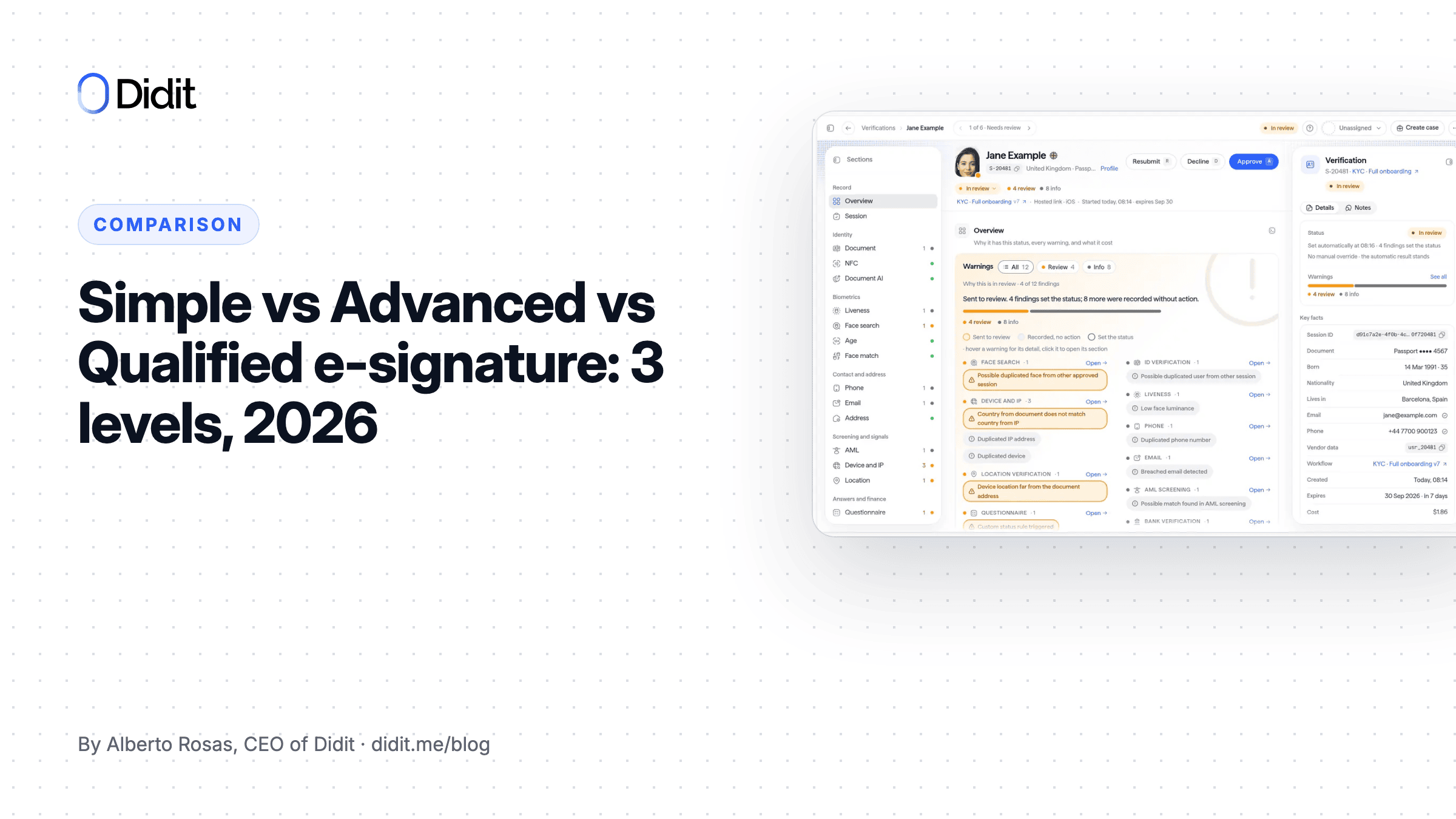
Simple vs Advanced vs Qualified e-signature: 3 levels, 2026
Simple needs no ID, email or phone and returns a signed PDF. AES requires approved ID verification and a verified email or phone. QES requires an approved passport or national ID check and a verified phone.
 Alberto RosasCo-founder and CEO
Contents
In this guide
Jump to the part you need.
Pick the level the document needs. Simple fits an acknowledgement where you establish identity somewhere else, and it returns a signed PDF with no certificate. AES binds the signature to an approved ID check and a verified email or phone. QES fits a document where the applicable rule requires a qualified signature. The live price feed lists the AES prerequisite checks at $0.15 for ID Verification and $0.02 for Email Verification, and gives no separate signing unit price.
Last updated: November 26, 2026. Prices checked against the live Didit price feed on November 26, 2026.
Simple, Advanced (AES) and Qualified (QES) at a glance
Level and level value | Prerequisites in the workflow | Who sends the confirmation code | Format and profile | What the decision returns | Document limits |
|---|---|---|---|---|---|
Simple ("simple") | None. No ID verification, no email step and no phone step. | Nobody. There is no confirmation code. | format: "pdf". The profile is null and the PDF has no digital signature, seal or timestamp. | certificate: null and timestamp: null, plus the signed PDF and the embedded evidence page unless the page is switched off. | Session documents: up to 20 documents and 50 MB in total, a PDF up to 20 MB and 100 pages. |
Advanced (AES) ("aes") | Approved ID verification and a verified email or phone, plus Liveness Approved if the workflow has a Liveness step. | Didit, to the email or phone the signer verified earlier in the session. | format: "pades" and profile: "PAdES-B-LT" once the step is signed. | Certificate, timestamp and confirmation record next to the signed document and its hashes. | Same session document limits. |
Qualified (QES) ("qes") | Approved ID verification with a passport or national ID card, plus a verified phone. QES is an add-on. | The qualified trust service provider, by text message. | format: "pades" and profile: "PAdES-B-LT" once the step is signed. | A qualified certificate from the trust service provider alongside the signed document. | 5 MB per document. |
Start free in the sandbox at business.didit.me, with no sales call. Developers can connect Didit to an AI assistant through the Didit MCP server.
Each signature record has an evidence_file. Each signed document has its own signed_file and document hashes. The embedded evidence page is configurable. The product is Didit e-signature, the setup details for each level are in the E-signature API documentation, and every published unit price is on Didit pricing.
What a signature level controls
E-signature in Didit is a step inside a verification workflow. The feature is SIGNATURE, and there is no standalone signing API: the signer signs inside the hosted Didit flow, the Web SDK or a native SDK, and your backend receives the signed documents and the evidence. The level you choose changes three things: what the signer must complete before signing, what cryptographic evidence lands in the PDF, and what the decision object reports. Simple is the default. To use AES, set the signature level to AES and place ID Verification and Email Verification or Phone Verification before the signature step. The ID check must be approved and the contact verified. If the workflow includes Liveness, that check must also be approved.
Simple: no identity step, and no digital signature in the PDF
Simple is the default. It needs no ID verification, no email and no phone, so a workflow with only a signature step collects the signature without earlier checks. The decision reports level: "simple" and format: "pdf", and signatures[].documents[].signed_file gives you the signed PDF.
The Simple decision has certificate: null and timestamp: null, and the signed PDF has no digital signature, seal or timestamp. The PDF holds the document the signer was shown with their field values stamped, plus the embedded evidence page unless signature_evidence_page is off. That evidence page records who signed and how.
So Simple supplies a signed PDF and evidence without verifying identity in that step. Whether that is enough for a particular document depends on the applicable law, on any formality the document requires, and on your own risk policy. If identity is established earlier in your process, Simple can sit behind it.
Advanced (AES): tied to an approved identity check
AES needs prerequisites in the workflow. In User Verification, an ID Verification step must come before the signature step and the signer's identity must be Approved. You also need Email Verification (email codes, the default) or Phone Verification (SMS codes), so the one-time code goes to a contact the person verified earlier in the same session. If the workflow has a Liveness step, that must be Approved too.
After signing, the decision reports level: "aes", format: "pades" and profile: "PAdES-B-LT". The signed PDF carries the PAdES signature with its timestamp, and the decision carries the certificate and the confirmation record. That is the artefact you hand to a counterparty: the document is bound to the signer's verified identity and to a point in time.

Qualified (QES): the trust service provider texts a one-time code, then signing happens
QES is an add-on. It requires an approved ID verification where the document is a passport or a national ID card, plus a verified phone. A driver's licence or a residence permit does not satisfy the QES document requirement. The signer receives a qualified certificate from a qualified trust service provider. The qualified trust service provider texts a one-time code. Signing occurs after the signer enters it.
The output format is PAdES, like AES, and the per-document limit is 5 MB, tighter than the session upload limit. Under eIDAS Article 25(2), a qualified electronic signature has the equivalent legal effect of a handwritten signature. A QES is an advanced electronic signature created by a qualified electronic signature creation device and based on a qualified certificate for electronic signatures. In Didit, the qualified trust service provider issues the qualified certificate, and the signer confirms with the code it texts them. Setup requirements for QES, including the document and phone prerequisites, are in the E-signature API documentation.
What PAdES is, and what eIDAS says about AES and QES
PAdES is a set of technical standards for digital signatures in PDF files. It describes how the signature is embedded, how the certificate travels with the file and how a timestamp is attached. It is a format, not a legal classification.
The legal classification comes from eIDAS, Regulation (EU) No 910/2014, published on EUR-Lex. Article 26 sets the requirements an advanced electronic signature must meet: it is uniquely linked to the signer, it is capable of identifying the signer, it is created using electronic signature creation data that the signer can use, with a high level of confidence, under their sole control, and it is linked to the signed data so that later changes are detectable. Article 25(2) gives a qualified electronic signature the equivalent legal effect of a handwritten signature. A PAdES file is the technical carrier for either level. Whether a given document can be signed at Simple, AES or QES depends on the applicable law and on any formality that document requires, so confirm that before you pick a level.
Four things keep a signed file honest:
- The download route's hash check. Download through
signatures[].documents[].signed_fileand Didit compares the stored file withsha256_signedbefore returning it, answering 409 withsignature_document_changedif they differ. - Validation of the digital signature inside the PDF. A reader that supports PAdES shows the certificate chain and whether the signature covers the document.
- The timestamp attached to that signature, which is part of what the AES and QES steps record.
- A re-check of the stored signatures with
POST /v3/session/{session_id}/signatures/{node_id}/validate/, for example before you produce a document in a dispute.
profile is reported metadata: it tells you which signature profile the step recorded. It is not on its own proof that a file is valid, so pair it with the checks above.
Signing in a KYC or KYB session
In User Verification the verified person signs. In Business Verification the company's legal representatives or key people sign on its behalf. signature_signer set to key_people picks every eligible key person, from 1 to 20 signers. Set to legal_representative, it picks the key people whose role is representative or authorized signatory, or, when the company names neither, the people who run it: director, non executive director, chairman or company officer.
Ordering is set on the console document. signer_sequence can require one representative (single), require representatives first (ordered), or let selected key people sign independently (parallel). For KYB signers you must set signature_level to aes: simple is refused with signature_simple_requires_verified_person and the workflow cannot be saved. For KYB signing, configure the signature step at AES.
Warnings the decision can report
A signature step can carry these warning codes: SIGNATURE_DECLINED, SIGNATURE_OTP_FAILED, SIGNATURE_OTP_NOT_CONFIRMED, SIGNATURE_NAME_MISMATCH, SIGNATURE_IDENTITY_NOT_VERIFIED and SIGNATURE_DOCUMENT_CHANGED. Two of them have a documented default outcome: SIGNATURE_DECLINED defaults to REVIEW and SIGNATURE_DOCUMENT_CHANGED defaults to DECLINE.
The download route has a separate failure mode. When you fetch a signed PDF and the stored file does not match sha256_signed, the route answers 409 with signature_document_changed. That is a mismatch against the recorded hash of the signed file. A document that is not signed yet returns 404 with signature_not_signed, and after you delete the session the route returns 404 as well.
From session creation to a signed PDF
Add the E-signature step to the workflow in the Business Console, or create the workflow with {"feature": "SIGNATURE", "config": {...}}. Upload the documents in the console, or set signature_documents_source to session or both to send them with each session. Fields are optional: signature, initials, full_name, date_signed, text, checkbox, email and read-only data, placed by page and position or by anchor text. A field with prefill api.<key> takes its value from sign.field_values.
curl -X POST 'https://verification.didit.me/v3/session/' \
-H 'x-api-key: YOUR_API_KEY' \
-H 'Content-Type: application/json' \
-d '{
  "workflow_id": "YOUR_WORKFLOW_ID",
  "vendor_data": "user-1234",
  "sign": {
    "documents": [
      {
        "title": "Account agreement",
        "file_name": "agreement.pdf",
        "content_base64": "BASE64_OF_PDF",
        "fields": [
          {"key": "signature", "type": "signature", "page": 3, "x": 0.09, "y": 0.62, "width": 0.36, "height": 0.085},
          {"key": "credit_limit", "type": "data", "page": 1, "x": 0.34, "y": 0.31, "width": 0.3, "height": 0.03, "prefill": "api.credit_limit"}
        ]
      }
    ],
    "field_values": {"credit_limit": "3,000 EUR"}
  }
}'
Then send the signer to session.url, or open it with the Web SDK or a native SDK. Documents with fields need a native SDK release that supports fields; the hosted page and the Web SDK always do. When the signer has finished, wait for the status.updated webhook, then fetch GET /v3/session/{session_id}/decision/.
The signatures[] array has one item per signer and signature step. Read these documented fields:
status: the signing stage, one of intro, review, code, signing, signed or declined.verdict: Not Finished, Approved, In Review or Declined.level,formatandprofile: simple, aes or qes; pdf or pades;PAdES-B-LTonce an AES or QES step is signed, otherwise null.signer,identity_used,confirmation,certificate,timestamp,adopted_signatureandelectronic_signature_consent_at.documents[]: one item per document withmode,source_format,conversion,sha256_original,sha256_signed,status,signed_fileand thefields[]that were filled.evidence_file, andwarnings[]withcodeandnode_id.
Download each signed PDF from the path in signed_file, or call the route directly with your API key:
curl -L 'https://verification.didit.me/v3/session/{session_id}/signatures/{node_id}/documents/{document_id}/file/' \
  -H 'x-api-key: YOUR_API_KEY' \
  -o agreement-signed.pdf
Download the signed PDF, the evidence file and the hashes into your own storage before deleting the session, because the route returns 404 after you delete the session. In the webhook handler, verify the HMAC signature the webhooks documentation describes, then fetch the decision. Check that the relevant signer has status: signed and that the target document has a signed status and a signed_file path before downloading it.
What an e-signature costs
The figures here are published list prices from the Didit price feed, in USD. Usage is billed per completed check from prepaid credit, and plan fees are separate from that usage.
The published prerequisite prices for an AES signature in a User Verification session are ID Verification at $0.15 per check and Email Verification at $0.02 per check. The feed gives no separate signing unit price. For 1,000 completed ID Verification checks and 1,000 completed Email Verification checks, the prerequisite subtotal is 1,000 × ($0.15 + $0.02) = $170 in USD.
If the workflow runs a full ID check instead of an ID document check alone, the same 1,000 signers give a prerequisite subtotal of 1,000 × ($0.33 + $0.02) = $350 in USD. A phone code replaces the email code when the workflow uses Phone Verification. One US SMS Phone Verification code is $0.0473 at list price. This is the price of the phone verification prerequisite.
Plans change the arithmetic. Free includes $10 per month for the first organization created with an eligible work email for a company domain. Free plan credit excludes phone verification codes. Growth is $99 a month with $115 of credit a month and 4% off every Didit price. Scale is $299 a month with $350 of credit a month and 10% off. On Scale, the 1,000-signer prerequisite subtotal is 1,000 × ($0.135 + $0.018) = $153 in USD. Unused monthly credit does not roll over. Enterprise contracts start at $15,000 a year.
Strengths and limits of the signing step
What works well:
- Three levels in one workflow step, so Simple, AES and QES documents run through the same session model and the same decision shape.
- AES binds the signature to an Approved ID check and returns PAdES with a certificate and a timestamp.
- KYB signing for 1 to 20 key people, with single, ordered or parallel sequences.
- Per-check billing from a public price list, with 4% off on Growth and 10% off on Scale.
- Downloads that check the stored file against its recorded hash, plus a validation endpoint you can call again later.
- One API, webhooks, SDKs and a free MCP server for agent and developer workflows.
What to plan around:
- Signing happens inside the Didit flow. There is no standalone signing API.
- QES is an add-on with a 5 MB per document limit, a passport or national ID requirement, and a dependency on the trust service provider issuing the certificate and sending the code.
- A Simple PDF carries no digital signature, seal or timestamp. Didit supplies a separate evidence PDF and can also embed an evidence page in the signed PDF.
Start free in the sandbox at business.didit.me and test Simple and AES in workflows configured for each level. For QES, read the e-signature documentation first, because its setup requirements differ from AES.
Sources
- Didit e-signature product page
- Didit docs: E-signature API overview and signature levels
- Didit docs: E-signature report and the signed PDF
- Didit docs: Download signed document
- Didit docs: Download the signature evidence
- Didit docs: Validate signatures
- Didit docs: Create Session API
- Didit docs: Data models and warning objects
- Didit docs: Webhooks and HMAC signing
- Didit docs: Workflow Builder
- Didit docs: Pricing and billing rules
- Didit pricing page and pricing as JSON
- Didit MCP server and integration prompt
- Didit Business Console sandbox
- EUR-Lex: eIDAS, Regulation (EU) No 910/2014
Create an account at business.didit.me and test a Simple workflow with a signature step. Then test an AES workflow with approved ID verification, a verified email or phone, and the signature step set to AES before you commit. If you need QES, read its setup requirements in the documentation first. No sales call is needed for sandbox signup or testing.
Try it
Try this in the sandbox
Run the check this guide describes, free.
The product this post is about, taken from its topic. Run it free in the sandbox.
Author
Alberto Rosas
Co-founder and CEO

Keep reading
Other guides in the same topic.
 What Is the Purpose of FICA in South Africa? 2026 Guide
FICA is South Africa's anti-money laundering law. It creates the Financial Intelligence Centre and requires accountable institutions to identify and verify clients, screen for PEP and sanctions risk and report suspicious.
Alberto RosasNov 26, 2026 Sixth Money Laundering Directive (6AMLD): What Changed and Which Rules Apply
6AMLD is Directive (EU) 2018/1673: Member States must criminalise laundering, widen predicate offences and set a four-year penalty floor. It adds no new due diligence duties for firms.
Alberto RosasNov 26, 2026 Automated Sanctions Screening: Canada, the Entity List and Embargoes
Automated sanctions screening matches people and companies against lists such as Canada's autonomous sanctions made under SEMA and JVCFOA and the OFAC SDN List, and returns candidate hits scored for identity confidence and.
Alberto RosasNov 26, 2026Questions
Frequently asked questions
What is the difference between a simple, advanced (AES) and qualified (QES) electronic signature?
In Didit, Simple needs no ID verification, no email and no phone, and returns a signed PDF in pdf format with a null certificate and timestamp. Advanced (AES) requires an approved ID verification and a verified email or phone, and returns a PAdES signature with a certificate and a timestamp. Qualified (QES) requires an approved ID verification with a passport or national ID card plus a verified phone, and adds a qualified certificate from a qualified trust service provider whose one-time code the signer enters before signing.
Does a simple electronic signature need ID verification?
No. In Didit, Simple is the default level and it needs no ID verification, no email and no phone. The decision reports certificate: null and timestamp: null, and the signed PDF has no digital signature, seal or timestamp. Use it where identity is established elsewhere in your process, and check that the document and the applicable law allow it.
What is PAdES and does a simple signature have it?
PAdES is a set of technical standards for digital signatures embedded in PDF files. In Didit, AES and QES documents come back in pades format with the PAdES-B-LT profile once signed. Simple documents come back in pdf format and carry no PAdES signature at all.
What is the difference between a typed signature, a digital signature and a QES?
A typed or drawn signature is the visual mark on the page, and a digital signature is the cryptographic evidence attached to the file, which identifies the certificate and shows whether the document changed afterwards. Under eIDAS Article 25(2), a QES has the equivalent legal effect of a handwritten signature; it is an advanced electronic signature created by a qualified electronic signature creation device and based on a qualified certificate for electronic signatures. In Didit, the qualified trust service provider issues the qualified certificate and texts a code, while the decision reports the signature level and metadata and the signed PDF contains the applied field values. AES and QES PDFs carry the embedded digital signature.
How much does a Didit e-signature cost?
Usage is billed per completed check from prepaid credit. The feed lists the AES prerequisite checks at $0.15 for ID Verification and $0.02 for Email Verification, and gives no separate signing unit price. For 1,000 of each, the prerequisite subtotal is 1,000 × ($0.15 + $0.02) = $170 in USD. Growth takes 4% off every Didit price and Scale takes 10%.
What does QES require that AES does not?
QES requires an approved ID verification where the document is a passport or a national ID card, plus a verified phone, and it is an add-on. The qualified trust service provider issues a qualified certificate and texts a one-time code, and signing occurs after the signer enters that code. A driver's licence or a residence permit does not satisfy the document requirement, and the per-document limit for QES is 5 MB.
Can a company sign a contract in a KYB session?
Yes. In Business Verification the company's legal representatives or key people sign on its behalf; signature_signer set to key_people picks every eligible key person, from 1 to 20 signers, and the console document sets single, ordered or parallel sequences. KYB signers must use the aes level; simple is refused with signature_simple_requires_verified_person and the workflow cannot be saved. Each signer completes their own KYC first.
What do I get back from the API after a signature?
The decision returns signatures[], one item per signer and signature step, with status, verdict, level, format, profile, certificate, timestamp and a documents[] list holding signed_file, sha256_original and sha256_signed. Each signature record also carries an evidence_file. Download the signed file from the route in signed_file with your API key.
How do I check whether a signed PDF has changed?
Download it through the route in signatures[].documents[].signed_file: Didit compares the stored file with the recorded hash, sha256_signed, before returning it and answers 409 with signature_document_changed if they differ. For a copy already in hand, compare that copy's hash with sha256_signed. For AES and QES, use a PDF reader that supports PAdES and timestamp validation to check the embedded digital signature and its timestamp. Re-run POST /v3/session/{session_id}/signatures/{node_id}/validate/ to re-check the stored signatures.
Can I collect a signature with a verified email but no document check?
Not at the AES level. AES requires an approved ID verification as a prerequisite, plus a verified email or phone for the one-time code. A workflow with only a signature step runs at Simple, which does no identity or contact check in that step, so a verified email you hold elsewhere sits outside the signing record.
How do I add e-signature to my app?
Configure the workflow with an E-signature step in the Business Console, and upload the documents there or send them per session in sign.documents. Create the session with POST /v3/session/, then send the signer to session.url or open it in the SDK. When status.updated arrives, fetch GET /v3/session/{session_id}/decision/ and download each document from signed_file once it is signed.
Is the sandbox free?
The sandbox is free on every plan, so you can build a workflow with an ID step and a signature step and run it before you pay for a live check. Live usage is billed per completed check from prepaid credit, and plan credit is separate from that usage. Start at business.didit.me with no sales call.
Compliance built in
Audited, certified and attested.
We hold the certifications and build each country's rules into your flows, so you can launch anywhere without worrying. Security and Compliance center
- Regulation encoded into your flows
Tell us what you do and where. Didit lists the rules that apply to you, with sources, and builds the checks each country needs into one workflow.
- Ready for AMLR
Every requirement of the new EU anti-money laundering rules, from checking customers to human review, is already covered by a Didit check.
- Tested in Spain's Treasury sandbox
Spain's Treasury published its supervised sandbox report on Didit's NFC plus active liveness onboarding; SEPBLAC took part and valued the added measures positively.
- Audited, not self-declared
iBeta Level 1 and Level 2. Liveness tested under ISO/IEC 30107-3.
Your obligations · 3 regions
 SOC 2 Type 2
 ISO 27001
 iBeta Level 1 and Level 2
 EU regulator attestation
 FSM youth protection
 GDPR
 EBA remote onboarding
 MiCA compatible
 FIDO Alliance member
- AMLREU AML Regulation ready
Integration · Didit MCP
Run Didit from your own AI agent
Connect Didit to Claude, Cursor, VS Code or ChatGPT and just ask in plain words. Your agent can do anything you can do in the console, with the same permissions you have.
 Add to Claude
 ChatGPT
 Cursor
- Build workflowsDescribe the checks you need. The agent creates and publishes the flow.
- Run investigationsAsk why a session was declined, review cases, search people and companies.
- Change rulesCreate payment rules, test them on past data and switch them on.
- Pull reportsAsk for numbers, exports or the audit log.
Didit Academy