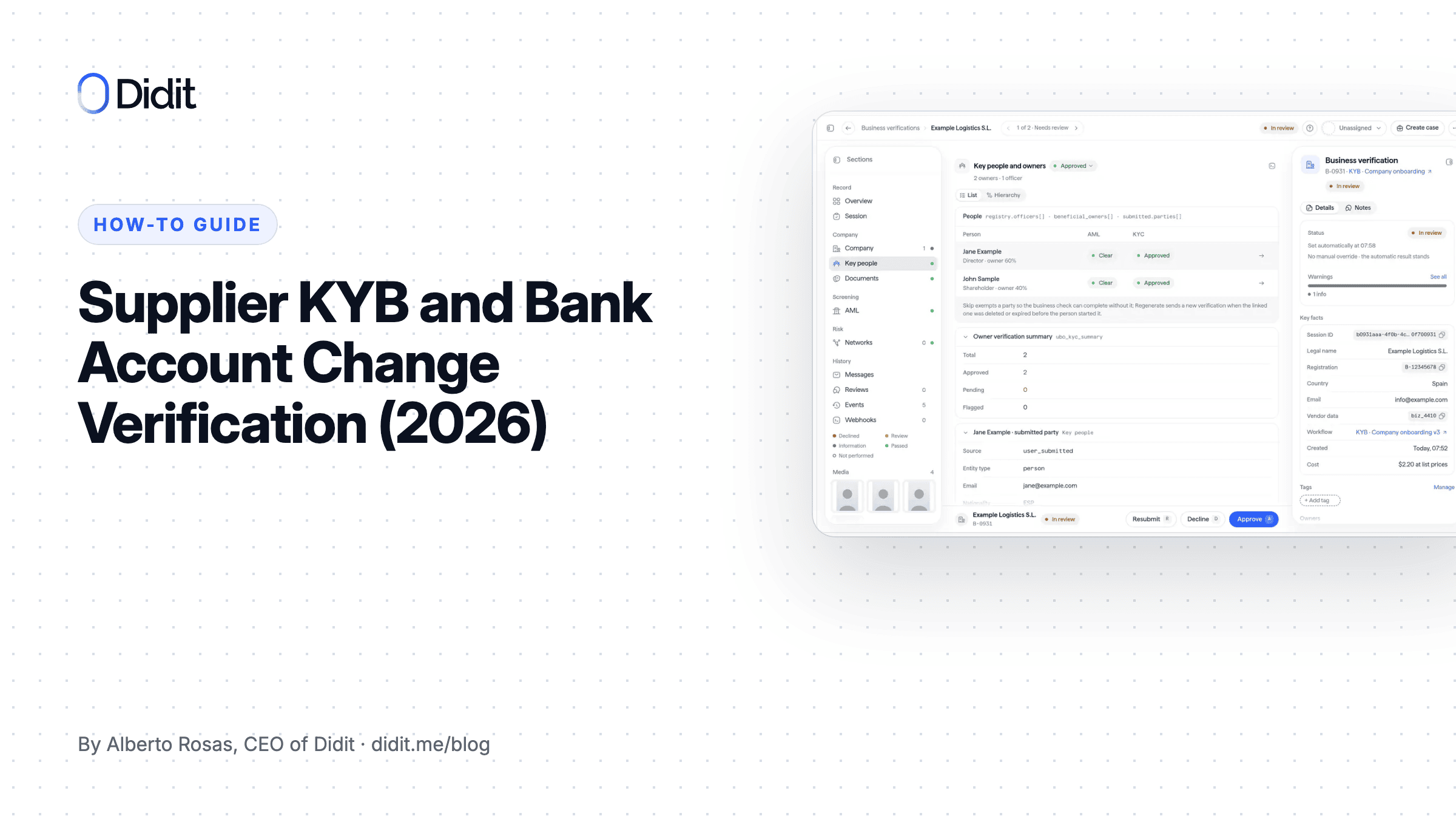
Supplier KYB and Bank Account Change Verification (2026)
Run supplier KYB once at onboarding, then treat every bank detail change as its own verification event: registry and ownership re-check, account ownership check, and a documented call-back before the first payment to the new.
 Alberto RosasCo-founder and CEO
Contents
In this guide
Jump to the part you need.
This guide is for accounts payable and procurement teams that onboard suppliers and need a control on bank detail changes. Didit business verification reads official registry data from $2.00 per company, by country and data tier, with a linked KYC at $0.33 per person when you enable it for a role. The caveat: KYB proves the company exists and who controls it, not that a new bank account belongs to it. Pair it with an account check and a call-back.
Last updated: November 26, 2026. Prices checked against the live Didit price feed on November 26, 2026.
| Control | Question it answers | Where it runs | Published price |
|---|---|---|---|
| Supplier KYB | Is the company real, active, and who owns it | KYB session via POST /v3/session/ with a KYB workflow | From $2.00 per company, $5.00 Shareholders, $9.00 UBOs, by country |
| Company AML | Is the legal entity on a sanctions or enforcement list | Feature inside the KYB session | $0.20 per check |
| Owner and officer identity | Is each UBO the person they claim to be | Linked KYC child session per person, optional and set per role in the workflow | $0.33 per person when enabled |
| Person AML | Is each owner or officer on a watchlist | Feature inside the KYB session | $0.20 per person |
| Supplier documents | Incorporation, shareholder register, proof of address | KYB documents step | $0.20 per collection step |
| Bank account ownership | Does the bank hold this account under the supplier's name | Account Check API | Per country, on the Bank Verification pricing page |
| Registry change alerts | Did the company change after onboarding | Registry monitoring | $2.00 per company per year, listed, rollout pending |
Start free in the sandbox at business.didit.me, no sales call. Developers can connect Didit to an AI assistant through the Didit MCP server. Product detail sits on the business verification page and every unit price is on didit.me/pricing.
What supplier KYB proves, and where it stops
KYB verifies the company, not the bank account. A registry lookup returns the legal name, registration number, country, status, legal form, incorporation date, registered address and, where the registry holds it, tax number and officers. Three data tiers decide how far ownership is traced. Lite returns the company profile and officers. Shareholders adds the direct shareholders, natural persons and corporate entities, with ownership bands. UBOs adds the ultimate beneficial owners resolved through the ownership chain. Prices are set per country and tier, so a German GmbH and a Delaware LLC do not cost the same.
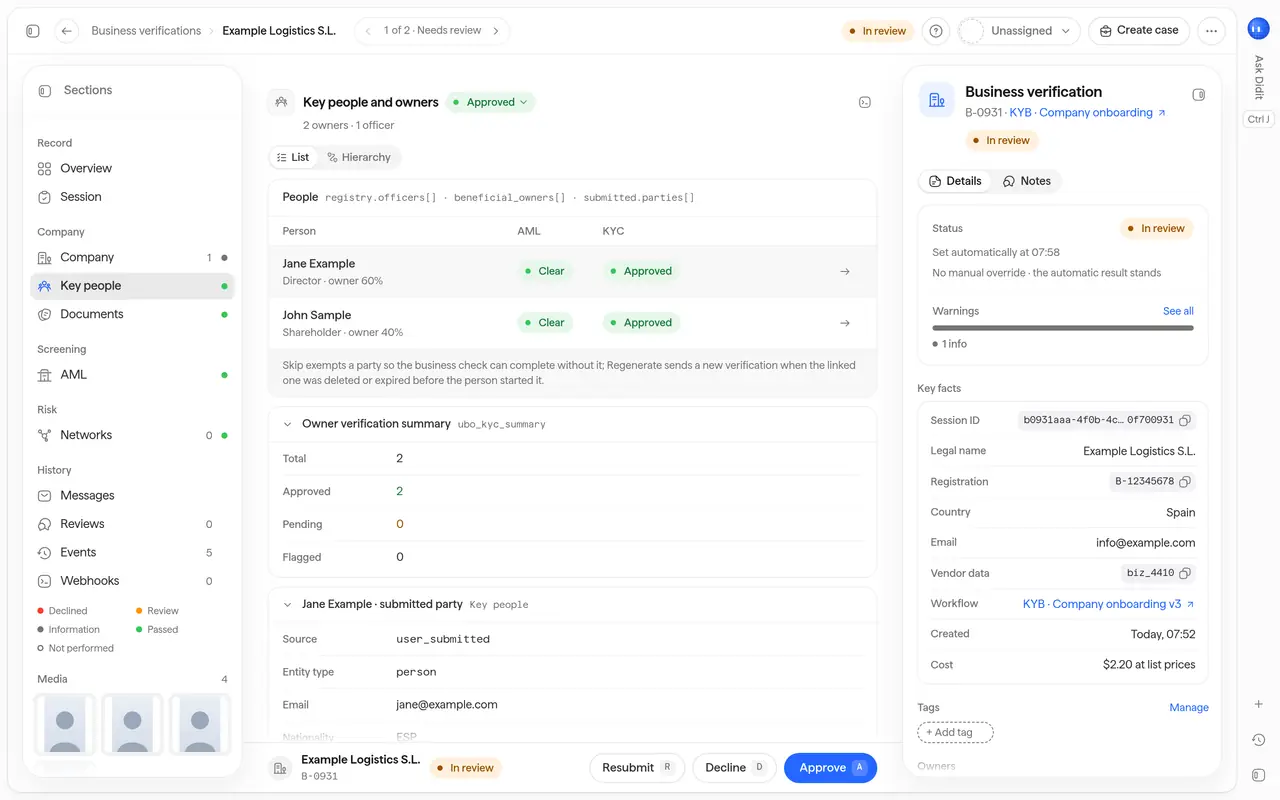
Every person and corporate entity lands in the Key People model: UBOs with ownership and voting percentages, individual and corporate shareholders, directors, representatives, secretaries, authorised signatories and other officer roles. Each role is configured in the workflow, and each role can require a linked KYC child session. Company AML screens the entity, person AML screens each identified party, and the documents step collects the certificate of incorporation, articles of association, shareholder register, proof of address or financial statements you choose to require. Didit runs this for 4,000+ companies.
None of that says anything about a bank account. A verified supplier record tells you who owns and controls the company. It does not bind the company to a particular account, and nothing in the registry record detects a mismatch. A change request can arrive with an account held by a different company, often one with a similar name. That gap is why the account check and the call-back exist, and why they belong in the same procedure as KYB.
The account check: what it returns
The account check confirms that a bank account belongs to the person or company you name, from the account details typed in, with no session and no bank sign-in. In some countries the bank returns the holder name it holds. In the United Kingdom, the euro area, the United Arab Emirates, Australia, the United States, Brazil, Mexico, Argentina, Peru, Uruguay, Chile, Colombia, Ecuador, India, China, Uganda, Indonesia, Vietnam, Nepal, Pakistan, South Korea, Bangladesh and Malaysia the bank confirms whether the name matches without returning the name, so holder_name stays null and the result is match or no_match.
Coverage follows the country table on the Bank Verification pricing page, among them Nigeria, Ghana, Kenya, Zambia, the United Kingdom, the euro area, the United Arab Emirates, Australia, the United States, India and much of Asia and Latin America. A country outside coverage answers with a 404 and is not billed. In some countries the check needs the account holder's explicit consent before each check: ask for it in your product, send "consent": true, and without it the check is refused with a 400 and not billed.
Prerequisites
- A Didit application with KYB enabled. Create one at business.didit.me if you do not have one.
- An API key from Developer Settings, then API Keys.
- A webhook endpoint reachable from the internet, and the destination's
secret_shared_keystored asDIDIT_WEBHOOK_SECRETin your environment. - The supplier's legal name, country of incorporation and, if you have it, registration number, so the registry search does not depend on the supplier typing it correctly.
- The bank account in the format its country writes it: IBAN for the euro area and the UAE, sort code and account number for the United Kingdom, routing number for the United States, BSB for Australia, IFSC for India, bank code and NUBAN for Nigeria.
- An internal rule for who may approve a bank change, and a phone number for the supplier taken from the registry record or the contact verified at onboarding.
Step-by-step: supplier onboarding and bank detail change control
- Create the KYB workflow once. In the console go to Workflows, then Create workflow, and choose Business Verification as the workflow type. Enable company registry lookup (required), company AML (recommended), Key People (required for most regulated industries) and documents if your process needs them. Save it and copy the
workflow_id. - Start the supplier session. One call per supplier.
vendor_datacarries your supplier id and binds the session to a Business entity, so later sessions for the same supplier aggregate onto the same profile.curl -X POST https://verification.didit.me/v3/session/ \ -H "x-api-key: YOUR_API_KEY" \ -H "Content-Type: application/json" \ -d '{ "workflow_id": "YOUR_KYB_WORKFLOW_ID", "vendor_data": "supplier-acme-001", "callback": "https://myapp.com/kyb/return", "metadata": {"tier": "strategic", "country": "GBR"} }' - Deliver the hosted link. Send the returned
urlto the supplier's admin contact through your own email or supplier portal. The contact confirms the registry record, adds key people and UBOs, and uploads documents. Branding, logo and domain are console settings described in the white-label documentation. - Receive the status webhook. When the business session reaches a terminal status, Didit posts
status.updatedwithsession_kind: "business"inside the payload. Filter on that field to route the event to your KYB handler, verify theX-Signature-V2HMAC, de-duplicate onevent_idand respond within 5 seconds.{ "event_id": "7f3c2c1e-6a1d-4c36-9d8e-0d3b5f4e2a10", "webhook_type": "status.updated", "session_id": "a1b2c3d4-5678-4abc-9def-1234567890ab", "business_session_id": "a1b2c3d4-5678-4abc-9def-1234567890ab", "session_kind": "business", "vendor_data": "supplier-acme-001", "status": "Approved", "created_at": 1776515400, "timestamp": 1776515401, "decision": { "...": "full KYB decision" } } - Fetch the decision when you need it. The webhook already carries the full decision, so this call is for on-demand reads or for when you did not subscribe to webhooks.
Readcurl https://verification.didit.me/v3/session/bs_01H.../decision/ \ -H "x-api-key: YOUR_API_KEY"key_people_checks[]for the registry bucket and the submitted bucket plus theubo_kyc_summaryrollup,document_verifications[]for each document step, andaml_screenings[]for company and per-person hits. - Branch on the status.
Approved: onboard the supplier.Declined: reject and log thewarnings[]tags from the decision.In Review: wait for the analyst decision and the next webhook.Resubmitted: re-deliver the sameurl, and the hosted flow resumes at the resubmission step.Awaiting User: a child Key People KYC is still pending. - Verify the account before you change anything. When the supplier asks for a new bank account, send the holder name and the account in the format its country writes it. The endpoint, the headers and the full request schema are on the Account Check API documentation page, with the response fields and the country coverage table. This is the documented request body for a Spanish supplier, an IBAN account held by a company.
For a United Kingdom supplier send{ "country": "ESP", "account": { "iban": "ES5500000000000000000001" }, "holder": { "business_name": "Northwind Trading S.L." } }{"sort_code": "...", "account_number": "..."}, for the United States{"routing_number": "...", "account_number": "..."}, for Nigeria{"bank_code": "...", "account_number": "..."}with the bank's 6-digit NIP code and the 10-digit NUBAN. Spaces, dashes and dots are ignored. A key the country's check needs and does not get is a 400 naming it, for example"field": "account.bank_code", "reason": "required". Useholder.full_namefor a sole trader andholder.business_namefor a company. - Read the result and the score. The call returns
result,name_match_scoreandholder_name. The policy in the next section says what each result allows. The score is the 0 to 100 similarity the result was decided on, so you can layer your own threshold over it without changing the result. - Run the call-back. Call the number on the registry record or the contact verified at onboarding, never a number supplied with the change request. Record who approved, when, and what was compared. This step is yours: we recommend running the call-back as an internal procedure outside the verification, because it tests the intent behind the instruction rather than the data on the account.
- Re-verify on change, not on a calendar. A bank change request is your trigger. Registry monitoring watches company status, officers, ownership and address, fires a
data.updatedwebhook withtrigger: "kyb_registry_change"and is listed at $2.00 per company per year, but rollout is pending: no country had monitoring enabled when the price list was checked on September 7, 2026. Build the change process first and treat monitoring as an addition when it reaches your countries.
Bank change decision policy
A compact policy we recommend for accounts payable. It covers all four outcomes the account check can return.
match, with a score of 85 or above by default: the bank holds the account under the name you sent. Go to the call-back, and pay only once it is recorded.close_match, with a score of 70 to 84: the bank holds the account under a close name, andholder_nameis returned where the bank returns names. Read the returned name against the registry record, have a named person at the supplier confirm it on the call-back, and record the comparison.no_match: the bank holds the account under another name, or there is no such account. Do not pay. Escalate as suspected bank detail fraud and keep the last verified account.cannot_verify: the bank answered without comparing the name, for example for a blocked or closed account. Apply your own policy, for example ask for another account or request a bank statement.- Score policy:
resultstays authoritative and is decided with the defaults, amatchfrom 85 and aclose_matchfrom 70 up to 84. A stricter threshold of yours never changes it, but you can refuse amatchwhose score sits below your own bar.
Expected output
The session creation call returns the session_id, a session_number and the hosted url. The workflow type flags the session as a business session, so no extra field is needed on your side. The decision payload then holds the registry data, the key people extracted and confirmed, the AML hits, the documents and the per-feature results, with statuses drawn from "Not Finished", "Approved", "Declined", "In Review" and "Resub Requested". The account check returns result, name_match_score and holder_name.
| Step | You send | You receive |
|---|---|---|
| Create the KYB session | workflow_id, vendor_data, optional callback and metadata | session_id, session_number, url |
| Supplier completes the hosted flow | Registry confirmation, key people, documents, consent | Feature statuses recorded on the session |
| Status webhook | Nothing, Didit posts it | status.updated with session_kind: "business" and the full decision |
| Decision read | session_id | status, key_people_checks[], document_verifications[], aml_screenings[], warnings[] |
| Account check | country, account, holder.business_name or holder.full_name, consent where required | result, name_match_score, holder_name |
Failure cases and recovery
| Situation | What you see | Recovery |
|---|---|---|
Invalid workflow_id | 400 Bad Request | Copy the id again from the workflow in the console |
| A KYC workflow passed instead of a KYB workflow | The session is created but runs KYC steps | Check that the workflow's workflow_type is "kyb" |
Same vendor_data reused | A new session is created | That is by design for re-KYB. Read the newest session and keep the older ones for the audit trail |
| Supplier country outside the workflow's allowed countries | KYB_COUNTRY_RESTRICTED warning on the registry check | Add the country to the workflow's country list, or decline the supplier under your own policy |
| Registry provider outage during company search | 502 with code: "kyb_registry_provider_unavailable", not billed | Retry. In the hosted flow the business is offered manual company entry instead of a retry-only error, billed flat $0.75 |
| Rate limit | 429 with a Retry-After header | Wait the header's time, then retry the same request |
| Key person link expired or party deleted | Parent kyb_key_people stays Awaiting User | Reissue with POST /v3/session/{session_id}/kyb/parties/{party_uuid}/regenerate/ |
| Account check country not covered | 404 with code: country_not_covered, not billed | Fall back to a bank statement or document collection, or hold the change until it is verified another way |
| Consent missing where the country requires it | 400, field: consent, reason: required, not billed | Collect consent in your product, then resend with "consent": true |
| Account name does not match | no_match | Do not pay. Escalate as suspected bank detail fraud and go back to the last verified account |

KYB_COUNTRY_RESTRICTED appear on the session itself, so the payables analyst can see why a supplier sat in review.Paid steps and review boundaries
What is billed, in the order it happens:
- Registry check, once per selected company, at the price of the tier delivered for that country. In a hosted workflow the charge applies at selection even if the applicant leaves before confirming the details.
- If ownership is pending, Lite is charged at selection and only the difference to the delivered ownership tier is charged later, at the selection-time quote. The total never exceeds the requested tier's quote.
- Manual company entry, flat $0.75, when the company cannot be found and the applicant types it in.
- Company AML $0.20 per check, person AML $0.20 per person. Linked KYC is optional and billed at $0.33 per person only where your workflow requires that role to verify.
- Documents $0.20 per collection step, whatever the number of uploads. Re-uploads inside that step add nothing.
- Key People extraction and the Key People form carry no separate fee.
- Searches inside the hosted flow have no separate search fee. A standalone registry search API call can cost $0.50 per successful request.
- Account check, at the country's published rate on the Bank Verification pricing page. The rate is country-specific, not one world price, and it is not the $0.02 line in the price book, which covers a bank check you route through your own provider. An uncovered country returns 404 and is not billed; a missing required consent returns 400 and is not billed.
- Registry monitoring is listed at $2.00 per company per year and was not enabled in any country as of the price list checked on September 7, 2026.
The review boundary sits in two places. Didit returns Approved, Declined, In Review, Resubmitted or Awaiting User, and analysts can work the case in the Business Console with comments and document requests. Your team owns three decisions the system cannot make: what to do with an In Review supplier a payment run depends on, what to do with a close_match or a cannot_verify, and whether the call-back actually happened and was recorded.
Worked cost example
A United Kingdom supplier onboarded at the UBOs tier, with two beneficial owners who both take a linked KYC, one company AML check and one document collection step:
- Registry, UBOs tier: $9.00
- Company AML: $0.20
- Person AML, two people at $0.20: 2 x $0.20 = $0.40
- Linked KYC, two people at $0.33: 2 x $0.33 = $0.66
- Document collection step: $0.20
List price total: 9.00 + 0.20 + 0.40 + 0.66 + 0.20 = $10.46 per supplier onboarding. On Growth the 4% discount gives 10.46 x 0.96 = $10.04. On Scale the 10% discount gives 10.46 x 0.90 = $9.414 per supplier, or $941.40 for 100 suppliers. The account check that runs when the supplier changes bank details is billed separately at its country's published rate.
Twelve months later the same supplier sends a new account number. You do not redo the whole onboarding. The change needs an account check at the published country rate, plus fresh registry evidence if your policy asks for it: a Lite check at $2.00, which is $1.80 on Scale. At Scale, 100 suppliers with one bank change each in a year come to 100 x $9.414 = $941.40 for onboarding and 100 x $1.80 = $180.00 for the re-checks, before the account checks. A full re-onboarding of all 100 at the UBOs tier would cost 100 x $9.414 = $941.40 again, which is the number to compare against when someone asks why the change process is scoped to a Lite re-check.
Sources
- Didit docs: KYB quickstart, 10-minute business verification
- Didit docs: KYB integration guide and failure modes
- Didit docs: Business Verification API overview
- Didit docs: KYB decision response schema
- Didit docs: KYB webhooks
- Didit docs: session and feature statuses
- Didit docs: KYB registry pricing by country and tier
- Didit docs: Account Check API
- Didit docs: bank account check, account ownership without sign-in
- Didit docs: bank verification coverage and pricing
- Didit pricing page and pricing.json, read November 26, 2026
- Didit business verification product page
Next step: open the sandbox at business.didit.me, create one Business Verification workflow, and run a test supplier from session creation to the account check with a sandbox key. No sales call is needed, and teams migrating from another provider can start from didit.me/switch.
Try it
Try this in the sandbox
Run the check this guide describes, free.
The product this post is about, taken from its topic. Run it free in the sandbox.
Author
Alberto Rosas
Co-founder and CEO

Keep reading
Other guides in the same topic.
 What Is the Purpose of FICA in South Africa? 2026 Guide
FICA is South Africa's anti-money laundering law. It creates the Financial Intelligence Centre and requires accountable institutions to identify and verify clients, screen for PEP and sanctions risk and report suspicious.
Alberto RosasNov 26, 2026 Sixth Money Laundering Directive (6AMLD): What Changed and Which Rules Apply
6AMLD is Directive (EU) 2018/1673: Member States must criminalise laundering, widen predicate offences and set a four-year penalty floor. It adds no new due diligence duties for firms.
Alberto RosasNov 26, 2026 Automated Sanctions Screening: Canada, the Entity List and Embargoes
Automated sanctions screening matches people and companies against lists such as Canada's autonomous sanctions made under SEMA and JVCFOA and the OFAC SDN List, and returns candidate hits scored for identity confidence and.
Alberto RosasNov 26, 2026Questions
Frequently asked questions
What is supplier KYB?
Supplier KYB is a business verification run on a company before it enters your vendor master: a registry lookup, ownership and officer extraction, AML screening of the entity and each identified person, and document collection. Didit returns a decision of Approved, Declined or In Review on the company session, plus the full registry and ownership record. It answers who owns and controls the supplier, not which bank account the supplier uses.
How do I verify a supplier's bank account before changing payment details?
Send the account holder name and the account number in the format its country uses to the Account Check API, then read the result field. match means the bank holds the account under that name, no_match means it does not, and the check needs no session and no bank sign-in. Follow a match with a call-back to a number you already hold before releasing the first payment to the new account.
Does KYB tell me when a supplier changes its bank account?
No. A bank account is not part of a registry record, so no KYB session can observe a change of account. Registry monitoring watches the company's status, officers, ownership and registered address, and is listed at $2.00 per company per year with rollout pending. Bank detail changes have to be caught by your own change process, which is why the account check sits inside it.
How much does supplier KYB cost?
Registry data starts at $2.00 per company for the Lite tier, $5.00 for Shareholders and $9.00 for UBOs, priced by country and data tier. Company AML is $0.20 per check, person AML is $0.20 per person, and each document collection step is $0.20. Linked KYC is optional at $0.33 per person where your workflow requires that role to verify. The account check is billed per check at its country's published rate on the Bank Verification pricing page.
Which countries are covered?
Registry lookup covers 220+ countries and territories across the Lite, Shareholders and UBOs tiers, and tier availability varies by jurisdiction. A Shareholders or UBO request in a country whose registry holds no ownership record is delivered and billed at the highest tier that registry can serve. The account check runs in the countries on the Bank Verification pricing page, among them Nigeria, Ghana, Kenya, Zambia, the United Kingdom, the euro area, the United Arab Emirates, Australia, the United States and India; anywhere else answers with a 404 and is not billed.
What does the name_match_score field mean?
It is the 0 to 100 similarity between the holder name you sent and the name on the account, and it is the score the result was decided on. The defaults are 85 and above for match, and 70 up to 84 for close_match; the result stays authoritative, so a stricter threshold of yours never changes it. The field is null whenever no name was compared, for example when there is no such account or the bank answered with its own verdict and no holder name.
Can I re-run KYB on a supplier that is already verified?
Yes. Reusing the same vendor_data creates a new session by design for re-KYB, and the results aggregate into the same Business entity profile. Re-deliver the hosted url to the supplier's contact. If a single key person needs re-verification, regenerate that party's link instead of restarting the whole session.
Is a call-back still needed when the account check returns match?
Yes. match is evidence about the account, not about the instruction: it confirms the bank holds that account under the name you sent, and says nothing about who asked for the change. Call a number you hold on file, record the approval, and treat the first payment to a new account as a separate approval step.
Does the account check need the supplier's consent?
In some countries yes. Ask for it in your product and send "consent": true, otherwise the check is refused with a 400 naming the consent field and is not billed. Elsewhere consent is optional, and when you send it Didit records it with the check's charge. A sandbox key asks for consent in the same countries as a live key.
How long does a supplier verification take?
The Didit quickstart walks a full KYB from workflow creation to decision in under 10 minutes, provided the supplier's contact completes the hosted flow when the link arrives. Cases that land in In Review take as long as your analyst queue takes. The account check is a single server-to-server call with no applicant involved.
Compliance built in
Audited, certified and attested.
We hold the certifications and build each country's rules into your flows, so you can launch anywhere without worrying. Security and Compliance center
- Regulation encoded into your flows
Tell us what you do and where. Didit lists the rules that apply to you, with sources, and builds the checks each country needs into one workflow.
- Ready for AMLR
Every requirement of the new EU anti-money laundering rules, from checking customers to human review, is already covered by a Didit check.
- Tested in Spain's Treasury sandbox
Spain's Treasury published its supervised sandbox report on Didit's NFC plus active liveness onboarding; SEPBLAC took part and valued the added measures positively.
- Audited, not self-declared
iBeta Level 1 and Level 2. Liveness tested under ISO/IEC 30107-3.
Your obligations · 3 regions
 SOC 2 Type 2
 ISO 27001
 iBeta Level 1 and Level 2
 EU regulator attestation
 FSM youth protection
 GDPR
 EBA remote onboarding
 MiCA compatible
 FIDO Alliance member
- AMLREU AML Regulation ready
Integration · Didit MCP
Run Didit from your own AI agent
Connect Didit to Claude, Cursor, VS Code or ChatGPT and just ask in plain words. Your agent can do anything you can do in the console, with the same permissions you have.
 Add to Claude
 ChatGPT
 Cursor
- Build workflowsDescribe the checks you need. The agent creates and publishes the flow.
- Run investigationsAsk why a session was declined, review cases, search people and companies.
- Change rulesCreate payment rules, test them on past data and switch them on.
- Pull reportsAsk for numbers, exports or the audit log.
Didit Academy